Polaroid vs Instax: Choose the Film, Print Size, and Workflow
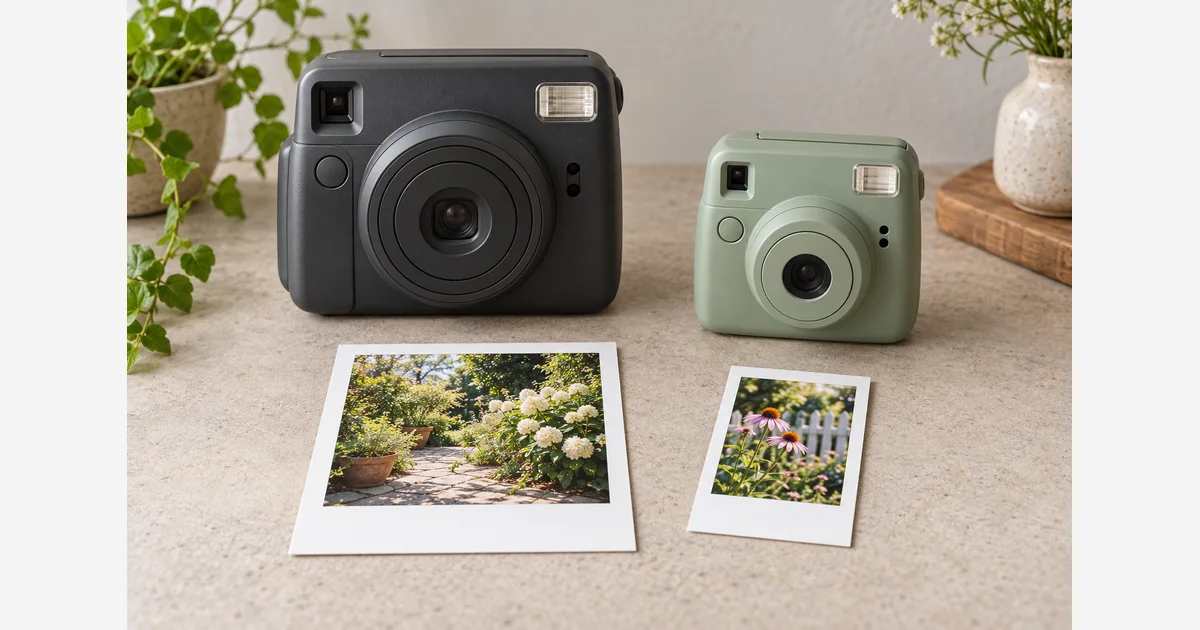
Choose between Polaroid and Instax by the exact print format, shooting workflow, and ongoing film requirement you want. “Polaroid” is a brand with several film families; Instax includes mini, SQUARE, and WIDE. Neither name describes one universal camera or one interchangeable cartridge.
For a gift or event, settle the format and how people will use the camera before comparing body prices. For an existing camera, its film requirement comes first. The tables and worksheet below help narrow the system.
Polaroid vs Instax starts with the consumable
| Family | What to match | Important distinction |
|---|---|---|
| Instax mini / SQUARE / WIDE | The exact format in the device specification. | The three formats are not interchangeable. |
| Polaroid Go | A camera specified for Go film. | Its small format is separate from i-Type and from Instax mini. |
| Polaroid i-Type | A camera whose manual supports i-Type. | The cartridge has no battery; it is not a direct substitute for vintage battery-powered film packs. |
| Polaroid 600 / SX-70 | The actual camera's supported film and exposure requirements. | Similar physical appearance does not make the two film speeds interchangeable without the appropriate workflow. |
Polaroid's film guide explains the battery and film-family differences, including cameras that accept more than one type. Use the exact manual for exceptions; do not transplant packs or modify cartridges to make a purchase work. Fujifilm's format examples are collected in our Instax compatibility guide.
This article focuses on common integral instant-film systems. Do not assume every older Polaroid-branded camera accepts film currently sold for another family. If the model or film requirement is unclear, identify it before buying consumables.
Choose the physical print before choosing the body
Instax gives you three distinct image shapes: mini's image area is 46 × 62 mm, SQUARE is 62 × 62 mm, and WIDE is 99 × 62 mm in their usual viewing orientation. Fujifilm lists these in the mini, SQUARE, and WIDE specifications. The sheet including its border is larger.
For the classic Polaroid i-Type/600/SX-70 size, the whole print is roughly 3.5 × 4.2 inches; Go is roughly 2.1 × 2.6 inches. These rounded overall measurements come from Polaroid's dimension reference. Do not compare them with an image-area measurement as if both describe the same thing.
| Your priority | Useful comparison | Try before committing |
|---|---|---|
| Small prints to hand to friends | Instax mini and Polaroid Go workflows. | A real print in the intended pocket, card, or album. |
| A square composition with a border | Instax SQUARE and the classic Polaroid format. | Image area, overall sheet, and the room needed for writing. |
| Groups or a wide scene | Instax WIDE and other formats cropped or composed for the scene. | How much detail remains useful in the actual physical print. |
| A wedding guest book | The exact camera, film, page layout, and guest routine together. | Space for the print and message, handling, and an attended trial run. |
These are starting comparisons, not rules about which subjects a camera can photograph. A large sheet does not establish better focus or exposure, and a small print can still be the right keepsake. Check album layouts or frame measurements against the actual format.
Decide whether you want the moment of capture or a selected print
A fully analog instant camera commits film when you take the exposure. A suitable hybrid camera or smartphone printer can let you choose a digital image before spending a sheet. Fujifilm's mini Link 3 printer is an example of the latter path, not an analog-camera feature promised across both brands.
For a party, ask whether guests will understand the flash, distance controls, film counter, and the waiting/handling routine. For travel, ask whether you want a self-contained camera or are happy to use a phone and printer. For preserving a spontaneous one-off experience, the inability to preview may be part of the appeal rather than a defect.
Handling also belongs in the decision. Polaroid's film-care guidance discusses storage, temperature, and protecting a developing print from light. Follow the current pack and camera instructions for your film; follow its handling instructions and wait until development is complete before judging the result. Polaroid also warns that shaking, bending, or squeezing a developing photo can cause defects. A workflow demonstration is more useful than expecting every guest to infer the steps.
For a guest book, plan how fresh prints will be held and later stored. Polaroid advises against compressing or sealing its fresh prints during the first 30 days. Do not assume that immediately enclosing one in a plastic pocket follows that guidance. Check the actual film instructions when choosing the page and mounting arrangement.
Compare the price per exposure, then your intended number of prints
Fujifilm's mini 12 specification describes mini packs with 10 exposures; Polaroid explains its 8-sheet integral-film packs. Check the exact retail package: a multipack's outer box can contain several cartridges.
Use package total ÷ total exposures for a first comparison. For example, a hypothetical $20 package with 20 exposures is $1 per exposure, while $20 with 16 exposures is $1.25. These are arithmetic examples, not current film prices or a claim that one brand always costs less.
Next list the prints you actually want to keep or give away, plus separate practice and spare exposures. For an event, allow time and film for a rehearsal. If several guests want the same picture, decide whether you need repeated exposures or a print-from-digital workflow that supports the copies you want.
Download the instant-camera system and film-cost worksheet (.txt)
Make the final choice with a small, honest comparison
- Write the exact candidate models and film. Avoid comparing a premium camera in one system with a different workflow in the other without noticing the difference.
- Look at real finished prints. Inspect the physical size and border under the conditions in which you will use them.
- Try a representative task if possible. Use the expected subject distance, lighting, flash settings, and handling instructions. Record the settings so a disappointing frame is not automatically blamed on the entire system.
- Check consumables for your event or trip. Confirm format, package exposure count, dates, and storage arrangements rather than relying on the body price alone.
- Choose the workflow you will keep using. Include charging or batteries, carrying space, album fit, and whether you want digital copies.
Our instant-camera guide, Polaroid comparison, and Instax comparison help with the subsequent model shortlist. To preserve finished keepsakes, see the digitizing guide; capturing a copy is separate from keeping the original print.
Sources
Frequently Asked Questions
-
Do not treat the systems as interchangeable. Match the exact camera specification and film family before buying a pack.
-
No. Similar composition does not mean the same whole-print dimensions or cartridge. Check image area and complete sheet separately, especially for frames or albums.
-
Use current package totals and exposure counts for the exact film you will buy. Divide price by exposures, then account for practice frames and the prints you need to keep or give away.
-
That depends on the device workflow. A suitable hybrid camera or smartphone printer can support selected digital prints; do not assume a fully analog instant camera provides a preview.