Canon RF vs EF Lenses: Check Mount, Coverage, and Adapter Direction
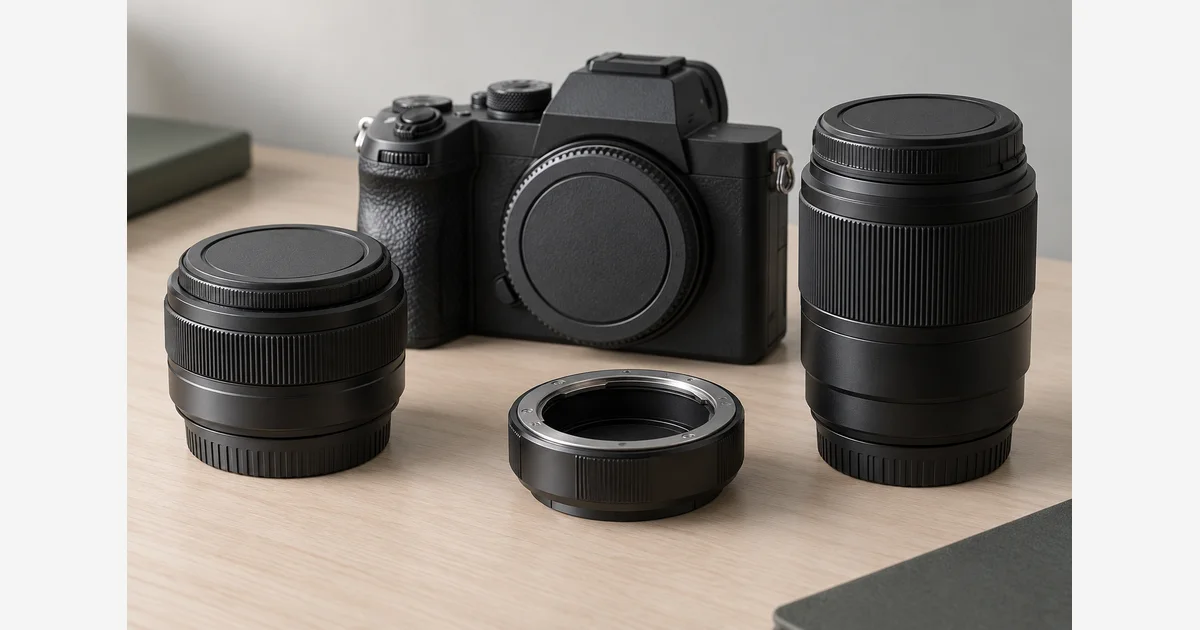
Canon RF lenses are made for EOS R mirrorless cameras. EF lenses belong to the DSLR system and can also be used on supported EOS R bodies with an EF-EOS R mount adapter. That adaptation works in a particular direction: buying an RF lens does not make it usable on an EF-mount DSLR.
Check two things before buying: the camera's mount and the lens's intended image coverage. RF-S and EF-S are APS-C-oriented lens families, while EF-M belongs to a different mirrorless system. A lens saying “for Canon” is not enough information.
Canon RF vs EF lens compatibility
| Lens | EOS R body | APS-C EOS DSLR | Full-frame EOS DSLR | EOS M |
|---|---|---|---|---|
| RF | Direct | No | No | No |
| RF-S | Direct; crop limitations on full frame | No | No | No |
| EF | EF-EOS R adapter | Direct | Direct | EF-EOS M adapter |
| EF-S | EF-EOS R adapter; crop coverage | Direct | No | EF-EOS M adapter |
| EF-M | No | No | No | Direct |
Canon's compatibility chart supplies the mount relationships and notes additional full-frame EOS R limitations with APS-C lenses. “Direct” means the mount arrangement, not a promise that every camera feature or accessory works with every lens.
Read both sides of an adapter
The Canon EF-EOS R adapter specification identifies an RF camera side and an EF lens side. It lets an EOS R owner reuse suitable EF or EF-S lenses. It is not an adapter for putting an RF lens on a DSLR, and it does not accept an EF-M lens simply because both systems are mirrorless.
Write the proposed chain as camera → adapter → lens. For example, an EOS R body plus an EF-EOS R adapter plus a supported EF lens is a sensible combination to investigate. Reversing the words on a shopping search can lead to the wrong accessory.
Third-party lenses, cinema lenses, extenders, and special-purpose optics need their own compatibility check. An adapter's general mount description does not establish support for a particular third-party lens's firmware, autofocus behavior, or a camera's highest burst setting. Check the body, adapter, and lens documentation together.
An APS-C lens does not become full-frame coverage
Canon's lens-name guide distinguishes the RF/RF-S and EF/EF-S families. Using a supported APS-C lens on a full-frame EOS R camera involves the camera's crop behavior and possible mode restrictions. The adapter does not enlarge the lens's intended image circle.
With a 1.6× crop factor, a 35mm focal length gives approximately the full-frame angle of view of 56mm. It remains a 35mm lens. Check the actual cropped pixel dimensions and video-mode availability in your body manual; do not assume the entire advertised full-frame resolution remains available.
See full frame vs APS-C for the angle-of-view calculation and system tradeoffs. If the issue is which focal length suits a room or subject, 35mm vs 50mm addresses that decision separately.
Verify the combination you will actually use
- Identify the camera precisely. Record its full model, sensor format, and mount. Do not rely on the brand or a similar-looking body.
- Read the complete lens name. Include mount family, manufacturer, generation, and any special-purpose designation.
- Check mounting and coverage separately. Establish whether an adapter is needed and whether the lens covers the recording area you intend to use.
- List the functions you need. Include autofocus modes, stabilization, aperture control, burst speed, video crop, and any extender or filter-adapter dependency.
- Verify the complete chain. Find the exact support information before buying. If it is unclear, ask the manufacturer about the named combination rather than improvising a fit.
Download the Canon body–adapter–lens compatibility record (.txt)
If you can try the supported combination, check the functions on your list and inspect saved files, not just the live view. Follow the mounting instructions, keep equipment supported, and stop if it will not seat normally.
For a purchase shortlist, use the RF lens guide, EF lens guide, and mount-adapter comparison after identifying compatibility. Existing useful EF lenses may be worth retaining; a change of mount alone does not establish that every RF lens is optically better than every EF lens.
Sources
Frequently Asked Questions
-
Canon supports EF lenses on EOS R cameras through an appropriate EF–EOS R mount adapter. Check the exact lens, body, adapter, and functions, particularly for third-party equipment.
-
Canon’s compatibility chart does not support RF lenses on EOS DSLRs. An EF–EOS R adapter works in the other direction.
-
Both use the RF mount, but RF-S lenses are designed for APS-C coverage. A full-frame EOS R body uses a crop with supported RF-S combinations; check its manual for details.
-
No. EF-M is the EOS M mirrorless mount. EF-S is a different lens family for APS-C EOS DSLRs and can be used in certain other Canon combinations through the specified adapter.