How to Use a Polarizing Filter Without Overdoing the Effect
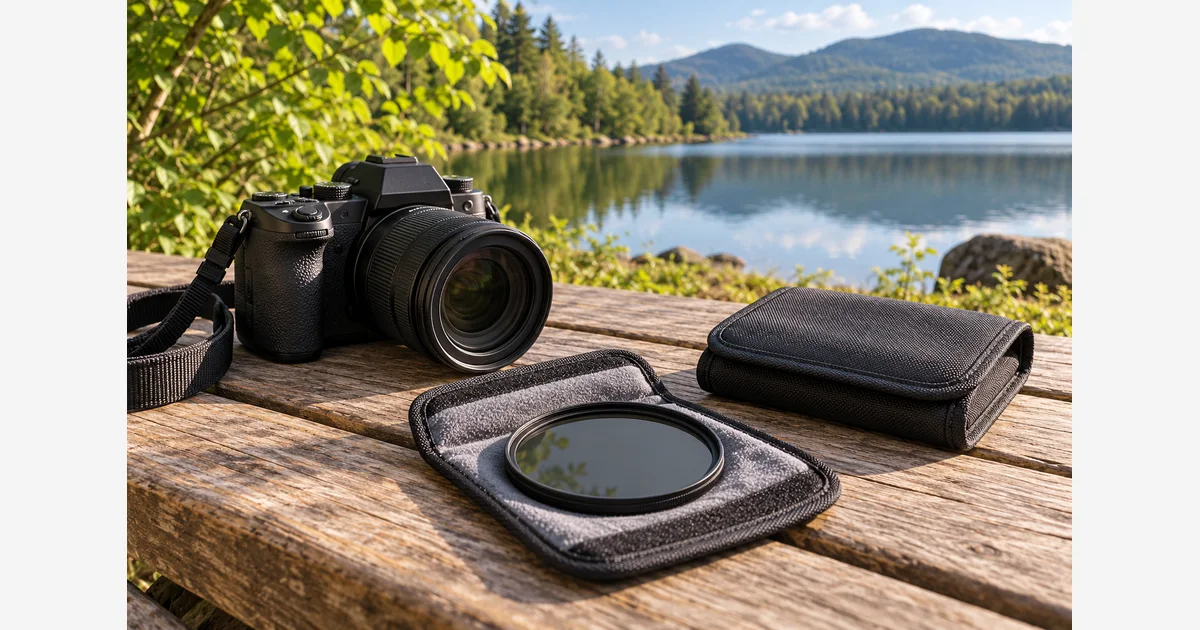
Mount the correct circular polarizer, compose, then rotate its front ring while watching the reflections and sky in your actual frame. Stop at the effect you want, check exposure, and inspect the whole image. Maximum polarization is not automatically the best photograph.
A polarizer controls some reflected light before it reaches the sensor. It is useful for water, foliage, and glass in suitable conditions, but its effect depends on the material, angle, and lighting. It is a different tool from an ND filter used primarily to reduce overall light.
A field sequence that takes the whole frame into account
HOYA describes the two-part frame: one part attaches to the lens while the front rotates to adjust the effect. Check lens thread size, holder clearance, and the ability to rotate the filter with the hood fitted.
- Make an unfiltered reference. Note the reflections that help or obscure the subject. Keep the position and framing available for comparison.
- Fit the filter without forcing it. Use the correct thread or supported holder, with clean accessible glass. Avoid unnecessary stacked rings on a wide lens.
- Rotate while looking. Watch the important reflection, then inspect other parts of the frame. Use an intermediate setting if full removal makes the scene look flat.
- Recheck exposure. A polarizer costs light, with the amount depending on the filter and conditions. Keep shutter speed suitable for moving leaves or people.
- Recheck after recomposing. Camera orientation and direction change the relationship. Landscape-to-portrait rotation is a reason to inspect the effect again.
- Capture and inspect. Check corners, sky uniformity, reflections, and sharpness at the intended output size.
Decide which reflections belong in the picture
| Subject | Possible benefit | What to preserve or check |
|---|---|---|
| Leaves and wet stone | Less glare can reveal surface color and texture. | Some highlights help communicate wetness and shape. |
| Water | Reduced surface reflection may reveal what is below. | A reflected mountain or cloud may be the point of the composition. |
| Glass | Some reflections can be reduced at a suitable angle. | Check remaining glare, double layers, and any unexpected color patterns. |
| Blue sky | A darker region can increase cloud separation. | Uneven darkening may become distracting across a wide view. |
| Shiny objects | Response varies with material and coatings. | Do not promise that every metallic or complex reflection disappears. |
If changing the ring hardly helps, try a different safe camera angle rather than forcing the ring to some imagined “stronger” position. There is no universal clock position that produces the same result in every scene.
Watch for uneven polarization across a broad sky
NiSi explains the strong dependence on direction relative to the light and warns about a dark band in plain blue skies with ultra-wide views. Different parts of a broad sky can therefore respond differently within the same photograph.
Inspect edge to edge, reduce the effect, change the composition, or remove the filter when necessary. For a panorama, check the entire intended sweep rather than perfecting one frame and assuming its neighbors will match. Do not point the camera toward the sun to perform a hand-position trick; evaluate the visible result safely in the actual scene.
Make your own controlled comparison
Choose a stable view containing both a useful reflection and fine stationary detail. Capture no filter, an intermediate ring setting, and a stronger setting. Keep the framing fixed and adjust exposure to make a fair brightness comparison. Record any shutter/ISO/aperture changes so a darker image is not mistaken for a better filter effect.
Compare at the same output size. Ask whether the reflection was actually improved, whether the sky became uneven, and whether reduced shutter speed introduced motion.
Download the polarizer field comparison record (.txt)
If the aim is a long exposure independent of reflection control, use the ND guide and calculator. If shutter speed becomes a problem, use the blur diagnostic. Compare supported sizes in the polarizer buying guide.
Sources
Frequently Asked Questions
-
No. The useful setting depends on subject, lighting, and viewing angle. Rotate while watching the actual frame.
-
No. Material, angle, coatings, and lighting affect the response. Complex or metallic surfaces may not behave like water or foliage.
-
A broad view can span differently polarized regions of sky. Reduce the effect, recompose, or remove the filter when the unevenness is distracting.
-
It reduces some light, but its primary effect also changes reflections and depends on orientation. Use a suitable ND when the main goal is controlled overall light reduction.