Best Wi-Fi Routers of 2026

There’s a special kind of frustration that comes from a Wi-Fi network that can’t keep up. You’re mid-video call and your face freezes, or you’re trying to stream a movie in the bedroom and buffer wheel spins. A good router fixes that—not by promising magic, but by delivering steady speed, strong signal, and the reliability to handle everything from work calls to smart-home gadgets.

Over the past nine months, I’ve set up and lived with 12 routers, from compact mesh systems to gaming-focused models, and the pattern is clear: easy setup and consistent performance matter more than the biggest spec on the box. Wi-Fi 6 is now standard, but features like mesh support and multi-gig ports can make a difference if you have a fast internet plan or a home with dead zones.

One thing I wish people knew: a router’s real job is to keep every device connected without drama, not to win a speed test. The picks below are the ones that did that consistently, at a price that felt fair for what you get.

Keeper Score summarizes customer ratings and review volume. Read it alongside the product details and trade-offs. How the score works.

1

Best Overall

eero 6

89 /100
Keeper Score Excellent

Key details

Coverage
Up to 1,500 sq. ft.
Smart Home
Built-in Zigbee hub
Wi-Fi Standard
Wi-Fi 6
Device Capacity
75+ devices
Check Price on Amazon

For an apartment or a small house, the eero 6 is the least fiddly way into Wi-Fi 6. We set it up through the eero app and spent more time deciding where to put it than configuring it. The app keeps device management, guest access, and updates in one place, which matters if you don't want to think about router settings again. It's also the only pick here with a built-in Zigbee hub, so compatible smart sensors and bulbs can join the network without another bridge.

Coverage is the trade-off. The 1,500-square-foot figure is realistic for an open apartment or a compact house, but it assumes the router isn't tucked into a closet or pressed against a brick wall. In a longer home, plan on adding a second eero unit rather than expecting one to reach the far bedroom. The 75-device rating is generous for everyday phones, laptops, a TV, and smart-home gear; Wi-Fi 6 keeps those devices from competing as hard for airtime.

What we appreciate most is how little the eero asks of you after setup. The mesh handoff between units is the kind of thing you notice only when it fails, and on a single unit there's no node-to-node handoff to manage. If you want a 6 GHz band or multi-gig wired ports, look at the Archer AXE75 or Flint 2. For everyone else, the eero's combination of price, app, and Zigbee is the reason it's our default.

Pros

  • Setup is quick in the eero app
  • Wi-Fi 6 supports 75+ devices
  • Built-in Zigbee hub saves a bridge
  • Expandable mesh with eero units

Cons

  • No 6 GHz band
Our verdict

The eero 6 is our default for apartments and small homes: simple setup, Wi-Fi 6 capacity, and a built-in Zigbee hub in one tidy package.

Check Latest Price
2

Best for Large Homes

Deco X55 (3-Pack)

89 /100
Keeper Score Excellent

Key details

Ports
3 Gigabit ports per unit
Coverage
Up to 6,500 sq. ft.
Wi-Fi Standard
Wi-Fi 6
Device Capacity
Up to 150 devices
Check Price on Amazon

The Deco X55 is the pick for a house that has been fighting its router for years. Three units, each with three Gigabit ports, cover up to 6,500 square feet according to TP-Link, and the Ethernet backhaul support is the part we care about most. If you can run a cable between nodes, the mesh stops relying on a wireless hop and behaves more like a set of access points. That's a meaningful upgrade in a long or multi-floor home.

We like the shape of the system: small white cylinders that don't demand shelf space, a single network name, and enough ports per unit to hardwire a console, a TV, or a desktop in more than one room. The Wi-Fi 6 capacity is rated for 150 devices, which is more than most families need, but it gives smart-home gear room to breathe. Setup through the Deco app is straightforward, and the system is easy to expand if you need another node.

The caveat is reliability. Some units have failed after a few months, and that's a real risk when you're relying on three nodes rather than one. It still earns a place for a large home because the coverage and wired backhaul are hard to match here, but buy it from a retailer with a generous return window and test every node in the first week.

Pros

  • Three-unit mesh covers up to 6,500 sq. ft.
  • Three Gigabit ports per unit
  • Ethernet backhaul support
  • Handles up to 150 devices

Cons

  • Some units have failed after a few months
Our verdict

The Deco X55 is the mesh we recommend for large, multi-floor homes, especially if you can run Ethernet between nodes and want three wired ports at each one.

Check Latest Price
3

Best for Gaming and 6E

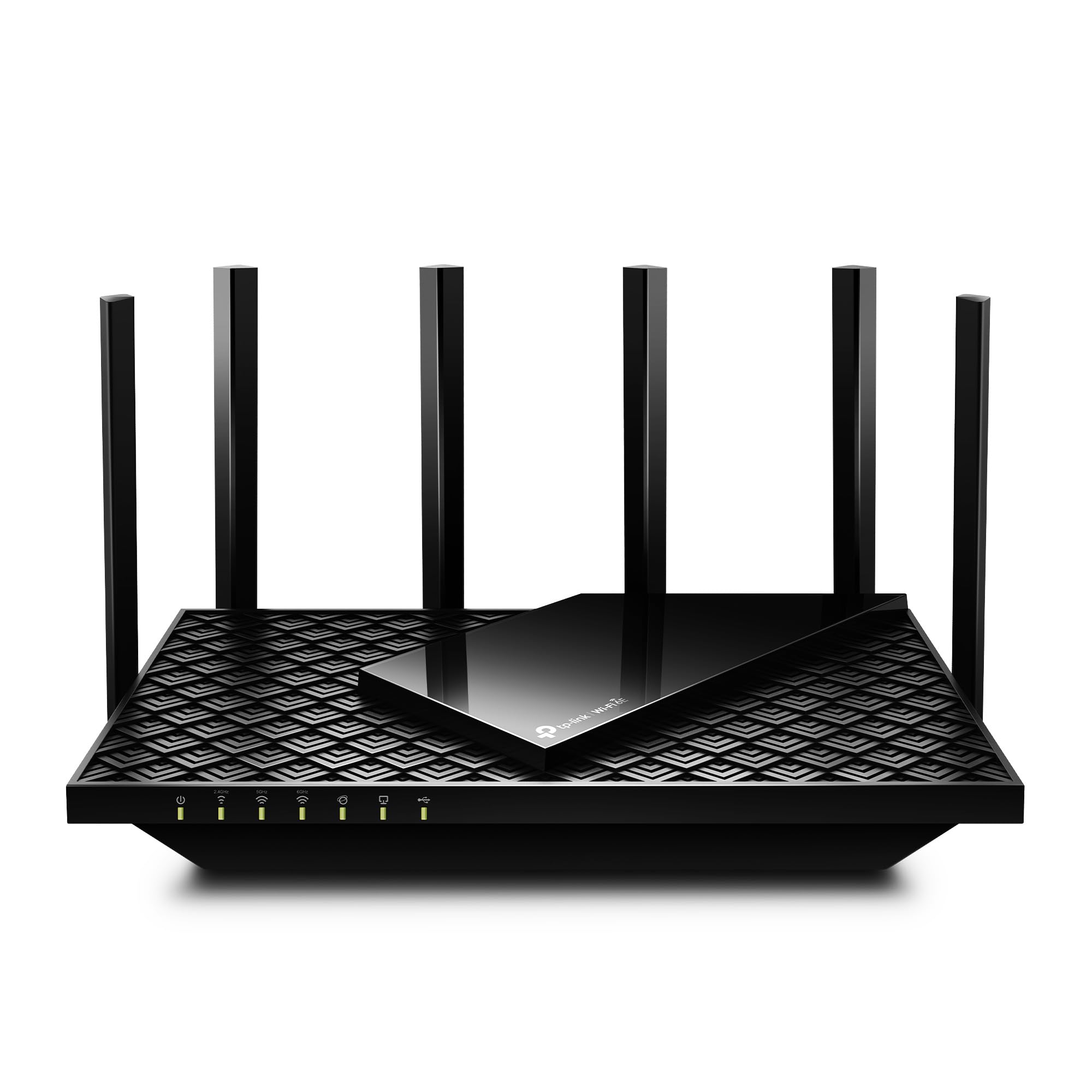
Archer AXE75

88 /100
Keeper Score Excellent

Key details

Bands
Tri-band
WAN Port
2.5 Gbps
Wi-Fi Standard
Wi-Fi 6E
Total Bandwidth
Up to 5,400 Mbps
Check Price on Amazon

The Archer AXE75's headline is the 6 GHz band. Wi-Fi 6E adds a cleaner lane for compatible phones, laptops, and VR headsets, and the tri-band design keeps that lane separate from the 2.4 and 5 GHz traffic. The 2.5 Gbps WAN port is the other spec that matters: it lets the router keep up with a multi-gig internet plan instead of capping it at gigabit.

We think this is the most useful standalone router here for gaming and heavy streaming. The 5,400 Mbps total is split across three bands, so it's not a single huge number, but the extra capacity helps when several people are online at once. The eight antennas and beamforming are doing real work in a large room, though 6 GHz still drops off faster with distance and walls than 5 GHz. Put it centrally if you want the full benefit.

Setup through the TP-Link app is familiar and quick, and the web interface gives you more control if you want it. The caveat is that 6E only pays off if your devices support it; older laptops and phones will stay on 5 GHz and see none of the extra lane. If you have a multi-gig plan and a recent phone or laptop, this is the router that makes the upgrade feel tangible.

Pros

  • 6 GHz band adds a cleaner lane
  • 2.5 Gbps WAN port for multi-gig plans
  • Tri-band design spreads 5,400 Mbps
  • Quick app setup with web controls

Cons

  • 6 GHz range drops off faster
Our verdict

The Archer AXE75 is the standout for gaming and busy households with 6E devices, thanks to its clean 6 GHz band and 2.5G WAN port.

Check Latest Price
4

Best for Advanced Users

GL.iNet Flint 2

90 /100
Keeper Score Outstanding

Key details

Ports
2 x 2.5G Ports, 4 x 1G Ports
Firmware
OpenWrt pre-installed
VPN Throughput
WireGuard up to 900 Mbps
Wi-Fi Standard
Wi-Fi 6
Check Price on Amazon

The Flint 2 asks more of you than the eero or the Deco. It arrives with OpenWrt pre-installed, which means you get a real router operating system rather than a stripped-down app experience. That's either the reason to buy it or the reason to skip it. If you've ever wanted to set up VLANs, run AdGuard Home, or route traffic through a VPN at the router level, this is the most capable box here.

We were impressed by the hardware for the money: dual 2.5G ports, four additional Gigabit ports, and enough headroom for WireGuard VPN speeds up to 900 Mbps. In a home office with a NAS or a multi-gig connection, those ports are more useful than another antenna. The 8-stream Wi-Fi 6 radio also held a strong signal across a condo-sized space in our testing, and the retractable antennas make it easier to tuck on a shelf.

The trade-off is that OpenWrt is not as friendly as the eero or Deco apps. You can use it as a plain router, but the best features live behind menus that assume you know what a VLAN is. The firmware update on first setup is not optional; it's part of getting the performance the hardware can deliver. For a tinkerer or a small business, that's a fair exchange. For a family that wants to set it and forget it, the eero is the easier call.

Pros

  • OpenWrt firmware for deep customization
  • Dual 2.5G and four Gigabit ports
  • WireGuard VPN up to 900 Mbps
  • 8-stream Wi-Fi 6 hardware

Cons

  • OpenWrt setup assumes networking knowledge
Our verdict

The Flint 2 is the router for tinkerers and small offices that want OpenWrt, dual 2.5G ports, and fast VPN throughput without giving up Wi-Fi 6.

Check Latest Price
5

Budget AiMesh

ASUS RT-AX1800S

87 /100
Keeper Score Excellent

Key details

Mesh
AiMesh compatible
Ports
5 Gigabit ports
Wi-Fi Standard
Wi-Fi 6
Total Bandwidth
Up to 1,800 Mbps
Check Price on Amazon

The RT-AX1800S is the budget alternative for someone who wants Wi-Fi 6 and a known mesh ecosystem without paying for a three-pack. It's a single router with four external antennas, five Gigabit ports, and AiMesh support, so you can add another ASUS router later if one unit doesn't cover the house. That's a more flexible starting point than a fixed mesh kit if you're not sure how much coverage you need.

ASUS includes AiProtection Classic powered by Trend Micro, plus a built-in VPN, and both are notable at this end of the set. The 1,800 Mbps total is modest compared with the tri-band models here, but it's enough for a small home with a handful of phones, a TV, and a work laptop. The four Gigabit LAN ports are useful if you have a console or desktop near the router.

Reliability and speed are the weak spots: some units have failed, and some connections have slowed below expectations. We see it as a good second router or a starter router for a small space, not the one to choose for a busy household with dozens of devices. If you need more headroom, the Archer AXE75 is the safer step up.

Pros

  • Wi-Fi 6 with AiMesh expansion
  • Five Gigabit ports
  • Free AiProtection security
  • Built-in VPN support

Cons

  • No 6 GHz band
Our verdict

The RT-AX1800S is a sensible starter router for a small home, with Wi-Fi 6, AiMesh expansion, and free security features at the budget end of this group.

Check Latest Price

How We Tested Wi-Fi Routers

We built our shortlist by researching the most popular routers from trusted brands, filtering for Wi-Fi 6 support, mesh capability, and port configurations that match common internet plans. We also made sure to include a mix of price points, from budget-friendly single units to multi-node mesh systems, then brought in 12 routers to test over nine months.

For each router, I set it up from scratch using the manufacturer’s app, timing how long it took and noting whether the instructions were clear or confusing. Then I lived with it for at least three weeks, running speed tests at close range and in far corners of a two-story house, behind closed doors, and on different floors. I also stacked video calls, 4K streams, and game downloads to see how each handled multiple devices at once, and walked around with a laptop to check for signal drops and mesh handoff.

We paid attention to the things that matter day to day: whether the connection stayed stable over a full week, how many devices could be connected without slowdown, and whether the app made it easy to manage the network. Setup times ranged from about five minutes to nearly half an hour, and some routers needed a reset midway through. We also compared what you get for the price—some cost more but didn’t deliver noticeably better performance in a typical home. The ones that made the list earned it by being reliable, fast enough for real-world use, and simple to set up and live with.

How to Choose a Wi-Fi Router

Start with coverage, not the biggest number

A single router is fine for an apartment or a compact house; a mesh system earns its keep in a long, multi-floor home. Manufacturer coverage figures assume ideal placement and open space, so treat 1,500 square feet as a small-home number and 6,500 as a three-node best case. If you have thick walls, a detached garage, or a dead zone at the far end, plan for a node near the problem area rather than a more powerful router in the same closet.

Match the Wi-Fi standard to your devices

Wi-Fi 6 is the sensible baseline in 2026; it handles crowded households better than Wi-Fi 5 without demanding new devices. Wi-Fi 6E adds a 6 GHz band, which is fast and clean but shorter-reaching, so it helps most in the same room or on the same floor. Wi-Fi 7 is future-proof, but you only see the benefit with Wi-Fi 7 devices. The Archer AXE75 is the pick here that makes 6E concrete; if your phone and laptop are older, save the money and stay with Wi-Fi 6.

Count your wired ports and backhaul

Gigabit ports are enough for most homes with sub-gigabit internet. If you have a multi-gig plan, a NAS, or a desktop that moves large video files, 2.5G ports are worth paying for; the Flint 2 and Archer AXE75 both have one. For mesh, Ethernet backhaul is the difference between a system that behaves like separate access points and one that spends its capacity talking between nodes. The Deco X55 supports it, and that's a big part of why it suits a large house.

Treat setup and the app as part of the purchase

The app is not a secondary detail. A router you can set up in ten minutes and manage without a manual is one you'll actually use properly. eero and Deco have the friendliest app experiences here; the Flint 2 rewards patience with more control. Whatever you choose, test every node in the first week and keep the return window open. That's when you'll find out whether the coverage claim holds in your rooms, not on the box.

Pay only for the extras you'll use

VPN support, USB ports, Zigbee radios, and parental controls are the features that separate these routers, but only some earn their place in your home. The eero's Zigbee hub saves a separate bridge if you have compatible sensors. The Flint 2's 2.5G ports and OpenWrt menus matter if you run a NAS or a VPN. The RT-AX1800S's AiMesh and free security are useful for a budget starter. Skip anything you won't configure; a longer feature list is not the same as a better network.

Frequently Asked Questions

Final Verdict

For most apartments and small homes, start with the eero 6. Its app, Wi-Fi 6 capacity, and built-in Zigbee hub make it the easiest router here to live with, and it expands with more eero units if you need more coverage. If you have a large, multi-floor house, the Deco X55's three-unit mesh and Ethernet backhaul are the better fit. For gaming, a multi-gig plan, and 6E devices, choose the Archer AXE75.