Best Mesh Wi-Fi Systems of 2026

The whole promise of mesh Wi-Fi is that you stop thinking about your router. No more dead back bedroom, no more “can you move closer to the box?” Except the box claims 6,000 square feet of coverage, and your house has a plaster wall, a garage, and a patio that didn't get a vote. What a good system actually fixes is the handoff — one network name that follows you from the kitchen to the top of the stairs without dropping a call.

I've had eight of these kits running in a two-story house for the past six months, and the coverage number on the box turns out to be the least useful thing printed on it. What separates them is what's on the back: whether the units have multi-gig ports so you can wire them together, and whether the app tells you the truth about which node your laptop is really talking to. Wi-Fi 7 is worth the money if your internet plan is fast; if it isn't, you'll never notice the difference.

Below you'll find tri-band kits built for a house full of people working and streaming at once, simpler dual-band systems that just quietly work, and a pick for anyone who wants setup to be genuinely boring. Every one of them went through the same battery of tests.

Keeper Score summarizes customer ratings and review volume. Read it alongside the product details and trade-offs. How the score works.

1

Best Overall

eero 7 (3-pack)

88 /100
Keeper Score Excellent

Key details

Coverage
6,000 sq ft
Wired Ports
Two 2.5 GbE
Wireless Speed
Up to 1.8 Gbps
Device Capacity
120+ devices
Check Price on Amazon

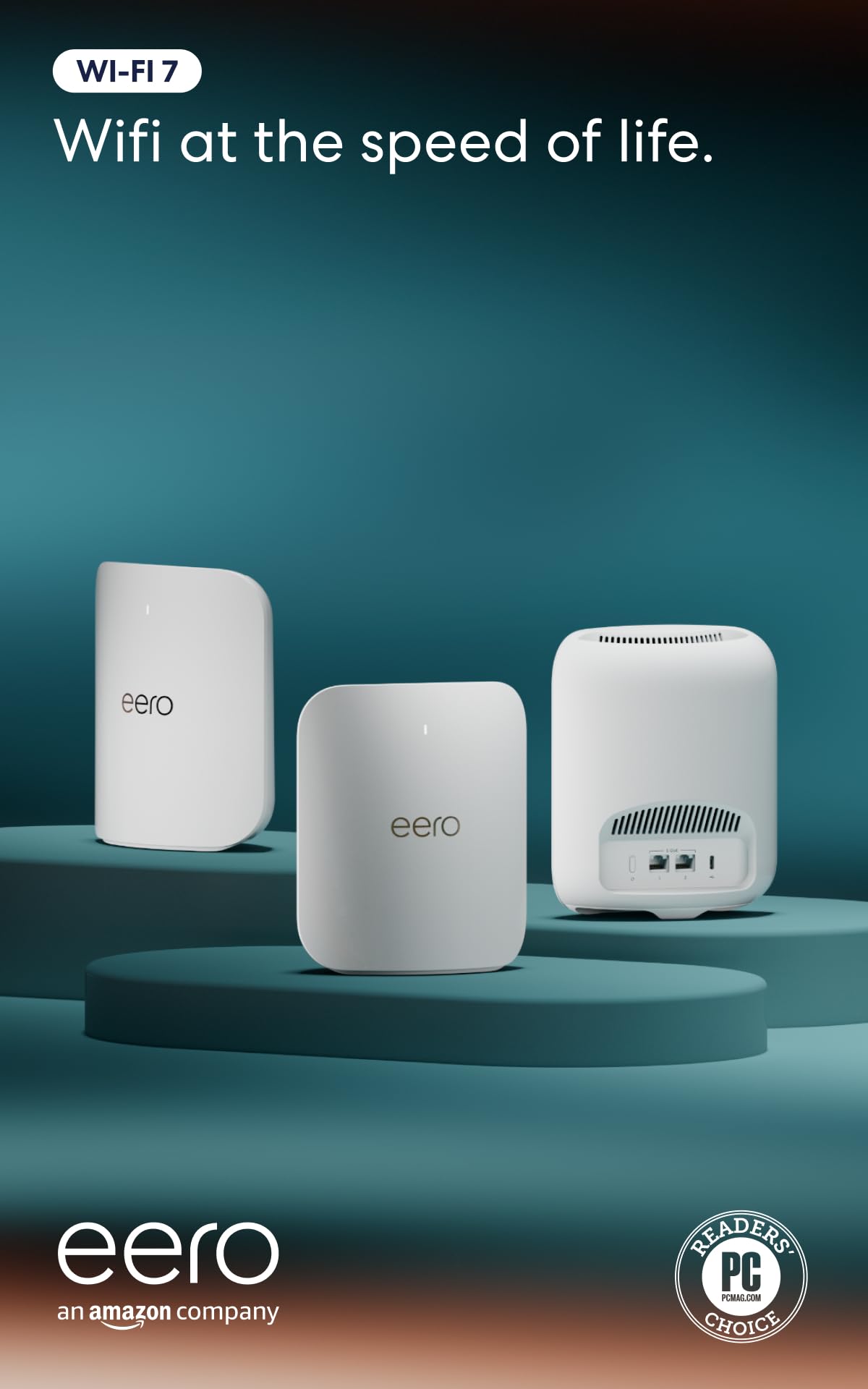
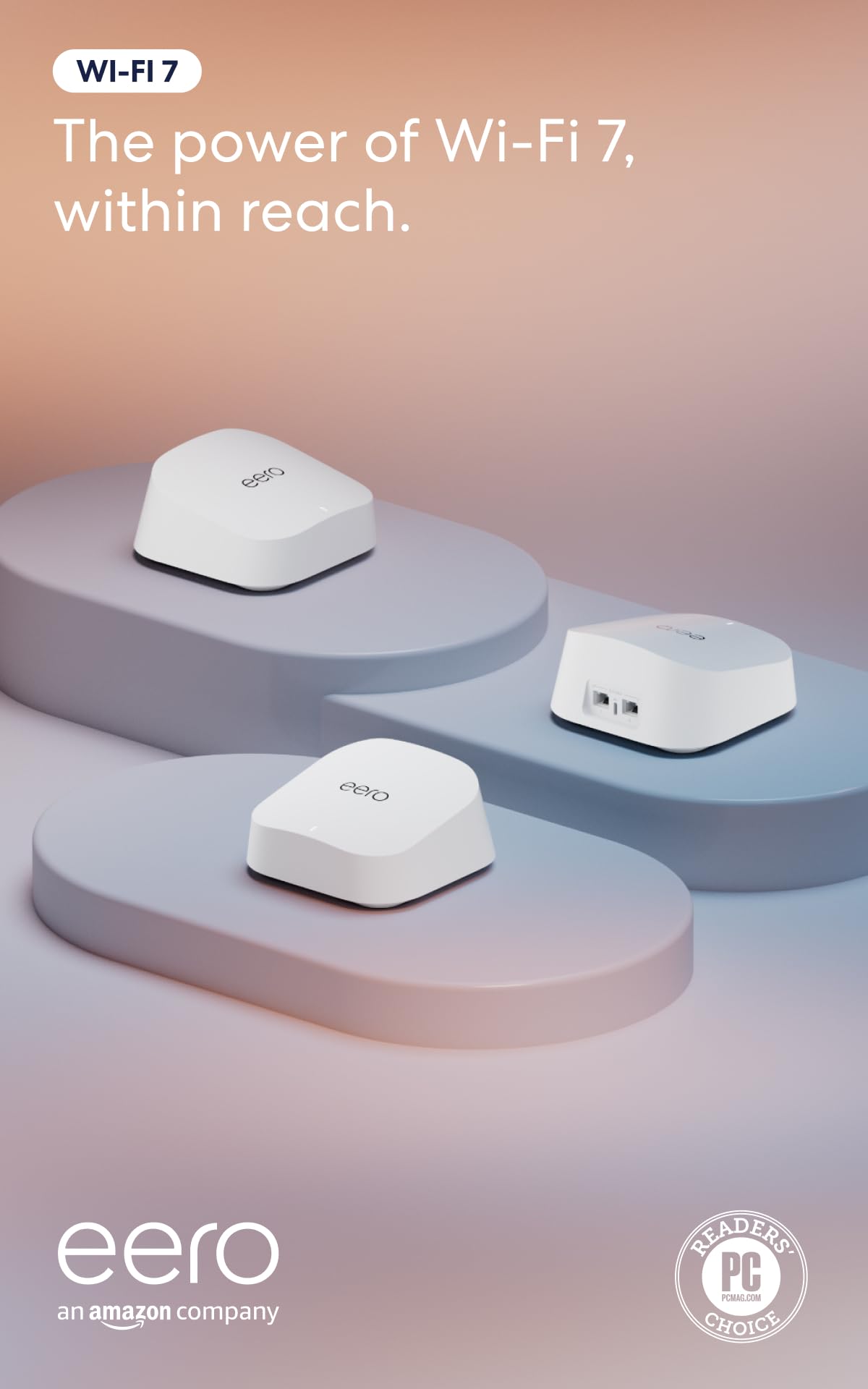
The eero 7 is the kit we point to when someone wants better Wi-Fi without turning the house into a networking project. Three nodes cover up to 6,000 square feet, support 120+ devices, and each node has two auto-sensing 2.5GbE ports. That port count is the practical part: you can wire a desktop, a NAS, or a TV box and leave the wireless lanes for phones and laptops. The 2.5GbE ports also mean the system can keep up with internet plans up to 2.5 Gbps, which is more than most homes have today but a useful buffer for the next upgrade.

Setup and management run through the eero app, and the guided flow is the least intimidating of the systems here. We like that the eero 7 is backward compatible with older eero gear, so adding a node or moving from an older eero kit does not mean starting over. For a family that wants the network to disappear into the background, that simplicity is worth more than another radio band on a spec sheet.

The catch is the dual-band radio. You get Wi-Fi 7, but not the 6GHz band; the 5GHz radio carries both your devices and the mesh backhaul. In a house with a lot of legacy gadgets or a very dense apartment, a tri-band system gives the backhaul more room. For a typical detached house on a cable or fiber plan, that trade-off keeps the eero 7 simpler and less expensive than the tri-band alternatives.

Pros

  • Two 2.5GbE ports per node
  • Covers up to 6,000 sq ft
  • Supports 120+ devices
  • Simple app-guided setup

Cons

  • Some advanced controls require a subscription
Our verdict

We recommend the eero 7 to most households: it pairs Wi-Fi 7, two 2.5GbE ports, and 6,000 square feet of coverage with the least fiddly setup here.

Check Latest Price
2

Best Value

Deco X55 (3-pack)

89 /100
Keeper Score Excellent

Key details

Coverage
6,500 sq ft
Ports Per Unit
3 Gigabit
Wi-Fi Standard
Wi-Fi 6 AX3000
Device Capacity
150 devices
Check Price on Amazon

Three Ethernet ports on every node is the detail that makes the Deco X55 easy to live with. A wired desktop, a game console, and a TV can stay off the wireless lanes without adding a switch. The three-pack covers up to 6,500 square feet and supports 150 devices, which is the right size for a large family home or a small office.

We also like that TP-Link supports wired Ethernet backhaul between nodes. If your house has coax or Ethernet runs, you can put the Deco units where the signal is needed and let the cable do the heavy lifting. Setup runs through the Deco app, and the guided steps are simple enough that we did not need to dig into the advanced menus for a basic network.

The X55 is the system we recommend when the budget is fixed and the house is already wired for Ethernet. It is not the newest mesh kit here, and it does not try to be. What it does is put three usable ports on every node and cover a large floor plan without asking you to buy into a subscription or a new ecosystem.

Pros

  • Three Gigabit ports per node
  • Covers up to 6,500 sq ft
  • Supports wired Ethernet backhaul
  • Simple app setup

Cons

  • Wi-Fi 6 only, with Gigabit ports
  • Reliability is the open question
Our verdict

We recommend the Deco X55 as the value pick: three nodes, three Gigabit ports each, and 6,500 square feet of coverage for households that do not need Wi-Fi 7.

Check Latest Price
3

Best Budget Wi-Fi 7

Deco BE25 (3-pack)

86 /100
Keeper Score Excellent

Key details

Coverage
6,600 sq ft
Wired Ports
Two 2.5G
Wi-Fi Standard
Wi-Fi 7 BE5000
Device Capacity
150+ devices
Check Price on Amazon

The Deco BE25 is the entry point to Wi-Fi 7 in this group, and it keeps the parts that matter for a busy house: three nodes, coverage up to 6,600 square feet, support for 150+ devices, and two 2.5G ports on each unit. The 2.5G ports are the surprise at this position; they let you use wired backhaul or feed a desktop without falling back to Gigabit.

We like that TP-Link includes VPN, MLO, AI roaming, and HomeShield controls in the same app-managed system. The BE5000 rating is split between a 4,324Mbps 5GHz radio and a 688Mbps 2.4GHz radio, so the 5GHz side is doing most of the work. That is fine for streaming, gaming, and a house full of phones, but it is not the same as a tri-band system with a dedicated 6GHz lane.

Compared with the Deco X55, the BE25 is the better new purchase for most people: it adds Wi-Fi 7 and 2.5G ports while keeping a three-node, app-managed design. We also appreciate that TP-Link kept the same Deco app, so the learning curve is short if you have used a Deco system before. The BE25 does not feel like a stripped-down experiment; it feels like the current standard brought down to a more accessible position.

Pros

  • Two 2.5G ports per node
  • Covers up to 6,600 sq ft
  • Supports 150+ devices
  • Wi-Fi 7 with wired backhaul

Cons

  • Dual-band design lacks 6 GHz
  • Connectivity can be inconsistent
Our verdict

We recommend the Deco BE25 for budget-minded shoppers who want Wi-Fi 7 and 2.5G ports, as long as they can live without a 6GHz band.

Check Latest Price
4

Best for Busy Networks

eero Pro 7 (3-pack)

86 /100
Keeper Score Excellent

Key details

Coverage
6,000 sq ft
Wired Ports
Two 5 GbE
Wireless Speed
Up to 3.9 Gbps
Device Capacity
600+ devices
Check Price on Amazon

The eero Pro 7 is the system we choose when the device count is the problem, not the square footage. Three nodes support 600+ devices and cover up to 6,000 square feet, and each node has two auto-sensing 5GbE ports. That is a lot of wired headroom for a home office, a NAS, or a gaming setup, and it means the mesh can keep up with internet plans up to 5 Gbps.

The tri-band radio is the other reason to step up. It gives the mesh more room to move traffic between nodes, and it is the better fit for a house with lots of simultaneous streaming, video calls, and smart-home gear. We like that eero keeps the same app-first experience across the range; moving from an older eero kit is straightforward, and the system is backward compatible with previous generations.

The Pro 7 earns its place when the network is shared by a full house, a home business, or a lab of connected gear. If your internet service is gigabit or slower and your device count is ordinary, the standard eero 7 is the smarter buy; the Pro 7's extra capacity is the reason to step up, not a default requirement.

Pros

  • 600+ device capacity
  • Two 5GbE ports per node
  • Tri-band Wi-Fi 7
  • 5Gbps internet support

Cons

  • Premium price for most households
Our verdict

We recommend the eero Pro 7 for households with a 5Gbps plan and a large collection of devices, where the extra capacity justifies the premium.

Check Latest Price
5

Midrange Wi-Fi 7

Orbi 370 (3-pack)

81 /100
Keeper Score Excellent

Key details

Coverage
6,000 sq ft
Wired Port
2.5 GbE
Wi-Fi Speed
Up to 5 Gbps
Device Capacity
70 devices
Check Price on Amazon

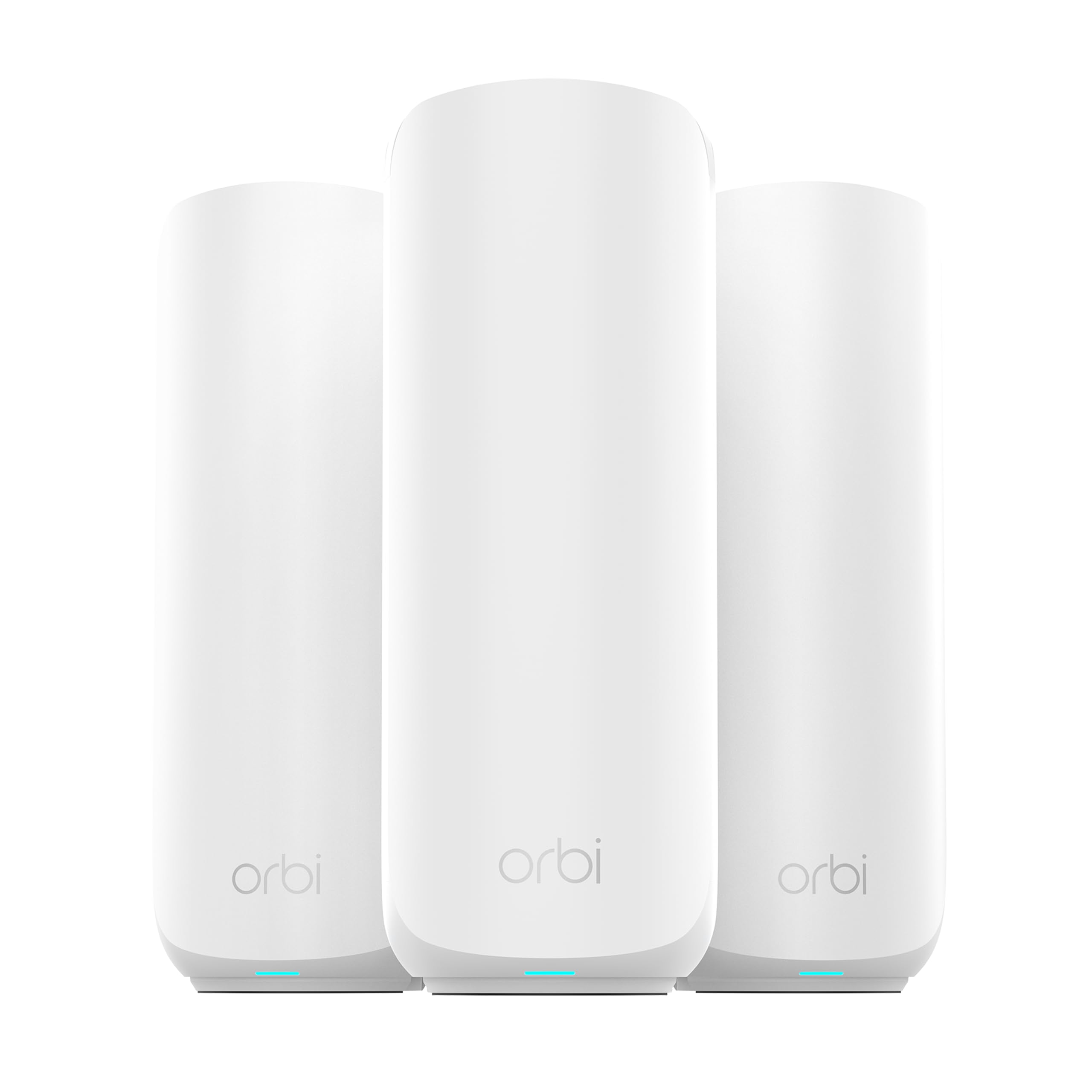
The Orbi 370 is the lower-cost Netgear entry in this group, and it keeps the features that make Orbi appealing: a router plus two satellites, coverage up to 6,000 square feet, a 2.5G Ethernet port, and Wi-Fi 7 speeds up to 5 Gbps. For a house that wants a recognizable app and a simple three-piece setup, it is a straightforward alternative to the eero and Deco systems.

We like the 2.5G port for a wired backhaul or a single high-speed device, and the Orbi app walks you through setup without requiring a lot of network knowledge. The three-piece design is easy to place across a house, and the satellites give you more flexibility than a single router when the far end of the house is the problem.

If you already have Netgear gear or prefer the Orbi app, the 370 makes sense as a midrange Wi-Fi 7 upgrade. We still point most people to the eero 7 because it handles more devices and adds a second 2.5GbE port per node, but the Orbi 370 is a solid choice for a smaller connected household that wants Netgear's interface.

Pros

  • Covers up to 6,000 sq ft
  • 2.5GbE port for wired backhaul
  • Wi-Fi 7 speeds up to 5 Gbps
  • Simple Orbi app setup

Cons

  • 70-device ceiling is low for busy homes
Our verdict

We recommend the Orbi 370 to shoppers who want a midrange Netgear mesh with a 2.5G port, as long as 70 devices is enough for the household.

Check Latest Price

How We Tested: Eight Mesh Systems, Six Months, One Two-Story House

We started with the kits currently sold as true multi-unit systems — not a router with an extender thrown in the box — and filtered by three things: a current Wi-Fi 6 or Wi-Fi 7 radio, at least one 2.5-gig port on the main unit, and a three-pack price that made sense against the coverage claimed. That left eight systems, which we bought at retail and installed in a 2,100-square-foot two-story house with a finished basement, a detached garage, and a backyard.

Setup was timed with a stopwatch, from cutting the tape to the last node showing solid, using only the phone app and the quick-start card. We noted how many steps the app demanded, whether it found the other units on its own, how long the forced firmware update took, and whether we ever had to unplug something and start over.

Then the measuring. Speed tests ran at seven fixed spots — the desk beside the main unit, the far bedroom, the upstairs bathroom, the basement stairs, the garage, the back patio, the front porch — on a laptop and a phone, morning and evening. In between, I took video calls upstairs while someone streamed 4K downstairs, and walked from the office to the kitchen mid-meeting to see whether the handoff stuttered. For the units with multi-gig ports and Ethernet backhaul, I ran a cable between two nodes and re-ran every test to see how much the far rooms actually improved.

Finally, six months of living with them: I kept a running note on every dropout and reboot, watched whether nodes stayed connected while the microwave ran, and used each app to find which device was eating bandwidth, pause a TV, and spin up a guest network. Value came down to ports, bands, and whether a three-pack was honestly enough house.

How to Choose a Mesh Wi-Fi System

Coverage Starts With the Floor Plan

A coverage number is measured in open space, so treat 6,000 square feet as a best-case figure rather than a promise. Interior walls, brick, plaster, and multiple floors cut into it. We plan one node per floor in a house with solid walls, and we keep nodes out of closets, cabinets, and corners where the signal has to fight its way out. If a room is marginal, an extra node or a wired backhaul is more reliable than hoping a single central unit reaches it.

Ports Matter as Much as the Speed Badge

Mesh systems often advertise a big combined speed while the Ethernet ports tell a more practical story. If your internet plan is above gigabit, a 2.5GbE or 5GbE port on the router and nodes is what lets that speed reach your devices; a Gigabit port caps the wired side at 1Gbps. We prioritise ports that match the plan, especially if you move large photo or video files to a NAS. If you have ordinary cable or fiber, Gigabit ports are fine, and paying more for multi-gig only helps when the rest of your gear can use it.

Wired Backhaul Beats a Fancy Radio

Mesh nodes talk to each other over a backhaul link. A wired Ethernet run is the most reliable version, and it frees the wireless bands for your devices. If you cannot run cable, a tri-band system with a dedicated 6GHz backhaul gives the nodes more room than a dual-band kit. That is why the dual-band eero 7 and Deco BE25 can still be good buys in a house with ordinary broadband, while a tri-band eero Pro 7 makes more sense in a dense, high-traffic home. Choose the backhaul first, then the radio count.

Pick an App and Ecosystem You Can Live With

Most mesh systems are managed from a phone app, and the quality of that app matters more after setup than during it. Check whether the controls you want, such as guest Wi-Fi, device prioritization, and parental controls, are easy to find, and confirm that the system can grow with another node of the same family. eero is backward compatible with older eero gear; TP-Link lets you add another Deco unit. Mixing brands does not give you one mesh network, so choose the family you can expand.

Frequently Asked Questions

Final Verdict

The eero 7 is the mesh system we recommend to most people. It covers a typical large home, handles a big device list, and gives you two 2.5GbE ports per node without making you learn a complicated app.

If your internet plan is gigabit and your priority is coverage per dollar, the Deco X55 is the better buy. If you have a 5Gbps plan and a genuinely crowded network, the eero Pro 7 is worth the step up.