Best Monitor Risers of 2026

The fear with any monitor riser is that you'll spend twenty minutes assembling something that wobbles every time you hit the space bar. It isn't an unreasonable fear — a riser is a small, inexpensive piece of furniture asked to hold a screen worth several times more, and the difference between a good one and a bad one announces itself in the first hour. Done right, the payoff is genuinely worth it: the top of your screen rises to eye level, your neck stops craning down, and the dead space under the monitor becomes a shelf for the keyboard, the notebook, and the pens that were already drifting across the desk.

We've kept 14 of them on and around our desks for the past three months — plastic, wood, and steel, fixed-height and adjustable, single-platform and dual-width — and the pattern that emerged had less to do with feature lists than with material and where the weight actually sits. A thin platform flexes under a full-size monitor no matter how generous its load rating looks on paper, and a drawer that photographs well can quietly eat the inch of clearance you needed for a keyboard. What follows is what stayed steady, what assembled without swearing, and what we'd happily leave under our own screens.

Keeper Score summarizes customer ratings and review volume. Read it alongside the product details and trade-offs. How the score works.

1

Best Overall

BONTEC 2-Pack Adjustable Riser

95 /100
Keeper Score Outstanding

Key details

Pack
2 risers
Load Capacity
44 lbs each
Platform Size
14.5 x 9.1 in
Height Settings
3.9, 4.7, 5.5 in
Check Price on Amazon

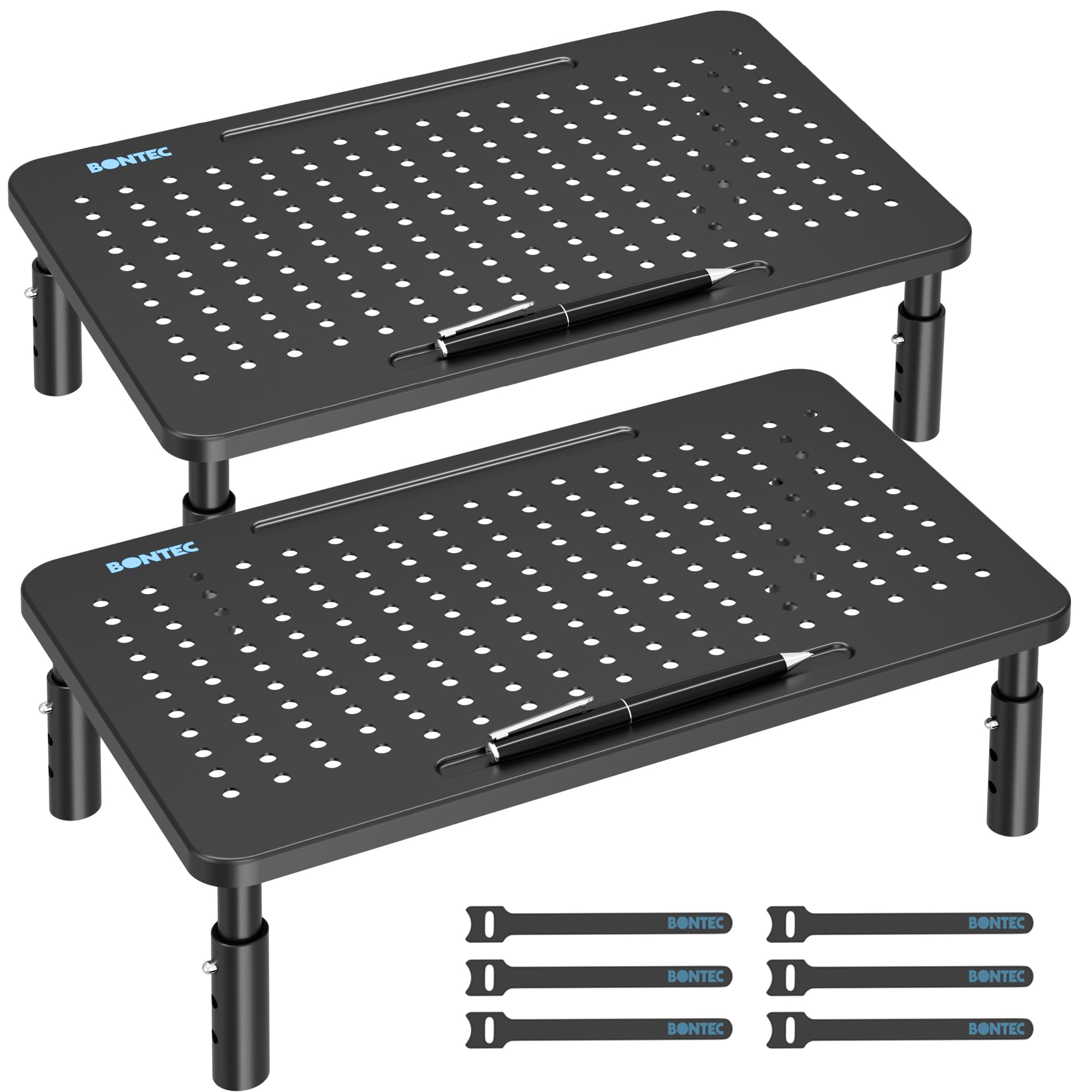
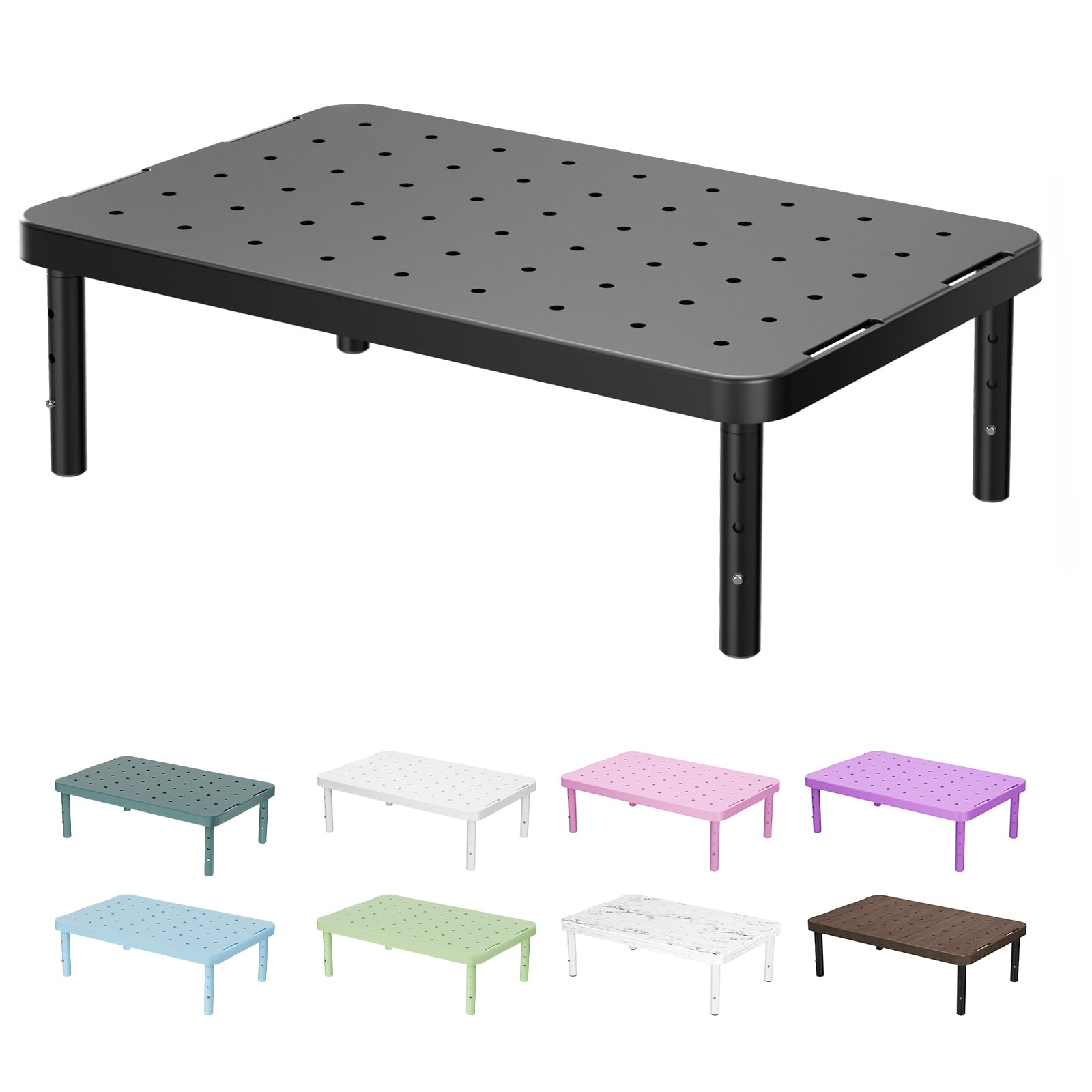
Two complete risers come in one box, and that arithmetic is the first thing that makes this pair easy to recommend: one under the monitor, one under the laptop, the printer, or whatever else is sharing the desk. Each platform is perforated steel measuring 14.5 by 9.1 inches, which takes a 27-inch monitor and its base with room to spare.

Of everything here, this is the pair we suggest first. Three heights — 3.9, 4.7, and 5.5 inches — cover the usual gap between a desktop and a comfortable eye line, and 44 pounds per stand is enough for a monitor plus a soundbar or a lamp. Assembly is four legs turned in by hand, and the rubber feet sit flat enough that the stand stays put when you nudge the screen.

The small features separate it from the other steel-topped pairs. A molded pen well on one side catches the pen or stylus that would otherwise roll under the monitor, and a cutout at the back of the platform gives a charging cable somewhere to go instead of dangling over the edge. Neither is a reason to buy on its own; together they are the difference between a shelf and a desk organizer.

Height is where it gives up a little ground. A 5.5-inch top setting is the lowest ceiling among the metal pairs in this group, so if the monitor's own base is thick or your eye line is high, the WALI at 6.1 inches or the HUANUO at 5.7 will land closer. On our own desks, 5.5 inches turned out to be the setting we left it on.

Pros

  • Two risers in a single box
  • Perforated steel platform in three heights
  • 44-pound capacity on each stand
  • Pen well and rear cable cutout

Cons

  • Plastic legs under a steel platform
Our verdict

Our pick for most desks: two steel-topped risers with three heights and 44 pounds of capacity each, plus a pen well that keeps the desk tidier than it was.
Check Latest Price
2

Best Budget

WALI Monitor Stand Riser

95 /100
Keeper Score Outstanding

Key details

Material
Plastic
Load Capacity
44 lb
Platform Size
14.6 x 9.3 in
Height Settings
4.5, 5.3, 6.1 in
Check Price on Amazon

Six point one inches is the tallest lift any single riser here offers, and that number is why this one stays in the guide. The three settings — 4.5, 5.3, and 6.1 inches — are exactly what a low monitor on a tall desk needs, and it is what we suggest when a screen still sits a notch too low after everything else has been tried.

The platform is 14.6 by 9.3 inches of molded plastic with vent slots and a 44-pound rating. That covers a 27-inch monitor comfortably, and the venting matters more than it sounds when the thing on top is a laptop. The parts press together without tools, and the whole stand is light enough to move with one hand while you rearrange the desk around it.

Where the money went is the top rather than the hardware: a plastic platform on plastic legs is the lightest build here, and on a glossy desktop it will shift if you shove the monitor rather than lift it. What that buys is a riser you can reposition one-handed and buy three of for a row of hot desks. On a desk where the stand stays put, the plastic never announces itself.

Pros

  • Reaches 6.1 in, the tallest setting here
  • 44-pound capacity on a 14.6-inch shelf
  • Presses together with no tools

Cons

  • Shelf is smaller than the photos suggest
Our verdict

The cheapest way to fix a low monitor: a single plastic riser that reaches 6.1 inches and holds 44 pounds, and the one we name when the budget decides.

Check Latest Price
3

Best Glass Design

Hemudu 2-Pack Glass Riser

96 /100
Keeper Score Outstanding

Key details

Tilt
0 to 15 degrees
Height Range
3.4 to 4.9 in
Load Capacity
88 lb
Platform Size
14.6 x 9.1 in
Check Price on Amazon

A quarter inch of tempered glass on stainless legs does not look like the black metal risers that make up most of this list, and on a pale desk the effect is closer to furniture than to office equipment. The panels are clear, the legs are brushed steel, and the whole thing carries less visual weight than its 88-pound rating suggests.

Both panels measure 14.6 by 9.1 inches and are rated for 88 pounds each, the highest per-stand figure among the pairs here. The legs turn rather than click, so height is continuous from 3.4 to 4.9 inches instead of arriving in three stops, and the top tilts forward up to 15 degrees. This is the only stand in the group that does either.

The tilt is the feature we kept coming back to. Angled a few degrees forward, a laptop screen stops catching the overhead light, and a monitor sitting slightly high becomes easier to read without tipping your head back. For a desk in a room people actually see, this is the pair we choose: the glass does everything the black steel stands do, and it looks considerably better doing it.

Two of them lined up make a near-continuous shelf, which is as close as this list gets to a built-in look, and the clear top lets light through to whatever is stored underneath.

Pros

  • Tempered glass on stainless steel legs
  • Continuous height instead of three stops
  • Tilts forward up to 15 degrees
  • 88 pounds of capacity per stand

Cons

  • Clear glass shows dust and cables beneath
  • Small logo sits on the front edge
Our verdict

For a desk you look at, this is the pair we choose: tempered glass on steel, a continuous 3.4-to-4.9-inch height, a 15-degree tilt, and 88 pounds of capacity each.

Check Latest Price
4

Best for Dual Monitors

WESTREE Dual Monitor Stand

92 /100
Keeper Score Outstanding

Key details

Material
Wood and steel
Overall Size
35.8 x 10.2 x 4.92 in
Shelf Height
4.92 in, fixed
Load Capacity
149.9 lb
Check Price on Amazon

Thirty-five point eight inches of continuous top is a different proposition from two small stands pushed together. Two monitors sit on the same plane, at the same height, with no gap in the middle and no mismatched pair of legs to line up.

For a genuine two-screen desk, we think the span is worth the money. The steel legs carry 68 kg, the top is deep enough at 10.2 inches for a monitor base plus a pair of speakers at the ends, and the rustic-brown finish hides dust in a way the black metal stands here do not. It is the calmest-looking dual setup in this group by a wide margin.

The middle leg is the catch. Set at the center of that span, it lands about where a keyboard tray or a pair of feet wants to be, so the keyboard ends up pushed to one side or slid under at an angle. It is the price of holding 35.8 inches of shelf without a sag in the middle.

Assembly takes longer than the four-leg stands — pre-drilled holes, a dozen fasteners, and the tools in the box — but it is one sitting, and afterwards the frame stays square when you lean on it. Set it up once and it stops being furniture you notice; it becomes the reason the desk finally looks deliberate.

Pros

  • One continuous 35.8-inch shelf
  • 68 kg of capacity on steel legs
  • 10.2-inch depth for base and speakers

Cons

  • Fixed height with no adjustment
  • Only four foot pads for a six-point frame
Our verdict

The stand we pick when two monitors share one desk: a single 35.8-inch shelf with 68 kg of capacity and no seam down the middle.

Check Latest Price
5

Best for Corner Desks

BONTEC Dual Wooden Riser

93 /100
Keeper Score Outstanding

Key details

Storage
3 compartments
Material
Wood
Load Capacity
44 lb
Expandable Width
31.5 to 42.5 in
Check Price on Amazon

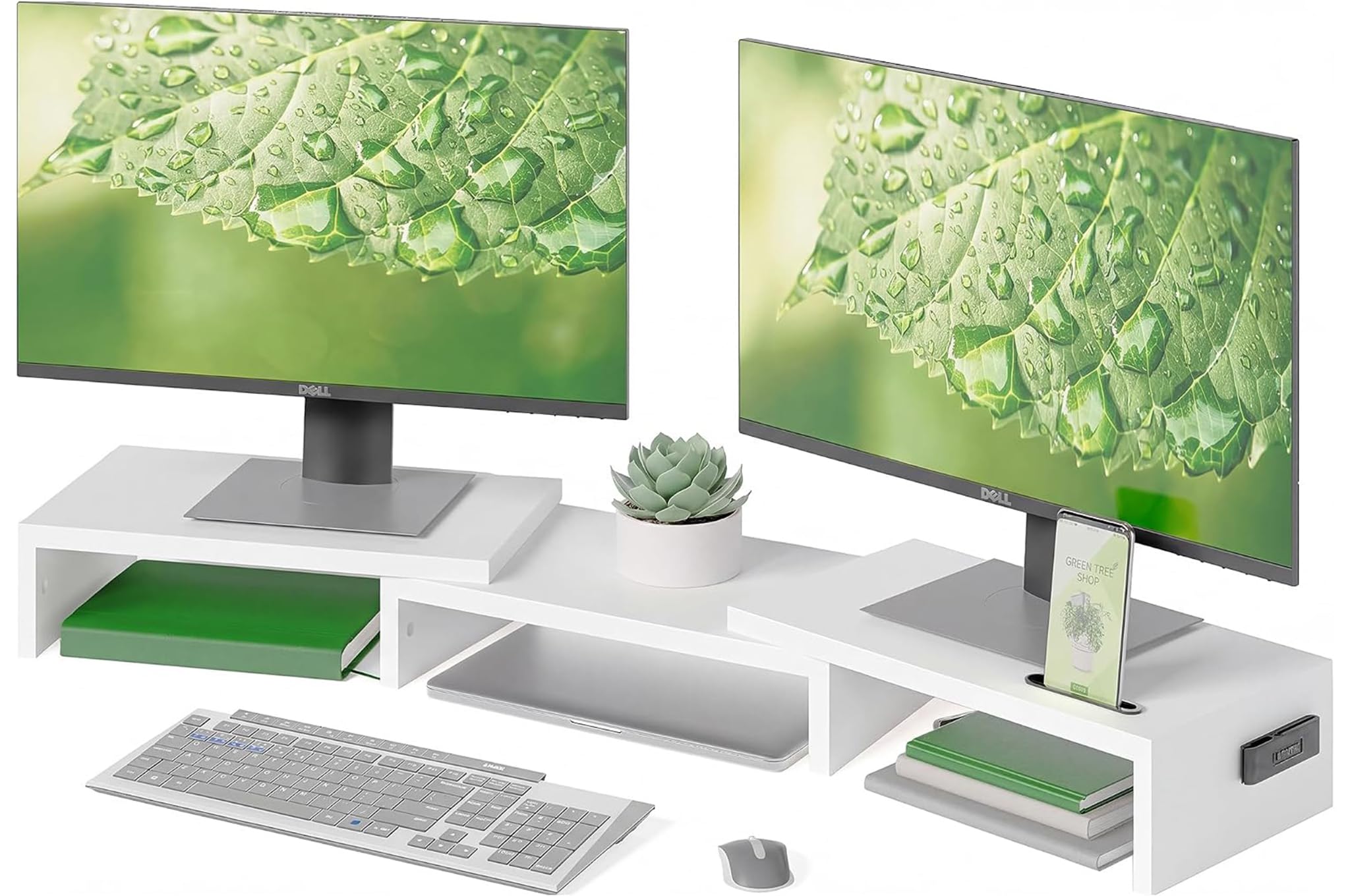
The frame pulls out from 31.5 to 42.5 inches, and each end shelf pivots on a single pin, so two monitors can follow the angle of a corner desk instead of squaring up to the wall behind it. No other dual stand here changes shape.

Underneath, three open compartments take a keyboard, a mouse, a docking station, and the paper you keep meaning to file. A phone slot and a cable opening sit at the back of the middle section, which is where the clutter tends to collect anyway.

Assembly is the honest cost of the moving parts. This is a wooden frame with more pieces than the four-leg stands, and it takes a session with the included tools rather than a minute. Everything lines up and the finished frame is square, but clear the desk before you start rather than building around the monitor.

For a rectangular desk with two screens, we still prefer one wide fixed shelf. Where the expandable frame earns its place is the room that is not a rectangle: the swivel shelves pull in to hug a corner and open out flat when both monitors want to sit square, and the white finish keeps a small office from feeling like a server closet.

Pros

  • Expands from 31.5 to 42.5 inches
  • Pivoting end shelves for corner desks
  • Three storage compartments plus phone slot

Cons

  • 44-pound limit on each shelf
  • End shelves are shorter than they look
Our verdict

For a corner or an angled desk, this is the dual stand we pick: end shelves that pull in and pivot, and three compartments for the keyboard and the paper.

Check Latest Price
6

Best for Keyboard Clearance

HUANUO 2-Pack Monitor Riser

94 /100
Keeper Score Outstanding

Key details

Leg Spacing
12 in between legs
Load Capacity
44 lbs each
Platform Size
14.5 x 9.1 in
Height Settings
4.1, 4.9, 5.7 in
Check Price on Amazon

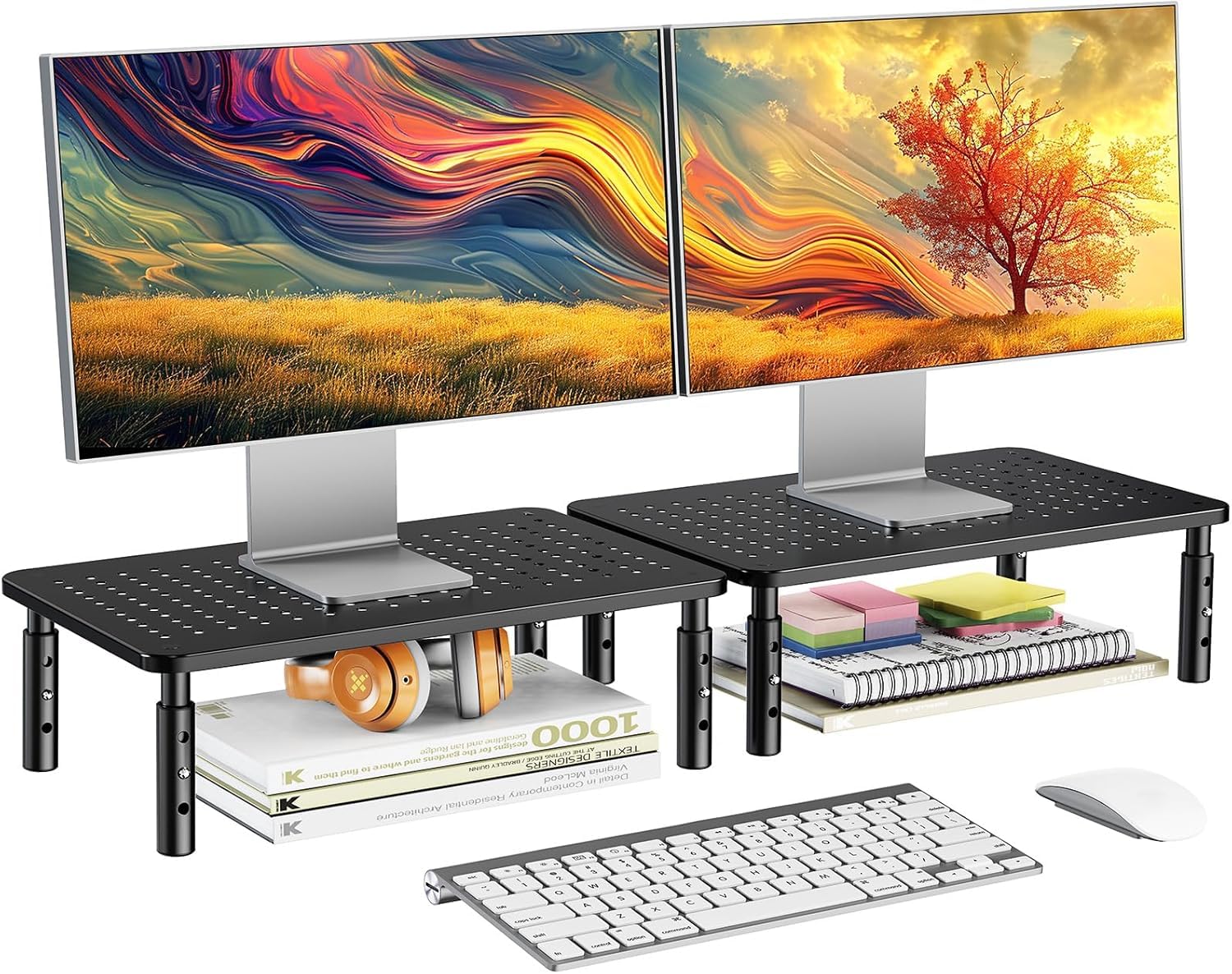
On paper this pair reads almost exactly like our top pick: 14.5 by 9.1-inch platforms, three heights, 44 pounds each. The difference that shows up in use is the 12 inches of clearance between the legs, which is enough for a full-size keyboard to slide underneath and disappear.

The heights are 4.1, 4.9, and 5.7 inches, and the platform is perforated steel, so a laptop sitting on top gets airflow rather than a warm slab. Each stand is light enough to lift with one hand when you want to sweep under it, and the non-slip rubber on the feet keeps it planted on a smooth desk.

Assembly is four legs turned by hand into a pre-threaded platform, with no tools, and the frame holds its shape when you press down on one corner to plug something in behind it. Two identical stands come in the box, which is the way most pairs get used: one at the office, one at home, or one under the monitor and one under the printer.

Neither stand takes up more desk depth than the monitor's own base did, which is the quiet advantage of a riser built to a plain rectangle rather than a shape with wings or a drawer. It is the least fussy thing in this guide, and the easiest to hand to someone setting up a first desk.

Pros

  • 12 inches of clearance between the legs
  • Three heights from 4.1 to 5.7 inches
  • Perforated steel platform, 44 lbs each

Cons

  • No pen well or cable cutout
Our verdict

Two steel risers with three heights, 44 pounds each, and 12 inches of clearance underneath — the pair we suggest when a keyboard needs to disappear.

Check Latest Price
7

Laptops and Printers

Amazon Basics Adjustable Riser

93 /100
Keeper Score Outstanding

Key details

Material
ABS plastic
Top Surface
11.6 x 11 in
Load Capacity
22 lb
Height Settings
2.87, 4.2, 4.8 in
Check Price on Amazon

What it does better than anything else here is sit low. The legs detach and stack to give 2.87, 4.2, or 4.8 inches, and 2.87 is the only setting in this group that starts below three inches — the one to have when a monitor's own base already lifts the screen.

The legs are the mechanism: pull one set off and the stand drops to its lowest, add them back and it climbs, so the height changes with the chair rather than being fixed by the model you bought. Non-skid feet keep it from walking across a laminate top, and at 2.6 pounds it lifts with one hand when you want to sweep under it.

For a laptop or a small second screen on a shallow desk, this is the stand we reach for. It starts lower than any of the metal risers, which matters when the screen is a laptop lid rather than a monitor on a stalk, and it is the easiest stand in the group to move out of the way when the desk has to become a dining table.

The plastic wipes clean, does not scratch a desk, and comes apart into flat pieces when the desk is cleared for a move — useful in a room that gets rearranged twice a year.

Pros

  • Starts at 2.87 in, the lowest here
  • Detachable legs stack into three heights
  • 2.6 pounds, easy to move one-handed

Cons

  • 22-lb capacity rules out larger displays
  • Tapered top narrows at the corners
Our verdict

For a laptop or a small monitor that needs a couple of inches rather than six, this is the stand we suggest: it starts lower than anything else here.

Check Latest Price
8

Cluttered Desks

gianotter Dual Monitor Stand

91 /100
Keeper Score Outstanding

Key details

Storage
Drawer and 2 pen holders
Assembly
None required
Material
Metal
Overall Size
40.6 x 9.3 x 4.3 in
Check Price on Amazon

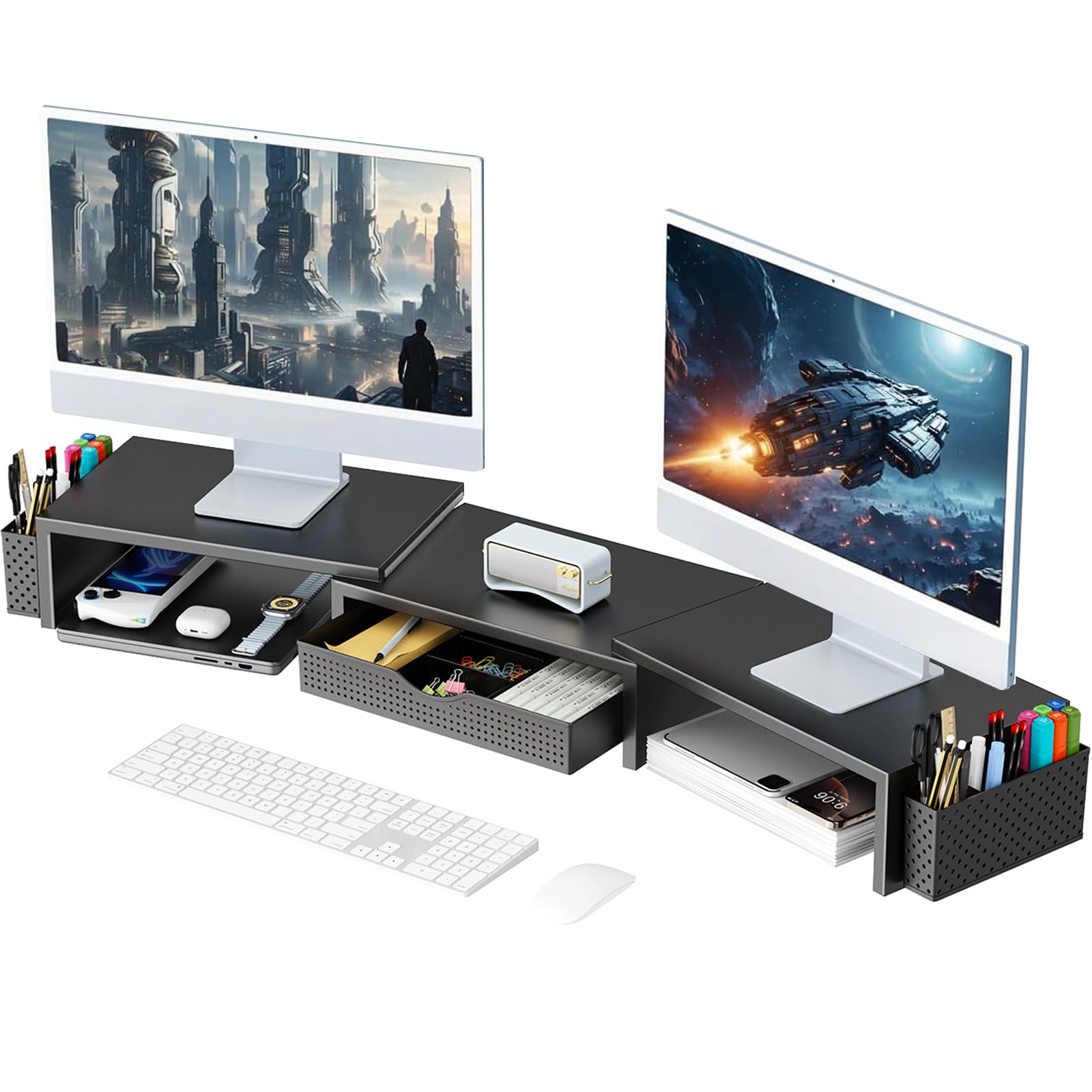
This arrives in one piece. No screws, no hex key, no folded instruction sheet — the frame comes out of the box in the shape it keeps, which is worth more than it sounds on the day the desk is already a mess and the patience is thin.

The frame runs 40.6 inches across, with a shallow drawer in the middle section and two magnetic pen cups that can move to either side. It is the widest single stand here and the only one with real storage built in, and the drawer is where the cables, the spare battery, and the sticky notes end up.

That span costs some stiffness. This is the least rigid of the dual stands in this group, and a knock sends a wobble through both screens before it settles. Nothing fell over in our time with it, and a monitor that sits still keeps sitting still; it is simply not the stand to lean on while you plug something in behind the desk.

Where it earns its place is a desk with two screens and no drawer of its own. Everything that would otherwise collect in a pile in front of the keyboard goes underneath, the pens go in the cups, and the surface stays clear enough to work on. For a shared or family desk, that is the trade worth making.

Pros

  • Arrives fully assembled
  • Drawer plus two pen holders
  • 40.6-inch span across two monitors

Cons

  • Fixed height at 4.3 in
  • Pen cups slide off their magnets
Our verdict

Buy it for the storage: a 40.6-inch top with a drawer and two pen cups, on a frame that is already assembled when it leaves the box.

Check Latest Price

How We Tested 14 Monitor Risers

We started with research, rounding up the formats people actually buy: single-platform stands, dual-monitor widths, models with drawers or under-stand shelves, fixed-height and adjustable, in steel, wood, and ABS plastic. Anything whose listed platform was too narrow for a standard monitor, or whose height range topped out below seated eye level, came off the shortlist before we ordered. That left 14 risers, which we put to work on our own desks — a home office, a shared office, a standing desk, and one genuinely cramped desk — for three months.

Assembly came first, because that's where the mood of the whole product gets set. We built each one solo with only the parts and tools in the box, timed the build, and noted how many steps the diagram skipped or how many holes needed convincing. Then we loaded each riser with a monitor, a laptop, and in a few cases a printer, and lived with it: typing hard on the keyboard beneath the platform to see whether the screen shivered, leaning on the front edge with both palms, and filling the drawer with pens, cables, and a stapler to check that it still slid without catching.

Adjustability we measured rather than eyeballed, taping the platform height at every setting and checking where the top of the screen landed relative to our eyes while seated — the keepers moved in increments that mattered, not two settings an inch apart. Material got the thumb test, pressing into the middle of the platform to feel for flex, and stability got the honest one: nudging the desk and watching the screen. Airflow we checked by hand, feeling how warm a laptop's underside ran after a few hours on a vented platform versus a solid one. Value was the last question, and it was always the same one: does what this holds and stores justify the space it takes up?

How to Choose a Monitor Riser

Start With the Height, Not the Headline Number

Measure from the desktop to your eye line with the chair at the height you actually sit, then subtract whatever the monitor's own stand already adds. The risers here give between roughly 3 and 6 inches of lift, which covers most desks and most people; if you need more than that, this category stops being the right tool.

Read the lowest setting as carefully as the tallest, because that is where the stand sits if your monitor already has a tall base — a riser whose bottom rung is 4.5 inches can push a good screen too high. Three fixed stops are the norm in this group; the Hemudu's continuously turning legs are the exception, and the only top that tilts.

Match the Platform to the Foot of the Monitor

Most single risers here measure about 14.5 by 9 inches, a sensible default: wide enough for a 27-inch monitor's base plus a small speaker, shallow enough to leave desk depth in front of it. A tapered top, like the 11.6-inch surface on the Amazon Basics, is smaller in practice than the number suggests because the corners narrow.

Before ordering, run a tape across the widest part of your monitor's foot, splayed legs included, and compare it to the platform. Then do the same for depth: a 9-inch platform plus a monitor base plus a keyboard takes more room than a shallow desk has, and the keyboard ends up in your lap.

Check Capacity and What Is Holding It Up

Load ratings in this group run from 22 pounds to 88 pounds, and they are quoted per stand rather than per pack: a two-pack of 44-pound risers gives you two 44-pound risers, not 88 pounds of anything. Anything above 40 pounds covers a normal monitor, so the rating matters most for a heavy display, a printer, or a monitor sharing its shelf with a soundbar.

Material is a separate question from capacity. A steel mesh platform on plastic legs is common and works fine, glass is heavier and shows more of what is underneath, and a fastened steel frame feels stiffer when you reach behind the screen to plug something in. None of that changes the number on the box; it changes how the stand behaves after a year.

Decide Between Two Risers and One Wide Shelf

A two-pack gives you two separate stands to spread across one desk, split between two desks, or stack. A single wide shelf — the WESTREE at 35.8 inches, the gianotter at 40.6, the BONTEC expandable from 31.5 to 42.5 — gives a continuous surface and a tidier line, at the cost of a center support that lands in the middle of the space underneath.

The trap with a two-pack is in the name: two risers are two risers, not one dual-width shelf, and a pair of small stands leaves a gap between screens that a wide shelf does not. If your monitors already sit edge to edge, buy the wide one; if they live on different desks, buy the pair.

Storage, Cable Management, and the Space Underneath

Clearance between the legs decides whether a keyboard disappears underneath or just pokes out — 12 inches of gap on the HUANUO, close to 14 inches of platform on most of the others. A cutout at the back stops a charging cable from hanging off the edge, and a drawer or pen well absorbs the small things that otherwise pile up in front of the keyboard.

If the desk is already tidy, skip these and spend the difference on capacity or height. If it is not, the storage is the feature you will still notice in the second month, long after the novelty of a taller screen has worn off.

Frequently Asked Questions

Final Verdict

Our default is the BONTEC two-pack. Two steel-topped risers at three heights and 44 pounds each cover one desk or two, and the pen well and cable cutout keep the surface from silting up within a week. For most people that is the whole decision.

If two monitors share a single desk and you want them on one continuous surface, the WESTREE's 35.8-inch shelf is the better buy, as long as you plan the keyboard around the center leg. And if the budget is the entire question, the WALI single lifts a screen higher than anything else here for the least money.