Best Mini PCs of 2026

A mini PC fixes one specific problem: the tower under your desk that you never open, eating a foot of floor space and a nest of cables. Swap in something the size of a paperback and the desk comes back. The tricky part is that the listings read almost identically, and the real gap between a budget box and a premium one is the processor, the RAM, and whether you can get inside to upgrade either.

My team and I have lived with 11 of them over the past six months — on office desks, under a living room TV, and on a kitchen counter doing streaming duty. Two things stood out. RAM and storage tiers matter more than the CPU badge for everyday work, and a free M.2 slot decides how long the machine stays useful. Wireless is the one people forget: a weak Wi-Fi card turns a mini PC into a desktop with an Ethernet cable trailing across the floor.

What follows are the ones I would buy again, sorted by the job they do best.

Keeper Score summarizes customer ratings and review volume. Read it alongside the product details and trade-offs. How the score works.

1

Best Overall

KAMRUI Pinova P2

88 /100
Keeper Score Excellent

Key details

Memory
16GB LPDDR4
Storage
256GB M.2 SSD
Processor
Ryzen 3 5425U, 4C/8T
Display Outputs
Three 4K via HDMI, DisplayPort, USB-C
Check Price on Amazon

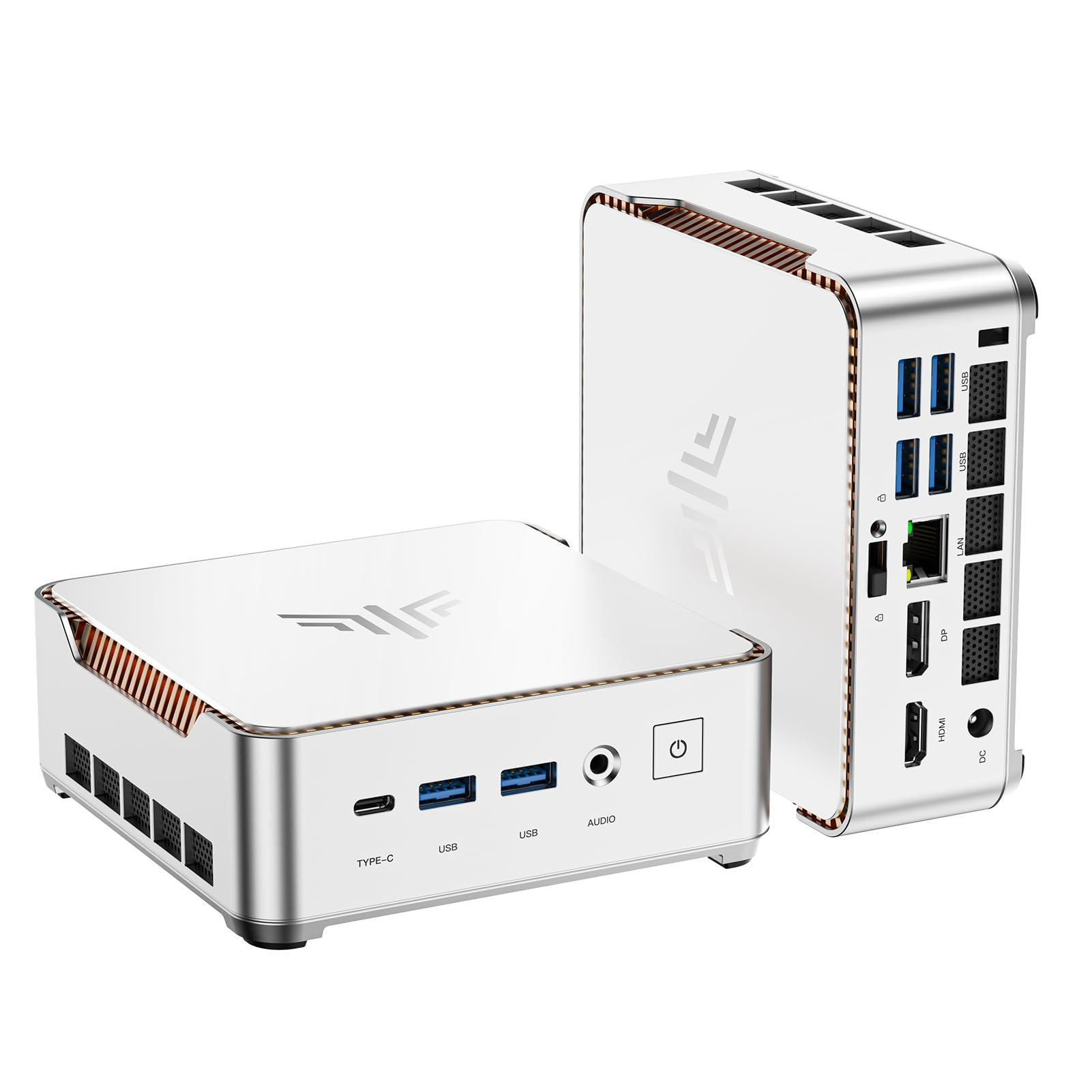
Three 4K outputs, 16GB of memory, and a compact silver case make the KAMRUI Pinova P2 look like more desktop than its footprint suggests. It runs AMD's Ryzen 3 5425U, a four-core/eight-thread processor with Radeon graphics, and the port stack covers HDMI 2.0, DisplayPort 1.4, and USB-C video. That's a useful trio for a desk with two monitors and a projector or TV.

That mix is why the P2 is our top pick for most desks. The 16GB of memory is enough to keep a browser with a dozen tabs, a spreadsheet, and a video call from feeling cramped, and the Ryzen has more headroom than the budget Celerons. We also appreciated the three video outputs: two monitors plus a wall display is realistic without adding a dock. The case is small enough to tuck under a monitor, and the included VESA mount makes a behind-the-screen install straightforward.

Wireless is the part to test early. If the connection drops in your room, the Gigabit Ethernet port is the dependable fallback, and a desktop doesn't lose much by staying wired. The P2 also runs cool and quiet in normal office use, which matters if it sits within arm's reach. A VESA mount is included, so the little case can disappear behind a monitor and leave the desk to the keyboard and a coffee cup.

Pros

  • Strong everyday speed from a 4C/8T Ryzen
  • 16GB memory handles browser and office work
  • Three 4K outputs without a dock
  • Compact case with included VESA mount

Cons

  • Memory is fixed at 16GB
  • 256GB drive is tight for media libraries
Our verdict

For most desks, this is the mini PC we reach for first: 16GB of memory, a capable Ryzen, and three 4K outputs in a compact case.
Check Latest Price
2

Best for Mac Users

Apple Mac mini M6

87 /100
Keeper Score Excellent

Key details

Chip
M6, 12-core CPU and GPU
Ports
3x Thunderbolt 4, HDMI, 2.5Gb Ethernet
Memory
16GB unified
Storage
256GB SSD
Check Price on Amazon

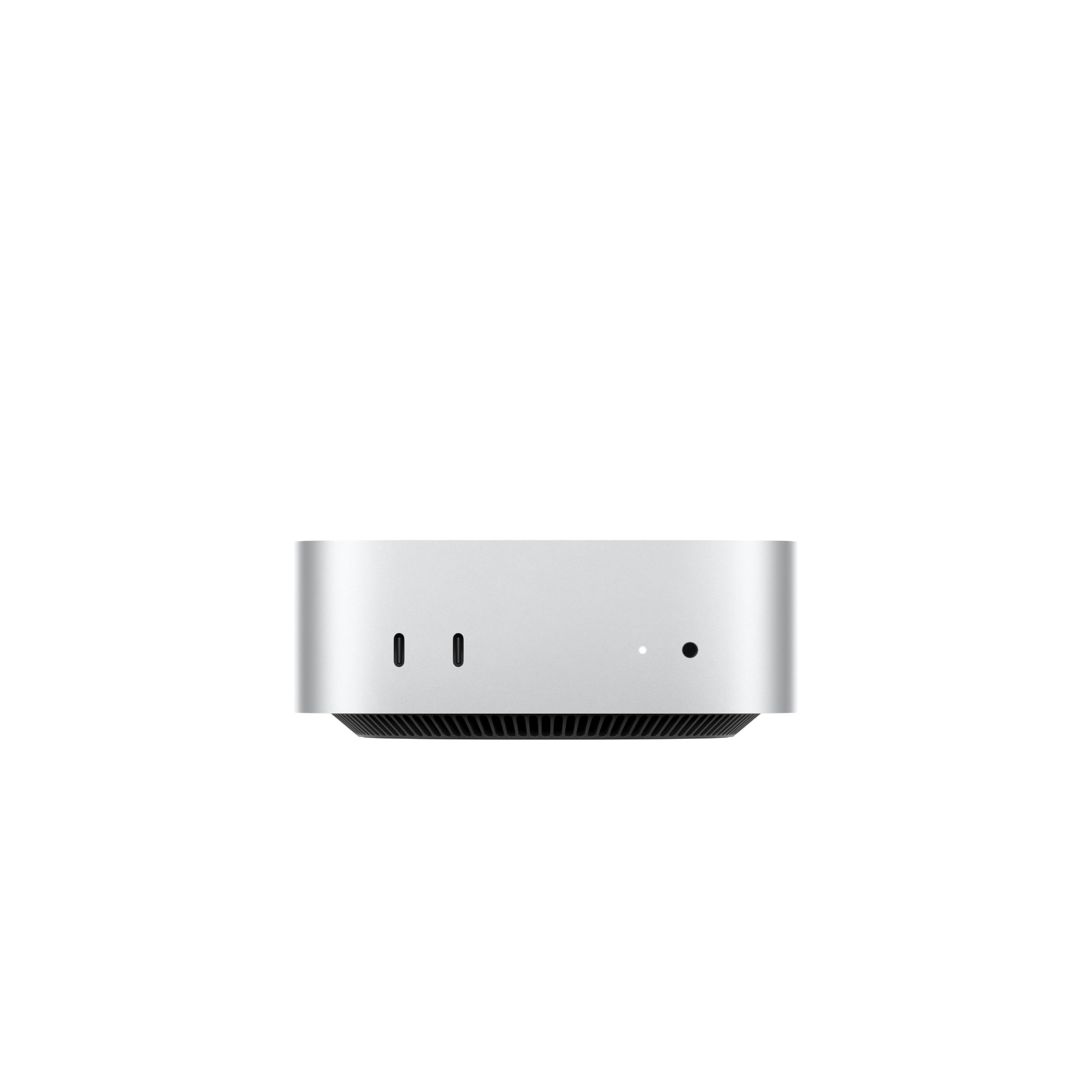
The Mac mini's five-inch square is the most impressive bit of engineering in this group, but the M6 chip inside is what earns it a place. In our testing it stayed quiet through a pile of browser tabs and photo edits, and the 12-core CPU/GPU configuration gives it more headroom than the Windows mini PCs here. We think it's the right choice for anyone already living in macOS.

The back panel carries three Thunderbolt 4 ports, HDMI, and 2.5Gb Ethernet; two USB-C ports and a headphone jack sit up front. That's a sensible layout for a desk with external drives and a wired network, and the faster Ethernet is worth having if your switch supports it. The 16GB of unified memory is shared with the GPU, which helps photo and video work but leaves less headroom for huge virtual machines.

Ports and software are the real decision points. A Windows-only application or a stack of USB-A peripherals will make this feel like the wrong machine, while an Apple-centric desk will feel immediately familiar. What you get in return is a desktop that takes up almost no space and rarely makes a sound. The M6's efficiency is the quiet luxury here: it handles a creative workload without a tower or a fan you notice.

Pros

  • M6 chip is very fast for creative work
  • Genuinely tiny and near-silent
  • Three Thunderbolt 4 ports plus 2.5Gb Ethernet
  • 16GB unified memory handles photo and video work

Cons

  • Base 256GB drive is tight for media libraries
Our verdict

We think the Mac mini is the right choice for a macOS desk that needs speed in a tiny, quiet box.

Check Latest Price
3

Best for Gaming

GMKtec M6 Ultra

84 /100
Keeper Score Excellent

Key details

Memory
32GB DDR5
Network
Dual 2.5GbE
Storage
1TB PCIe 4.0 SSD
Processor
Ryzen 5 7640HS
Check Price on Amazon

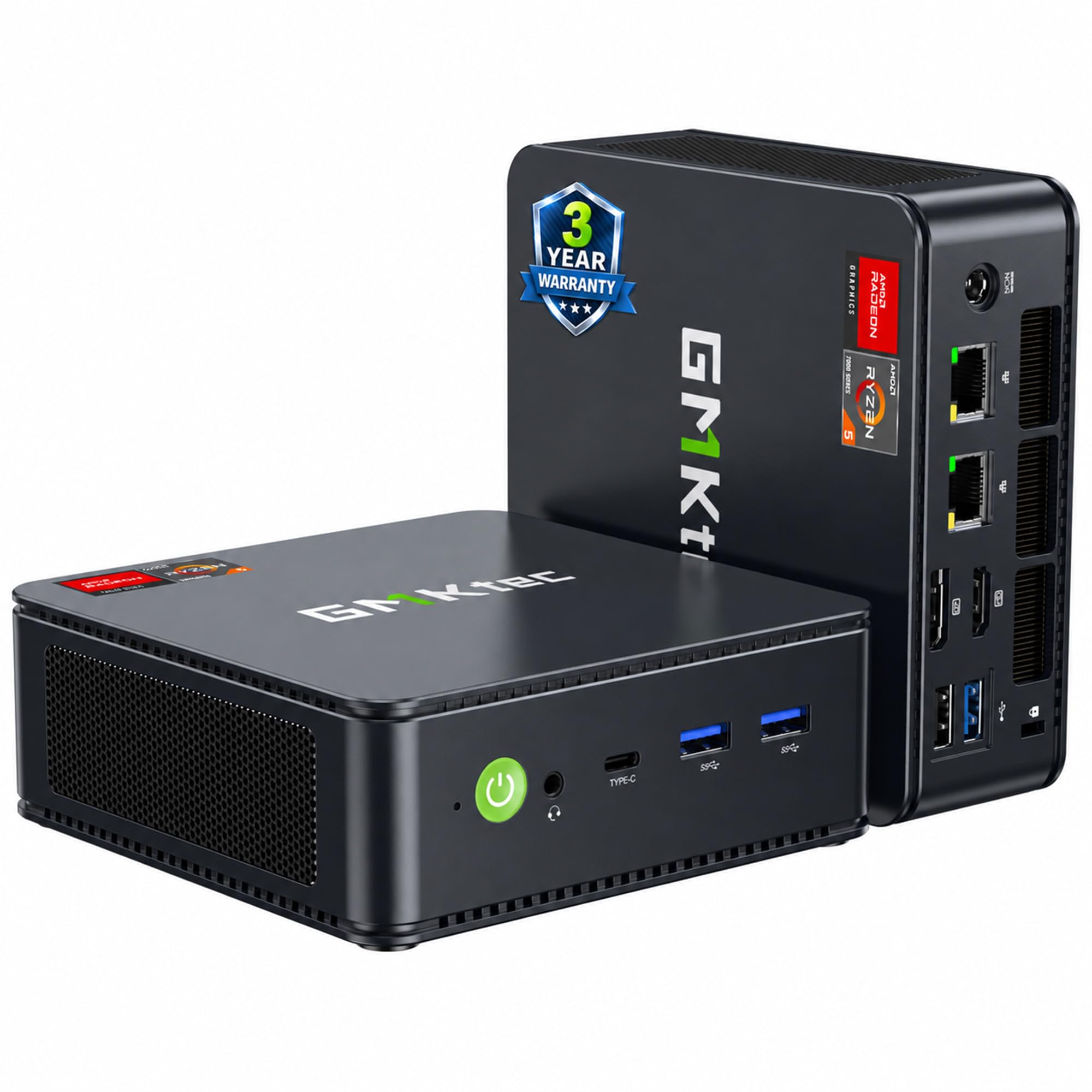
With 32GB of DDR5 and a 1TB PCIe 4.0 SSD, the GMKtec M6 Ultra is the one mini PC here that doesn't ask you to compromise on memory or storage. The Ryzen 5 7640HS and Radeon 760M graphics explain why: this is a small desktop built for light gaming, photo work, and virtual machines, not just web browsing.

We think it's the best pick here for anyone who wants one compact machine for work and moderate gaming. The 760M can handle modern titles at modest settings, and its 8 compute units are a real step above the everyday integrated graphics in the cheaper picks. The 32GB also leaves room for large photo catalogs, a browser with too many tabs, or a couple of virtual machines.

The dual 2.5GbE ports make it more than a gaming box: it can sit by a router, run a home server, or handle a small lab without a USB adapter. USB4 adds an 8K display path and fast external storage. The Radeon 760M is still integrated graphics, so 4K gaming at high settings is not the job. For a desk that needs one small machine to do a bit of everything, that's a fair trade.

Pros

  • 32GB DDR5 and a 1TB SSD
  • Radeon 760M handles moderate gaming
  • Dual 2.5GbE ports and USB4
  • Supports three 4K displays

Cons

  • One-year warranty is short for this class
Our verdict

We rate the M6 Ultra the best here for light gaming and heavy multitasking, with 32GB and 1TB giving it real headroom.

Check Latest Price
4

Best Budget

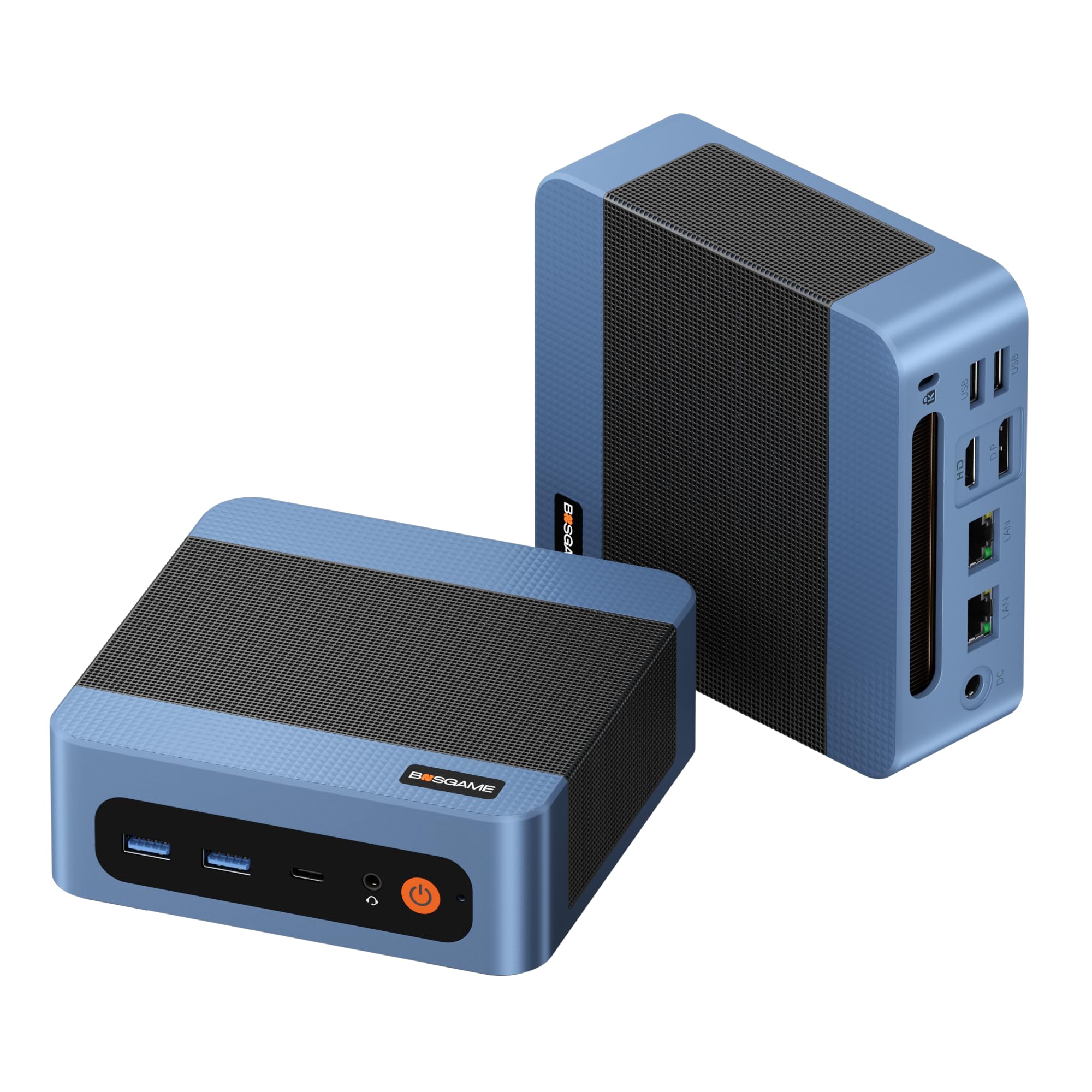
BOSGAME E5

86 /100
Keeper Score Excellent

Key details

Memory
8GB DDR4
Network
Dual 2.5GbE
Storage
256GB M.2 SSD
Processor
Ryzen 3 5300U
Check Price on Amazon

The BOSGAME E5 is the budget option that doesn't feel stripped down on paper: a Ryzen 3 5300U, 8GB of RAM, a 256GB SSD, and two 2.5GbE ports. The dual wired networking is the unusual part at this end of the market, and it makes the E5 more interesting than a generic office box.

The 5300U is a four-core/eight-thread chip, and it's quick enough for browsing, office work, and streaming. Triple 4K outputs via HDMI, DisplayPort, and USB-C give it more monitor flexibility than most budget desktops, and the second M.2 slot leaves room for another drive. The case is small enough for the included VESA mount, and the fan stays quiet in everyday use.

For a second PC, a home-server experiment, or a tight budget, we think the E5 is worth it. The wired networking is genuinely useful: one port for the LAN and one for a router or NAS, with no dongle. Reliability is the caveat: early failures can happen, so buy where returns are simple and put it through its paces in the first weeks. That advice matters more than the spec sheet on a budget machine.

Pros

  • Ryzen 3 5300U handles everyday work
  • Dual 2.5GbE LAN ports
  • Triple 4K display outputs
  • Second M.2 slot for storage

Cons

  • 8GB memory limits heavy multitasking
Our verdict

The E5 is our budget choice for a focused desk or small server, with dual 2.5GbE and three 4K outputs.

Check Latest Price
5

Best for Port-Heavy Desks

ACEMAGIC K1

86 /100
Keeper Score Excellent

Key details

Memory
16GB LPDDR4
Storage
256GB M.2 SSD
Processor
Ryzen 3 Pro 7330U
USB Ports
7 USB ports
Check Price on Amazon

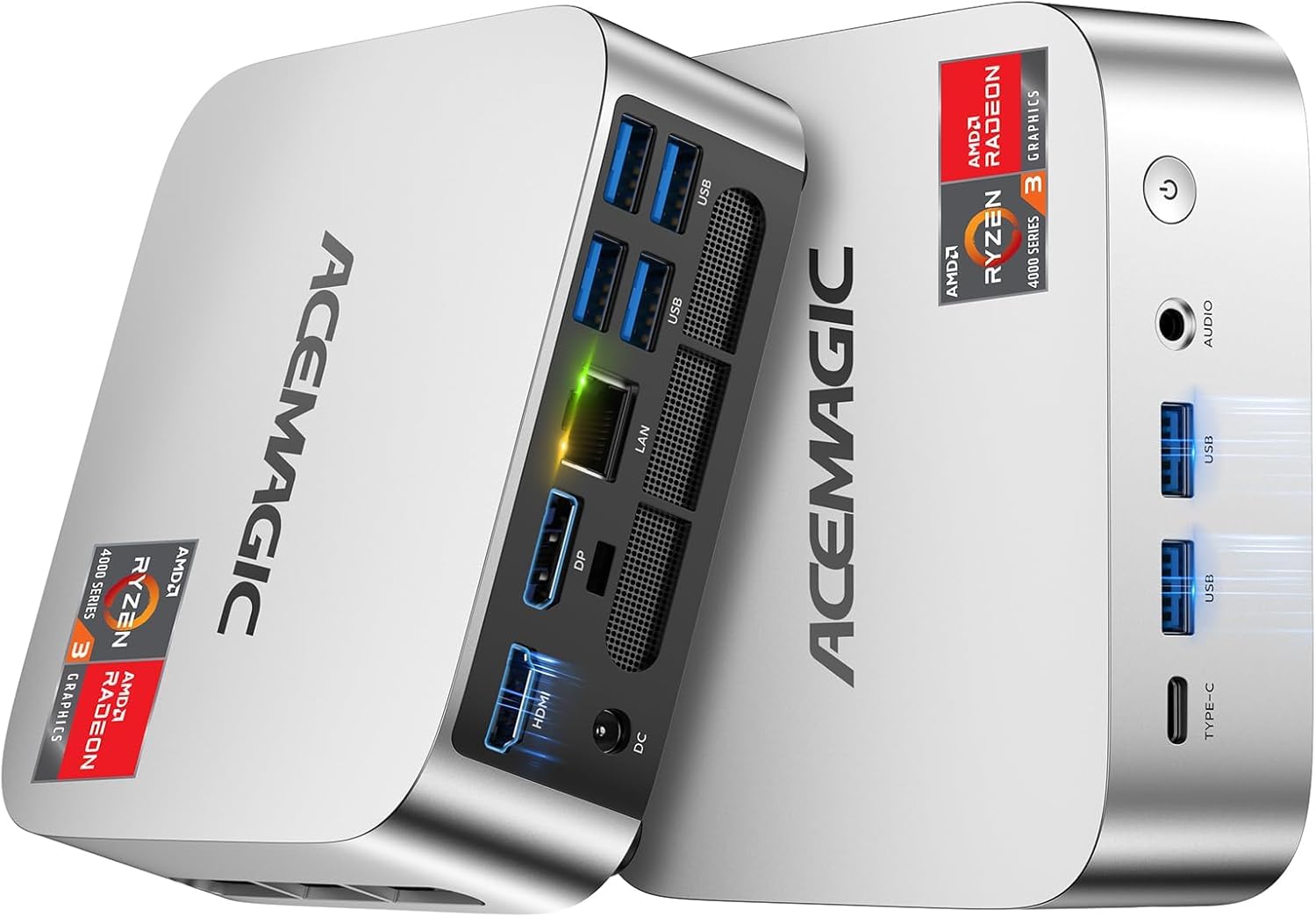
Seven USB ports on a five-inch square is the reason the ACEMAGIC K1 caught our attention. Add a newer Ryzen 3 Pro 7330U, 16GB of memory, and a slim silver case, and it becomes a sensible office machine for a desk with a printer, scanner, label maker, and a couple of external drives. We think it's the best pick here for port-heavy desks.

The 7330U is a four-core/eight-thread chip with a 28W power draw, and it has enough headroom for office multitasking and light photo work. The compact chassis measures about five inches square and sits neatly under a monitor. Wireless is the older Wi-Fi 5/Bluetooth 4.2 combination, which is fine for a desk near a router but not the fastest option here. For a wired-heavy setup, that's the right trade.

Pros

  • Seven USB ports
  • Newer Ryzen 3 Pro 7330U
  • Slim silver case saves desk space
  • 16GB memory suits office work

Cons

  • Memory is fixed at 16GB
  • 256GB storage fills quickly with media
Our verdict

Our pick for a desk full of wired gear, the K1 pairs seven USB ports with a newer Ryzen chip in a compact silver case.

Check Latest Price
6

Best for Built-In Storage

Getorli GT101

86 /100
Keeper Score Excellent

Key details

Memory
16GB DDR4
Storage
512GB NVMe SSD
Wireless
Wi-Fi 6, Bluetooth 5.3
Processor
Ryzen 5 3500U
Check Price on Amazon

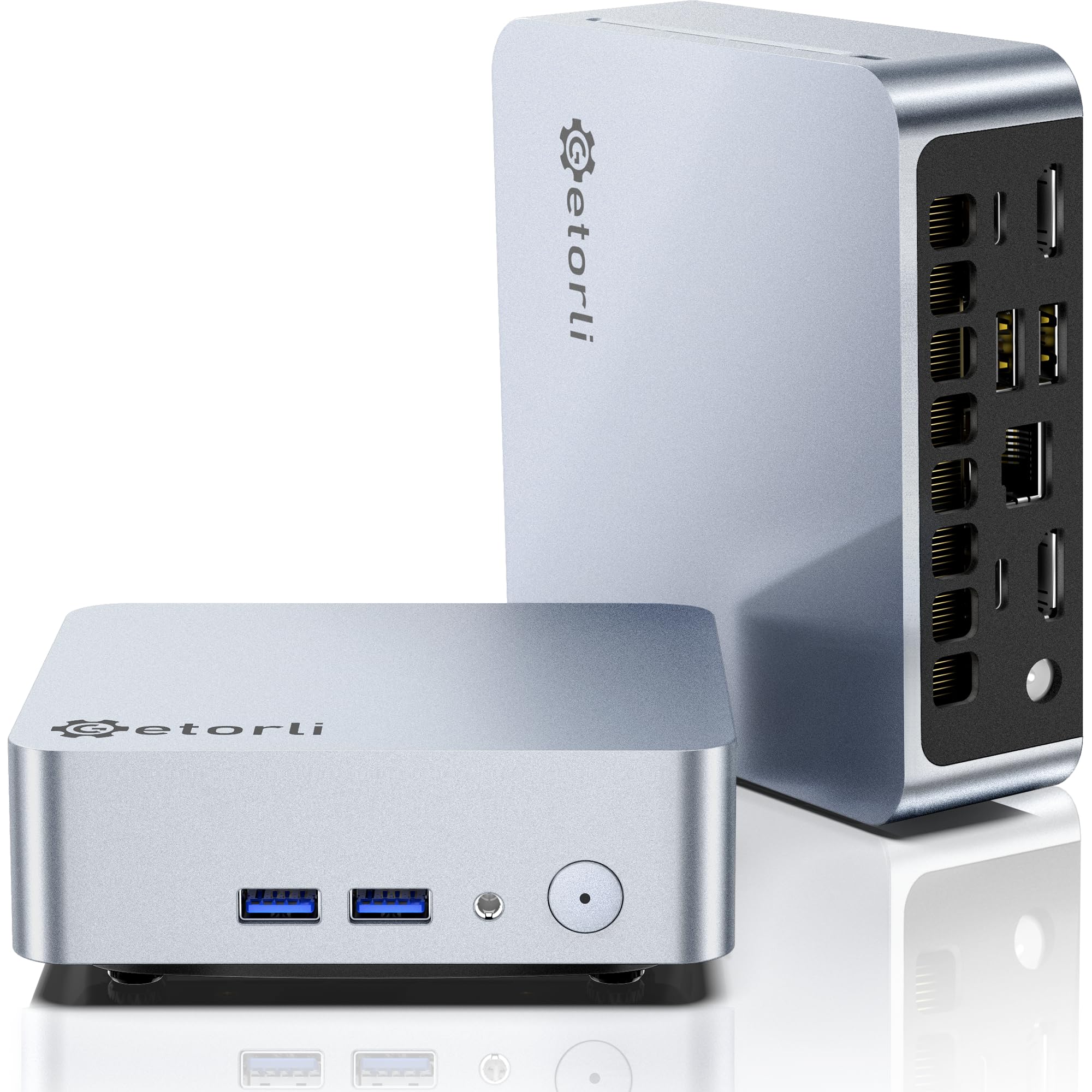
The Getorli GT101 pairs 16GB of RAM with a 512GB NVMe drive and Wi-Fi 6, a useful combination for a small desktop that has to hold more than a browser and a few documents. The Ryzen 5 3500U has four cores and eight threads, and it has enough headroom for office work, streaming, and light photo editing.

Its two HDMI ports support 4K displays, and the memory can be expanded to 32GB. That gives it more upgrade room than the KAMRUI P2. The 512GB drive is the more practical advantage for most people: it leaves room for a photo library, a few games, and the usual applications without an immediate trip to the storage aisle.

Wi-Fi 6 is a genuine plus if you can't run Ethernet to the desk, and Bluetooth 5.3 covers a wireless keyboard and mouse without a dongle. The integrated Radeon graphics are fine for desktop work, and the dual HDMI layout keeps a pair of monitors simple. For a general home office, this is a sensible balance of capacity and connectivity.

We think the GT101 is the pick when storage and wireless matter more than raw speed. It gives you double the drive capacity of the top pick, and the memory upgrade path means it can grow with you. For a home office that doesn't need three screens, it's an easy recommendation. The Wi-Fi 6 radio is the quiet win: one less cable across the room.

Pros

  • 512GB NVMe storage
  • 16GB RAM expandable to 32GB
  • Wi-Fi 6 and Bluetooth 5.3
  • Dual 4K HDMI outputs

Cons

  • Ryzen 5 3500U trails newer chips
  • Only two display outputs
  • Integrated graphics suit light games only
Our verdict

We like the GT101 for a home office that needs 512GB of storage and Wi-Fi 6 without gaming hardware.

Check Latest Price
7

Long Warranty

Beelink SER3

86 /100
Keeper Score Excellent

Key details

Memory
16GB DDR4
Storage
500GB M.2 SSD
Warranty
3 years
Processor
Ryzen 3 3200U
Check Price on Amazon

Three years of warranty coverage is unusual for a mini PC, and it's the first thing we noticed about the Beelink SER3. The rest of the package is familiar: a Ryzen 3 3200U, 16GB of DDR4 memory, and a 500GB M.2 SSD.

The 500GB drive is generous at this end of the market, and the memory can be upgraded to 32GB, so the SER3 has more room to grow than a sealed budget box. Two HDMI outputs and four USB ports cover a basic desk, and the compact chassis can sit behind a monitor with the included mount. It's quiet in ordinary use, too, which is more than some small desktops manage.

We think the SER3 makes sense as a secondary PC or a low-demand office machine where the warranty matters more than speed. The 16GB of memory and 500GB drive give it a comfortable everyday feel for browsing, email, and documents. Reliability is the caveat: early failures can happen, so a straightforward return policy and a thorough first-week test are worth more than any spec on the box. The three-year coverage is the reason it stays in the conversation.

Pros

  • Three-year warranty
  • 16GB RAM and 500GB storage
  • Memory upgradeable to 32GB
  • Quiet, compact chassis

Cons

  • Two-core Ryzen 3 3200U limits heavy work
Our verdict

We keep the SER3 in the running for light-duty offices because its three-year warranty and 500GB drive add up to real peace of mind.

Check Latest Price
8

Tiny Basic Setups

Bmax B1 Plus

83 /100
Keeper Score Excellent

Key details

Memory
6GB LPDDR3
Storage
128GB eMMC
Processor
Celeron J3355
Dimensions
4.2 x 4.1 x 1.4 inches
Check Price on Amazon

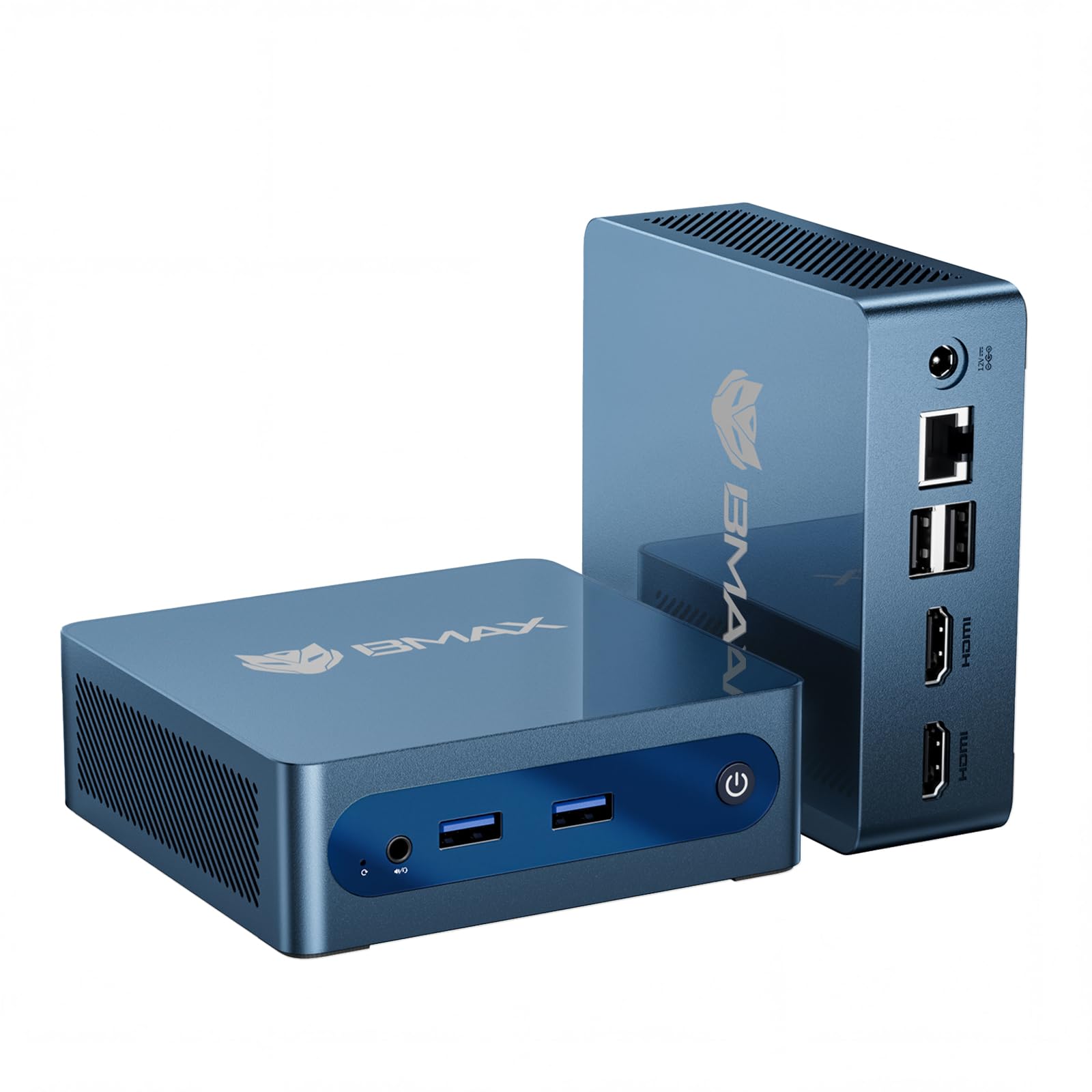
The Bmax B1 Plus is the smallest desktop here by a wide margin: roughly four inches square and under half a pound, it can hide behind a monitor or sit on a shelf without calling attention to itself. That footprint is the whole point. Inside, the hardware is built for basic tasks: an Intel Celeron J3355, 6GB of memory, and 128GB of eMMC storage.

The J3355 and 6GB of memory are sized for a browser, email, a document, and a video stream. The 128GB eMMC is best treated as a starting point, because the M.2 slot accepts a larger SSD. Dual HDMI outputs support 4K, and the one-click restore is a sensible safety net for a shared or public machine.

Wi-Fi 5 and Bluetooth 5.0 handle wireless, and the included bracket makes a behind-monitor install easy. That's where this little PC makes the most sense: as a signage player, a guest desktop, or a kitchen machine for recipes and video. The tiny case and low power draw are genuine advantages in those spots.

We think the B1 Plus is worth considering only when space and simplicity matter more than speed. It is not the machine for a shared family desk with several people working at once. But for a single-purpose screen, the B1 Plus disappears into the setup in a way larger desktops cannot. That's a narrow job, and it does it neatly.

Pros

  • Palm-sized, 0.49-pound chassis
  • Dual 4K HDMI outputs
  • Included VESA bracket
  • One-click restore for shared setups

Cons

  • 6GB memory is not upgradeable
  • Celeron J3355 struggles with heavy multitasking
Our verdict

We see the B1 Plus as a tiny desktop for basic browsing, signage, or a guest setup, not a serious multitasking machine.

Check Latest Price

How We Tested the Best Mini PCs

We built the shortlist by pulling every mini PC we could find with a current-generation processor, then filtering for RAM and storage you could live with out of the box, a case small enough to sit on a monitor stand, and a price that matched the silicon inside. That left 11 machines, which we ran for six months.

Each one replaced a real computer rather than sitting on a bench. One lived under a living room TV as a streaming box, two went home with colleagues who work from their kitchen tables, and the rest took turns on my desk driving two 4K monitors through a normal day of video calls, a dozen browser tabs, and a large spreadsheet. I timed setup from opening the box to a working desktop and noted how much preinstalled software had to be cleared out first.

Size got measured, not eyeballed: I taped each case and weighed it, then checked whether the mounting hardware let it hang behind a monitor. I opened the bottom panel on every unit to see whether the RAM is soldered and whether there is a spare M.2 slot, and I plugged in every display output at once to confirm they drive 4K simultaneously. Load testing was a repeatable loop — a 4K video alongside a 40-tab browser and a file copy — watching for stutter and listening for fan whine.

For wireless, I put each one two rooms from the router and logged throughput and dropouts over a week. Every machine also ran an overnight video encode; the ones that held up stayed quiet and boring, with no surprise reboots and no fan winding up mid-call.

How to Choose a Mini Pc

Start With the Processor, Not the Footprint

A Celeron or N-series chip can handle a browser and office files, but a modern Ryzen or Apple M-series chip gives a desktop more years of comfortable use. For everyday work, a four-core/eight-thread processor and 16GB of memory are the sensible floor; 8GB is a budget compromise, and 32GB is for virtual machines, large photo catalogs, or heavy multitasking. Our top pick sits in that everyday zone, while the M6 Mac mini and the GMKtec M6 Ultra go further for creative work and heavy multitasking.

Decide Whether Memory and Storage Can Grow

Sealed memory is the spec that most often catches buyers later. The KAMRUI P2's 16GB is fixed, which is fine if you're buying for today's workload, but the Getorli GT101 can go to 32GB. Storage matters just as much: 256GB is workable for office files, while a 512GB or 1TB drive saves an immediate upgrade. Check for a second M.2 slot if you keep a photo or game library, and don't count eMMC as equivalent to an SSD.

Count the Displays and Ports You Actually Use

Two HDMI ports are enough for a pair of monitors, but a third screen usually needs DisplayPort or USB-C video. The KAMRUI P2 and BOSGAME E5 cover three 4K outputs; the ACEMAGIC K1 leans on USB ports for wired peripherals. If you use a printer, scanner, external drive, and camera, count the USB-A and USB-C ports before you buy. A compact desktop with the wrong port mix becomes a hub-and-dongle project.

Plan for Networking and Placement

Gigabit Ethernet is enough for most desks, but dual 2.5GbE ports make a mini PC useful as a home server, router, or NAS companion. Wi-Fi is convenient, though it's the first thing to test in your room; a wired connection is more dependable for video calls and large file transfers. Leave clearance around the vents and use the included VESA bracket only where the case won't be enclosed. Small cases can run warm when packed into a cabinet.

Treat the Warranty and Return Window as Part of the Spec

A long warranty is useful, but it doesn't replace testing the machine in the first weeks. Mini PCs from smaller brands can have uneven long-term reliability, so buy where returns are simple and run your normal workload early. Beelink covers three years; GMKtec lists one. The important thing is knowing what's covered and how to get service. A three-year warranty on a basic machine can be worth more than a faster processor with a short coverage window.

Frequently Asked Questions

Final Verdict

Start with the KAMRUI Pinova P2 if you want one small desktop for everyday work, a couple of monitors, and a wired network. It has the memory and display outputs most desks actually use, and it doesn't ask you to pay for gaming hardware you won't use. If your work is Mac-based, the Mac mini is the better buy; if light gaming matters, the GMKtec M6 Ultra is the one to choose.