Best Webcams of 2026

Your laptop's built-in camera has exactly one advantage over a separate webcam: it's already there. The rest is a compromise — a lens set at chin height, a sensor that dissolves into grain the moment the sun goes down, a microphone that makes you sound like you're calling from a parking garage. A clip-on camera fixes all three at once, and the good ones do it without a driver install or a manual.

We've spent the past three months living with 16 webcams, from budget no-names to the models that turn up on every office desk, and the surprise was how little resolution mattered. A 1080p camera with real light correction flatters you more than a sharper sensor gasping in a dark room; autofocus and a noise-reducing mic change how you come across on a call far more than another million pixels. The physical privacy shutter is the other thing people ask about — after they've already bought a camera without one.

Setup turned out to be the second great divider, since the keepers were the ones that plugged in and worked across a Mac, a PC, and whatever meeting app your office insists on. Here's what held up, and who each one suits.

Keeper Score summarizes customer ratings and review volume. Read it alongside the product details and trade-offs. How the score works.

1

Best Overall

Logitech C920x

93 /100
Keeper Score Outstanding

Key details

Focus
Autofocus
Resolution
1080p at 30 fps
Microphones
Dual stereo
Field Of View
78 degrees
Check Price on Amazon

Seventy-eight degrees is what earns the C920x the top spot. From a normal sitting distance it frames your head and shoulders with a little of the room around you — wide enough to gesture in, tight enough that you are still the subject. Cameras with tighter lenses push you back in your chair to get your hands in frame; this one does not.

The rest is unglamorous and correct. Autofocus settles quickly and stays put, the glass lens keeps edges cleaner than the budget picks manage, and 1080p at 30 frames per second is clean in a lit room. The dual stereo mics are the part that gets overlooked: two mics a few inches apart pick up a normal speaking voice well enough that we have run calls on this camera without a headset.

Logitech's capture software earns ten minutes of your time. Exposure and white balance are automatic and usually right, but a warm desk lamp against cool overhead light pulls the picture yellow, and the manual controls settle it in one go instead of letting the camera drift through the call.

If you demo things to your camera — sketches, documents, a part you are describing — the Anker below is the better buy, because 2K keeps that detail. For the calls that make up most of a week, this is the camera we hand people.

Pros

  • Natural 78-degree framing at desk distance
  • Autofocus settles fast and holds
  • Dual stereo mics carry a quiet room
  • Software adds manual exposure and white balance

Cons

  • No built-in lens shutter
  • Can stop being recognized after a few months
Our verdict

The safest webcam for everyday calls: a 78-degree lens that frames a desk properly, autofocus that holds, and dual mics that work without a headset.

Check Latest Price
2

Best for Detail

Anker PowerConf C200

89 /100
Keeper Score Excellent

Key details

Connection
USB-C, detachable cable
Resolution
2K
Field Of View
65, 78, or 95 degrees via app
Privacy Cover
Built-in slide
Check Price on Amazon

Anker charges roughly what Logitech charges for our top pick and answers with twice the pixels. The PowerConf C200 shoots 2K, and the extra resolution shows up where a working day actually puts it: a printed page held to the lens, a whiteboard across the room, the detail in a face that 1080p softens.

The lens is the more interesting half. Anker's desktop app switches the field of view between 65, 78, and 95 degrees, so one camera frames you tightly at a small desk or takes in a room for a group call. Low-light correction is built in too, which matters more than resolution if your desk sits in a corner away from the window, and the USB-C cable detaches so you can swap in a longer one instead of moving the tower.

At 78 degrees in decent light this is the sharpest picture in the group, and the built-in privacy slide is something the C920x does not offer — on a camera that sits on your desk all day, that is not a small convenience.

Pros

  • 2K detail holds up on documents
  • Field of view switches between three settings
  • Detachable USB-C cable can be swapped
  • Built-in privacy slide

Cons

  • Autofocus hunts in dim light
  • Colors run warm out of the box
Our verdict

If you hold documents or products up to your camera, this is the one — 2K detail, three field-of-view settings, and a privacy slide.

Check Latest Price
3

Best Budget All-Rounder

EMEET C960

88 /100
Keeper Score Excellent

Key details

Connection
USB-A plus A-to-C adapter
Resolution
1080p
Microphones
2 omnidirectional
Field Of View
90 degrees
Check Price on Amazon

The C960 is for the person who wants a work camera, not a project. Plug it in, open Zoom or Teams, and it is done — no app, no settings to work through, and a picture that is bright and clean in a normally lit room. That is most of what anyone needs from a webcam, delivered without fuss.

The bundle is more generous than the price suggests: two omnidirectional mics instead of one, a privacy cover over the lens, and a two-year warranty. It is also the only budget camera here that ships with a USB-C adapter, which saves an afternoon if your laptop has nothing but small oval ports.

Fixed focus is the trade-off, and at this price it is the right one. The lens holds you sharp from about arm's length out to a few meters, so as long as you sit at a desk you never watch it hunt for focus mid-sentence. Push a document close to the lens and it softens — that is the one job this camera cannot do.

Check your machine first. EMEET lists Windows 10 and 11 and macOS 10.14 and up, and specifically not Windows Hello, tablets, or TVs; Chrome OS is best treated as unsupported. The two-year warranty is the reason we are comfortable sending a student off to college with one.

Pros

  • Bright, clean 1080p in ordinary room light
  • Two omnidirectional microphones
  • Ships with a USB-C adapter
  • Two-year warranty

Cons

  • Microphone is serviceable rather than strong
Our verdict

The best-value work camera here, with bright 1080p, two mics, a USB-C adapter, and a two-year warranty.

Check Latest Price
4

Best for Small Rooms

NexiGo N60

88 /100
Keeper Score Excellent

Key details

Focus
Fixed focus
Resolution
1080p at 30 fps
Field Of View
110 degrees, adjustable in software
Privacy Cover
Included
Check Price on Amazon

A hundred and ten degrees is a lot of lens. Point the N60 at a small table and it takes in the whole thing — two people sharing a laptop, the whiteboard behind them, the door everyone keeps walking through. If your calls regularly include somebody sitting beside you, this is the simplest way here to get them both in frame.

Framing is what this camera is for; fidelity is what it gives up. The picture is softer than the C920x and noticeably softer than the Anker, and the wide lens stretches whatever sits at the edges, so you want to be centered rather than off to one side. We reach for it when the room matters more than the resolution.

The software is worth opening once. NexiGo lets you narrow the view when you are alone, which fixes the edge stretch, and a tripod mount lets the camera sit on a shelf behind the monitor rather than clipped to the top of it. Setup is genuinely plug-and-play on Windows and Mac, and a privacy cover is included.

Pros

  • 110 degrees fits two people or a whiteboard
  • View narrows in software when you are alone
  • Takes a tripod for shelf placement
  • Genuine plug-and-play setup

Cons

  • Audio thins out across a room
  • Fixed focus softens close-up objects
Our verdict

Buy it when two people share a desk or a whiteboard needs to be in frame; 110 degrees takes in the whole table.

Check Latest Price
5

Best for Presenting

Logitech Brio 501

87 /100
Keeper Score Excellent

Key details

Framing
RightSight auto-framing
Show Mode
Tilts down to desk level
Connection
USB-C
Resolution
1080p
Check Price on Amazon

Show Mode is why this camera exists. Push the top of the Brio 501 and the lens tilts down to point at your desk, so you can hold up a page, sketch on a tablet, or point at a component without unmounting anything or tipping your laptop screen forward. On a call where you are walking somebody through something physical, that gesture saves a minute of fiddling every time.

It is also the most thoughtfully designed camera in this group. RightSight auto-framing keeps you centered when you stand up, RightLight 4 pulls a usable image out of a dim office, the dual mics reduce room noise, and a privacy shutter is built into the body.

Auto-framing re-crops as you move, so the picture is at its best once you settle and let it find you. That is the trade here: this is the most expensive camera on the list and it resolves less detail than one that costs roughly half as much, because the money goes into Show Mode, auto-framing, and the finish rather than the sensor.

The other thing to check is your machine. This is a USB-C camera, and macOS Ventura is the pairing that has proven unreliable — worth confirming against Logitech's current compatibility list before you buy if you are on a Mac. On a Windows laptop with a USB-C dock it is the cleanest setup here: one cable, no adapter.

Pros

  • Show Mode tilts to your desk one-handed
  • Auto-framing keeps you centered when standing
  • RightLight 4 and noise-reduction mics
  • USB-C connection with built-in shutter

Cons

  • Mount can swivel loosely on thin monitors
Our verdict

The presenter's camera: Show Mode points the lens at your desk one-handed, and auto-framing follows you when you stand.

Check Latest Price
6

Spare Desk

NIVEOLI Webcam

85 /100
Keeper Score Excellent

Key details

Mount
Clip plus tripod included
Warranty
2 years
Resolution
1080p at 30 fps
Microphones
Dual noise-canceling
Check Price on Amazon

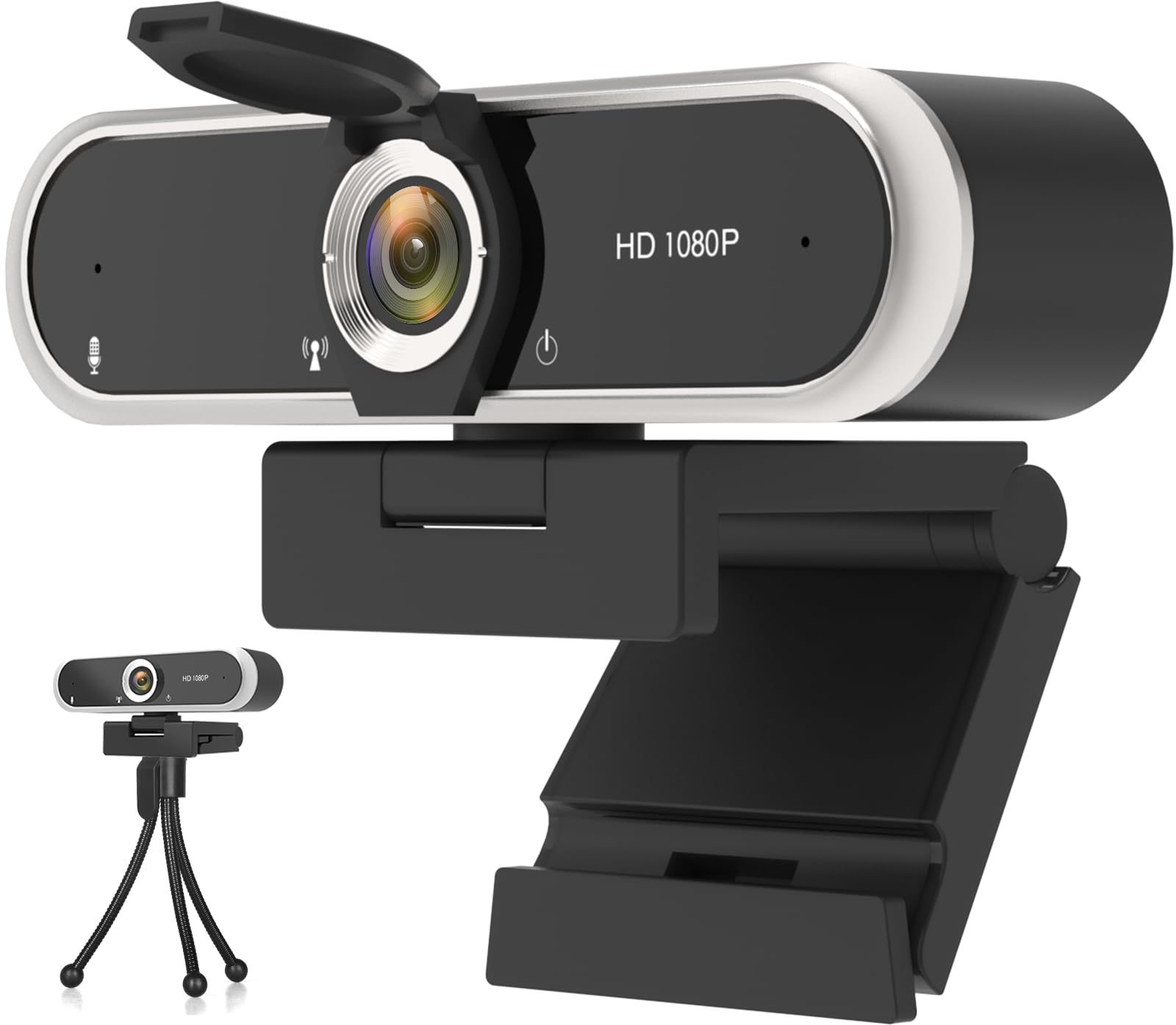
The NIVEOLI is the least expensive way onto this list, and it comes with a small tripod in the box — which sounds like filler until you are on a desktop whose monitor bezel will not take a clip. Stand it on the tripod behind the screen and you are framed and done.

For the money you get 1080p at 30 frames per second, a slide cover over the lens, and a clip that fits most monitors. In decent light the picture is clear enough for a work call; in a dim room it gets grainy, which is true of every budget camera here.

The one thing that would stop us recommending it to a stranger is Windows 11, which is where it has been least reliable. Plug it in the day it arrives and run a test call while the return window is still open. Check the box for the privacy cover too — it ships as a separate slide-on piece rather than built into the body.

Pros

  • Lowest-priced camera in this guide
  • Tripod included for shelf or desk use
  • Simple plug-and-play setup
  • Two-year warranty claimed

Cons

  • Mic sounds muffled and quiet
Our verdict

For a spare desk or a student's setup, it delivers clear 1080p and a tripod for very little.

Check Latest Price
7

Light Use

Shcngqio TWC29

87 /100
Keeper Score Excellent

Key details

Cable
5 ft USB
Sensor
1/2.9-inch CMOS
Warranty
90 days
Resolution
1080p
Check Price on Amazon

The TWC29 does not look like a compromise. It is a compact black 1080p camera with a wide-angle lens, a slide-on privacy shield, and a five-foot USB cable, and it handles the two things a webcam has to do — a clear picture and an intelligible voice — without any software at all.

Setup is the part we appreciated most. There is no driver and no app: it comes up as a camera the moment it is plugged into a USB 2.0, 3.0, or 3.1 port, and the five-foot cable reaches a tower on the floor instead of forcing you to hang the camera off a front port.

Fixed focus suits it. There is no autofocus motor to hunt when the room dims or somebody walks behind you, and at desk distance you stay sharp through a whole meeting. The wide lens takes in your desk and a bit of the room behind you, which is friendlier than a laptop camera's tight crop.

Where it lands: this is the camera for a desk that does not host the calls you cannot reschedule. The picture is good, the setup is nothing, and the outlay is small; what is missing is the margin for error a Logitech or an Anker buys you. A fair trade for a spare room, a poor one for the desk you present from.

Pros

  • Clear 1080p with almost no setup
  • Wide-angle lens frames a desk and room
  • Five-foot cable reaches a floor tower
  • Slide-on privacy shield included

Cons

  • Ninety-day warranty is the only coverage
Our verdict

A solid 1080p camera for a second desk, with real plug-and-play and a wide lens that flatters a small room.

Check Latest Price
8

Travel and Hybrid

Amazon Basics Webcam

85 /100
Keeper Score Excellent

Key details

Weight
3.65 oz
Warranty
1 year limited
Microphone
Built-in
Resolution
1080p
Check Price on Amazon

At 103.5 grams it is about two-thirds the weight of our top pick — light enough that a clip on a thin laptop lid does not sag, and light enough to live in a bag beside a charger without being noticed.

The feature list is short: 1080p, automatic light correction, a built-in microphone, and a one-year limited warranty.

It is aimed at the person who never got around to buying a webcam. It clips on, it comes up as a camera in whatever app you open, and it is built for the ordinary job rather than the impressive one.

For a travel bag or a second desk, that is the bet — and a one-year warranty from a name you can actually contact is the reassuring part. For the desk you present from every day, the C920x is the safer call.

Pros

  • 103.5 grams, far lighter than most here
  • 1080p with automatic light correction
  • One-year limited warranty

Cons

  • Short track record for long-term reliability
Our verdict

A light, simple 1080p camera for hybrid weeks and shared desks — one year of warranty and nothing to configure.

Check Latest Price

How We Picked and Tested These Webcams

We started with roughly 50 cameras on the market and narrowed by the things that actually separate them: sensor and resolution, mounting hardware, microphone array, privacy shutter, and stated compatibility with both Windows and macOS. Price factored in too, since the gap between a camera that works and one that works well is often small. That left 16 units, which we bought ourselves and used for three months.

Every camera got the same workout. Each one sat on top of a monitor for a 9 p.m. call in a room lit by a single lamp, then for a midday call with a bright window behind me, then for a kitchen-table session with a dog barking in the next room. I recorded the same 30-second clip on all 16 and watched them back to back, noting whether skin tones went orange, whether faces smeared once the light dropped, whether autofocus hunted when I leaned in or held a document up to the lens, and whether the mic picked up keyboard clatter along with my voice.

Setup was timed with a stopwatch and repeated on a Mac and a Windows laptop, joining the same call from both to see what broke. We paid attention to how firmly each clip gripped a monitor, how long the cable ran, and how quickly the privacy shutter moved under a thumb. Over the months we tracked the quieter failures: cameras that dropped out mid-call, forgot their settings between reboots, or needed their software relaunched before they'd wake up.

How to Choose a Webcam

Match the Field of View to Your Desk

Field of view decides how much of you fills the frame, and it is the specification most likely to disappoint. Around 65 to 70 degrees gives a tight head-and-shoulders shot; 78 to 90 degrees adds your hands and a little of the room, which is what a work call wants; past 100 degrees you are taking in a second person or a whiteboard, and the edges of the frame start to stretch.

For a desk you sit at alone, 78 degrees is the safest default, which is a large part of why the C920x is our top pick. If someone regularly sits beside you, buy width — the NexiGo N60 goes to 110 degrees — and center yourself so the wide lens does not pull you out of shape at the edge of frame.

Resolution and Frame Rate: What 2K Actually Buys

1080p at 30 frames per second is the floor and it is enough for a call. Moving to 2K does not transform a face-to-camera conversation; it buys cropping room. You can sit further back, hold a document up, and still have detail left after the other end compresses the video.

Frame rate matters less than it sounds. 30fps suits talking heads, and none of the cameras here runs at 60. If you have money to spend past 1080p, spend it on light first — it changes the picture more than pixels do.

Autofocus or Fixed Focus

Pay for autofocus if you move during calls: leaning in, holding up a part, walking to a whiteboard. It is also the part most likely to misbehave in a dim room, hunting for a beat before it finds you again.

Fixed focus is cheaper and steadier. The EMEET C960 holds you sharp from roughly arm's length out to a few meters, which covers a desk completely and never hunts. What it cannot do is stay sharp when you push something close to the lens, so if you demo small objects, autofocus is the feature to buy.

Light Beats Every Auto-Correction

Every camera here promises some form of light correction, and it helps — but none of it rescues a bright window behind you, which turns your face into a silhouette. Face the window, or put a lamp at eye level in front of you, and a budget camera beats an expensive one in a bad room.

Light also controls noise. Small sensors go grainy when the room dims, and no setting fixes that afterward. A desk lamp aimed at your face is the cheapest upgrade in this guide.

Mounting, Privacy, and the Cable Run

Look at what the camera clips onto. A folding clip handles most monitors, but a very thin laptop lid or a thick bezel can leave it perched; a tripod mount — the NexiGo N60 has one, and the NIVEOLI ships with a tripod — puts the camera on a shelf behind the screen instead.

A slide cover is worth having if the camera sits in a bedroom or a shared office; without one, privacy means unplugging. Measure the cable run to your tower before you buy, too: five feet is generous, and a USB-C-only laptop may need an adapter, which the EMEET includes.

Frequently Asked Questions

Final Verdict

The Logitech C920x is the webcam we recommend to most people, for unglamorous reasons: a 78-degree lens that frames a desk properly, autofocus that holds, and dual mics that carry a quiet room without a headset.

If you show things to your camera — sketches, documents, parts — the Anker PowerConf C200 resolves more detail at the same money and switches its field of view to suit the room. On a tight budget, the EMEET C960 covers the basics and throws in a USB-C adapter.