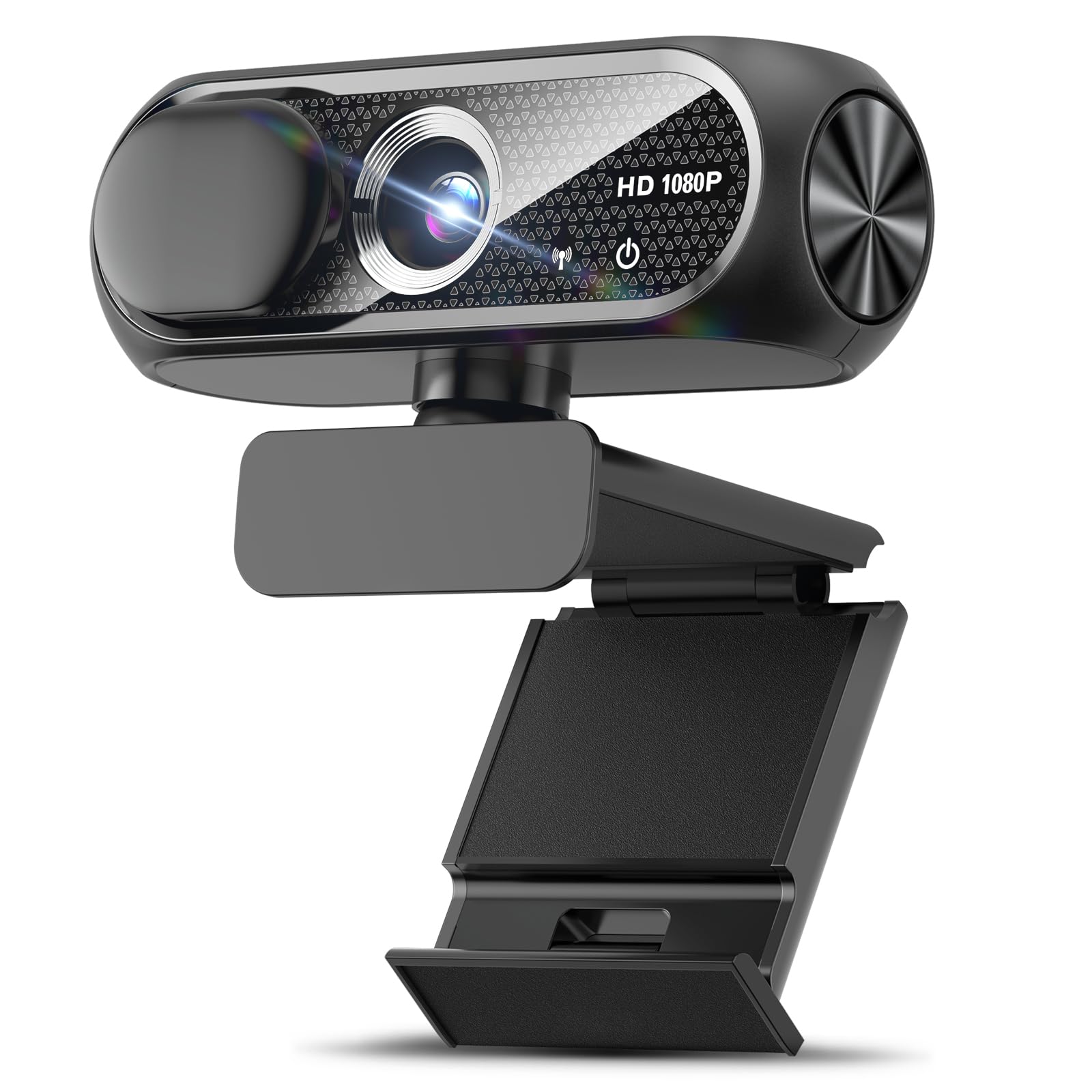
Best Conference Webcams of 2026

Few things age a person faster than a laptop's built-in camera. It shoots from below, blows out the window behind you, and makes your voice sound like it's echoing in a coffee can. An external webcam fixes all three: better glass, a microphone that isn't next to a cooling fan, and a mount that puts the lens at eye level.

I've sat through enough meetings to know that most people buy the cheapest camera they can find and regret it by the second call. My team and I spent six months with a dozen webcams, running them through standups, client pitches, and recorded demos, judging picture and sound, how quickly each plugged into Teams, Zoom, and Meet without a driver hunt, and which held their connection when the office Wi-Fi wobbled.

The number worth ignoring is resolution. A sharp 1080p camera that handles a dim room beats a soft 4K one, and a 90-degree field of view flatters a home office better than an ultra-wide lens that makes a spare bedroom look like an aircraft hangar. Everything below earned its place.

Keeper Score summarizes customer ratings and review volume. Read it alongside the product details and trade-offs. How the score works.

1

Best Overall

Logitech C920x

93 /100
Keeper Score Outstanding

Key details

Audio
Dual stereo mics
Focus
Autofocus
Field Of View
78 degrees
Video Resolution
1080p at 30 fps
Check Price on Amazon

The C920x is the desk webcam we reach for when someone wants a meeting camera that disappears into the setup. It shoots 1080p at 30 fps, has a 78-degree lens, autofocus, and dual stereo mics, and it clips onto a monitor without a driver hunt. Logitech's light correction does the unglamorous work of keeping a face readable when the window behind you is brighter than the lamp in front of you.

What keeps it at the top of this group is the framing. A 78-degree lens is narrow enough that your face still fills a reasonable part of the frame, yet wide enough for a second person leaning in at a desk. We prefer that to the wider 90-degree EMEET C960 for solo calls, because the C920x feels less like a room camera pointed at one person. Autofocus and the dual mics make it a complete package for Zoom, Teams, and Meet without adding a speakerphone.

The omission we minded is the privacy shutter: the C920x does not have one. That is easy to fix with a clip-on cover, and it matters less on a camera that stays in a home office. Long-term reliability is the bigger question. Some C920x units have stopped working after several months, so buy from a seller with a straightforward return policy rather than treating it as a forever purchase. For the money, though, it remains the safest first webcam in this set.

Pros

  • Reliable 1080p/30 video with autofocus
  • 78-degree framing suits one or two people
  • Dual stereo mics handle everyday calls
  • Works with Teams, Zoom, and Meet

Cons

  • No built-in privacy shutter
Our verdict

We recommend the C920x as the default desk webcam for anyone who wants clean 1080p framing and dual mics without paying for 4K.

Check Latest Price
2

Best Budget Desk Webcam

EMEET C960

88 /100
Keeper Score Excellent

Key details

Connection
USB-A and USB-C adapter
Microphones
2 omnidirectional mics
Field Of View
90 degrees
Video Resolution
1080p
Check Price on Amazon

The EMEET C960 is the camera we recommend when the budget is the first thing on the table. It still delivers 1080p, a 90-degree view, dual omnidirectional mics, automatic light adjustment, and a privacy cover, and it ships with both a USB-A cable and an A-to-C adapter. That is a lot of desk-camera basics for the least expensive pick here, and it explains why the C960 has become the default upgrade from a laptop's built-in camera.

We were also pleased by how little fuss the setup takes. It is plug-and-play on Windows and macOS, and the 90-degree lens gives you a little more room for a second person or a whiteboard edge than the C920x's 78-degree view. The two mics are clear enough for a solo call, and the privacy cover slides over the lens without adding a separate accessory.

The compromises show up when you ask it to do more than desk duty. The two mics are fine for one person, but they thin out when voices come from across a table, and the 90-degree view can make a single face feel small if the camera sits too far back. For a single person in a home office, those are acceptable trade-offs; for a group, step up to a room camera.

Pros

  • 1080p video with automatic light adjustment
  • 90-degree view fits a desk or two people
  • Privacy cover and USB-C adapter included
  • Two-year warranty

Cons

  • Fixed focus limits close-up detail
  • No Windows Hello support
Our verdict

We think the C960 is the best budget desk webcam here if you need a privacy cover and USB-C flexibility more than autofocus.

Check Latest Price
3

Best for Small Meeting Rooms

WYRESTORM Focus 210

81 /100
Keeper Score Excellent

Key details

Zoom
5x digital
Microphones
Dual noise-canceling mics
Field Of View
120 degrees
Video Resolution
4K
Check Price on Amazon

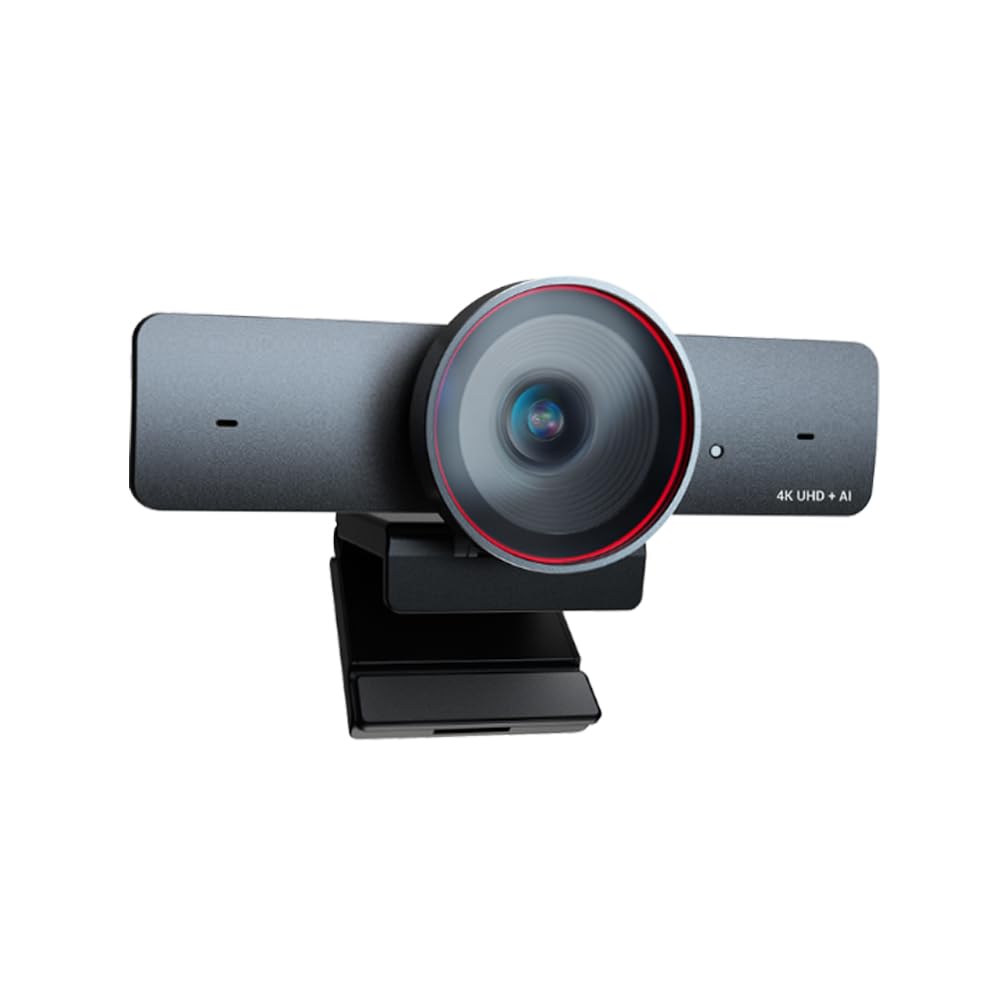
A small conference room has a framing problem: the people at the far end of the table are either tiny or cut off. The WYRESTORM Focus 210 attacks that with a 120-degree lens, AI auto framing, presenter tracking, and 5x digital zoom, all in a camera that sits on a desk or shelf rather than requiring a wall mount. It is Zoom certified and works with Teams, and the privacy cover is built into the design.

We like it because the auto framing does the job a camera operator would otherwise do. In a room where people shift seats or one person stands to present, the camera reframes the group without anyone reaching for a remote. The 120-degree view also means you can leave the camera in one spot instead of repositioning it for every meeting. For a small team that meets around a single table, that is a more useful feature than a resolution bump.

The 4K label deserves a caveat. The sensor is 4K, but the zoom is digital, so the camera is at its best when the whole group is in the wide frame. Audio is the other place to listen carefully: the dual noise-canceling mics are rated for voices up to about 5 meters, but Windows audio has been inconsistent for some setups. If you need the best possible image in a dim room, the MX Brio is the stronger desk camera; if you need the room framed automatically, this is the one.

Pros

  • 120-degree view covers a small room
  • AI auto framing and presenter tracking
  • 5x digital zoom and privacy cover
  • Zoom certified and Teams compatible

Cons

  • Digital zoom only, no optical zoom
  • Best for small rooms, not larger spaces
Our verdict

We recommend the Focus 210 when a small group meets around one table and you want the camera to frame them automatically.

Check Latest Price
4

Best All-In-One for Conference Rooms

TONGVEO TV-C3+M3B

85 /100
Keeper Score Excellent

Key details

Audio
Bluetooth speakerphone
Outputs
USB 3.0 and HDMI
Optical Zoom
3x
Video Resolution
1080p at 60 fps
Check Price on Amazon

The TONGVEO TV-C3+M3B is the pick for the room that has a display, a table, and a tangled history of add-on speakers and webcams. It combines a 1080p PTZ camera with 3x optical zoom, AI auto-tracking, USB 3.0 and HDMI output, and a Bluetooth conference speakerphone with microphones rated to pick up voices from about 5 meters away. One box replaces the camera, the speaker, and the remote-controlled framing.

The 3x optical zoom is the part that matters. Digital zoom crops into the sensor and softens the image; optical zoom moves the lens, so the presenter can be framed tightly without turning the room into a pixelated blur. The PTZ head pans and tilts, and the Bluetooth speakerphone keeps the audio separate from the camera, which is useful when the display is mounted above the table.

We think this is the most complete small-room system in this set, provided you do not need 4K. The 1080p sensor is sharp enough at room distance, and 60 fps keeps hand gestures and movement smooth. The trade-off is that it is a system, not a desk camera: you need to pair the Bluetooth speaker, run USB or HDMI, and find a place for the camera head. In a dedicated room, that setup is worth the effort.

Pros

  • 1080p at 60 fps with 3x optical zoom
  • AI auto-tracking PTZ camera
  • Bluetooth speakerphone with 5m pickup
  • USB 3.0 and HDMI output

Cons

  • 1080p only, no 4K
  • Speakerphone needs Bluetooth pairing
Our verdict

We think the TONGVEO is the most complete small-room system here if you value optical zoom and a speakerphone over 4K.

Check Latest Price
5

Best Premium 4K Desk Webcam

Logitech MX Brio

88 /100
Keeper Score Excellent

Key details

Connection
USB-C
Microphones
Dual beamforming mics
Image Controls
Manual ISO, shutter, tint, vibrance
Video Resolution
4K at 30 fps or 1080p at 60 fps
Check Price on Amazon

The MX Brio is the desk webcam for the person who wants the meeting to look produced, not merely visible. It shoots 4K at 30 fps or 1080p at 60 fps, has dual beamforming noise-reducing mics, and exposes manual controls for ISO, shutter speed, tint, and vibrance. Show Mode flips the view to look down at a document or object, which is a small feature that makes a big difference in a design review.

We appreciated the controls more than the 4K badge. Most webcams give you auto exposure and hope; the MX Brio lets you fix a backlit face or warm up a cool office without moving the lamp. The 1080p 60 fps mode is the one we kept returning to for calls, because smooth motion reads better than extra pixels when you are gesturing or leaning in. The 4K mode is there for recording and cropping.

The mount is the weak spot. The camera can slump on some monitors, and the adhesive mount has not held for everyone. Reliability is also mixed, with some cameras stopping after a month. For a premium desk camera, that is frustrating, but the image controls and low-light performance are strong enough that we still recommend it for a fixed home office where the camera can sit on a stable shelf. If it needs to clip to a thin monitor and move around, the C920x is the safer choice.

Pros

  • 4K at 30 fps or 1080p at 60 fps
  • Manual ISO, shutter, tint, and vibrance
  • Dual beamforming noise-reducing mics
  • Show Mode for documents and objects

Cons

  • Mount can slump on some monitors
  • Mixed long-term reliability
Our verdict

We recommend the MX Brio for a fixed home office where manual image controls and 1080p60 matter more than a secure monitor clip.

Check Latest Price
6

Best 360-Degree Room Camera

TOUCAN SC360

81 /100
Keeper Score Excellent

Key details

Audio
Built-in speaker
Microphones
4 noise-reduction mics
Field Of View
360 degrees
Video Resolution
1080p
Check Price on Amazon

A 360-degree camera solves a problem a wide-angle lens cannot: the people behind the camera. The TOUCAN SC360 shoots 1080p through a 360-degree lens, uses four noise-reduction mics and a built-in speaker, and adds AI tracking so the view favors the person speaking. It is the one we choose for a round table or a room where the display sits in the middle rather than at one end.

We liked the coverage more than the resolution. With the camera centered on the table, everyone is in the frame without someone sliding a laptop around, and the mics pick up voices from every direction. The speaker is clear enough for a small room, and the plug-and-play USB connection means the camera shows up in Zoom or Teams without a dedicated room system.

The limits are built into the concept. It is 1080p, not 4K, and the 360-degree view is not the same as optical zoom, so a distant whiteboard will not have the detail of a PTZ camera. It also needs to sit near the middle of the table to cover the room evenly, which is not always where the power and cable run are. For a round-table huddle, those are fair trade-offs; for a long rectangular room, the TONGVEO is the better fit.

Pros

  • 360-degree view covers a round table
  • Four noise-reduction mics and speaker
  • AI tracking follows the speaker
  • Plug-and-play USB connection

Cons

  • 1080p only, no 4K
  • Needs central placement for even coverage
Our verdict

We recommend the SC360 for round-table rooms where the camera can sit in the center and everyone needs to be in view.

Check Latest Price
7

Best Portable Speakerphone Webcam

NUROUM C10

81 /100
Keeper Score Excellent

Key details

Microphones
4 MEMS mics
Voice Pickup
10 ft
Field Of View
90 degrees
Video Resolution
1080p at 30 fps
Check Price on Amazon

The NUROUM C10 is the camera we reach for when the meeting moves from room to room. It combines a 90-degree 1080p camera with a four-microphone array, a built-in speaker, and a folded USB-C cable with a USB-A adapter tucked into the base. It is small enough to drop in a bag, and it does not need a driver or a power adapter.

The audio is the reason to choose it over a plain desk webcam. Four MEMS mics are rated for voices up to 10 feet away, and the speaker lets a small group hear the remote side without gathering around a laptop. In a huddle room with three or four people, that is a more useful combination than a sharper image with a single-person mic.

Video is competent rather than spectacular: 1080p at 30 fps, fixed focus, and a 90-degree view that can feel wide for one person at a desk. The built-in cable is short, so check that it reaches your laptop before you plan the setup. Those are the compromises that keep it portable.

We think the C10 earns its place as the portable pick. If your meetings happen in the same room every day, a dedicated room camera gives you more reach and better mounting. If you carry the camera between offices, this is the one that makes the whole huddle fit in a small case.

Pros

  • Four MEMS mics with 10 ft pickup
  • Built-in speaker for small huddles
  • Portable all-in-one design with USB-C
  • Plug-and-play across Windows, macOS, Linux

Cons

  • Short built-in cable
  • Fixed focus
Our verdict

We think the C10 is the portable pick for huddles that move between rooms, provided you can live with a short cable.

Check Latest Price
8

Simple Home Setup

Shcngqio TWC29

87 /100
Keeper Score Excellent

Key details

Lens
Wide angle
Privacy
Slide cover
Microphone
Noise-canceling
Video Resolution
1080p
Check Price on Amazon

The Shcngqio TWC29 is the budget camera we recommend for a spare desk or a guest room, largely because it includes the two things cheap webcams often skip: a slide-on privacy cover and automatic light correction. It shoots 1080p through a wide-angle lens, has a noise-canceling mic, and connects over a 5-foot USB cable with no driver installation.

We were surprised by how much the privacy cover changes the ownership experience. It is a separate piece that slides over the lens rather than a built-in shutter, so it can be lost, but it also covers the whole lens and makes it obvious when the camera is off. The auto light correction does a decent job of keeping a face visible when a window is behind you.

The camera is fixed focus, so close-up documents and product demos will not be as crisp as they are on an autofocus model. The 90-day warranty is also short compared with the two-year coverage on the EMEET C960, and there is no Windows Hello support. Those are the costs of buying at the very bottom of this set.

For a single person who mostly needs to look clear on Zoom and does not want to spend much, the TWC29 is a reasonable spare. It makes more sense as a second camera than as the centerpiece of a shared conference room, where the fixed focus and short warranty would wear thin.

Pros

  • 1080p wide-angle video
  • Slide-on privacy cover included
  • Automatic light correction
  • Plug-and-play USB with 5 ft cable

Cons

  • Fixed focus
  • 90-day warranty
Our verdict

We recommend the TWC29 as a cheap spare camera for a single user, not as the main camera in a shared meeting room.

Check Latest Price

How We Tested Conference Webcams on Real Workdays

We began with a shortlist of roughly 40 cameras, filtered on the things that decide whether one actually works in your office: driver-free setup on Windows and macOS, a field of view of at least 90 degrees, a built-in microphone rather than a pinhole mono mic, and a clip that grips a laptop lid as readily as a monitor. Then we bought twelve — budget 1080p models through 4K and all-in-one room units — and put them to work.

For six months they lived on our desks and in a small conference room, used for real meetings rather than staged demos: Monday standups, client pitches, recorded walkthroughs, and one all-hands taken from a kitchen table. We timed setup from unboxing to first call and noted which features — auto framing, digital zoom, noise suppression — needed the manufacturer's app before they'd do anything.

Picture quality was judged on the calls themselves. Each camera shot the same seat at one, three, six, and ten feet, first with a window behind us, then by the light of a single lamp, and we watched for grain in the shadows, blown highlights, and autofocus that hunted whenever someone reached for a coffee cup. For audio we listened back to recordings in headphones and ran a dishwasher and a keyboard nearby to hear what the microphones let through.

Mounting got its own round of abuse: thin laptop lids, a curved monitor, a monitor with a soundbar in front of it. We left several plugged in for weeks at a time and joined calls mid-update to see which ones dropped, then weighed what each camera charged for the features that mattered — a couple of the least expensive units handled an ordinary call as well as anything else here.

How to Choose a Conference Webcam

Match the Field of View to the Room

The first decision is not resolution; it is how much of the room the lens sees. A 78- to 90-degree lens is right for one person at a desk, while a 120-degree lens or a 3x optical zoom lets a small group sit around a table without crowding the frame. A 360-degree camera is a different tool: it covers a round table from the center, but it needs to sit where everyone can see it. Before ordering, measure from the camera position to the farthest chair. If faces land near the edge, go wider or choose a PTZ model.

Resolution and Frame Rate: Buy for the Crop

1080p at 30 fps is still the sensible baseline for a single speaker; it is what the C920x and EMEET C960 deliver, and it looks clean in Teams and Zoom. Step up to 4K if you crop into the frame, show documents, or want more detail for recordings. The MX Brio also offers 1080p at 60 fps, which helps with hand gestures and movement. Remember that meeting software compresses video, so a 4K camera will not make a poor connection look sharp. Choose the resolution for how you will use the frame, not the spec sheet.

Audio Is Half the Meeting

A desk webcam's built-in mic is fine for one person in a quiet room, but it starts to fail when voices come from across a table. An all-in-one speakerphone such as the NUROUM C10 or TONGVEO adds pickup distance and a speaker, so remote participants hear the room rather than the person nearest the laptop. For a small room, look for beamforming or noise-canceling mics and a pickup range that reaches the farthest seat. Hard walls and bare tables amplify echo; a soft furnishing or a directional speakerphone helps more than a higher-resolution camera.

Setup, Mounting, and Compatibility

Most conference webcams are plug-and-play over USB, but the cable run and mount decide whether the setup feels tidy. Check that the included cable reaches your computer or display, and decide whether the camera sits on the monitor, a shelf, or a wall mount. If you need HDMI output for a room display, choose a model like the TONGVEO; if you want Windows Hello face login, confirm it before buying, because several webcams here do not support it. A privacy shutter is worth having on a shared room camera, even if you add a clip-on cover.

Low Light and Image Controls

Office lighting is rarely even, so auto exposure and white balance matter as much as sensor size. The C920x's light correction and the MX Brio's manual controls handle backlit windows and dim corners differently: the first is set-and-forget, the second lets you fix a difficult frame. If you present in the same room every day, manual ISO, shutter, and tint are worth paying for. If the camera moves between rooms, automatic correction is the more useful feature.

Frequently Asked Questions

Final Verdict

For most people, the Logitech C920x is still the conference webcam we recommend first. Its 78-degree framing, autofocus, and dual mics handle a solo desk setup without the cost or complexity of a room system, and it works with the meeting apps most of us actually use.

If your meetings happen around a table, change the pick rather than the budget: the WYRESTORM Focus 210 is the simplest way to keep a small group framed, while the TONGVEO adds optical zoom and a speakerphone for a dedicated room. On a tight budget, the EMEET C960 covers the desk basics with a privacy cover included.