Best Solar Security Cameras of 2026

A solar panel on a security camera sounds like the end of one very specific chore: no more climbing a ladder to lug a battery inside. What the label leaves out is how much of that freedom depends on where the sun actually lands, and how much of your footage quietly sits behind a monthly fee.

I've had cameras mounted on my own back porch for years, and the ones I keep are never the ones with the biggest numbers on the box. Over the past eight months, our team has lived with 12 cameras from eight different systems on porches, garage eaves, and a back fence, and the gap between them shows up fast. Resolution is the least interesting spec here — a camera that shoots in color at night but falls off the Wi-Fi twice a week is worse than a plain 2K unit that simply stays connected.

Setup gives you your first opinion of one of these, and motion detection gives you your last, usually at 2 a.m. when a moth sets off the siren. What follows is the short list of cameras that made it through a windy autumn and a cold snap without needing a rescue mission.

Keeper Score summarizes customer ratings and review volume. Read it alongside the product details and trade-offs. How the score works.

1

Best Overall

aosu D1 Classic 4-Cam Kit

86 /100
Keeper Score Excellent

Key details

Resolution
2K (3MP)
Field Of View
360° pan/tilt
Local Storage
32GB base
Cameras In Kit
4
Check Price on Amazon

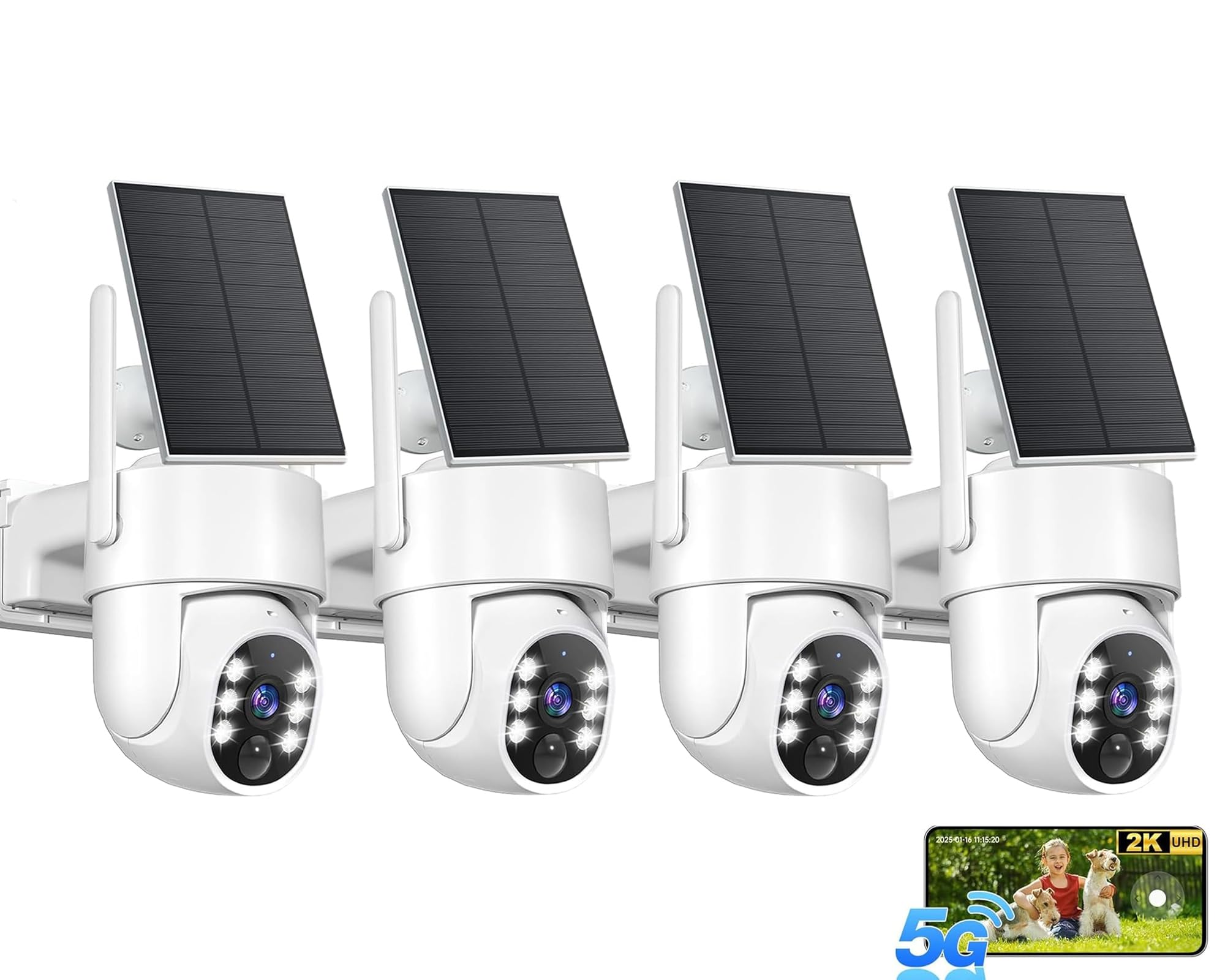
The 32GB base station is what makes the D1 Classic the system we recommend first. It records locally, holds roughly 120 days of loop recording by aosu's estimate, and doesn't require a subscription to work. That combination matters more than another spec-sheet megapixel: you can check events without opening a cloud plan, and the four cameras share one app and one storage pool.

Four cameras is the other practical advantage. The kit covers the front door, driveway, side gate, and backyard without buying add-ons, and the 360° pan/tilt lets each camera sweep a wider arc than a fixed lens. Auto tracking follows people across the yard, and the 2K color night vision helps identify a face or a package on the porch.

We like the 2K color night vision for close-in detail, and the 6x digital zoom helps identify a face or a package on the porch. The cameras are IP65, so they're built for outdoor use, though the base needs a spot near your router with an Ethernet connection. That hub-based design is the main practical adjustment: cameras talk to the base, not directly to your home Wi-Fi, so placement is about the link back to the base.

The trade-off is the hub: it's another device to power and keep near the router, and the cameras need a solid link back to it. If you want a system that records to a central drive without a monthly bill, that's a fair exchange.

Pros

  • Four cameras cover a whole property
  • 32GB local base avoids a subscription
  • 360° tracking follows people across the yard
  • 2K color night vision

Cons

  • One camera can be slow to charge
  • Motion tracking can lose a subject
Our verdict

Our default four-camera kit: 32GB of local storage, no subscription, and 360° tracking make it the most complete solar system here.

Check Latest Price
2

Best Budget Single Camera

SEHMUA 2K Solar Camera

86 /100
Keeper Score Excellent

Key details

Wi-Fi
2.4GHz only
Rotation
355° horizontal, 100° vertical
Resolution
2K
Cameras In Kit
1
Check Price on Amazon

The 355-degree horizontal sweep is the reason this little camera earns a budget spot. One mount on a porch corner can cover the front walk, the driveway, and the side yard, and we like that the pan and tilt controls live in the app rather than a separate remote. At 2K, the picture is sharp enough for faces at the door and packages on the step; the color night vision is a real step up from a dim black-and-white image.

We also appreciate the solar panel keeping the battery topped up. The camera supports up to a 128GB microSD card, so you can keep clips local without a subscription, and the IP65 housing is fine for ordinary rain and dust. Setup is straightforward, and the app is easy to navigate.

The limit is the radio: this is a 2.4GHz-only camera, not a 5GHz model. If your router is at the other end of the house, plan a mesh node or mount the camera closer. Otherwise, it's an easy way to add one smart angle without a hub or a monthly fee.

Pros

  • 355° pan and 100° tilt from one mount
  • 2K color night vision
  • Solar panel keeps it charged
  • Up to 128GB microSD storage

Cons

  • Motion detection can be inconsistent
Our verdict

A strong first solar camera: one mount sweeps a wide arc, the 2K image is clear, and the price leaves room for a second.

Check Latest Price
3

Best Budget Multi-Camera Kit

Gianteye 4-Pack Solar System

88 /100
Keeper Score Excellent

Key details

Resolution
2K
Connectivity
2.4GHz and 5GHz Wi-Fi
Field Of View
360° pan/tilt
Cameras In Kit
4
Check Price on Amazon

The Gianteye kit puts four 2K cameras on the property without a base station. Each camera records to its own microSD card or an optional cloud plan, and the 2K pan/tilt head covers a wide arc. For a first multi-camera setup, that's a lot of coverage in one box.

We like the 5GHz and 2.4GHz Wi-Fi support because it gives you a faster option when the camera is close to the router, and the 2K color night vision is useful for a porch or garage. The detachable solar panel helps you aim the panel at the sun while the camera watches the angle you need. This is the budget four-pack we recommend when your Wi-Fi reaches the corners.

Wi-Fi reach is the practical limit: these are still wireless cameras, so a weak signal at the far corner will show up as a dropped feed. If your router covers the property, it's a lot of coverage for the outlay.

Pros

  • Four 2K cameras in one kit
  • 2.4GHz and 5GHz Wi-Fi support
  • Per-camera microSD or cloud storage
  • Detachable solar panel

Cons

  • No central hub; manage storage camera by camera
Our verdict

A budget four-pack that covers several angles without a base station; strong value if your Wi-Fi reaches the mounting spots.

Check Latest Price
4

Best Two-Camera Value

Oculview 2K 2-Pack

86 /100
Keeper Score Excellent

Key details

Storage
Up to 128GB microSD
Resolution
2K
Field Of View
360°
Cameras In Kit
2
Check Price on Amazon

The Oculview pair gives you a front and back view without a base station. Two 2K cameras, two solar panels, and two microSD slots make a simple starter system: mount them where you need coverage, connect them to 2.4GHz Wi-Fi, and manage each camera in the app. The 360° view means one camera can cover more of a yard than a fixed lens.

We like the 2K video, which is crisp in daylight and clear enough at night for a porch or driveway, and the solar panels keep both cameras charged without cable runs. This is the budget pair we recommend when you want two angles and don't want a hub.

The caveat is the radio and the storage: 2.4GHz-only Wi-Fi means you need a strong signal at each mount, and with no central hub you manage two cards instead of one drive. For a budget pair on two sides of a house, those are manageable compromises—just don't expect the polish of a hub system.

Pros

  • Two 2K cameras for a starter pair
  • 360° view from the app
  • Solar panels keep both charged
  • Local microSD storage up to 128GB

Cons

  • Motion detection can miss or over-trigger
Our verdict

The budget pair we recommend for two sides of a house: clear 2K video, solar charging, and no hub required.

Check Latest Price
5

Best Local-Storage Kit

Hiseeu 4-Cam NVR Kit

84 /100
Keeper Score Excellent

Key details

Resolution
4MP
Field Of View
355° pan, 90° tilt
Local Storage
500GB HDD
Cameras In Kit
4
Check Price on Amazon

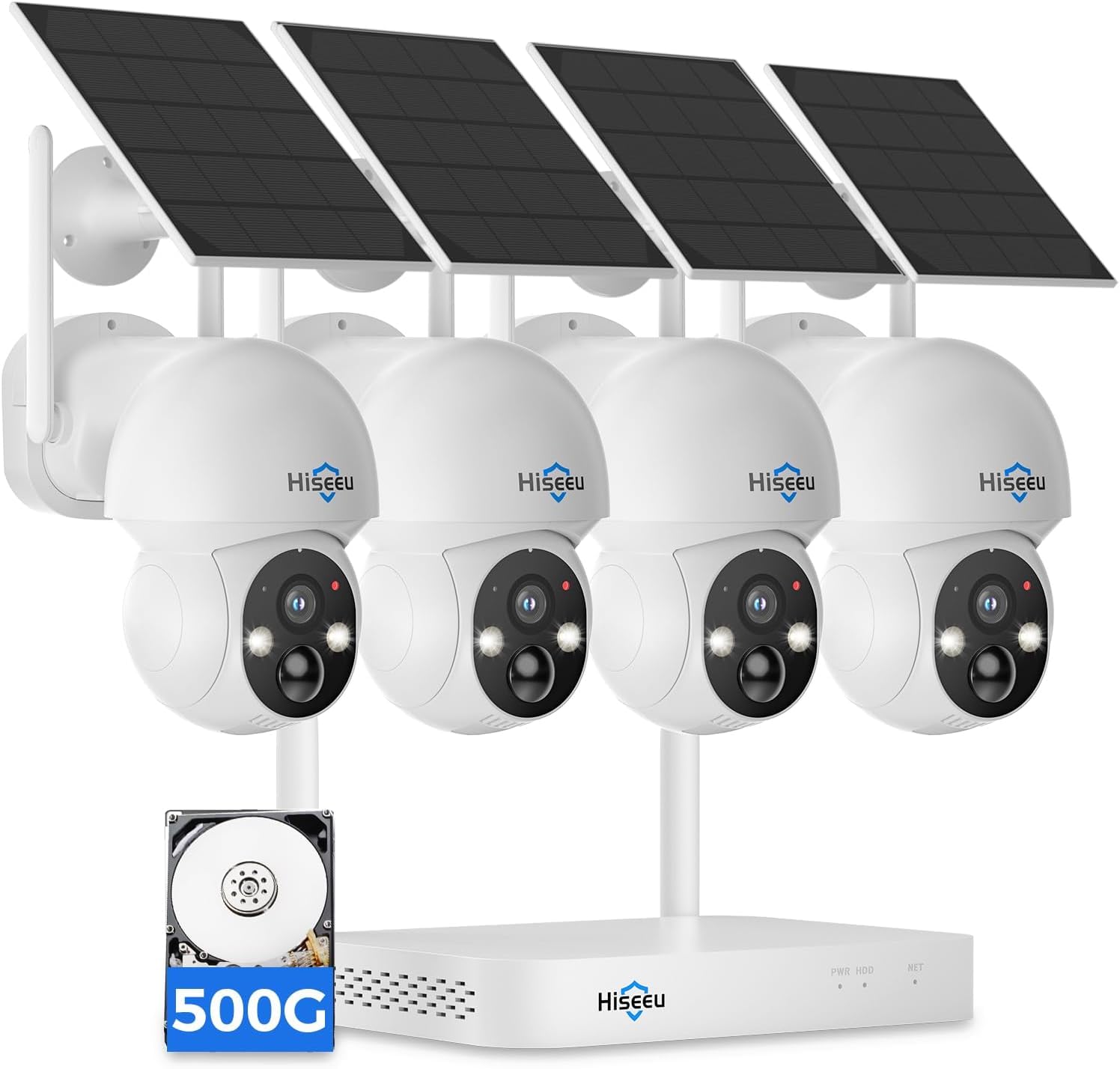
The Hiseeu kit centers on an NVR with a 500GB hard drive. All four cameras record to that one local drive, so you're not juggling microSD cards or paying a monthly cloud fee. The kit includes the NVR, power supply, cameras, solar panels, and mounting hardware.

The four 4MP cameras have more pixels than the 2K models here, and the 355° pan and 90° tilt let each one cover a wide arc. Color night vision and phone alerts are included, and the cameras connect wirelessly to the NVR while the NVR connects to your router by Ethernet. That keeps the camera installs free of network cables.

The trade-off is the NVR itself: it's another box to power, tuck away, and connect by Ethernet, and you'll want it near the router. If central storage matters more than a completely hub-free install, this is the kit we recommend for local recording.

Pros

  • 500GB local NVR storage
  • Four 4MP cameras
  • Color night vision and 360° pan/tilt
  • No subscription required

Cons

  • Wireless camera link can drop at range
Our verdict

The pick for central local storage: four 4MP cameras and a 500GB NVR record without a subscription.

Check Latest Price
6

Best 4K Kit

eufy SoloCam E42 4-Cam Kit

84 /100
Keeper Score Excellent

Key details

Detection
AI face and motion
Resolution
4K
Local Storage
Up to 16TB
Cameras In Kit
4
Check Price on Amazon

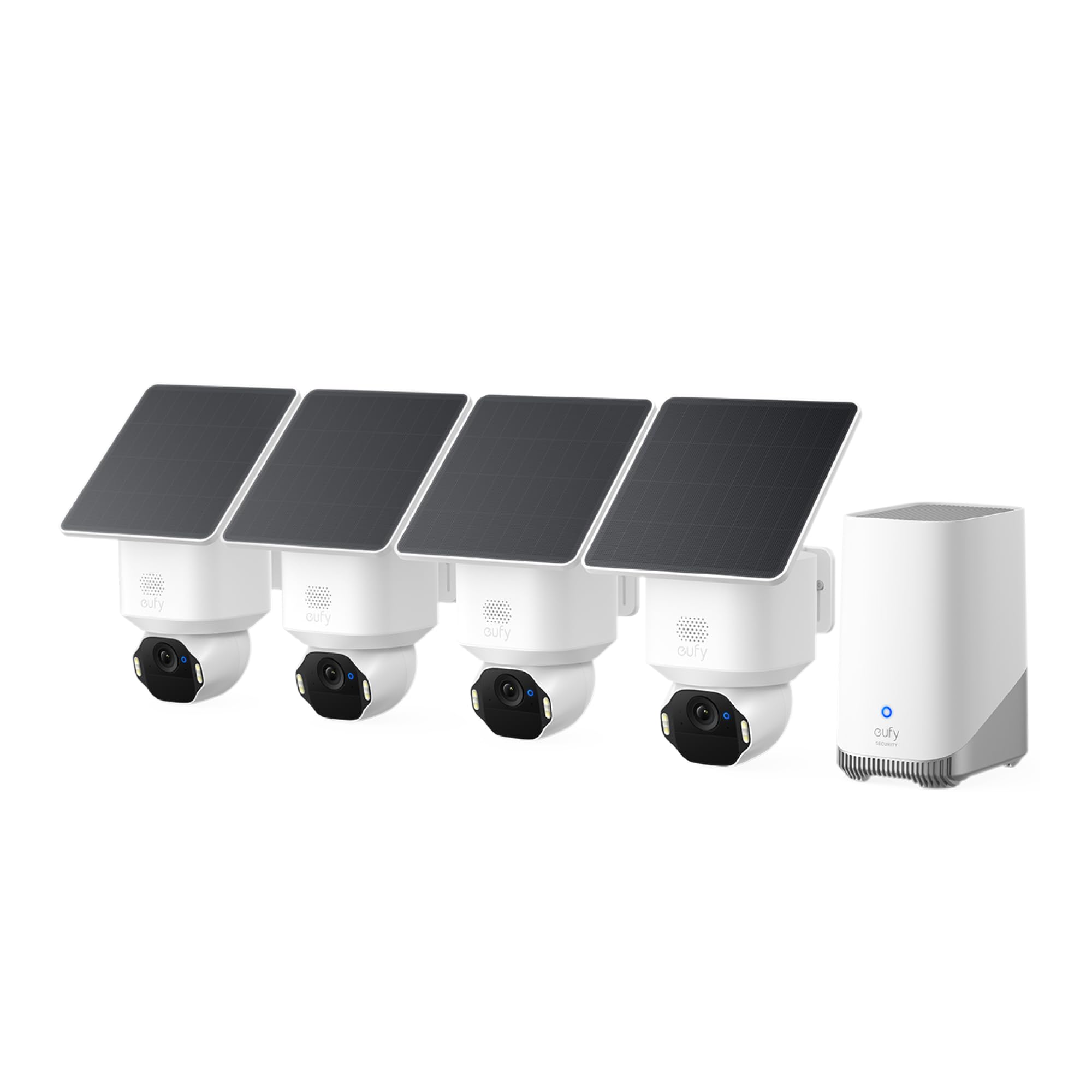
The E42's 4K cameras capture enough detail to read a license plate at up to 33 feet, according to eufy, and the 4K sensor gives you more room to crop into a face or a package. If your main worry is identifying someone after an event, that resolution is the feature that matters.

The HomeBase 3 keeps clips local, supports up to 16TB of storage, and doesn't require a monthly plan. The four cameras pan and tilt for 360° coverage, and the AI tracking follows people and vehicles across the yard. The strobe and siren add a deterrent layer that the budget kits don't have.

The 4K stream puts more demand on your network, so a strong router matters. For buyers who want the clearest evidence and can live with a hub-based system, this is our premium pick.

Pros

  • 4K detail for faces and plates
  • HomeBase local storage up to 16TB
  • AI face and motion tracking
  • Strobe and siren deterrence

Cons

  • HomeBase pairing can be fussy
  • Motion detection can miss movement
Our verdict

The premium pick for detail: 4K video, AI tracking, and a HomeBase that keeps clips local without a monthly fee.

Check Latest Price
7

Best Single-Camera Detail

eufy SoloCam S340

84 /100
Keeper Score Excellent

Key details

Resolution
3K + 2K dual-lens
Field Of View
360° pan/tilt
Local Storage
8GB built-in
Cameras In Kit
1
Check Price on Amazon

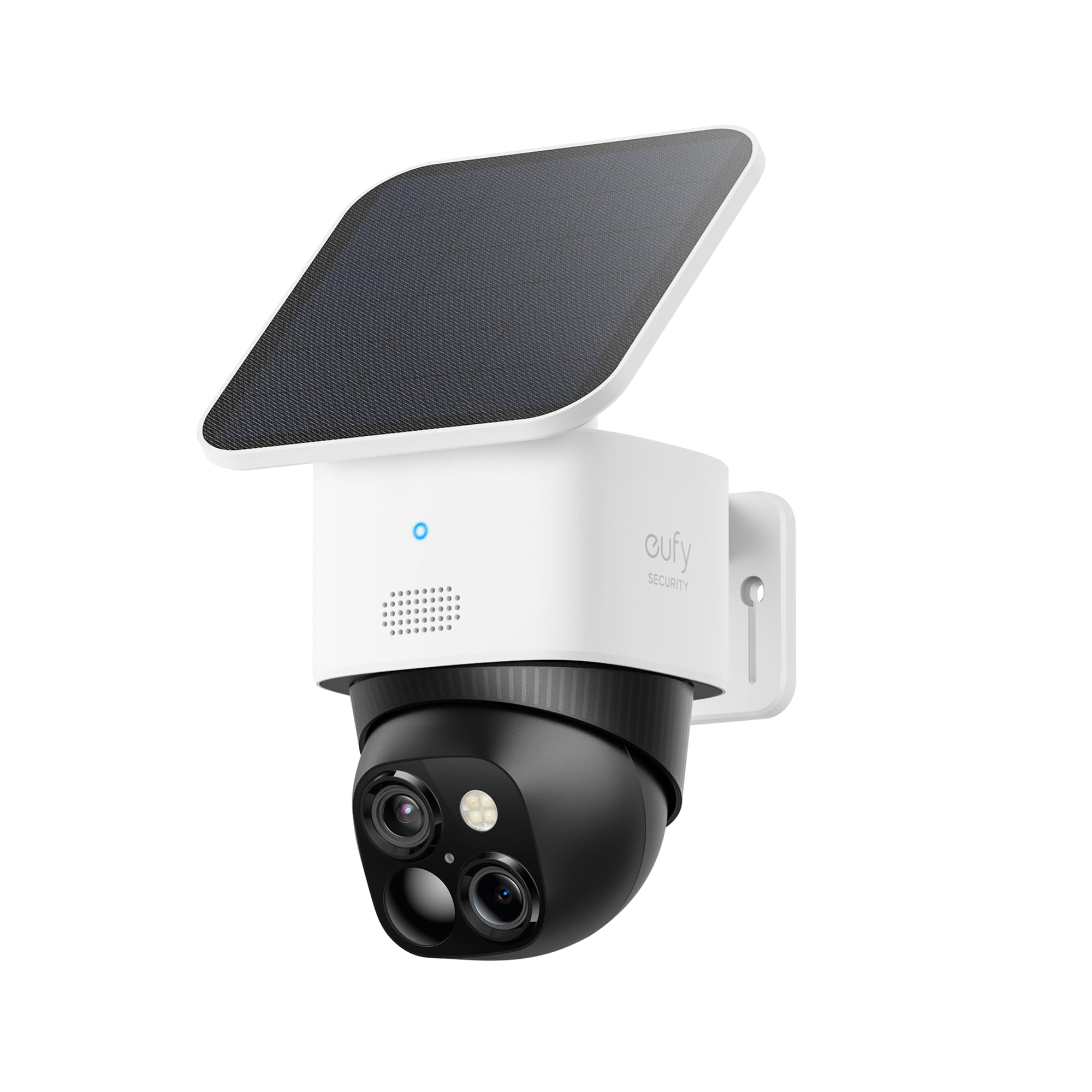
The S340 uses a dual-lens head: a 3K wide view and a 2K telephoto lens, so you can see a broad area and then zoom in on a face or a plate without losing the whole scene. The head pans 360° and tilts, which means one mount can cover more of a yard than a fixed camera.

The 8GB of built-in storage keeps clips local without a monthly fee, and the camera runs on a 10,000mAh battery with a 5W solar panel. Color night vision and AI tracking are useful for a driveway or side gate, and the compact body is easier to place than a big floodlight camera.

The 3K/2K stream needs a solid Wi-Fi link, and this is a single-camera answer rather than a kit. The dual-lens detail also costs more than the 2K singles here, so it makes sense when one view matters more than several.

For a driveway, a front gate, or a side yard where detail matters most, this is the camera we recommend. It gives you the sharpest single view in this group without a subscription.

Pros

  • 3K + 2K dual-lens detail
  • 360° pan/tilt coverage
  • 8GB local storage, no monthly fee
  • 10,000mAh battery with 5W solar panel

Cons

  • 8GB storage is modest for heavy recording
Our verdict

The best single camera here for detail: a 3K dual-lens head pans a full circle and stores clips locally.

Check Latest Price
8

Weatherproof Budget

AlkiVision Solar Camera

89 /100
Keeper Score Excellent

Key details

Resolution
2K
Field Of View
360°
Cameras In Kit
1
Weatherproofing
IP67
Check Price on Amazon

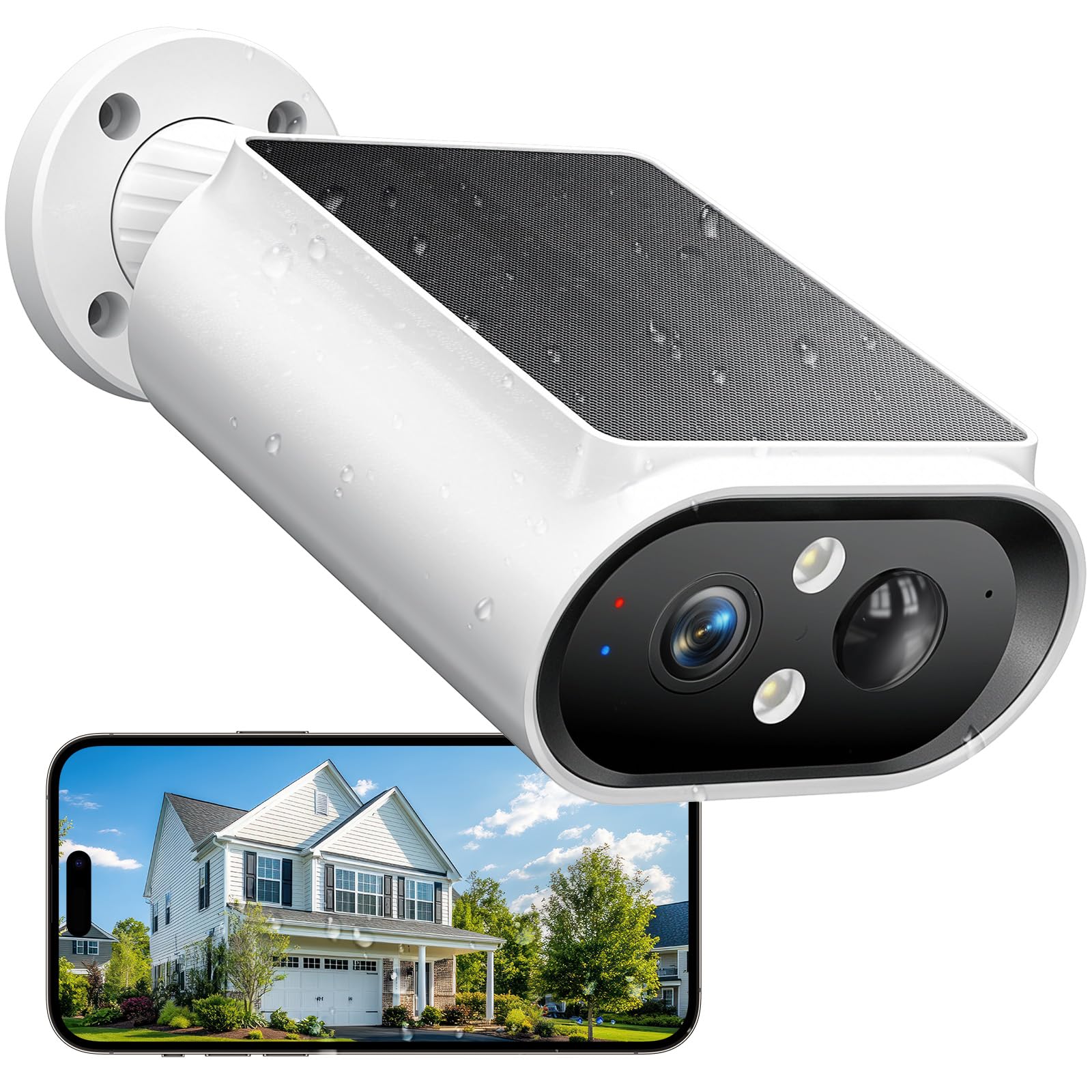
The AlkiVision is rated IP67, while the other outdoor cameras here are IP65 or rely on a more general weather rating. That matters for an exposed fence line or a wall that takes wind-driven spray. The camera pairs that housing with a 2K picture and a 360° view.

The solar panel and battery are included, and the app supports motion alerts, two-way talk, and a siren. The picture is crisp in daylight and the color night vision is good for a yard or driveway. The camera mounts with a bracket and aims through the app, so you can adjust the view without climbing back up.

The 2.4GHz-only Wi-Fi means you need a strong signal at the mount; a mesh node or a closer placement solves that. The app and alerts are straightforward, and there's no hub to power.

For an exposed spot where weather is the main worry, this is the budget camera we recommend. It gives you IP67 protection and a clear 2K view for less than the detail-focused picks, and it's simple enough to add to a shed or gate.

Pros

  • IP67 weatherproofing
  • 2K color night vision
  • 360° view
  • Siren and two-way talk

Cons

  • 2K detail falls short at long distance
Our verdict

The budget single we trust for an exposed spot: IP67 weatherproofing, a 2K picture, and a 360° view.

Check Latest Price

How We Tested Solar Security Cameras

We began with more than 30 listings and cut anything that needed an outlet, a hub, or a paid plan to store a basic clip. From there we sorted by panel size, resolution, Wi-Fi band, and whether the camera kept footage locally, then bought eight systems — 12 cameras in all — and mounted them where they'd have to earn their keep: a front porch facing a busy sidewalk, a garage eave over the driveway, and a back fence along an alley.

Every camera was installed solo with a phone in one hand, and I clocked the time from unboxing to a live picture. I noted whether pairing worked on the first attempt or the fifth, whether the camera handled 5GHz or was stuck on 2.4GHz, and how often it dropped off the network during its first week — a few needed a router restart before they'd hold a signal at all.

Motion detection got tested the way it fails in real life: delivery drivers at the door, cars passing 40 feet out, a windy afternoon tossing the branches in frame, and the raccoon that works the alley most nights. I logged every push alert, checked whether the AI labels matched what had actually walked past, and timed how many seconds passed between the event and the notification.

After dark I walked the test area with a flashlight to see how quickly color night vision engaged and whether faces stayed legible. Battery percentages were tracked through a week of heavy overcast to see if the panel caught up, and I kept a running tally of which features — cloud clips, rich notifications, sharing — stopped working without a subscription, since that's the difference between a cheap camera and an expensive one.

How to Choose a Solar Security Camera

Start With Coverage, Not Camera Count

A single pan/tilt camera can sweep a wide arc, but it can't watch the front door and the back gate at the same time. If you need simultaneous views, a multi-camera kit is the better shape. We like the four-camera kits for a typical house because they cover the main entries without moving the lens, while a two-camera pair suits a townhouse or a garage-and-door setup. Count the views you want first, then choose the kit size; adding cameras later is possible on some systems but not all.

Put the Panel Where the Sun Is

The camera can live under an eave; the panel cannot. A detachable or remote panel lets you put the camera where it sees the door and the panel where it sees midday sun. Check the panel's cable length and mounting hardware before you commit, and plan for shorter winter days. If the spot is shaded most of the day, a solar camera will need a top-up by cable or a different location. We prefer a split panel for exactly this reason; the Gianteye and eufy kits make that easier.

Match Resolution to the Distance

2K is enough to recognize a face at the door or read a package label close to the lens. Step up to 3K or 4K when you need detail at the far end of a driveway, such as a license plate or a person crossing a yard. Color night vision depends on a spotlight, so it's strongest near the camera, not at the property line. We think buyers should not pay for 4K if every camera looks at a narrow porch; spend the difference on coverage or local storage instead.

Choose a Storage Shape You'll Manage

Local storage can mean a microSD card in each camera, a base station with a shared drive, or an NVR with a hard drive. Cards are cheapest and simplest for one or two cameras, but you manage each one separately. A base station centralizes clips and usually keeps the no-subscription promise; an NVR adds a box and an Ethernet run but gives you a larger drive. We prefer a base station for a four-camera kit because one drive is easier to check than four cards. Check retention and whether the system records motion clips or continuous video, because solar cameras often favor the former.

Plan the Wi-Fi Link Before You Drill

Most of these cameras are 2.4GHz Wi-Fi devices, and several kits use a base station that connects to your router by Ethernet. That makes placement a network decision as much as a security one: the camera needs a strong link back to the base or router, and the base needs a spot near the router. Test the live feed from the intended mount before you drill. If the signal is weak, a mesh node is usually cheaper than moving the camera to a worse angle.

Frequently Asked Questions

Final Verdict

For most homes, the aosu D1 Classic 4-Cam Kit is the system we recommend: four cameras, a 32GB local base, and 360° tracking cover the main job without a subscription. If you need the sharpest detail for faces or plates at distance, the eufy SoloCam E42 4-Cam Kit's 4K video is the upgrade. If you want a central hard drive instead of a base station, choose the Hiseeu 4-Cam NVR Kit.