Best Pocket Gimbal Cameras of 2026

Your phone already shoots 4K, so why carry a second camera? Try filming a birthday party while also stopping a kid from taking out the cake. A pocket gimbal camera keeps the shot steady on a motorized arm, follows a face without you steering, and leaves your phone free to be a phone. What it fixes is the gap between wanting smooth footage and being willing to haul a rig for it.

We spent six months filming with seven of them, at a Saturday farmers market, on a rainy trailhead, across a dim restaurant table, and the differences show up fast. Sensor size mattered more than the frame-rate number on the box, because most of us shoot indoors in mediocre light far more often than we shoot slow motion. The detachable screen I expected to ignore became the thing I reached for most.

Price is the other honest dividing line: cheaper models shoot lovely daylight footage and struggle after sunset, and the priciest earns its keep only if you use the extra resolution. Below are the ones I kept grabbing on the way out.

Keeper Score summarizes customer ratings and review volume. Read it alongside the product details and trade-offs. How the score works.

1

Best Overall

DJI Osmo Pocket 3

89 /100
Keeper Score Excellent

Key details

Video
4K/120fps
Sensor
1-inch CMOS
Weight
6.31 oz
Battery
166 minutes
Check Price on Amazon

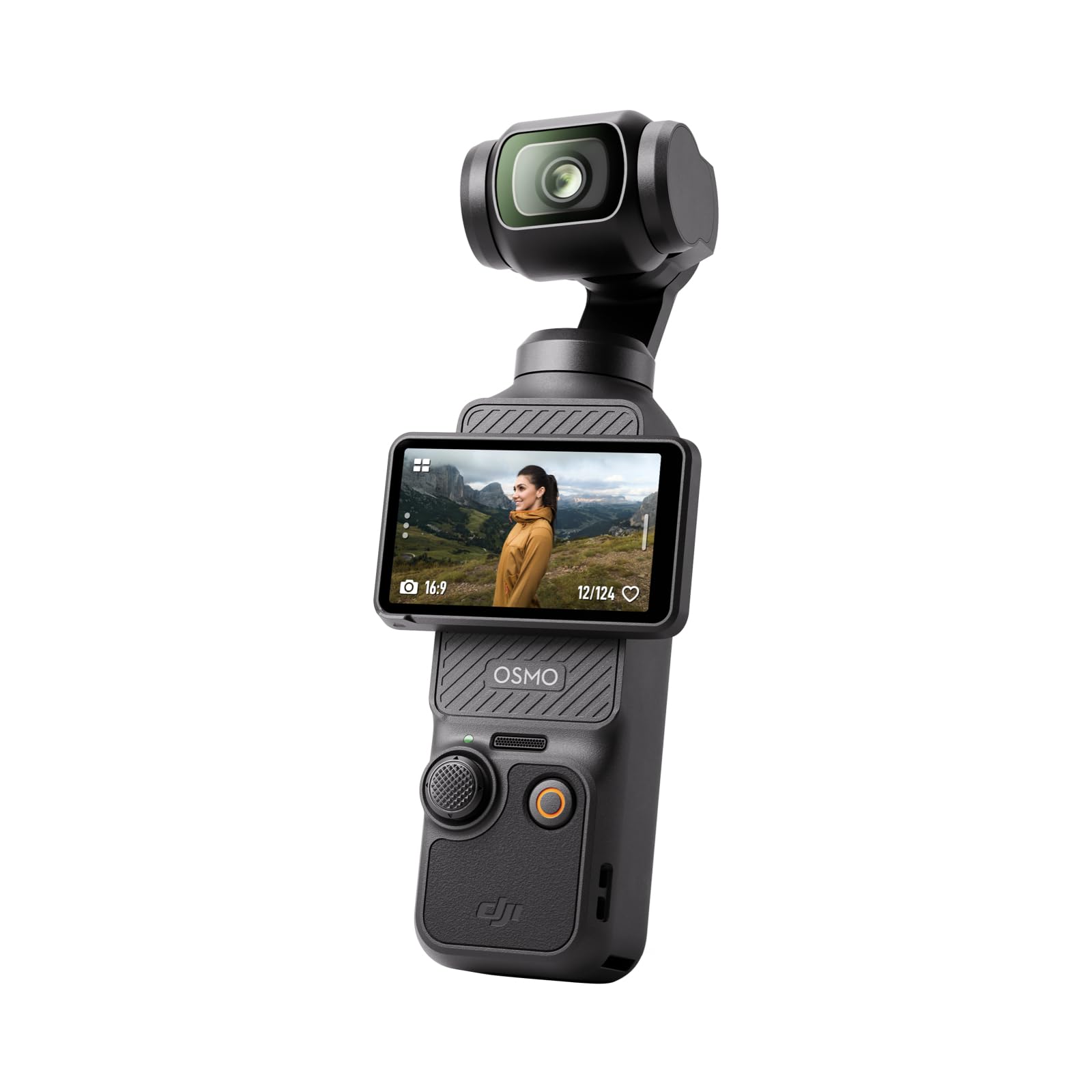
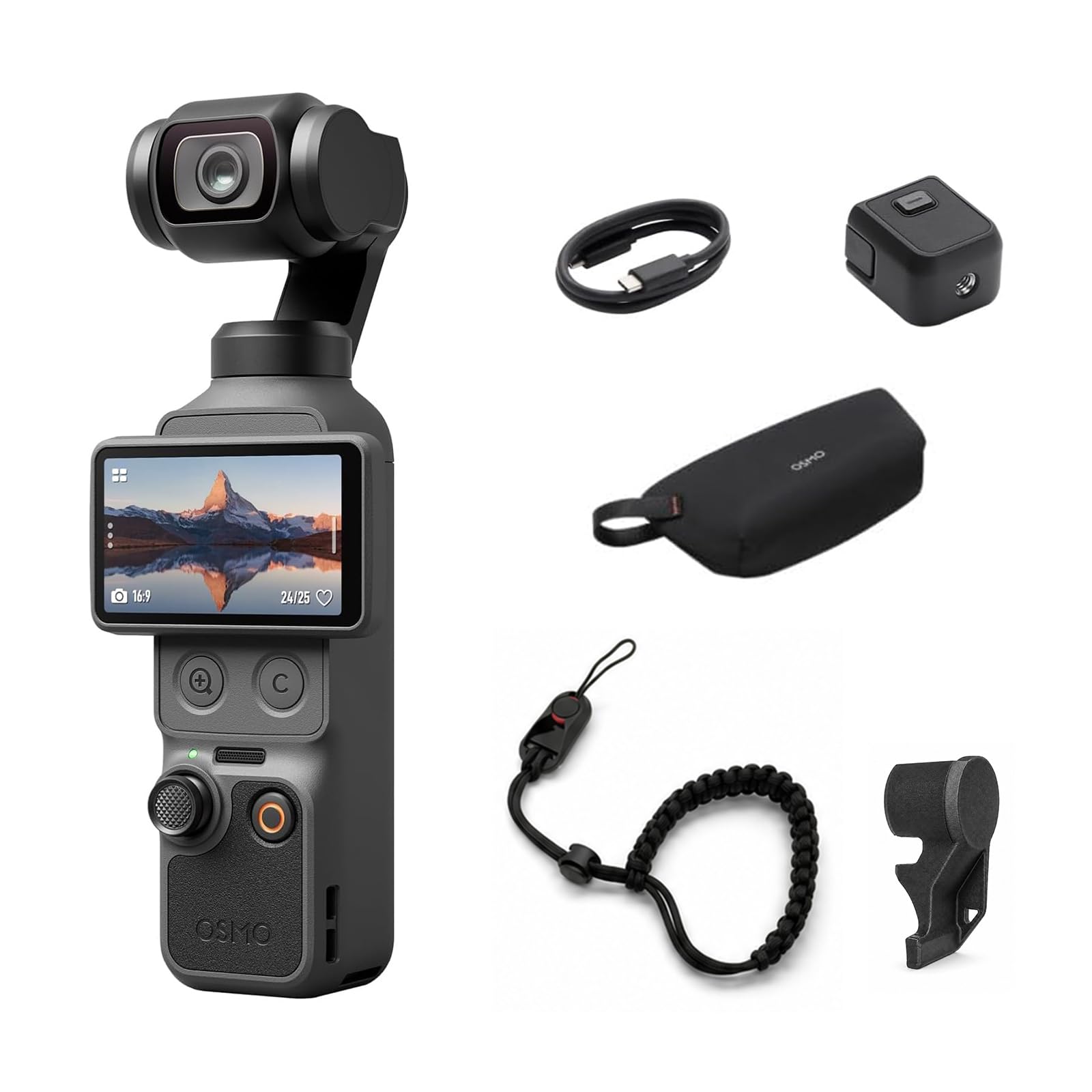
Fitting a 1-inch sensor into something that disappears into a jeans pocket is the trick of the DJI Osmo Pocket 3, and it is why this is the camera we measure the others against. It weighs 179 grams and stands about five and a half inches tall, so it shares a pocket with a phone rather than competing for bag space. What you get in that space is a real three-axis mechanical gimbal, not software smoothing, and the difference shows the moment you start walking.

The 2-inch screen rotates to vertical with a twist. After a few days we stopped treating that as a feature and started using it as the default way to move between a wide horizontal shot and something ready for social. Inside, a 1-inch CMOS sensor records 4K at up to 120fps with D-Log M, and it holds color and detail in dim rooms where a phone turns to mush. Autofocus and ActiveTrack 6.0 kept a subject centered while we moved, which is the part that matters when you are filming a person rather than a landscape.

Battery is rated at 166 minutes — a morning of on-and-off shooting rather than a full day of continuous recording. We kept a small power bank in the bag and topped up over lunch; that is one habit to build, and far lighter than carrying a second camera. Beyond that, the Pocket 3 mostly stays out of the way, which is the highest compliment a camera this small can earn.

Pros

  • 1-inch sensor in a 179-gram pocketable body
  • Mechanical 3-axis gimbal steadies walking shots
  • Rotating screen switches to vertical in a twist
  • 4K/120 and D-Log M leave grading room

Cons

  • Not weather-sealed for wet shoots
  • Gimbal arm is exposed whenever the cover is off
Our verdict

Our default pick: the Pocket 3 is the least expensive way here to get a 1-inch sensor and a genuine mechanical gimbal into a body you'll actually carry.
Check Latest Price
2

Best for Long Shooting Days

DJI Osmo Pocket 4

86 /100
Keeper Score Excellent

Key details

Video
4K/240fps
Sensor
1-inch CMOS
Battery
240 minutes
Built-in Storage
107 GB
Check Price on Amazon

A hundred and seven gigabytes of built-in storage reads like a footnote until you have spent the first morning of a trip hunting for the microSD card you left in a laptop. The DJI Osmo Pocket 4 has the room on board, so you can unbox it, shoot, and only think about media when the internal drive fills. For anyone who has lost a shoot to a missing card, that is not a line on a spec sheet — it is a small piece of peace of mind.

The rest is a step up from the Pocket 3. It records 4K at up to 240fps, enough to stretch a thrown object or a wave into something worth watching, and 2× lossless zoom lets you reframe without moving your feet. ActiveTrack holds a distant subject at 4× zoom, and 10-bit D-Log with up to 14 stops of dynamic range gives a grade somewhere to go. In good light we had to look hard to tell it from the Pocket 3; in a dim room the newer processing pulls ahead.

Battery is the difference you feel daily: 240 minutes rated against 166 for the Pocket 3, which turns a top-up-and-hope day into a shoot-until-you-are-tired one. At 190.5 grams the pocketability barely changes, and USB-C PD charging means the same brick that tops up a laptop will top up the camera. Storage, runtime, and frame rate are what earn it the second slot rather than the first, and the extra outlay over the Pocket 3 buys exactly those three things rather than a bigger sensor.

Pros

  • 107 GB built in, no card needed to start
  • 240-minute rated battery
  • 4K/240fps slow motion
  • 2× lossless zoom and 4× tracking

Cons

  • Costs more than the Pocket 3 without a bigger sensor
Our verdict

The pick if you shoot all day or hate buying cards: built-in storage, a longer battery, and slow motion the Pocket 3 can't touch.

Check Latest Price
3

Best Budget

Xtra Muse

88 /100
Keeper Score Excellent

Key details

Video
4K/120fps
Sensor
1-inch CMOS
Weight
9.91 oz
Color Profile
10-bit X-Log
Check Price on Amazon

The Xtra Muse undercuts the DJI cameras here and still claims the headline hardware: a 1-inch CMOS sensor, 4K at 120fps, a three-axis gimbal, and a 2-inch touchscreen that flips between horizontal and vertical. On paper there is very little missing, and in practice the footage looks the part — clean, contrasty, and steady when you walk with it. Pointed at a person in ordinary indoor light it produces a picture that would pass on any phone or laptop screen without an explanation.

The saving shows up in the details rather than the image. The interface is simpler and the accessories plainer, and the 10-bit X-Log profile, genuinely useful for grading, is fussier to expose than DJI's D-Log M — we spent longer getting skin tones right and had less room to fix them afterward. For a beginner that is a real cost. For anyone who already grades footage, it is simply a different curve to learn, and the flexibility it gives back is worth the effort.

Where it makes the most sense is as a first gimbal camera, a second body you do not mind carrying, or the one you hand to a family member who wants to film without a lesson. It ships with a threaded handle and a carrying bag, so there is nothing to buy before your first shoot, and the vertical switch is a twist rather than a menu dive.

Pros

  • 1-inch sensor and 4K/120 for the least money here
  • 10-bit X-Log gives real grading headroom
  • Threaded handle and carry bag included
  • Gimbal steadies walking footage

Cons

  • 281 g, noticeably heavier than the DJI picks
  • Won't pair with DJI wireless mics
Our verdict

The one to buy when the DJI money is too much: you give up polish and pocketability, not the 1-inch sensor or the gimbal.

Check Latest Price
4

Best for Solo Shooters

Insta360 Luna Pro

92 /100
Keeper Score Outstanding

Key details

Zoom
4× HighRes / 2× lossless
Video
8K30 with Dolby Vision
Screen
Detachable 2-inch OLED, remote to 20 m
Sensor
1-inch 8K
Check Price on Amazon

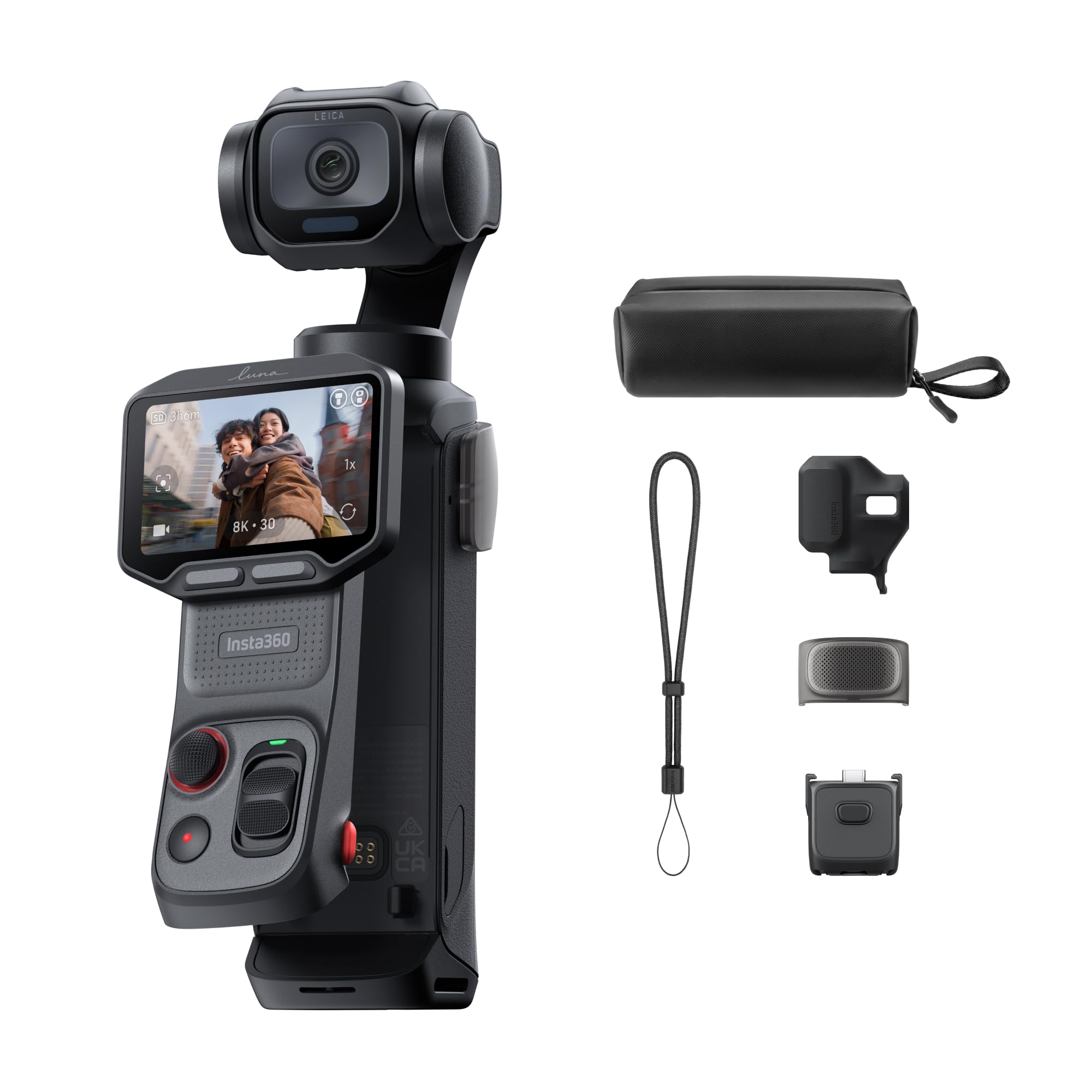
Shooting alone has a boring rhythm: set the camera, walk into frame, walk back, check, repeat. The Insta360 Luna Pro's 2-inch OLED screen detaches from the body and works as a monitor and remote from up to 20 meters away, which collapses that loop. We propped it on a table at the far end of a room and framed a talking-head shot from it without crossing the floor once.

That is the feature that earns it a place here, and the picture backs it up: a 1-inch sensor recording 8K at 30fps with Dolby Vision, the most detail any camera in this group captures. Leica's color profiles cut down on grading, the screen twists for native vertical 4K30, and 4× HighRes zoom gives you somewhere to go in the edit. Footage straight off the card looked finished enough to post, which is not something we say about every camera on this page.

The one thing to plan for is media: 8K files are big enough that a fast, roomy card stops being optional, and a spare is cheap insurance. Beyond that, this is the camera here that most changes how a solo shoot feels, and that is a specific enough advantage to be worth the money.

Pros

  • Detachable screen works as a remote up to 20 m
  • 8K30 with Dolby Vision from a 1-inch sensor
  • Leica color profiles need little grading
  • Twist-to-vertical 4K30 for social

Cons

  • Single lens, so no telephoto reach
Our verdict

Our pick for filming yourself: pop the screen off, set it across the room, and frame the shot from it.

Check Latest Price
5

Zoom Reach

Insta360 Luna Ultra

87 /100
Keeper Score Excellent

Key details

Zoom
6× lossless, 12× range
Video
8K30 with Dolby Vision
Screen
Detachable 2-inch touchscreen
Sensors
Dual Leica: 1-inch + 1/1.3-inch
Check Price on Amazon

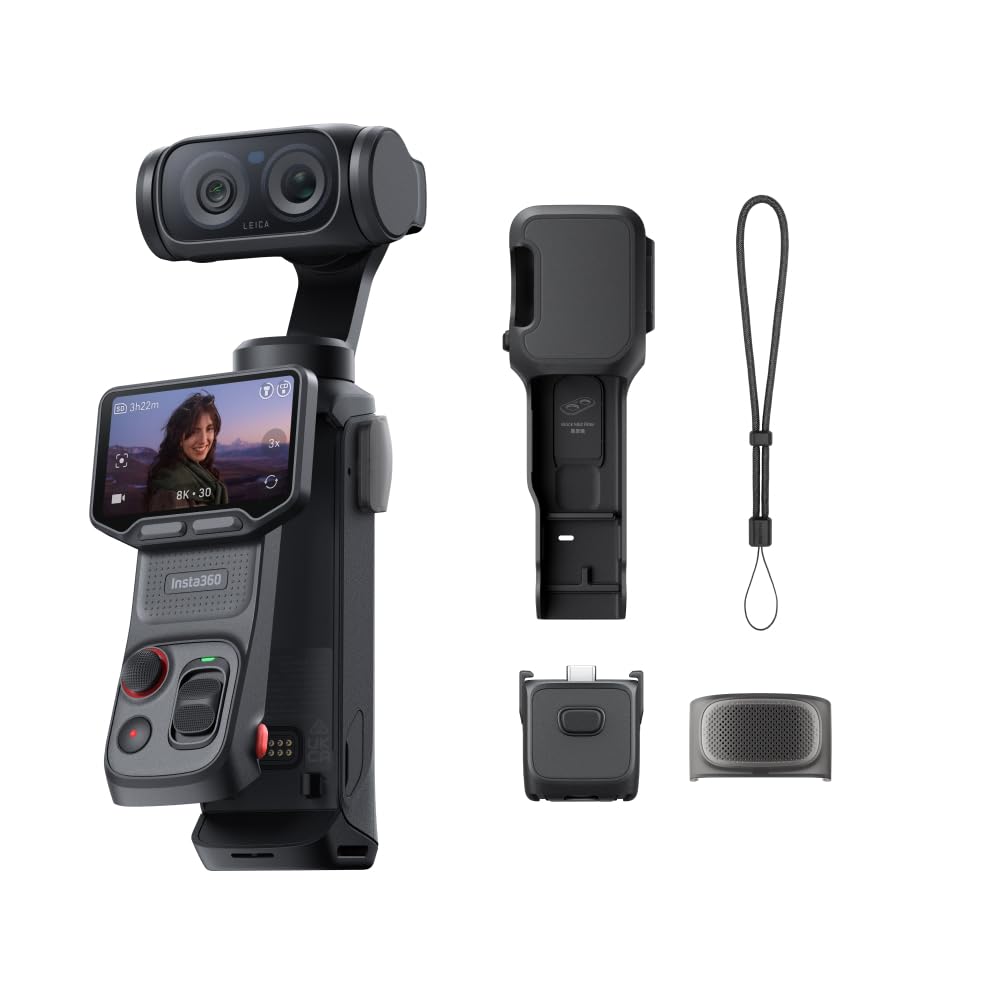
A second lens is the entire argument for the Insta360 Luna Ultra. Beside the 1-inch main sensor it carries a telephoto with its own 1/1.3-inch sensor, which gives 6× lossless zoom and a 12× range — reach no other camera here can match, and the difference between a wide shot of a stage and a frame that actually shows the person standing on it.

Both lenses feed 8K at 30fps with Dolby Vision and up to 14 stops of dynamic range, and the Leica color science does most of the grading before the file ever reaches an editor. The 2-inch touchscreen detaches for monitoring and control at a distance, and the telephoto's background blur looks like a lens rather than a filter, which is the giveaway on most small-camera portraits.

The price is the highest in this group by a clear margin, and it buys the second lens and the 8K pipeline rather than a better screen than the Luna Pro's. If your shooting never goes past arm's length, that money is better spent on a shorter lens and a bigger battery. If it does — school plays, wildlife from a trail, product detail — the telephoto is the reason this camera exists, and it is the feature we came back to more than any other on this page.

Pros

  • Telephoto with 6× lossless zoom
  • 8K30 with Dolby Vision and 14 stops
  • Detachable screen for remote framing

Cons

  • Recording can stop partway through a long take
Our verdict

Buy it for the second lens: a real telephoto on a pocket gimbal is something no other camera here offers, and you pay for it.

Check Latest Price

How We Tested the Pocket Gimbal Cameras

We started by rounding up every pocket camera we could find with a genuine three-axis head rather than software crop-and-hope stabilization, then narrowed by sensor size, screen design, and price until seven were left. All of them arrived with big claims about resolution and frame rates. We ignored those numbers until we had actually shot with each one.

Every camera went into a jacket pocket for six months and came out for the same errands: a walk through a crowded farmers market, a jog down concrete stairs, a kid's soccer game, a dim restaurant dinner, and a windy afternoon by the water. We filmed the same moving subjects with each and watched the footage back on a laptop at full size, since a stabilizer that looks fine on a phone screen can wobble on a monitor. We flipped and detached screens one-handed while walking to see how quickly each reframed a selfie shot, and timed how long each took to go from pocket to recording, with a cold-weather morning or two thrown in.

Battery life got measured the boring way: continuous recording until shutdown, then a second run with the screen at full brightness. Compatibility meant pairing each camera with both an iPhone and an Android phone, opening the app, and pulling clips off the card. Reliability showed up over months rather than minutes, in the ones that developed motor hum or a drifting horizon after a few weeks of steady use. Last, we put footage side by side at each price point, because a camera that costs twice as much has to visibly earn it after dark, not on a spec sheet.

How to Choose a Pocket Gimbal Camera

Start With the Arm, Not the Sensor

Every camera here stabilizes with a three-axis mechanical gimbal, and that is the reason to buy one at all: the arm absorbs the rotation of your wrist and shoulder, so a walking shot stays level. Electronic stabilization in a phone or action camera does a version of this by cropping and shifting the frame, which costs resolution and still leaves a wobble in the corners.

The trap is expecting the gimbal to fix everything. It cancels rotation, not a heavy footfall — the up-and-down of a normal stride comes through, which is why the smoothest walking shots come from bent knees and a slow pace. If you mostly film seated talking heads, a phone on a mini tripod does the same job; if you walk and talk, the arm earns its keep.

How Much Sensor and Resolution You Need

All five picks here use a 1-inch sensor on their main lens, which is the size that lets a small camera shoot indoors and after dark without the smearing a phone gives you. That common ground means resolution is where the real choice sits: 4K at 120fps or 240fps buys slow motion, while 8K at 30fps buys the freedom to crop and reframe in the edit.

Unless you are delivering 8K or cropping hard into every shot, the 4K cameras give you more usable frames, far smaller files, and a faster turnaround. Buy resolution for the crop you actually plan to use.

Pocketable Is a Weight Question

The range here runs from 179 grams to 281 grams, and that gap decides whether the camera rides in a jacket pocket or lives in a bag. A camera you carry beats a better one you leave at home, so weigh the trade honestly rather than assuming lighter always wins: the heavier bodies tend to buy battery, a second lens, or extra rigidity.

Hold the folded camera in your hand before you commit if you can. The arm has to park somewhere, and how the whole thing sits closed tells you more about daily carry than the open dimensions do.

Screens, Framing, and Shooting Yourself

A rotatable screen lets you switch between horizontal and vertical with a twist, which is quicker than any menu. A detachable screen goes further: it becomes a remote monitor, so you can set the camera down and check your own framing from across a room or across a yard. The Luna Pro and Luna Ultra both work this way.

If you film other people, a rotating screen is plenty and you save money. If you are usually both the talent and the crew, a detachable screen genuinely changes how a shoot runs and is worth prioritizing over resolution.

Runtime, Media, and the Cost of Aftermarket

Rated runtime across these cameras runs from about 160 minutes to 240, and the figure moves with resolution, frame rate, and screen brightness — 4K at 120fps drains faster than 4K at 30. Treat the rating as one long session rather than a whole day.

A small USB-C power bank and a cable will get you through an afternoon and weigh less than a second camera. Storage is the other quiet cost: the DJI Osmo Pocket 4 carries 107 GB internally, while the rest need a card on day one.

Frequently Asked Questions

Final Verdict

The DJI Osmo Pocket 3 is the one we point most people to: a 1-inch sensor, a real three-axis gimbal, and a body that disappears into a pocket — at the lower end of what the flagship cameras here cost.

Step up to the Osmo Pocket 4 if you shoot long days or would rather not carry cards. If you are usually filming yourself, the Luna Pro's detachable screen does the job a second person would.