Best Microphone Stands of 2026

A microphone stand is a lever with a clamp on the end, and most of them fail at one of those two things. I've watched a boom arm sag toward the desk mid-sentence, and I've had a weighted base creep across a glass tabletop because the rubber feet were too hard. What you need is simple to say and hard to find: something that holds the mic exactly where you put it, swings out of the way when you stop talking, and fits the desk you actually own.

My team and I have spent the past six months with 12 stands — clamp-on booms, weighted desktop models, and a folding tripod — through voiceover sessions, gaming nights, and a steady stream of video calls. Two things stood out. Price and sturdiness don't track as closely as you'd expect, and the specs that decide whether a stand works are the unglamorous ones: how wide the clamp opens, what thread the mic holder takes, and how much weight the arm carries at full reach. Get those wrong and it doesn't matter how smooth the spring feels. The picks below are the ones that survived all of it.

Keeper Score summarizes customer ratings and review volume. Read it alongside the product details and trade-offs. How the score works.

1

Best Overall

RØDE PSA1+ Boom Arm

94 /100
Keeper Score Outstanding

Key details

Rotation
360 degrees
Thread Adaptors
3/8 inch and 5/8 inch
Mic Weight Range
0.25 to 1.2 kg
Desk Clamp Thickness
Up to 70 mm
Check Price on Amazon

Silence is the feature you notice last and miss most. The PSA1+ keeps its spring inside a damped housing, so swinging the arm between takes doesn't send a creak down the microphone cable. We moved it mid-session more than once, pulling it closer for a quiet passage and pushing it back out again, and it never became the thing we were listening to.

It's the arm we recommend first to anyone recording at a desk, whether that's a podcast, a stream, or a weekly call that has to look tidy. Three things earn it: it holds a microphone from 0.25 to 1.2 kg without drifting, it rotates a full 360 degrees so the arm swings across a wide desk instead of reaching for it, and the cable runs inside the arm rather than looping off it.

The clamp bites desks up to 70 mm thick, and both a 3/8-inch and a 5/8-inch adaptor come in the box, so most broadcast mics and shock mounts attach without a second order. The joints are where we kept checking, because a heavy mic on a long arm is exactly where cheaper arms give up, and this one stays where it's put.

It's the most expensive pick in this guide, and that's the trade: you're paying for damping, machining, and hardware that doesn't need retightening every week, not for extra reach. Our one cosmetic complaint is the RØDE branding running down both sleeves, which is loud on a desk built to look minimal.

Pros

  • Silent spring movement during a take
  • Holds 0.25 to 1.2 kg without sagging
  • Cable runs inside the arm
  • 3/8 and 5/8 adaptors included

Cons

  • Premium price against the other picks
  • Clamp tops out at 70 mm of desk thickness
Our verdict

We recommend the PSA1+ to anyone recording at a desk: it holds a broadcast mic without drifting and moves quietly enough to adjust mid-take.

Check Latest Price
2

Best Desktop Stand

On-Stage DS7200B Desktop Stand

94 /100
Keeper Score Outstanding

Key details

Base Type
Round weighted base
Thread Size
5/8 inch
Height Range
9 to 13 inches
Weight Capacity
2 lb
Check Price on Amazon

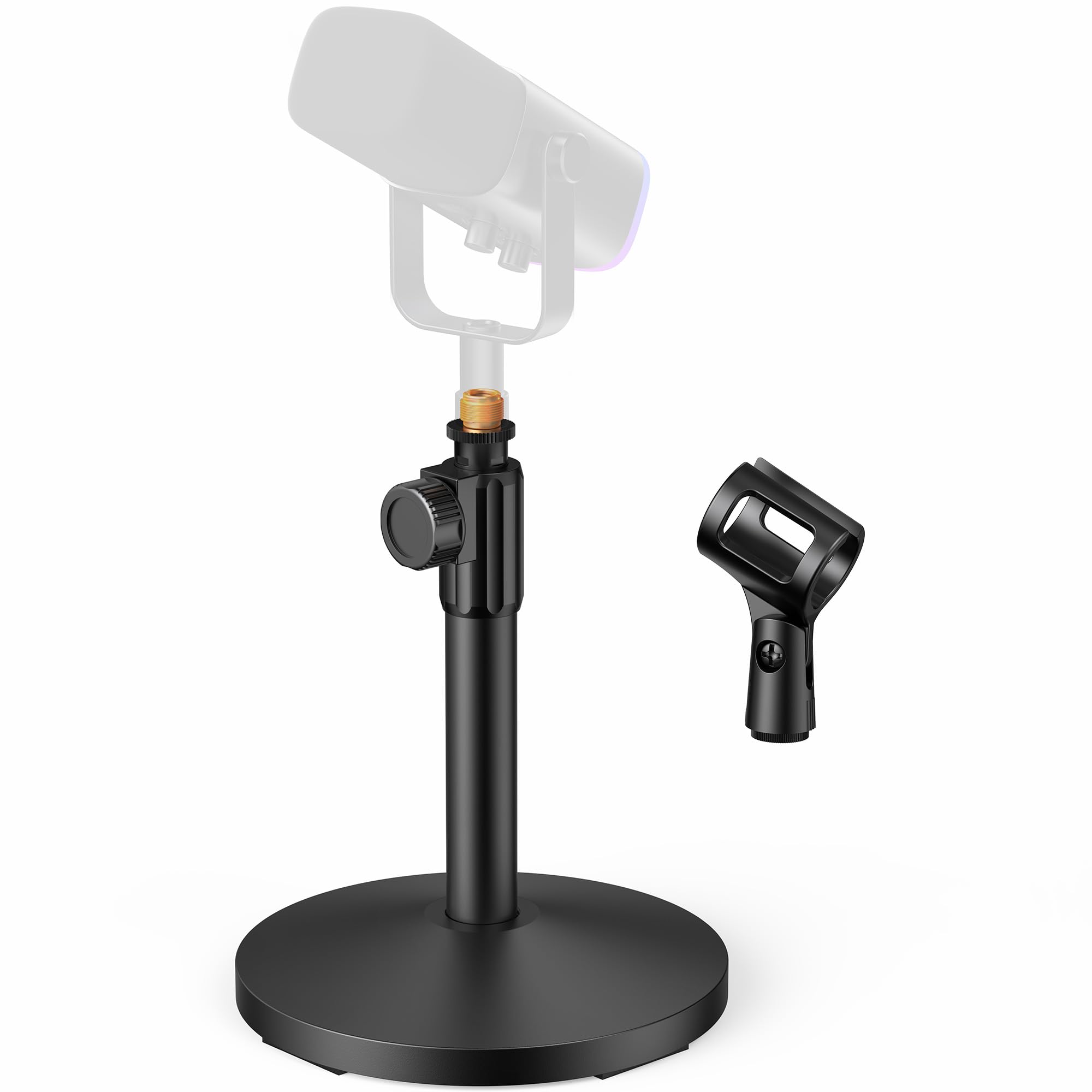
A good desktop stand should be boring: heavy enough to sit still, small enough to ignore. This one is a kilogram of shaft on a round weighted base that takes up less room than a coffee mug, and it's the stand we reach for first when a desk has no free edge to clamp to.

Height adjusts from 9 to 13 inches, and the 5/8-inch thread takes standard clips and shock mounts. The base is rated to 2 pounds, which is enough that a full-size dynamic mic sits there without the top-heavy lean a lighter base allows. That's the difference between a mic that stays where you point it and one that slowly nods toward the desk over a session.

The limit is placement. There's no boom and 13 inches at the top, so you sit close and the mic points where the stand points. On a small desk, with a mic you speak into from a foot away, that's the job rather than a compromise. The powder-coated finish has also shrugged off being knocked around without chipping.

Pros

  • Weighted base steadies a heavy mic
  • Takes almost no desk space
  • Height adjusts 9 to 13 inches

Cons

  • No boom, so mic placement stays fixed
  • 5/8-inch thread only, so 3/8 mounts need an adaptor
Our verdict

A desktop stand we keep coming back to when the desk has no clampable edge and a full-size dynamic mic needs to sit still.

Check Latest Price
3

Best Low-Profile Arm

Elgato Wave Mic Arm LP

93 /100
Keeper Score Outstanding

Key details

Cable Channels
Magnetic covers
Thread Adaptors
1/4, 3/8, and 5/8 inch
Horizontal Reach
740 mm / 29.1 in
Mic Weight Capacity
4.41 lb
Check Price on Amazon

Most boom arms are designed to be seen; this one is designed not to be. The Wave Mic Arm LP sits below your shoulder line, so on camera the arm drops out of the bottom of the frame and only the microphone shows. On a streaming or video desk where the shot matters as much as the sound, that's the entire argument, and it's why this is our pick for a camera-facing setup.

It reaches 740 mm (29.1 inches) horizontally, rotates 360 degrees with 90 degrees of vertical travel, and feels heavier in the hand than you expect from a desk accessory — the build is all metal. The magnetic cable covers are the detail we liked most: they pop off, the XLR or USB cable drops into the channel, and the cover snaps back without a tool.

The caveat is weight. Elgato rates the arm to 2 kg, but a heavy broadcast mic with a shock mount out on a long extension is where the elbow struggles, and the arm can sag there. Keep the mic closer to the base, or look at the RØDE if you run an SM7B-style mic. It also wants clear desk behind the monitor, because that's where the elbow swings back to.

Pros

  • Stays below the camera frame
  • Magnetic cable covers hide the run
  • Long 740 mm horizontal reach

Cons

  • Can sag with a heavy mic at full extension
  • Elbow needs free desk space behind the monitor
Our verdict

Our pick for a camera-facing desk, where the arm has to disappear below the shot and the reach has to cover a wide monitor.

Check Latest Price
4

Best Round-Base Stand

On-Stage MS7201B Round-Base Stand

93 /100
Keeper Score Outstanding

Key details

Base Type
7-pound, 10-inch metal base
Cable Clip
Included
Thread Size
5/8 inch
Height Range
33 to 60 inches
Check Price on Amazon

Seven pounds of sand-cast metal in the base is the whole reason this stand doesn't move. Set it down on a hollow stage or a wooden floor that flexes underfoot and it stays put while a tripod-legged stand is still settling.

Height runs 33 to 60 inches on a zinc clutch, the upper shaft is 5/8-27 threaded with a lock nut, and rubber feet keep it from skating. The straight shaft takes a boom later if you want one, which makes this something you can buy for vocals now and grow into when you start miking an amp or a kit. There's a cable clip on the shaft too — a small thing until you've watched a lead wrap itself around a stand mid-set.

The clutch wants a firm hand: snug it and the upper shaft can slip under a heavy mic, so lock it properly and check it before a set. That's a habit rather than a flaw, and it's the price of a clutch that doesn't seize. Everything else about this stand is deliberately unglamorous, which is exactly what we want underneath a microphone we aren't thinking about.

Pros

  • Heavy cast base resists tipping
  • Shaft accepts a boom later
  • Cable clip keeps the lead tidy

Cons

  • No boom arm included
  • 7-pound base is a hassle to carry between gigs
Our verdict

The stand we leave in one place on a stage or studio floor, because seven pounds of cast base ends the conversation about wobble.

Check Latest Price
5

Best Budget Desktop Stand

InnoGear MS130 Desktop Stand

93 /100
Keeper Score Outstanding

Key details

Base Size
5.12 inches across
Height Range
8.0 to 12.8 inches
Thread Adaptor
3/8 to 5/8 inch
Weight Capacity
3.3 lb
Check Price on Amazon

Eight inches is short for a stand, and that's the point of this one: it puts a small USB mic just above desk level on the smallest footprint here, a 5.12-inch base that sits beside a keyboard without stealing mouse room.

The base weighs 1.85 pounds and the column carries up to 3.3 pounds, so a Blue Yeti or a QuadCast sits steady as long as you don't run the height to the top of its 8-to-12.8-inch range. The box includes a mic clip and a 3/8-to-5/8 adapter, which saves the second order most budget stands cost you.

This is the budget desktop stand we point people to first, and the sensible upgrade from the plastic stand in a USB mic box. What it can't do is get out of the way: there's no arm to swing aside, so between calls the mic stays exactly where it is.

Pros

  • Mic clip and adapter included
  • Small 5.12-inch base, heavy enough to sit still
  • Carries up to 3.3 pounds

Cons

  • Wobbles when raised near its 12.8-inch top
Our verdict

The budget stand we point USB mic owners to first, because it arrives with the clip and adapter needed to fit one.

Check Latest Price
6

Standing Vocals

Amazon Basics TMS130 Tripod Boom

91 /100
Keeper Score Outstanding

Key details

Weight
3.3 lb
Base Type
Folding tripod
Thread Sizes
3/8 inch and 5/8 inch
Maximum Height
85.75 inches
Check Price on Amazon

At 85.75 inches, this is the tallest stand here, which is another way of saying it's the one that works when you stand up to sing instead of sitting down to record. It also arrives without a microphone clip, so plan for that before the first session rather than discovering it while setting up.

The design is genuinely clever. The boom folds down flat against the shaft and the stand becomes a straight one, so the same piece of kit covers a vocalist at a mic and an overhead for a drum kit. The tripod spans 21 inches open and the whole stand weighs 3.3 pounds, light enough to carry to a rehearsal in one hand.

That lightness is the trade. A tripod this light shifts once the boom is loaded and the mic hangs out past a leg, and the counterweight is molded plastic, so the arm doesn't balance the way a metal-weighted stand does. Keep the extension modest and the boom over a leg and it behaves.

For the spend, this is the best way here to get a stand that reaches standing height and folds flat for storage, especially if a clip is already in your bag. If it isn't, and the mic stays in one spot, the On-Stage MS7201B is the steadier straight stand — it just tops out lower.

Pros

  • Reaches 85.75 inches for standing vocals
  • Folds flat into a straight stand
  • 3.3 pounds with a 21-inch tripod span

Cons

  • No microphone clip included
  • Light tripod needs the boom aimed over a leg
Our verdict

The tallest stand here and the one that folds flat, worth considering if you already own a clip and mostly perform standing up.

Check Latest Price
7

First Boom Arm

InnoGear MU01 Boom Arm

91 /100
Keeper Score Outstanding

Key details

Desk Clamp
Squared edges up to 2 inches
Thread Sizes
3/8 inch and 5/8 inch
Load Capacity
3.3 pounds (1.5 kg)
Maximum Height
27.6 inches
Check Price on Amazon

Budget arms live or die by their clamp, and this one is built for squared desk edges up to 2 inches thick. That's the measurement to take before you order: a bevelled, lipped, or slanted edge is the surface this clamp has the least patience for.

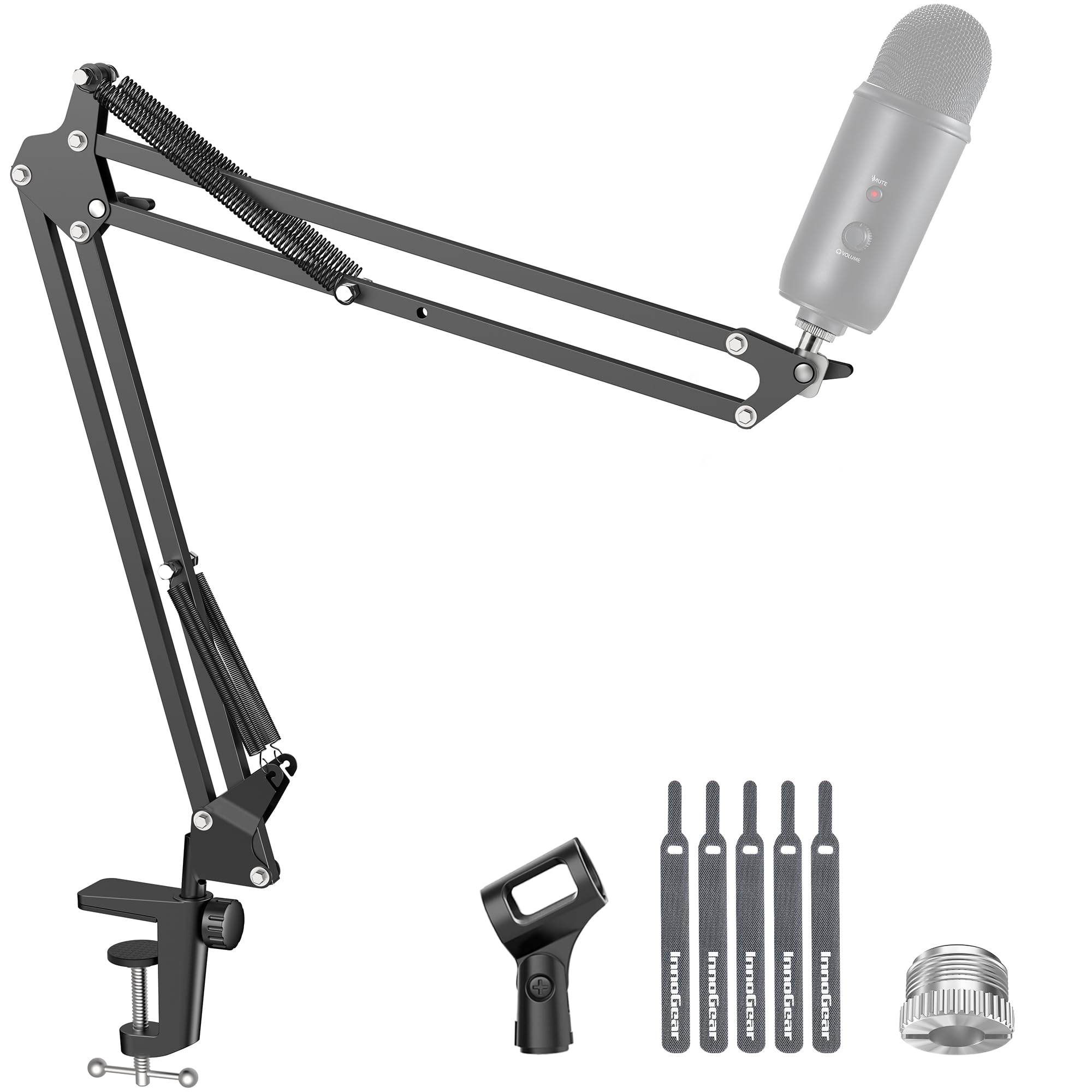
Past the clamp there's a lot of arm for the money. It rotates 360 degrees at the base, extends 135 degrees back and forth, reaches 27.6 inches, and carries 3.3 pounds, with a microphone clip and both 3/8 and 5/8 threading in the box. The springs hold a dynamic mic where you leave it, and the whole arm folds back against the desk when the session ends.

This is the arm we suggest to someone building a first streaming desk who isn't ready for premium money, provided the desk edge measures up. It's also the pick here for a shared room: it folds away, so a kitchen table can be a studio for an hour and a dinner table the rest of the evening.

One placement note. Because the arm mounts at desk level, raising it on a riser takes away the low angle that makes it useful in the first place. Clamp it to the desktop itself and it does what you bought it for.

Pros

  • Clip and both thread sizes in the box
  • Folds back against the desk
  • 360-degree base rotation and 135-degree extension

Cons

  • Arm drifts under a heavy mic at full extension
  • Clamp can mark a soft-finished desk
Our verdict

A budget first boom arm for a squared desk edge, provided the mic is light and you don't expect it to hold at full stretch.

Check Latest Price

How We Tested the Best Microphone Stands

We started with a list of about 40 stands pulled from manufacturer specs and retailer listings, then filtered it on the things that quietly disqualify a stand before it ever reaches your desk: clamp opening range, thread size on the mic holder, stated weight capacity, and footprint. From there we brought in 12 — clamp-on booms, weighted desktop models, and one folding tripod — and lived with them for six months.

Each stand spent time on two desks: a thick wooden studio desk with a two-inch edge and a thin laminate one that flexes when you type. We assembled every one out of the box and timed it, checked whether our shock mounts threaded on without an adapter, then hung the heaviest mic we owned on each at full extension and watched for droop over the course of an hour. We also noted how the cable was handled — routed through the arm, held in a clip, or left dangling.

Sturdiness got its own round of abuse. We typed hard next to each clamped boom to see whether vibration traveled up the arm, nudged the desks, and slid each weighted base across a hard surface to judge the feet. The tripod got folded, unfolded, and carried to a second location a dozen times. We judged adjustability by whether one hand could move the mic from seated to standing height and have it stay there.

Over six months we kept notes on anything that loosened, squeaked, stripped, or started to slip, and weighed that against what each stand cost. Value, in the end, came down to how little attention a stand demanded once it was set up.

How to Choose a Microphone Stand

Clamp, Weighted Base, or Tripod

A clamp arm keeps the desk clear but depends entirely on the edge it grabs. The InnoGear arm is built for squared edges under two inches and the RØDE clamps to 70 mm, so measure the desk before you assume it qualifies; a lip, bevel, or slant is where clamps let go. A weighted base gives up footprint and fixes the mic where the base sits, which is fine on a shared desk. A tripod folds and stands tall, and it's the least steady of the three on a floor that resonates.

If the stand travels more than once a month, start with a tripod. If the desk is fixed and the edge is square, clamp. If other people use the desk, a base is the least fuss.

Load Ratings Include the Shock Mount

Ratings describe a microphone, but what hangs on the arm is the mic plus its shock mount, pop filter, and cable. A light dynamic mic sits comfortably inside a 3.3-pound limit; a broadcast mic in a suspension mount walks right up to it. Treat a mic that lands close to the rating as at the limit rather than under it, and shorten the extension instead of trusting the springs to hold at full reach. Weigh the mic and mount on a kitchen scale before you shop — that number decides more than the marketing copy does.

Height and Reach, Measured From Your Mouth

Desktop stands run 8 to 13 inches and are for speaking close. Low-profile arms sit below the shoulder line and swing aside, which matters when a camera is pointed at you. Floor stands run from about 33 inches up to a little over seven feet. At a desk, reach does more work than height: 29 inches of horizontal travel covers a wide desk and tucks away afterward. One trap worth knowing: compact in a listing usually describes the folded length, not the space the stand occupies once it's set up.

Threads, Adapters, and the Missing Clip

5/8-27 is the common thread on U.S. mic clips and mounts; 3/8 turns up on plenty of European gear and some shock mounts. Most stands here include an adapter, but read the box list for a microphone clip — the Amazon Basics stand ships without one, which turns a budget stand into a second order. If your mic uses a proprietary mount, confirm the thread before anything else, because no amount of adjustment fixes the wrong one.

Cable Routing and Noise

An arm that creaks gets recorded; a cable that loops off an arm ends up in the shot and snags on everything within reach. Internal routing earns its money on a desk where you record often, and a velcro wrap does the same job on a cheaper stand. We run every arm through its full range before a session, because the joint that squeaks is the one that needs tightening, and finding it mid-take is the expensive way to learn it.

Frequently Asked Questions

Final Verdict

Our pick is the RØDE PSA1+ for anyone who records at a desk regularly. It stays where you put it, moves without being heard, and keeps the cable out of sight — and those three things are most of what a boom arm is for.

If your desk has no free edge, the On-Stage DS7200B holds a full-size dynamic mic on a weighted base for a fraction of the spend. If the arm has to stay out of frame, the Elgato LP is the one to look at, provided your mic isn't a heavy broadcast model.