Best Microphone Boom Arms of 2026

A boom arm is a spring doing quiet arithmetic: it holds your mic exactly where you left it, session after session, without drifting, creaking, or pulling the clamp off the desk. Get that balance wrong and you'll spend every recording nudging the arm back into place — or listening to a spring ping land in the middle of a take.

Over four months, my team and I rounded up 14 boom arms — scissor-style, low-profile, and fully sprung studio designs — and used them for podcast recording, voice-over work, and gaming, swapping heavy dynamic mics and small condensers on and off at the end of each one.

The spec that trips most people up is the mount thread: mics land on a 3/8-inch or 5/8-inch screw, and an arm without the right adapter means ordering parts before your first session. The picks below earned their spot on the desk, from budget scissor arms to low-profile models that tuck neatly under your monitor.

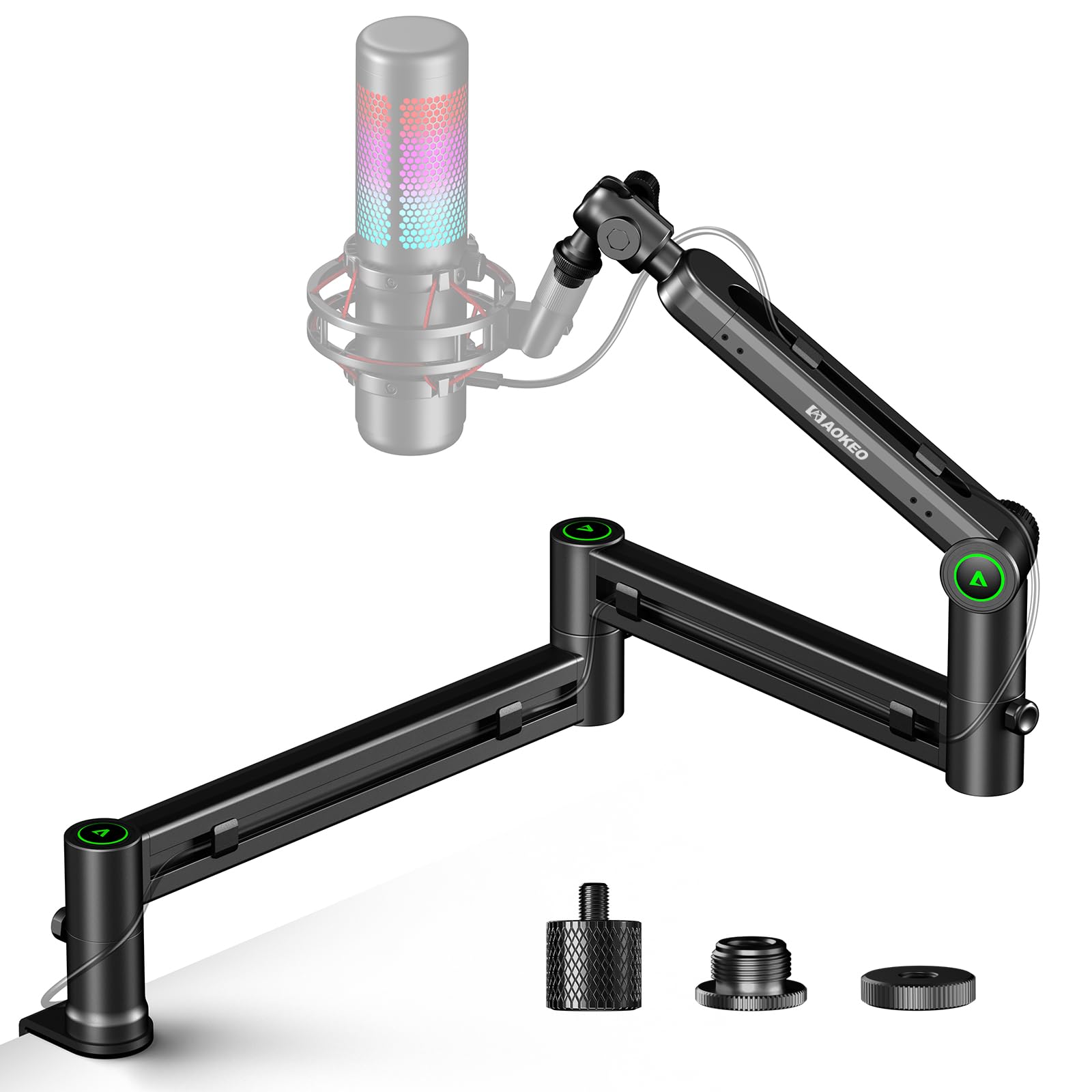
Keeper Score summarizes customer ratings and review volume. Read it alongside the product details and trade-offs. How the score works.

1

Best Overall

RØDE PSA1+

94 /100
Keeper Score Outstanding

Key details

Desk Clamp
Up to 70 mm thick
Cable Routing
Internal channel
Thread Adapters
3/8 in and 5/8 in
Weight Capacity
0.25 to 1.2 kg
Check Price on Amazon

RØDE builds the PSA1+ around a damped spring rather than an exposed one, and the arm moves in a slow, deliberate arc instead of snapping to attention. Pull the microphone down to your mouth between sentences and nothing rings, clicks, or twangs into the take. On a desk where the mic is open for an hour at a time, that quiet is most of what you're buying.

This is the arm we keep on the desk where the microphone is a fixture rather than an accessory. The 0.25 to 1.2 kg window covers a broadcast dynamic in a shock mount, and once set, the joint holds through a long session instead of drifting down while you talk. We have used arms that needed re-aiming mid-session; this is the opposite experience.

The fittings are the other half of the argument. The cable runs inside the arm through a channel that closes behind it, so the XLR doesn't loop over your shoulder, and the clamp opens to 70 mm, wider than the two-inch jaws on the budget arms here. Both 3/8-inch and 5/8-inch mounts work out of the box.

Two things worth knowing. The spring is rated from 250 grams, so a featherweight mini mic will want to float upward rather than settle. And it is a substantial piece of metal clamped to your desk edge, which a thin hollow-core top will feel when you swing the arm. Neither bothers the buyer this arm is aimed at, who has a real microphone and a desk that doesn't move.

Pros

  • Holds position at full extension without drooping
  • Damped springs stay quiet mid-recording
  • Cable runs inside the arm
  • 70 mm clamp clears thicker desktops

Cons

  • Won't balance a mic under 0.25 kg
Our verdict

If your mic is live for hours and you need it to stay put without announcing itself, this is the arm we buy first: it holds position, hides the cable, and stays quiet.

Check Latest Price
2

Best Low-Profile

Elgato Wave Mic Arm LP

93 /100
Keeper Score Outstanding

Key details

Rotation
360° horizontal, 90° vertical
Cable Routing
Magnetic channels
Weight Capacity
4.41 lb
Horizontal Reach
740 mm
Check Price on Amazon

Most boom arms put a knuckle of black metal between you and your monitor. The Wave Mic Arm LP ducks underneath: the whole arm sits below your shoulder line, so on camera you see a microphone and a thin cable rather than the scaffolding holding it up. That one design decision is what earns it a place here for streaming and video calls, where the viewer is looking at you and not at your hardware.

The geometry has consequences worth thinking through. A 740 mm reach covers a wide desk, and the 2 kg rating is generous for anything short of a heavy studio condenser in a large shock mount. But because the arm approaches from below, it isn't the one for standing sessions or for lifting a mic over a tall monitor, and a heavier microphone can drift down through a long day. Setting the joint tension with the mic already mounted, rather than before, is what keeps it where you left it.

The rest is housekeeping done properly. Magnetic covers lift off the cable channels, so rerouting an XLR takes a moment instead of unthreading the whole arm, and the all-metal build feels dense and dead in the hand rather than hollow. Adapters for 1/4, 3/8, and 5/8-inch mounts come in the box, which covers just about any microphone you'd bring to a desk.

Pros

  • Sits below the sightline for clean camera framing
  • Magnetic cable covers lift off for quick re-routing
  • 740 mm reach spans a wide desk
  • All-metal build rated to 2 kg

Cons

  • Can't reach above the shoulder line
Our verdict

For on-camera work the low profile does more than any specification: the arm vanishes from the frame, the cable hides itself, and the mic stays where you put it.

Check Latest Price
3

Best All-In-One Kit

TONOR T20

93 /100
Keeper Score Outstanding

Key details

Reach
700 mm
Included
Pop filter, foam cover, mic clip, 4 cable ties
Desk Clamp
Up to 60 mm thick
Weight Capacity
3.97 lb
Check Price on Amazon

Open the T20 box and you have a working setup before you order anything else: the arm, a desk clamp, a mic clip, a 3/8-to-5/8 adapter, a pop filter, a foam windscreen, and four cable ties. For someone building a first podcast corner or a streaming desk, that bundle saves a second order and a week of waiting on it.

The clamp is the part TONOR clearly reworked. Its contact area is four times the footprint of the older style, it opens to 60 mm, and there is a headset hook built into the body so headphones have somewhere to live other than the desktop. The arm reaches 700 mm horizontally or vertically and rotates a full turn at the base, enough to bring the mic from the corner of the desk to the middle of your face.

What it doesn't do is track sideways like a studio arm. The two scissor sections pivot in an arc, closer to a desk lamp than to a friction arm, so you find the position that works and leave it there. That is fine for a fixed recording spot and mildly annoying if two people share the desk and keep pulling the mic back and forth.

For the bundle and the clamp width, we think it is the sensible first arm, especially on a thick desktop where the two-inch jaws on the cheapest models won't close. If you already own a shock mount, a pop filter, and a handful of cable ties, you are paying for extras you don't need and a plainer arm makes more sense.

Pros

  • Complete kit with pop filter and cable ties
  • 60 mm clamp fits thicker desktops
  • Built-in headset hook on the clamp
  • 1.8 kg rating handles a large USB mic

Cons

  • Knobs need re-tightening under a heavy mic
Our verdict

If you're starting from nothing, this is the arm we point people to: clamp, clip, filter, and ties in one box, with a jaw wide enough for a real desk.

Check Latest Price
4

Best Value Low-Profile

Aokeo AK-58i

92 /100
Keeper Score Outstanding

Key details

Material
Steel
Rotation
360° arms, 180° tilt
Thread Adapters
3/8 in to 1/4 in and 5/8 in
Weight Capacity
4.41 lb
Check Price on Amazon

Aokeo's low-profile arm does the same visual job as the Elgato for a good deal less money: it runs across the desk under your monitor rather than over your shoulder, so the mic appears at the bottom of the frame instead of the top. Where we part company with it slightly is refinement, because the joints are chunkier and the movement is more mechanical. The 2 kg rating and the steadiness it gives a heavy dynamic mic are why it earns a place anyway.

Setup is simple: clamp on, two arms, the mic end tilting through 180 degrees, and adapters covering 3/8, 5/8, and 1/4-inch mounts. The compromise is travel. The horizontal swing comes from one section, so you get a wide arc rather than the ability to reach around the side of a monitor. On a straight desk with the mic in front of you, that costs nothing.

Pros

  • Low-profile geometry keeps metal out of frame
  • 2 kg rating holds a heavy dynamic mic
  • Adapters for 3/8, 5/8, and 1/4-inch mounts
  • Far less expensive than the Elgato arm

Cons

  • Horizontal reach comes from a single joint
Our verdict

A low-profile arm for far less than the polished option and steady enough for a heavy mic; the pick when your sightline matters more than the finish.

Check Latest Price
5

Best for Small Desks

FIFINE CS1

90 /100
Keeper Score Outstanding

Key details

Weight
1.1 lb
Rotation
180° up and down
Clamp Opening
Up to 2 in
Thread Adapters
3/8 in and 5/8 in
Check Price on Amazon

The CS1 is the arm for a desk that has to be a desk the rest of the time. It folds down into a compact bundle, weighs about half a kilo, and comes off the clamp when you want the surface back, which is more than most arms here will do. That fold-away is the reason it is on this list.

The rest is honest budget engineering. The clamp opens to two inches and has a soft pad, and a metal 5/8-to-3/8 adapter comes in the box. FIFINE doesn't publish a load figure for the CS1, which is the one thing to settle before you buy: weigh your microphone and its mount, because a light USB model is the safe assumption rather than a broadcast dynamic.

Where it stops making sense is a permanent studio desk. If the arm never moves, the folding hinge and the low weight buy you nothing, and the TONOR T20 will hold a big mic with less fuss for not much more.

Pros

  • Folds compact and lifts off the clamp
  • Light 500 g build
  • Padded two-inch clamp
  • Metal 3/8-to-5/8 adapter included

Cons

  • Tilt stops at 180 degrees
  • Light-duty joint knobs
Our verdict

The arm for a small, shared, or temporary desk: it folds away, clamps in seconds, and asks very little of your space or your budget.

Check Latest Price
6

Desks Without Edges

InnoGear MS069

92 /100
Keeper Score Outstanding

Key details

Base
5.4 lb cast iron
Height Range
9.84 to 14.57 in
Load Capacity
4.4 lb
Thread Adapters
3/8 in to 5/8 in
Check Price on Amazon

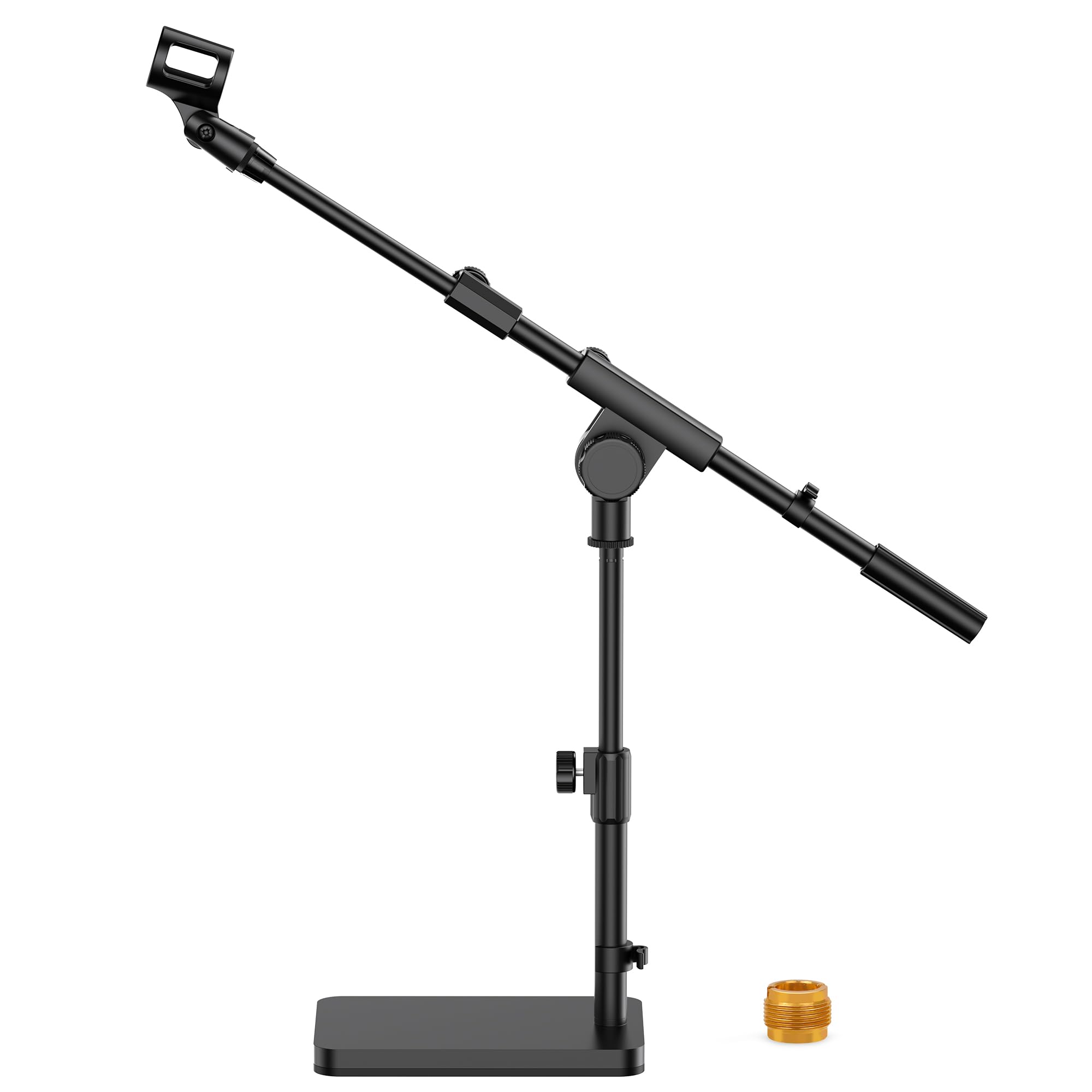
Some desks won't take a clamp at all: a glass top, a drawer that runs to the edge, a table pushed flush against a wall. The MS069 sidesteps the problem by sitting on a 5.4 lb cast-iron base instead of gripping an edge, and the weight is what keeps it planted on the desktop rather than walking around it.

The mast adjusts from about 9.8 to 14.6 inches before the boom is extended, the boom swivels sideways with independent length and angle, and the whole stand is rated to 4.4 lb, enough for a broadcast dynamic or a large USB condenser. A mic clip and a 3/8-to-5/8 adapter come with it, so the microphone goes straight on.

What it isn't is a substitute for a clamped arm on a desk that can take one. The reach is shorter, and the thread where the boom meets the base is the part to treat gently during setup, since that joint carries the whole arm. For the desk that has no clampable edge, though, it is the difference between a mic on a stand and no mic at all.

Pros

  • Heavy base stays put without clamping
  • Height and boom angle adjust independently
  • Holds a broadcast mic at 4.4 lb
  • Mic clip and thread adapter included

Cons

  • Occupies desktop space permanently
  • Shorter reach than a clamped arm
Our verdict

For a glass desk, a drawer front, or a table with nothing to clamp to, this weighted stand puts a microphone where a boom arm can't.

Check Latest Price
7

Field Recording

NEEWER NW-7000

93 /100
Keeper Score Outstanding

Key details

Length
3.1 to 8.1 ft
Thread
5/8-27 male, 3/8-16 internal
Weight
1.5 lb
Sections
Three telescopic
Check Price on Amazon

This is not a desk arm, and it is worth saying plainly: nothing in the NW-7000 clamps, folds, or anchors to a table. It is a handheld boom pole that extends from about three feet to just over eight, which puts it on a film set or in a field interview rather than beside your keyboard.

Three telescopic aluminum sections twist to lock, and the length range covers everything from a close mic on a seated subject to a standing reach over a small crew. At around 1.5 lb it is light enough to hold out at arm's length, which is the entire point of a pole; weight is the enemy of a clean take.

The top end is a brass 5/8-27 male thread with a 3/8-16 insert, so most shock mounts and clips go straight on. The grips are EVA, one fixed at the base and one sliding so you can balance the pole where it suits you, and the load rating is 0.69 kg, which is a microphone and a mount rather than a blimp and a full windshield.

Where it earns a place in this guide is the interview or documentary shot where a desk arm is the wrong tool entirely. In someone's hands, or on a stand, it does exactly what a boom should. What it will not do is hold a mic over your keyboard, and no adapter changes that.

Pros

  • Extends from 3.1 to 8.1 feet
  • Twist-lock sections hold their length
  • Light 1.5 lb aluminum build
  • Brass 5/8-27 thread with 3/8-16 insert

Cons

  • No clamp or desk mount at all
  • Load ceiling of 0.69 kg
Our verdict

Buy it if you shoot interviews or need a pole in someone else's hands on set; skip it if the microphone lives on your desk, because it can't be that.

Check Latest Price
8

Thick Desktops

UBeesize Aluminum Boom Arm

90 /100
Keeper Score Outstanding

Key details

Material
Aluminum alloy
Desk Clamp
Up to 2.5 in thick
Maximum Height
26 in
Thread Adapter
3/8 in to 5/8 in
Check Price on Amazon

Most clamp arms in the affordable half of this list are steel scissor arms, and they look it. The UBeesize is aluminum with a polished black finish and a slimmer profile, which matters more than it sounds when the desk sits in the background of every call and every stream.

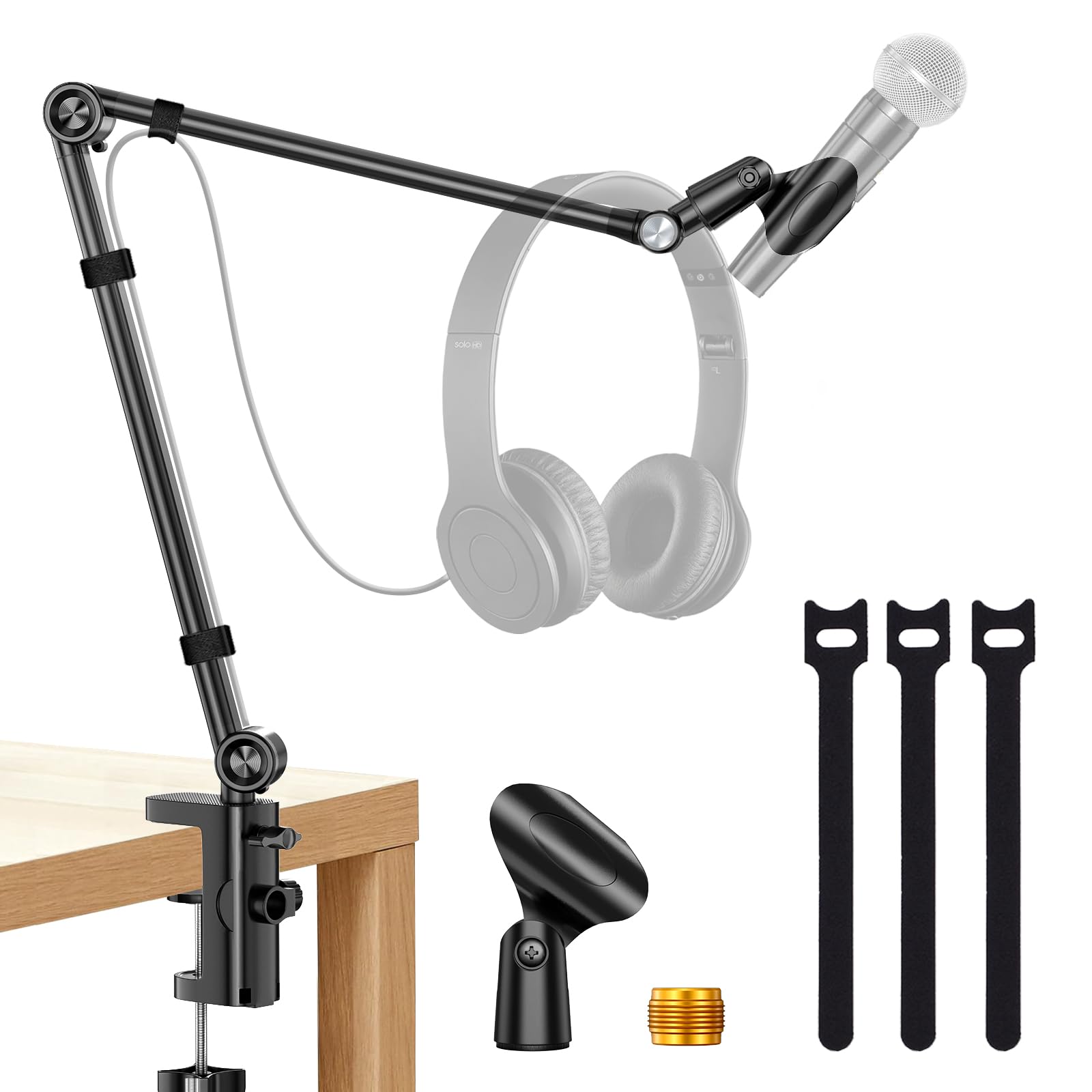
The clamp is the practical argument: it opens to 2.5 inches, more than the two-inch jaws on the cheapest arms, so thicker desktops and standing-desk tops are within range. It wants a flat, straight edge and nothing else, because a lip, a bevel, or a curve gives it nothing to bite. Height runs to 26 inches, a 3/8-to-5/8 adapter is included, and three hook-and-loop ties come in the box for the cable.

Where it fits is a mid-priced arm for a thick, flat desktop where you want the cable tidied and the mic within a couple of feet of your face. It won't reach across a wide desk the way the low-profile arms do, and the cable routing is on the outside of the arm rather than hidden inside it, which is the price of the lower price.

Pros

  • Aluminum build with a polished finish
  • 2.5-inch clamp fits thicker desktops
  • Height reaches 26 inches
  • Adapter and three cable ties included

Cons

  • Cable ties only, no internal channel
Our verdict

A good-looking aluminum arm for a thick, flat desktop, and the one to pick when you want the mic close and the cable tidy without studio money.

Check Latest Price

How We Tested These Mic Boom Arms

We started by pulling every boom arm we could find with a metal clamp and a stated weight capacity, then filtered out anything with plastic load-bearing joints, no cable routing, or a mount adapter sold separately. That left 14 arms across three shapes and a wide spread of prices: scissor, low-profile, and studio sprung.

Testing ran four months on two desks — my home office setup and a hollow-core table that flexes under load — plus a colleague's gaming desk. Each arm got clamped, loaded with a heavy dynamic mic and later a lighter condenser, and swung through its full range daily: up over the monitor, out to the side, down near the keyboard. We marked the main joint with tape at the start and checked it weekly to see whether the arm had sagged overnight.

We timed assembly out of the box, then re-clamped each arm twice to see how much the pad dented or slipped on both desk surfaces. Springs were judged by ear during quiet recording, since a few sang audibly on the way up. We ran an XLR and a USB cable through each cable channel and checked whether the arm still moved freely with both loaded in.

The arms that survived still sit on our desks; the ones that didn't either drooped by week three or needed their clamp retightened every few days. Price rarely predicted which was which.

How to Choose a Microphone Boom Arm

Start With the Desk Edge, Not the Arm

A clamp can only grip what it can close around. The arms here run from a two-inch jaw on the cheapest models to 60 mm on the TONOR and 70 mm on the RØDE, but the thickness number matters less than the shape of the edge. A lip, a bevel, or a rounded corner gives the jaw nothing flat to press against, and the arm will pivot no matter how hard you tighten it.

Measure the flat vertical face of your desk edge, not the thickness of the top. If there is no such face, because the desk is glass, has a drawer front, or sits flush against a wall, a weighted base like the InnoGear MS069 is the honest answer rather than a clamp you fight every day.

Match the Spring to the Microphone, Mount Included

Load ratings are quoted for the arm, but you load it with a microphone, a shock mount, and a cable that pulls when you swing the arm. A large-diaphragm condenser in a metal shock mount is a different order of weight from a small USB mic, and an arm rated close to your total sits near the end of its spring travel, which is exactly where droop begins.

Add the numbers up before you choose, and check the bottom of the range too. The RØDE's spring is rated from 0.25 kg, so a featherweight mini mic tends to float rather than settle; the heavier end of a rating is not the only place a mismatch shows.

Choose the Geometry Before the Features

Two shapes dominate. A scissor arm rises over your shoulder and brings the mic down from above or the side, which is flexible and reaches further. A low-profile arm runs across the desk beneath your monitor and approaches from below, which keeps metal out of a camera frame. The Elgato and the Aokeo both make that second trade, giving up overhead reach to stay under the lens.

Decide where the mic needs to appear on screen before you look at knobs and adapters. A podcaster who is never seen can have all the reach a scissor arm offers; a streamer whose face fills the frame cannot.

Listen for the Arm, Not Just the Microphone

A spring that creaks or a joint that clicks lands in every take, and it is the failure that is hardest to fix later. Enclosed, damped springs are quieter than exposed ones, and a friction joint you lock with a knob holds better than a spring you tension by hand.

Think about how often you move the mic mid-session. If the answer is often, pay for damping and a joint that stays put without re-tightening; if the arm sits in one position for months, a cheaper spring is a reasonable place to save.

Plan the Cable Before It Plans You

An XLR or USB cable hanging off a moving arm will pull the mic off position, and it is one of the most common reasons a well-set arm drifts. Internal channels and magnetic covers hide the run and let you re-route without unthreading the arm; hook-and-loop ties do the same job for less money if you don't mind looking at them.

Whichever you end up with, leave a small loop of slack at the mic end so the connector carries no weight, and anchor the cable to the desk before it drops to the floor.

Frequently Asked Questions

Final Verdict

The RØDE PSA1+ is the arm we recommend first, and not because it is the most expensive thing here: it holds a microphone where you leave it, moves quietly enough to adjust mid-sentence, and keeps the cable out of sight. If you record at a desk for a living, that is the end of the search.

Two situations change the answer. If your face is on camera, take the Elgato Wave Mic Arm LP and accept a lower approach in exchange for a clean frame. If your desk has no edge a clamp can grip, the InnoGear MS069 is the workaround that works, with a weighted base and a shorter reach to go with it.