Best Mice for Photo and Video Editing of 2026

A mouse is the one piece of tech you touch every single day, and the wrong one makes itself known fast—a scroll wheel that jumps, a click that misses, a shape that leaves your wrist aching by 3 p.m. A good one disappears into your hand, so you can forget about it and get on with your work or game.

Over the past six months, I've used 16 different mice across my work-from-home desk, late-night writing sessions, and weekend gaming bouts—plus handed them to my team for their own daily grinds. We paid close attention to the things you actually feel: click noise, scroll wheel smoothness, button responsiveness, and how each shape fit different hand sizes. One thing I've learned: you don't need the highest DPI sensor or a dozen programmable buttons. What matters is whether the clicks stay crisp after months, the scroll wheel doesn't skip, and the size feels natural for your grip. Below are the ones that earned a permanent spot on our desks.

Keeper Score summarizes customer ratings and review volume. Read it alongside the product details and trade-offs. How the score works.

1

Best Overall

Logitech M510

93 /100
Keeper Score Outstanding

Key details

Buttons
7
Battery Life
2 years
Connectivity
2.4 GHz USB-A nano receiver
Hand Orientation
Right
Check Price on Amazon

The M510 is the mouse we reach for when a desk has to serve long editing sessions and ordinary browsing. Its full-size contoured body, soft rubber grips, and broad palm area give your hand somewhere to rest, and the two-year battery life is the longest in this group. That combination makes it our top pick for most people: comfortable, wireless, and free of the constant battery anxiety that comes with smaller travel mice.

Seven buttons, including back and forward plus tilt-to-scroll, give you useful shortcuts without turning the mouse into a control panel. We like that the extra controls sit within easy reach of a right thumb, and the scroll wheel is precise enough for spreadsheets and timelines. The 1,000 DPI sensor is modest by gaming standards, but that number does not matter much for photo or video work; cursor control is the priority here, and the M510 handles it comfortably.

The wireless connection runs on a tiny USB-A nano receiver, which is reliable and plug-and-play, but it occupies a port. If your laptop has only USB-C, budget for an adapter or use a hub. What sells it is the lack of fuss: it stays comfortable, keeps its connection, and asks for batteries about as often as you replace a smoke detector. For a desk mouse, that reliability is worth more than a flashy sensor.

Pros

  • Two-year battery life
  • Comfortable full-size right-hand shape
  • Seven buttons with tilt-to-scroll
  • Plug-and-play nano receiver

Cons

  • Right-handed shape only
Our verdict

The M510 is the full-size wireless mouse we recommend first: comfortable for long editing sessions, easy to set up, and rated to run two years on one set of batteries.

Check Latest Price
2

Best Quiet Mouse

Logitech M330 Silent Plus

91 /100
Keeper Score Outstanding

Key details

Click Noise
SilentTouch
Battery Life
18 months
Connectivity
2.4 GHz USB-A nano receiver
Hand Orientation
Right
Check Price on Amazon

The first thing you notice about the M330 is what you do not hear. Logitech's SilentTouch switches take most of the click out of the click, which makes this a considerate choice for a shared office, a late-night edit, or a desk near a microphone. The 18-month battery life is the second quiet victory: this is a mouse you can forget about for a long stretch, provided you remember the on/off switch.

We think the M330 is the right pick for anyone who edits with other people in the room. The right-handed contoured body and textured grips are comfortable for many hands, and the simple layout keeps your fingers from hunting for extra buttons. It is a 1,000 DPI mouse, so it is not a gaming tool, but for timeline scrubbing and photo culling it is precise enough. If you want a scroll wheel that free-spins or a dozen macros, this is not that mouse.

What it lacks in buttons it makes up for in a lower-noise desk, and the battery estimate is measured in seasons rather than weeks. It is a simple mouse on purpose, and that simplicity is why it earns a place here. For a shared desk, that silence is worth more than an extra button.

Pros

  • Very quiet clicks
  • 18-month battery life
  • Comfortable contoured body
  • Simple plug-and-play receiver

Cons

  • Right-handed only
  • May feel small for larger hands
Our verdict

Choose the M330 if you want a quiet, comfortable wireless mouse for a shared office or a desk near a microphone, and you can live without extra buttons.

Check Latest Price
3

Best Wired for Shortcuts

Razer Basilisk V3

93 /100
Keeper Score Outstanding

Key details

Sensor
26,000 DPI
Buttons
11 programmable
Connectivity
USB wired
Scroll Wheel
HyperScroll tilt
Check Price on Amazon

The Basilisk V3's party trick is the HyperScroll wheel, which switches between a tactile click and a free-spin that glides through long timelines and documents. Around it sits a right-handed ergonomic body with a thumb rest and 11 programmable buttons, so you can map common editing commands without leaving the mouse. The wheel also tilts, which is a small thing until you need to move sideways through a wide spreadsheet.

The optical switches are rated for 70 million clicks, and the shape supports a palm grip with a pronounced thumb shelf. The 26,000 DPI sensor is overkill for editing but gives you headroom if you also game, and the wheel can tilt for horizontal scrolling in wide spreadsheets and some editing apps. The 11 buttons are only useful if you take the time to map them; out of the box, the mouse is comfortable but not especially clever.

We think this is the wired mouse to choose if shortcuts matter more than portability. It is a wired model, so it forgoes battery freedom, and it sits at the premium end of this group. The optical switches and HyperScroll wheel are a step up from the Redragon's hardware. If you edit with one hand on the mouse and the other on a keyboard, the extra buttons earn their keep.

Pros

  • Eleven programmable buttons
  • HyperScroll free-spin wheel
  • Comfortable thumb-rest shape
  • Optical switches rated for 70 million clicks

Cons

  • Razer software required for remapping
  • Free-spin wheel can overshoot
Our verdict

The Basilisk V3 is the wired pick for shortcut-heavy editing, with 11 programmable buttons and a free-spinning wheel that earns its place on a busy timeline.

Check Latest Price
4

Best Budget Wired

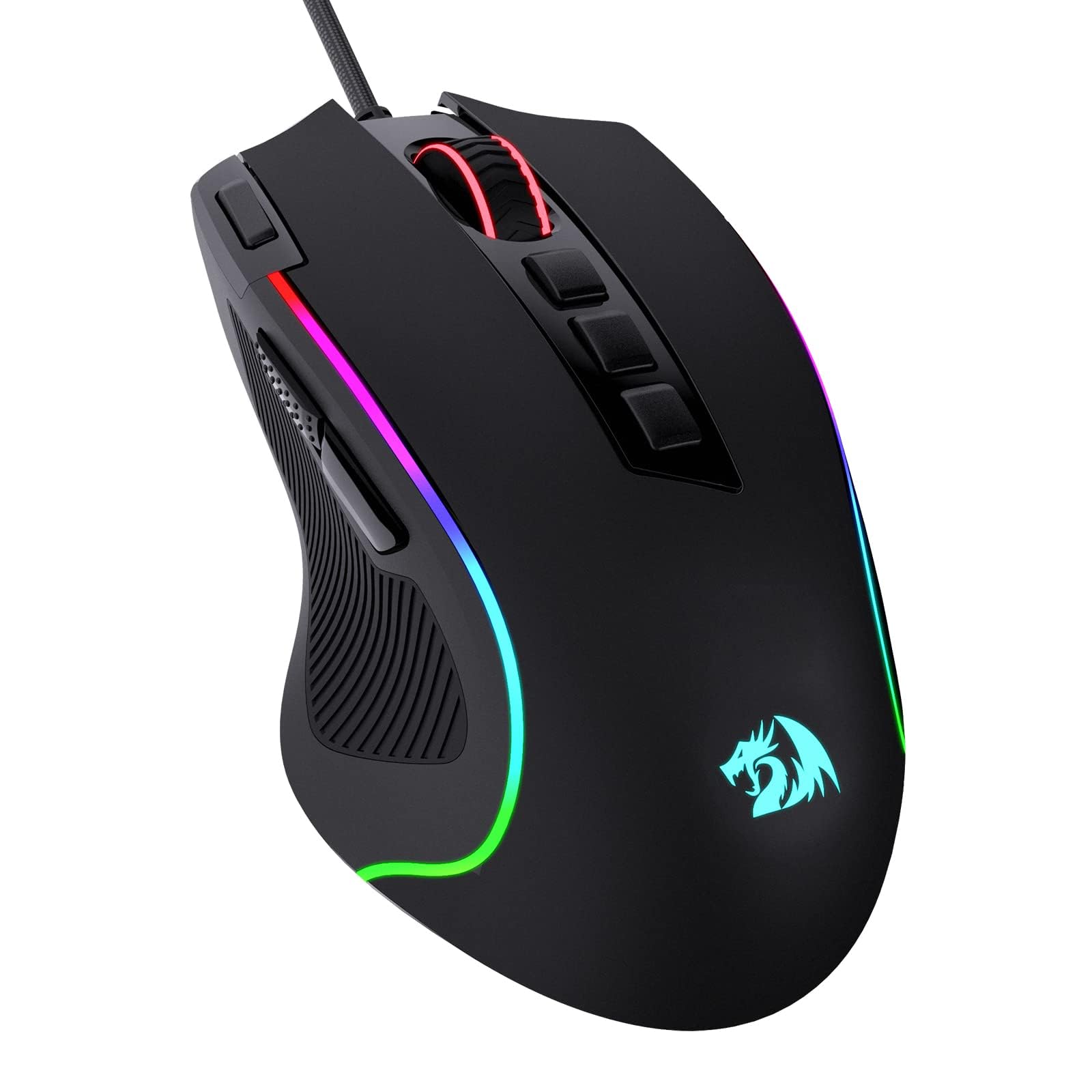
Redragon M612

93 /100
Keeper Score Outstanding

Key details

Sensor
8,000 DPI
Buttons
11 programmable
Lighting
RGB backlit
Connectivity
USB wired
Check Price on Amazon

The M612 is the budget wired mouse we point to when you want a lot of buttons without spending much. It gives you 11 programmable buttons, five DPI levels, and RGB lighting at the budget end of this group. We think it is a smart first gaming mouse or a cheap macro pad for editing shortcuts.

The shape is a claw-grip design with a frosted coating, and at 126 grams it feels substantial on the desk. That weight makes it planted, but it is not the mouse for quick flick shots. The buttons are programmable through Redragon's software, and the 8,000 DPI sensor is more than enough for editing. The left side has two macro buttons, and the top has a rapid-fire key, so there is room for a small shortcut library.

The stiff cable is the main practical annoyance; route it with slack or use a mouse bungee so it does not drag. For a second setup, a teenager's first gaming mouse, or a cheap shortcut hub, the M612 does a lot for the money. It is not the mouse we recommend for a single do-everything desk, but it is the one we keep as a backup.

Pros

  • Eleven programmable buttons
  • Five DPI levels
  • RGB backlighting
  • Comfortable claw-grip shape

Cons

  • Button response can feel inconsistent
Our verdict

The M612 is the budget wired pick for anyone who wants a pile of programmable buttons and RGB lighting without spending much.

Check Latest Price

How We Chose and Tested the Best Mice

We started by researching over 30 mice from reputable brands, filtering by sensor type, connection (wired vs. wireless), size, and price. Then we bought 16 to test over six months, using them in everyday work—spreadsheets, writing, browsing—as well as evening gaming sessions and travel with a laptop. We swapped mice mid-task to see how quickly we adapted to each shape and button layout.

To judge performance and responsiveness, we tracked cursor accuracy on different surfaces and noted any lag or jitter. We clicked through long documents and games, rating button responsiveness by how crisp and immediate each press felt. Scroll wheels got a workout on lengthy PDFs—we looked for smoothness, skipped steps, and whether tilt-to-scroll functions were intuitive. For noise level, we recorded clicks in a quiet room and compared them: silent switches were noticeably softer but sometimes felt mushy, while standard clicks were louder but more tactile. On models with programmable buttons, we mapped common shortcuts and tracked whether we actually used them.

Ergonomics and size were assessed by having testers with hand sizes from petite to large use each mouse for full workdays, noting wrist fatigue and grip comfort. We also checked build quality by squeezing the shells for creaks, dropping each mouse from desk height onto hardwood, and stuffing them into laptop bags. Reliability was tracked over the full six months—any double-click issues, scroll wheel failures, or connection drops were logged. Finally, we weighed value for money by comparing the features we actually used against the price.

How to Choose a Mouse for Editing and Everyday Work

Start With Shape and Hand Fit

A mouse can have every feature on this page and still be wrong if it does not fit your hand. Full-size models like the M510 and M330 give your palm a place to rest, which helps during long culling or timeline sessions. Compact mice save desk space and travel well, but they can force a claw grip if your hands are larger. If you are between sizes, choose the larger body for a desk mouse and the smaller one only for a bag. Check the hand orientation before ordering; all four picks here are right-handed, so left-handed buyers should look for an ambidextrous model.

Decide How You Want to Connect

Wireless is convenient, but the word covers two different things: a 2.4 GHz USB-A receiver and Bluetooth. The M510 and M330 use a tiny receiver, which is reliable and plug-and-play, but it occupies a USB-A port. Wired mice like the Basilisk and Redragon never need batteries and are the safer choice for a permanent desk. If your laptop has only USB-C, plan for an adapter or a hub before you choose a dongle-based mouse. Battery estimates here range from 18 months to two years; turning the mouse off when not in use helps either one last.

Count the Buttons You Will Actually Use

Three buttons are enough for basic navigation, but photo and video editors often benefit from mapping undo, zoom, brush size, or timeline shortcuts to the side buttons. The M510 has seven buttons, the Basilisk and Redragon have 11, and the M330 keeps things simple. More buttons only help if the software lets you assign the commands you use. Check that the manufacturer's software supports your operating system, and note that some gaming mice store profiles on the mouse while others rely on the app.

Look at the Scroll Wheel and Sensor

The scroll wheel matters more than the DPI number for most editing. A tactile wheel gives precise steps; a free-spinning wheel like the Basilisk's HyperScroll flies through long documents and timelines. Some wheels also tilt for horizontal scrolling. DPI is sensitivity, not quality: 1,000 DPI is plenty for photo and video work, and the 8,000 or 26,000 DPI figures on gaming mice are headroom for gaming, not a requirement for editing.

Weigh Noise and Long-Term Wear

Silent clicks are a real convenience in a shared office or a room where you record voiceover. The M330 is the quiet pick here, while the others produce a normal click. Every mouse eventually wears at the switches, wheel, or cable, so keep the receipt and check the warranty length before you buy. A wired model avoids battery waste, but the cable is the part most likely to fray; route it with slack rather than a sharp bend.

Frequently Asked Questions

Final Verdict

For most people, the Logitech M510 is the mouse to buy: full-size, wireless, comfortable, and ready to run for two years on a set of batteries. It is not the flashiest pick here, but it is the one we recommend for a working desk.

If quiet matters more, choose the M330; if you want a wired shortcut hub, the Basilisk V3 is the better fit.