Best Laser Engravers of 2026

A laser engraver is the one power tool that can scorch a cutting board and fill a room with smoke in the same afternoon. Choosing one is about more than the spec sheet: the right machine turns a Saturday into engraved lunchboxes, cut plywood jigs, and a stack of tumblers for a side business. The wrong one becomes a heavy box you stop switching on.

I've spent seven months running twelve of these machines at a bench in my garage, and what surprised me is how little headline wattage tells you. Two 10-watt engravers can behave nothing alike; spot size, air assist, and whether the machine is fully enclosed change the finished piece more than the number on the box. Cameras and touchscreens feel like gimmicks until the fourth time you line up a design on a curved tumbler.

The picks below cover a compact desktop setup, a busy household that needs an enclosure, and small-batch production runs — sorted by how you'll actually use one, not by wattage.

Keeper Score summarizes customer ratings and review volume. Read it alongside the product details and trade-offs. How the score works.

1

Best Overall

Longer RAY5 20W

88 /100
Keeper Score Excellent

Key details

Controls
3.5-inch touchscreen, app, offline
Spot Size
0.08 x 0.1 mm
Work Area
400 x 365 mm
Laser Power
20W
Check Price on Amazon

Twenty watts of optical power is where a diode laser stops scoring a surface and starts separating material. The RAY5 is rated for 25mm wood and 35mm acrylic, the widest cutting claim in this group, and it does that at money that sits in the middle of what we tested. If you intend to sell what you make rather than decorate your own shelves, that combination is why it leads this list.

The bed makes it practical. At 400 x 365mm it swallows a full set of coasters, a phone case, or a sign blank in one run, so you are not re-fixturing halfway through a job. We were also struck by the 3.5-inch touchscreen and the four ways to feed it work — USB, Wi-Fi, the app, or a file straight off offline storage. Pausing, nudging the head, and checking progress without walking back to a laptop sounds minor until the machine lives in a garage.

Detail is where it gives ground. The spot is 0.08 x 0.1mm, coarser than the camera-equipped machines here that claim 0.01mm, so jewelry-scale work and hairline text are not its strength; signage, boxes, leather patches, and coated metal blanks are. The other thing to plan around is the frame: there is no cabinet, so eye protection and real exhaust are your responsibility, ideally out a window or through an enclosure you add later. That is the trade for the power you get.

Pros

  • 20W optical power cuts thick stock
  • 400 x 365mm bed takes full sign blanks
  • Touchscreen plus four connection modes
  • Runs LightBurn and LaserGRBL

Cons

  • Coarser spot than the enclosed camera models
Our verdict

We recommend the RAY5 to anyone who wants to cut as well as engrave without production-machine money — it is the best balance of power, bed, and price here, provided you plan for ventilation.

Check Latest Price
2

Best for Big Projects

xTool S1 40W

87 /100
Keeper Score Excellent

Key details

Speed
600 mm/s
Safety
Class 1, enclosed
Work Area
23.93 x 15.16 inches
Laser Power
40W
Check Price on Amazon

Throughput is the whole pitch. A 40W module rated to slice 18mm cherry wood in a single pass, a 23.93 x 15.16 inch bed, and travel speeds up to 600mm/s add up to jobs that take an evening on a 10W machine finishing in a fraction of one. If you are filling orders rather than filling an afternoon, that gap is the purchase.

What we appreciate more is the cabinet. It is a Class 1 machine with a cover that filters 99% of the laser light and seals in smoke, so it can run in a room with other people in it without goggles on every face. The 3mm aluminum frame and auto-focus head feel like shop equipment rather than a kit, and at 86.8 pounds you site it once and leave it. Software is xTool's own Creative Space with pinpoint positioning for placing art on pre-made blanks; LightBurn drivers work too, which is the better route once you know your way around.

The rotary bundle adds a roller for tumblers and other cylinders, and that is the configuration to get if drinkware is part of your plan. None of this is cheap — it costs several times what our top pick does, and the arithmetic only resolves if the machine is producing work you sell. For a hobbyist making gifts, most of that power is capacity you never touch.

Pros

  • 40W cuts 18mm wood in one pass
  • Class 1 cabinet filters 99% of light
  • Large 23.93 x 15.16 inch bed
  • Auto-focus and rotary bundle

Cons

  • Premium price only pays back with volume
Our verdict

Buy the S1 if time is the constraint and the machine will earn — its enclosed 40W cabinet is the most production-ready setup here and the least compromised for indoor use.

Check Latest Price
3

Best Portable

xTool F2

86 /100
Keeper Score Excellent

Key details

Laser
15W diode + 5W IR
Speed
6000 mm/s
Camera
50MP built-in
Weight
10 lb
Check Price on Amazon

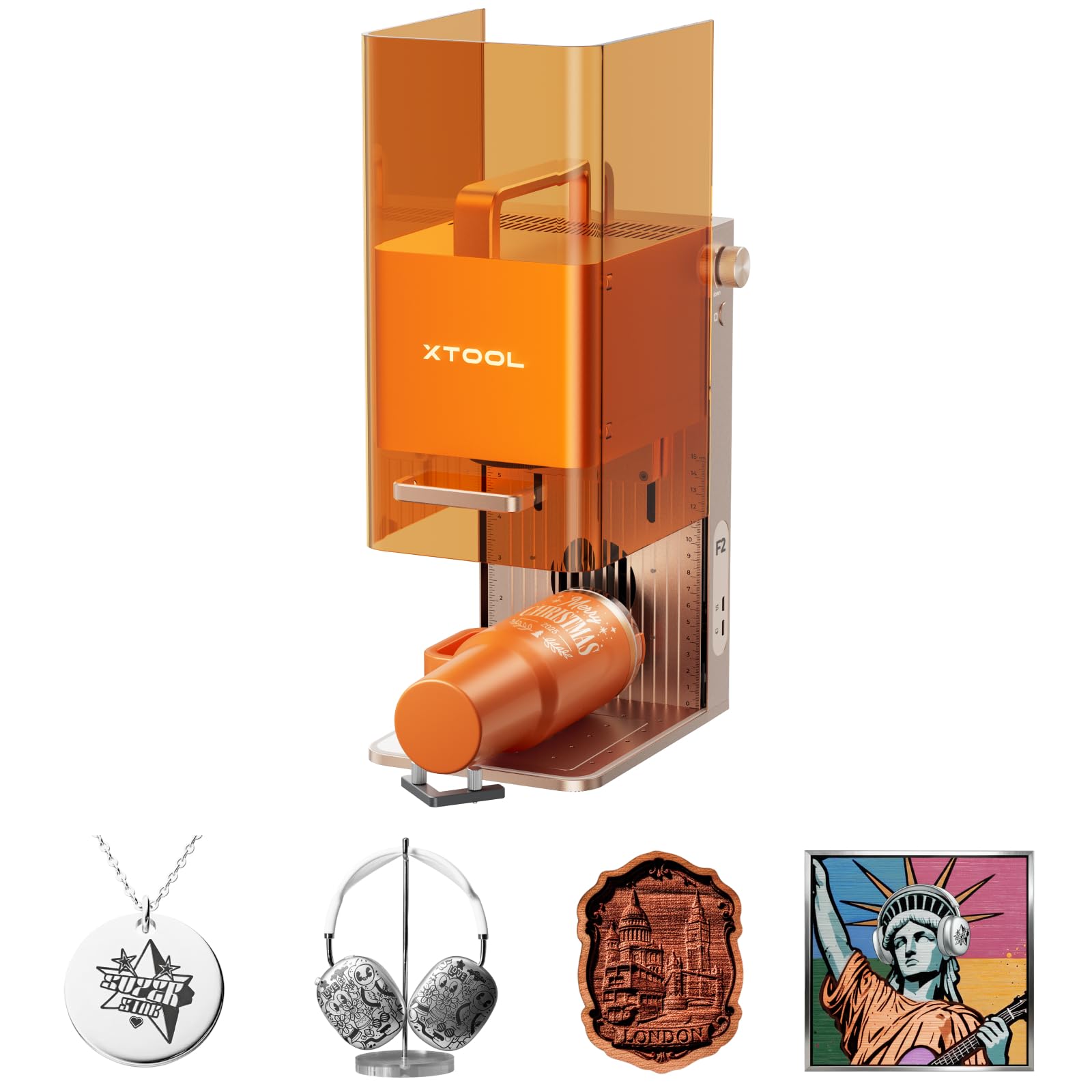
Small is the idea, and it is also the catch. The working area suits blanks you can hold in one hand — cards, tags, coasters, knife scales, phone cases — and it will not touch a sign panel. What makes that trade worth considering is the second laser: a 5W infrared module alongside the 15W diode, which is what lets it mark and color metals that a diode alone can only manage on coated blanks.

Placement is the other reason to pay. A built-in 50MP camera maps the bed and lines artwork up to about 0.1mm on small pieces, so you are not burning test squares to find where the origin sits. It arrives assembled, weighs 10 pounds, takes a footprint under 7 by 10 inches, and at up to 6000mm/s finishes a business card in seconds. That makes it the machine for a market stall, a shop counter, or a desk that has to be clear by the end of the day.

Two things to keep straight. Metal is the reason to choose it and also where the claims get loose: expect marking and color across a good range of metals, not deep relief in every alloy. And it costs more than machines here with four times the bed, so the case for it is speed, precision, and portability rather than capacity.

Pros

  • IR laser marks bare metal
  • 50MP camera gives precise placement
  • 10 pounds and arrives assembled
  • Very fast on small blanks

Cons

  • Small bed rules out large panels
  • Premium money for a compact machine
Our verdict

For marking small metal and wood pieces fast and taking the machine with you, the F2 is the pick here — just do not buy it expecting to cut sign panels.

Check Latest Price
4

Best All-In-One Bundle

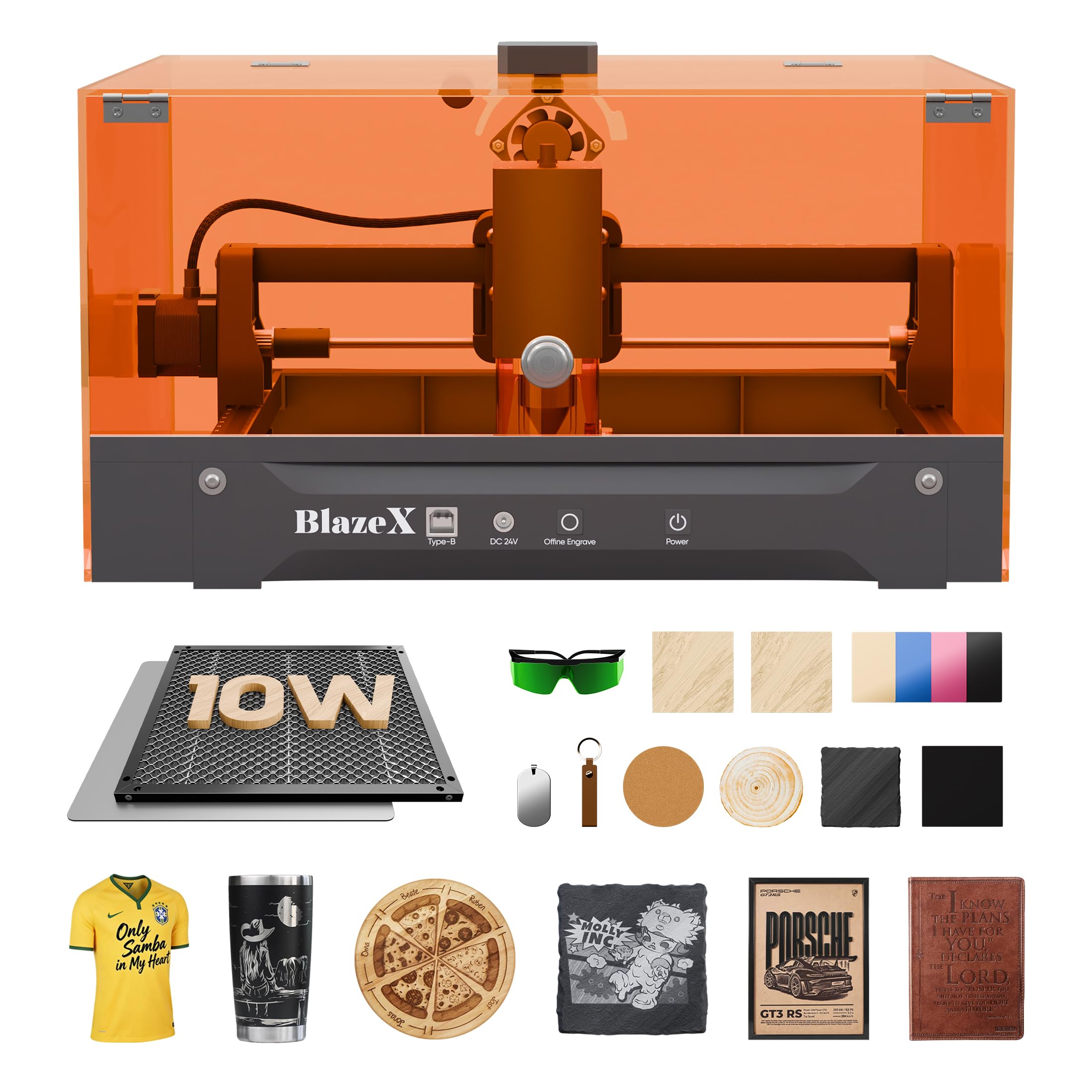
BlazeX M3 10W

89 /100
Keeper Score Excellent

Key details

Safety
Class 1
Included
Camera, enclosure, honeycomb, tool kit
Precision
0.01 mm
Laser Power
10W
Check Price on Amazon

The camera changes how you work. Rather than measuring and guessing, you see your artwork overlaid on the actual material in the software, drag it where you want it, and fire. On awkward blanks — a keychain, a logo on a box you already own — that saves more time than another few watts ever would.

It also arrives as a complete setup instead of a kit with gaps. Enclosure, honeycomb bed, camera, and tool kit come in the box at money that sits mid-pack here, with a Class 1 rating, a fan pulling smoke out, 0.01mm claimed precision, and 10W of diode power. LightBurn and CutlabX both drive it. For an apartment or a shared room where a bare frame on a table was never going to be acceptable, that bundling is the entire point.

Two things temper it. The model is new, so there is far less of a track record to lean on than with the Longer or the xTool S1. And 10W is mid-pack in this group: it engraves beautifully but it is not the machine for slicing thick hardwood. A rotary roller is available separately for cylinders.

Pros

  • Camera previews placement on the material
  • Enclosure, honeycomb, and tool kit included
  • Class 1 rating for indoor use
  • Runs LightBurn and CutlabX

Cons

  • 10W will not slice thick hardwood
  • New model with little long-term history
Our verdict

If you want one box that gets you engraving safely at home — camera, enclosure, and honeycomb included — this is the one we point to at midrange money.

Check Latest Price
5

Best Large Work Area

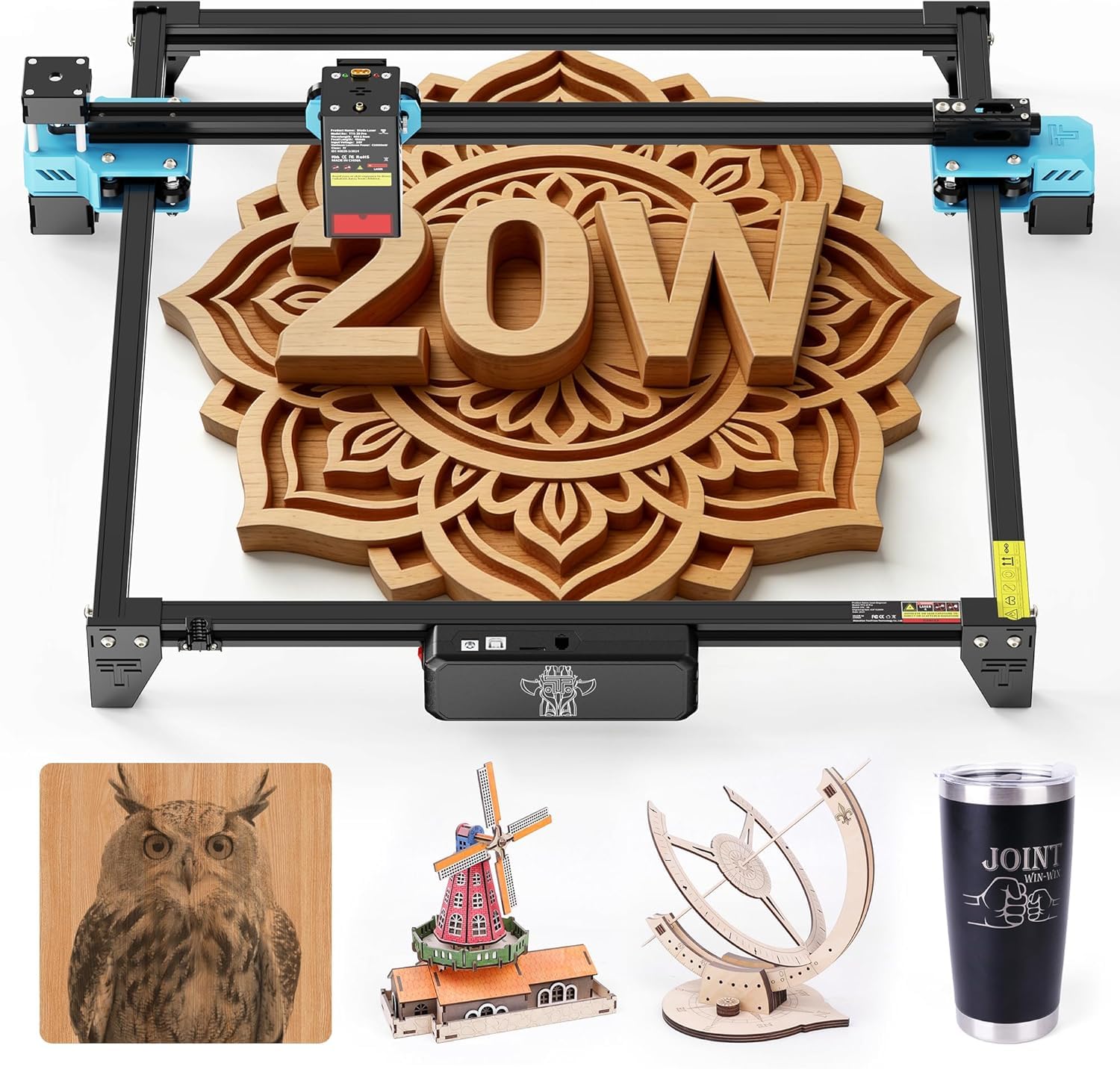
Twotrees TTS-20 Pro

85 /100
Keeper Score Excellent

Key details

Frame
Aluminum alloy
Work Area
418 x 418 mm
Connection
Wi-Fi, app, offline TF card
Laser Power
20W, ≥19.5W optical
Check Price on Amazon

Four hundred and eighteen millimeters square is the largest bed in this group, and it changes what a job looks like: a full sign blank, a batch of coasters, or a set of drawer fronts laid out at once instead of one at a time.

Behind that sits a 20W module rated at 19.5W optical or better, a 450nm blue diode, and an aluminum frame on GT2 belts — enough to cut and engrave the usual wood, acrylic, leather, and coated metal. Three ways in (Wi-Fi, app, or a file from a TF card) and compatibility with LightBurn and LaserGRBL mean the file path does not force a change of habit. The touchscreen module and air assist use dedicated ports but are not part of the kit, so price them in if you want the full setup.

The frame measures 27.4 by 23.4 inches, which is a real table commitment — this is not a machine you fold away between projects. It is also open-frame, so exhaust is yours to solve. What you are buying is area and power at well under enclosed-cabinet money, and if panels are the work, that is the right trade.

Pros

  • 418 x 418mm bed is the largest here
  • 20W optical power for cutting
  • Wi-Fi, app, and offline TF card
  • Aluminum frame on GT2 belts

Cons

  • Touchscreen and air assist sold separately
  • 27.4 x 23.4 inch frame needs a dedicated table
Our verdict

For batch work and full-size panels on a budget, the TTS-20 Pro's 418mm bed is the reason to choose it over anything else here.

Check Latest Price
6

First-Time Buyers

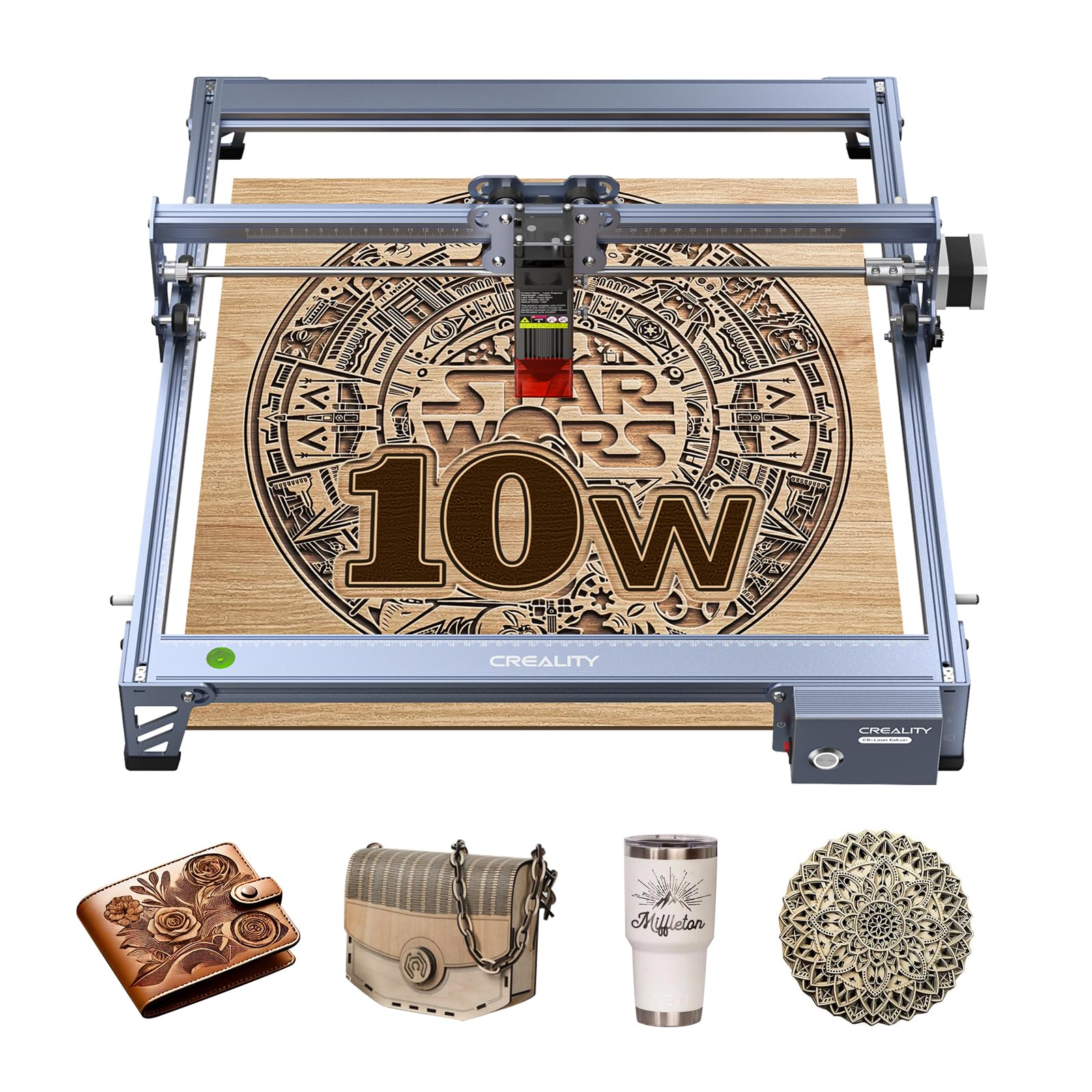
Creality 10W

81 /100
Keeper Score Excellent

Key details

Safety
Class IIIa
Work Area
17 x 16 inches
Laser Output
10W
Machine Power
72W
Check Price on Amazon

One pass through 5mm basswood and 3mm black acrylic is what the 10W output buys, and at this end of the market that is a meaningful amount of capability. The 72W figure on the box is machine draw rather than what reaches the material; the optical output is the number that predicts what you can cut.

The rest is sensible rather than exciting: an all-aluminum frame with steel shaft guide rails and belt tensioners, a 17 x 16 inch bed, and 10 to 20 minutes of assembly. The module carries an anti-UV filter that blocks 97% of UV rays, and it runs LightBurn or LaserGRBL, so the file path is familiar if you have used any of these before. At 7.05 pounds it is light enough to move between rooms.

For a first machine that has to cut as well as engrave, this is one of the better value propositions on the page. What you are accepting is a machine that asks a little more of you in return, which is a fair description of the whole budget end of this category.

Pros

  • Cuts 5mm basswood in one pass
  • Aluminum frame with steel guide rails
  • Runs LightBurn and LaserGRBL
  • 7.05 pounds, easy to move

Cons

  • Manual focus with a separate plate
  • USB link is most reliable on Windows
Our verdict

A sensible first machine if one-pass cuts on 5mm stock matter more to you than polish — the Creality delivers that for less than most of this group.

Check Latest Price
7

Small Desk Projects

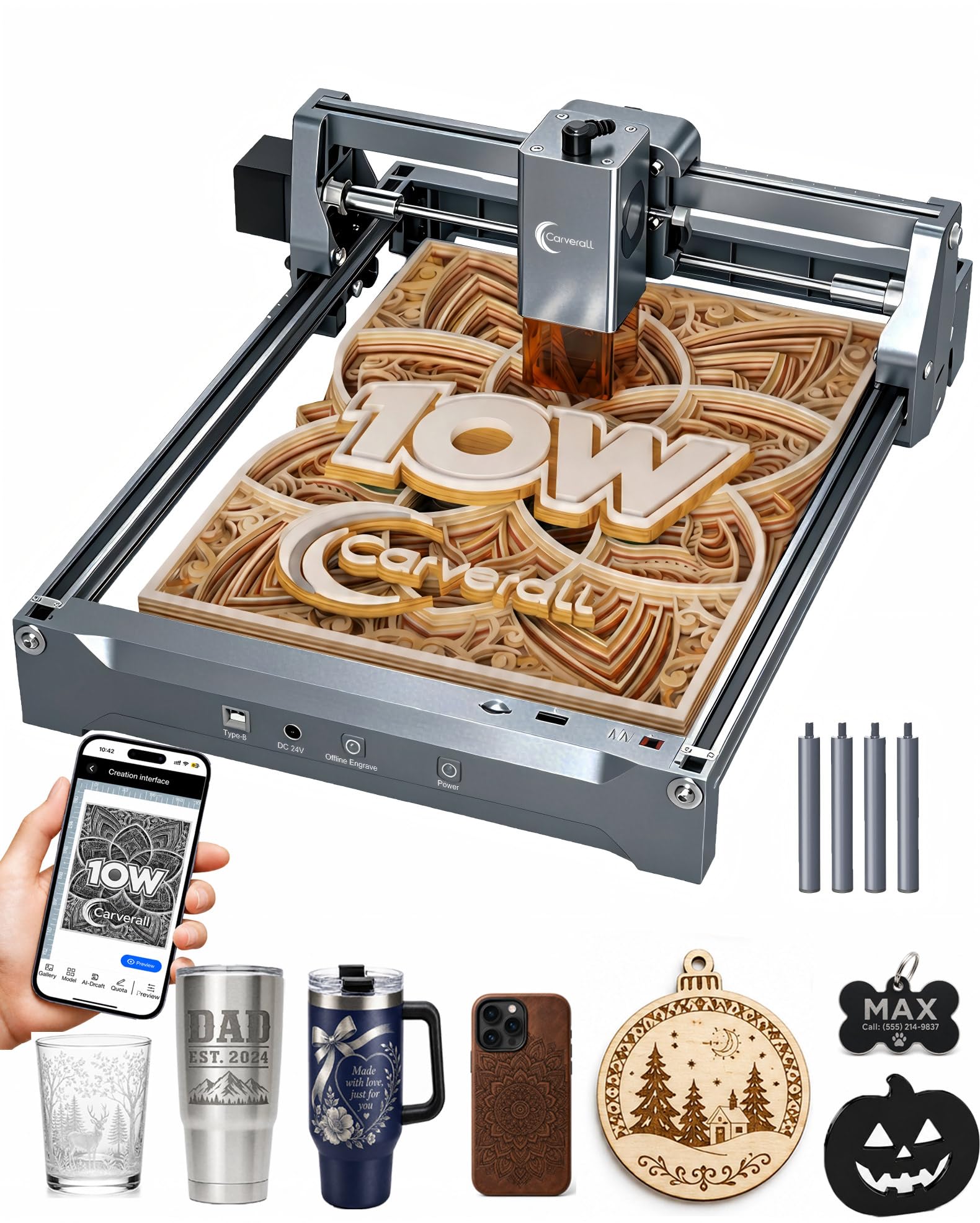
Carverall K15 Pro

81 /100
Keeper Score Excellent

Key details

Speed
15,000 mm/min
Precision
0.01 mm
Work Area
11.8 x 7.9 inches
Laser Power
10W
Check Price on Amazon

An A4 workbed of 11.8 by 7.9 inches is a deliberate limit, and the first thing to be honest about: anything you make has to fit inside a sheet of paper. Within that boundary the K15 Pro is one of the friendlier machines here, with free CutLabX software that runs on a computer, tablet, or phone, AI-assisted design, and offline control so you are not leaving a laptop tethered to it.

The specification holds up: 10W output, 0.01mm claimed precision, 15,000mm/min, and a heat-control design aimed at long jobs. At 2.68kg it is light enough to lift onto a shelf when you are finished, which the bigger frames here cannot claim.

Materials cover coated metal, wood, acrylic, glass, and stone — normal diode territory — and the one-touch focus removes the fiddliest part of setting up a run. The phone-first software is the real differentiator and also the thing to try before committing, since it is the maker's own app rather than the LightBurn workflow many people arrive with.

Where it fits is someone with a defined product and not much desk: keychains, tags, small signs, gifts. Inside that brief the size ceiling almost never bites, and the app is the gentlest introduction to the hobby in this group.

Pros

  • Free app runs on phone, tablet, or PC
  • One-touch focus and offline control
  • 2.68kg frame lifts onto a shelf

Cons

  • Priced above bigger 10W machines here
Our verdict

Buy it if your projects fit on a sheet of paper and your desk is small — the K15 Pro pairs a genuinely approachable app with a 10W head.

Check Latest Price
8

Trying Lasering Cheaply

ACMER S1 6W

83 /100
Keeper Score Excellent

Key details

Weight
4.2 lb
Spot Size
0.04 mm
Work Area
130 x 130 mm
Laser Power
6W
Check Price on Amazon

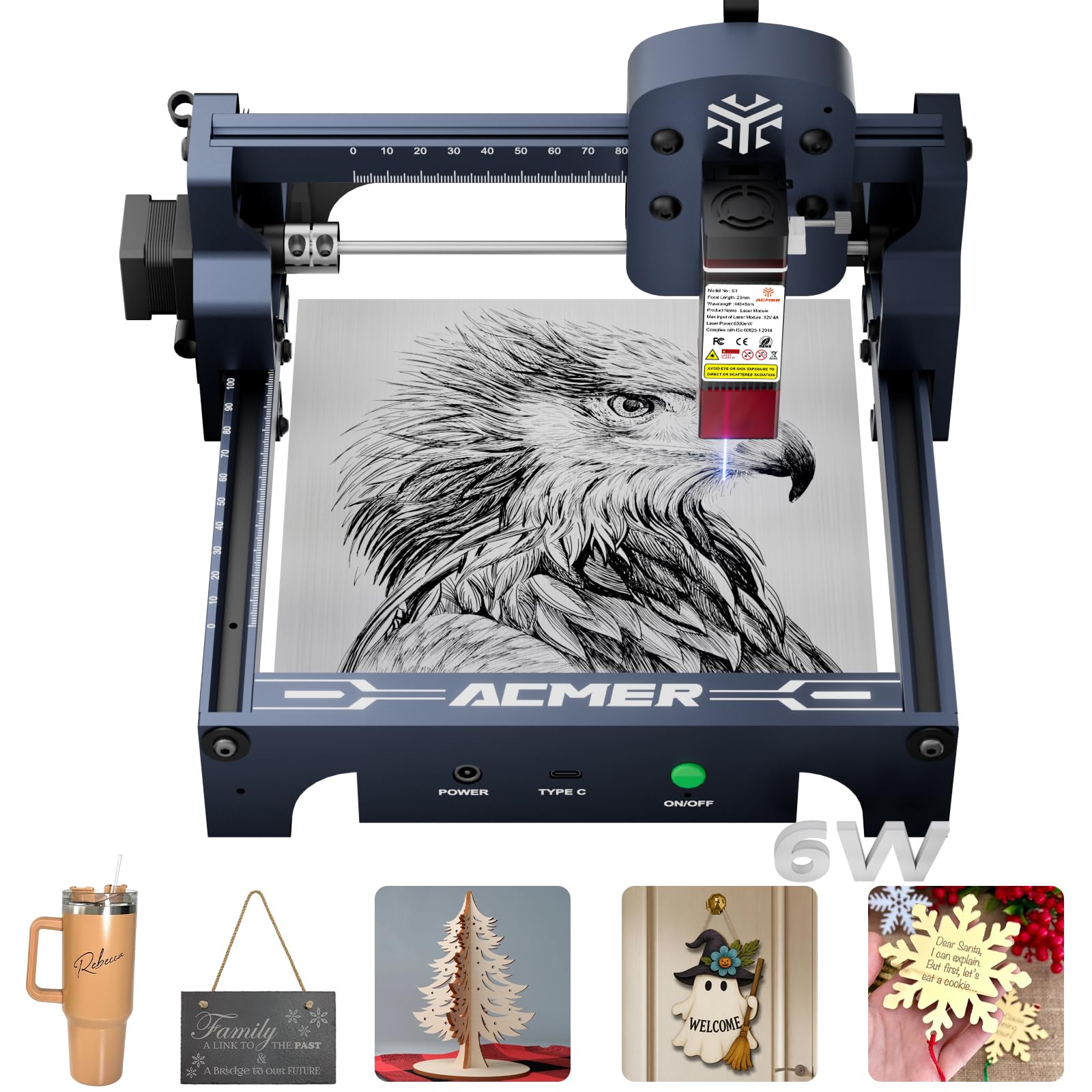
Ninety-nine percent assembled means setup is: unbox it, fit the laser head, install the software. The head takes about a minute to mount, and the 130 x 130mm frame in 4.2 pounds of aluminum is genuinely a desk object rather than workshop equipment.

The 6W diode gives a 0.04mm spot, which is fine detail on the small things this machine is built for — keychains, tags, leather patches, PCB, ceramics, coated metal. It engraves; it does not cut thick stock, and bare metal is out of reach. At this size that is not a flaw, it is the definition of the product.

The bed is roughly five inches square, which is the whole story: one coaster at a time, one tag at a time, one patch at a time. Confirm the machine talks to your computer before the return window closes, because a compact laser with a flaky link is more frustrating than a large one.

As a first machine, though, the restriction is also the point. It is the lowest outlay here, the free ACMER Studio software carries you to a finished piece the same afternoon, and if lasering turns out not to be your thing you have learned that cheaply.

Pros

  • Arrives 99% assembled
  • 0.04mm spot for fine detail
  • 4.2 pounds, fits on a desk
  • Free ACMER Studio software

Cons

  • 6W engraves but will not cut thick stock
Our verdict

The least expensive honest way to find out whether you enjoy laser work — buy the S1 6W for small blanks and fine engraving, not for cutting.

Check Latest Price
9

Budget 10W Cutting

Ortur Laser Master 2 S2

86 /100
Keeper Score Excellent

Key details

Safety
Class 4, G-sensor cutoff
Weight
9.03 lb
Spot Size
0.05 x 0.1 mm
Laser Power
10W
Check Price on Amazon

A 10W module and a 0.05 x 0.1mm spot for modest money looks like a bargain on paper, and on a good day it delivers exactly that: it engraves and cuts the usual wood, acrylic, leather, and coated metal with results that hold up at normal viewing distance.

The hardware is straightforward. A full metal frame, 10 to 15 minutes of assembly, LaserGRBL and LightBurn compatibility, a 9.03 pound body, and a laser cover that filters 98% of UV light. A G-sensor on the mainboard cuts the beam if the machine is knocked or tilted, which is exactly the kind of protection we want on a frame this open.

What keeps it out of the top tiers is the long tail. Reliability is uneven — some of these machines run for years and some do not get that far — and the documentation is the weakest part of the package, with assembly diagrams that send you to YouTube to work out belt routing. Neither problem is unfixable, and both cost a weekend you may not have.

Consider it if the budget is fixed and you enjoy getting a machine to behave. If you want the first project to happen on the first evening, pay a little more for something above.

Pros

  • 10W output at a modest outlay
  • G-sensor cuts the beam if knocked
  • Full metal frame in 10 to 15 minutes
  • Runs LaserGRBL and LightBurn

Cons

  • Documentation is the weakest part of the kit
  • Long-term reliability is the open question
Our verdict

A lot of 10W capability for the money, and a reasonable pick if you are comfortable troubleshooting — just expect to learn from videos rather than the manual.

Check Latest Price

How We Chose and Tested Laser Engravers

We started by pulling together every machine we could find in the DIY and small-shop range, then cut a list of nearly forty down to twelve by comparing optical output against work area, whether the machine arrived enclosed, and what actually came in the box. Nothing got a slot twice: small desktop units, open-frame machines with big beds, and fully enclosed models each represented a different way people set one up. We counted the accessories included, too, since a bare machine that needs a fan, air assist, and an enclosure to be pleasant ends up costing more than it looks.

Each one was assembled from scratch and timed, because setup is where these machines lose people. We followed the included instructions until they stopped making sense — on several, that happened at the wiring or belt-tension step — and noted how long it took to get from box to first burn. Every unit ran the same test tile, a small grid of lines, fills, and tiny text, so we could compare edge char, line width, and how much cleanup the result needed.

From there, real work: 3mm plywood cut with pass counts until the piece dropped free, leather patches, slate coasters, coated metal cards, and a run of tumblers on anything with a rotary attachment. We kept notes on how many jobs each machine finished before something needed adjusting, and cleaned lenses and checked belts on a schedule to see what wore out first. Smoke and noise got plain-language ratings, since most of these live in a garage or spare room rather than a workshop.

We also timed how long it took to place a design by camera versus by eye and ruler, and how usable each machine was standing alone at the bench with no laptop attached.

How to Choose a Laser Engraver

Optical Power Is the Number That Matters

Listings quote two figures, and only one predicts what you can make. A machine advertised at 72W of machine power may deliver 10W of optical output to the material, and the optical figure is what decides whether you are coloring a surface or cutting through it. As a rough map: 5 to 6W engraves wood, leather, and coated metal and struggles past veneer; 10W cuts 3 to 5mm stock in a pass; 20W takes thicker hardwood and acrylic; 40W is production territory. If your plans stop at engraving, save the money. If you want boxes and signs, start at 20W.

Enclosures, Class Ratings, and Where It Can Live

An open-frame laser is a Class 4 or IIIa device: the beam is exposed, the smoke goes into the room, and everyone present needs eye protection. A Class 1 enclosed machine filters the light and contains the smoke, which is why one can sit at a shop counter. The trap is the word compact, which describes desk footprint, not safety — a small open frame in a spare bedroom is still an open frame in a spare bedroom. If the machine shares space with people or pets, buy enclosed or budget for an enclosure and a window exhaust before you buy the laser.

Work Area Sets the Size of What You Can Sell

Measure the biggest piece you actually intend to make, then add a couple of inches of margin. A 130 x 130mm bed covers keychains and tags; A4 handles small signs and phone cases; 400mm square takes a full coaster set or a sign blank without repositioning. Shape matters as much as area — the xTool S1 is wide and comparatively shallow, which suits signage better than square panels, while the Twotrees TTS-20 Pro takes a batch of blanks in one run.

Software, Files, and the First Job

Most machines here run LightBurn or LaserGRBL, and that matters if you already have a workflow: both are mature, well documented, and behave similarly across brands. Maker apps — xTool Creative Space, ACMER Studio, CutLabX — are quicker to start on and harder to leave later. A camera changes the fiddliest part of the process, since it overlays your design on the actual material instead of making you measure an origin. Before you commit, confirm the software you intend to use is the one the machine was built around.

What a Diode Laser Will and Will Not Do to Metal

A blue diode marks coated or anodized metal by changing the coating, but it will not cut metal and it will not reliably mark bare stainless. Bare metal needs an infrared laser, which is exactly what the xTool F2's 5W IR module adds — and even then, expect marking and color rather than deep relief, and not in every alloy. Glass, ceramic, and stone engrave well. PVC and vinyl should never go near a laser, because the fumes are corrosive and toxic.

Frequently Asked Questions

Final Verdict

Buy the Longer RAY5 20W. It is the machine we point most people to because 20W and a 400 x 365mm bed cover engraving and real cutting at once, and nothing else here matches that combination for the money. Plan for ventilation and you have a machine that grows with the hobby.

If you want the enclosure question solved in the box, the BlazeX M3 bundles camera, cabinet, and honeycomb together. If the machine has to earn its keep, the xTool S1's 40W cabinet is the upgrade that pays back in throughput.