Best Indoor Security Cameras of 2026

A security camera has one job: to be useful on the day something goes wrong. Almost every model looks sharp at noon. The separation happens at 2 a.m., with the lights off and your phone as the only window into the house — that gap between a good daylight demo and a camera you actually trust is where this category is decided.

I've spent the past six months living with 12 indoor cameras — plug-in cubes in a hallway and home office, pan-tilt models aimed at the dog's crate and a nursery. We timed setup to first live view, reframed each one around the room to see how fast it responded, and used the two-way audio to talk to the dog and to a friend at the door.

The thing I wish more shoppers knew: resolution on the box matters less than how a camera stays connected and where the footage goes. A 2K model that drops off Wi-Fi is worse than a 1080p one that never does, and cloud storage can cost more than the camera. The picks below earned their spot on reliability, night vision, and audio.

Keeper Score summarizes customer ratings and review volume. Read it alongside the product details and trade-offs. How the score works.

1

Best Overall

Tapo C211 2-Pack

91 /100
Keeper Score Outstanding

Key details

Resolution
2K (3 MP)
Night Vision
Color night vision
Pan And Tilt
360° horizontal, 114° vertical
Local Storage
microSD up to 512 GB
Check Price on Amazon

A fixed camera gives you the slice of the room it happens to be facing. The C211 rotates a full 360 degrees horizontally and 114 degrees vertically, and it follows movement across that arc on its own, so one unit covers a living room or a nursery instead of the corner of one.

That sweep is why we make this pair the default recommendation here. Two cameras cover, say, a front room and a child's bedroom, and the person detection and baby-cry alerts work without a subscription, when several rivals here put the smarter alerts behind a monthly plan. The 2K sensor is the right middle ground: enough detail to recognise a face across a room, without the storage appetite of 4K. Add a microSD card, which isn't included, and the recording is continuous and free.

Setup runs through the app in a few minutes, and saved angles let you send the lens back to the cot or the front door with one tap rather than dragging a joystick around. Wi-Fi is the weak point: this is a camera that can drop its connection and sit offline until you unplug it and start again. Site it where your phone shows a strong signal, and watch the live view for a few days before you rely on it while you're away.

Two-way audio is clear enough to settle a dog from the kitchen, there's a siren for the moments that need one, and the pan means a single camera can check a whole room. The pair costs less than one Ring Indoor Cam and about a third of the Anona four-pack, with no monthly bill for the basics.

Pros

  • 360° pan and 114° tilt in one camera
  • Person and baby-cry detection without a subscription
  • Local recording to cards up to 512 GB
  • Two cameras in a single purchase

Cons

  • Off-site backup needs a paid Tapo Care plan
  • Each unit needs its own power outlet
Our verdict

We recommend the C211 pair to anyone who wants two rooms covered properly: it sweeps, it records locally without a subscription, and it costs less than a single camera from several rivals here.
Check Latest Price
2

Best for One Room

Ring Indoor Cam

95 /100
Keeper Score Outstanding

Key details

Mount
Tabletop or swivel wall mount
Privacy
Manual lens cover
Resolution
1080p HD
Night Vision
Color night vision
Check Price on Amazon

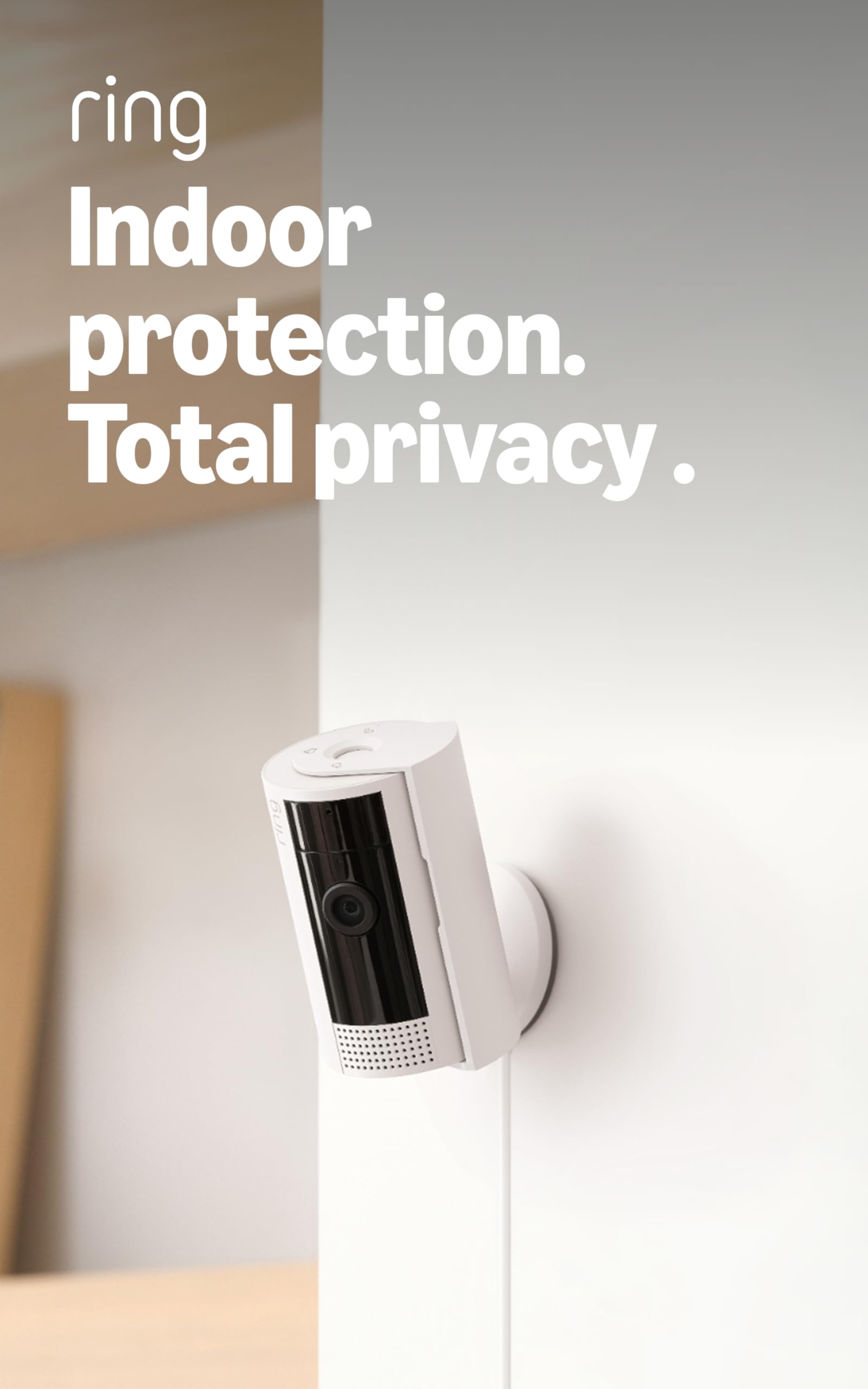
The best feature on the Ring Indoor Cam is a piece of plastic: a shutter that swivels across the lens by hand. A camera that lives in a bedroom or a home office should be able to prove it isn't watching, and a physical cover settles that in a way a software toggle never quite does. That's the detail that makes this the camera we point people toward for a single private room.

The rest of the package is deliberately plain. The view is fixed, so you aim it once, on a shelf or up on the wall with the swivel mount, and it watches 1080p of whatever is in front of it. At ten feet the picture is perfectly readable; pinch in on a face at the far end of a long room and you'll see the ceiling of what the sensor can do. Advanced Pre-Roll is the underrated part: the camera keeps a few seconds from before each motion event, so you see someone step into frame instead of catching the middle of the action.

Alerts come through fast and can be limited to the zones you care about, which keeps a busy hallway from turning your phone into a metronome. Setup is quick and the app is among the slickest in this group. The network is the caveat: this camera can go offline where the signal is weak, so mount it somewhere your phone holds at least two bars and check the feed before you travel.

Pros

  • Manual shutter that covers the lens
  • Pre-roll footage from before each alert
  • Fast alerts limited to chosen zones
  • Tabletop or wall mounting out of the box

Cons

  • Fixed view, so coverage is decided at installation
Our verdict

For one room and a real privacy guarantee, the Ring Indoor Cam is what we recommend: a manual shutter, fast zone-limited alerts, and a picture that's plenty at indoor distances.

Check Latest Price
3

Best 4K Multi-Room Kit

Anona 4K 4-Pack

88 /100
Keeper Score Excellent

Key details

Resolution
4K (8 MP)
Connectivity
Wi-Fi 6, dual-band
Pan And Tilt
355° horizontal, 110° vertical
Local Storage
microSD up to 512 GB
Check Price on Amazon

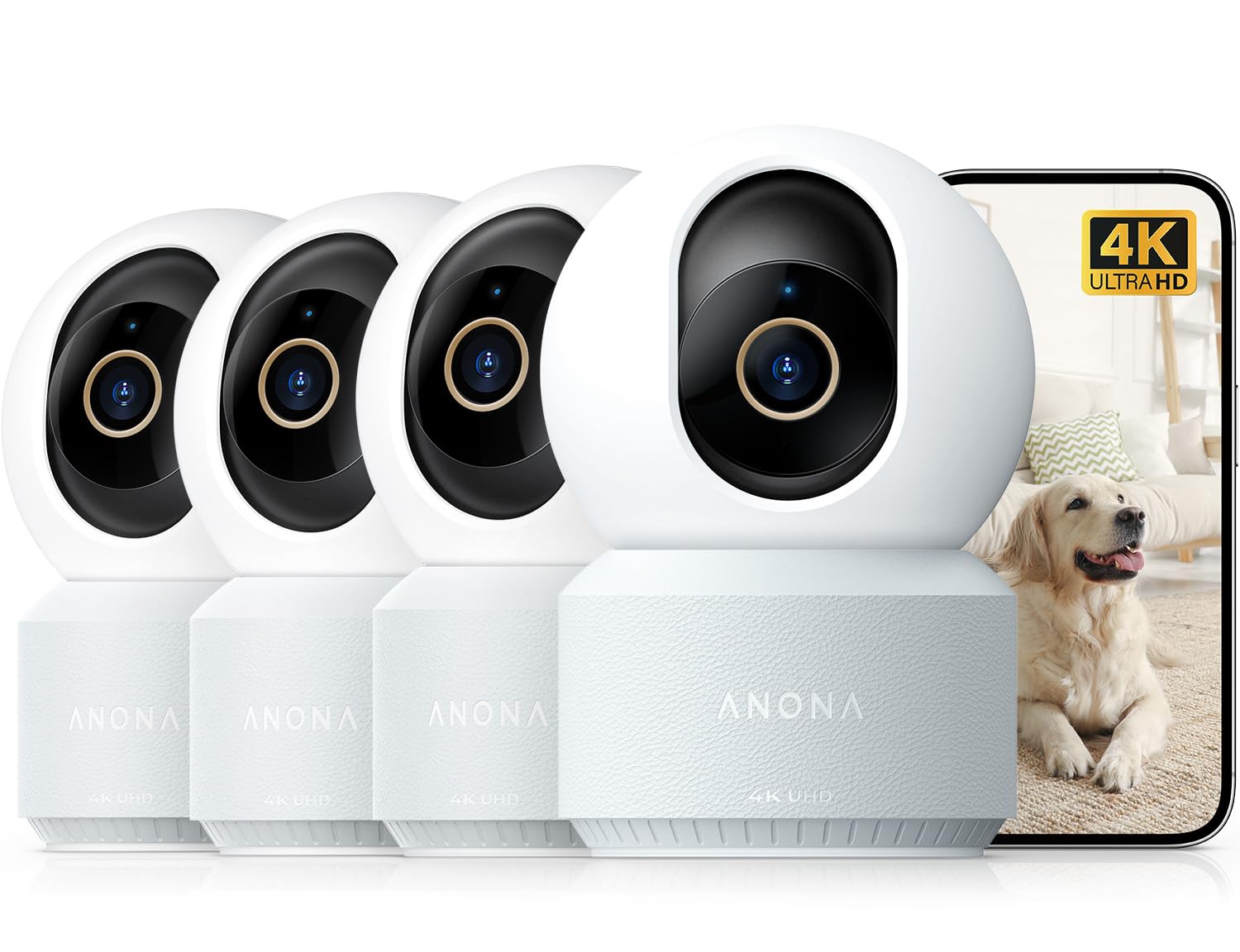
Four cameras at 4K is a lot of picture. Each Anona unit records 8 megapixels and zooms 8x digitally, so you can push in on a face or a pet bowl and still see edges rather than mush. Night vision is infrared, listed to 30 feet, which covers a living room or a long kitchen without leaving the far end black.

The head pans 355 degrees and tilts 110, with auto-tracking that follows whatever moves, and the on-device AI sorts people, pets and a baby crying into three alerts you can switch independently. That's what makes a four-pack more useful than four dumb lenses: leave the nursery camera set to crying only and the hallway one set to people only, and your phone stops buzzing every time the cat crosses the rug.

What we appreciate most is where the money goes, into the sensor and the detection rather than into a subscription. Wi-Fi 6 on both bands, a card slot up to 512GB, and a privacy mode that parks the lens when you want it out of the conversation. For a flat with a nursery, a hallway and a back door, four cameras that behave identically in one app are far easier to live with than four different brands.

Our hesitation is frame rate. The specification lists 15 fps, fine for identifying who came in and not the smooth video you'd want for watching a puppy tear around. It's also the most expensive box here, so it only makes sense if you genuinely have four places to put cameras; two would leave you paying for spares.

Pros

  • 4K detail with 8x digital zoom
  • Separate person, pet and crying alerts on device
  • Wi-Fi 6 on both bands
  • Cards up to 512 GB, plan optional

Cons

  • 15 fps looks choppy with fast movement
  • Premium outlay only pays off with four locations
Our verdict

If you're covering a whole home and want the sharpest picture in this group, the Anona kit earns its price, as long as you accept that 4K here arrives at 15 frames per second.

Check Latest Price
4

Best Budget Camera

Blink Mini 2K+

89 /100
Keeper Score Excellent

Key details

Zoom
4x
Audio
Two-way with noise cancellation
Power
Plug-in
Resolution
2K
Check Price on Amazon

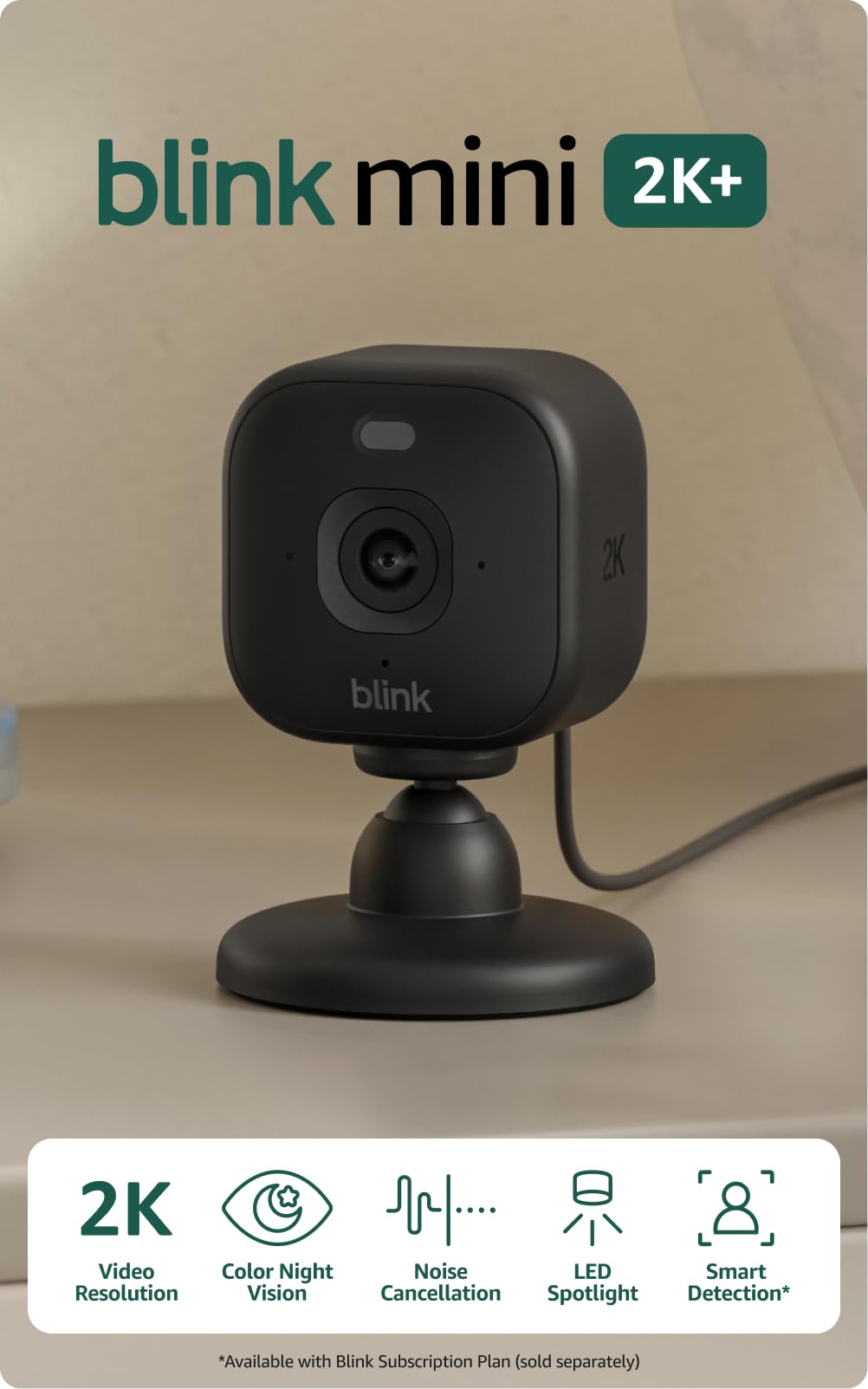
If you want to find out whether you're a camera person before spending real money, the Blink Mini 2K+ is the one to try. It's the least expensive camera in this group by a wide margin, and it still shoots 2K with 4x zoom and two-way audio, which are the three things most people actually use a camera for.

Our pick of the cheap seats, and the picture is the reason. 2K is a real step up from the 1080p you might expect this far down the range, and the audio now has noise cancellation, so a quick get-down lands clearly instead of fighting the room. The body is small enough that on a bookshelf it disappears between the books.

What you give up is the sweep. The view is fixed, so each camera covers one angle of one room and nothing more. Smart person and vehicle alerts sit behind an optional Blink subscription while plain motion alerts arrive free, and taking the camera outside means buying a weather-resistant power adapter separately. Those are fair places to draw a line at this end of the range, and indoors is where you'll use it anyway.

Pros

  • Cheapest route to 2K in this group
  • 4x zoom and noise-cancelled two-way audio
  • Small enough to sit on a shelf

Cons

  • Fixed view, one angle per camera
  • Person and vehicle alerts need a paid plan
Our verdict

For a first camera or a cheap second one, the Blink Mini 2K+ is the easiest buy here: sharp 2K, a genuinely small body, and no real commitment.

Check Latest Price
5

Best Value Four-Pack

GNCC 5G 4-Pack

88 /100
Keeper Score Excellent

Key details

Resolution
2K
Night Vision
Up to 33 ft
Pan And Tilt
355° horizontal, 90° vertical
Local Storage
microSD up to 128 GB
Check Price on Amazon

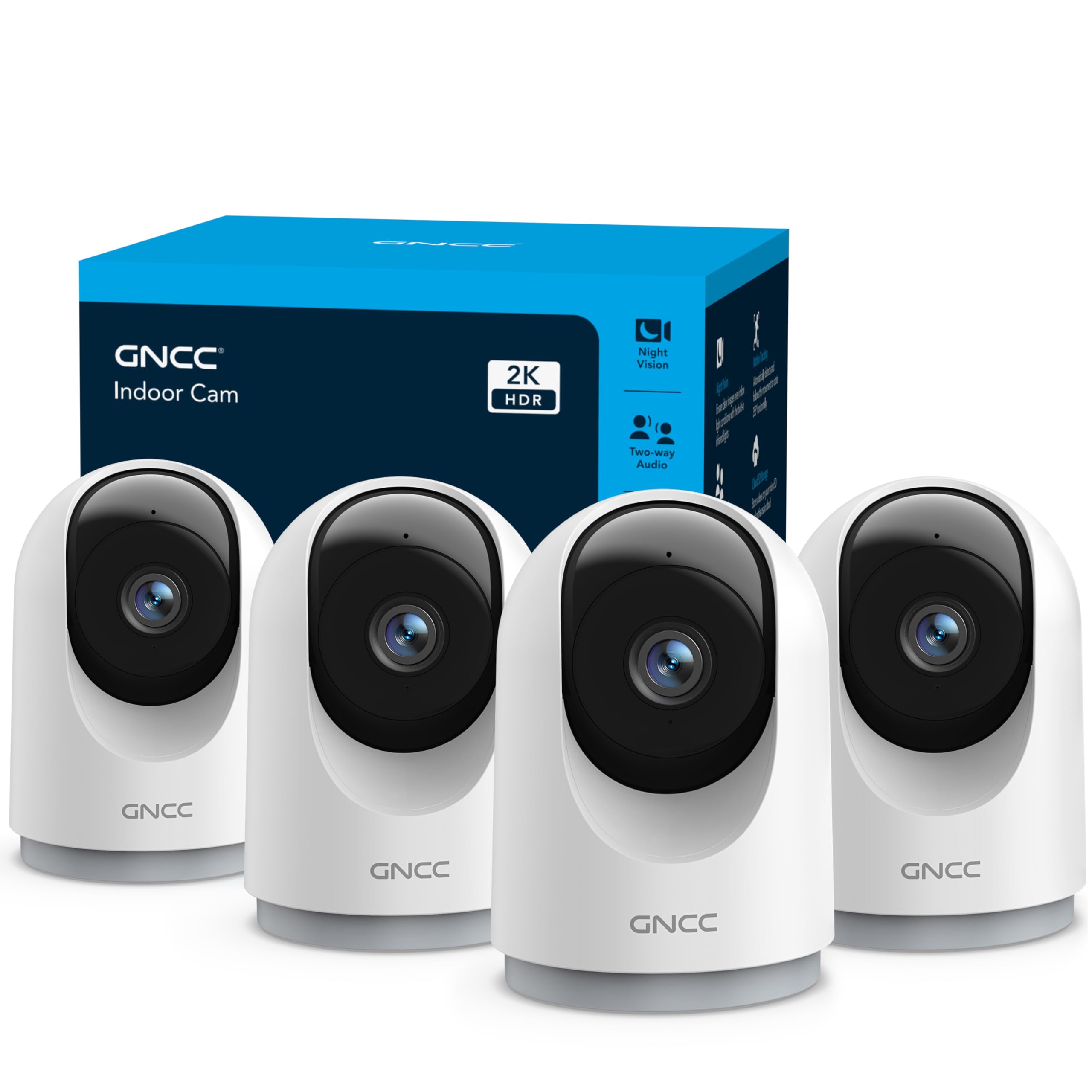
Four panning cameras for roughly what the Tapo two-pack costs is the pitch, and we think it holds up: each GNCC unit swivels 355 degrees across and 90 degrees up and down, tracks movement on its own, and records 2K. If your worry is coverage, a hallway, a kitchen, a back bedroom and the corner where the dog sleeps, this is the cheapest way here to put a camera in all four.

The picture is better than the price suggests. Dual-band Wi-Fi means you can put it on 5GHz where the router is close and the 2.4GHz band is crowded, and night vision reaches about 33 feet through six infrared LEDs, enough to see a whole room rather than a doorway. The card slot tops out at 128GB, well short of the 512GB the Tapo takes, so long continuous recording means shorter retention or a cloud plan.

Tracking is the thing to think about before you order. It's genuinely useful when someone walks the length of a hallway, and genuinely irritating when a curtain moves and the lens swings over to investigate. In a room with a lot of moving light or a lively pet, a fixed camera does the same job with less drama.

Pros

  • Four 2K pan/tilt cameras in one kit
  • Dual-band Wi-Fi including 5 GHz
  • Night vision to about 33 feet

Cons

  • 128 GB maximum card size
  • Muffled speaker and microphone
Our verdict

Buy the GNCC kit when four rooms matter more than polish: it puts a panning 2K camera in each one for roughly the price of a two-pack.

Check Latest Price
6

Best Battery-Powered

Funstorm B11

85 /100
Keeper Score Excellent

Key details

Power
2600 mAh battery
Night Vision
Up to 5 m (16 ft)
Local Storage
microSD up to 128 GB
Claimed Standby
Up to 100 days
Check Price on Amazon

The Funstorm is the only camera here that doesn't need an outlet, and that is the whole reason to consider it. A 2600mAh battery, a claimed 100 days of standby, and a body small enough to sit on a shelf or hang from the bracket: for a rented flat, a garage, or a corner where the nearest socket is across the room, it solves a problem the plug-in cameras can't touch.

Resolution is where the listing ties itself in knots. The title and the bullets say 4K; the specification table says 1080p, and both can't be right. Buy it for the battery and the size, and set your expectations at 1080p, because if you're expecting 4K you'll be packing it back up.

Battery figures deserve scepticism in general. A hundred days is standby, not sixty alerts a day with live viewing, and a camera that wakes for every passing cat will chew through a charge. Plan on recharging more often than the box suggests, and mount it somewhere you can reach without a ladder.

So the trade is deliberate: portability and no cable in exchange for a softer picture and a battery that needs watching. If your only obstacle is a missing socket, this is the camera to buy. If there's an outlet within reach, we point you to the Blink Mini 2K+, which is cheaper, sharper and less fussy.

Pros

  • Runs on a rechargeable battery, no outlet needed
  • Small and light enough to move around
  • Simple app and quick setup

Cons

  • Night vision reaches only about 16 feet
  • Wi-Fi dropouts can cut the feed
Our verdict

If there's no socket where the camera needs to go, the Funstorm is the practical answer, so buy it for the battery rather than for the 4K on the label.

Check Latest Price
7

Indoors and Out

Techage 2K 4-Pack

86 /100
Keeper Score Excellent

Key details

Resolution
2K (3 MP)
Field Of View
110°
Local Storage
microSD up to 128 GB
Weather Rating
IP65
Check Price on Amazon

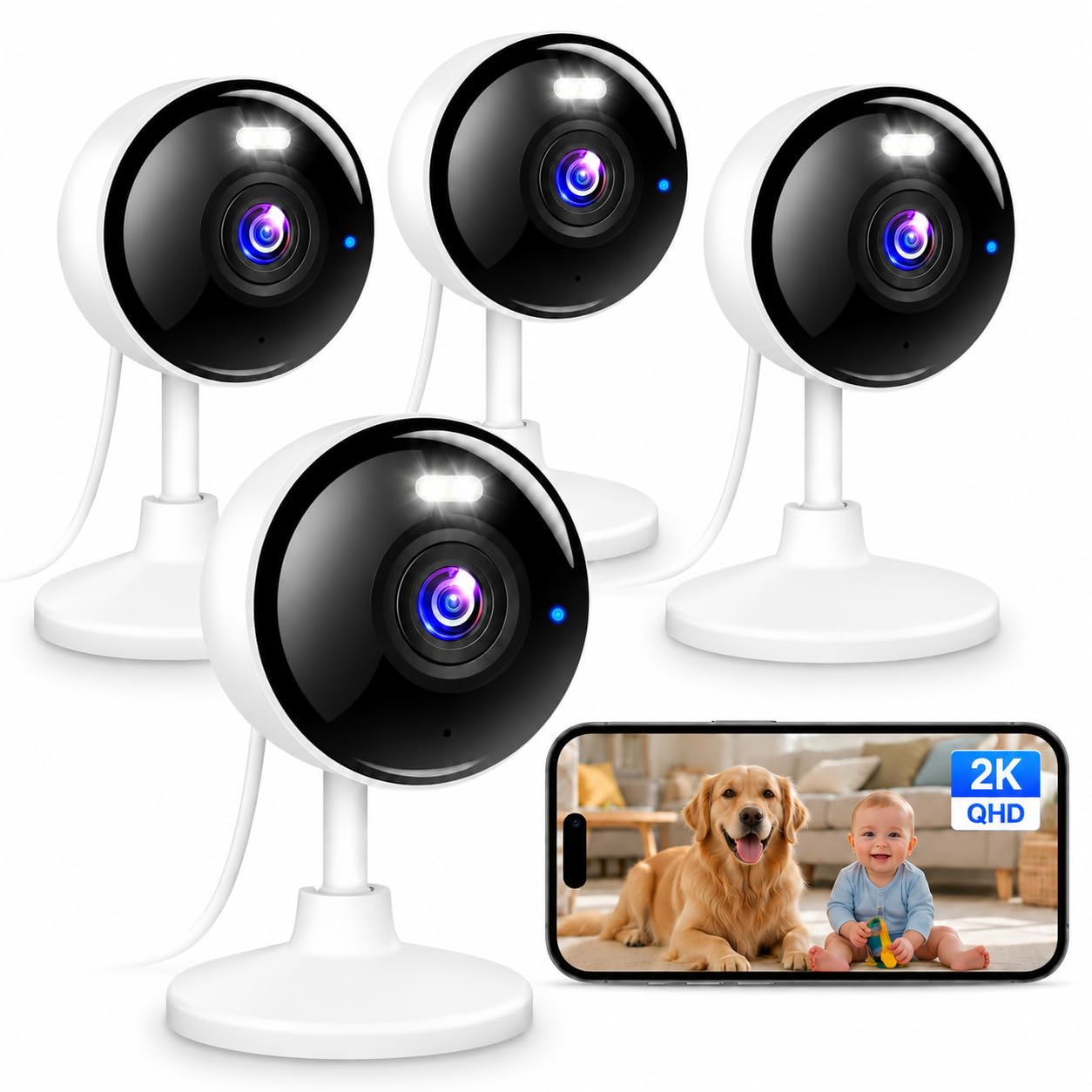
Four cameras, 2K, and an IP65 weather rating: the Techage kit is the only set here specified for outdoor mounting as well as indoor. If your list runs from a nursery to a back door, that's the reason we keep it on this page.

Indoors it behaves like a competent fixed camera. The 110-degree view covers a room corner or a hallway wall, colour night vision reaches about 33 feet, and dual-band Wi-Fi lets you choose the cleaner band. Bluetooth is part of the setup, which takes most of the guesswork out of the first connection, and the app is plain enough to hand to someone who doesn't enjoy this sort of thing.

Where this kit earns its place is the crossover: four cameras that can move from the kitchen to the fence line without a second purchase, at a price well below the Anona 4K set. The catch is the fixed 110-degree lens, with no pan and no tilt, so a large open-plan room needs two units instead of one. And every camera has to stay plugged in, which for an outdoor mount means a socket on the far side of the wall.

Pros

  • IP65 rating for indoor and outdoor use
  • Four 2K cameras with colour night vision
  • Dual-band Wi-Fi with Bluetooth-assisted setup

Cons

  • 128 GB maximum card size
Our verdict

The Techage kit is the one to buy if a camera has to work on the porch as well as in the nursery, and a fixed view is a fair trade for four weatherproof units.

Check Latest Price
8

Two-Room Pan/tilt

AOQEE G5 2-Pack

83 /100
Keeper Score Excellent

Key details

Resolution
3 MP
Connectivity
2.4/5 GHz Wi-Fi and Bluetooth
Night Vision
Up to 16 ft
Pan And Tilt
360° pan coverage
Check Price on Amazon

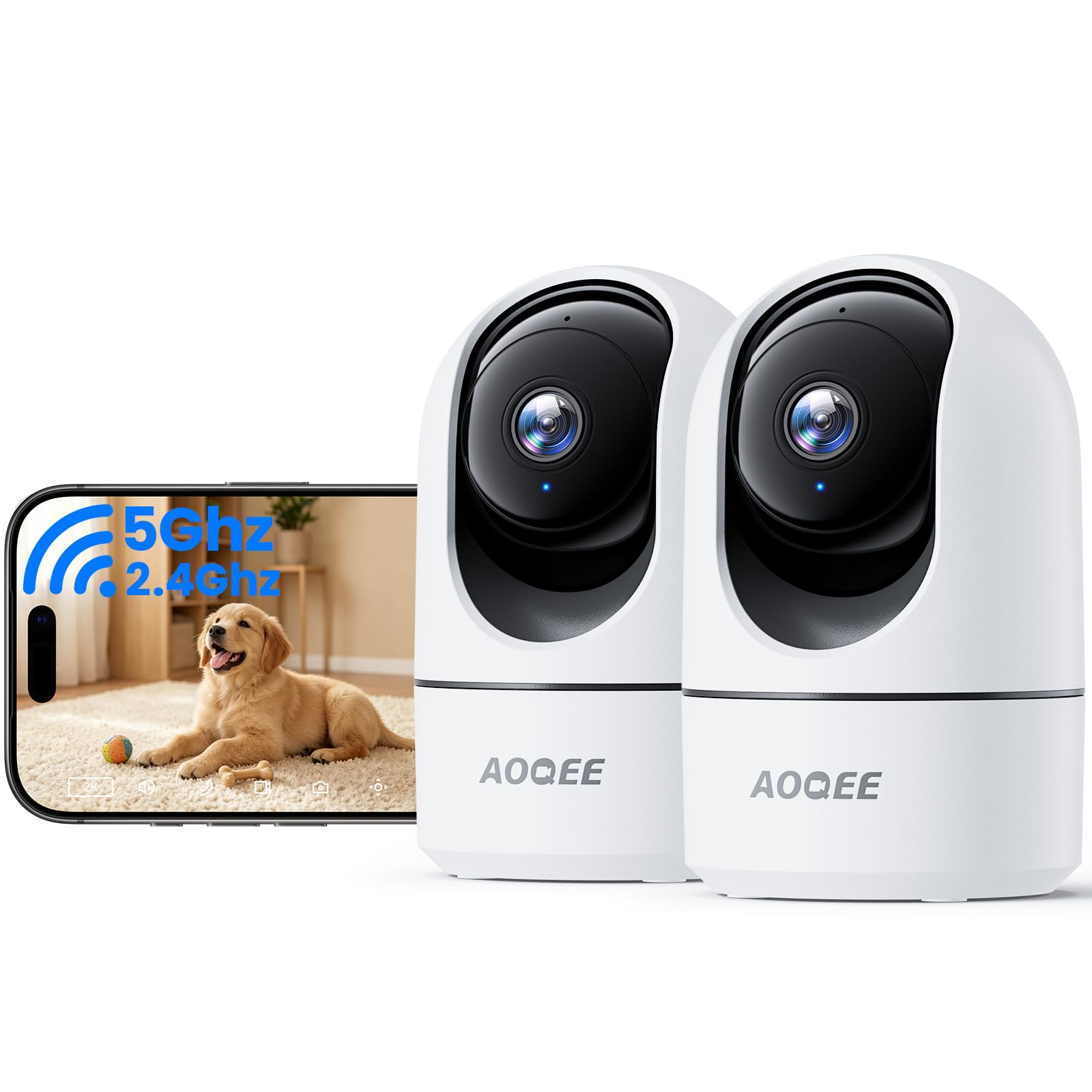
Pairing is the step where cheap cameras usually fall over, and the AOQEE sidesteps the worst of it: Bluetooth handles the introduction and hands the camera your Wi-Fi details, so you're not thumbing a password into a tiny keyboard while balanced on a chair.

Each unit is a 3MP pan/tilt camera that turns a full circle and tracks movement, with a 99-degree lens that is wide enough for a room and narrow enough that the edges of the frame aren't stretched. Recording goes to a TF card, and the cloud is explicitly optional, so the camera keeps working as a local recorder whether or not you ever pay for storage.

Two features stand out for the money. The camera distinguishes people from pets and shadows, so you can keep alerts for humans only, and you can invite family members to the live stream, which is handy when a grandparent wants to look in on a toddler without a second login. The pan and tilt are app-controlled, so repositioning is a tap rather than a climb.

Where we hesitate is history: this is the newest camera here and the least proven, with a short enough record that we can't tell you how it behaves after a year. The early signs are good, with a clear picture, quick setup and alerts that fire, and two panning cameras cost about what a single mid-range camera does. If you're setting up a first flat and want eyes in two rooms, that's a fair gamble.

Pros

  • Two pan/tilt cameras for the price of one
  • Bluetooth-assisted setup
  • Person-versus-pet alerts with optional cloud

Cons

  • Night vision reaches only about 16 feet
  • Newest and least-proven camera here
Our verdict

The AOQEE pair is the cheap way into pan and tilt across two rooms, and we're comfortable recommending it as a first setup rather than a long-term backbone.

Check Latest Price

How We Tested 12 Indoor Cameras Over Six Months

The shortlist started with about 40 indoor cameras. I cut anything that couldn't record to a local memory card, anything limited to the 2.4GHz band alone, and anything that charged a subscription for basic motion alerts. From what survived, we brought in 12 units — single cameras and multi-packs — and set them up side by side for six months.

Setup got timed with a stopwatch, solo, from cutting the tape to the first live picture on my phone, and I noted every pairing that failed and what fixed it. Then we made the network difficult: a dozen smart devices added mid-test, a router moved to the far end of the apartment, and one camera deliberately left on 2.4GHz only. We logged dropouts, how long each reconnection took, and whether an alert for the dog walking past arrived in seconds or minutes.

Each camera got mounted at roughly eye height in a hallway, a nursery, and a home office, and had to clear the same bar: read a cereal box from across the room, confirm a dog was actually in his crate, make out a face in the doorway. After dark, we killed the lights and closed the blinds to see whether we got grainy shapes or something identifiable. Pan-tilt models got chased around the living room through the app to see whether tracking kept up or lagged behind.

For audio, I told the dog to get off the couch and asked a friend on the other end whether I sounded like a person or a drive-thru speaker, then listened back to recorded clips for hiss and hum. Reliability was the slow part: across six months we tracked which cameras needed reboots, which missed events, and which came back online by themselves after a power cut.

How to Choose an Indoor Security Camera

Coverage Before Resolution

A fixed lens sees one slice of a room, 110 degrees on the Techage and whatever the Ring happens to be facing. A pan/tilt head like the one on the Tapo C211 or the GNCC turns instead: it covers every part of the room, but only a portion at any moment, so a fast event can happen just off-frame.

That makes the choice simple. Point a fixed camera at the cot, the dog's bed or the front door and it never misses that spot. Choose the sweeping head for an open living room where people come and go, or for a room where you don't yet know where the interesting things happen.

What 2K and 4K Actually Buy You

Resolution is really about how much you can zoom in after the fact. 1080p identifies someone already in frame, 2K reads a face at across-the-room distance, and 4K, as on the Anona kit, lets you crop a pet bowl out of a wide shot and still see detail.

It costs you storage and sometimes smoothness. The Anona's listed 15 frames per second is the reminder that more pixels don't automatically mean better video: a sharp 2K camera that keeps up with a running child beats a 4K one that stutters.

Cards, Clouds and Running Costs

A microSD card is the difference between a camera you own and a camera you rent. The Tapo C211 takes cards up to 512GB, while the GNCC, Techage and Funstorm cap at 128GB, and either way a card keeps recording when the internet doesn't.

Cloud plans add off-site backup and, on some models, the smarter alerts. Blink puts person and vehicle detection behind its optional plan, while the Tapo's cry detection is free. Decide which of those you actually need before you buy, because a cheap camera plus a subscription stops being cheap.

Night Vision and the Size of the Room

Infrared night vision turns a room black and white and reaches a stated distance: 33 feet on the GNCC and Techage, 30 on the Anona, about 16 on the AOQEE. Put that number against the room you have in mind, because a 16-foot camera in a 25-foot living room leaves the far end dark.

Color night vision is the better-looking option and it needs some light to work with. In a genuinely dark room it drops back to infrared anyway, so don't pay a premium for color if nobody leaves a lamp on.

Placement and Wi-Fi Decide More Than Any Spec

Wi-Fi is where every camera in this group is most likely to let you down: a dropped feed, a camera that sits offline until you unplug it, an alert that lands late. None of them is wired, so placement is your only lever.

Test the spot with your phone before you mount anything. If a video call stutters there, the camera will too. Stay out of the far corner of a brick-walled room, favour 5GHz where the router is close and 2.4GHz where it isn't, and leave each camera somewhere you can reach the plug without a ladder.

Frequently Asked Questions

Final Verdict

For most homes the Tapo C211 two-pack is the buy: two 2K cameras that sweep a room, person and baby-cry detection that costs nothing after purchase, and local recording on a card, all for less than a single Ring Indoor Cam. Site it near the router, watch the live feed for a week, and then stop thinking about it.

Move up to the Anona 4K kit if you're covering a whole home and want the sharpest picture here, or down to the Blink if one room is all you need. And if the sticking point is a missing socket rather than a budget, the Funstorm is the one that solves it.