Best Indoor Drones of 2026

A drone flying indoors sounds like a bad idea until you watch one bounce off a doorframe, wobble, and keep hovering. The real dividing line in this category isn't camera specs or top speed — it's whether a small quadcopter can survive a living room with a coffee table, a curious dog, and someone who has never held a controller. Get that right, and a rainy Saturday suddenly has somewhere to go besides the sofa.

I've spent the past four months flying 16 of them through my own hallways, kitchen, and basement, and the pattern showed up fast. Propeller guards, altitude hold, and palm takeoff read like box copy, but they're what separate a drone you fly twice from one that ends up in a drawer.

One thing worth knowing before you buy: indoors there's no GPS holding the drone steady, so stability falls to downward sensors and a barometer, and it's rarely as locked-in as it is outside. Flights are short, too — most of these manage 5 to 10 minutes a charge, which is why an extra battery in the box counts for more here than in almost any other category. The ones below are the drones that held up.

Keeper Score summarizes customer ratings and review volume. Read it alongside the product details and trade-offs. How the score works.

1

Best Overall

DJI Neo 2

91 /100
Keeper Score Outstanding

Key details

Video
4K
Weight
5.33 oz
Obstacle Sensing
Omnidirectional
Propeller Guards
Full coverage
Check Price on Amazon

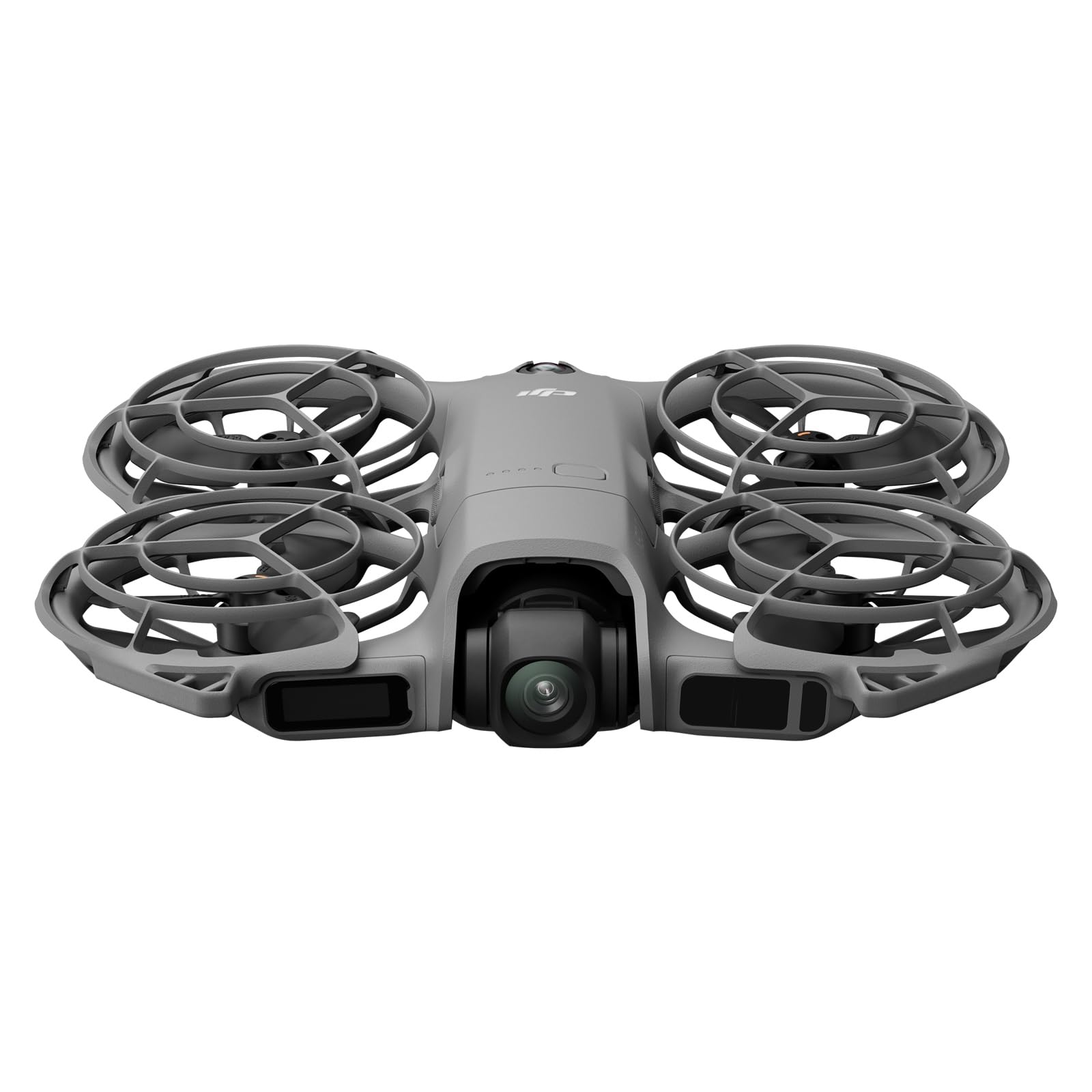
The indoor problem with most drones is not camera quality; it is the furniture. The Neo 2 is the first drone in this group we felt comfortable hovering near a bookshelf, because DJI pairs full-coverage propeller guards with omnidirectional obstacle sensing. At 151 g it is not a featherweight toy, but the guards and sensing make the space around it feel manageable. That combination is why it earns the top spot for indoor 4K footage.

Palm takeoff and gesture control make the first flight feel almost casual: you launch from your hand, frame with a gesture, and land back on your palm. The Drone Only kit means there is no physical controller in the box, so if you want sticks, plan for a compatible remote. For quick room tours and family clips, the app and palm controls cover the basics.

Video is the other reason to pay for the Neo 2. The 4K camera and stabilization produce footage that looks composed rather than frantic, and ActiveTrack keeps a subject centered while you concentrate on not clipping a lamp. For a small indoor drone, that is a lot of camera.

The Neo 2 is the pick for an adult or older teen who wants real footage and the confidence to fly close to walls. It is more drone than a young child needs, and the toy-class picks lower down are cheaper to replace. The guards and sensing are not accessories here; they are the reason it can live on a coffee table instead of a shelf.

Pros

  • Full guards plus omnidirectional sensing
  • Palm takeoff and gesture control
  • Stabilized 4K video with tracking

Cons

  • Short per-charge flight time
Our verdict

For safe 4K indoor footage, the Neo 2 is our default: full guards and omnidirectional sensing let you fly close to furniture without a controller.

Check Latest Price
2

Best Value 4K

DJI Neo

89 /100
Keeper Score Excellent

Key details

Video
4K
Weight
4.76 oz
Control Options
Controller-free, app, RC
Propeller Guard
Built-in
Check Price on Amazon

The Neo is the lower-cost way into DJI's palm-launch idea: 135 g, a built-in propeller guard, and 4K video in a package that disappears into a jacket pocket. The Neo 2's omnidirectional sensing is the clearest upgrade you give up with the Neo, so we fly it more deliberately around furniture. For a quick clip of a room or a pet, though, the essentials are here.

What we think: the Neo earns its place as the value 4K pick, especially if you want to launch from your hand and skip the controller. The built-in guard is less enclosing than the Neo 2's full coverage, but it still gives you a margin for error. We noticed the lighter weight makes it feel less intimidating in a small room.

Subject tracking and QuickShots are the fun part. The drone follows you, pulls back, or circles while you keep your hands free, and the footage is steadier than a toy camera's. You can also add a controller or use voice and app control. The controller-free experience is the simplest path to a usable clip; adding sticks is optional.

At 135 g, the Neo also stays below the FAA registration threshold for recreational flight, which makes it easy to toss in a bag for travel. For indoor work, its role is clear: the light, guarded 4K drone you use for quick shots, not the one you trust to sense every chair leg.

Pros

  • 4K video for less than the Neo 2
  • Built-in propeller guard
  • Palm takeoff and controller-free flight
  • 135 g and pocketable

Cons

  • Short per-charge flight time
  • Controller pairing can be inconsistent
Our verdict

We reach for the Neo when we want palm-launched 4K clips on a budget; its built-in guard and controller-free flight keep the setup simple.

Check Latest Price
3

Best for Young Beginners

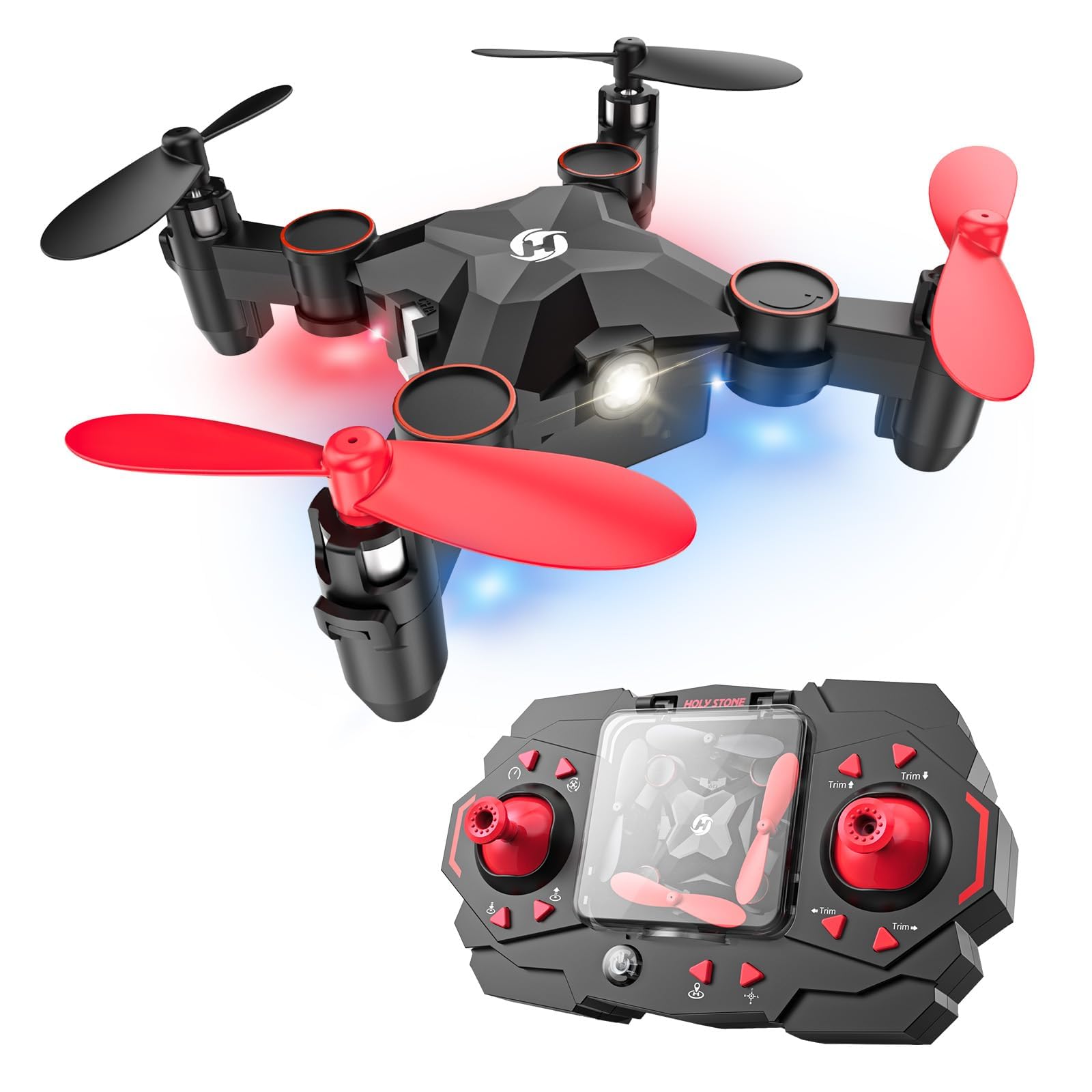
Holy Stone HS210

86 /100
Keeper Score Excellent

Key details

Weight
1.76 oz
Batteries
3 included
Flight Time
21 min total
Propeller Protection
Full protection
Check Price on Amazon

Three batteries is the detail that makes the HS210 a sensible indoor toy. The kit gives you a rotation instead of a single pack and a charging break. At 50 g with full propeller protection, it is light enough to bounce off a couch and guarded enough that we do not wince when it drifts toward a chair.

Altitude hold and headless mode do the real beginner work: the drone holds its height, and the controls stay relative to where you are facing instead of the drone's nose. One-key takeoff and landing, three speeds, and toss-to-launch round out a toy that is easy to start. The 1080p camera is a bonus, not the reason to buy.

We think the HS210 is the one to hand a young first-time pilot, especially with an adult nearby. It is not the most polished flyer in this group, but the low weight and guards make mistakes less costly. The three batteries matter more than the camera here; that rotation is what keeps a play session going.

Pros

  • Three batteries in the box
  • Full guards and a light 50 g body
  • Easy altitude hold and headless control

Cons

  • Short run time per battery
  • Durability varies after hard crashes
Our verdict

Hand this one to a young beginner: three batteries, full guards, and altitude hold make the HS210 forgiving for short indoor flights.

Check Latest Price
4

Best Obstacle Avoidance

SYMA X100

85 /100
Keeper Score Excellent

Key details

Weight
2.05 oz
Batteries
2 included
Flight Time
20 min total
Obstacle Sensing
4-way infrared
Check Price on Amazon

Obstacle avoidance is usually a spec-sheet phrase, but on the X100 it is the feature we noticed first. Four infrared sensors watch for obstacles within about a foot and nudge the drone away, which is exactly the kind of help a new pilot needs in a hallway. The fully enclosed guard backs that up. We think this is the most explicitly indoor-focused drone in the group.

The rest of the package is built for quick family sessions: one-key takeoff and landing, altitude hold, headless mode, and one-button 360-degree flips. Two batteries give you a total of about 20 minutes, split across packs. At 58 g, it is light enough for a child to carry and for a parent to feel okay about.

This is a fly-for-fun drone, not a camera platform, so do not expect aerial photos. The controls can feel sensitive at first; start on the low speed and give a new pilot room. For a cluttered playroom or a rainy afternoon, though, the sensing and full guard are worth more than a fancier camera.

Pros

  • Four-way obstacle sensing
  • Full enclosed propeller guard
  • Two batteries and 20 min total
  • One-key takeoff and altitude hold

Cons

  • Short per-charge run time
Our verdict

Tight rooms are where the X100 makes sense, with four-way infrared sensing and a full guard that help new pilots avoid walls.

Check Latest Price
5

Best Hands-Free Camera

HOVERAir X1

86 /100
Keeper Score Excellent

Key details

Frame
Enclosed foldable
Video
2.7K at 30 fps
Weight
4.41 oz
Flight Modes
Preset self-flying paths
Check Price on Amazon

The X1 is the one you can launch without a controller and let fly a preset path while you stand there. Palm takeoff, a foldable enclosed frame, and modes like Hover, Follow, Orbit, and Bird's Eye make it feel more like a tiny camera crew than a quadcopter. At 125 g, it is light enough to carry all day and enclosed enough to feel less exposed than a bare-prop drone.

We think it is the best hands-free camera in this group, and the footage is the reason. The triple stabilization and 2.7K video produce smooth clips, and the 12 MP stills are sharp enough for sharing. It is not a 4K spec monster, but the output looks more polished than the resolution suggests.

The X1 wants open floor. Its self-flying paths are happiest when you give them room to move, so a cluttered living room is not its natural habitat. The premium price puts it in a different category from the toy drones here, and the footage is what you are paying for. For travel clips and hands-free follow shots, the trade-off makes sense.

Pros

  • Preset hands-free flight paths
  • Palm launch and enclosed foldable frame
  • Smooth 2.7K stabilized video
  • 125 g and travel-friendly

Cons

  • Short battery life
Our verdict

The X1 is the hands-free choice for travel clips and follow shots; its preset paths and stabilization deliver polished footage without a controller.

Check Latest Price
6

No-Phone Flying

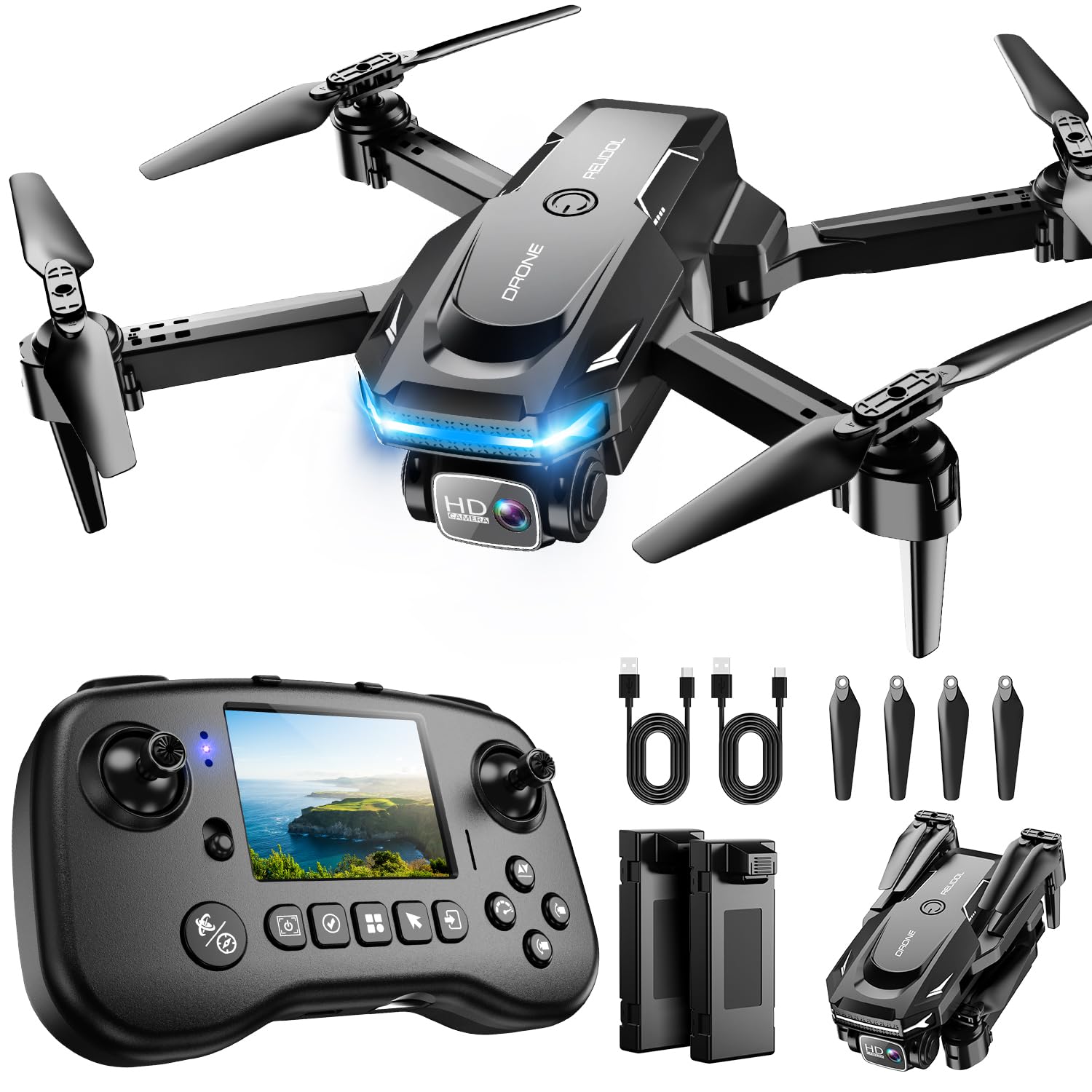
RELIDOL PK01

85 /100
Keeper Score Excellent

Key details

Video
1080p
Weight
4.06 oz
Batteries
2 included
Controller
Built-in screen
Check Price on Amazon

The PK01's best idea is the screen built into its remote. You get a live view without mounting a phone, which matters in a house where the phone is also the thing everyone else wants. The controller is still a physical remote, so a beginner has sticks rather than gesture-only control. That is a more traditional flight experience than the palm-launch drones here, and for some households it is easier to share.

The rest is familiar toy-drone hardware: a 1080p camera, two batteries, one-key start, altitude hold, 3D flips, and a foldable body. Two batteries give you a rotation, and the one-key start keeps the first flight simple. The screen is the feature that changes the routine, though; everything else is standard beginner fare.

We think the PK01 is the pick for older kids and casual flyers who do not want a phone in the loop. The screen makes setup feel faster, and the controls are easy to learn. For a first indoor flight with a young child, we still start with a fully guarded model and close supervision.

Pros

  • Built-in screen controller
  • No phone needed for live view
  • Two batteries included
  • One-key start and altitude hold

Cons

  • 1080p footage is casual-use only
  • Short per-charge flight time
Our verdict

If you do not want a phone in the loop, the PK01's screen controller makes live view simple for older kids and casual flyers.

Check Latest Price
7

Light-Up Kids Flights

HASAKEE Q9s

88 /100
Keeper Score Excellent

Key details

Camera
720p
Batteries
2 included
Dimensions
6.9 x 6.9 x 2 in
Propeller Guards
Four guards
Check Price on Amazon

The Q9s is a light show first and a camera drone second. Bright green and blue LEDs run through the frame, and the whole point is to watch it circle, flip, and glow against a dim room. At 6.9 inches square, it is small enough for a playroom but big enough to see.

Four propeller guards, two 500 mAh batteries, three speed levels, and one-button flips make it a classic kid-first quadcopter. The 720p camera is there for novelty, not for footage you plan to keep. Altitude hold and headless mode keep the controls approachable for a child who has never flown.

It suits a child who wants a light show and simple tricks, not a budding videographer. The controls are easy to start, and the full guards mean the inevitable bumps are less of a production. The lights are what keep a roomful of children watching, and the flips give them something to cheer.

We think the Q9s is worth it as a first light-up drone for a kid who is more interested in flips than footage. It is not the one we reach for when we want a stable camera, but it is the one that gets a roomful of children watching. The two batteries in the box make it easier to say yes to one more flight.

Pros

  • Bright LED frame
  • Full propeller guards
  • Two batteries included
  • Simple three-speed control and flips

Cons

  • Short per-battery flight time
  • Durability varies after hard crashes
Our verdict

Kids who want flips and glow get full guards, two batteries, and a bright LED frame in the Q9s; it is a toy first, a camera second.

Check Latest Price
8

Pocket-Size Flying

Holy Stone HS190

86 /100
Keeper Score Excellent

Key details

Range
96 ft
Camera
None
Weight
1.23 oz
Folded Size
2.44 x 2.44 x 0.94 in
Check Price on Amazon

The HS190 folds into its own controller, which is the whole trick. The folded drone measures roughly 2.44 by 2.44 by 0.94 inches, so it disappears into a pocket or a glove box. At 35 g, it is the smallest thing here, and the controller doubles as a carrying case.

Three speed modes, altitude hold, headless mode, one-key takeoff, and 3D flips give a beginner enough to do. The propeller guards are there for the inevitable wall taps, and the 96-foot range keeps it close to home.

This is a hallway-and-living-room drone, not a park flyer. The 35 g body means it is easy to carry and less intimidating in a small space, and the simple controls suit a quick session. It is the one we keep in a drawer for a rainy afternoon.

We think the HS190 is the pick for the smallest spaces and the shortest errands, the drone that lives in a pocket and comes out for a few minutes of fun. The folding controller is the reason it gets carried; the flying is simple enough that it does not need a setup ritual. It is a one-trick drone, but the trick is genuinely useful.

Pros

  • Folds into its controller
  • Full propeller guards
  • 35 g and pocketable
  • Three speed modes

Cons

  • No camera for photos or video
  • Very short flight time per charge
Our verdict

For the smallest rooms and pockets, the HS190 folds into its controller and flies as a 35 g guarded nano.

Check Latest Price

How We Tested Indoor Drones in Living Rooms, Not Labs

We started with more than 40 listings and cut anything that couldn't be flown safely in a room: no propeller guards, no altitude hold, or a body too big for close quarters. From what was left, we bought 16 drones across the price spread, from palm-sized toys to self-flying camera models, and flew each one for four months.

Every drone ran the same circuit: a hallway slalom between two doorframes, a hover over the coffee table with a dog wandering through, and a low pass beneath a ceiling fan. We launched each one five times and noted how often palm takeoff worked on the first try, then flew a few into walls and curtains at speed to see what the guards actually absorbed.

Battery life meant timing every flight to the low-battery warning and tracking how the numbers faded over weeks of charging. Durability meant dropping each from waist height onto hardwood and carpet, then checking props and guards for cracks. Kids and adults who had never flown anything rated ease of use after ten minutes with no instructions from us.

Size got judged two ways: how it handled a tight hallway and how small it packed down afterward. Stability came down to feel — whether the drone drifted when hands came off the sticks, whether it held altitude over a rug versus bare floor, and whether it still behaved the same in week twelve as it did on day one. Fun is unscientific, but we counted which ones got picked up again after testing was officially over.

How to Choose an Indoor Drone

Put Propeller Guards First

Indoor flying means walls, lamps, pets, and faces are all close. A full propeller guard or enclosed frame is the single most useful safety feature, especially for children; it also keeps blades from catching curtains or furniture. Weight matters too: a 50 g toy carries less momentum than a 150 g camera drone, but it can still sting. We do not treat mini as a synonym for indoor-safe on its own. Check that the guard is part of the design, not an optional extra.

Match Sensing to the Room

Altitude hold keeps a drone at a fixed height, while optical flow or infrared sensing helps it resist drifting. Obstacle avoidance is useful but limited: the SYMA X100's four infrared sensors look for obstacles within about 12 inches, which helps in a hallway but does not make it autonomous. For a cluttered room, choose a model with sensing and a guard; for an open floor, a stable hover and careful thumbs are enough. We prefer a stable hover and careful thumbs over extra range indoors.

Pick a Control You Will Use

Controller-free palm launch is quick for short clips, a phone app gives you a live view, and a screen built into the remote avoids handing over a phone. Physical sticks still give the most precise control around furniture. If you want both palm launch and stick control, check what is actually in the box, because some drone-only kits leave the controller out. For kids, fewer steps and a physical remote usually beat an app.

Plan for Short Flights

Small batteries mean short sessions; two or three packs are more useful than a bigger camera on a toy drone. Total flight time figures often add the included batteries together, so compare per-pack time and whether batteries charge in rotation. A 10-minute session is normal in this class. Buy spare batteries if the model supports them, and let packs cool before recharging.

Set Realistic Camera Expectations

A 720p or 1080p toy camera is for fun clips, not clean room tours; expect soft detail and some shake. Stabilized video from the DJI Neo 2 or HOVERAir X1 is a different class of footage, and it costs accordingly. If video is the point, prioritize stabilization and a reliable app over resolution alone; if flying is the point, spend the money on guards and spare batteries instead.

Frequently Asked Questions

Final Verdict

For most people who want one indoor drone that can safely capture usable footage, the DJI Neo 2 is the pick. Full-coverage guards and omnidirectional obstacle sensing are not marketing extras in a room full of furniture; they are what let you relax and fly.

If the pilot is a young child, the Holy Stone HS210 is the better first drone: it is lighter, comes with three batteries, and puts less at risk with every bump. For our own footage, the Neo 2 is the one we reach for.