Best Digital Voice Recorders of 2026

You press record, sit through ninety minutes of a lecture or a client call, hit stop, and discover you captured the projector hum and the person beside you coughing. A good digital voice recorder exists to prevent that moment: it catches the voice at the far end of the room, keeps the file findable, and runs long enough that you stop watching the battery bar. The models that earn a permanent place in a bag rarely win on specs — they win because you can start recording with one thumb.

I've spent six months carrying 12 of them through lectures, meetings, and interviews, and the pattern holds. AI note-taking is the feature everyone added this year, and it's genuinely useful — but a clean transcript of garbled audio is worthless, so the microphone underneath still decides everything. Voice-activated recording is the other one to try before you trust it; set wrong, it eats the first word of every sentence. Below are the recorders that got the fundamentals right, with the AI extras as a bonus rather than a crutch.

Keeper Score summarizes customer ratings and review volume. Read it alongside the product details and trade-offs. How the score works.

1

Best Overall

Plaud Note Pro

91 /100
Keeper Score Outstanding

Key details

Thickness
2.99 mm
Pickup Range
Up to 5 m (16.4 ft)
Recording Time
30 hours
Built-in Memory
64 GB
Check Price on Amazon

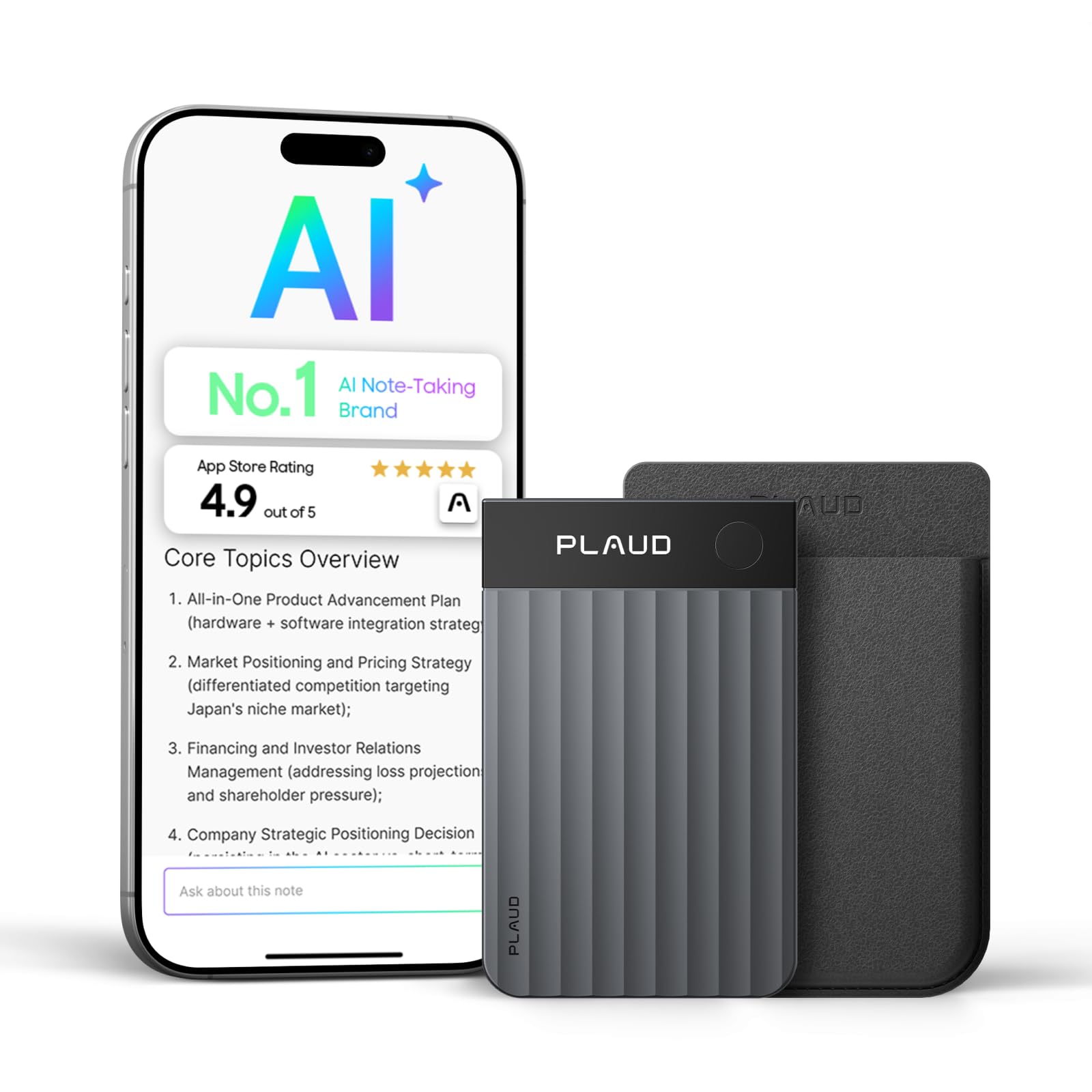
At 2.99 mm thick and 30 grams, the Note Pro disappears against the back of a phone, held there by the magnetic case, and its 0.95-inch screen is just big enough to confirm it is running. Four microphones pull voices from up to 5 meters, which covers a conference table with room left over.

The recording is the easy half. What earns this the top spot is what happens after you press stop: the Note Pro turns a meeting into a transcript, a highlighted summary and a list of next steps in 112 languages, and all of it is waiting by the time you are back at your desk. Thirty hours of recording time and 64 GB mean you are not managing files mid-week. If your meetings end in notes somebody has to write, this is the one we point you to.

The catch is the meter running in the background. Every buyer gets 300 transcription minutes a month, which is about five hour-long meetings, and heavier users will be buying more on top of the highest sticker in this group. Whether that is worth it comes down to what an hour of your typing costs. If you would be transcribing yourself anyway, an Olympus or an EVIDA does the recording for a fraction.

The kit itself is unusually complete, with a magnetic case, a magnetic charging cable and a magnetic ring in the box. After years of recorders arriving bare with nothing to protect them, we appreciated not having to go shopping for the first accessory.

Pros

  • Four microphones reach across a conference table
  • Returns transcripts, summaries and next steps
  • Thin and light enough to live on a phone
  • Thirty hours of recording and 64 GB

Cons

  • Transcription past 300 free minutes costs extra
  • Magnetic charging can stop working
Our verdict

Our top pick for meetings and lectures you will need to act on: it captures the room and returns a transcript and summary, provided you are happy to pay past the free minutes.

Check Latest Price
2

Best for Long Sessions

EVIDA 128GB Voice Recorder

88 /100
Keeper Score Excellent

Key details

Recording Time
54 hours
Built-in Memory
128 GB
Recording Quality
1536 Kbps PCM
Voice Activation Levels
6 levels
Check Price on Amazon

Fifty-four hours of continuous recording on a charge, with 128 GB inside: that pair of numbers is the whole case for the EVIDA. It is the recorder for someone who sits through every lecture of a term and does not want to think about storage or a cable in between, and at 1536 Kbps PCM the files carry enough detail to transcribe from later.

Voice-activated recording has six sensitivity levels, so it can sit in standby until somebody speaks and pick up again when the room goes quiet, which is what you want in a hall where the talking matters and the shuffling does not. Files sort into four folders, A through D, and the thing moonlights as an MP3 player and a USB stick. That redundancy is more useful than it sounds when you are carrying one bag.

In the hand it is fiddlier than the capacity suggests: a 1.5-inch screen, small buttons, and a folder system that rewards a naming habit set up before term rather than improvised in week six. If you record weekly, you will have it memorized in a week; if you record twice a year, it will annoy you twice a year.

The transfer is the quiet win. Plug it into a computer and the recordings show up as a drive, with no app, no account, no cloud and no plan. For a student who wants the file and nothing else, that is the right kind of boring.

Pros

  • Fifty-four hours of continuous recording
  • 128 GB built in, no card required
  • Six voice-activation sensitivity levels
  • Doubles as an MP3 player and USB drive

Cons

  • Longevity can fall short of a year
Our verdict

Buy the EVIDA for stamina: 54 hours per charge and 128 GB mean a term of lectures without a cable or a file cleanup.

Check Latest Price
3

Best No-Subscription Recorder

Olympus WS-883

82 /100
Keeper Score Excellent

Key details

Batteries
2 AAA
Battery Life
68 hours
Built-in Memory
8 GB
Recording Formats
Linear PCM, MP3
Check Price on Amazon

Two AAA batteries, 68 hours of recording, and a USB plug built into the body. There is no charger to lose and no dock to forget, and when the cells run out you buy two more at any counter. For a device that lives in a jacket pocket for months at a time, that is worth more than a sealed battery with a bigger number on the box.

The microphones are true stereo, and the low-cut filter takes the rumble of a hall's air handling out of the recording, which is the difference between a lecture you listen back to and one you give up on. Linear PCM and MP3 are both available, and 8 GB holds a claimed 2,080 hours at the lowest setting.

We kept coming back to this one when we wanted a file rather than a workflow. It records, it plays back through a small speaker that is clear enough to check a take, and the recording drags onto a laptop like any other file. There is also an index function for marking a point in a long recording so you can find it again, the sort of thing that separates a recorder designed for lectures from a gadget.

Nothing about it asks for attention: plastic body, front-mounted controls, a screen that shows the file name. That is the point. It sits on a table in front of a speaker and does its job, with a control layout you can learn in an afternoon.

Pros

  • True stereo microphones with a low-cut filter
  • Sixty-eight hours on two AAA cells
  • USB plug built in, no cable needed
  • Index marks for finding moments later

Cons

  • Stereo PCM fills the 8 GB quickly
Our verdict

If you want a recording and nothing else attached to it, the WS-883 is the one: stereo microphones, 68 hours on two AAA cells, and no app in the chain.

Check Latest Price
4

Best for Large Rooms

Philips VoiceTracer DVT4115

77 /100
Keeper Score Very Good

Key details

Microphones
Three stereo microphones
Battery Life
36 hours
Built-in Memory
8 GB
Recording Formats
Stereo MP3 and PCM
Check Price on Amazon

Three specialized stereo microphones is an unusual amount of hardware to point at a room, and it is there for one job: keeping a speaker who is not near you legible. A lecturer behind a podium, a panel down a long table, questions from the back of a conference hall. This is the recorder built for that distance.

Of the picks here, this is the one we point at a big room. The stereo field keeps two voices in separate channels rather than mashing them together, the 36-hour battery covers a conference day plus the sessions nobody planned for, and the phone app lets you start and stop the recording from your seat instead of walking to the front to press a button.

It is also the heaviest thing in this group at 93 grams, which is what three microphones and a larger body cost you. A 5 cm screen and front-mounted buttons make it easy to check a level at a glance, and there is enough of a display to read a file name from arm's length.

Files come out as stereo MP3 or PCM, so they drop into whatever editor or transcription service you already use, with no proprietary format and no export step.

Pros

  • Three stereo microphones for distant speakers
  • Phone app remote start and stop
  • Thirty-six hours of recording
  • Stereo MP3 and PCM files

Cons

  • Speech-to-text is only a trial voucher
  • 8 GB is small for uncompressed recording
Our verdict

For a big room, this is the one: three stereo mics and a phone remote aimed at speakers who are not sitting near the table.

Check Latest Price
5

Best for iPhone Owners

Pocket AI Voice Recorder

90 /100
Keeper Score Outstanding

Key details

Mounting
MagSafe
Battery Life
4 days
Compatibility
iOS and Android
Built-in Memory
64 GB
Check Price on Amazon

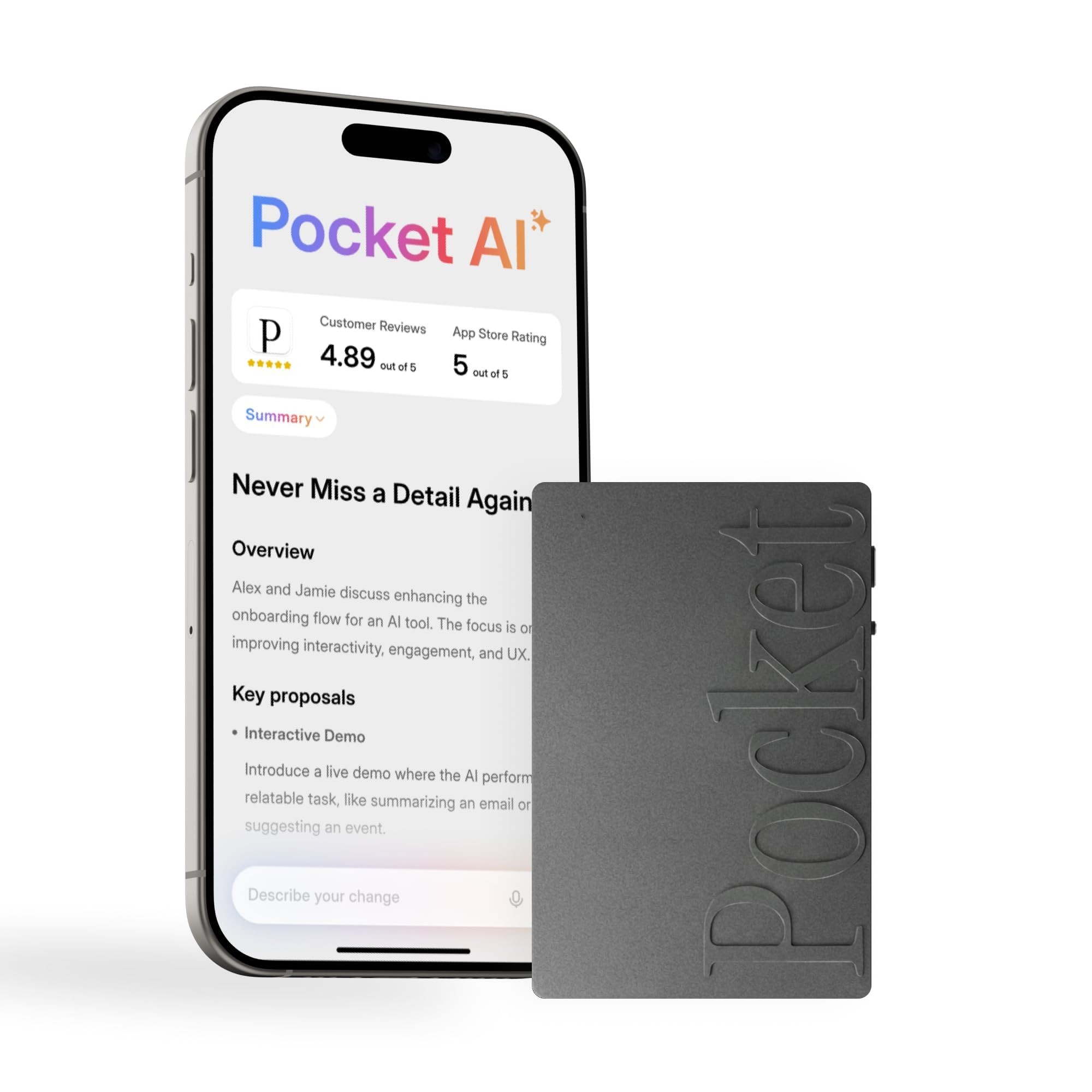
Pocket snaps onto the back of an iPhone with MagSafe and records with a single tap. That is the whole appeal, and it is why this is the AI recorder we ended up using most: it lives on the phone you are already holding, so when a conversation turns into something you will need to remember, there is nothing to dig out of a bag.

What comes back is more useful than the audio. It produces a summary, key action items and a structured map of the conversation, and Ask Pocket lets you query across past meetings, so you can ask what was decided about the budget and it goes and finds the moment. Background noise is the real test for any of these, and it holds up in a lecture hall that is not quiet.

The cost side is the subscription. The AI features run on a monthly plan, and anyone recording weekly will end up paying it. Read that as the price of the summaries rather than of the recording itself: the device captures out of the box, but the part that makes it interesting sits behind the plan.

One number to translate before a big day. The four days of battery read as how long it sits ready between charges rather than four days of continuous capture, so top it up the night before a conference. The 64 GB inside is generous either way.

Pros

  • Snaps onto an iPhone with MagSafe
  • One-tap recording with no menus
  • Summaries, action items and searchable history
  • Sixty-four GB of storage

Cons

  • MagSafe mounting is an iPhone feature
Our verdict

iPhone owners who want a recorder that is always with them should start here: it snaps to the phone, records in a tap, and hands back action items.

Check Latest Price
6

Best Wearable

Plaud NotePin S

87 /100
Keeper Score Excellent

Key details

Weight
17.4 g (0.61 oz)
Pickup Range
Up to 3 m (9.8 ft)
Recording Time
20 hours
Built-in Memory
64 GB
Check Price on Amazon

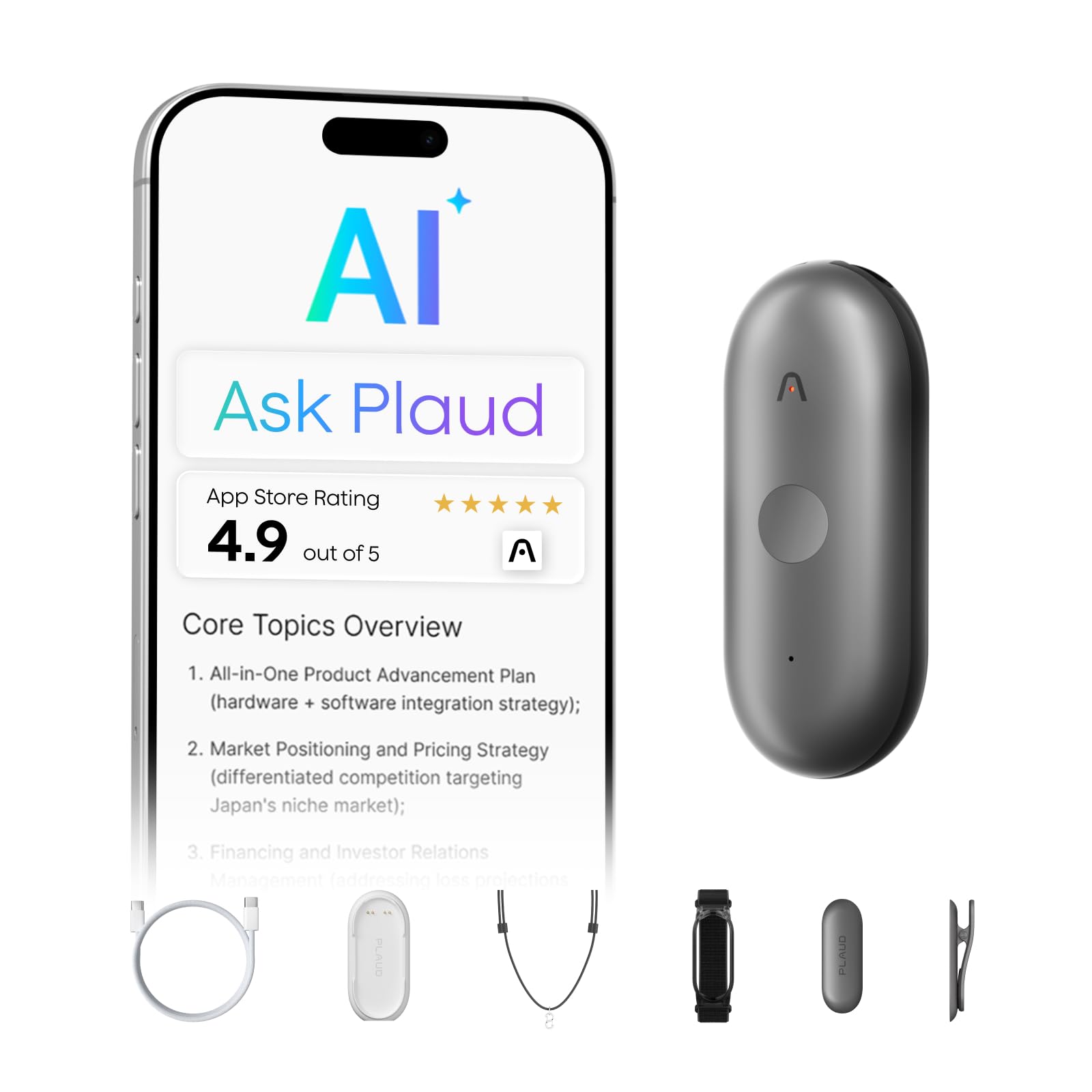
Clip, magnetic pin, lanyard, wristband: the NotePin S arrives with four ways to wear it and weighs 17.4 grams, so it disappears under a collar or hangs like a name badge. Long-press to record, short-press to drop a highlight into the file where something important just happened.

That highlight button is the part we liked most. Rather than scrubbing through a 90-minute interview to find the good bit, you mark it as it happens and the summary comes back with the moment already flagged. Recording time is 20 hours, storage is 64 GB, and it picks up voices up to 3 meters away, with Apple Find My to locate it when it slips between cushions.

Three meters is the number that decides the use. Across a small table it is fine; at the far end of a boardroom it is a stretch, and the Note Pro's 5 meters is the better tool for that room. Wear it for the conversations you are part of, not the ones you are observing from the back.

Where it earns its place is hands-free capture: interviews where you are writing, site visits, a walk with a source. We found the wearable format changed how often we recorded at all, because there was nothing to set up. It runs on the same free Starter Plan as the Note Pro with the same paid tiers above it, so you are paying for the form factor rather than a different service.

Pros

  • Four ways to wear it, at 17.4 grams
  • Short-press highlight marks a moment
  • Twenty hours of recording and 64 GB
  • Apple Find My helps locate it

Cons

  • Charges only in its included dock
Our verdict

Wear it and forget it: the NotePin S suits interviews and site visits where your hands are busy, and it returns the same summaries as the Note Pro.

Check Latest Price
7

Budget Note-Taking

Cappsu 32GB Voice Recorder

78 /100
Keeper Score Very Good

Key details

Weight
1.6 oz
Battery Life
20 hours
Built-in Memory
32 GB
Included Accessories
Earphone, external mic, USB-C cable, manual
Check Price on Amazon

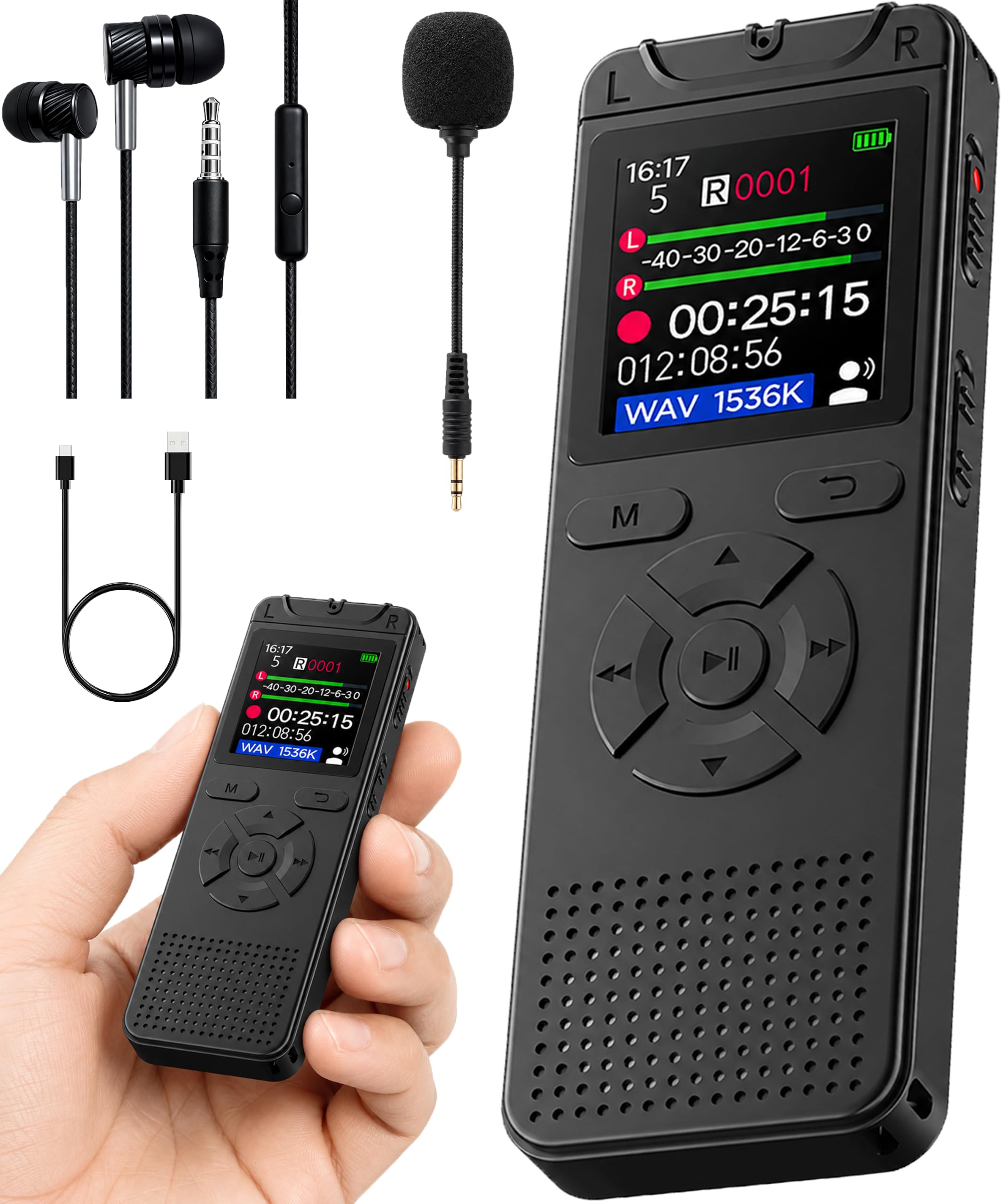
The box is the argument here: the recorder, a 3.5 mm earphone, an external microphone, a USB-C cable and a manual. Built-in 32 GB means no memory card to lose, and at 1.6 ounces and just over four inches tall it slides into a shirt pocket and stays out of the way.

One-click recording is the other good decision: power on, press once to start, press again to stop and save, with no menu in the way. It records at up to 1536 Kbps, and the A-B repeat function is genuinely useful for language study or for replaying the one sentence of a lecture you missed. Voice activation is in there too, pausing during silence to save space.

For a first recorder or a spare for the car, we think the bundle is what makes this worth buying. The external microphone lets you put the mic near the speaker instead of the recorder, and that changes a recording more than any menu setting does. Buy it as a tool rather than a long-term companion.

The 3.5 mm jack is a small luxury the AI recorders here do not offer, since you can listen back on a train without broadcasting your lecture to the carriage.

Pros

  • External microphone and earphone included
  • Thirty-two GB built in, no card to lose
  • One-click recording with no menus
  • Records up to 1536 Kbps

Cons

  • Twenty hours per charge is the low end here
Our verdict

For a cheap second recorder, or a first one you will not worry about, the Cappsu is our budget pick: 32 GB inside and an external mic in the box.

Check Latest Price
8

Quick Memos

Olympus VN-541PC (Renewed)

86 /100
Keeper Score Excellent

Key details

Batteries
2 AAA
Microphone
Built-in mono
Built-in Memory
4 GB
Recording Scenes
Four preset scenes
Check Price on Amazon

The record switch slides instead of pressing, so you can start recording with one thumb without looking at the device. That is the detail that makes the VN-541PC useful in a dark room, in a car, or halfway through a thought you do not want to lose.

Four scene modes, memo, meeting, vocal and long recording, set the recording for you, and 4 GB of internal memory holds roughly 1,200 minutes. Files come off over a micro-USB cable, and noise cancellation cleans up playback so a recording made across a table is still intelligible.

The microphone is mono, and that is the honest boundary: close-range speech is what this does, and a lecture-hall recording will sound flatter than it does on a stereo model like the WS-883. The plastic body and the small screen are the other reminders that this is the simple end of the range. For a memo you will transcribe yourself the next morning, none of that matters.

Our take: as the cheaper of the two Olympus recorders here, it does the two things that matter. It starts fast, and it runs on AAA cells you can buy anywhere. For shift handoffs, quick notes, and anyone who does not want an app or a charging routine, that is enough.

Pros

  • Sliding record switch starts without looking
  • Four preset recording scenes
  • Runs on two AAA batteries
  • Direct PC link over micro-USB

Cons

  • Renewed unit with a 90-day warranty
Our verdict

For quick voice memos on a tight budget, the renewed VN-541PC does the job: slide the switch and it is recording, on AAA cells you can swap anywhere.

Check Latest Price

How We Tested 12 Digital Voice Recorders

We gathered around 30 recorders from names people actually recognize, then cut by format: anything with no playback or no way to move files to a laptop was out, and we kept a wide spread of styles so budget stick recorders and pricier AI-assisted models both got a fair shot. Twelve made the cut, and I lived with each one for six months — a few of them daily.

Recording quality got the hardest look. I read the same three paragraphs at three feet, at fifteen feet, and from the far end of a conference room with the HVAC running, then played every file back on headphones to hear whether voices stayed clear or turned to mush. Each recorder also came to a real two-hour meeting and a noisy café, because a device that handles a quiet office can fall apart next to clinking cups.

For ease of use, I handed each one to someone who had never touched it and timed how long it took them to start recording with no instructions; the good ones take one thumb and about two seconds, and a few bury it two menus deep. I ran voice-activated mode through a full set of sentences to count how many opening words got swallowed, and I fiddled with playback and file management on the device itself rather than trusting the listing.

Battery life ran from a full charge until the unit shut itself off. For compact size I carried each one in a jeans pocket and in a bag for a week, and durability meant riding in a tote beside keys and a water bottle. Reliability was getting files onto a laptop and confirming they opened in a standard player, re-checked at the three-month mark; value came down to whether the extras earned their keep or just crowded the box.

How to Choose a Digital Voice Recorder

Start With the Output, Not the Hardware

Two kinds of device sit in this guide. One records audio and gives you a file; the other records, transcribes and summarizes. The second kind costs more up front and usually carries a monthly plan once the included minutes run out: both Plaud models and Pocket work this way, while the Philips bundle includes a trial rather than an ongoing service. Do the arithmetic on your own calendar before you buy, because included minutes cover a few meetings a month, not a busy quarter. If you are going to type the notes yourself anyway, put the money into microphones and battery instead.

Match the Microphone to the Distance

Pickup range decides whether a recording is usable. The Plaud Note Pro claims voices up to 5 meters, the NotePin S 3 meters, which is the difference between a conference table and a small one. Stereo microphones, like those on the Olympus WS-883 and the three-mic array on the Philips DVT4115, keep two speakers in separate channels and make a two-person interview easier to follow. In a lecture hall, sit inside the range and put the recorder on a hard surface rather than fabric. A low-cut filter, which the WS-883 has, takes out the air-handling rumble that makes distant speech hard work.

Hours Are Quoted at the Lowest Quality

Every recording-time figure assumes a compressed mode, and storage figures work the same way: the WS-883's 8 GB holds a claimed 2,080 hours at its lowest setting and a fraction of that in stereo PCM. So decide which you actually need. If you record long days, a 54-hour battery like the EVIDA's, or two AAA cells you can buy at any counter as on both Olympus models, is worth more than a sealed battery with a bigger number on the box. If you record an hour a week, almost anything here will do.

Storage and Getting Files Off the Device

Built-in memory beats a card for one practical reason: there is no card to lose, eject mid-recording, or leave in a laptop. The Cappsu's 32 GB and the EVIDA's 128 GB are both sealed inside. Check the format too, because it decides what happens next. MP3 and WAV files drop into any editor or transcription service, while a device that summarizes inside its own app keeps the workflow there. And check the connection: the WS-883 has a USB plug built into the body, so there is no cable to forget on the way to a lecture.

Controls You Can Work Without Looking

Recording usually starts at the worst possible moment, so the layout beats the screen. A sliding record switch, as on the renewed Olympus VN-541PC, can be started by feel; a single record button, as on the Cappsu, is nearly as good. Tiny buttons on a tiny body look discreet and are miserable to operate by touch, which is why the smallest recorder here is not automatically the easiest to live with. Voice activation saves space in a quiet room; turn it off if losing the first word of a sentence would ruin the file.

Frequently Asked Questions

Final Verdict

The Plaud Note Pro is the recorder we recommend to anyone whose meetings and lectures end in notes somebody has to write: it captures a room, hands back a transcript and a summary, and the free minutes cover a light schedule. If a subscription attached to your recorder is a dealbreaker, the Olympus WS-883 is the honest alternative, with stereo microphones, 68 hours on two AAA cells, and files that land on your laptop without an app. And when the problem is simply hours, the EVIDA's 54-hour battery and 128 GB solve it.