Best Cameras for Stop Motion Animation of 2026

Stop motion looks like magic until you try it with the wrong camera: the focus drifts between frames, the software refuses to see the camera, and the battery dies before your clay character takes its first step. What you actually need is a camera that holds a frame, connects without drama, and is small enough to live on the kitchen table for a rainy afternoon. I’ve shot plenty of wobbly test animations with my kids, and over the past six months my team and I have put 14 stop-motion-friendly cameras through their paces, from USB kits to compact camcorders.

Resolution means little if autofocus hunts every time a puppet moves; a cheap webcam can beat a fancier camcorder if it offers clean manual focus and reliable USB tethering. We weighed video and image quality against value, ran batteries down during long shoots, and noted compact size, touchscreen controls, and whether the setup stayed fun after the first afternoon. The picks below made animation feel less like troubleshooting and more like play.

Keeper Score summarizes customer ratings and review volume. Read it alongside the product details and trade-offs. How the score works.

1

Best Overall

Stopmotion Explosion Complete Kit

79 /100
Keeper Score Very Good

Key details

Capture
USB camera plus Animator software
In The Box
Camera, mount, mic, book, software
System Support
Windows 7-10, OS X 7.1+
Camera Resolution
1920 x 1080
Check Price on Amazon

A camera, a mount, a microphone, a printed handbook and the animation software, all in one box — the completeness is the whole argument. Stop motion goes wrong at the moment the camera moves, refocuses, or needs a hand on the shutter for every frame, and the fix is a camera that lives on the end of a USB cable with software watching it. This kit is the shortest route to that setup, and it is the reason it holds the top spot here.

Two details show it was designed for animation rather than for vlogging. The body is low-profile, so it can sit down close to tabletop height instead of looming over a LEGO set on a tall tripod. And the focus ring is the upgraded easy-turn type: you set focus once and it stays, because nothing in the camera is hunting for a face between frames. Add the mount, the step-by-step book and the free tutorial videos, and you have the part most kits skip — knowing what to do on frame one.

The camera itself is the modest part, and it is worth being clear-eyed about that. It is a 1080p unit, which is exactly enough for a 1080p finish and nowhere near a stills camera for prints. Test it the day the box arrives: plug it in, capture a dozen frames, confirm the picture is clean while returns are still easy. A kit that sat in a closet until a birthday is the worst position to be in if the camera turns out to be the dud.

Against the Zu3D kit you give up the clay and the green screen and gain a mount, a focus ring and a book that assumes you know nothing. Our favorite thing about it is how little it asks: no account, no registration, just a download and a USB port. It packs down to roughly the size of a hardback, which is how it survives a term in a classroom.

Pros

  • Camera, mount, book, and software in one box
  • Manual focus ring holds between frames
  • Low-profile body sits near tabletop height
  • Step-by-step book plus free video tutorials

Cons

  • Windows and macOS only, no iPad app
  • 1080p camera with modest optics
Our verdict

If you want to be capturing frames tonight without buying anything else, this is the kit we point you to: camera, mount, book, and software for Windows or Mac.
Check Latest Price
2

Best for Kids and Families

Zu3D Stop Motion Kit

79 /100
Keeper Score Very Good

Key details

Capture
USB webcam or iPad camera
In The Box
Webcam, green screen, clay, mini-set, handbook
System Support
Windows, Mac, iPad
Software Licenses
Two perpetual licenses
Check Price on Amazon

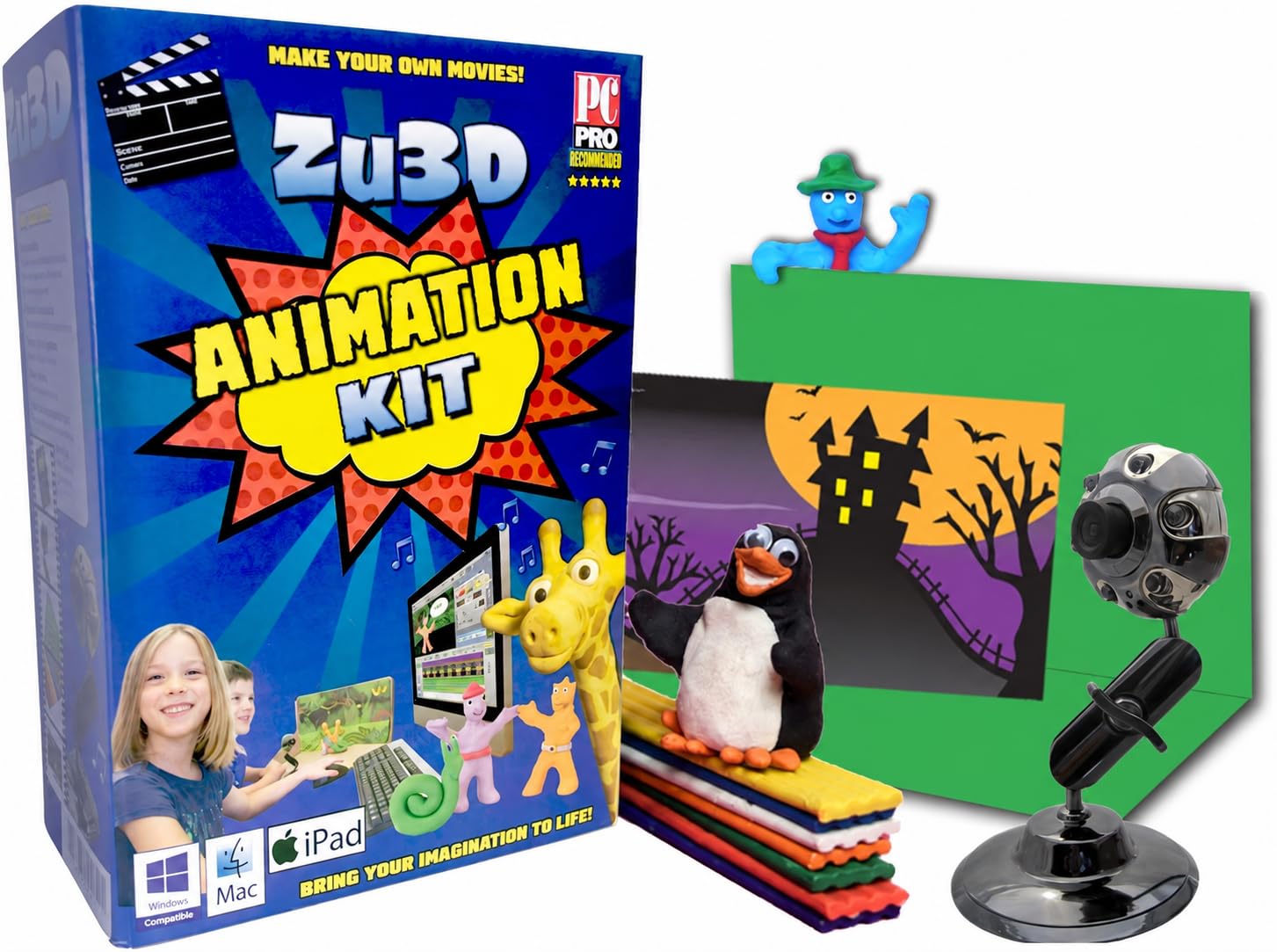
The smartest thing about Zu3D is that the camera is not the only way in. On an iPad the app uses the tablet's own camera, so the included USB webcam only has to work on a desktop — and if it never gets along with a particular computer, the project does not die. That one design choice makes this the safest kit to buy for a household with mixed hardware.

The box is generous: a green screen, eight strips of modeling clay, a mini-set, a handbook and two perpetual software licenses. That last detail matters more than it sounds — two children can animate at once, or a teacher can put it on a classroom machine as well as a home one. Titles, music and sound effects are built in, so a kid can have a dinosaur behind a clay figure on the first afternoon.

The webcam is the part to think about. Give the set real light and it performs respectably; leave it in a dim room and the image goes muddy. In a house that has both a desktop and a tablet, treat the tablet as the primary camera and the webcam as the backup.

It costs more than the Stopmotion Explosion kit, and the difference goes on craft materials and a second license rather than a better camera. But we appreciate that the craft side is done properly: the clay, the backdrop and the handbook are all there, which is not true of most kits that call themselves complete.

Pros

  • Runs on Windows, Mac, and iPad
  • Green screen, clay, and mini-set included
  • Two perpetual software licenses
  • Handbook and video tutorials get beginners going

Cons

  • Included webcam needs generous light
  • Costs more than the other complete kit
Our verdict

The kit we hand to a family with kids: clay, green screen, handbook and two software licenses, plus an iPad app that keeps the project alive if the webcam misbehaves.

Check Latest Price
3

Best Camera-Only Pick

Stopmotion Explosion Webcam

79 /100
Keeper Score Very Good

Key details

Focus
Manual focus ring
Weight
5 oz
Connection
USB 2.0 or 3.0, plug and play
Resolution
1920 x 1080
Check Price on Amazon

Buying only the camera is the right move when the software side is already sorted — a Stop Motion Studio or Dragonframe household does not need another license. What it needs is a camera that stays focused and stays put. This webcam is the least expensive way into the category, and it is built for exactly one job.

The five-element lens is the specification that matters. It is heat-resistant precisely so focus does not creep as the camera warms up over a long session, which is the failure that ruins a take you cannot easily re-shoot. Manual focus means you set it on the puppet's eyes once and it holds, and it focuses close enough to sit at the edge of a tabletop set rather than a foot above it.

Two practical points, and both are the kind of thing we check before recommending a webcam. The mount is a flex stand with a clip rather than a rigid bracket, so clamping it to a shelf or a stand is how you keep it still — a wobbly mount undoes everything the lens does. And the operating system pairing is not neutral: Macs are the friendlier match, while some Windows 10 machines simply will not see the camera. Test the connection while the return window is open, before you build a set around it.

We were also struck by how little there is to configure. No drivers on either platform, no companion app, no account — it shows up as a USB video source and the capture software takes it from there. The built-in microphone is fine for scratch audio and not much else, which is a fair trade for a camera-only buy.

Pros

  • 1080p sensor with a lens that resists focus drift
  • Manual focus ring locks on a subject and holds
  • Plug-and-play USB video source, no drivers

Cons

  • Microphone is basic scratch-audio quality
Our verdict

If you already own frame-capture software, this is the camera we recommend: 1080p, manual focus, and a lens built to stop drifting mid-scene.

Check Latest Price
4

Best Full-Size Camcorder

Uytya X70 5K Camcorder

84 /100
Keeper Score Excellent

Key details

Video
5K at 20fps, 4K at 60fps
Stills
64MP
Weight
2.5 lb
In The Box
32GB card, two batteries, tripod, mic, remote
Check Price on Amazon

The webcam is the purist's answer; this is the practical one. It is a full-size camcorder that happens to include the three accessories that make animation easier — a tripod, a remote and an external microphone — plus manual focus, which is the feature that separates a camera you can animate with from one you cannot.

Manual focus means you lock on a puppet and know it will not refocus when a hand crosses the frame. The 3-inch screen flips through 270 degrees, so you can frame from the front of the set instead of crouching behind it. Webcam mode over USB is the tethered route into capture software, and time-lapse mode is the fallback when there is no computer in the room. Recording while charging matters more than it sounds: a long session outlasts any battery.

A 2.5-pound body is steady on a tripod and tiresome in a jacket pocket, and the 16X zoom is digital, so it is for the school play rather than the set. We paid least attention to the 5K headline — stop motion finishes at 12 to 24 frames per second, where 1080p is plenty. The manual controls, the tripod and the two batteries are what earn the price.

It is the most expensive camera in this group, and the bundle is why. If you need one device that films the holiday and then holds still for a puppet, the extra buys a tripod, a microphone and the longest warranty listed here.

Pros

  • Manual focus locks and holds between frames
  • Tripod, microphone, remote, and two batteries included
  • Webcam mode and time-lapse give two capture routes
  • Records while charging for long sessions

Cons

  • Heaviest camera here at 2.5 pounds
  • 16X zoom is digital, not optical
Our verdict

Buy this when one camera has to do the animation test and the family video: manual focus, a tripod and a microphone in the box, and webcam mode for tethered capture.

Check Latest Price
5

Tight Desk Setups

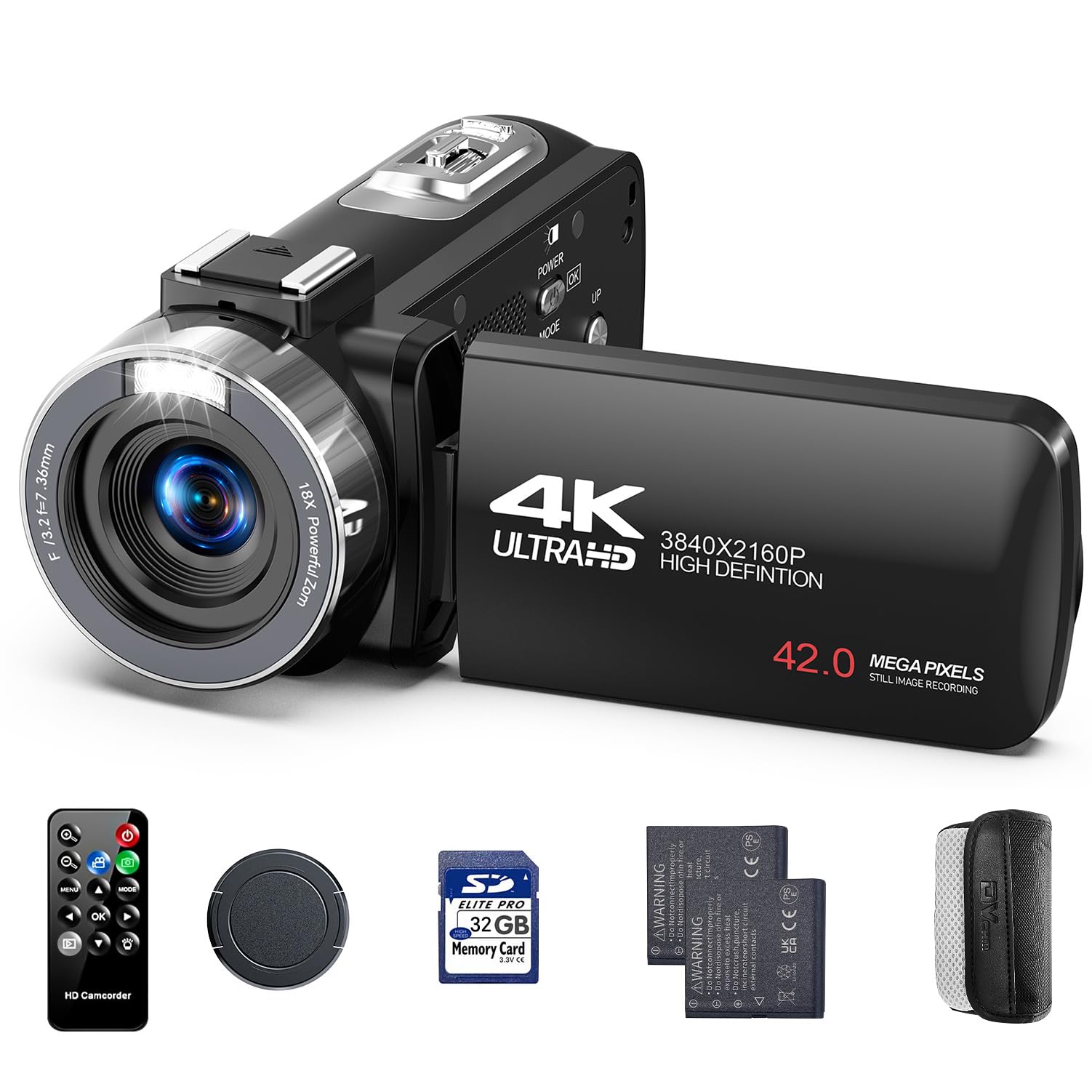
CAMWORLD AC13B Camcorder

86 /100
Keeper Score Excellent

Key details

Video
4K at 30fps
Stills
42MP
Weight
1.15 lb
In The Box
32GB card, two batteries, remote, case
Check Price on Amazon

At 1.15 pounds this is the lightest camcorder here, and that matters more than it sounds. A camera that hangs off a clamp or a small tripod above a table needs to be light enough that the mount is not fighting it; a heavy body on a light stand drifts between frames, and drift is the one thing you cannot fix afterwards.

Fixed focus is the other half of the story, and for animation we think that is the right call. Nothing hunts, nothing shifts when a hand crosses the frame, and the picture stays consistent from the first frame to the last. The trade is that the set has to sit at the distance the lens likes; move the table and you re-set the whole rig. The remote works from about 20 feet, so you can start recording without touching the camera, and the 3-inch screen rotates through 270 degrees for framing from the front.

It is the most sensible low-cost camcorder for this job, because its compromises land where a stop-motion shoot does not care. 4K at 30 frames per second is more than enough for playback, the 18X digital zoom is for the soccer field rather than a locked-off set, and 90 minutes per battery covers a session with the spare in reach. Two batteries, a 32GB card and a case come in the box, so the only thing left to buy is something to clamp it to.

One thing to check before you commit: shoot a test frame at the distance your set will actually use and confirm it is sharp. Fixed focus is only fixed — it is not sharp everywhere.

Pros

  • 1.15 pounds, easy to clamp above a set
  • Fixed focus stays consistent frame to frame
  • Remote starts recording from about 20 feet
  • Two batteries, 32GB card, and case in the box

Cons

  • No manual focus, so the set distance is fixed
  • 18X zoom is digital only
Our verdict

The lightest camcorder in this group and the highest-rated: fixed focus that never hunts, a remote that works from 20 feet, and webcam mode for a clamped desk rig.

Check Latest Price
6

Software-Free Capture

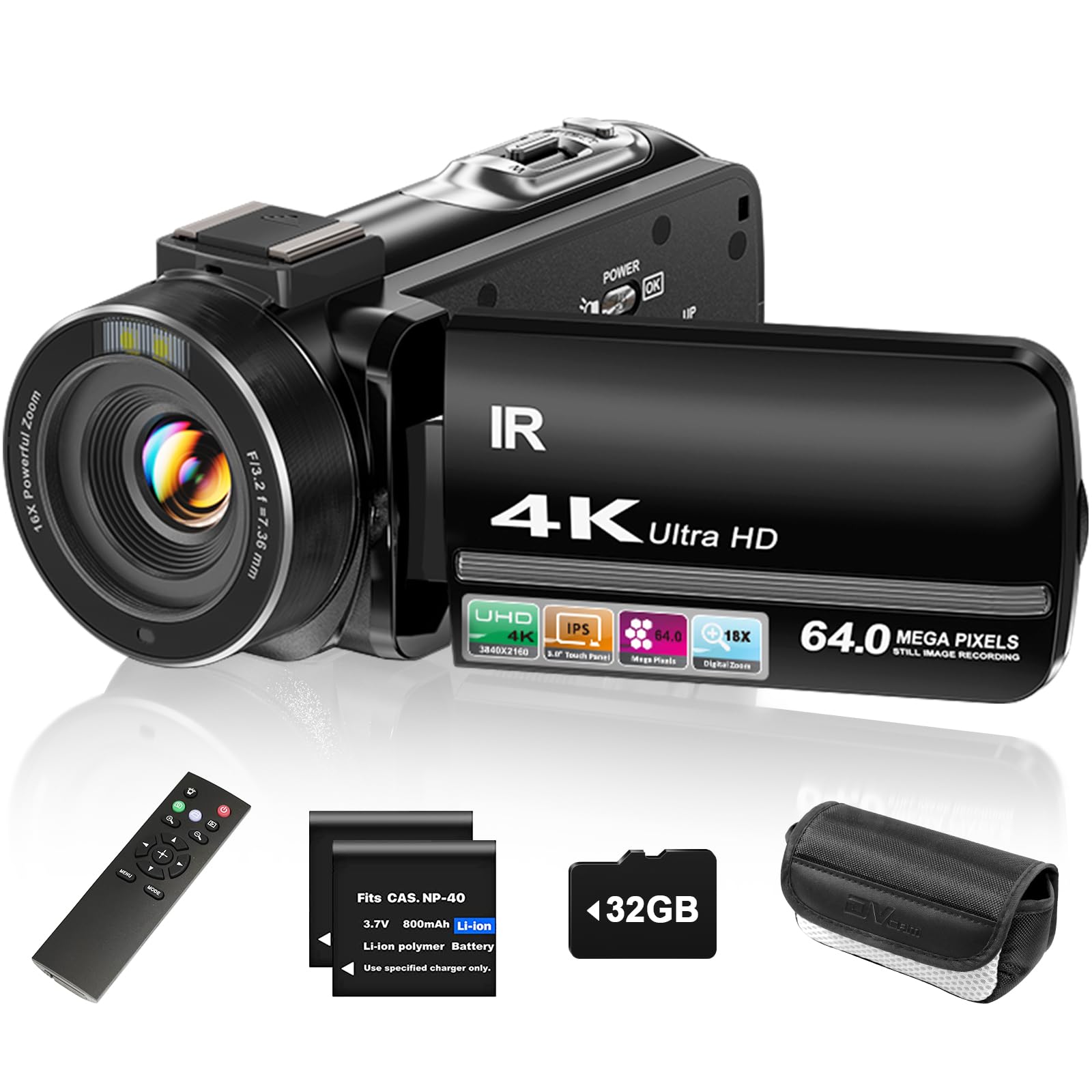
ZYDIIE HDV-3051L Camcorder

83 /100
Keeper Score Excellent

Key details

Video
4K
Stills
64MP
In The Box
32GB card, two batteries, remote
Shooting Modes
Time-lapse, slow motion, self-timer
Check Price on Amazon

Not everyone wants a laptop sitting next to the set. Time-lapse mode is the workaround: the camera fires on an interval, you move the puppet between shots, and the sequence plays back as animation. It is the crudest capture route here, and the one that needs the least — a camera, a tripod and a spare battery.

The rest of the package is built for convenience. A 32GB card, two batteries and a remote come in the box, so there is no first-night shopping list. The 3-inch screen rotates 270 degrees and takes touch input, the camera records while charging over USB, and webcam mode gives you a second, tethered route into capture software when you want to review frames as you go.

Fixed focus is the limitation to plan around: the lens is focused at a set distance and relies on depth of field, so your set has to live inside that band. The 18X zoom is digital, which is no use when the camera is two feet from a puppet, and the touchscreen is more of a convenience than a control surface.

Where it earns its place is as the low-friction option: card, batteries and remote in the box, a screen you can frame from, and two ways to get frames without buying software. We keep coming back to it for the evenings when setting up a laptop feels like more work than the animation.

Pros

  • Time-lapse mode captures frames with no computer
  • Webcam mode tethers to capture software over USB
  • 32GB card, two batteries, and remote included
  • 270-degree touchscreen frames from the front

Cons

  • Fixed focus limits where the set can sit
  • Digital zoom only, no optical
Our verdict

For animators who do not want a laptop tethered to the set, this is the pick: time-lapse capture, webcam mode, and a 32GB card and two batteries in the box.

Check Latest Price
7

Budget Focus Control

kimire 604S Camcorder

84 /100
Keeper Score Excellent

Key details

Focus
Manual focus
Video
1080p at 15fps
Memory
SD/SDHC up to 128GB, not included
Stills
24MP
Check Price on Amazon

A focus ring is the difference between a cheap camcorder and a cheap camcorder you can animate with. This one focuses manually, which means you set it on the puppet and it stays there — no face detection deciding the background is more interesting halfway through a take.

The rest of the specification reads like the budget camera it is: 1080p video at 15 frames per second, a 16X digital zoom, and no memory card in the box. Almost none of that matters for animation. You shoot stills rather than video, and the 24MP still mode is the number that counts; the 3-inch screen rotates through 270 degrees for front-of-set framing; and the camera works as a USB webcam, which is how frames get into capture software without anything touching the body.

What surprised us is how much of the job that one control does. Two batteries and recording while charging mean a session does not die at the wrong moment, and the picture is decent for frames and soft enough that we would not shoot a live-action project on it. As a second camera left clamped over a set, or a first camera for a kid who has outgrown a toy, it is honest value.

Pros

  • Manual focus ring sets and holds
  • 24MP stills, two batteries, recording while charging
  • Works as a USB webcam for tethered capture
  • Least expensive camcorder in this group

Cons

  • No memory card included
  • 1080p video at 15fps is choppy for live action
Our verdict

The least expensive camcorder here with a manual focus ring, plus webcam mode and two batteries — just budget for a memory card.

Check Latest Price

How We Chose and Tested the Cameras

We started by researching the formats people actually use for stop motion—USB cameras that plug into animation software, all-in-one kits, and compact camcorders with webcam modes—then filtered for price, size, connection type, and whether the controls made sense for frame-by-frame work. That left 14 cameras, which we tested over six months on kitchen tables, in a craft room, and on weekend shoots with clay figures and paper cutouts.

For each one, we mounted it on a small tripod and shot a 30-to-60-frame sequence of a clay figure walking across a sheet of paper. We watched for focus drift between frames, checked whether autofocus hunted in low evening light, and—where manual focus was available—racked focus by hand to see if it stayed put. We also connected every camera to Windows and Mac computers, opened it in stop-motion software, and noted whether it was recognized immediately or needed driver fiddling. Menu lag and touchscreen response got noted too, since those slow down a shoot fast.

Battery life got its own test: we started a long capture and kept shooting until each camera shut down, then timed how quickly a spare battery got us running again. We judged video and image quality by looking at color, detail in fingerprints and clay seams, and compression artifacts, not just resolution. Compact size was checked by packing each camera into a backpack and setting it up on a narrow desk. Finally, we compared what came in the box—software licenses, green screens, clay, memory cards, extra batteries—against buying those pieces separately, and asked which setup we actually wanted to use again.

How to Choose a Camera for Stop Motion Animation

Decide how the frames get in

There are three routes. A kit with capture software and a camera in the same box is the fastest. A camera with a USB webcam mode can feed any capture app that accepts a webcam, which is how several camcorders here become animation tools. The third route is to shoot frames one at a time and import them afterwards: slowest, but the best picture for the money.

We rank them in that order for a first project, because every route except the first two asks you to touch the camera between frames, and that is where the wobble comes from. Whichever you choose, confirm the software sees your camera before you build a set around it. It is a two-minute test and a week of frustration if you skip it.

Mount it like it matters

In a finished film, a shift of a millimeter between frames reads as a jump. Look for a tripod thread, or a body light enough to clamp to a shelf, and prefer a camera you can trigger from a remote or from the software over one you press by hand. Weight cuts both ways: a 1.15-pound camcorder is easy to hang over a table, while a 2.5-pound body is steadier but needs a mount that deserves it.

The trap is the light tripod on a carpeted floor, which drifts when somebody walks past. Tape the legs down, keep the set off the same table as your elbows, and treat the mount as part of the camera budget rather than an afterthought.

Set focus and exposure once

Autofocus is the enemy here: it will decide the background is more interesting somewhere around frame 200. Manual focus or a fixed-focus lens both work, provided the set stays at a constant distance from the camera. A cheap manual focus ring beats an expensive autofocus system for this job, which is why two of our picks are chosen on that one control.

Exposure matters for a subtler reason. A camera that re-meters every frame brightens and darkens as a puppet crosses the light, and that flicker cannot be fixed afterwards. Where the camera offers manual exposure or an exposure lock, use it. Where it does not, keep the lighting constant and keep your hands out of the beam.

Ignore the numbers that don't help

Camcorder listings sell 5K, 64 megapixels, 18X zoom and night vision, and none of it improves a locked-off shot of a clay figure two feet away. Digital zoom is worse than useless on a set: it crops and softens a frame you had already framed correctly. Stop motion finishes at 12 to 24 frames per second, so a clean 1080p frame is genuinely enough.

What does matter is close focus, a card with room for several hundred stills, and power that lasts a session, whether that is two batteries or recording while charging. Spend the difference on a mount, a spare card and a second lamp instead of on a bigger number.

Frequently Asked Questions

Final Verdict

Buy the Stopmotion Explosion Complete Kit if you want the shortest distance between opening the box and capturing a frame: camera, mount, book and software, on Windows or Mac, with a focus ring that holds. If there is an iPad in the house and a child who wants clay and a green screen, the Zu3D kit is the better family buy, because the tablet app keeps the project alive if the webcam misbehaves.

And if the software side is already solved, buy the webcam on its own and put the difference into a clamp that will not move.