Best 4K Video Cameras of 2026

A 4K camera is supposed to make video look easy, but the category splits into two tribes: pocket gimbals that slip into a jacket and camcorders with enough zoom to pull a face out of a crowd. The tradeoff is real—portability versus reach, simplicity versus control—and most shoppers end up guessing which one they'll actually carry. What you're really solving for is a camera that records clean 4K without asking you to babysit a manual.

Over six months, I've shot a dozen of these cameras—from palm-sized gimbals with one-inch sensors to full-size camcorders with 20x optical zoom and budget models with night vision and WiFi—on a soccer sideline, at a farmers market, and at a birthday party. Differences show up fast: some nail autofocus and stabilization but drain a battery before the second half, while others offer clean HDMI output but feel like a brick in a daypack. I also checked low-light footage, file compatibility, reliability, and whether menus made sense. Value matters—a budget model can be a fine start, and the picks below show where to spend.

Keeper Score summarizes customer ratings and review volume. Read it alongside the product details and trade-offs. How the score works.

1

Best Overall

DJI Osmo Pocket 3

89 /100
Keeper Score Excellent

Key details

Sensor
1-inch CMOS
Weight
6.31 oz
Stabilization
3-axis mechanical gimbal
Video Resolution
4K at up to 120fps
Check Price on Amazon

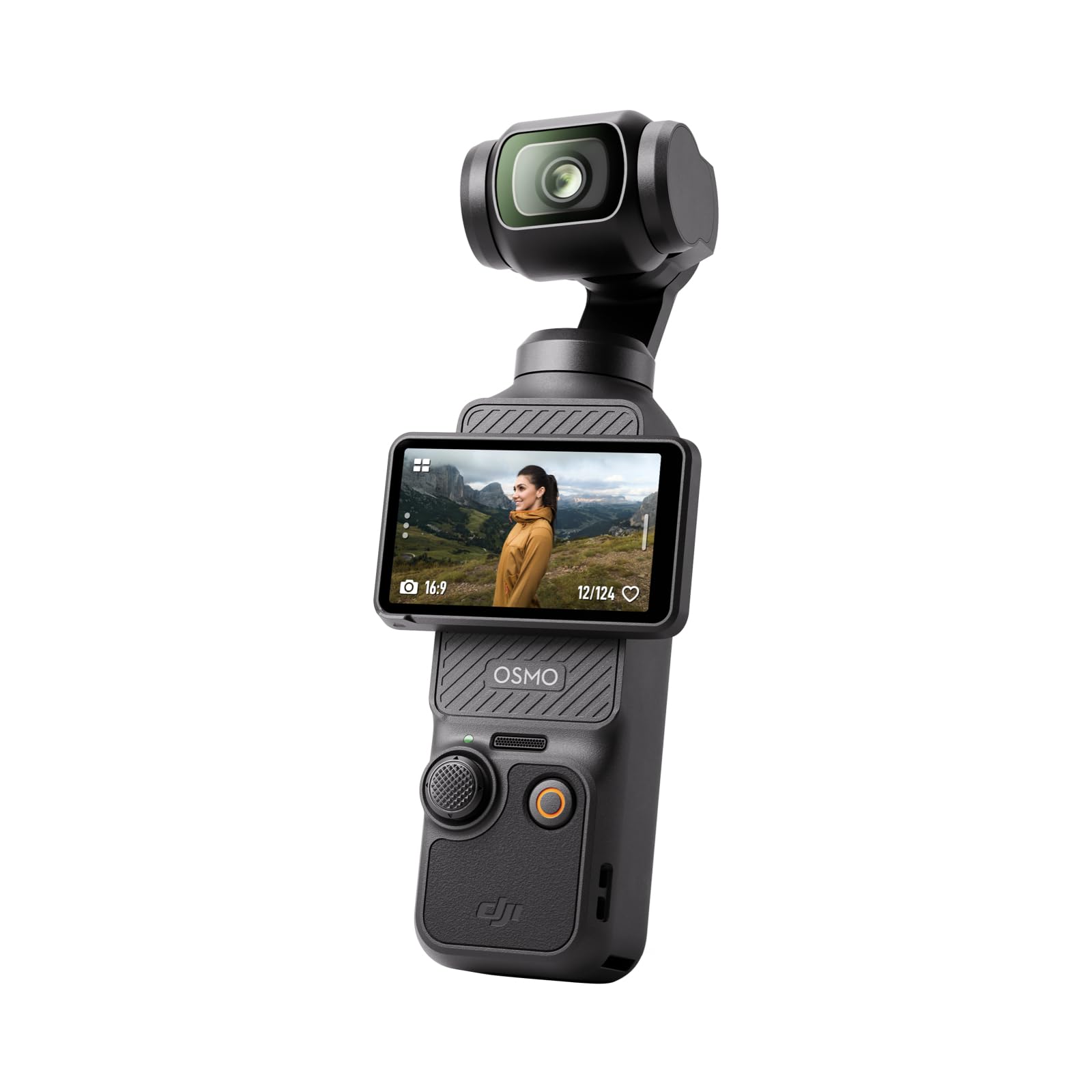
A 1-inch sensor and a three-axis mechanical gimbal in a body that weighs 179 grams is the combination that makes the Osmo Pocket 3 our top pick. The 2-inch screen rotates for horizontal or vertical framing, and 4K at up to 120fps gives you slow-motion headroom without dropping resolution. That is a lot of video capability for something that disappears into a jacket pocket.

We like it because it takes the two most common causes of bad casual footage — shaky hands and awkward framing — and fixes them in hardware. The gimbal is doing real work here, and ActiveTrack 6.0 can keep a face centered while you set the camera on a tripod and move around. The flip screen also makes it easy to monitor yourself when you are filming solo. The 1-inch sensor is a real step up from the small sensors on budget camcorders, especially indoors, and the fast autofocus helps when you are chasing a moving subject. The rated 166 minutes is enough for a day of short clips, not a full event, so bring a power bank for longer shoots. It is not weather-sealed, so keep it out of rain. For travel, vlogging, and family video, it is the one we reach for first.

Pros

  • 1-inch sensor and 4K/120fps video
  • Mechanical gimbal steadies handheld shots
  • Pocketable 179 g body with rotating screen

Cons

  • Reliability can include gimbal or power faults
Our verdict

For most people who want excellent 4K without a bag of gear, we recommend the Osmo Pocket 3: the gimbal and 1-inch sensor do the heavy lifting.

Check Latest Price
2

Best Traditional Camcorder

Canon VIXIA HF G70

85 /100
Keeper Score Excellent

Key details

Sensor
1/2.3-inch CMOS
Optical Zoom
20x
Recording Media
Dual SD card slots
Video Resolution
4K UHD
Check Price on Amazon

The 20x optical zoom is the reason the VIXIA HF G70 earns a place for events: it lets you frame a speaker from the back of a room without turning the image into mush. The 1/2.3-inch CMOS sensor and DIGIC DV6 processor record 4K UHD, and the hybrid autofocus uses face detection to keep a subject sharp. We also appreciate the dual SD card slots, which let you keep recording if one card fills. For a camcorder that weighs 16 ounces, it covers a lot of ground.

We like the HF G70 because it behaves like a traditional camcorder when you need one. The 3.5-inch screen is big enough to frame and review without squinting, the 20x zoom is smooth enough for live events, and UVC livestreaming over USB means you can use it for a meeting or a stream without a capture box. The time-stamp recording is a small but useful detail for anyone documenting interviews or evidence. It is not the most connected camcorder here — there is no Wi-Fi — but the HDMI and USB outputs cover the wired work.

The compromise is the small sensor: it is happiest outdoors or under controlled lighting, and dim rooms need added light. If your work is mostly stage performances, weddings, or daytime sports, the zoom and dual slots are the reason to choose it. If you shoot mostly handheld close-up footage, a gimbal camera is the better fit.

Pros

  • 20x optical zoom holds distant detail
  • Dual SD slots and UVC streaming
  • Light 16-ounce body with 3.5-inch screen

Cons

  • Premium price for a small-sensor camcorder
Our verdict

We reach for the HF G70 when the shot needs a long zoom and a reliable camcorder body; it is our traditional pick for events and live streaming.

Check Latest Price
3

Best for Professional Work

Canon XA60

79 /100
Keeper Score Very Good

Key details

Weight
1.6 lb
Battery Life
4 hours
Optical Zoom
20x
Video Resolution
4K UHD
Check Price on Amazon

The XA60's handle unit is the first thing that separates it from Canon's less expensive camcorder: it gives you a comfortable grip, a microphone holder, and a control layout that makes a long shoot less fiddly. The 20x optical zoom and 1/2.3-inch CMOS sensor are familiar from the HF G70, so the step-up is about handling and connections rather than a bigger image sensor. It records 4K UHD and has a 3.5-inch touchscreen.

The rated four-hour battery is the spec that stands out for event work; it can cover a ceremony or a full day of interviews without a swap. USB-C UVC output lets you stream HD to a computer, and the mini-HDMI port is there for a monitor or a switcher. We also like that the handle unit gives you a microphone mount and a more stable grip when you are shooting handheld for a long time. It is a working camcorder, not a lifestyle camera.

We see the XA60 as the choice for a working shooter who wants a camcorder that can be handheld or rigged, and who values the handle and the long battery more than pocketability. The small sensor still needs light, so it makes the most sense for events, interviews, and run-and-gun work in controlled conditions. Casual shooters will get more value from the HF G70 or a gimbal camera.

Pros

  • Handle unit with microphone holder
  • Four-hour rated battery
  • 20x optical zoom and UVC streaming

Cons

  • Premium price for a working camcorder
Our verdict

If your work depends on a handle unit, long battery life, and pro connections, the XA60 earns its premium; casual shooters can do better elsewhere.

Check Latest Price
4

Best Budget

ZYDIIE 4K Camcorder

83 /100
Keeper Score Excellent

Key details

Screen
3-inch 270° touchscreen
Digital Zoom
18x
Included Storage
32GB card
Video Resolution
4K
Check Price on Amazon

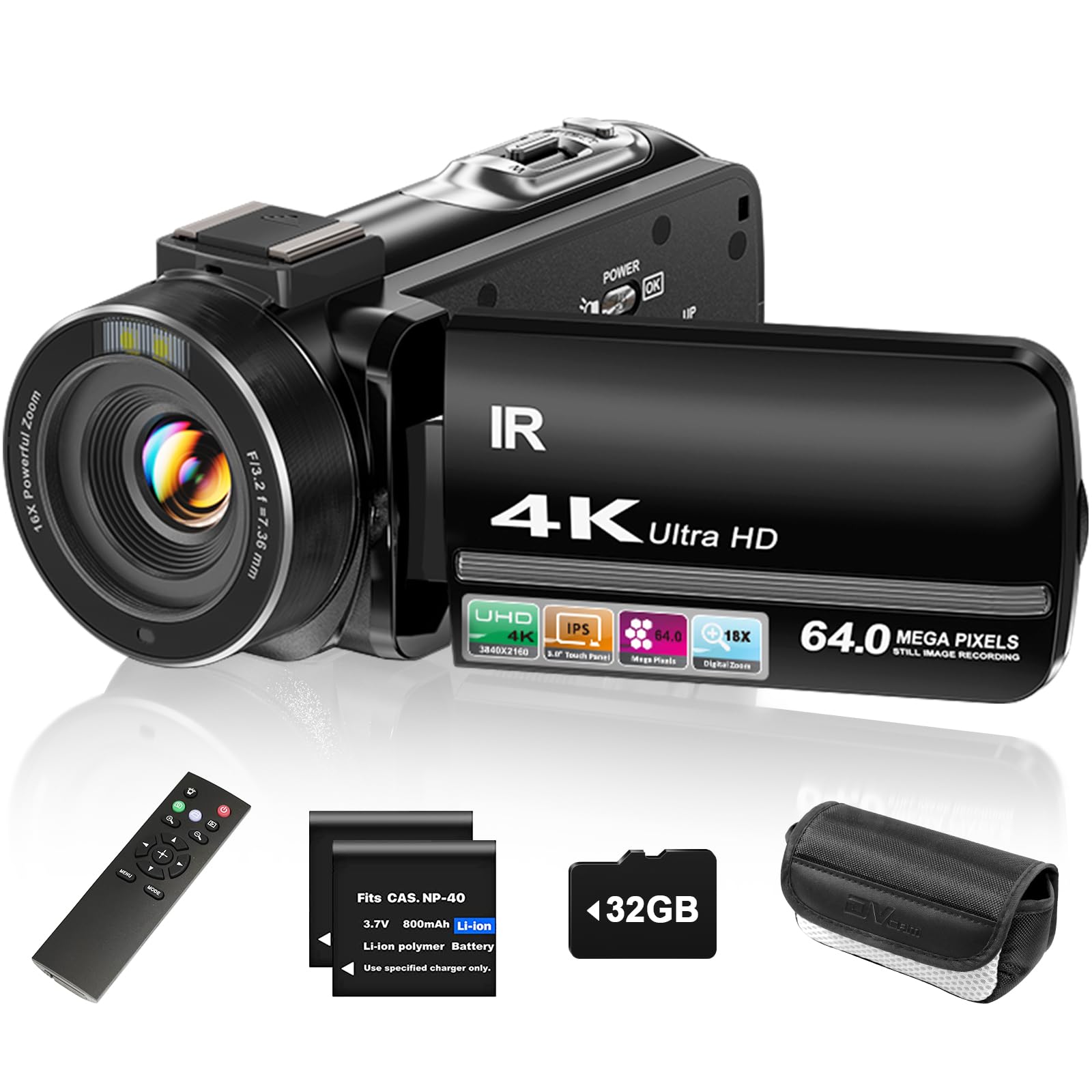
The ZYDIIE arrives with the stuff that usually costs extra: a 32GB card, two batteries, a remote, and a charging cable. For a first camcorder, that completeness is the appeal. It records 4K video and 64MP photos, has a 3-inch touchscreen that rotates 270 degrees, and includes infrared night vision. The body is lightweight enough to hand to a teenager or pack for a family trip.

We recommend it for family videos and beginner vlogs because the rotating screen lets you frame yourself, and the controls are simple enough to learn without a manual. The included remote is handy for group shots, and the two batteries mean you can keep shooting after the first one drains. In good light, the 4K footage is clear enough for social media and everyday memories. It is not a camera for dim rooms; the small sensor wants daylight. If you want a cheap way to start recording video without buying a bag of accessories, this is the one we point to.

If you need optical zoom or professional audio, the Canon camcorders are the better fit. For school plays, birthday parties, and casual travel clips, the ZYDIIE gives you a complete kit and a rotating screen without asking you to learn a complicated menu system.

Pros

  • Complete starter kit with card and batteries
  • 270-degree rotating screen for self-framing
  • Lightweight body and simple controls

Cons

  • Digital zoom softens distant detail
  • Fixed focus limits close-up work
Our verdict

We recommend the ZYDIIE as the budget pick for family videos and first vlogs, as long as you accept digital zoom and a small sensor.

Check Latest Price
5

Best Pocket Vlogging Camera

VENOPTIX 4K Vlogging Camera

83 /100
Keeper Score Excellent

Key details

Lens
330° rotating lens
Screen
1.72-inch touchscreen
Battery Life
3 hours
Video Resolution
4K at 30fps
Check Price on Amazon

The 330-degree rotating lens is the VENOPTIX's party trick, and it is a genuinely useful one: you can point the camera at yourself, at a subject in front of you, or at an angle without turning the whole body around. We like it for solo creators who set the camera on a table and talk to it, because the 1.72-inch touchscreen and face tracking do the framing work. It records 4K at 30fps and 75MP photos, and the built-in WiFi lets you transfer clips to a phone.

The autofocus is fast enough for everyday vlogging, and the face-tracking mode keeps a moving subject centered in video. The body is compact and light enough to carry in a jacket pocket, and the rotating lens makes it more versatile than a fixed-lens pocket camera. The rated three-hour battery is enough for a day of short clips, not a full event. For travel clips, social media, and desk-bound vlogging, it is an easy camera to recommend.

Pros

  • 330-degree rotating lens simplifies framing
  • Face tracking and fast autofocus
  • Pocketable body with WiFi sharing

Cons

  • 4x digital zoom only
  • Small sensor struggles in low light
Our verdict

The VENOPTIX is for solo creators who want a pocket camera that can swing its lens around; it is the easiest framing tool here.

Check Latest Price
6

Best Gimbal Alternative

Xtra Muse

88 /100
Keeper Score Excellent

Key details

Sensor
1-inch CMOS
Weight
9.91 oz
Stabilization
3-axis gimbal
Video Resolution
4K at 120fps
Check Price on Amazon

The Xtra Muse is the closest thing here to a lower-cost Osmo Pocket 3: a 1-inch sensor, 4K at 120fps, and a three-axis gimbal in a handheld body. It also adds 10-bit X-Log color, which is a real advantage if you grade your footage. The 2-inch touchscreen rotates for horizontal and vertical shooting, and the 281 g body is still small enough to carry all day. The 4K footage is the main event, and the 9.4MP stills are fine for thumbnails rather than serious photography.

We like it as a budget-conscious alternative for vloggers who want mechanical stabilization without paying top-pick money. The gimbal and 1-inch sensor are the reasons to choose it over a phone or a budget camcorder, and the X-Log profile gives you more room to fix color in post. It is a short-shoot camera rather than an all-day event recorder, but that is a familiar trade-off in this class.

The compatibility note we flag: DJI wireless microphones do not pair with it, so plan on a wired mic or a different wireless system. That is a real inconvenience if you already own DJI audio gear, but it does not affect the footage. For a lower-cost entry into gimbal video, the Xtra Muse earns its place.

Pros

  • 1-inch sensor and 4K/120fps
  • 3-axis gimbal and 10-bit X-Log
  • Lower-cost route to gimbal video

Cons

  • Battery life can fall short on long shoots
Our verdict

We like the Xtra Muse as a lower-cost way into a 1-inch gimbal camera, provided you check microphone compatibility before you commit.

Check Latest Price
7

Feature-Packed Starters

MWIRB 8K Camcorder

80 /100
Keeper Score Excellent

Key details

Audio
External microphone included
Digital Zoom
18x
Stabilization
6-axis digital anti-shake
Video Resolution
8K at 15fps; 4K at 30fps
Check Price on Amazon

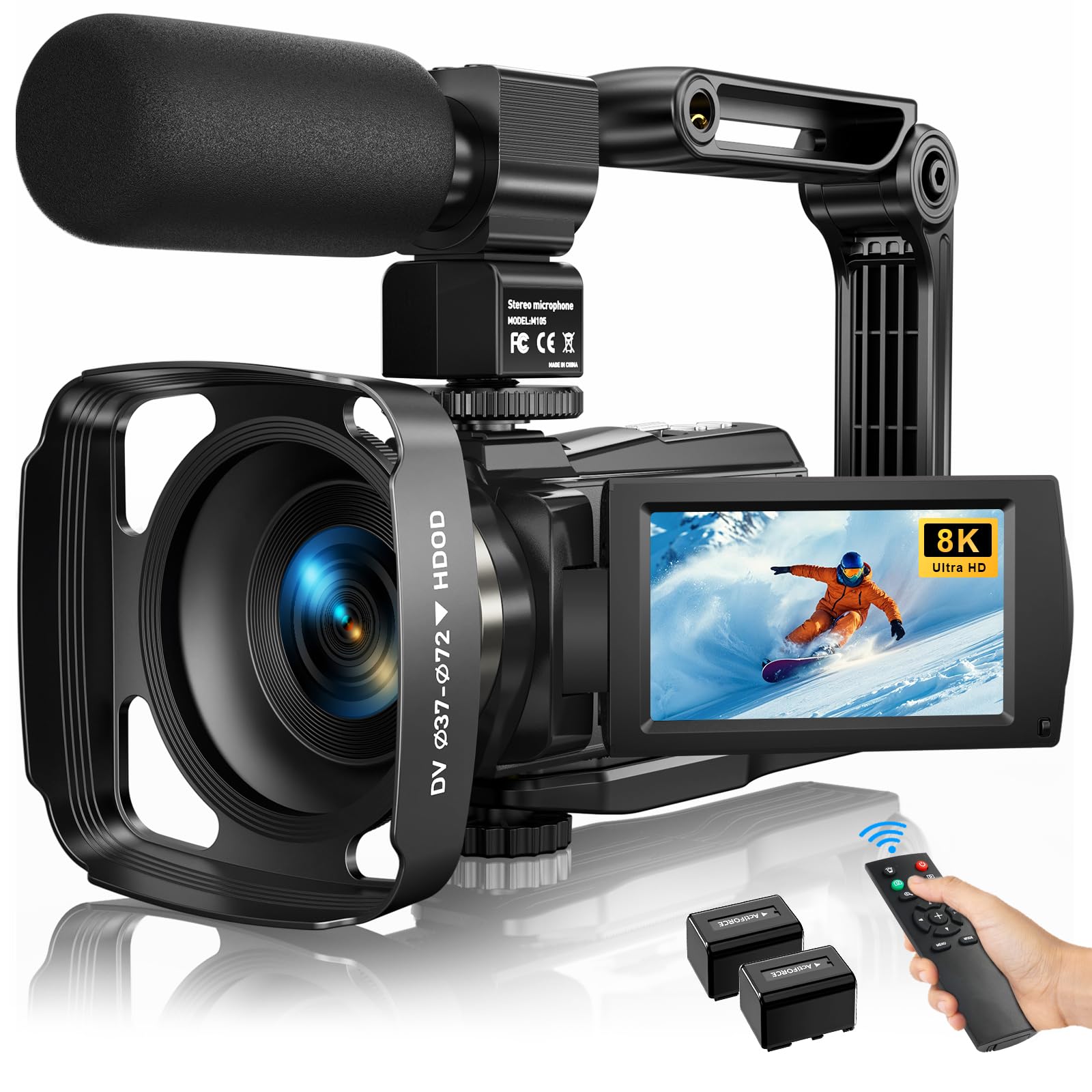
The MWIRB's most useful extra is not the 8K badge; it is the external microphone in the box. Budget camcorders often fall down on audio, so a bundled mic is a real head start for interviews and YouTube. The kit also includes two batteries, a handheld stabilizer, a remote, a lens hood, and a carrying bag. That is a lot of accessories for a starter camera.

The camera records 4K at 30fps, has a 3-inch touchscreen that rotates 270 degrees, and supports WiFi app control. The 18x digital zoom is there for framing. We see it as a feature-heavy first camcorder for someone who wants to try interviews, vlogs, or family documentaries without buying a separate mic.

The 8K mode is a headline, but it runs at 15fps; 4K at 30fps is the mode that makes sense for motion. The autofocus is automatic, and the fixed f/2.2 aperture means you are relying on light rather than depth of field. The external mic and the rotating screen are the parts we value most, because they solve problems that budget shooters actually hit.

We recommend it to beginners who want a bundle that covers video and audio in one order, and who understand that the 8K label is not the reason to buy. If you need reliable autofocus, optical zoom, or a mechanical gimbal, spend more on a Canon camcorder or a DJI Pocket 3. For a first step into video with a microphone included, it is a practical pick.

Pros

  • External microphone included
  • Two batteries and a full accessory bundle
  • WiFi app control and rotating touchscreen

Cons

  • Digital stabilization only
Our verdict

The MWIRB is a feature-packed budget camcorder for creators who want an external mic and a big headline; treat 8K as a bonus, not the reason.

Check Latest Price
8

Long Budget Shoots

Suttie 4K Camcorder

93 /100
Keeper Score Outstanding

Key details

Screen
3-inch 270° IPS screen
Digital Zoom
18x
Video Resolution
4K
Battery Recording
65 minutes per battery
Check Price on Amazon

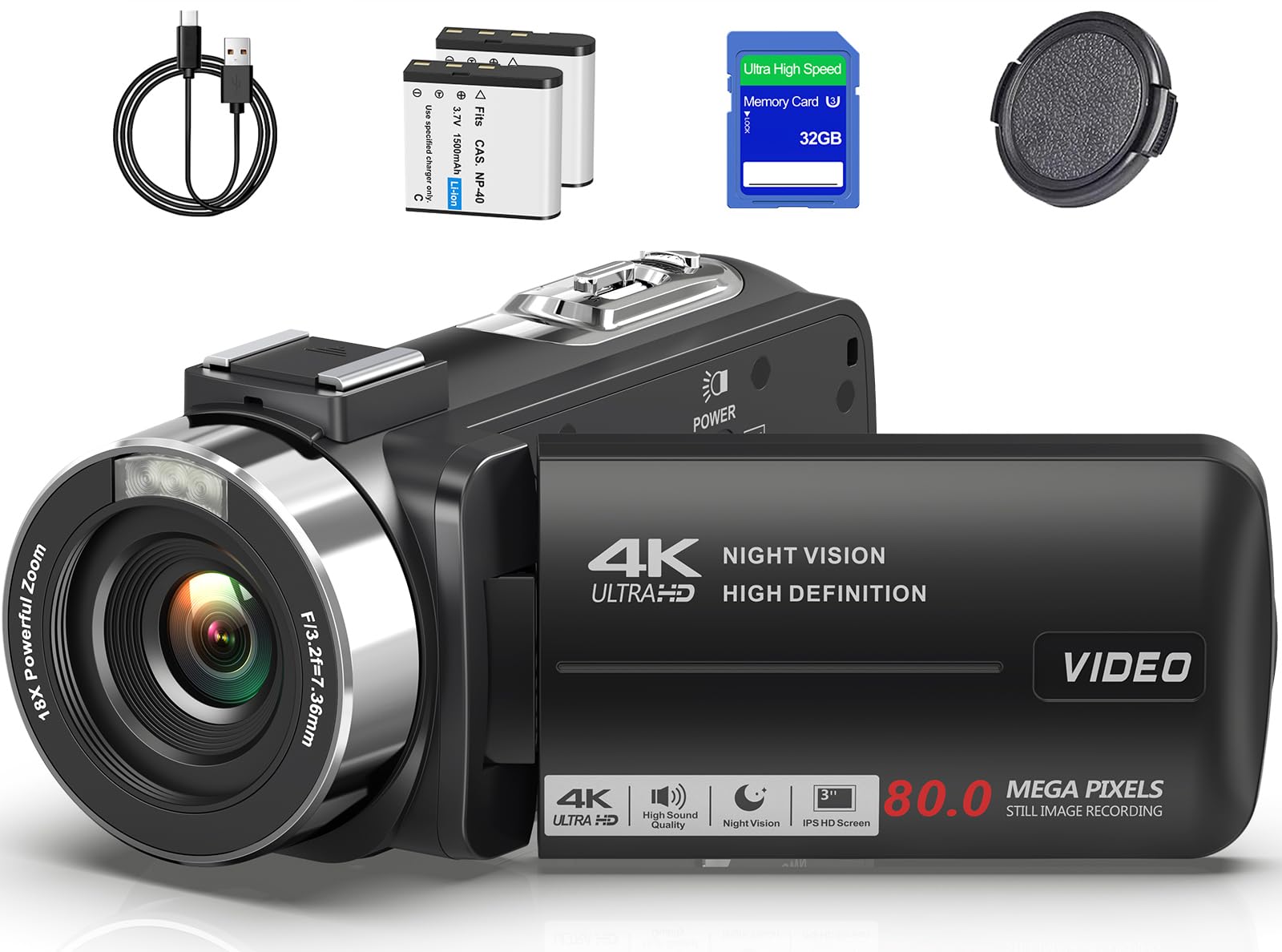
Two 1,500mAh batteries, each rated for up to 65 minutes of 4K recording, are the most concrete reason to consider the Suttie. That is a useful margin for a budget camcorder, and the kit includes a 32GB card and a carrying case. The 3-inch IPS screen rotates 270 degrees, and the 18x digital zoom is there for framing.

The camera records 4K video and 80MP photos, and the 0.5-second autofocus is quick for a budget model. The screen rotates so you can frame yourself, and the included card and case mean you can start recording without a second order. We see it as a straightforward starter camcorder for family video, travel, and simple vlogs.

The small sensor is happiest in daylight, and the fixed focus is better for groups than close-up detail. Those are normal compromises at this end of the market. For outdoor family video and travel clips, they stay out of the way; for dim rooms or close-up product shots, they do not.

We recommend the Suttie when battery runtime and a complete starter kit matter more than zoom quality. It is a sensible second budget option behind the ZYDIIE, especially if you want two long-running batteries and a card in the box. If you need optical zoom or better low-light footage, the Canon camcorders are the step up.

Pros

  • Two batteries rated for 65 minutes each
  • Complete kit with card and case
  • Simple 270-degree screen for self-framing

Cons

  • Digital zoom softens distant detail
Our verdict

We recommend the Suttie when battery runtime and a complete starter kit matter more than zoom quality; it is a strong budget alternative.

Check Latest Price

How We Tested the Best 4K Video Cameras

We started with a shortlist of more than 30 current 4K cameras and camcorders, then filtered by sensor size, high-frame-rate 4K, zoom type, stabilization method, screen articulation, night-vision modes, and WiFi. We also checked user reviews for recurring complaints about battery life, file compatibility, and reliability, and cut any model that showed a pattern. That left a dozen units, which we bought or borrowed and used for six months.

Our testing followed real life rather than a lab bench. We carried each camera in a jacket pocket, a small shoulder bag, and a camera case to judge compactness and portability. We filmed a youth soccer game from the sidelines to see how quickly autofocus locked onto a running subject and how far optical zoom could reach before digital zoom turned faces to mush. We walked through a farmers market while recording to compare gimbal stabilization against optical stabilization, we shot indoors at a birthday party to check noise in shadows and skin tones, and we tried night-vision modes in a dark room plus WiFi transfer to see if either was more than a novelty.

We ran each battery from full to empty in 4K, noting how long it lasted, whether it charged over USB, and whether a memory card or spare battery came in the box. Ease-of-use testing meant handing the camera to someone who had never used it and timing how long it took to record a first clip and find the playback button. We also recorded repeated 20-minute clips to flag overheating, dropped frames, or corrupted files, and we tried importing footage into editing software and streaming via HDMI or USB to check compatibility. At the end, we weighed video quality and build against price—a cheap model that nails the basics can beat a pricier one.

How to Choose a 4K Video Camera

Start With the Shooting Situation

4K resolution is now the baseline, so the more useful question is where the camera will live. A pocket gimbal camera like the DJI Osmo Pocket 3 is built for handheld solo work: it stabilizes mechanically and disappears into a bag. A traditional camcorder like the Canon HF G70 is built for events, with a long optical zoom and dual card slots. A budget camcorder like the ZYDIIE is for family video and simple vlogs in good light. Choose the body that fits the way you move, then compare specifications.

Sensor Size and Low-Light Performance

A 1-inch sensor, as on the Osmo Pocket 3 and Xtra Muse, gathers more light than the 1/2.3-inch sensors in most camcorders here. That matters indoors, at dusk, and in dim venues. The Canon camcorders trade sensor size for a long zoom and a compact body, so they need more light to produce clean 4K. If most of your shooting is outdoors or in controlled lighting, a smaller sensor is a reasonable trade. We prioritize the larger sensor if you shoot receptions, clubs, or evening events.

Optical Zoom Versus Digital Zoom

Optical zoom moves glass to magnify the image; digital zoom crops the sensor and softens detail. The Canon HF G70 and XA60 use a 20x optical zoom, which is the feature to pay for if you film stage performances, sports, or speeches from the back of a room. The budget camcorders here use 18x digital zoom, which is useful for framing but not for pulling detail out of a distant subject. We prefer optical zoom when the shot depends on reach, even if it means accepting a smaller sensor.

Stabilization, Audio, and Control

Mechanical gimbals, like the three-axis systems on the Osmo Pocket 3 and Xtra Muse, are the most effective option for walking and handheld movement. Camcorders rely on optical or hybrid stabilization, which is good for panning and long lenses but less dramatic for footsteps. Audio matters just as much: a microphone input or a bundled external mic, as on the MWIRB, gives you cleaner interviews and vlogs. If you shoot solo, prioritize a flip or rotating screen so you can frame yourself.

Storage, Batteries, and Workflow

4K files fill cards quickly, so look for a fast card and, for events, dual slots so you can keep recording when one card fills. The Canon HF G70 has dual SD slots; the budget kits usually include a 32GB card, which is enough to start but not for a long shoot. Battery runtime varies widely: the Canon XA60 is rated for four hours, while the pocket cameras are rated for shorter runs. Buy a spare battery and test your card before the event.

Frequently Asked Questions

Final Verdict

For most people, the DJI Osmo Pocket 3 is the 4K camera we recommend: it slips into a pocket, stabilizes mechanically, and shoots 4K at up to 120fps. If your work needs a long optical zoom, dual cards, and a traditional camcorder body, choose the Canon VIXIA HF G70 instead. The Canon XA60 is the step up when a handle unit and pro connections matter.