Best VHS to Digital Converters of 2026

The tapes are in a shoebox at the back of the closet, and the VCR that played them went to the curb years ago. That's usually when the search starts — a birthday, a wedding, a voice you'd like to hear again. The first thing worth knowing is that a converter doesn't play tapes; it digitizes a signal, so a working VCR or camcorder is still part of the chain, a requirement a lot of these listings bury at the bottom.

Past that, the real fork is between a standalone recorder with its own screen that writes straight to a memory card and a USB stick that feeds your laptop. My team and I spent about six months running 12 of them against the same stack of family tapes, from a 1989 wedding to a camcorder tape of a Little League game.

One thing I'd tell any first-timer: your ceiling is the tape, not the box. A worn tape with shaky tracking looks bad no matter what, which is why being able to watch the picture while it records matters more than the resolution number on the packaging. The picks below cover both routes, and each one earned its place.

Keeper Score summarizes customer ratings and review volume. Read it alongside the product details and trade-offs. How the score works.

1

Best Overall

Portta VD22P

85 /100
Keeper Score Excellent

Key details

Inputs
Composite, component, stereo RCA
Storage
USB, TF card, HDD/SSD up to 5 TB
Preview Screen
5-inch HD LCD
Recording Resolution
1080p at 60fps
Check Price on Amazon

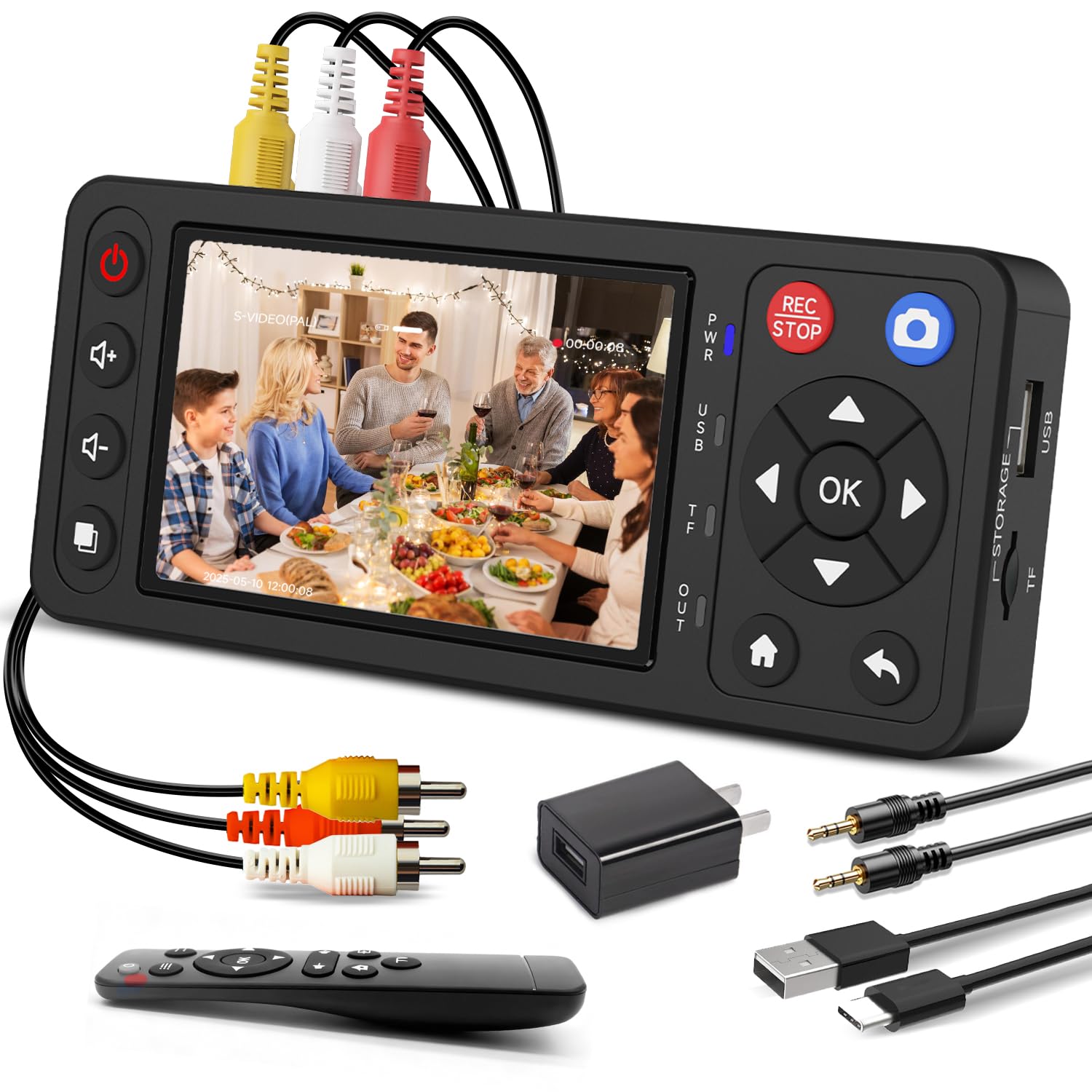
A 5-inch screen and component inputs are the two features that separate the Portta VD22P from the cheaper recorders here. The screen lets you watch a tape without tying up the living-room TV, and the component input means a deck with YPbPr output can send its best signal. The converter records MP4 files at up to 1080p60 to a USB drive, TF card, portable hard drive, or SSD, with a stated ceiling of 5 TB.

We ended up treating it as the default for mixed collections. The larger screen is easier to read than the 3.5- and 4-inch panels on the other standalone units, and the file handling is straightforward: start a recording, stop it, and move the drive to a computer. Upscaling a VHS tape to 1080p does not add detail that was never there, but it produces a file that behaves well in modern editing software and on a phone. The brightness, contrast, and saturation controls are useful when a tape runs dark or washed out.

For everyone else, the combination of a big monitor, component support, and direct MP4 recording is what makes the VD22P worth its premium. The 5-inch screen is the part we missed when we went back to smaller units.

Pros

  • 5-inch screen makes monitoring easy
  • Component and composite inputs cover more decks
  • Records MP4 to USB, TF, HDD, or SSD
  • Brightness, contrast, and saturation controls

Cons

  • No S-Video input
Our verdict

For a shelf of mixed VHS, Hi8, and camcorder tapes, the VD22P is the standalone recorder we recommend first: a big screen, component input, and MP4 files on a drive you already own.

Check Latest Price
2

Best Budget Standalone

ClearClick Video2Digital 2.0

91 /100
Keeper Score Outstanding

Key details

Inputs
Composite RCA, S-Video
Storage
USB or SD card up to 512 GB
Preview Screen
3.5-inch LCD
Recording Resolution
640 x 480 or 720 x 480
Check Price on Amazon

The appeal of the ClearClick 2.0 is that it asks almost nothing of you: plug a VCR into RCA or S-Video, put a USB stick or SD card in, and press record. There is no computer and no software. For a box of family tapes and a relative who does not want a project, that simplicity is the feature. The 3.5-inch screen is small, but it is enough to confirm the tape is playing and the counter is moving.

We like it as the budget standalone because it keeps the workflow physical. The auto-stop feature ends a recording when the tape runs out, and the files land as standard-definition MP4s at 640 x 480 or 720 x 480. That is the honest match for VHS, even if it is not the impressive number on a spec sheet. What we minded is that long tapes can stop before the end; check the file before you rewind and store the original.

The controls are simple enough to explain over the phone, and the S-Video input gives S-VHS and Hi8 owners a better connection than composite alone. If you also need to capture cassettes or records, the 3.0 is the better ClearClick. Otherwise, this is the one we recommend for straightforward SD archiving. The small screen is a limitation we accept because the goal is a file, not a screening room.

Pros

  • No computer or software needed
  • RCA and S-Video inputs
  • Auto-stop ends recording at tape end
  • Simple enough for family use

Cons

  • Standard-definition files only
Our verdict

This is the recorder we hand to people who want the least fiddly, least expensive path from VHS to a flash drive, as long as they can live with standard-definition files.

Check Latest Price
3

Best for Video and Audio

ClearClick Video2Digital 3.0

88 /100
Keeper Score Excellent

Key details

Inputs
RCA composite, 3.5mm audio
Storage
USB or microSD up to 512 GB
Audio Sources
Cassette tapes, vinyl records, turntables
Preview Screen
5-inch LCD
Check Price on Amazon

Audio is the reason the ClearClick 3.0 exists. It records video from VHS, VCR, camcorders, and DVD players, but it also takes cassette tapes, vinyl records, and turntables through RCA or 3.5mm inputs. If your preservation project includes a shoebox of cassettes next to the VHS shelf, that flexibility is worth paying for. The 5-inch screen matches the top pick and is larger than the panel on the 2.0.

We also appreciate the built-in rechargeable battery. It means you can carry the unit to a relative's house and record without hunting for an outlet, and the screen makes it usable on a kitchen table. The 512 GB card limit is generous for audio and standard-length tapes. Setup is still recorder-simple: choose the source, press record, and move the card to a computer.

That specialty is the point. If your project is video only and picture quality is the priority, one of the simpler recorders is the safer choice. If you have a mixed drawer of family media, the 3.0 saves you from buying a separate cassette deck and learning another workflow. The rechargeable battery is the detail that makes it a genuinely portable recorder rather than a box that lives near the TV.

Pros

  • Records cassettes and records too
  • 5-inch preview screen
  • Built-in rechargeable battery
  • 2-year warranty and support

Cons

  • Video can break up on worn tapes
  • Premium price for a niche feature
Our verdict

We recommend the ClearClick 3.0 when the same box needs to rescue cassettes and records as well as video; for pristine VHS picture quality, one of the simpler recorders is a safer bet.

Check Latest Price
4

Best Value 1080p Recorder

Lvrzng 4-Inch Converter

90 /100
Keeper Score Outstanding

Key details

Inputs
Composite, S-Video, stereo RCA
Storage
USB or TF card up to 512 GB
Preview Screen
4-inch LCD
Recording Resolution
1080p
Check Price on Amazon

A 4-inch screen and S-Video input at a value price are the reasons the Lvrzng belongs here. It records composite or S-Video sources to MP4 at up to 1080p, stores them on a USB drive or TF card up to 512 GB, and sends the picture to a TV over HDMI. For VHS and Hi8 tapes, that covers the practical bases without a computer.

We like the size of the screen for checking a tape without a TV, and the HDMI output is handy when you want to show a clip to someone in the room. The remote is the kind of thing you stop noticing until you are across the room and need to stop a recording. It is a plastic, lightweight unit, but the controls are where they should be.

For a VCR with composite RCA or an S-VHS deck with S-Video, the Lvrzng is a sensible value choice. The 4-inch screen is small enough to keep the unit portable and large enough to read a counter. The HDMI output also makes it easy to check a recording on a modern TV before you commit a whole tape.

Pros

  • 4-inch screen and HDMI output
  • S-Video and composite inputs
  • 1080p MP4 recording
  • USB or TF storage up to 512 GB

Cons

  • No component video input
Our verdict

A well-priced standalone recorder for VHS and Hi8, with a 4-inch screen and 1080p files; skip it if your deck's best output is component.

Check Latest Price
5

Best USB-C Capture

Oassuose USB-C Capture

87 /100
Keeper Score Excellent

Key details

Inputs
RCA composite, S-Video
Connection
USB-A and USB-C
Required Software
OBS Studio or QuickTime Player
Capture Resolution
1080p at 30fps
Check Price on Amazon

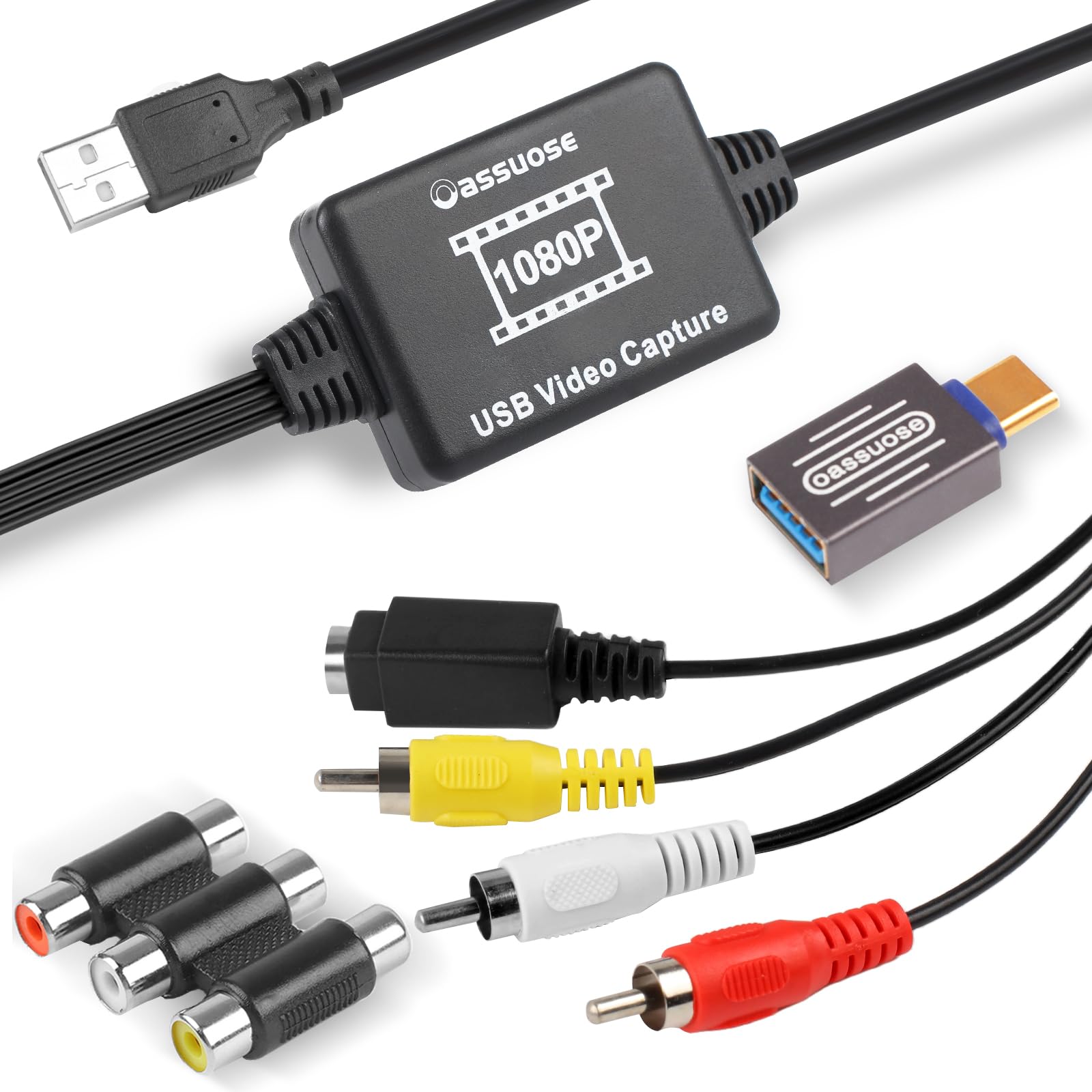
The first thing we noticed is the connector: this is a USB-C capture stick that also works with USB-A, so it fits a newer laptop without an adapter. It takes RCA composite or S-Video from a VCR, camcorder, or DVD player and captures at 1080p30. For a small, inexpensive stick, that is a useful combination.

It is plug-and-play in the sense that the computer sees it without a driver, but you still need capture software. OBS Studio on Windows or QuickTime Player on a Mac is the intended path. We used it for short clips and found the files looked like the tapes rather than an aggressive upscale. The S-Video input is the detail that makes it more than a bare RCA dongle.

The picture is not heavily processed, which is what we want from a capture device; you can do color work later in an editor. The files are easy to trim, and the stick is unobtrusive once the input is selected. The workflow is the real adjustment, not the hardware: you need to know which source you are capturing and where the files are going.

For the money, it is the USB-C capture device we recommend first, especially if you already edit video and know your way around OBS. It is also the one we would tuck in a laptop bag for a weekend at our parents' house. The small size is the point: it disappears into a pocket until you need it.

Pros

  • USB-C and USB-A connections
  • 1080p30 capture
  • RCA and S-Video inputs
  • Small and inexpensive

Cons

  • Recognition can be fussy on some computers
Our verdict

The Oassuose is the small USB-C stick we keep for laptop-based captures: cheap, simple, and good enough for VHS and Hi8 if you already have OBS or QuickTime.

Check Latest Price
6

Best USB Capture for Software Flexibility

VIXLW USB Capture Kit

89 /100
Keeper Score Excellent

Key details

Connection
USB 2.0
System Support
Windows, Mac, Android
Capture Software
OBS, PotPlayer, QuickTime Player
Capture Resolution
1920 x 1080 MJPEG or 720 x 576 YUV
Check Price on Amazon

A capture stick with an RCA cable in the box sounds basic, but the VIXLW kit is the one we recommend when you want fewer loose ends. It captures composite or S-Video sources to a computer at 1920 x 1080 MJPEG or 720 x 576 YUV, and it automatically detects NTSC and PAL. The included RCA cable means you can start without raiding a drawer.

We like the software story: it works with OBS Studio, PotPlayer, and QuickTime Player, and it lists Windows, Mac, and Android support. That is broader than most of the cheap sticks here. The capture resolution depends on the source, so a VHS tape will not become true HD, but the 1080p MJPEG file is easy to edit and share.

The catch is that this is still a USB 2.0 device that relies on third-party software. We had to confirm the input in OBS before recording, and the first setup is more involved than a standalone recorder. The blank CDs in the box are a reminder of how long this design has been around; ignore them and download the current software.

For a project with a lot of tapes, the included cable and broad compatibility make it a practical step up from the cheapest sticks. It is not the pick for someone who wants to press one button and walk away. The file quality is good enough that we kept using it after the first tape.

Pros

  • 1080p MJPEG capture
  • Works with Windows, Mac, and Android
  • Includes RCA cable
  • Auto-detects NTSC and PAL

Cons

  • No capture software included
Our verdict

We recommend this VIXLW kit when you want 1080p capture, wide software support, and an RCA cable in the box; it still needs a computer and a program like OBS.

Check Latest Price
7

Watching While Recording

Fulfalic Loop-Out Capture

84 /100
Keeper Score Excellent

Key details

Inputs
RCA composite
Output
HDMI loop-out and USB
Included
HDMI cable, AV cable, USB-C adapter
Capture Resolution
1080p at 30fps
Check Price on Amazon

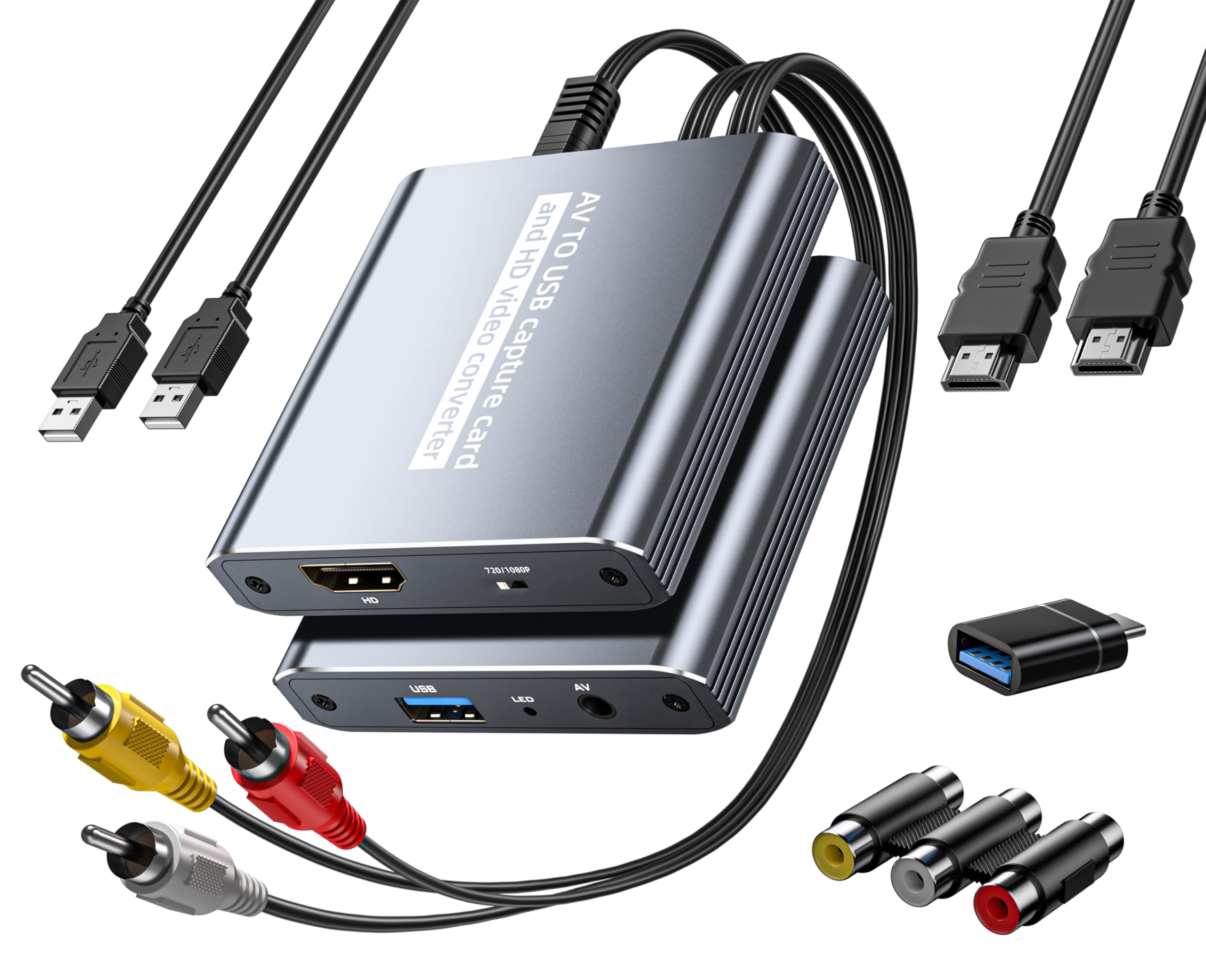
The HDMI loop-out is the reason to pick this one. It lets you watch the tape on a TV through HDMI while the USB side records to a laptop, so the person watching does not have to sit in front of a capture window. For a family digitizing project, that is a more useful feature than another resolution number.

The Fulfalic captures at 1080p30 and includes an HDMI cable, AV cable, USB cable, and USB-C adapter. We like the detachable cables because a damaged cable does not retire the whole box. The setup is straightforward on the hardware side: choose the input, connect HDMI to the TV, and select the USB device in OBS.

The instructions are thin, so plan on learning OBS by doing. Test a short clip before a long tape, and keep the HDMI cable connected for monitoring. The loop-out makes the effort worthwhile if you want to watch while you record.

Pros

  • HDMI loop-out for TV monitoring
  • 1080p30 USB capture
  • Detachable cables and USB-C adapter
  • Compact and easy to position

Cons

  • Audio can be choppy in OBS
Our verdict

We recommend the Fulfalic when you want to record on a laptop while everyone else watches the tape on TV, thanks to HDMI loop-out; expect to tune OBS audio.

Check Latest Price
8

S-Video and HDMI

Guermok GM-81

85 /100
Keeper Score Excellent

Key details

Inputs
Composite and S-Video
Connection
USB-C UVC
HDMI Output
Up to 1080p at 60fps
Capture Resolution
1080p at 30fps
Check Price on Amazon

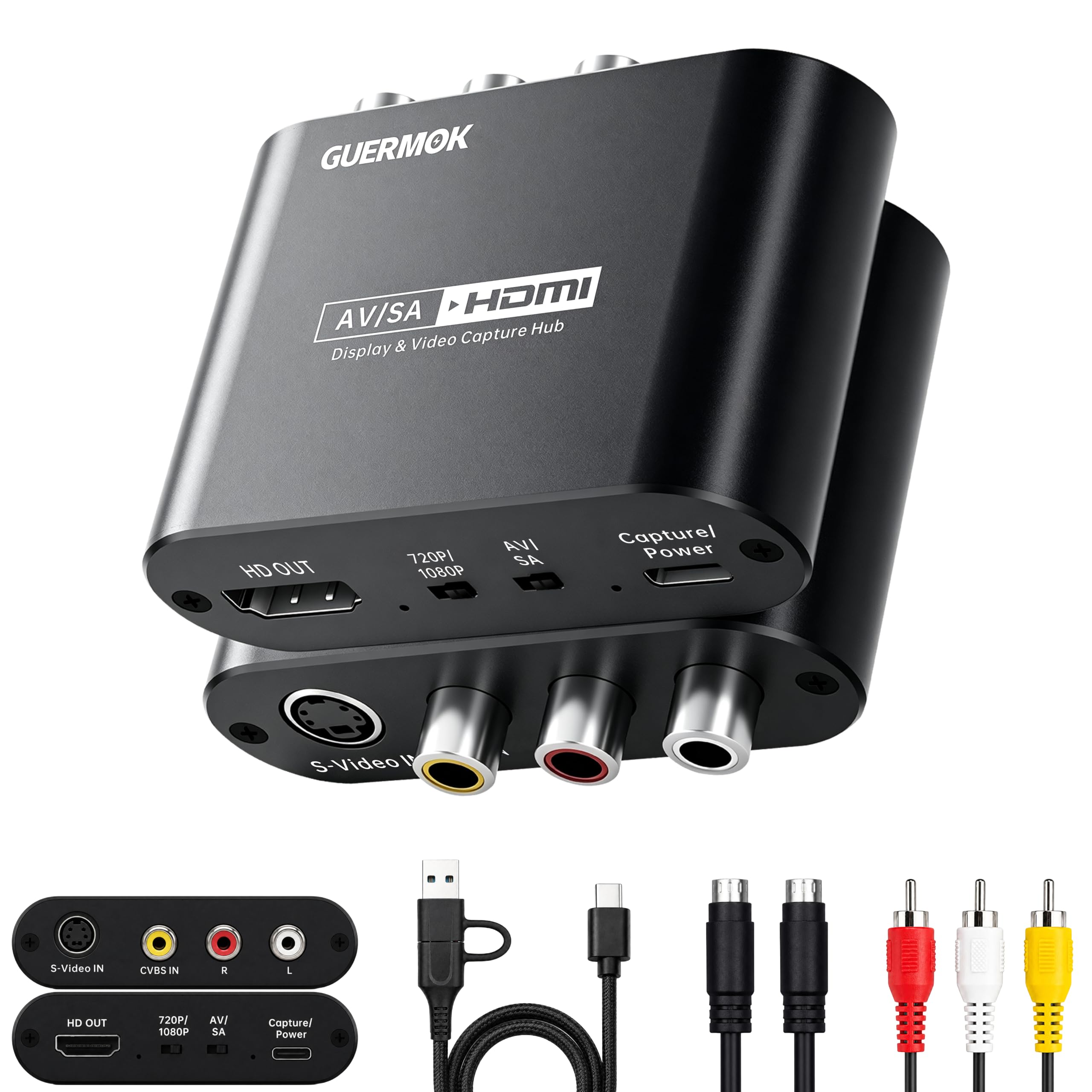
Two outputs, one for the TV and one for the laptop, are the point of the Guermok GM-81. It takes composite or S-Video from a VCR, camcorder, or console, sends the picture to an HDMI display, and captures over USB-C to a computer. If you want to watch a tape on a modern TV while recording it, this is the least complicated box here.

The capture side is UVC, so no driver installation is needed; you select it in OBS, VLC, or another UVC-compatible program. We appreciate the physical AV/SV and 720P/1080P switches because they make the source and output obvious without a menu. The HDMI output supports up to 1080p60, while the USB capture is 1080p30 or 720p60.

The trade-off is that it is not a standalone recorder. You still need a computer for the capture, and the HDMI output is for watching, not for storing the file. If you want one box that records to a card without a laptop, a standalone model is the better fit.

For a desk with a TV and a laptop already in place, the GM-81 is a tidy solution. The switches are labeled, which sounds like a low bar until you have cycled through a menu on a smaller capture box. It is a niche pick, but a useful one.

Pros

  • S-Video and composite inputs
  • HDMI output for TV viewing
  • UVC capture with no driver install
  • 720p/1080p and AV/SV switches

Cons

  • No component video input
Our verdict

We recommend the Guermok GM-81 for S-Video decks when you want to watch on a TV over HDMI while a laptop captures the file over USB-C.

Check Latest Price

How We Tested 12 VHS to Digital Converters

The shortlist started as roughly 30 listings, which we cut down by reading the fine print: what cables came in the box, whether a computer was required, whether it could preview on a TV while recording, and how many reviews described the same failure. That left 12 units, which we ran for about six months in a living room with a VCR, a DVD player, and a Hi8 camcorder stacked next to the TV.

Every unit recorded the same ten-minute stretch of a 1989 wedding tape, so I could open the files side by side and watch the same faces and hear the same audio. I timed each one from opening the box to pressing record, because setup is where these fall down — missing adapters we had to buy separately, a driver that wouldn't install, a menu with no plain-English option. Then I let a full three-hour tape run on each to see whether it dropped frames, froze mid-transfer, or drifted out of sync by the last half hour.

Audio got its own check: on a tape of someone talking straight to camera, I noted whether the words still matched the lips at the start and again at the end. I tested the capture sticks on both a Windows laptop and a Mac, and ran a tape with visible tracking lines through every unit to see whether the preview showed what was actually being recorded. What separated the good ones wasn't a spec on the box — it was whether I could tell, before hitting record, that the picture was right.

How to Choose a Vhs to Digital Converter

Standalone Recorder or USB Capture Stick?

The first choice is where the file lands. A standalone recorder has a screen and writes MP4 files to a USB drive or memory card, so you can work without a computer. A USB capture stick turns the tape into a video stream for a laptop, which is cheaper and easier to edit later, but it needs capture software such as OBS or QuickTime. If you have a shelf of tapes and no interest in software, choose standalone. If you already edit video and want a lower entry price, choose USB.

Match the Inputs to Your Player

VHS decks usually offer composite RCA, while S-VHS decks and many Hi8 camcorders add S-Video; a few higher-end decks have component. The converter can only use the best signal it accepts, so a model without S-Video will force an S-VHS deck onto composite. That is the trap to check before buying. The Portta VD22P covers composite and component but not S-Video; the ClearClick 2.0, Lvrzng, Oassuose, and Guermok list S-Video. Match the cable you already have, not the one you hope to find.

What 1080p Does and Doesn't Mean

VHS is a standard-definition format, so a 1080p file cannot contain more detail than the tape holds. Upscaling makes the picture fit modern screens and editing timelines, and it can make a file easier to share, but it does not restore focus or color. A standard-definition recorder such as the ClearClick 2.0 is the honest choice if you want a faithful archive. A 1080p model such as the Lvrzng or Portta is better if the file will live on a phone, a streaming service, or a modern editing project. Do not pay extra for 4K.

Storage, File Length, and Long Tapes

Standalone recorders write to USB drives or memory cards, and the stated limit matters: some accept 512 GB, while the Portta VD22P lists support for drives up to 5 TB. Long tapes can split into separate files or stop before the end, especially when a card is slow or nearly full. Use a card or drive with headroom, format it in the recorder if the manual asks, and check the whole file before you rewind the original. A computer-based capture writes to the laptop drive and is easier to monitor, but it still needs enough free space.

Audio, Monitoring, and the Rest of the Drawer

A preview screen is the difference between guessing and knowing: you can confirm the tape is playing, the tracking is right, and the counter is moving. An HDMI loop-out does the same job on a TV while a laptop captures. Audio deserves its own check, because quiet or out-of-sync sound is a common frustration with USB capture. If you also have cassettes or records, the ClearClick 3.0 records those sources directly. Otherwise, a standalone screen or an HDMI monitor output is the feature to prioritize.

Frequently Asked Questions

Final Verdict

Most people should start with the Portta VD22P. The 5-inch screen, component input, and direct MP4 recording to a drive make a mixed shelf of VHS, Hi8, and camcorder tapes less of a project, and the premium is easier to justify once you have filled a drive.

If your tapes are all VHS and you do not need HD, the ClearClick 2.0 is the simpler, less expensive standalone. If you prefer to work on a laptop, the Oassuose USB-C capture stick is the one we reach for first.