Best Soundbars of 2026

Nobody buys a soundbar because the TV isn't loud enough. They buy one because they've pushed the volume to 60, still can't catch the dialogue in a quiet scene, then get knocked off the couch when the explosion hits. A good bar evens that out — voices you can follow without hunting, bass that actually feels like bass — without asking you to run speaker wire around the living room.

I've had a bar under my own TV for years, and the lesson I keep relearning is that the spec sheet tells you almost nothing. Wattage is what shoppers fixate on and it's the number that matters least; whether the subwoofer is wireless, whether there's a center channel devoted to dialogue, and whether HDMI eARC is on board shape your daily life far more. We just spent six months with 12 soundbars, and the gap between a well-tuned budget model and a sloppy premium one is genuinely startling. Ahead are the ones that earned their spot.

Keeper Score summarizes customer ratings and review volume. Read it alongside the product details and trade-offs. How the score works.

1

Best Overall

TCL S55H 2.1 Sound Bar

89 /100
Keeper Score Excellent

Key details

Power
220W
Subwoofer
Wireless, 5.5-inch driver
Connectivity
HDMI eARC, optical, Bluetooth
Configuration
2.1 channel
Check Price on Amazon

The box holds the bar, a wireless 5.5-inch subwoofer, an HDMI cable and a remote. Setup runs over HDMI eARC where the television has it, with optical as the fallback for older sets, and the AI Sonic routine spends a couple of minutes measuring the room from the seat where you actually watch.

Bass is the first thing you notice. The sub has its own driver and enough cabinet volume to put real weight under a car chase, and the app lets you pull it back when the neighbours are in. Dialogue holds up too — the movie preset keeps voices forward of the effects rather than buried under them, and the news and music modes are genuinely different rather than the same sound with a new label.

What makes it our default is the combination rather than any single figure. A wireless sub removes the worst part of subwoofer ownership, the calibration pulls boom out of a television wedged into a corner, and eARC hands volume to the remote you already use. At 31.9 inches wide it sits under most 50-inch-and-up sets without covering the screen's receiver.

Atmos here is processed rather than physical. There are no up-firing drivers, so height effects spread across the front of the room instead of moving overhead — the same trade every single-box bar at this level makes, and one that costs you nothing on drama, sport or games. If sound from the ceiling is the whole point, you need a different kind of system.

Pros

  • Wireless subwoofer frees up placement
  • Room calibration adjusts to your seating
  • HDMI eARC with optical fallback
  • Dolby Atmos and DTS Virtual:X decoding

Cons

  • Volume steps are coarse with no level display
Our verdict

Our pick for most living rooms: a wireless subwoofer, Atmos decoding and room calibration in one midrange package, with no cable to run across the floor.

Check Latest Price
2

Best Premium

Sonos Arc Ultra

88 /100
Keeper Score Excellent

Key details

Power
180W
Bar Width
46.18 inches
Connectivity
HDMI eARC, Wi-Fi, Bluetooth
Configuration
9.1.4 channel
Check Price on Amazon

Forty-six inches of metal is a commitment. The Arc Ultra is wider than the stand under plenty of 55-inch televisions, and everything about it assumes a room big enough to justify the footprint: 9.1.4 channels, Dolby Atmos, and a Sound Motion architecture built specifically to push bass out of a cabinet this shallow. In a large room it is the most convincing single-box performance here. In a small one it is a very expensive bar with nowhere to spread.

Speech Enhancement is the feature we kept coming back to. It lifts voices out of the mix rather than just raising the midrange, and on a drama with a heavy score the difference lands within a sentence. Two cables get it running, and the rounded metal grille looks like furniture instead of a plastic slab, which matters in a room where the television isn't hidden behind cabinet doors.

Adding a Sub 4 and a pair of Era 300s turns it into a proper surround system, and that upgrade path is part of what the premium buys. Music streamed over Wi-Fi sounds better than any television-first bar in this group. Be clear about what you are paying for, though: the sound and the build, not a long list of inputs.

Pros

  • 9.1.4 channels with real spatial spread
  • Speech Enhancement keeps dialogue clear
  • Metal cabinet looks like furniture
  • Upgrades to a full Sonos surround system

Cons

  • Needs Wi-Fi and the Sonos app to set up
  • Connection drops can need a re-pair
Our verdict

The premium bar we reach for in a large room: 9.1.4 Atmos, unusually clear speech, and a metal cabinet that earns its wall space.

Check Latest Price
3

Best for Small Rooms

Sonos Beam Gen 2

88 /100
Keeper Score Excellent

Key details

Power
200W
Bar Width
25.6 inches
Connectivity
HDMI eARC, Wi-Fi, AirPlay 2
Configuration
5-driver array, Dolby Atmos
Check Price on Amazon

There is no subwoofer in the box, and at 25.6 inches the Beam is barely wider than a 43-inch television. Both facts are the pitch: five drivers in a cabinet 2.7 inches tall, tuned by Trueplay, producing a front stage that reaches well past the edges of the bar.

We keep recommending it for apartments and bedrooms, where a separate sub is as much a neighbour problem as a placement one. Trueplay walks the room with your phone and flattens the response, and the result is dialogue that stays anchored to the screen even from the far corner of the sofa. Setup is two cables and a few minutes.

Dialogue is where it earns its keep, and the Speech Enhancement setting is one we leave on permanently. Music over AirPlay 2 sounds better than a bar this size has any right to, and grouping it with a couple of Sonos speakers elsewhere in the house is a real convenience rather than a gimmick. It is built for a room with walls and a sofa facing the screen, and that is exactly the room most people have.

Pros

  • Dolby Atmos from a 25.6-inch bar
  • Trueplay tuning adapts to the room
  • Two-cable setup
  • AirPlay 2 and Sonos multiroom

Cons

  • Low end needs a Sub Mini for real weight
  • Tuning and updates live in the Sonos app
Our verdict

The compact Atmos pick: a 25-inch bar that anchors dialogue in a small room and leaves the subwoofer for later.

Check Latest Price
4

Best for Samsung TVs

Samsung HW-B750F

84 /100
Keeper Score Excellent

Key details

Power
400W
Bar Width
40.55 inches
Subwoofer
Wireless
Configuration
5.1 channel
Check Price on Amazon

If the television in the room is a recent Samsung, this bar does something the others here cannot: Q-Symphony hands the panel's own speakers a part in the mix, so the television and the bar fire together instead of one replacing the other.

Underneath that trick is a conventional 5.1 system — five channels, a 400W amplifier and a wireless subwoofer — plus side-firing drivers that push effects past the edges of the cabinet. Voice Enhance lifts dialogue, and it is the setting we left on for news and drama.

Adaptive Sound is the other one worth knowing about. It reads the content and rebalances on the fly, so a quiet documentary and a loud game don't need two different presets and a trip through the menu. Setup over HDMI is quick, and the sub paired itself the first time we powered the bar on.

Our judgement is that it is the surround bar to buy if you already own the right television, and an ordinary 5.1 bar if you don't. On a compatible Samsung set the Q-Symphony lift is easy to hear on a crowd scene, and that extra layer above the bar is the difference between this and a soundbar working alone.

Pros

  • Q-Symphony adds the TV's own speakers
  • 400W with a wireless subwoofer
  • Side-firing drivers widen the stage
  • Voice Enhance keeps dialogue clear

Cons

  • 40.5-inch cabinet needs a broad stand
Our verdict

The surround bar for a Samsung household: Q-Symphony recruits the panel's own speakers, and the wireless sub handles everything below.

Check Latest Price
5

Best Value Surround

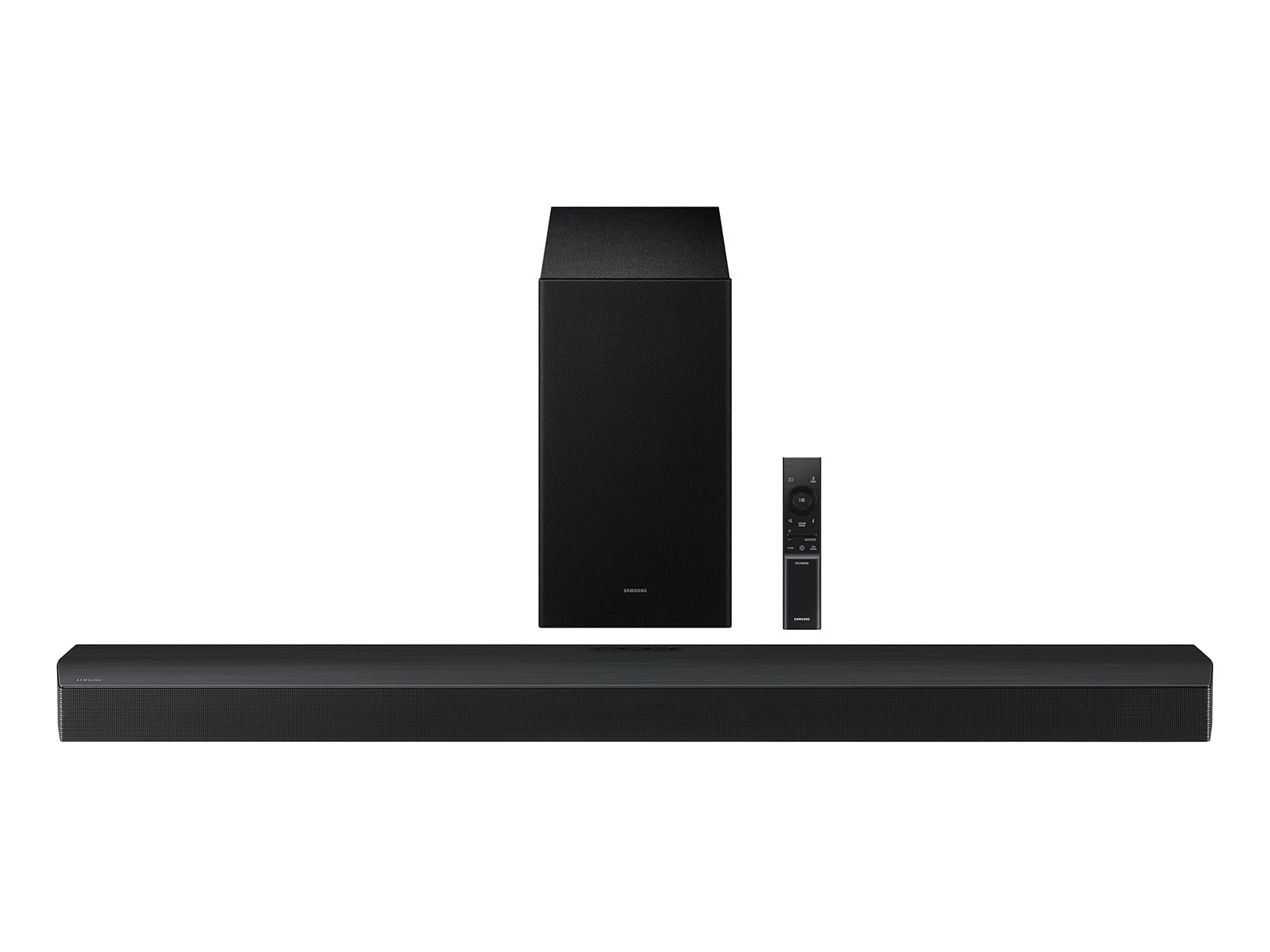
ULTIMEA Poseidon M60

89 /100
Keeper Score Excellent

Key details

Power
300W
Subwoofer
Wired, 5.25-inch driver
Connectivity
HDMI eARC, optical, Bluetooth 5.4
Configuration
5.1 channel
Check Price on Amazon

Same shelf price as our top pick, two more channels, and a wooden subwoofer instead of a plastic one — on paper the Poseidon M60 looks like the better buy, and in a room set up for surround it is. Five drivers, two of them firing sideways out of the ends, a 300W amplifier and Dolby Atmos decoding add up to a wider, more enveloping front stage than any 2.1 bar here can manage.

The bass is where it earns its place. A wooden cabinet with a 5.3-litre interior and a 5.25-inch driver produces a fuller, less boxy low end than the moulded enclosures around it, and the VoiceMX processing keeps dialogue legible over the top of it. We ended up leaving the bass trim near the middle and nudging midrange instead, which the app makes easy enough that you stop fiddling after a week.

HDMI eARC is on board and the bar uses it properly: a lossless Atmos feed arrives intact, and the side-firing drivers smear effects past the edges of the television in a way that reads as surround without rear speakers. In a long room with walls to bounce off, that is convincing. In a wide open space it is less so — this is a bar that needs boundaries to work with.

Pros

  • Five channels with side-firing drivers
  • Wooden subwoofer cabinet for fuller bass
  • HDMI eARC carries lossless Atmos
  • App EQ for bass, midrange and treble

Cons

  • Wired subwoofer limits placement
  • Wireless streaming is Bluetooth only
Our verdict

The surround pick for a movie room: five channels, side-firing drivers and a wooden subwoofer that out-punches the plastic subs at this price.

Check Latest Price
6

Best Budget with a Sub

ULTIMEA Poseidon M30

85 /100
Keeper Score Excellent

Key details

Power
240W
Subwoofer
Wireless, 5.25-inch driver
Connectivity
HDMI ARC, optical, Bluetooth 6.0
Configuration
2.1 channel
Check Price on Amazon

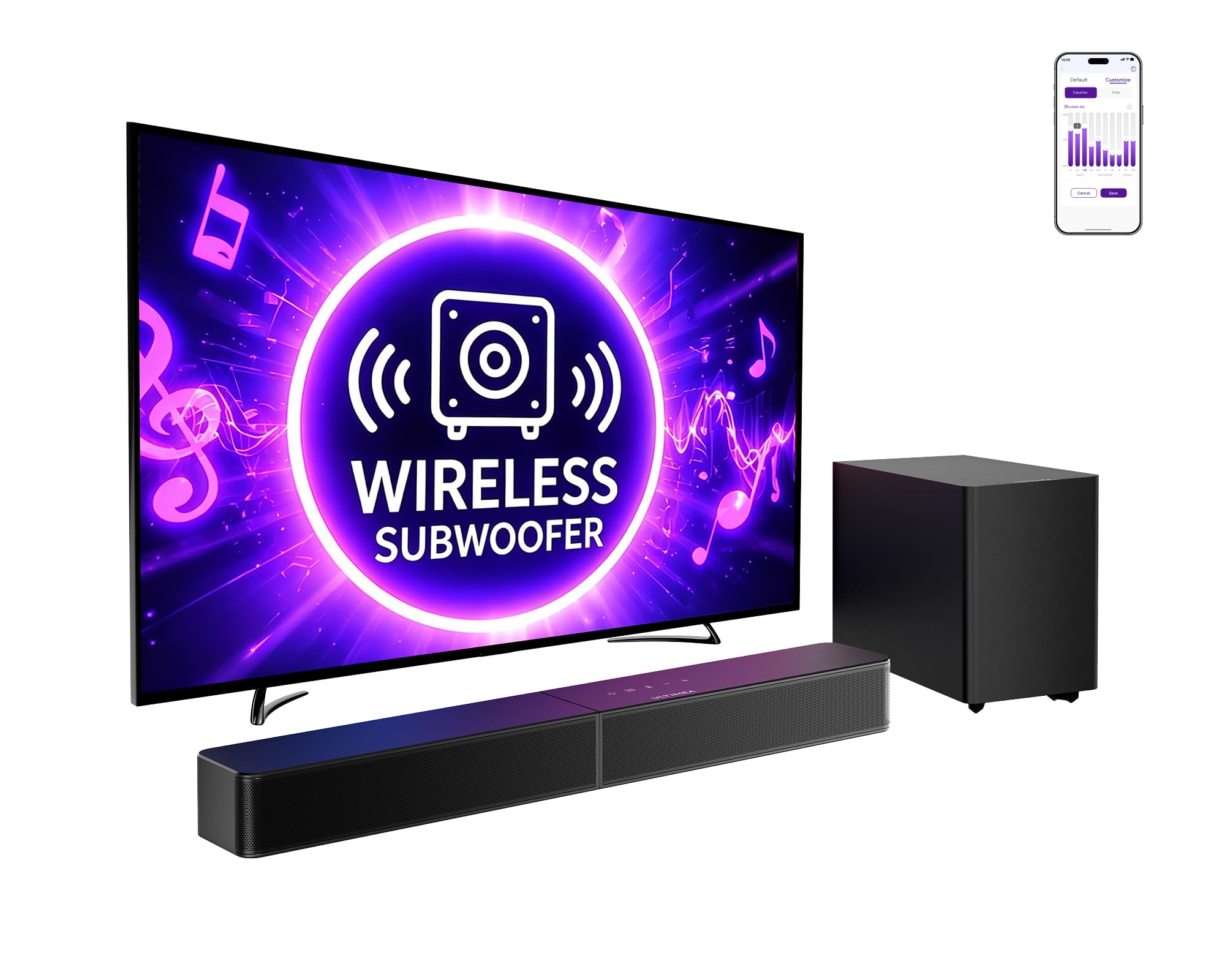
A wireless subwoofer at the bottom of the price range is the whole trick here. The Poseidon M30 pairs a 23.6-inch bar with a 5.25-inch sub that connects over the air — the arrangement that normally costs the most to get — and it is the reason this one makes sense for a bedroom or a den where running a cable under the rug is not happening.

The app does the work the remote can't: separate low, mid and high trim plus presets, and it holds those settings after a power cycle. HDMI ARC lets the television remote handle volume, optical covers older sets, and the 240W peak rating is plenty for a small room at a level that doesn't travel through walls.

Where it lands for us is the second-room bar. It fills a bedroom or a converted den convincingly, keeps dialogue clean at low volume, and never asks you to reorganise the furniture around a cable. That is a narrow brief, but it is the brief most second televisions actually have.

Pros

  • Wireless subwoofer at an entry price
  • App EQ with separate bass, mid and treble
  • HDMI ARC works with the TV remote
  • Compact bar suits small rooms

Cons

  • Two channels plus bass, no surround
  • Bluetooth dropouts between paired devices
Our verdict

Our budget pick: a wireless subwoofer, app EQ and a compact bar that lifts a bedroom television well past its built-in speakers.

Check Latest Price
7

Fire TV Setups

Amazon Fire TV Soundbar

88 /100
Keeper Score Excellent

Key details

Bar Height
2.5 inches
Bar Length
24 inches
Connectivity
HDMI eARC, Bluetooth
Configuration
2.0 channel
Check Price on Amazon

The appeal here is subtraction. No subwoofer to find space for, no input switching to think about, an HDMI cable in the box and a handset you will barely touch because the television's own remote does power and volume over eARC.

It is 24 inches long and 2.5 inches tall, which is the size that fits the shallow stands under most bedroom and spare-room televisions. DTS Virtual:X does the widening, and the bar switches on and off with the television rather than needing its own power routine.

What surprised us is how much of the job two drivers do when the alternative is the panel itself. Voices come forward, effects push wider than the cabinet has any right to, and the whole thing disappears under a small set. For a bedroom, a kitchen or a guest room, that is the upgrade most people are actually shopping for.

Action films are where the illusion cracks: without a subwoofer, explosions are a thump rather than a shove. In a small room at moderate volume that is a fair trade for the simplicity, and it is why this reads as a second-television pick rather than a living-room one.

Pros

  • One HDMI cable and the TV remote
  • 24-inch bar fits narrow stands
  • DTS Virtual:X widens the stage
  • Powers on with a Fire TV

Cons

  • Volume moves in steps of two
  • One HDMI input only
Our verdict

The simplest upgrade for a Fire TV: one cable, no subwoofer to place, and a soundstage well beyond the panel's own speakers.

Check Latest Price
8

Desks and Monitors

Assistrust 2-in-1 Soundbar

84 /100
Keeper Score Excellent

Key details

Power
80W
Connectivity
HDMI ARC, optical, AUX, Bluetooth 5.0
Configuration
2.0 channel, detachable
Check Price on Amazon

The bar splits in two. Pull the halves apart and you have a pair of speakers to stand either side of a monitor; leave them joined and you have a 17-inch bar for a small television or a projector screen. That flexibility is the reason to look at it, more than the sound, which is decent rather than remarkable.

Setup is about as simple as it gets: HDMI ARC where the television offers it, optical or a 3.5mm cable where it doesn't, and Bluetooth for a phone. Three presets cover movie, music and news, and the remote is laid out well enough that you stop consulting the manual after the first evening.

We used it most as a desk system, one half either side of a monitor. A real stereo image at that width beats any laptop or budget panel's built-in speakers by a wide margin, and the news preset makes video calls easier to follow. As a projector companion it works too, since the halves can sit wide of the screen instead of under it.

Where it stops being the right answer is a main living-room television. Four drivers and 80W produce clear, forward sound at moderate volume, but a big room and a loud soundtrack expose the ceiling quickly, and the automatic loudness boost makes quiet scenes swell and drop in a way that wears thin. As a second system, it is a lot of flexibility for very little.

Pros

  • Splits into two separate speakers
  • HDMI ARC, optical, AUX and Bluetooth
  • Three EQ presets and fast setup
  • Works for desks, projectors and small TVs

Cons

  • Auto volume boost makes levels rise and fall
Our verdict

Buy it for the split design: two speakers for a desk or a projector, one bar for a small TV.

Check Latest Price

How We Tested 12 Soundbars in Real Living Rooms

We started by pulling every soundbar a normal person might actually buy, then cut the list down by the things that still matter after the novelty wears off: HDMI eARC, a wireless subwoofer, a center channel built for dialogue, some form of room calibration, and both an app and a physical remote. That left 12 bars, from two-driver models to full Atmos systems with up-firing speakers. Each one spent six months in rotation across three rooms — a big open living room, a small bedroom, and a bright room with hard floors that punished every over-bright bar.

We timed every setup from box to first show, working alone, then did it again without the manual to see what a second attempt felt like. Mid-movie we paired a phone over Bluetooth, switched back to the TV, and checked whether audio stayed in sync — and whether the TV remote handled volume or we were reaching for a second clicker.

Most listening happened the way it actually happens: an hour of a drama with a mumbly lead, a ballgame, an action movie at night with neighbors upstairs, and a playlist streamed from a phone. We tracked whether dialogue held up at low volume, whether the subwoofer blended in or announced itself as a separate thump, and where each bar started to strain as we pushed the volume. We logged the unglamorous stuff too — a sub that dropped its wireless link, an app that lost the bar after an update, a remote that needed two presses.

At the end we compared notes on which bars we'd still want once the novelty wore off, which is really the value question: not what a bar costs, but whether you'd be happy with it in eighteen months.

How to Choose a Soundbar

Start with the port on the back of the TV

An HDMI input labelled ARC or eARC is worth more than two extra channels. It carries lossless Atmos from a streaming app, switches the bar on with the television, and hands volume to the remote you already keep on the sofa. Optical is the universal fallback and still sounds perfectly good, but it caps you at compressed surround and usually leaves you reaching for the bar's own handset.

Look at the television before you look at any bar. If there is an ARC port, buy for eARC and use the cable that comes in the box. If there isn't, buy for optical and accept a second remote — or check whether the bar can learn your TV remote's volume commands.

Decide where the subwoofer goes before you choose one

Wireless doesn't mean cable-free. A wireless sub still needs a wall outlet; what it doesn't need is a signal cable back to the bar. A wired sub, like the one on the ULTIMEA Poseidon M60, ties the cabinet to the television wall but often buys a bigger wooden enclosure for the same outlay.

Find the outlet first, then the sub. In a bedroom, or against a wall shared with a neighbour, a smaller sub turned down beats a large one you can't use after ten at night.

What Atmos can and can't do from a single bar

Most bars here decode Atmos. Far fewer can place a sound above your head. A 2.1 bar without up-firing drivers widens the front of the room and steers effects past the edges of the screen, which is persuasive on its own terms but is not height. For real overhead effects you need up-firing drivers, a pair of rear speakers, or speakers in the ceiling.

Our priority is dialogue clarity and bass first, Atmos badge second. A well-tuned 2.1 bar makes more difference to a Tuesday night drama than a height channel you notice twice a year.

Measure the stand, not the screen

A bar wider than the television looks wrong and can cover the panel's infrared receiver. Height matters just as much: a 2.5-inch cabinet slides under most screens, while a deeper one can foul a low bridge or a soundbar shelf. The Sonos Arc Ultra is 46 inches across and wants a wide stand or a wall; the Beam Gen 2 is 25.6 inches and disappears under a 43-inch set.

Measure the stand width and the gap between the bottom of the panel and the furniture, then keep the bar a couple of inches narrower than the television itself.

Frequently Asked Questions

Final Verdict

For most living rooms the TCL S55H is the soundbar to buy. A wireless subwoofer and a calibration routine that measures your room do more for a television's sound than another channel ever will, and the whole thing is running in minutes.

Spend more only for a specific reason: the Sonos Arc Ultra where the room is large and Atmos height matters, the Beam Gen 2 where 25 inches is all the space there is, or the ULTIMEA M30 where a second television needs a wireless sub for very little.