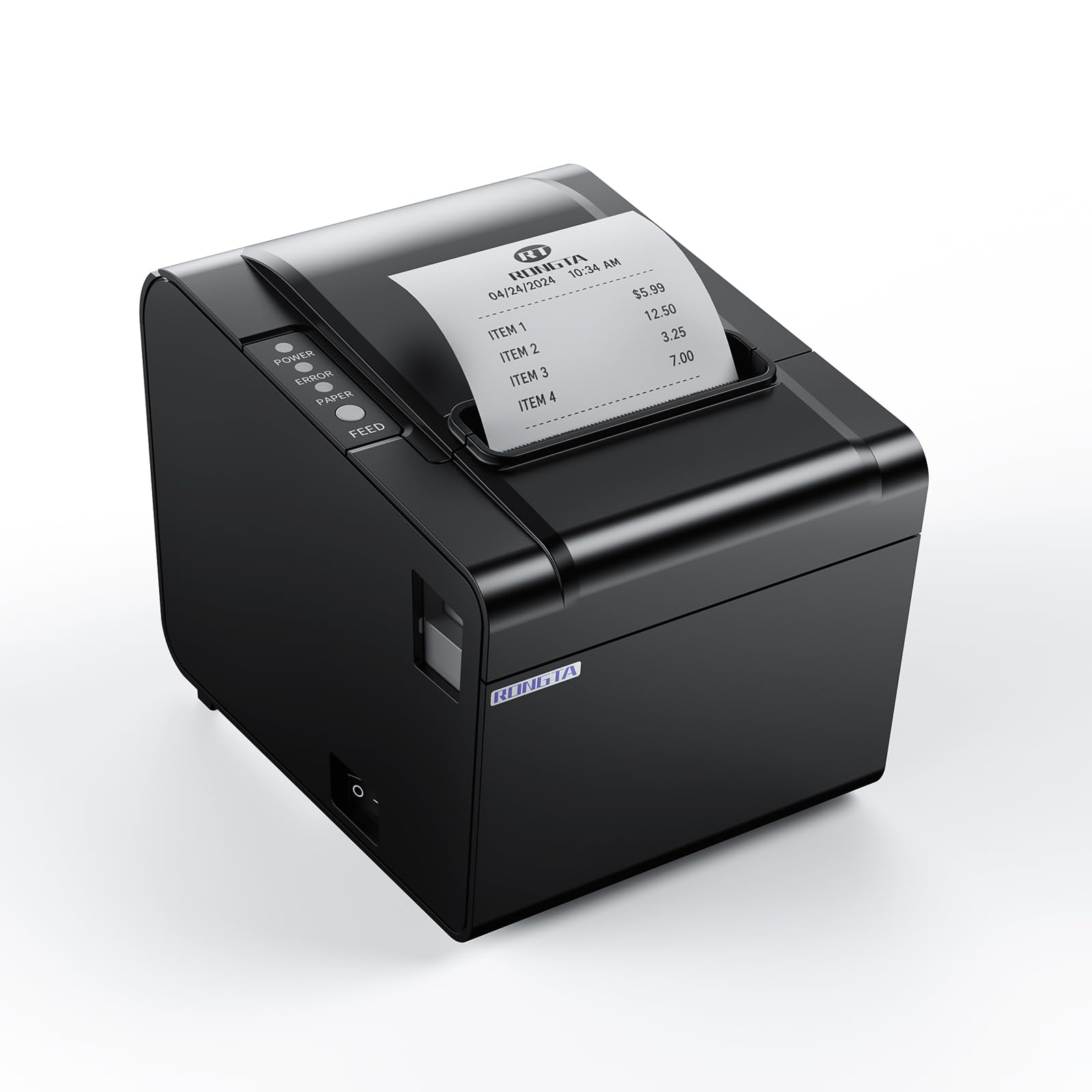
Best Receipt Printers of 2026

A receipt printer is the one machine in a shop nobody thinks about until it quits mid-rush. I've watched a market line stall over a roll that fed crooked, and a café owner dig a shredded receipt out of a jammed cutter while four people waited to pay. When one fails, you don't lose the price of the printer — you lose the sales stacked up behind it.

Over the past six months my team and I ran 11 thermal printers through real shifts: a coffee counter, a weekend market stall, a home studio shipping online orders, and a restaurant kitchen at dinner service. The ones that held up had nothing glamorous in common — they loaded paper in one motion, were printing within minutes of unboxing, and spat out a barcode the scanner read on the first pass.

The spec sheet also buries what actually separates these machines: the cutter and the reconnection. A printer that needs unplugging after every router hiccup costs more in stalled minutes than the cheap one saved you at checkout, so value rather than sticker price is what sorted these picks.

Keeper Score summarizes customer ratings and review volume. Read it alongside the product details and trade-offs. How the score works.

1

Best Overall

Star TSP143IIIU

89 /100
Keeper Score Excellent

Key details

Cutter
Auto-cutter
Print Speed
250 mm/s
Connectivity
USB
Paper Handling
Drop-in clamshell; de-curl
Check Price on Amazon

When there is already a USB host at the counter—a PC, a Mac, a Chromebook, or a supported tablet—the TSP143IIIU is the printer we reach for. It prints at 250 mm/s, which Star rates at 43 receipts a minute, and the auto-cutter gives every ticket a clean edge. The clamshell opens wide for a new roll, and the internal power supply removes one more brick from the counter.

What earns it the top spot is how little ceremony it adds to a busy lane. The drop-in loading is quick, the de-curl function produces a receipt that lies flat instead of curling into a straw, and the USB serial-number feature lets a Windows machine identify the exact unit instead of a generic port. We also value the certifications with Square, Clover, Chromebook, and Postmates; those are the combinations most small counters actually run.

The de-curl path is the detail we keep noticing: tickets come out flat enough to stack or staple without curling around the edge. That sounds minor until you are assembling a handful of receipts during a rush, and then it is the difference between a tidy handoff and a paper fight.

Pros

  • Fast 250 mm/s, about 43 receipts a minute
  • Drop-in clamshell and flat de-curl receipts
  • Certified with Square, Clover, and Chromebook
  • Internal power supply saves counter space

Cons

  • USB only; no Ethernet or Bluetooth
Our verdict

For a fixed checkout with a USB host, the TSP143IIIU is the receipt printer we recommend first: fast, tidy, and proven with the major POS apps.

Check Latest Price
2

Best Ethernet

Star TSP143IIILAN

85 /100
Keeper Score Excellent

Key details

Cutter
Auto-cutter
Print Speed
250 mm/s
Connectivity
Ethernet (LAN)
Paper Handling
Drop-in clamshell; de-curl
Check Price on Amazon

When the POS lives on a router and the printer never moves, the TSP143IIILAN is the one we choose. It is the Ethernet version of the same Star workhorse, with 250 mm/s output, an auto-cutter, and the drop-in clamshell that makes a paper change a five-second job. The internal power supply keeps the installation tidy, and the de-curl path keeps kitchen tickets from rolling up before anyone can read them.

Lightspeed certification is the detail that makes this one stand out for restaurant counters, and the printer also works with iOS, Android, and Windows over the network. We found the combination useful in a fixed station: the printer can sit out of the way, the router handles the traffic, and no tablet has to stay tethered to it. The same body and cutter as the USB model mean the mechanics feel familiar.

Where it fits is a fixed bar, kitchen line, or counter with a router. The Ethernet port lets the printer sit away from the tablet or PC, and the internal supply means there is no power brick to find room for. We treat it as the Ethernet specialist in this group: the right choice when the network is already part of the plan. The cable disappears into the back of the unit, and the printer gets on with the job.

Pros

  • Fast 250 mm/s output
  • De-curl keeps receipts flat
  • Lightspeed certified
  • Internal power supply and small footprint

Cons

  • Ethernet only; no Wi-Fi or Bluetooth
  • Static-IP setup can take some patience
Our verdict

If your POS lives on a router and the printer never moves, the TSP143IIILAN is the network workhorse we choose first.

Check Latest Price
3

Best for Square

Epson TM-T20III

84 /100
Keeper Score Excellent

Key details

Warranty
2 years
Cutter Life
1.5 million cuts
Print Speed
250 mm/s
Connectivity
USB
Check Price on Amazon

A Square Stand or Square Register changes the shortlist: the TM-T20III is the receipt printer we point to for that counter. It connects by USB, prints at up to 250 mm/s, and uses an auto-cutter rated for 1.5 million cuts. The printhead is rated for 150 km or 150 million pulses, and Epson backs the printer with a two-year warranty. Those are the numbers we care about in a high-volume checkout because they speak to how long the consumable-free mechanics should last.

What we like most is the focus. This is a Square-friendly USB unit that does one job cleanly. The setup note matters: if Square does not see the printer, update the Square app first, because that is the handshake Square needs. Once it is recognized, the printer is quick, the receipts are legible, and the cutter keeps the ticket stack neat.

For a Square counter that already has the stand or register, the two-year warranty and long cutter life make it a calm choice. The printer is at its best in a fixed lane where the iPad has a home and the receipt paper is the only thing that needs restocking. That focus is why it earns a spot: it is not trying to be every printer for every POS.

Pros

  • Works with Square Stand and Register
  • Fast 250 mm/s printing
  • Long 1.5 million-cut autocutter
  • Two-year warranty

Cons

  • USB only; no Ethernet or Bluetooth
Our verdict

For a Square Stand or Register counter, the TM-T20III is the straightforward USB receipt printer we recommend, with a two-year warranty behind it.

Check Latest Price
4

Best Budget Wired

Rongta RP326-USE

80 /100
Keeper Score Excellent

Key details

Cutter
Auto-cutter
Print Speed
250 mm/s
Print Width
80 mm
Connectivity
USB, serial, Ethernet
Check Price on Amazon

Three wired ports on an inexpensive printer is the pitch, and the RP326-USE delivers. You get USB, serial, and Ethernet on an 80 mm direct-thermal unit that prints at 250 mm/s and cuts receipts automatically. It also supports ESC/POS commands and can drive a cash drawer, so it slots into the kind of wired POS setup that many independent shops already run. That combination is why it is our budget pick.

We like the practical touches more than the spec sheet. The one-button cover opens the paper bay wide, the body can hang on a wall using the two bottom holes, and the thermal design means no ink, ribbons, or cartridges to reorder. The three ports are genuinely useful in a mixed shop: USB to a PC at the register, Ethernet to the router, serial for an older terminal or kitchen display. That flexibility is why it earns a place over cheaper single-port printers.

The value lands in a fixed counter with a mix of devices. For a growing shop that wants Ethernet without moving into premium Star or Epson territory, this is the sensible middle path. We also appreciate the included cables and paper roll; the box gives you what you need to start, rather than making the first setup a scavenger hunt. It is the kind of printer a small shop can buy before it knows exactly how the counter will evolve.

Pros

  • USB, serial, and Ethernet in one unit
  • Fast 250 mm/s with auto-cutter
  • Wall-mount option frees counter space
  • Cash-drawer and ESC/POS support

Cons

  • Wired only; no Wi-Fi or Bluetooth
Our verdict

If you want Ethernet, serial, and USB without paying premium money, the RP326-USE is the budget wired printer we shortlist first.

Check Latest Price
5

Best Compact Ethernet

Volcora 80mm

78 /100
Keeper Score Very Good

Key details

Mounting
Wall-mount holes
Print Speed
260 mm/s
Print Width
79.5 mm
Connectivity
USB and Ethernet
Check Price on Amazon

At roughly 4.65 inches square, the Volcora is the one we reach for when the counter has more important things to hold than a printer. Two hanging holes on the bottom let it sit under a shelf or beside the till, and the 260 mm/s engine is one of the quicker setups in this group. The auto-cutter keeps tickets clean, and the small body still takes standard 79.5 mm receipt paper.

The connections are USB and Ethernet, plus an RJ11 cash-drawer port. We found the 79.5 mm print width and 203 dpi output suited to ordinary receipt text, and the top speed makes short work of a queue. The wall-mount option is not a gimmick; it is the reason this printer can fit a counter that has no spare horizontal space. For a fixed station, that is a more useful kind of flexibility than a longer feature list.

What makes it our compact Ethernet pick is the balance of size, speed, and price. It is not as polished or as widely certified as the Star models, but it handles the basics without asking for much room. The wall-mount holes are what make that possible: the printer can sit at eye level or under a shelf, leaving the counter for the register and the next sale.

Pros

  • Compact 4.65-inch square body
  • 260 mm/s with auto-cutter
  • USB and Ethernet plus cash-drawer port
  • Wall-mount holes save counter space

Cons

  • No Wi-Fi or Bluetooth
Our verdict

Tight counter, wired POS: the Volcora is the compact Ethernet printer we reach for.

Check Latest Price
6

Multi-Port Value

vretti V330M

89 /100
Keeper Score Excellent

Key details

Cutter Life
1.5 million cuts
Print Speed
260 mm/s
Print Width
80 mm
Connectivity
USB, serial, LAN
Check Price on Amazon

A box with the printer, a driver USB drive, cables, adapter, and a roll of test paper is the first thing you notice about the V330M. That is a small thing, but it matters when the person setting up the counter is also the person running it. The printer itself is an 80 mm direct-thermal unit with USB, serial, and LAN ports, a 260 mm/s print speed, and a partial auto-cutter rated for 1.5 million cuts.

We like the wall-mount design because it lets the printer live under a shelf or beside a prep station instead of taking up order-entry space. The three ports cover the usual fixed setups, and the 203 dpi output is standard for receipt text and simple logos. The kit also includes a paper roll and cables, so you are not hunting through a drawer for a serial lead before you can test it.

The V330M is the value pick for a Windows, Mac, or Linux POS that wants every wired connection in one box. Its 260 mm/s speed and long cutter rating put it near the top of this budget group on throughput, and the wall-mount option gives it a role in a tight kitchen. For a small shop that wants a spare paper roll and cables in the box, it is a practical first printer rather than a bare-bones unit.

Pros

  • USB, serial, and LAN ports
  • 260 mm/s with 1.5-million-cut auto-cutter
  • Wall-mount design
  • Complete kit with cables and test paper

Cons

  • Not compatible with Square or TabShop
  • No Wi-Fi or Bluetooth
Our verdict

For a Windows, Mac, or Linux POS that wants every wired port in one box, the V330M is the practical budget kit we choose.

Check Latest Price
7

Compact Network POS

Epson TM-M30

84 /100
Keeper Score Excellent

Key details

Warranty
2 years
Footprint
7 x 5 x 5 in
Resolution
203 dpi
Connectivity
USB and Ethernet
Check Price on Amazon

The TM-M30 looks more like a small cube than a typical receipt printer. At roughly 5 by 5 by 7 inches, it takes up less counter real estate than the Star and Rongta units, and the black finish disappears against a dark POS stand. We noticed the footprint first because that is the reason to choose it: this is a printer for a counter where every inch is spoken for.

It connects by USB and Ethernet, with Epson's ePOS print technology for network setup and management. The 203 dpi resolution is standard for receipt text, and the autocutter handles the end of each ticket. Epson covers it with a two-year full warranty, which is the kind of backup we want on a counter device. The Ethernet port gives it a fixed network role, so it can sit away from the tablet or PC.

The dual-interface approach suits a small booth or retail nook: Ethernet for the fixed network, USB for a direct host, and ePOS for management. The 203 dpi output and autocutter cover ordinary receipts, and the compact body is the point. This is a printer that lets the counter stay a counter instead of becoming a shelf for hardware.

The TM-M30 is the compact network printer we choose when the counter cannot spare a square foot. It gives a small POS a tidy Ethernet connection and a body that disappears beside the register. The ePOS connection is the quiet advantage: once it is on the network, the printer can sit wherever the cable and the counter agree.

Pros

  • Very compact 7 x 5 x 5-inch footprint
  • USB and Ethernet with ePOS
  • 203 dpi output and autocutter
  • Two-year full warranty

Cons

  • No Bluetooth or Wi-Fi
  • Premium price for a compact printer
Our verdict

The TM-M30 is the compact network printer we choose when counter space matters more than port variety.

Check Latest Price

How We Tested Receipt Printers Behind the Counter

We started with roughly 40 listings and filtered out anything that would fail in daily use: 80mm paper, USB plus at least one network option, ESC/POS support so the printer talks to common POS software, a cash drawer port, and real drivers for Windows, Mac, and Linux. Reviews mentioning jams, cutter failures, or driver headaches eliminated models early. That left 11 printers, which we bought and used for six months.

Setup was timed, not eyeballed. The stopwatch ran from box to first printed receipt, repeated on a Windows laptop, a Mac, a Linux mini-PC, and an iPad register app, and I noted every point where I went hunting for a driver or a manual. I also weighed what shipped in the box, since an internal power supply means one less brick crowding the counter.

Then they went to work. Each printer spent weeks on a coffee counter and at a weekend market stall, with a few stationed in a restaurant kitchen through dinner rush and one at a home shipping desk. I timed batches of 30 receipts back to back to compare print speed, watched how the queue behaved when orders arrived faster than the printer could take them, and cleared feed rollers thick with paper dust every few weeks. One got mounted to a wall; another was unplugged and toted home every Saturday.

Print quality came down to whether small type stayed legible and whether a barcode scanned on the first pass, plus how receipts held up against a hot plate and greasy kitchen air. For connectivity, I pulled cables mid-print, rebooted the router, and switched between USB and Ethernet to see what recovered on its own. And I counted the extras — cables, bricks, rolls — because a cheap printer that needs three accessories isn't cheap.

How to Choose a Receipt Printer

Start With the Connection Your Counter Can Support

USB is the simplest choice when a PC, Mac, Chromebook, or supported tablet sits within cable reach. It needs no network address and no pairing menu, which is why the Star TSP143IIIU is our default for a fixed checkout. Ethernet makes more sense when the printer lives in a kitchen or bar and the orders come over a router; the Star TSP143IIILAN and Volcora are built for that. Bluetooth sounds convenient, but only choose it when the printer is explicitly certified for your delivery or POS app.

Check Platform Compatibility Before Anything Else

Receipt printers are certified by app, not by category. Square, Clover, Lightspeed, Uber Eats, Grubhub, and DoorDash each maintain their own lists of supported models, and a printer that works with one may not work with another. The Epson TM-T20III, for example, is specifically matched to Square Stand and Square Register. The Star TSP143IIIU carries certifications with Square, Clover, Chromebook, and Postmates. If the exact model is not listed, treat it as unsupported until the POS provider confirms it.

Choose 80 mm Paper and a Loading Design You Can Live With

Most counter receipt printers use 80 mm rolls, which give a wider receipt and more room for item names, modifiers, and totals. The Volcora runs 79.5 mm paper, while the Rongta and vretti list 80 mm; confirm the roll width before you stock up. A drop-in clamshell, like the Star models use, makes a mid-rush paper change much less fiddly. De-curl is worth having if you stack or staple receipts, because flat paper feeds better and looks more professional.

Match Speed and Cutter Life to Your Rush

Print speed matters most when tickets queue up. A 250 mm/s printer is roughly 43 receipts a minute, which is enough for a busy cafe or quick-service counter; the Volcora and vretti go a little higher at 260 mm/s. An auto-cutter is not optional in a commercial setting: tearing by hand slows the line and leaves ragged edges. Cutter ratings of 1.5 million cuts, like the Epson TM-T20III and vretti, are a useful indicator for high-volume counters. For a low-volume studio or front desk, a slower printer can still be fine.

Plan for the Space, Mounting, and Setup

Measure the spot before you fall for a small footprint. The Volcora is about 4.65 inches square and can hang on a wall, while the Epson TM-M30 is roughly 5 by 5 by 7 inches and suits a tight network station. An internal power supply, as on the Star models, saves a brick and a socket. Ethernet printers need an IP address or router reservation, so factor in someone who can log into the router. If you want a wall-mounted kitchen printer, check that the model has hanging holes and that the paper path stays clear.

Frequently Asked Questions

Final Verdict

For most fixed checkout counters, the Star Micronics TSP143IIIU is the receipt printer we recommend first. It is fast, loads simply, keeps receipts flat, and has the certifications that make a Square or Clover counter easier to run. If the printer lives on a network, choose the Star TSP143IIILAN instead; if the budget is tight, the Rongta RP326-USE gives you USB, serial, and Ethernet for less. Start with the connection and app you actually use, and the choice becomes much simpler.