Best Portable Photo Printers of 2026

Somewhere on your phone there are a few thousand photos and, if you're anything like me, almost nothing on the fridge. A portable photo printer fixes that in about a minute, turning the picture you just took into something you can hand across the table. The trouble is these little machines vary wildly — some produce prints that look washed out by morning, some cost a dollar a photo, and some come with apps so fiddly you'll use them twice and shelve them.

My team and I have spent the past eight months with 12 of them, printing at birthday parties, on road trips, and at a kitchen table covered in paper scraps. What separates a keeper from a drawer-dweller is rarely the spec sheet. It's whether the app connects on the first try, whether skin tones survive the transfer, and whether the refill math makes sense for how often you actually press print.

Worth knowing: palm-sized sticker printers and larger dye-sublimation units solve different problems — fridge photos versus frame-worthy prints. The ones below earned their spot.

Keeper Score summarizes customer ratings and review volume. Read it alongside the product details and trade-offs. How the score works.

1

Best Overall

Liene M100 4x6

89 /100
Keeper Score Excellent

Key details

Print Size
4 x 6 inches
Technology
Dye sublimation
Connectivity
Wi-Fi and USB
Included Paper
100 sheets
Check Price on Amazon

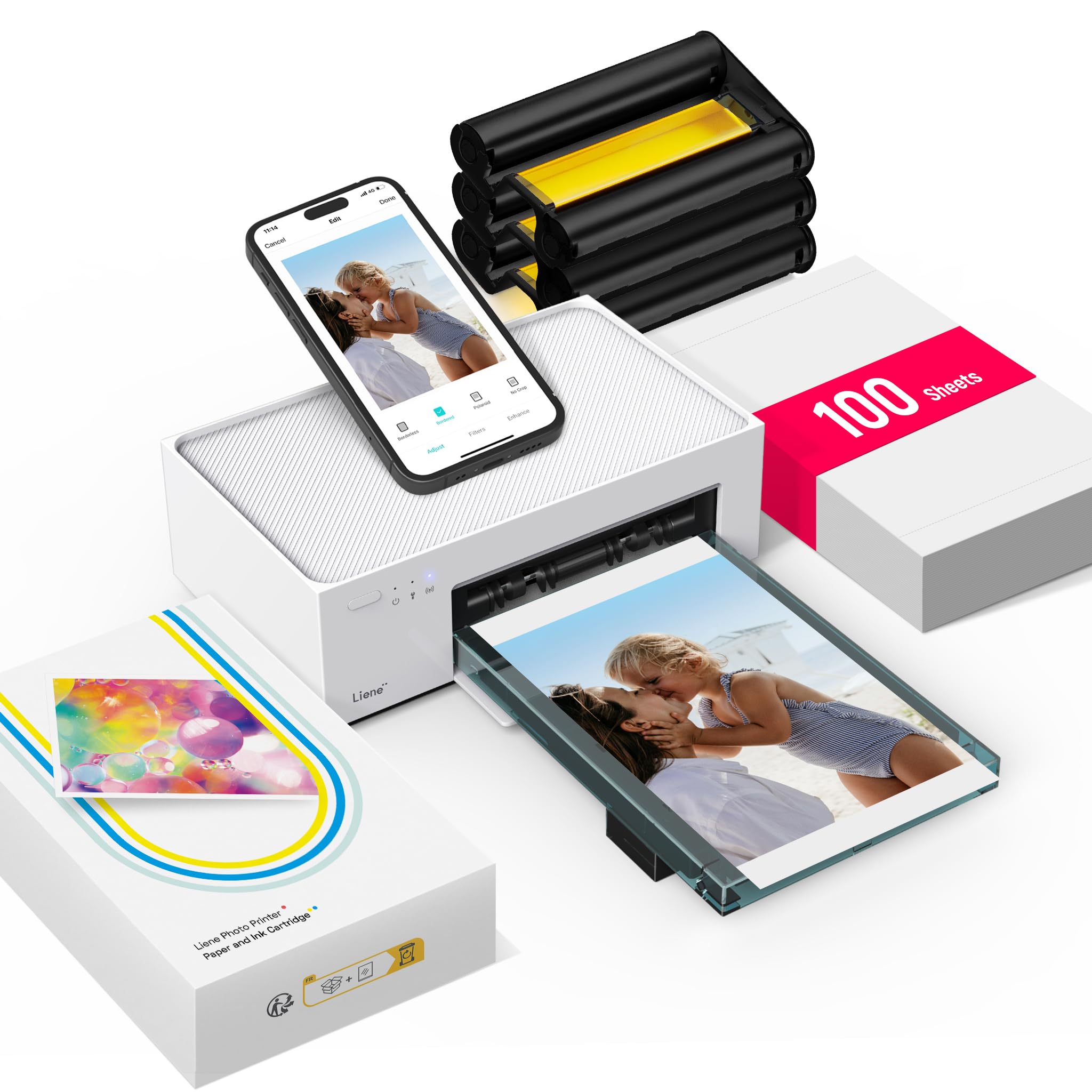
A 4x6 print is the size that actually goes in a frame, which is why the Liene M100 is the first printer we hand most people. The bundle helps: 100 sheets and three cartridges arrive with it, so you can print a real batch before shopping for refills. It is a compact desktop printer rather than a pocket one, but it is easy to move from shelf to table and small enough to leave out.

The output is the strongest part of the case for it. Dye-sublimation prints come out glossy and dry, with color that holds up next to a drugstore print; we found skin tones natural and the blacks satisfyingly deep. The built-in Wi-Fi hotspot is a smart travel design because you join the printer's own network instead of fighting a weak hotel or house signal, and up to five devices can connect at once.

It is the best default here for anyone who wants 4x6 prints without a trip to a photo lab. The app is friendly once you are connected, with borders, filters, and basic brightness and contrast controls, and a print takes about a minute. It is not a bulk photo-lab substitute, but it is a pleasure for a weekend batch.

Pros

  • Prints true 4x6 photos
  • 100 sheets and three cartridges included
  • Built-in Wi-Fi hotspot
  • Up to five connected devices

Cons

  • Wi-Fi pairing can take a retry
  • Replacement supplies add recurring cost
Our verdict

For most people who want real 4x6 prints from a phone, the Liene M100 is the one we recommend: it prints well, sets up simply, and comes with enough paper to get going.


Check Latest Price
2

Best Ultraportable

Canon Ivy 2

93 /100
Keeper Score Outstanding

Key details

Weight
5.11 oz
Print Size
2 x 3 inches
Technology
Zink
Connectivity
Bluetooth 5.0
Check Price on Amazon

Peel-and-stick is the whole idea here: the Canon Ivy 2 turns a phone photo into a 2x3 sticker that can go on a case, a journal, or a friend's locker. The printer weighs 145 grams, so it disappears into a bag. Zink paper means there is no ink cartridge to swap; you load a pack and print.

The Ivy 2 earns its place as the ultraportable pick because it is the easiest of these printers to carry and use, and we appreciate the sticker backing for exactly that. A Zink print is durable enough for casual use, and the sticky back makes it more useful than a loose print. Canon improved contrast and skin tones on this version, and the difference shows most on faces. Bluetooth 5.0 pairing is simple, and the app handles collages, frames, and stickers without much fuss.

It is at its best for quick, social prints: a birthday card, a lunchbox note, a page in a travel journal. The 10-sheet starter pack and one smart sheet get you going, and the printer charges over USB-C. It is not the printer for a framed 4x6, but it is the one that makes a small print feel like a keepsake.

Pros

  • Peel-and-stick backing
  • Pocketable 145 g body
  • Bluetooth 5.0 pairing
  • No ink cartridges

Cons

  • Zink paper costs add up
  • App can need a reconnect
Our verdict

Buy the Ivy 2 if you want pocketable, peel-and-stick prints for journals and phone cases; it is the easiest mini printer to carry and use.

Check Latest Price
3

Best Mini Dye-Sub

Liene Pearl N200 Pro

90 /100
Keeper Score Outstanding

Key details

Weight
12 oz
Print Size
2 x 3 inches
Technology
Dye sublimation
Included Supplies
50 sheets, five cartridges
Check Price on Amazon

Dye-sublimation in a 2x3 body is the reason the Liene Pearl N200 Pro stands out here. The prints have the depth and laminated feel of a real photo, not the plasticky sheen of a Zink print, and the printer itself is small enough to live in a pencil case. At 340 grams it has a little heft, but it still slips into a tote.

The output justifies the size. Colors are vivid and true to the phone screen, and the prints come out dry and ready to handle. The app is unusually playful: it can reimagine a portrait with AI styles, remove backgrounds for custom borders, and add timestamps or watermarks. We are more likely to use the simple frames than the AI portraits, but both are there.

It is the strongest mini here for journaling, gifts, and small prints that feel like photos rather than stickers. The bundle is the practical part: 50 sheets and five cartridges mean you are not hunting for refills immediately. Bluetooth pairing can be inconsistent, so keep the printer close and pair one device at a time; that is the main caveat.

Pros

  • Dye-sub color and laminated finish
  • 50 sheets and five cartridges included
  • Compact 340 g body
  • Playful app editing

Cons

  • Paper tray holds only 10 sheets
Our verdict

If you want a pocket printer that produces proper dye-sub photos for journaling and gifts, the Liene Pearl N200 Pro is the mini we recommend.

Check Latest Price
4

Best 4x6 for Home

Canon Selphy CP1500

88 /100
Keeper Score Excellent

Key details

Display
3.5 inches
Print Size
4 x 6 inches
Technology
Dye sublimation
Connectivity
Wi-Fi, USB, memory card
Check Price on Amazon

A 4x6 dye-sub printer that behaves like a small desktop appliance is the trade the Canon Selphy CP1500 asks you to make. It is the best choice here when print quality and a screen matter more than slipping into a bag. With the optional battery, it becomes a carryable event printer; without it, you need an outlet. At 1.58 kg, it is not the one you toss in a tote on a whim.

We like the 3.5-inch display more than we expected: you can crop, add a border, or switch to black and white without going back to your phone. It prints 4x6, card-size, square, and mini label media, and the prints come out instantly dry and water resistant. The dye-sub output is rich and consistent, the kind of print you can hand to someone without apologizing for the quality.

The app and Wi-Fi work, but the display makes it easy to print without a phone at all. USB and memory-card inputs add flexibility for cameras and computers. For a family album or a party where you want real 4x6 prints, it is the one that feels most like a proper photo printer.

Pros

  • True 4x6 dye-sub prints
  • Large 3.5-inch display
  • Wi-Fi, USB, and memory card
  • Optional battery support

Cons

  • Proprietary paper and ink cassettes
Our verdict

For 4x6 prints at home or at an event, the Canon Selphy CP1500 is the quality-first pick; just plan on an outlet or the optional battery.

Check Latest Price
5

Best Budget Mini

Nelko PP01

84 /100
Keeper Score Excellent

Key details

Print Size
2 x 3 inches
Resolution
600 x 600 dpi
Technology
Inkjet
Included Paper
20 sheets
Check Price on Amazon

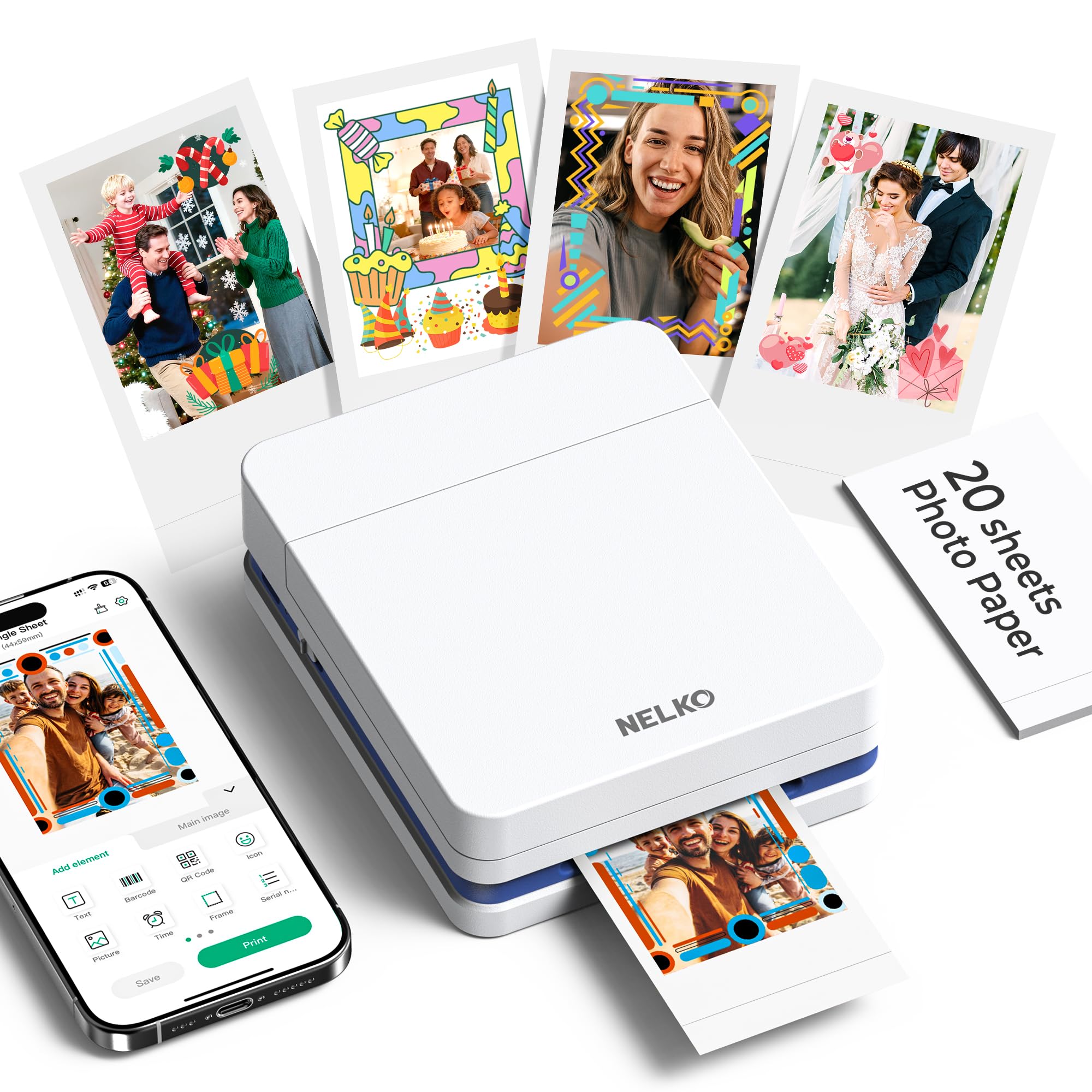
An inkjet cartridge and a 600 dpi claim are unusual in a 2x3 mini, and that is the Nelko PP01's opening argument. It is the lowest-priced printer here, and it is the one to try if you want 2x3 stickers without committing to a premium machine.

It is the right budget pick because it produces bright, clear stickers with a glossy finish, and the app's guided setup is easier than most. The 600 dpi figure is the headline, but we treat it as a starting point: color and contrast matter more on a 2x3 print. It holds 30 sheets and comes with 20, plus one cartridge, so you can start printing right away.

The PP01 is best for casual batches, not a wedding album or a week-long trip where you print every night. For a first mini printer or a gift for a crafty teenager, the price and the 600 dpi spec make it an easy choice. It is not the most polished printer here, but it does the job without a big commitment.

Pros

  • 600 dpi inkjet output
  • Lowest-priced pick here
  • 20 sheets and a cartridge included
  • Sticky-back 2x3 prints

Cons

  • Reliability can be inconsistent
  • Ink and paper are separate purchases
Our verdict

The Nelko PP01 is the mini printer to buy if you want 2x3 stickers on a tight budget and do not need the most robust build.

Check Latest Price
6

Best Instant Film

Fujifilm Instax Mini Link 3

92 /100
Keeper Score Outstanding

Key details

Film
Instax Mini
Print Size
2.1 x 3.4 inches
Resolution
1200 x 1200 dpi
Connectivity
Bluetooth
Check Price on Amazon

Instant film changes the whole experience, and the Fujifilm Instax Mini Link 3 leans into it. You get a real Instax Mini print with the white border, the satisfying whir, and the slightly unpredictable color that makes instant photos feel like instant photos. It is small enough to slip into a bag and light enough to bring along without thinking about it.

The app is more playful than most: you can turn a video frame into a print, build a collage, and add confetti, spotlights, or sprinkles. We like the video-to-print trick because it turns a snippet of motion into a still you can hold. Bluetooth pairing is simple for one phone, and the printer charges over USB-C. It is not the choice for a sharp, color-accurate 4x6, but it is not trying to be.

The prints have the classic Instax border, which is part of the charm and makes them feel different from a borderless Zink sticker. For a birthday table, a travel journal, or a gift that feels instant, that is the point. It is the printer you bring when the moment matters more than the megapixels.

The Link 3 is the best instant-film pick here for parties and gifts. It is the one that turns a phone snapshot into a small object people want to hold, and that is a different pleasure from a perfect print.

Pros

  • Real Instax Mini film prints
  • Compact, bag-friendly body
  • Fun collage and video-frame app
  • Simple Bluetooth pairing

Cons

  • Film sold separately
Our verdict

Buy the Instax Mini Link 3 for the fun of a real instant print, not for lab-accurate color; it is the pick for parties, gifts, and journaling.

Check Latest Price
7

Best for Group Printing

HP Sprocket 2nd Edition

91 /100
Keeper Score Outstanding

Key details

Print Size
2 x 3 inches
Resolution
313 x 400 dpi
Technology
Zink
Connectivity
Bluetooth
Check Price on Amazon

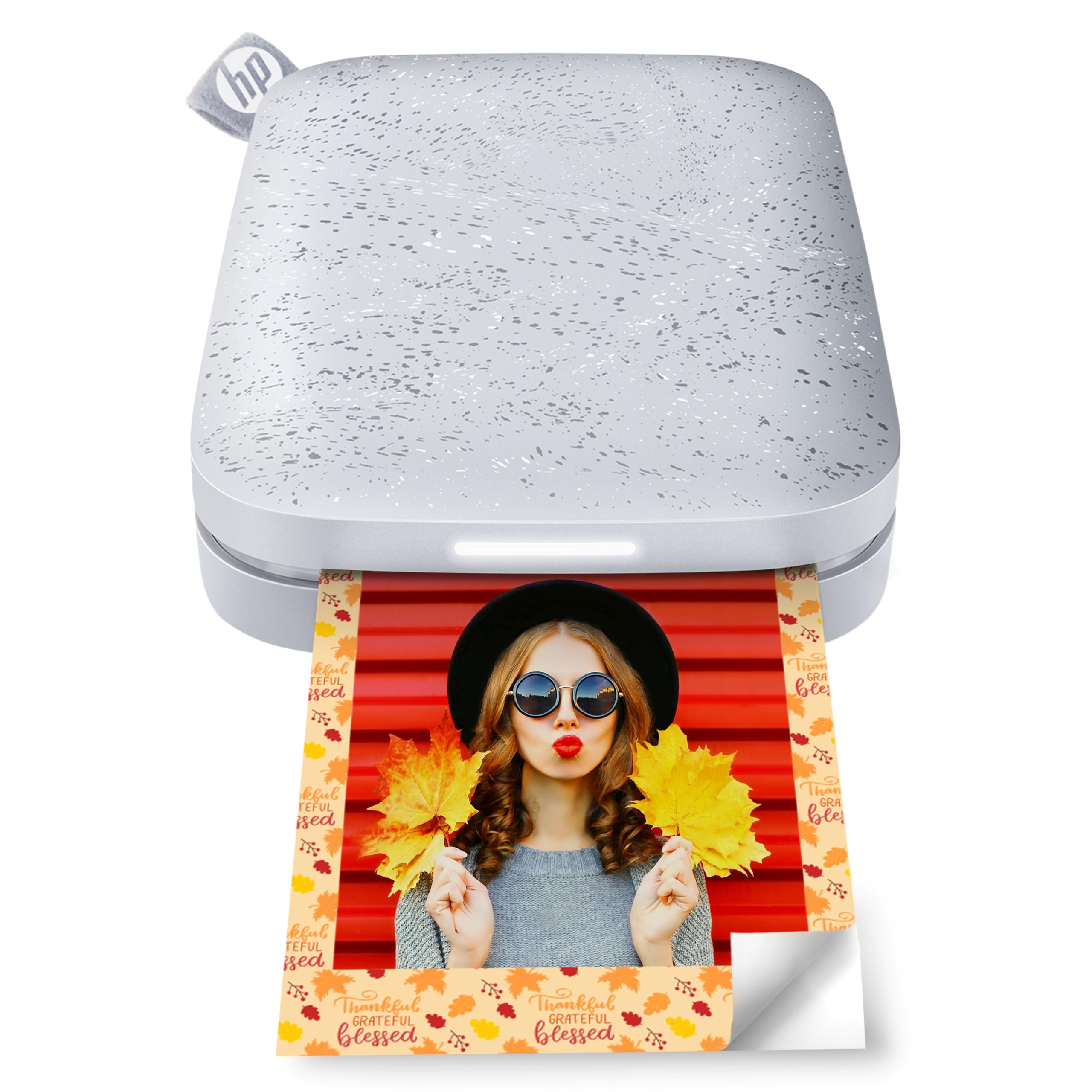
A stack of phones at a party is the HP Sprocket's natural habitat. It can connect multiple devices at once, and a personalized LED light shows whose photo is printing. We hand it to a group and let them queue up; that social hardware is the reason to choose it over a sharper mini.

The 2x3 Zink prints are casual: good for a fridge door, a scrapbook, or a phone case, not for framing. The app adds augmented-reality extras and a photo queue, and the printer itself is pocketable at about an inch thick. It is small enough to pass around and simple enough that nobody needs a tutorial.

If you mainly print alone, a dye-sub mini is the better fit. If you want a printer that gets people involved, this is the one. The Sprocket is less about perfect output and more about the moment when three friends send a print at once.

Pros

  • Prints from multiple phones at once
  • Personalized LED queue
  • Pocketable Zink design
  • AR app extras

Cons

  • Only uses Zink paper
Our verdict

The HP Sprocket is the one to bring to a party: it lets several phones print in turn, and the LED queue makes the whole thing feel social.

Check Latest Price
8

Craft Projects

Nelko Flow

88 /100
Keeper Score Excellent

Key details

Print Size
2 x 3 inches
Resolution
600 dpi
Technology
Inkjet
Included Media
60 sheets, six paper types
Check Price on Amazon

Six paper types is the reason the Nelko Flow exists. It is a 2x3 inkjet printer that comes with white sticker, transparent, macaron, magnetic, heat-transfer, and water-transfer paper, so you can stick a photo to a fridge, iron one onto a tote, or slide one onto a mug. That is a different job from a frame printer.

The 600 dpi output is sharp enough for small crafts, and we like the magnetic and heat-transfer sheets for the way they turn a snapshot into something useful. The battery is rated for up to 80 prints, which is enough for an afternoon of craft projects, and the cartridge snaps in without the ink-spill ritual of a full-size printer. The app is required, but it is friendly.

This is not the printer to buy if you mainly want a stack of 4x6 family photos; the 2x3 format is the whole point. It is a craft tool first. The six paper types are the feature that separates it from every other mini here, and they are the reason it earns a place in a roundup rather than being a novelty.

The Flow is the best craft pick here for journalers, scrapbookers, and anyone who likes turning photos into objects. If you want one printer for both family albums and craft projects, it is too specialized; if you want the projects, it is the most interesting mini here.

Pros

  • Six paper types in the box
  • 600 dpi inkjet prints
  • Up to 80 prints per charge
  • Magnetic and heat-transfer projects

Cons

  • Specialty paper costs more than plain Zink
Our verdict

The Nelko Flow is for the crafter who wants photos on more than paper: magnets, transfers, and stickers all come out of one pocket-sized printer.

Check Latest Price

How We Tested 12 Portable Photo Printers

We rounded up every phone-first model we could find at the accessible end of the price range, dropped anything that required a computer to print, and narrowed to 12 units based on paper format, refill cost, and how the companion app held up in reviews. Each one was set up cold, straight out of the box with no instructions, and we timed the gap between opening the box and holding a first print. That number said more about ease of use than any feature list — a few had us printing in under two minutes, and one took the better part of an hour of pairing, unpairing, and starting over.

Every machine printed the same four images: a portrait with difficult skin tones, a landscape with a wide gradient sky, a dim indoor shot, and a screenshot of small text. We checked whether colors stayed true to the phone screen, whether the sky broke into visible bands, and whether highlights blew out to white. In-app extras — borders, stickers, collage layouts — got five minutes each, and we noted which ones needed a second download to work. We also logged the sheet count as we went and priced out the next cartridge, so the per-print cost we cite comes from our own tally rather than the packaging.

The pocket-sized ones lived in backpacks, coat pockets, and a tote bag for weeks at a time, and we noted which survived a drop onto concrete. Connectivity got tested the way it actually fails: printing in a moving car, in a crowded room with a dozen other Bluetooth devices, and while the phone was also streaming music. We counted how often a job quit halfway through, and we looked at every print again a month later to see whether the colors had drifted.

How to Choose a Portable Photo Printer

Start With Print Size, Then Portability

2x3 printers are the ones that fit in a jacket pocket or a small bag; 4x6 printers are better thought of as small desktop machines. That does not make 4x6 less portable, since the Liene M100 is easy to move around the house, but it will not disappear into a purse. Choose 2x3 for journals, stickers, and phone cases; choose 4x6 for frames, albums, and gifts. If you need both, buy the 4x6 first and add a mini later.

Match the Technology to the Print's Job

Zink printers are ink-free and use sticky-backed paper, which makes them great for journals and phone cases; the trade is softer detail and a plasticky feel. Dye-sublimation models like the Liene M100, Liene Pearl N200 Pro, and Canon Selphy CP1500 produce richer, laminated prints that feel like photos. Instax film is its own thing: charm and immediacy rather than lab accuracy. Inkjet minis like the Nelko PP01 and Nelko Flow promise higher resolution on small stickers and crafts, but they still need cartridges.

Check Power and Connectivity Before You Buy

Battery-powered minis are the ones that actually leave the house; the Canon Selphy CP1500 needs an outlet unless you add its optional battery, which is the difference between a desk printer and an event printer. On the phone side, Bluetooth is simpler for one person, while Wi-Fi or a built-in hotspot handles larger files and multiple devices. The trap is assuming compact means cordless. Check the power source first, then check whether the app supports the phone you own.

Budget for Supplies, Not Just the Printer

The printer is the cheap part. Zink paper, Instax film, dye-sub cassettes, and inkjet cartridges all recur, and the bundled counts vary wildly: the Liene M100 comes with 100 sheets, the Liene Pearl N200 Pro with 50 sheets and five cartridges, while the Instax Mini Link 3 comes with no film. Before you choose, price a second pack of paper or film. If you plan to print a batch for a party, a bigger bundle is worth more than a slightly lower printer price.

Look at the App and Specialty Media

Most of these printers are phone-first, so the app matters as much as the hardware. A good one lets you crop to the print's aspect ratio, add a border, and see a preview before you commit paper. Specialty media is the other differentiator: sticky backs are common, but the Nelko Flow adds magnetic, heat-transfer, and water-transfer sheets. If you are a crafter, that flexibility is worth more than a marginal difference in print quality.

Frequently Asked Questions

Final Verdict

Most people should start with the Liene M100. It prints real 4x6 photos, comes with 100 sheets and three cartridges, and is small enough to move around without being a desk-bound monster.

If you want a pocket printer for journals, the Canon Ivy 2 is the easier carry; if print quality at home matters more than portability, the Canon Selphy CP1500 is the better 4x6 machine. The right choice is the one that matches where you print.