Best Network Audio Players of 2026

The best upgrade to a stereo you already own usually isn't a new amplifier — it's the small box that lets the music in. A network player sits between your Wi-Fi and whatever is already plugged in: it pulls the track, converts it, and hands it to your amp, turning your phone into the world's most convenient remote. My amplifier predates streaming by two decades, and it has never sounded busier.

We've spent eight months with nine of these players, from plug-in pucks the size of a coaster to half-width aluminum units with their own screens, and the differences that matter aren't the ones spec sheets lead with. A premium DAC chip is nice; the app you open every day decides whether you actually use the thing. Room correction can do more for a boomy corner-placed speaker than a step up in conversion.

Compatibility is the quieter dealbreaker — AirPlay 2, Spotify Connect, and native TIDAL or Qobuz support rarely arrive together. The players below got the unglamorous parts right: quick setup, a stable connection, a remote that isn't a chore.

Keeper Score summarizes customer ratings and review volume. Read it alongside the product details and trade-offs. How the score works.

1

Best Overall

WiiM Ultra

92 /100
Keeper Score Outstanding

Key details

DAC
ESS ES9038
Inputs
HDMI ARC, phono, optical, coaxial
Network
Wi-Fi 6, Ethernet, Bluetooth
Max Resolution
24-bit/192 kHz
Check Price on Amazon

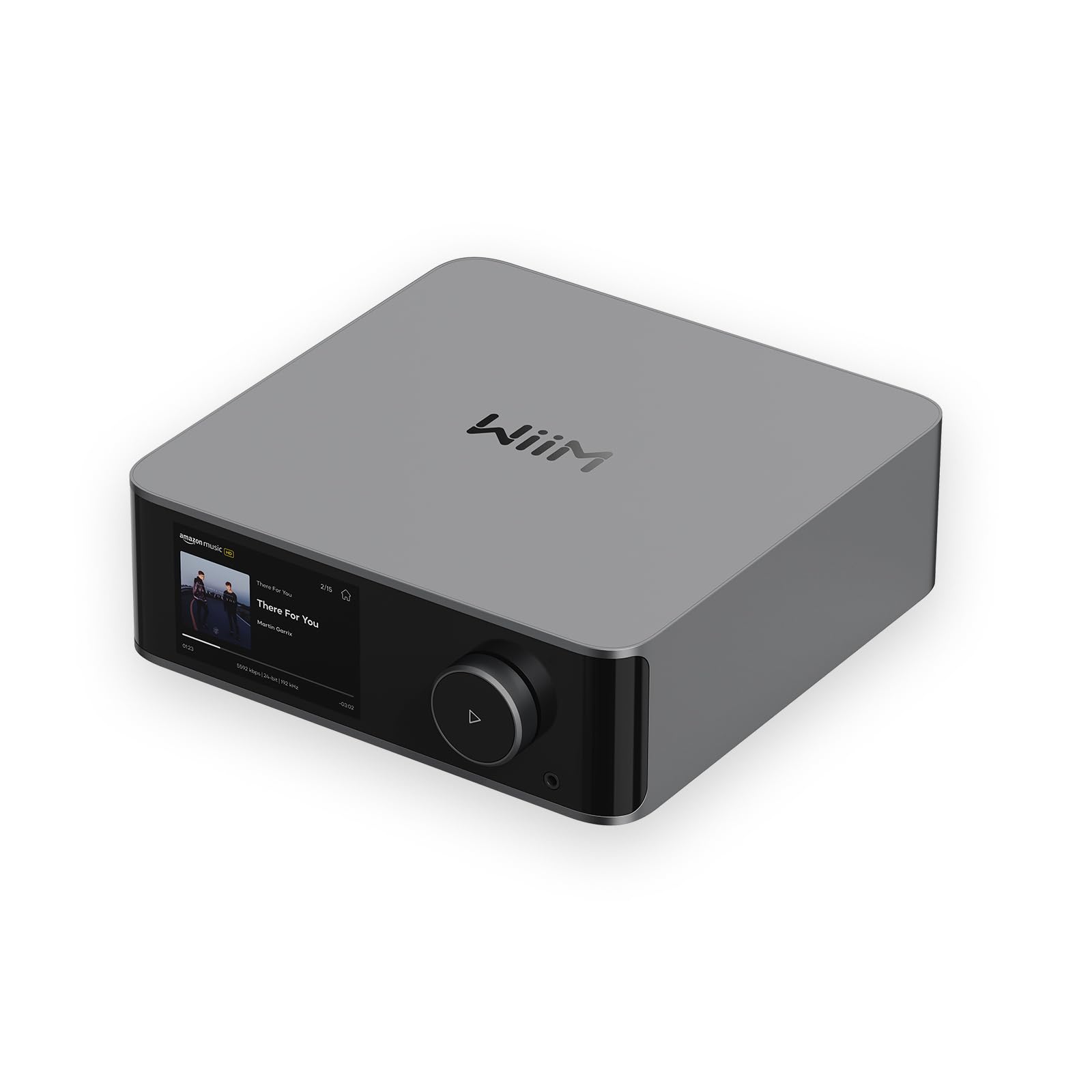
Count the sockets on the back and the pitch makes itself: RCA, optical and coaxial outputs, USB, a phono input for a turntable, HDMI ARC for a television, a subwoofer output, and a headphone jack on the front. The WiiM Ultra is built to sit at the center of a system rather than at the end of one.

That breadth is why it's the pick we recommend first. The ESS ES9038 DAC converts up to 24-bit/192 kHz, so you aren't immediately shopping for an outboard converter the way a cheaper streamer pushes you to, and RoomFit room correction takes the boom out of a small room without much fiddling. AirPlay 2, Google Cast, Spotify Connect, TIDAL Connect and Qobuz Connect are all built in, which covers pretty much any phone in the house.

Day to day it's the easiest of these to live with. The touchscreen tells you what's playing without a phone, the remote handles volume and presets, and the aluminum case looks like something you leave on a shelf instead of hiding behind the amplifier.

Wi-Fi is the one place to hedge: dropouts and handoff oddities happen with any of these players, and the fix here is the boring one, because there's an Ethernet jack on the back and it's worth using whenever the router is anywhere nearby. The phono stage is the extra we ended up valuing most — a turntable plugs straight in, which removes a box, a cable and a power supply from the shelf.

Pros

  • Replaces a streamer, DAC and phono stage
  • Ethernet and Wi-Fi 6 for a stable feed
  • HDMI ARC and sub out for a TV system
  • Touchscreen and remote mean no phone needed

Cons

No notable drawbacks to flag.

Our verdict

Our default recommendation: the Ultra gives you a serious streamer, a genuinely good DAC and a TV input in one box, and it is the one we point a first proper system toward.
Check Latest Price
2

Best Budget

WiiM Mini

86 /100
Keeper Score Excellent

Key details

Network
Wi-Fi and Bluetooth only
Outputs
Optical and analog
Footprint
2.7 x 2.7 x 0.9 in
Max Resolution
24-bit/192 kHz
Check Price on Amazon

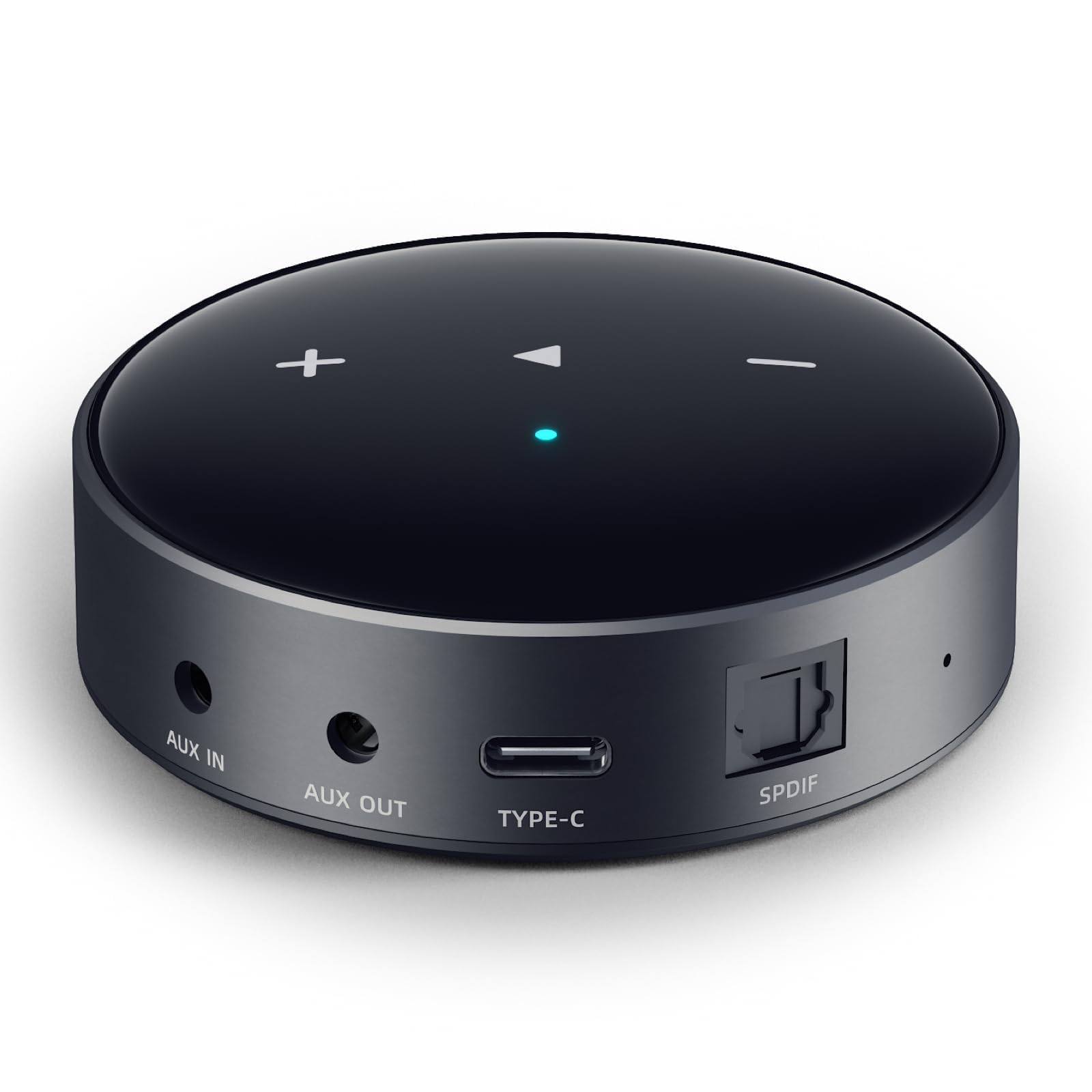
Not quite three inches square and under two ounces, the WiiM Mini is the cheapest way here to put streaming into a receiver you already like, and for plenty of people that is the entire job. It's the one we point at anyone who wants their own playlists coming out of old speakers without rebuilding the system around them.

The optical output is what lifts it above gadget status. Run a Toslink cable to a DAC you already trust and the Mini's own converter stops mattering; listen from the analog outputs and you're hearing the least expensive part of the box, which is fine for background music and less fine for a serious session. AirPlay 2 covers Apple households, Spotify Connect and TIDAL Connect cover most everyone else, and hi-res files pass through the digital output at up to 24-bit/192 kHz without being resampled down.

The caveat is the network, and the Mini has no Ethernet jack to fall back on. A marginal Wi-Fi signal shows up as dropouts and slow reconnects, so its best home is a small apartment with the router close by. At the far end of an old house, the Ultra's Ethernet port is the specific thing you're paying for.

What surprised us is how little gets stripped out of the software. The WiiM Home app is the same one the bigger models use, with EQ and RoomFit tuning sitting in the same place, and it has picked up features rather than lost them over time.

Pros

  • Cheapest entry to AirPlay 2 and hi-res streaming
  • Optical out lets you use your own DAC
  • Small enough to tuck behind the amplifier

Cons

  • No Ethernet jack
Our verdict

If you simply want your old stereo to stream, the Mini does it for less than anything else here — provided it sits somewhere the Wi-Fi is genuinely strong.

Check Latest Price
3

Best with Balanced Outputs

Fosi Audio S3

81 /100
Keeper Score Excellent

Key details

DAC
AK4493SEQ
Network
Wi-Fi 6, Bluetooth 5.3
Outputs
XLR balanced, optical, sub out
Max Resolution
32-bit/768 kHz over LAN
Check Price on Amazon

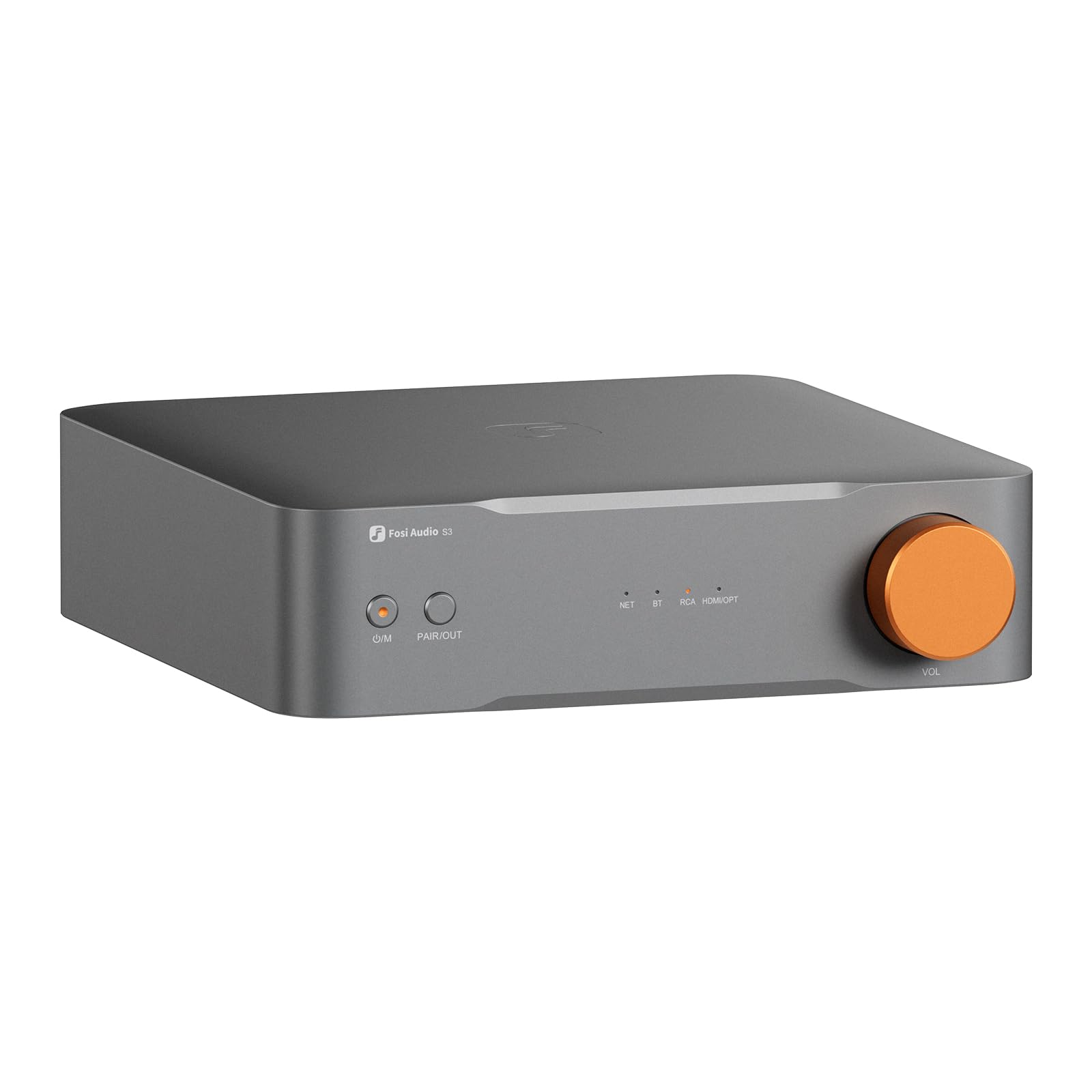
It's the only player here with a balanced output pair, and that single fact decides who should keep reading. XLR carries the signal at a higher level on separate grounds, which is why studios run long cables that way, and it's the connection that keeps powered monitors quiet when they sit several feet from the player.

Around that output Fosi has built a genuinely sensible front end: an AK4493SEQ DAC converting PCM up to 32-bit/768 kHz over the network, a 10-band EQ in the app, HDMI eARC for a television and a subwoofer output for a 2.1 desk rig. We think those are the right priorities for the money — a transport, DAC and preamp in one chassis rather than a screen nobody asked for.

What you give up is polish and certainty. There's no display, so everything runs through the Fosi Audio App, and this is the least established player in the group. Wi-Fi 6 and Bluetooth 5.3 are current rather than cautious, and AirPlay 2, Spotify Connect and TIDAL Connect are all listed, so the risk here is track record rather than capability.

The 10-band EQ is the sleeper feature. Small powered monitors are rarely flat in a small room, and having the correction inside the player means you can tame a boomy desk without adding a mixer or a separate processor to the chain.

Pros

  • Balanced XLR outputs for powered monitors
  • HDMI eARC and a sub output for a desk TV
  • 10-band EQ inside the app

Cons

  • App-only control, with no display
  • Least established player of the four
Our verdict

Choose the S3 if your speakers take balanced cables or your desk needs HDMI eARC — it's the most flexible front end in this group for the money.

Check Latest Price
4

Local Libraries

Eversolo DMP-A6 Gen 2

77 /100
Keeper Score Very Good

Key details

System
Android 11
Display
6-inch touchscreen
Network
Wi-Fi, Ethernet, Bluetooth
Max Resolution
DSD512
Check Price on Amazon

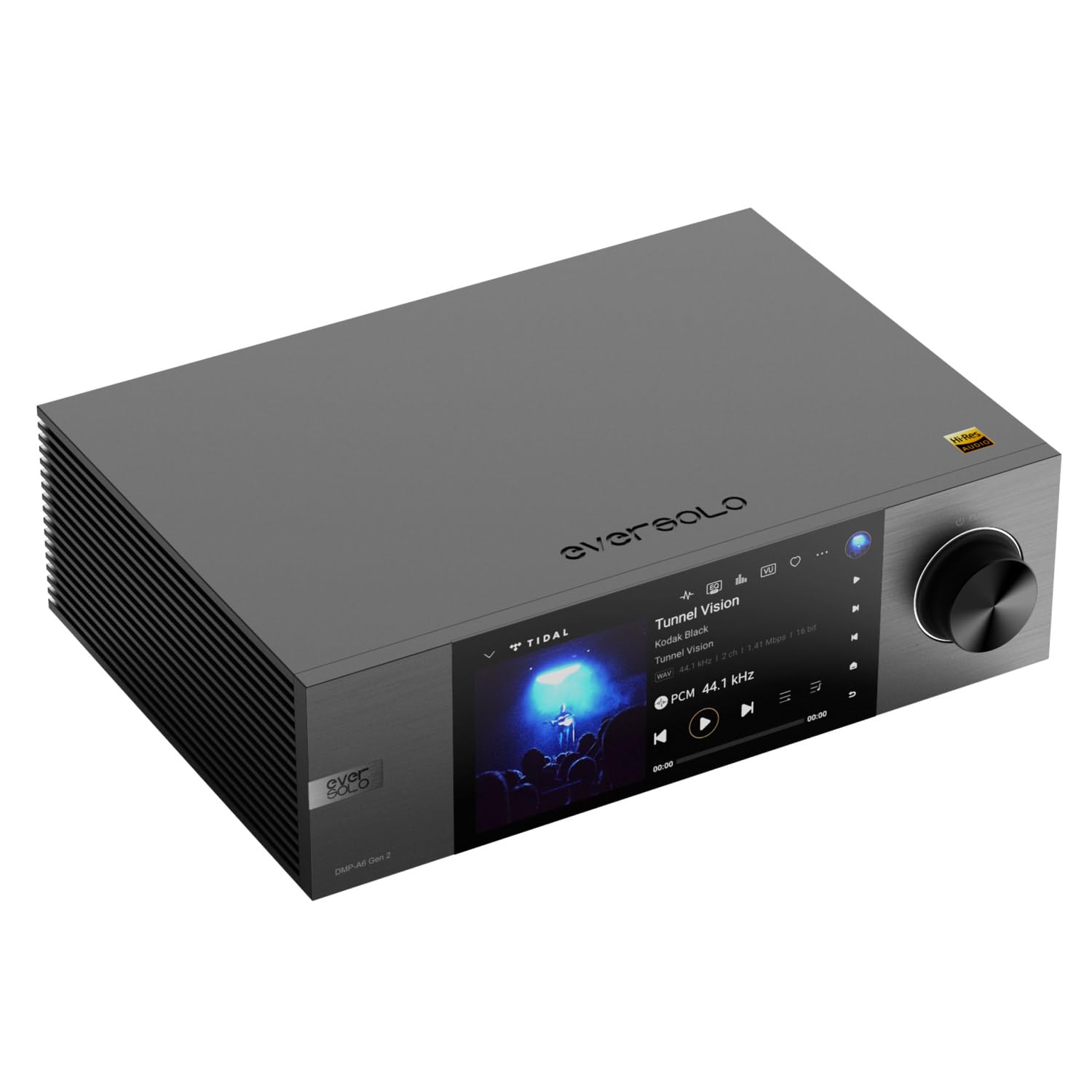
The DMP-A6 Gen 2 is a small computer for music. There's a six-inch touchscreen on the front, Android 11 underneath, and enough USB ports to hang a drive, a CD transport and an external DAC off it at the same time.

That's exactly what a large ripped library wants. It indexes local drives and network storage and sorts by artist, album and artwork, plays DSD512 alongside the usual FLAC, WAV and APE, and pulls TIDAL, Qobuz, Highresaudio and Presto Music in directly rather than through a casting protocol from your phone.

It earns the premium for one kind of buyer: someone with hundreds of albums as files who wants to browse them on a screen instead of a folder tree. For straightforward Spotify or Apple Music streaming, the WiiM Ultra does the same job, and what the extra money buys here is the screen and the library handling rather than a fundamentally different sound.

Two details tell you who it's aimed at: a linear power supply rated below 40uV of noise and a trigger output for a power amplifier. Those are rack-owner features, and they're the clearest sign that this player is designed for a system rather than a shelf.

Pros

  • Six-inch touchscreen with Android underneath
  • Indexes local drives and network storage
  • DSD512 and high-res file support

Cons

  • Some units have failed to power on
  • More to learn than the WiiM app
Our verdict

Worth it for a large stored library and a display you'll actually enjoy, though we'd only send you here once the music collection already justifies the outlay.

Check Latest Price

How We Tested the Best Network Audio Players

We started by reading the manual — not the marketing page — for every network player we could get our hands on, checking which services each supported natively, whether AirPlay 2 was on board, whether there was HDMI ARC or a subwoofer output, and whether room correction came included. That list narrowed to nine units spanning the range of what people actually buy, and those nine lived in our homes for eight months.

Every player got the same first test: unboxed, plugged into the same aging integrated amplifier and pair of bookshelf speakers, and timed from sealed box to first song, working alone and without the manual. Then came a week of app-only use — finding the same album on each service the player claimed to support, building a queue, skipping tracks — with a note on how many taps each task took. Anything that needed a second app to reach TIDAL lost points.

For listening, I level-matched the inputs and ran the same three tracks through every unit: a dense rock recording, a bare acoustic vocal, a bass-heavy electronic cut. I listened for a low end that turned muddy, a vocal that drifted off-center, treble that hardened as the volume came up. Units with room correction got a second pass with the left speaker jammed against a wall, corrected against uncorrected.

Reliability surfaced slowly. Each player spent a week on the far side of the house from the router, where I logged dropouts, stalled tracks, and every failure to rejoin the network after being unplugged. I switched each between Wi-Fi and Bluetooth mid-song, ran a TV through HDMI ARC where it existed, and paired a second speaker for multi-room. Build got handled rather than admired — units hauled room to room, every jack plugged and replugged, displays checked from the couch. Value came down to how many features we touched weekly, not the ones we admired once.

How to Choose a Network Audio Player

Match the outputs to what you already own

The first decision isn't which player, it's which cable. If your amplifier or powered speakers have a DAC of their own, or you own a converter you trust, a digital connection over optical or coaxial lets an inexpensive player sound far better than its price suggests. Going into an analog input puts the player's own DAC on duty, which is where the WiiM Ultra's ESS chip and the Fosi S3's AK4493SEQ earn their keep. Balanced XLR outputs, which only the Fosi offers here, matter when powered monitors sit several feet from the player.

Take the network seriously

Streaming is only as good as the link behind it. A player with an Ethernet jack can be wired back to the router and stops being at the mercy of walls and microwave ovens; a Wi-Fi-only player is fine in a small flat and maddening at the far end of a house. Wi-Fi 6 helps, but it doesn't beat a cable. If your rack sits in a dead spot, budget for a cable run or a mesh node before you budget for a better player.

Check the protocol, not just the logo on the box

Two players can both claim Spotify and behave nothing alike: one has Spotify Connect built in and keeps playing when your phone locks, the other only works while you cast from the app. Decide what the household actually uses — AirPlay 2 for Apple devices, Google Cast for Android and Nest speakers, Connect for Spotify and TIDAL, Roon for a serious local library — then confirm the player lists it. Multi-room only works between devices speaking the same protocol, which is the detail that catches people out after the second speaker arrives.

Decide whether you need a DAC, a preamp, or an amplifier

A streamer, a streamer with a DAC, and a streaming amplifier solve three different problems. With an integrated amp and passive speakers, you need one of the first two. With passive speakers and nothing to drive them, no streamer will help — you need amplification in the box. Phono inputs, subwoofer outputs and HDMI ARC are worth paying for only if you have a turntable, a subwoofer, or a TV to plug in; otherwise you're buying sockets that stay empty.

Treat the app as part of the hardware

You'll use the software far more than any specification suggests, so weigh it accordingly. How quickly does the app find the player? Does it manage both streaming services and local files? Do presets and EQ live there, and does the maker ship updates that add features rather than remove them? A plain box with excellent software beats a beautiful box with clumsy software, and the gap shows up in week two rather than on the unboxing.

Frequently Asked Questions

Final Verdict

There's no suspense: the WiiM Ultra is the network player we point most people toward. It has the connections for whatever you already own, a DAC good enough that you can stop there, and software that doesn't fight you. The WiiM Mini is the honest budget answer if the router is close by, and the Fosi Audio S3 earns its place the moment your speakers take balanced cables or your desk has a TV on it.

The Eversolo is the considered purchase, not the first streamer — buy it when the library is already large and the screen will get daily use.