Best LCD Writing Tablets of 2026

My kitchen counter has a permanent stack of scrap paper on it — the back of an envelope, a torn piece of junk mail, whatever's closest when someone needs a grocery list. An LCD writing tablet replaces that pile with one flat slab: write with a stylus, press a button, screen clears. No ink, no sharpener, no pages to buy.

I've spent four months with 14 of them, from palm-size doodle boards to a 15-inch panel leaning against my fridge, and the gap between a good one and a frustrating one has nothing to do with screen size. It's whether the erase button clears the corners on the first press, and whether the stylus has a slot to live in.

One surprise for first-time buyers: a "colorful" screen doesn't write in the color you pick — the tint is baked into the panel, and your lines show as a clear imprint over it. The picks below survived backpacks, car rides, and being sat on.

Keeper Score summarizes customer ratings and review volume. Read it alongside the product details and trade-offs. How the score works.

1

Best Overall

Bravokids 10-Inch LCD Writing Tablet

93 /100
Keeper Score Outstanding

Key details

Erase
One-button clear
Stylus
Included
Weight
5.29 oz
Screen Size
10 inches
Check Price on Amazon

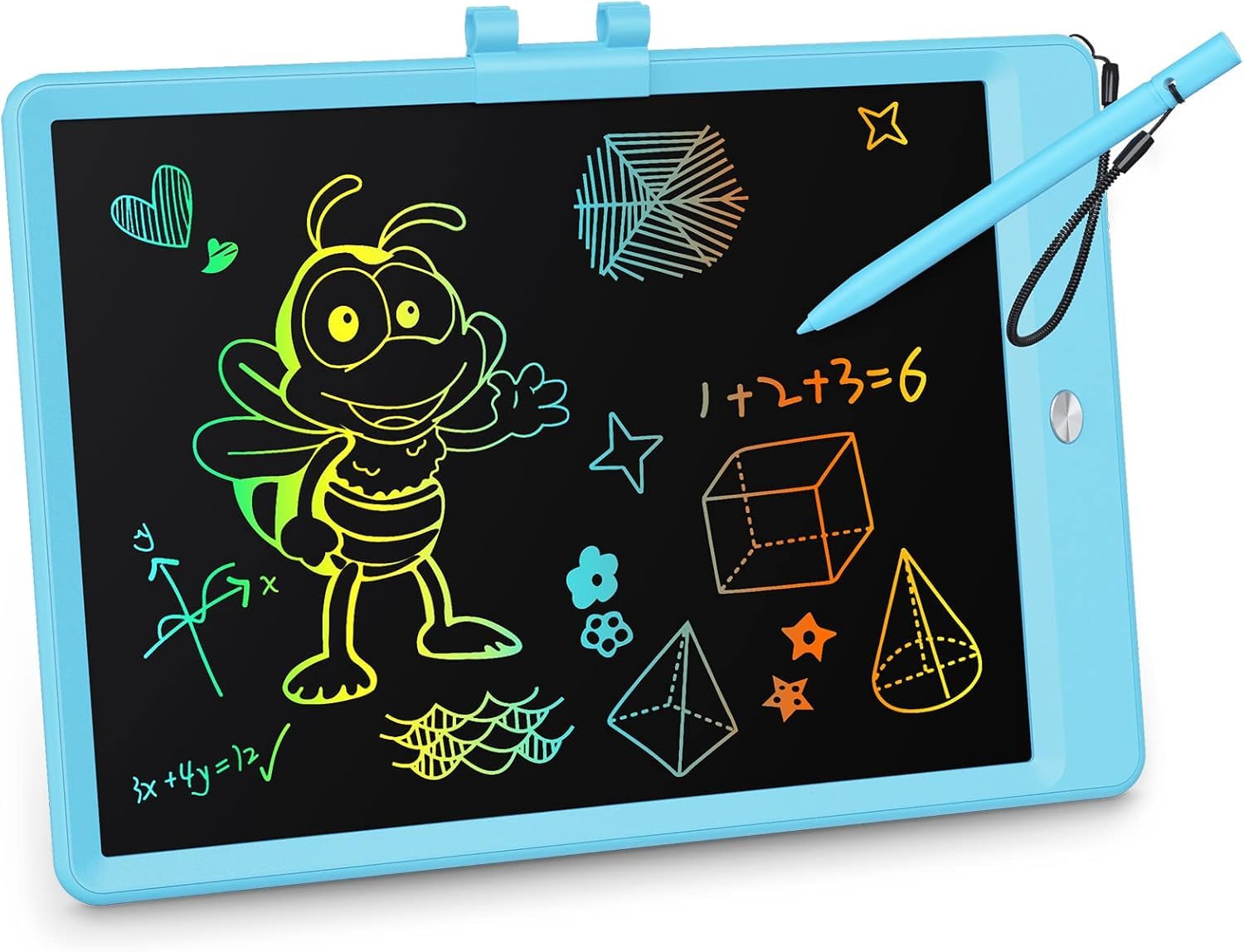
A 10-inch screen is the sweet spot for most families, and the Bravokids gets the shape right. At 150 grams it is light enough for a small backpack, but the writing area is large enough for a drawing, a spelling list, or a round of hangman. We like that the corners are rounded and the body is plastic rather than glass, because this is the tablet that gets handed across a table.

What earns it the top spot is the everyday handling. The pressure-sensitive screen makes thicker and thinner lines depending on how hard a child presses, the erase button clears the board, and the screen lock keeps a drawing from disappearing when a sleeve drags across it. We appreciate the lock more than we expected; it turns a scribble into something a child can show you before starting again.

The compromise is the color. The rainbow lines are softer than the bright product photos, and they read best in daytime or a well-lit room. The stylus tether is a thin string, too—the part most likely to give first if a child swings the pen by its cord. Neither changes the recommendation for a 3- to 8-year-old, but both are worth knowing before you hand it over.

We recommend it as the default because it balances size, weight, and clearing better than the other kid-focused boards here. It is not the cheapest or the largest, but it is the one we are happiest to see go into a school bag.

Pros

  • Light 150-gram body
  • 10-inch screen suits drawing and spelling
  • Screen lock protects a drawing
  • One-button clear is easy for kids

Cons

  • Thin stylus tether can snap
Our verdict

The Bravokids is our default for most families: a light 10-inch board that a child can clear without help and carry without fuss.
Check Latest Price
2

Best Large Board

TEKFUN 15-Inch LCD Writing Tablet

93 /100
Keeper Score Outstanding

Key details

Erase
One-button clear with lock
Stand
Included
Screen Size
15 inches
Check Price on Amazon

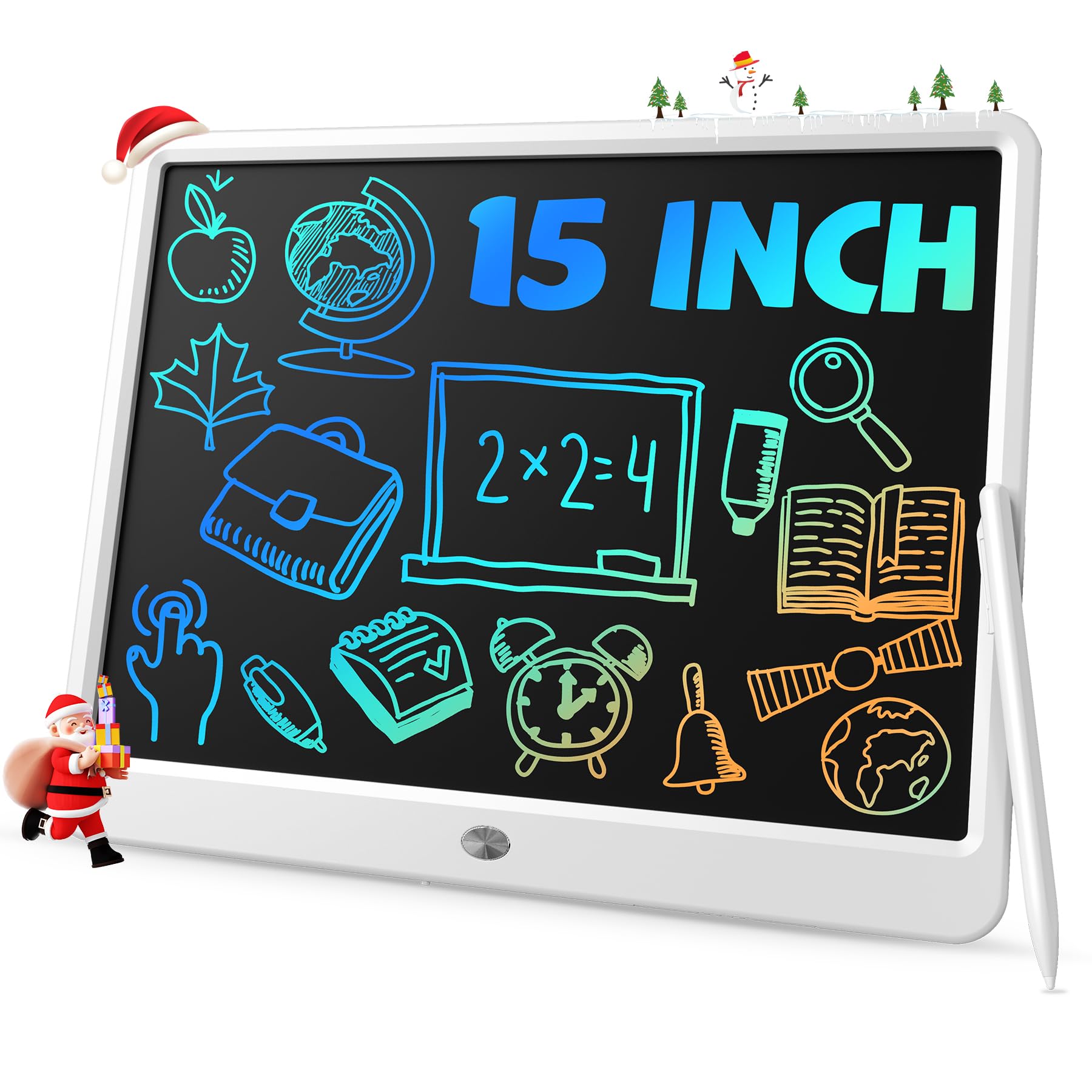
A 15-inch writing surface changes what this tablet is for. The TEKFUN is wide enough to leave a math problem, a grocery list, or a paragraph of notes in view, and the included stand holds it upright on a desk instead of letting it slide flat.

We like it most as a homework and kitchen-counter board. The one-button erase and screen lock are the right controls for that job: a child can work through a problem, lock it, and come back without the board clearing itself. The bigger surface also makes it easier for an adult to read from a step away, which is not true of the 8.5-inch boards here.

The trade-off is that it is a desk object, not a lap toy. It takes up real space, and we do not hand it to a toddler in a car seat. The lock button is also a little stiff for small fingers, so an adult may need to set it the first few times. That is a small hurdle rather than a dealbreaker.

For a family that wants one board for homework, lists, and quick notes, the larger screen is worth the lost portability. For travel, choose one of the 8.5- or 10-inch picks instead.

Pros

  • 15-inch surface fits homework and lists
  • Included stand keeps it upright
  • One-button erase with screen lock
  • Easy to read from a step away

Cons

  • Lock button can be stiff for small fingers
Our verdict

For a desk or homework station, we reach for the 15-inch TEKFUN: the larger surface and stand make it the easiest board here to write on and read from.

Check Latest Price
3

Best for Notes

Boogie Board Basics Reusable Writing Pad

91 /100
Keeper Score Outstanding

Key details

Erase
Instant button erase
Power
Battery powered, no charging
Dimensions
7.4"L x 8.25"W
Screen Size
8.5 inches
Check Price on Amazon

The Boogie Board Basics is the adult pick here, and it is the one that feels like a notebook rather than a toy. The 8.5-inch screen is bright and high-contrast, with the kind of legibility that makes a grocery list or a phone message easy to read from across a counter.

We like the no-fuss power setup: it runs on a battery with no charging cable, and the included stylus or any scratch-free stylus works on the screen. That makes it a good fit for a desk, a fridge, or a bag where a charging cable never seems to be.

The Basics is at its best on a desk or a fridge door, where it replaces a pad of paper and a pen. It is not the one for a child who leaves toys on the floor; the screen and stylus deserve more care than the kid-first boards here.

For quick notes, lists, and letter practice, the contrast makes it the one we reach for. For a rough-and-tumble household, the cheaper kid tablets are the safer spend.

Pros

  • High-contrast screen is easy to read
  • No charging cable or cord
  • Works with any scratch-free stylus
  • Good fit for desk lists and notes

Cons

  • Premium price for an 8.5-inch pad
  • Erase button can stop clearing
Our verdict

The Boogie Board is our adult-note pick: high-contrast, cord-free, and simple to live with, though it is not the board we hand a rough toddler.

Check Latest Price
4

Best Multi-Pack

Genialba 8.5-Inch LCD Writing Tablet 4-Pack

93 /100
Keeper Score Outstanding

Key details

Colors
Pink, blue, green, purple
Weight
14.1 oz
Pack Size
4 tablets
Screen Size
8.5 inches
Check Price on Amazon

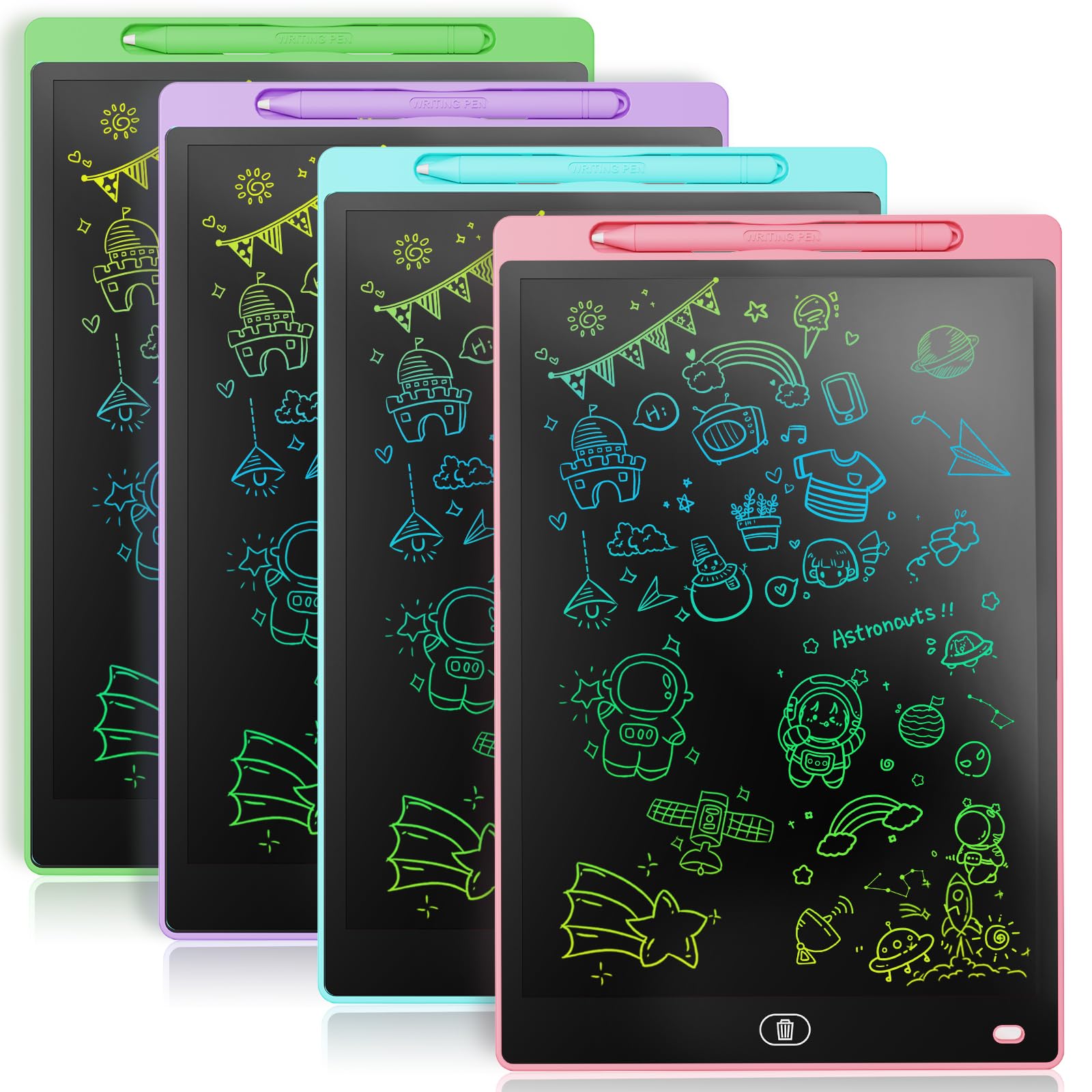
Four 8.5-inch tablets in one pack is the whole argument for the Genialba, and it is a good one for a family with several children or a teacher who needs a table full of boards. The set arrives in pink, blue, green, and purple, so each child can claim a color.

We like the simple handoff: each board writes with the usual pressure-sensitive line, clears with a button, and has a lock for a drawing worth keeping. The stretchy pen bands are a small but useful detail; they keep the stylus with its board instead of rolling under the couch.

The build is where the value shows its limits. These are thin boards, and a cracked screen is the failure to watch for if they are tossed into a toy bin. The colors are also softer than the product images, so expect pastel lines rather than neon. For a classroom table where the boards stay on a shelf, that is a fair trade; for a child who leaves toys on the floor, buy a sturdier single board.

For a classroom or four kids, the per-child value is hard to beat. For one child, a single 10-inch tablet is the better buy; the extra boards just become clutter.

Pros

  • Four tablets in one set
  • Color-coded for each child
  • One-button clear with screen lock
  • Stretchy bands keep styluses with boards

Cons

  • Thin screens need careful handling
Our verdict

We reach for the Genialba 4-pack when one household needs several basic boards, not when one child needs the sturdiest single tablet.

Check Latest Price
5

Best for Toddlers

ORSEN 8.5-Inch Dinosaur LCD Writing Tablet

93 /100
Keeper Score Outstanding

Key details

Erase
One-click clear with lock
Theme
Green dinosaur
Weight
7.8 oz
Screen Size
8.5 inches
Check Price on Amazon

The green dinosaur shell is what a child notices first, but the 8.5-inch size is what makes this ORSEN a good fit for small hands. It weighs 7.8 ounces, so a preschooler can carry it without asking for help.

The controls are the familiar ones: a pressure-sensitive screen, a one-click clear, and a screen lock. We like the lock for a child practicing letters; without it, a sleeve or a thumb can wipe the board.

We recommend it for a 2- or 3-year-old because the smaller frame and lighter weight matter more than the extra inch. For a 6-year-old, the 10-inch Bravokids gives more room to write, and the bigger screen is easier to grow into.

Pros

  • 8.5-inch size fits small hands
  • Lock keeps a drawing in place
  • One-click clear is simple
  • Light 7.8-ounce body

Cons

  • Pen holder can snap under rough handling
Our verdict

The ORSEN dinosaur is our pick for toddlers and preschoolers: small, light, and easy to lock, with a pen holder that needs a careful eye.

Check Latest Price
6

Siblings and Travel

TEKFUN 8.5-Inch LCD Writing Tablet 2-Pack

93 /100
Keeper Score Outstanding

Key details

Color
Blue
Stylus
Included
Pack Size
2 tablets
Screen Size
8.5 inches
Check Price on Amazon

Two 8.5-inch tablets in one pack is the reason this TEKFUN set is here: it is the practical answer to two children who both want the same board. The pair is light enough for a backpack and small enough for a restaurant table.

The controls are the familiar ones: pressure-sensitive writing, a one-button clear, and a screen lock for a drawing that needs to survive the trip home. We like that the lock is separate from the erase button; a child can protect a drawing without accidentally clearing it.

The stylus is not tethered, and that is the detail we mind most. In a car seat or a booth, a loose pen is easy to lose. Add a short length of yarn or a small tether if you want the pair to stay complete; the boards themselves are otherwise simple to live with.

We recommend this set for siblings or for one child who wants a board at home and one in the car. It is not the pick for a single child who needs the largest possible screen; that is the 10-inch Bravokids. But as a two-child travel kit, it is easy to justify.

Pros

  • Two 8.5-inch boards in one pack
  • Screen lock protects drawings
  • One-button clear is simple
  • Light enough for a travel bag

Cons

No notable drawbacks to flag.

Our verdict

This TEKFUN pair is our sibling-and-travel answer: two light 8.5-inch boards with a lock, as long as you add a tether for the pens.

Check Latest Price
7

Younger Kids

KOKODI 10-Inch LCD Writing Tablet

91 /100
Keeper Score Outstanding

Key details

Stylus
Corded
Weight
8.82 oz
Screen Size
10 inches
Battery Door
Screw-secured
Check Price on Amazon

A screw holding the battery door shut is not the most exciting feature, but it is the reason this KOKODI belongs on a list for younger children. The compartment is secured against small fingers, and the stylus is corded so it stays with the board.

The rest is familiar: a 10-inch pressure-sensitive screen, a one-button clear, and a lock for a drawing worth keeping. At 0.25 kg it is heavier than the Bravokids but still manageable for a child carrying it between rooms.

We like the safety details more than the screen. The colors are not as saturated as the photos, and the lines read better in daylight than under a dim lamp. That is the trade-off for the child-safe battery door and the lower outlay.

For a household with a 2- or 3-year-old who puts everything in their mouth, the battery screw is worth the extra weight and the softer color. For an older child, the lighter Bravokids is the easier carry.

Pros

  • Screw-secured battery door
  • Corded stylus stays with the board
  • 10-inch screen with screen lock
  • Simple one-button clear

Cons

  • Erase button can stop clearing
Our verdict

Our safer-feeling 10-inch pick for younger kids is the KOKODI, with a screw-secured battery and a corded stylus.

Check Latest Price

How We Chose and Tested 14 LCD Writing Tablets

To build the shortlist, I read through listings for a few dozen tablets and cut anything that shipped without a stylus, anything whose stylus had no on-board storage, and anything with a screen too small to write a full sentence on. That left 14 units, spanning 8.5-inch boards up to a 15-inch panel and including two- and four-packs, which I tested as individual units — the whole point of a multipack is whether every one in the box actually works.

Testing ran four months, in the places these get used: clipped to a backpack for the school run, rattling around the back seat on a two-hour drive, and on the table at a restaurant while we waited for food. My four-year-old scribbled on them, my eight-year-old used one for spelling practice, and I kept another on the kitchen counter for grocery lists.

For erasability, I filled each screen edge to edge, pressed the button once, and noted whether the corners cleared or left gray ghosts that lingered after a day in a hot car. For durability, every tablet got dropped onto tile from table height, sat on once, and stuffed into a bag with keys; the shaped boards with cutout frames took the worst of it. I checked whether the screen tint was even across the panel or faded at the corners, shook each one upside down to see if the stylus stayed in its slot, weighed and measured them for bag-friendliness, and counted how many units in a pack were still working at the end.

How to Choose an Lcd Writing Tablet

Match the Screen Size to the Job

An 8.5-inch board is the lap-and-restaurant size: easy for a toddler to hold and small enough to tuck into a bag. A 10-inch board is the family default, with enough room for a drawing or a spelling list without much extra weight. A 15-inch board is a different object—it wants a desk or a counter, and it is awkward in a car seat. We keep young children on the smaller board; it gets used more because it is easier to carry.

Check the Erase and the Lock

Before you buy, think about the two controls a child uses most. The erase button should clear the screen in one press; if it needs several presses or leaves ghost lines, it becomes a daily frustration. A lock is just as important for homework, a game, or a drawing a child wants to show you. Press both controls in the store or on arrival, and make sure the lock is separate enough that a child does not clear the board while trying to save it.

Read the Screen in Normal Light

Colorful LCD lines are not backlit, so the rainbow background is not the same thing as brightness. A board that looks vivid in a product photo can look washed out in a dim car or a restaurant at dusk. Look at the screen in the light where you plan to use it, and favor contrast over color if the board is mostly for lists or notes. The Boogie Board is the contrast reference in this set; the kid-first boards trade some legibility for color.

Plan for the Stylus and the Battery

A stylus tether or a pen slot is a small feature with a large effect: loose styluses disappear in car seats and couch cushions. Check that the holder feels secure, and add a tether if the board does not come with one. For young children, the battery door matters just as much. Coin-cell batteries are hazardous if swallowed, so choose a screw-secured compartment and keep spare cells out of reach.

Decide How Many Boards You Need

One child usually needs one board. A two-pack makes sense for siblings or for keeping one board at home and one in the car; a four-pack is for a classroom, a co-op table, or a family with several children. Buying more boards than you need does not make them better—thin screens still crack, and cheap styluses still go missing. Put the money into the size and controls that fit your main use first.

Frequently Asked Questions

Final Verdict

For most families, the Bravokids 10-inch is the one to buy. It is light enough for a child to carry, large enough for real drawing and spelling practice, and its erase-and-lock routine is simple enough to become habit. We prize that combination over a bigger screen or a lower price.

If the board will live on a desk, choose the 15-inch TEKFUN; if it is for your own notes, the Boogie Board's high-contrast screen is worth the premium. For four children or a classroom, the Genialba pack is the practical buy.