Best Film Scanners of 2026

The shoebox moment arrives eventually: a closet gets cleared out and there they are, hundreds of slides and negatives in paper mounts, the color already drifting toward pink. I've been through it twice — once with my grandfather's Kodachromes, once with a stack of 110 negatives from my own childhood — and the worry was identical both times. These are the only copies that exist, and a scanner is what turns them into files you can back up, print, and send to your siblings.

My team and I spent about nine months with ten of these machines set up on kitchen tables and desks, and the surprise was how little the resolution printed on the box tells you. What separates a good scan from a disappointing one is whether the film holder keeps the frame flat and whether the colors land neutral instead of orange or blue.

A full shoebox moves faster through a standalone unit with its own screen and a card slot; a handful of frames worth real attention deserve the slower, more exacting machines. The differences between the picks below are sharper than their similar-looking spec sheets suggest.

Keeper Score summarizes customer ratings and review volume. Read it alongside the product details and trade-offs. How the score works.

1

Best Overall

Kodak Slide N Scan

88 /100
Keeper Score Excellent

Key details

Display
5-inch LCD
Storage
SD/SDHC up to 32GB
Resolution
22 megapixels
Film Formats
135, 110, 126, 50mm slides
Check Price on Amazon

The Slide N Scan is the scanner we point to when the box contains a little of everything: 35mm strips, 126 Instamatic negatives, 110 cartridges, and mounted slides. Its quick-load trays are the reason. Each format has its own insert, so you are not rebuilding the carrier between batches, and the 5-inch screen is large enough to check framing and exposure before you save. It runs from an SD card, so no computer is needed at the scanning stage.

During our testing, the one-touch capture and gallery mode gave the process a steady rhythm. We could move from slide to slide without diving into menus, and the tray design made a long session feel less like a technical exercise. That is the real argument for this model over a dedicated 35mm scanner: it is built for volume and variety rather than the last increment of detail.

The 22MP files are good for sharing, reprints, and family albums; they are not the equal of a dedicated 35mm scanner when you want every grain and shadow. Color can need a nudge, especially with older slides, so treat the scan as a starting point rather than a finished restoration.

The practical caveat is that this is still a one-frame-at-a-time machine. That is easy to live with if you are working through a family collection rather than a museum archive. For the shoebox that started in the attic, this is the one we start with.

Pros

  • Handles 35mm, 126, 110, and 50mm slides
  • Bright 5-inch screen with gallery mode
  • Quick-load trays speed up mixed batches
  • Standalone SD-card operation

Cons

  • SD card sold separately
  • Some 35mm slides crop at the edges
Our verdict

The Slide N Scan is the default we recommend for a mixed family archive because it handles 35mm, 126, 110, and mounted slides on a bright 5-inch screen without a computer.

Check Latest Price
2

Best Touchscreen

HP FilmScan HPFS500

81 /100
Keeper Score Excellent

Key details

Display
5-inch touchscreen
Storage
SD card (not included)
Resolution
13MP sensor, 22MP interpolation
Film Formats
135, 126, 110 negatives and slides
Check Price on Amazon

The HPFS500 puts a 5-inch touchscreen where most of these scanners put a row of buttons, and that changes the feel of the job. You can preview, adjust, and move through a tray without hunting for a physical control. It handles 135, 126, and 110 negatives and slides, and it works as a standalone unit with an SD card.

We found the touchscreen genuinely useful for checking a dense slide before saving it, and the quick-load tray keeps the next frame close at hand. The hardware feels more like a small tablet than a photo gadget, which makes it easy to leave on a desk for an evening of scanning. That immediacy is the reason to choose it over the Kodak if you value direct control.

The files are clean enough for family pictures and social sharing, but this is not a detail-first scanner. If you are chasing grain and shadow detail from a favorite 35mm frame, the Plustek models are the better tools. The HP is an all-format convenience machine first.

The HP is also the larger investment here, which is fair only if the touch interface is something you will use. If you mainly want broad format support at a lower full-size price, the Kodak SCANZA makes more sense; if you want the screen to feel modern, this is the one.

Pros

  • 5-inch touchscreen simplifies preview and edits
  • Handles 135, 126, and 110 film
  • Quick-load tray keeps batches moving
  • Standalone SD-card operation

Cons

  • No SD card included
  • 22MP files are interpolated from 13MP
Our verdict

For a mixed archive and a preference for touch controls, the HPFS500 is the easiest all-format scanner to run, though its 13MP sensor relies on interpolation for 22MP files.

Check Latest Price
3

Best for Big Batches

Kodak SCANZA

86 /100
Keeper Score Excellent

Key details

Display
3.5-inch LCD
Storage
SD up to 128GB
Resolution
14MP/22MP
Film Formats
35mm, 126, 110, Super 8, 8mm
Check Price on Amazon

If your project is a carousel of slides rather than a handful of negatives, the SCANZA is built for that kind of volume. It scans 35mm, 126, and 110 film, plus mounted slides, and saves JPEGs to an SD card. The 3.5-inch screen tilts, which helps when the scanner is sitting on a desk and you are working through a stack.

The controls are deliberately simple: one-touch scan and save, a tray directory, and a gallery for reviewing what you have captured. We appreciated that lack of ceremony. When you are scanning hundreds of family slides, fewer decisions per frame is a feature, not a shortcut.

The SCANZA's format coverage is its strongest argument. It lists Super 8 and 8mm adapters, but treat those as a way to capture individual frames, not as movie-film digitizing. For still film, 35mm, 126, 110, and mounted slides are the useful set, and the 22MP output is enough for family albums and sharing.

Color is the other variable. The scans are usable, but older slides often need correction, and the built-in adjustments are basic. That is a familiar trade-off at this end of the market, and it is manageable if you plan to edit the keepers.

Pros

  • Handles 35mm, 126, 110, and slides
  • Simple one-touch controls
  • Tilting screen for desk work
  • SD support up to 128GB

Cons

  • Small 3.5-inch screen
  • SD card not included
Our verdict

The SCANZA remains a sensible full-size pick for a big slide collection when you want simple controls and a familiar Kodak workflow.

Check Latest Price
4

Best Large Screen

BEONE ClearScan P7

80 /100
Keeper Score Excellent

Key details

Display
7-inch LCD
Storage
SD card included
Resolution
24MP
Film Formats
35mm, 110, 126, Super 8, 8mm
Check Price on Amazon

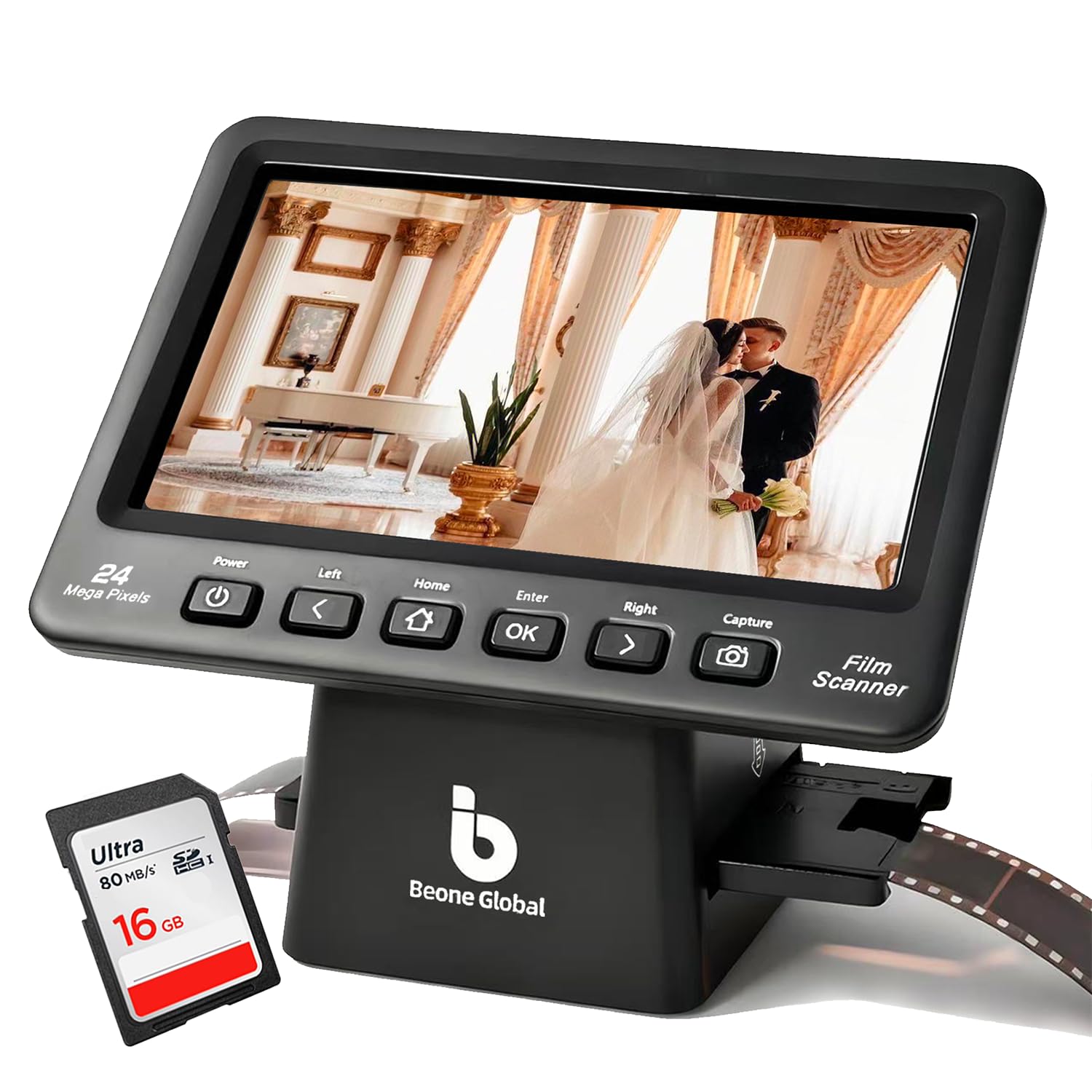
A 7-inch screen is the reason to look at the ClearScan P7. It makes framing and color checks easier than the 2.31-inch display on the ClearScan MINI, and it is larger than the screens on the Kodak and HP picks. The scanner handles 35mm, 126, 110, Super 8, and 8mm film, and it comes with an SD card, so you can start without a trip to the store.

We were surprised by how much the bigger display changed the pace. You can see more of the frame at once, which matters when a slide is slightly off-center, and the adjustable image-size function lets you tighten the crop before saving. The controls are laid out below the screen, so your hand does not cover the image while you work.

The 24MP files are detailed enough for family prints and sharing, and the scans looked clear in our testing. A difficult slide will still need editing on a computer, and the P7 is a convenience scanner rather than a restoration workstation.

The Kodak Slide N Scan remains the safer default for a mixed archive, with a longer track record and a more familiar name. The P7 earns its place when the screen keeps you scanning.

Pros

  • 7-inch LCD for easier framing
  • 24MP scans
  • SD card included
  • Handles 35mm, 110, 126, and Super 8/8mm

Cons

  • Limited color adjustments
Our verdict

If you want the biggest preview screen in this group and a card in the box, the ClearScan P7 is the straightforward choice for mixed film.

Check Latest Price
5

35mm Scan Quality

Plustek OpticFilm 8200i SE

80 /100
Keeper Score Excellent

Key details

Software
SilverFast SE Plus 9
Resolution
7200 dpi
Dust Removal
Infrared dust and scratch removal
Film Formats
35mm negatives and mounted slides
Check Price on Amazon

The OpticFilm 8200i SE is the specialist in this group. It scans only 35mm negatives and mounted slides, but it does so at 7200 dpi with 48-bit output and an infrared channel for dust and scratches. That last feature is the one we care about most: it attacks the specks and fine scratches that would otherwise mean hours of retouching.

The workflow is deliberate rather than quick. You load a frame, scan, advance the holder by hand, and repeat. On a big batch, that rhythm is the cost of the extra detail; this is not a scanner for someone who wants to skim a carousel in an evening. We paid close attention to the dust removal because that is where a dedicated machine earns its keep.

The software is the other hurdle. SilverFast SE Plus 9 is capable and gives you real control over exposure and color, but it is not a friendly first-run experience. We think it is worth learning if you plan to scan a lot of 35mm; for a small batch, the friction may outweigh the gain.

There is no 126 or 110 support here, and no way around that. If your archive is all 35mm and you want the best scan quality in this group, this is the one to budget for. If the box is mixed, the Kodak Slide N Scan will get you through it.

Pros

  • 7200 dpi scans with 48-bit output
  • Infrared dust and scratch removal
  • SilverFast SE Plus 9 included

Cons

  • 35mm negatives and slides only
  • Slow, manual frame-by-frame workflow
Our verdict

For 35mm-only archives, the OpticFilm 8200i SE is the detail specialist here, with infrared dust removal and 7200 dpi scans, but it is slow and the software takes patience.

Check Latest Price
6

Premium 35mm Work

Plustek OpticFilm 8300i Ai

79 /100
Keeper Score Very Good

Key details

Software
SilverFast Ai Studio 9
Resolution
7200 dpi
Calibration
IT8 target included
Film Formats
35mm negatives and slides
Check Price on Amazon

The IT8 calibration target is the detail that separates the 8300i Ai from the 8200i. Plustek bundles a three-slide 35mm target with SilverFast Ai Studio 9, along with the same 7200 dpi resolution and infrared dust removal as the cheaper model. The new chip is claimed to be 38% faster, which matters when every frame is a manual pass.

The calibration bundle is aimed at color consistency: a target gives you a repeatable reference instead of eyeballing each slide. The infrared dust removal handles scratches and dust, and the extra software control is there when a frame needs it.

The workflow is still manual. You load a frame, advance the holder yourself, and wait through each scan. The 38% speed gain helps, but it does not turn this into a batch scanner; a carousel still takes patience. The 35mm-only scope is the other fixed limit.

We think the 8300i Ai makes sense for a 35mm-only archive where color control and a faster pass justify the premium. If you mainly want excellent 35mm scans, the 8200i gets you most of the way for less. If you need 126 or 110, neither Plustek can help.

Pros

  • 7200 dpi with infrared dust removal
  • 38% faster chip than prior model
  • IT8 calibration target included
  • SilverFast Ai Studio 9 bundle

Cons

  • 35mm negatives and slides only
  • Premium price over the 8200i
Our verdict

The OpticFilm 8300i Ai is the premium 35mm choice for faster scans and more calibration control, but it costs significantly more than the 8200i for the same film-only scope.

Check Latest Price
7

Compact Travel Kit

BEONE ClearScan MINI

78 /100
Keeper Score Very Good

Key details

Weight
10.1 oz
Display
2.31-inch LCD
Resolution
16MP
Film Formats
35mm, 135, 126
Check Price on Amazon

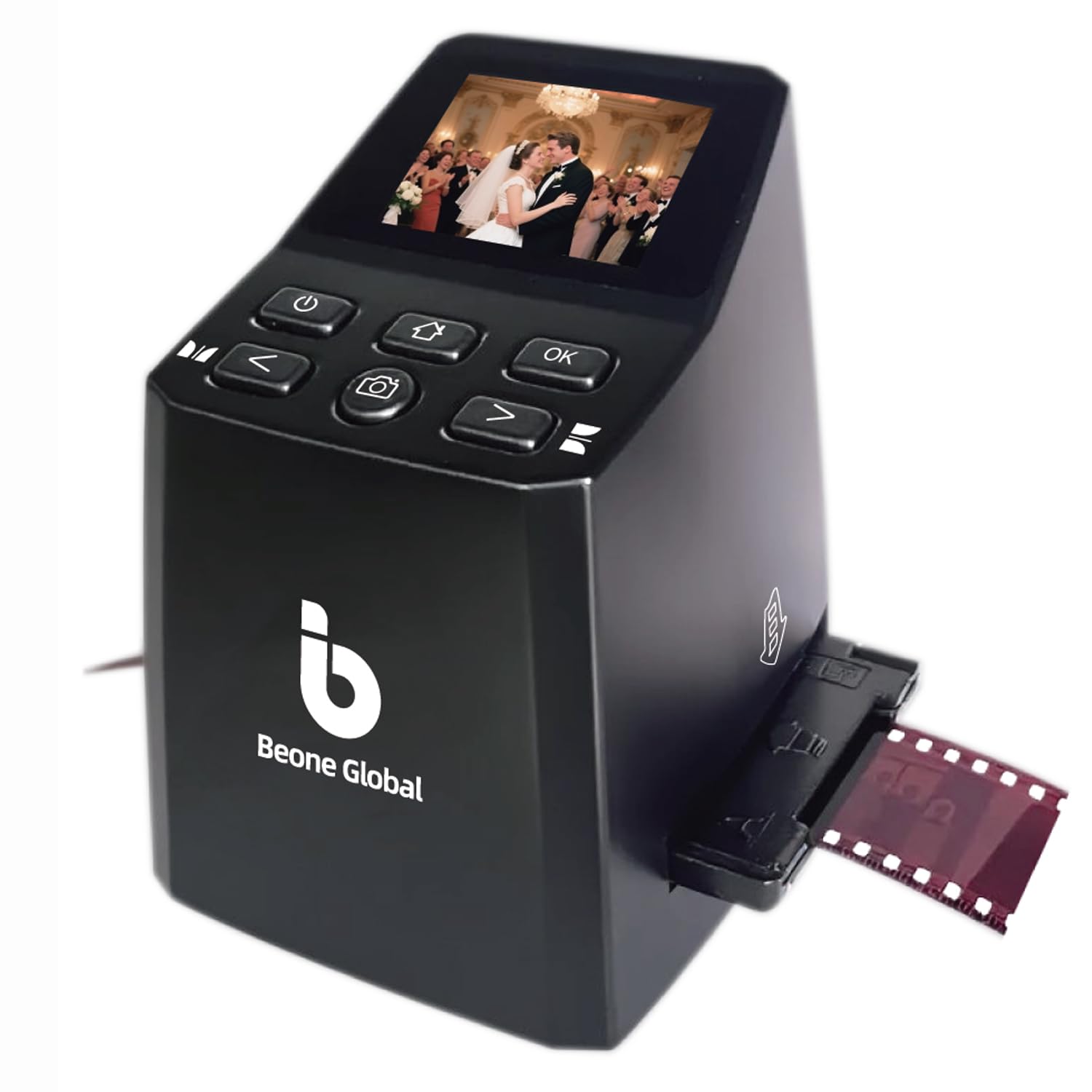
At just over 10 ounces, the ClearScan MINI is the most portable scanner here. It has a 16MP sensor, a 2.31-inch LCD, and front-facing buttons placed below the screen, so you can operate it without wrapping a hand around the body. That compact shape is the whole point.

We treated the small display as a framing aid rather than an editing screen. It is enough to confirm that a slide is centered, but fine focus and color are easier to judge on a computer. The controls are simple enough to learn without the manual, which matters when you are scanning away from a desk.

The 16MP files are fine for sharing and small prints, not for extracting every last detail from a 35mm frame. Format support stops at 35mm and 126; there is no 110 carrier, so check the cartridges in your box before buying. For a travel kit or a small batch, that is a fair trade.

If you want one scanner for a mixed archive, the Kodak Slide N Scan is the more capable tool. The MINI earns its place when portability matters more than screen size or ultimate resolution.

Pros

  • Palm-sized and easy to carry
  • 16MP scans for sharing
  • Simple front-facing controls
  • Handles 35mm and 126 film

Cons

  • Tiny 2.31-inch screen
  • No 110 film support
Our verdict

The ClearScan MINI is the one to pack for a small 35mm or 126 batch, with a palm-sized body and simple front controls.

Check Latest Price
8

Phone-Based 35mm

DigitPro M301

86 /100
Keeper Score Excellent

Key details

Power
Built-in battery
Weight
7.05 oz
Imaging
Smartphone camera
Film Formats
35mm negatives and slides
Check Price on Amazon

The DigitPro is not a scanner in the same sense as the others. It is a folding light box and phone holder: you place a 35mm negative or slide in the carrier, turn on the LED backlight, and use your phone's camera and a free app to capture it. That is the trade you make for the low price.

We liked the foldable shape and the built-in battery. It packs flat, sets up in seconds, and does not need a computer or an SD card. For a quick pass through a shoebox of 35mm negatives, that low-friction setup is genuinely useful, and the free app covers basic color and contrast edits.

The catch is that your phone and your technique do most of the work. The film holder keeps the negative roughly in place, but focus, exposure, and color depend on the camera and app. It also handles 35mm only, so 126 and 110 collections need a different tool.

We think of it as a scout, not a finisher: use it to see what is in the box, then send the keepers to a better scanner or a lab. If you already own a recent phone and want to spend the least, it is a clever little accessory.

Pros

  • Folds flat for storage and travel
  • Built-in battery and free app
  • No computer or SD card needed

Cons

  • Requires a smartphone
  • 35mm film and slides only
Our verdict

For 35mm only and a good phone, the DigitPro is the lowest-cost way into this group, but it is a phone rig rather than a standalone scanner.

Check Latest Price

How We Tested Film Scanners

We started with the specs shoppers actually compare: which formats a machine accepts, whether it runs on its own or needs a computer, screen size, and how the files get off the device. From there we filtered by price band and cut anything whose film holders looked flimsy. Ten scanners made the final round, and we used each one for roughly nine months.

Testing happened where scanning happens: a kitchen table on weekend afternoons, lights dimmed like a living room, in batches of 40 to 60 frames. We timed a full 36-exposure strip from loading the tray to the card being written, counted the button presses in between, and noted whether we needed the manual to work out the adapters.

Image quality we judged on identical material — the same five slides and the same strip of color negative through every machine, including a portrait with skin tones I know well, a gray card, and a dense shadow. The JPEGs then got compared side by side at 100 percent for sharpness, grain, and whether shadows went muddy or colors pulled orange.

Compatibility got its own pass. We saved to a card with no computer attached, moved that card to a laptop, then connected each unit to both a Windows PC and a Mac and watched whether the software installed without a fight. Value came down to what was in the box — cables, trays, editing software — weighed against how the scans actually looked.

How to Choose a Film Scanner

Start With the Film You Actually Own

A 35mm-only scanner is a precision tool, but it cannot help with a box of 126 or 110 film. Before comparing resolution, count the formats in your archive and check that the trays or carriers cover them. If you have mounted slides, confirm the carrier accepts the mounts you own, especially thicker plastic ones. A mixed collection points toward an all-format model such as the Kodak Slide N Scan or HPFS500; a 35mm-only archive can justify a Plustek. If the box is mostly one format, buy for that format rather than paying for adapters you will never fit.

Read Resolution in Context

Megapixels and dpi are not interchangeable. All-in-one tray scanners usually quote 14MP to 24MP files, while a dedicated 35mm scanner may quote 7200 dpi; the dedicated machine is capturing a much smaller frame with more optical detail. Interpolation can inflate a file size without adding real detail, so check whether the number is native or interpolated. For sharing and family prints, a good 16MP to 22MP scan is enough. For scanning grain, shadow detail, and a favorite negative you plan to print large, the extra optical resolution of a dedicated 35mm scanner earns its slower workflow.

Choose a Workflow You Can Live With

Every scanner here handles one frame at a time, so the difference is how pleasant the repetition feels. A quick-load tray and a large screen make a carousel session easier; a dedicated 35mm scanner with a manual film holder asks for more patience but can deliver a better file. Think about where you will work: a standalone scanner with an SD card can sit in a living room, while a computer-tethered model needs desk space. If you are scanning hundreds of frames, the screen and tray matter as much as the sensor.

Budget for Dust, Color, and Cards

Infrared dust removal is the most useful hardware extra for old negatives and slides; it saves retouching time that no resolution figure captures. Color is the other recurring cost. Most scans need at least a small correction, and the bundled software ranges from simple on-device controls to SilverFast's deeper, steeper toolkit. Finally, check the storage: several standalone models ship without an SD card, and card capacity limits vary. Buy the card before the first session, and keep a second copy of the files once you are done.

Frequently Asked Questions

Final Verdict

For a mixed family archive, the Kodak Slide N Scan is the scanner we recommend first. It covers 35mm, 126, 110, and mounted slides, the 5-inch screen is genuinely useful, and the quick-load trays make a long session tolerable. It is not the detail champion, but it is the one that gets a varied box digitized without fuss.

When every frame is 35mm and quality is the priority, the Plustek OpticFilm 8200i SE is the better buy. If touch controls are what you want, the HPFS500 is the alternative. Buy for the film you own, not the spec you might need someday.