Best Dye-Sublimation Photo Printers of 2026

Every dye-sublimation printer runs the same trick: the print head heats a ribbon in four passes, laying down cyan, magenta, and yellow, then sealing the image with a clear coat. That final pass is why the photo comes out dry and hard to smudge, and why the real cost of printing is the paper-and-cartridge bundle rather than the machine itself.

What changes from one model to the next is everything wrapped around that engine — how it connects, what size it prints, and how much counter it eats. Over four months my team put 12 of these through birthdays, a vacation photo dump, and plenty of lazy Sunday printing from the couch, and ease of use separated the field faster than any spec sheet did.

Some are pocketable printers that spit out 2x3 stickers; others are 4x6 workhorses that dock and charge your phone while they print. Neither is the wrong answer — it depends on whether you want a photo booth in a drawer or a small appliance on a shelf. The picks below cover both, and every one of them earns its spot on picture quality first.

Keeper Score summarizes customer ratings and review volume. Read it alongside the product details and trade-offs. How the score works.

1

Best Overall

Liene M100

89 /100
Keeper Score Excellent

Key details

In The Box
100 sheets, 3 cartridges
Print Size
4 x 6 inches
Resolution
300 x 300 dpi
Connectivity
Wi-Fi and USB
Check Price on Amazon

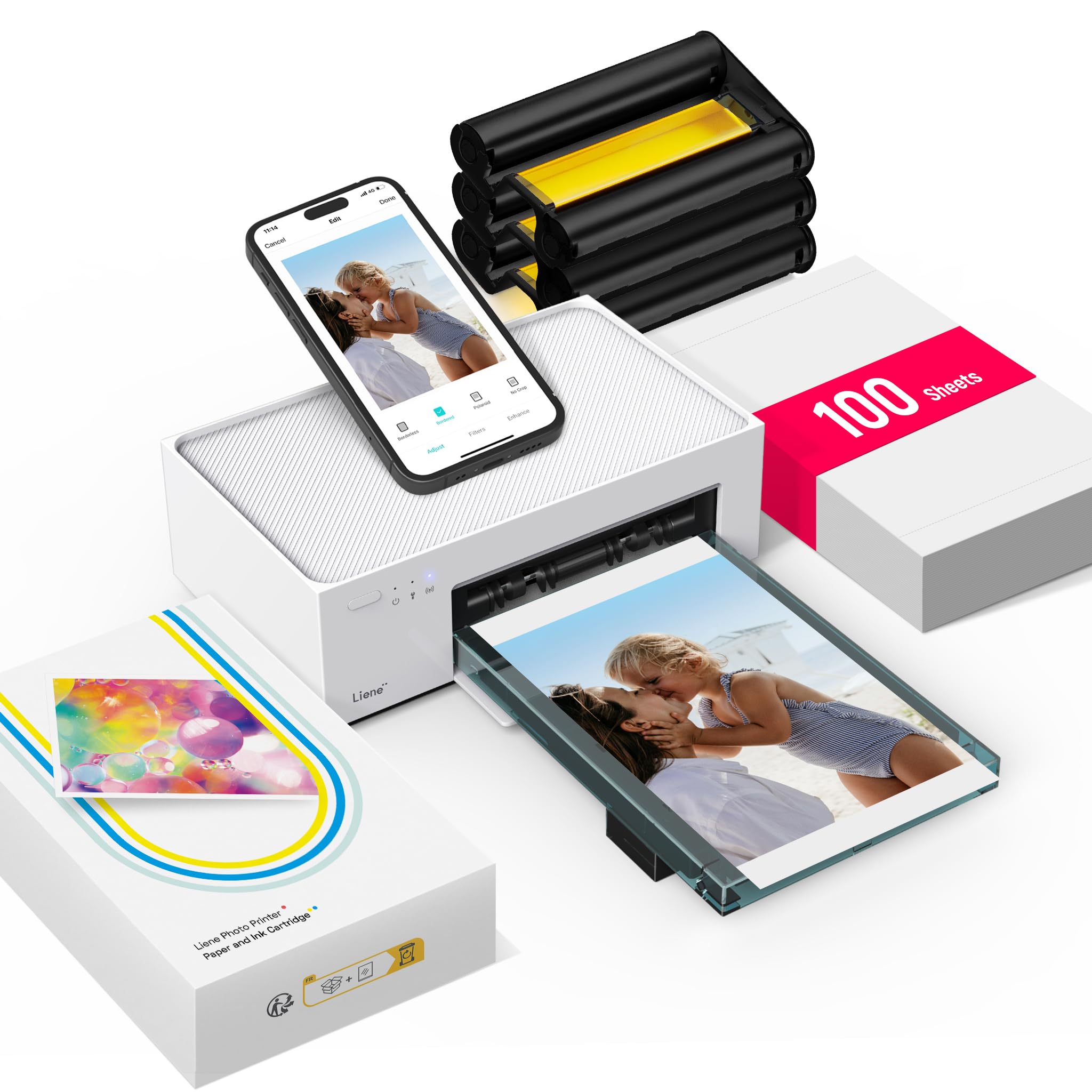
The question that decides whether a photo printer earns counter space isn't how it looks, it's what it costs once the box is empty. The Liene M100 answers that better than anything else here: 100 sheets of 4x6 paper and three cartridges come in the box, which is a real stack of finished prints rather than a demo reel. That's the main reason we point most people to it.

The output holds up, too. Dye-sub lays down three color passes and finishes with a clear laminate, so the print you pull out is dry, glossy and resistant to water and fingerprints, much closer to a drugstore print than to anything an inkjet hands you. Color is the strongest thing about this printer: photos come out vivid and close to what the phone screen showed. Resolution is 300 x 300 dpi, which is fine at 4x6 and nowhere near enough to crop hard and enlarge.

Setup is where we were pleasantly surprised. The printer broadcasts its own Wi-Fi hotspot, so you join the printer directly and skip the router question entirely, and up to five phones can be connected at once, which is the difference between a printer one person can use and one that works at a birthday party. Pairing occasionally takes a second attempt, and the hotspot is the fix when it does. The app is where the editing lives, from square borders to brightness and contrast.

Pros

  • 100 sheets and three cartridges included
  • Vivid, laminated 4x6 prints that resist water
  • Own hotspot with five-device support
  • Compact body that fits on a shelf

Cons

  • Replacement ink comes bundled with paper
Our verdict

Most people should start here: the M100 prints a clean, laminated 4x6 from a phone and arrives with enough paper and cartridge to fill an album.
Check Latest Price
2

Best Print Quality

Canon Selphy CP1500

86 /100
Keeper Score Excellent

Key details

In The Box
108 sheets, 3 cartridges
Print Size
4 x 6 inches
Resolution
1200 x 1200 dpi
Connectivity
Wi-Fi and USB
Check Price on Amazon

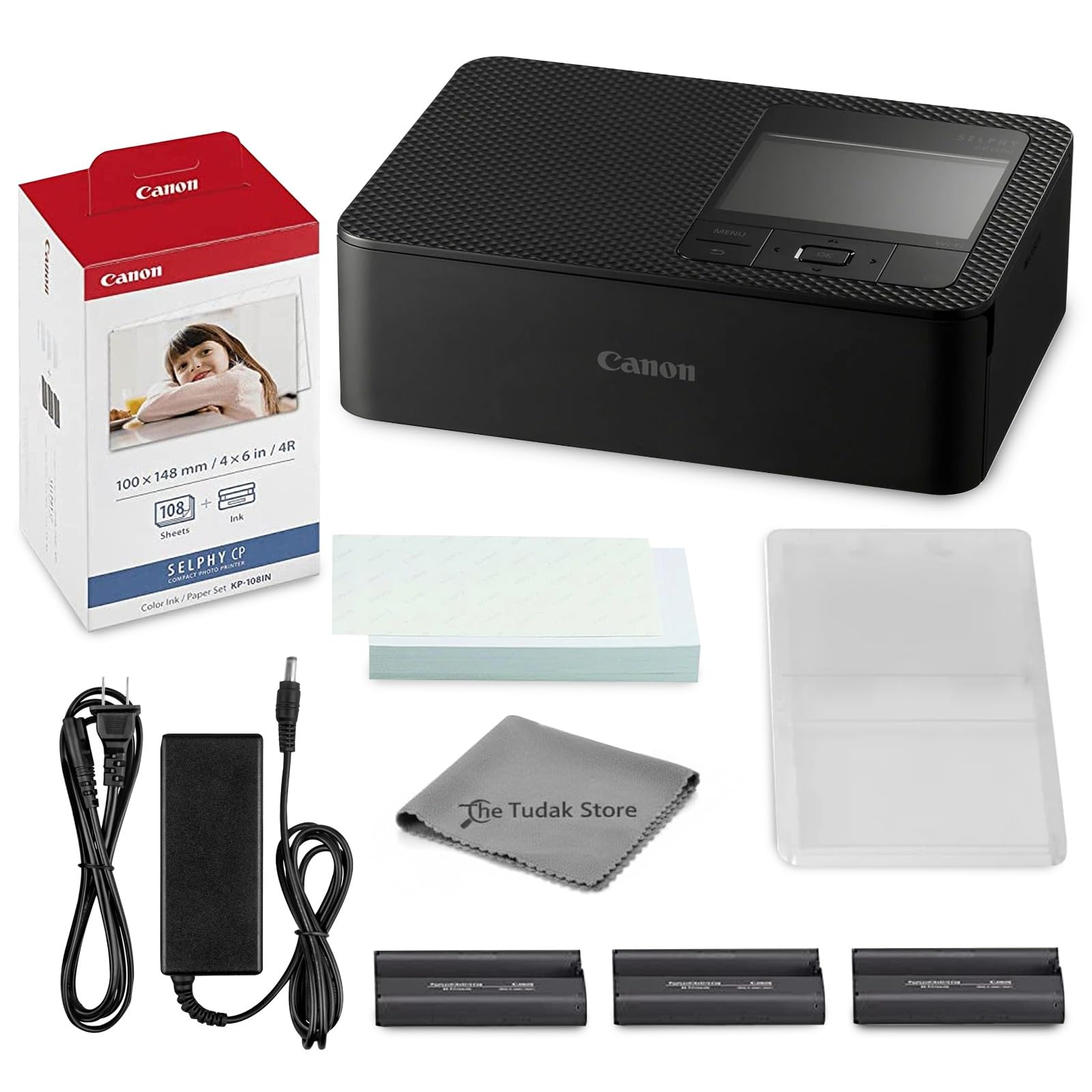
Start with the price, because it's the honest place to start: you pay more for the CP1500 than for anything else on this page. What that buys is a bundle rather than a printer, with 108 sheets of Canon's KP-108 paper, three full-size cartridges and a cleaning cloth in the box, so the first few hundred prints are already accounted for.

We still come back to it when print quality is the thing being judged. Its listed resolution is the highest in this group, and dye-sub's laminated finish means the results resist water and fingerprints without a spray or a drying rack. It's also the printer we reach for when a print is going straight into a frame rather than onto the fridge.

The body is compact enough to sit on a shelf beside a stack of photo paper, and it prints over Wi-Fi from a phone, a tablet or a computer, with no cable and no card reader. It keeps working when there's no internet connection to be had, which matters more at a craft fair than it does at a desk. There's an optional battery for printing away from an outlet, the sort of accessory most people never buy and a few are glad exists.

Pros

  • 108 sheets and three cartridges in the box
  • Highest listed resolution of the picks here
  • Laminated prints resist water and fingerprints
  • Prints over Wi-Fi from phone or computer

Cons

  • Premium price for 4x6-only output
Our verdict

If the print itself is what you're paying for, this is the one: the CP1500 puts down the most refined 4x6 here, at the highest price.

Check Latest Price
3

Best Value 4x6 Bundle

HPRT CP4100

86 /100
Keeper Score Excellent

Key details

In The Box
108 sheets, 2 ribbons
Print Size
4 x 6 inches
Resolution
300 x 300 dpi
Connectivity
Wi-Fi hotspot
Check Price on Amazon

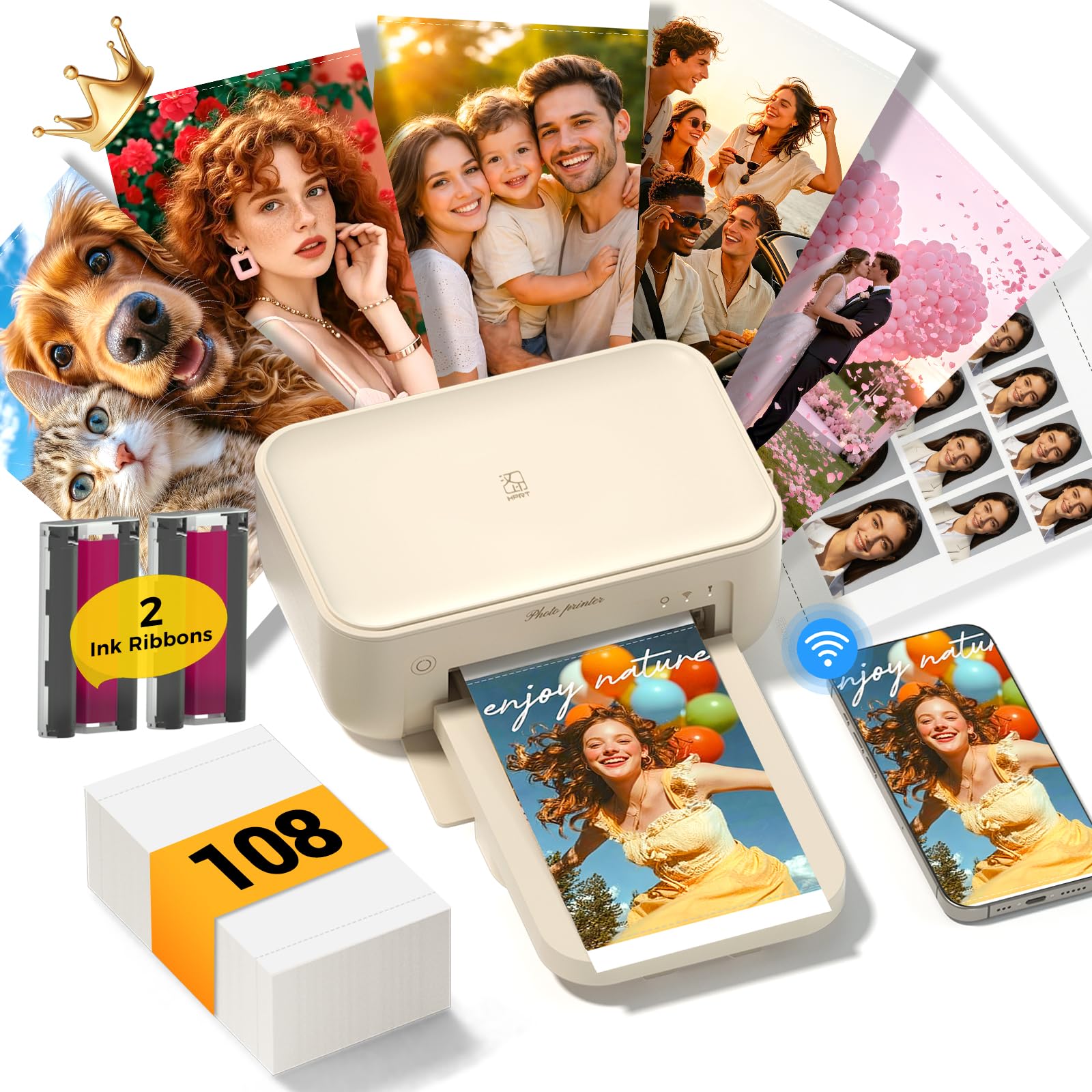
Put the CP4100 next to our top pick and the pitch is nearly identical: 4x6 dye-sub, phone-first printing, an app with frames and filters. The HPRT wins the arithmetic, with 108 sheets of paper and two ribbons in the box for less money than the Liene. When a printer's whole job is turning a camera roll into a shoebox of prints, that's not a small difference.

Prints come out bright and true to color, the kind of 4x6 that goes into an album without editing first. The app is the control panel and holds the frames, the text overlays and a genuinely odd extra: AR video printing, where you scan a finished photo with the HeyPhoto app and the video it came from plays on your phone. We didn't expect to care about that feature, and we ended up demonstrating it to people.

It connects over its own Wi-Fi hotspot, so no router is needed, or over a home network if you'd rather keep one less signal in the air. Budget about a minute a photo, which is standard here and still feels quick when you're handing prints across a table.

Pros

  • 108 sheets and two ribbons included
  • Bright, true-to-color 4x6 prints
  • Own Wi-Fi hotspot, no router needed
  • AR video playback on printed photos

Cons

  • Prints can come out dark from the app
Our verdict

The bundle does the arguing: 108 sheets and two ribbons for less than our top pick, with 4x6 prints that come out bright and true to color.

Check Latest Price
4

Best for Stickers and Journals

Liene Pearl N200 Pro

90 /100
Keeper Score Outstanding

Key details

Weight
12 oz
In The Box
50 sheets, 5 cartridges
Print Size
2 x 3 inches, adhesive
Connectivity
Bluetooth
Check Price on Amazon

Journalers get more out of this printer than anyone else. The Pearl N200 Pro makes 2x3 peel-and-stick prints, no scissors and no tape, and the body is small enough to sit next to a notebook without taking over the desk. The color is the part that surprised us: at this size it would be easy to forgive a washed-out sticker, and these come out vivid and true to the photo.

It runs on Bluetooth only, so everything goes through the Liene app on a phone or tablet, with no computer in the loop. That app is also where the fun is: frames, stickers, an AI restyle that redraws you in a few artistic styles, and an InstaPic mode with built-in camera filters that shoots and prints without opening the camera roll at all. The box carries 50 sheets and five cartridges, and a long journaling session eats most of that, so order refills with the printer rather than after it.

Pros

  • Peel-and-stick 2x3 prints
  • Pocket-sized at 340 g
  • Vivid color and true-to-original detail
  • Shoot-and-print camera filters built in

Cons

  • Bluetooth only, with no computer printing
Our verdict

For journal spreads, gift tags and phone-case stickers, this is the pocket printer we hand people: 2x3 peel-and-stick prints in about a minute.

Check Latest Price
5

Phone-Dock Printing

Kodak Dock Plus

86 /100
Keeper Score Excellent

Key details

Footprint
4.5 x 8.5 x 2 inches
Print Size
4 x 6 inches
Print Time
About 55 seconds
Connectivity
Bluetooth, docking
Check Price on Amazon

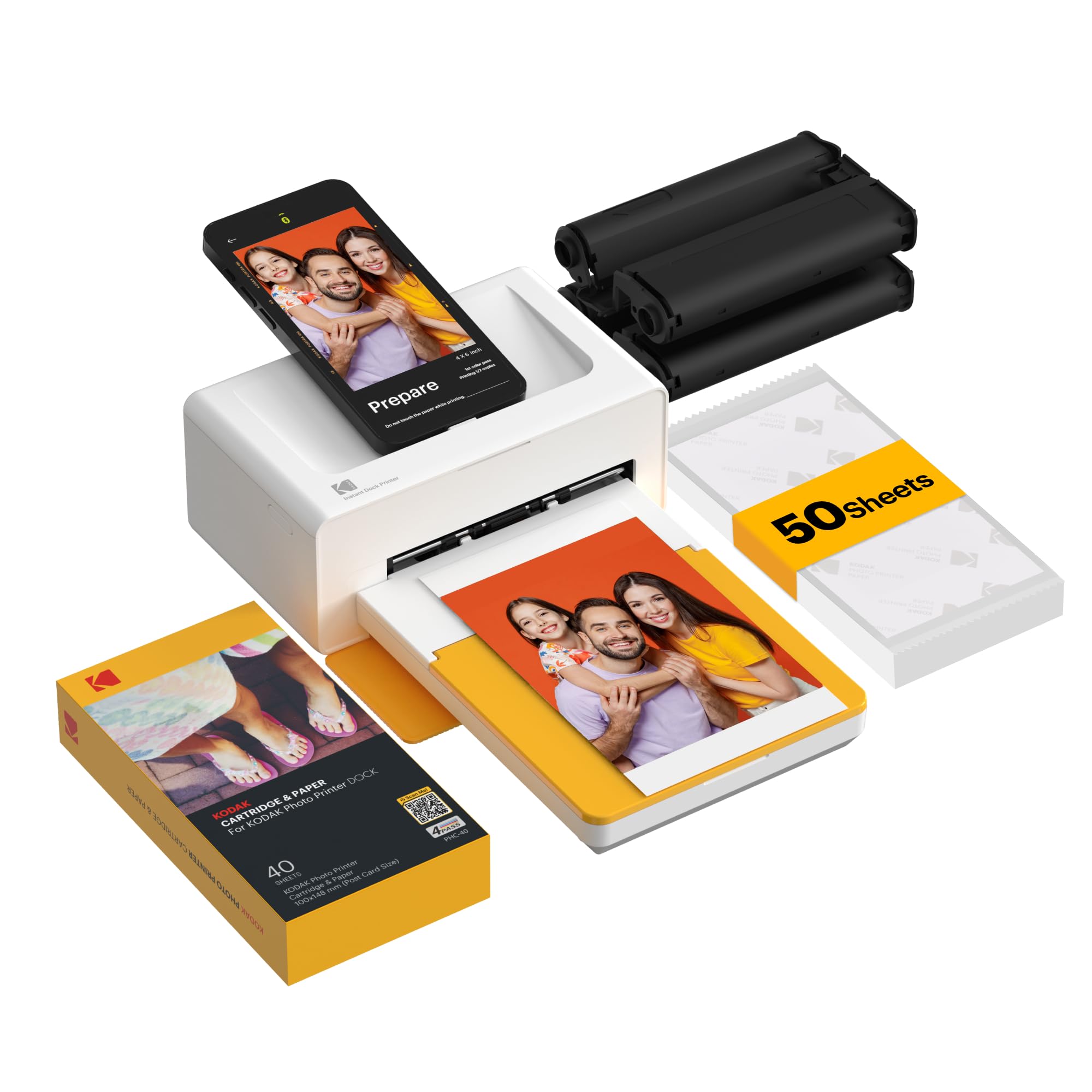
The Dock Plus is the only printer here that wants your phone physically in it. The handset stands in a cradle, charges while it works, and a 4x6 comes out in about 55 seconds. The body is 8.5 inches across, flat enough to hold its place on a counter rather than sliding around while you tap at a screen.

The engine is Kodak's 4PASS system, three color passes finished with a clear laminate, and the prints resist water, fingerprints and fading, the same durability story as everything else in this guide. Our reservations are about keeping it running. Cartridge recognition is the recurring snag, and a run that gets hot can chew the film, so a batch is worth starting with a fresh cartridge rather than the dregs of an old one.

What the dock buys you is a charged phone and a print you can hand over without leaving the app, and for a kitchen counter or a small front desk that's a nicer ritual than fishing a phone out of a pocket to pair. It's the pick for someone printing a few photos a week at a fixed spot; it is not the printer we hand a household that wants to print a hundred in an evening.

Pros

  • Cradles and charges your phone while printing
  • About 55 seconds per 4x6
  • Laminated prints resist water and fading
  • Stable 8.5-inch footprint for a counter

Cons

  • Bluetooth pairing can fail to find the printer
  • Needs a wall outlet, with no battery
Our verdict

The dock is the draw: your phone stands in it, charges, and prints a 4x6 in about a minute, a nice ritual if you don't mind a printer that needs occasional coaxing.

Check Latest Price
6

Pocket Stickers

Polaroid Hi-Print 2nd Gen

79 /100
Keeper Score Very Good

Key details

Battery
Rechargeable lithium-ion
Print Size
2 x 3 inches, adhesive
Print Time
Under 50 seconds
Connectivity
Bluetooth
Check Price on Amazon

These prints are the size of a business card: 2x3, sticky on the back, small enough to disappear into a wallet. The 2nd-generation Hi-Print is the least expensive printer in this group, and it's also the one that arrives with nothing to print on. The cartridge is a separate purchase, so the first order is printer plus paper rather than printer alone.

Once there's a cartridge in it, the output is better than the size suggests. Prints land in under 50 seconds, dye-sub gives them a proper photographic finish, and colors read rich rather than washed out on frames that suit the format. The rechargeable battery is the practical part: it works on a table with no outlet in sight.

Where it fits is the thing to be clear about. This is the printer for someone who wants a sticker in a pocket or a photo on a phone case, not a print for a frame. Adhesion is the fussy bit, since the backing holds well to paper and less well to curved or dusty surfaces, so a roll of double-sided tape nearby is a reasonable thing to keep.

Pros

  • Peel-and-stick 2x3 prints
  • Under 50 seconds a print
  • Rechargeable battery for printing anywhere
  • Least expensive printer of the group

Cons

  • Paper cartridge sold separately
Our verdict

The cheapest way into pocket stickers here, as long as you buy the cartridge with it: prints take under a minute and peel straight off.

Check Latest Price

How We Tested Dye-Sublimation Photo Printers

We started by gathering every dye-sub printer a normal person might actually buy, then cut the list on the things listings don't tell you: whether refill paper and ribbon cartridges are in stock at a sane price, whether the companion app works with both iPhone and Android, and whether the advertised print size matched the paper in the box. From that shortlist, 12 printers came in for hands-on testing over four months.

Each one was unboxed and set up alone, with a stopwatch running to the first print — cartridge loaded, app installed, phone paired over Wi-Fi or Bluetooth. We printed the same files on every machine: a portrait with tricky skin tones, a saturated landscape, a low-light shot, and a gradient chart, which is where banding and muddy shadows give a printer away. Prints were compared side by side in daylight rather than judged one at a time.

Then we handled them the way photos actually get handled. A thumb rubbed across the surface to see if color lifted, prints went under a running faucet and into a sunny window for a few weeks to check water and fade resistance, and we reloaded cartridges mid-batch to see how fussy the paper path is with a queue waiting. The 2x3 sticker sheets got peeled and stuck to a fridge and a laptop lid, and we worked out true cost per print by dividing the bundle price by the sheets that actually came out.

Compact size got its own pass: each printer was carried in a tote, powered on away from an outlet where it could manage it, and set down on a kitchen counter next to a coffee maker to see how much room it really claimed. The models that made the list were still turning out clean, dry, correctly colored prints after four months of steady use, without a jam or a fresh pairing every time we turned them on.

How to Choose a Dye-Sublimation Photo Printer

Pick the print size before the printer

Two formats cover everything worth considering here: 2x3 stickers for journals, phone cases and gift tags, and 4x6 for albums, frames and fridge doors. The minis are pocketable and easy to live with, but a 2x3 leaves no room for a group shot. The 4x6 machines sit on a desk and cost more up front, and they produce the print most people actually want to keep.

Decide which of those two you're buying for and the shortlist collapses to a handful of models. If you want both, the dual-tray machines exist but cost more than either single-format pick.

Understand what dye-sub gives you

Dye-sublimation printers don't spray ink. They vaporize color off a ribbon onto the paper in three passes, then run a clear laminate over the top. That's why a print comes out dry, glossy and resistant to water and fingerprints, and why it holds up far better than an inkjet print on a fridge door.

The trade is resolution: 300 x 300 dpi is normal at this size, which is crisp at 4x6 and soft the moment you stretch it. Judge these printers on color and consistency rather than on dots.

Count the consumables, not just the printer

Every one of these is a paper-and-cartridge subscription with a printer attached. A first box usually comes with the machine, and after that you buy matched paper and ribbon together in the maker's own format. Proprietary consumables are the norm; nothing here takes a generic refill.

So before you compare two printers, divide the price of the next bundle by the number of prints it makes. That figure, not the printer, is what you'll live with for the next year.

Connectivity decides how often you print

Most of these are phone printers with an app instead of a control panel, and the connection is where they differ. Bluetooth is the simplest route for a mini you carry around; a Wi-Fi hotspot is more dependable for a 4x6 at home, because the phone talks straight to the printer instead of through your router.

Watch the home network. Some of these only join 2.4GHz Wi-Fi, so a 5GHz-only router leaves the hotspot as your only path. Check that before you blame the printer for a failed connection.

Frequently Asked Questions

Final Verdict

For most households the Liene M100 is the right buy: a clean, laminated 4x6 straight from a phone, 100 sheets and three cartridges in the box, and a hotspot that keeps setup short. Step up to the Canon Selphy CP1500 if the print itself is the point and the budget stretches, since it turns out the sharpest 4x6 here.

If you want stickers rather than album prints, the Liene Pearl N200 Pro is the pocket-sized answer, and the HPRT CP4100 is the value play when a large paper bundle matters more than a polished app.