Best CFexpress Card Readers of 2026

A card reader is the least glamorous thing in a camera bag, and it's the one that decides whether you're editing tonight or watching a progress bar at midnight. The internals aren't the interesting part — what actually sets your speed is the connector generation, the port you plug into, and whether the slot matches the card your camera writes.

That last part catches more people than anything else: CFexpress Type A and Type B are physically different cards, and a reader built for one won't take the other without an adapter. I've also watched a plain reader beat a clever one purely because it wasn't sharing a hub. We've spent four months with 13 readers, offloading real cards after real shoots, and the gaps in speed, heat, and fit are wider than the spec sheets let on.

The ones that earned a permanent spot share a few habits: they mount on the first try, they run warm rather than hot, and the card comes out with one finger instead of a wiggle and a prayer. Which one suits you depends mostly on what your camera writes — that's the first thing to check before you scroll.

Keeper Score summarizes customer ratings and review volume. Read it alongside the product details and trade-offs. How the score works.

1

Best Overall

ProGrade Digital PG05.5

90 /100
Keeper Score Outstanding

Key details

Slots
2
Mounting
Magnetic plate
Interface
USB 3.2 Gen 2 (10Gbps)
Card Types
CFexpress Type B, SD UHS-II
Check Price on Amazon

The adhesive metal plate is the detail that makes the ProGrade PG05.5 feel less like a dongle and more like part of a working desk. Stick the plate to a laptop lid or a monitor stand and the reader parks there, ready for the next card instead of sliding around when you push a card home. We appreciate that kind of small, practical design choice because it changes how the reader lives on a desk every day.

Two slots do the real work: one for CFexpress Type B and one for SD UHS-II, both fed by USB 3.2 Gen 2 at up to 10Gbps. That covers a bag with a CFexpress B camera and an SD backup without swapping readers, which is why this is the default in this group for most photographers. The body is compact and the 2-year warranty is a meaningful vote of confidence.

The trade-off is heat. Long offloads can leave the metal body hot enough that you notice it, so give the reader open air and unplug it when the card is done. We do not treat that as a dealbreaker for a fast metal reader, but it is the reason we keep it out from under a laptop rather than burying it on a shelf. The heat is the one caveat, and it is manageable with a little airflow.

Pros

  • Dual CFexpress Type B and SD slots
  • Magnetic plate keeps it planted
  • Two-year warranty backs the purchase
  • 10Gbps USB 3.2 Gen 2 transfers

Cons

  • Runs hot during long offloads
Our verdict

For photographers who offload both CFexpress Type B and SD cards, we consider the PG05.5 the most complete default here: magnetic mount, dual slots, and a two-year warranty.
Check Latest Price
2

Best for USB4/Thunderbolt Speed

OWC Atlas USB4

87 /100
Keeper Score Excellent

Key details

Slots
1
Warranty
2-year limited
Interface
USB4 40Gbps
Card Types
CFexpress Type B; Type A via adapter
Check Price on Amazon

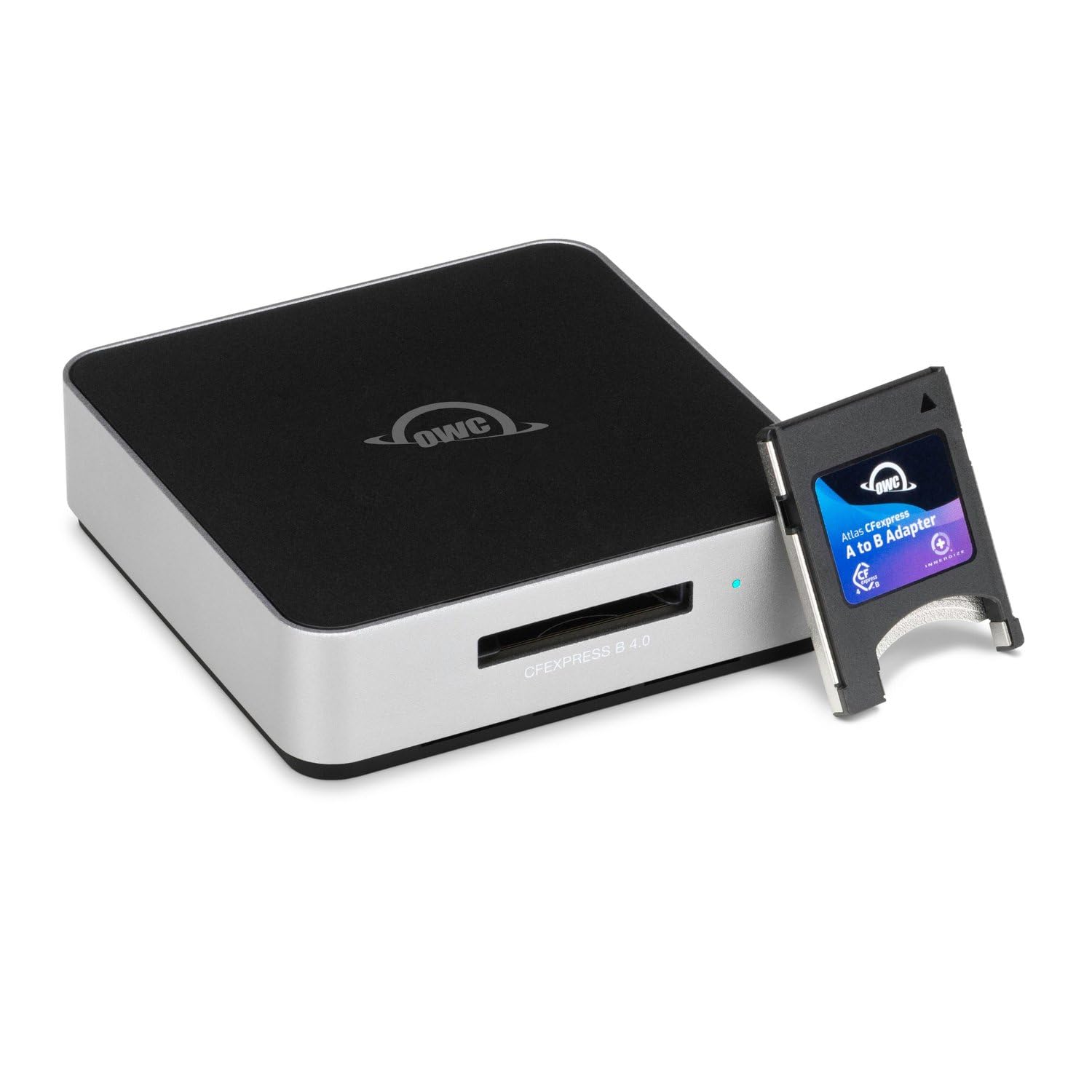
OWC's Atlas is the speed ceiling of this group, and it makes no apology for it: a USB4 connection, a 40Gb/s pipe, and a claimed 5,000MB/s ceiling for CFexpress 4.0 cards. That is a different class of reader from the 10Gbps models here, and it only makes sense if your computer has USB4 or Thunderbolt 4 and your cards can use the headroom. On a 10Gbps laptop, the extra ceiling is just future-proofing.

What we appreciate is the practical package around the speed. OWC says real-world performance tops 3,300MB/s with its Atlas Ultra card, the reader is bus-powered, and the fanless metal body has non-skid feet plus a ClingOn cable clip. The included Type B-to-Type A adapter also means a Sony card can work without a second reader, though it is still an adapter in the chain.

The limits are clear: one card slot, a premium cost, and a hard dependency on a fast host. We treat it as a workstation reader for a USB4 Mac or PC, not as the one to toss in a camera bag for a 10Gbps laptop. If you are already editing CFexpress 4.0 footage on a Thunderbolt 4 machine, the Atlas is the pick that keeps the card from being the bottleneck.

Pros

  • USB4 40Gbps ceiling for CFexpress 4.0
  • Up to 5,000MB/s claimed speed
  • Includes Type B-to-Type A adapter
  • Fanless, non-skid, cable-securing design

Cons

  • Only one card slot
  • Needs USB4/Thunderbolt 4 for full speed
Our verdict

Our pick for USB4 or Thunderbolt 4 workstations is the OWC Atlas, where CFexpress 4.0 cards can use the 40Gbps ceiling and one Type B slot is enough.

Check Latest Price
3

Best for CFexpress Type A

Lexar LRW530U

87 /100
Keeper Score Excellent

Key details

Slots
2
Warranty
2-year limited
Interface
USB 3.2 Gen 2 (10Gbps)
Card Types
CFexpress Type A, SD UHS-II
Check Price on Amazon

Sony's CFexpress Type A cards are physically smaller than Type B, so a Type B reader cannot help—and the Lexar LRW530U is the cleanest Type A answer in this group. It has one Type A slot and one SD UHS-II slot, both fed by USB 3.2 Gen 2 at up to 10Gbps, and it can offload both cards at once. For a Sony kit, that is the useful combination.

We like the compact 77g body and the 2-year limited warranty, but the numbers are the real story: Lexar rates the Type A slot at up to 900MB/s and the SD slot at up to 312MB/s. That is plenty for a7-series files and makes the reader feel matched to the cards rather than a generic hub. The included 2-in-1 USB-C to Type-A/Type-C cable means you can move between a newer laptop and an older desktop without hunting for an adapter.

We see it as the dedicated Sony reader: small enough to live in a camera bag, fast enough for a full card, and simple enough that there is nothing to configure. The SD slot is the quiet bonus: it keeps a backup card moving without making you carry a second reader. The two-year warranty is a meaningful bonus for a reader that will see a lot of bag time.

Pros

  • Dual Type A and SD UHS-II slots
  • 10Gbps USB 3.2 Gen 2 transfers
  • Compact 77g body for travel
  • Two-year limited warranty

Cons

  • No CFexpress Type B slot
Our verdict

Sony Type A shooters get our nod with the Lexar LRW530U: a compact dual-slot Type A and SD reader with a two-year warranty.

Check Latest Price
4

Best Value Dual-Slot

Rocketek 2-in-1

87 /100
Keeper Score Excellent

Key details

Cable
USB-C with USB-A adapter
Slots
2
Interface
USB 3.2 Gen 2 (10Gbps)
Card Types
CFexpress Type B, SD UHS-II/I
Check Price on Amazon

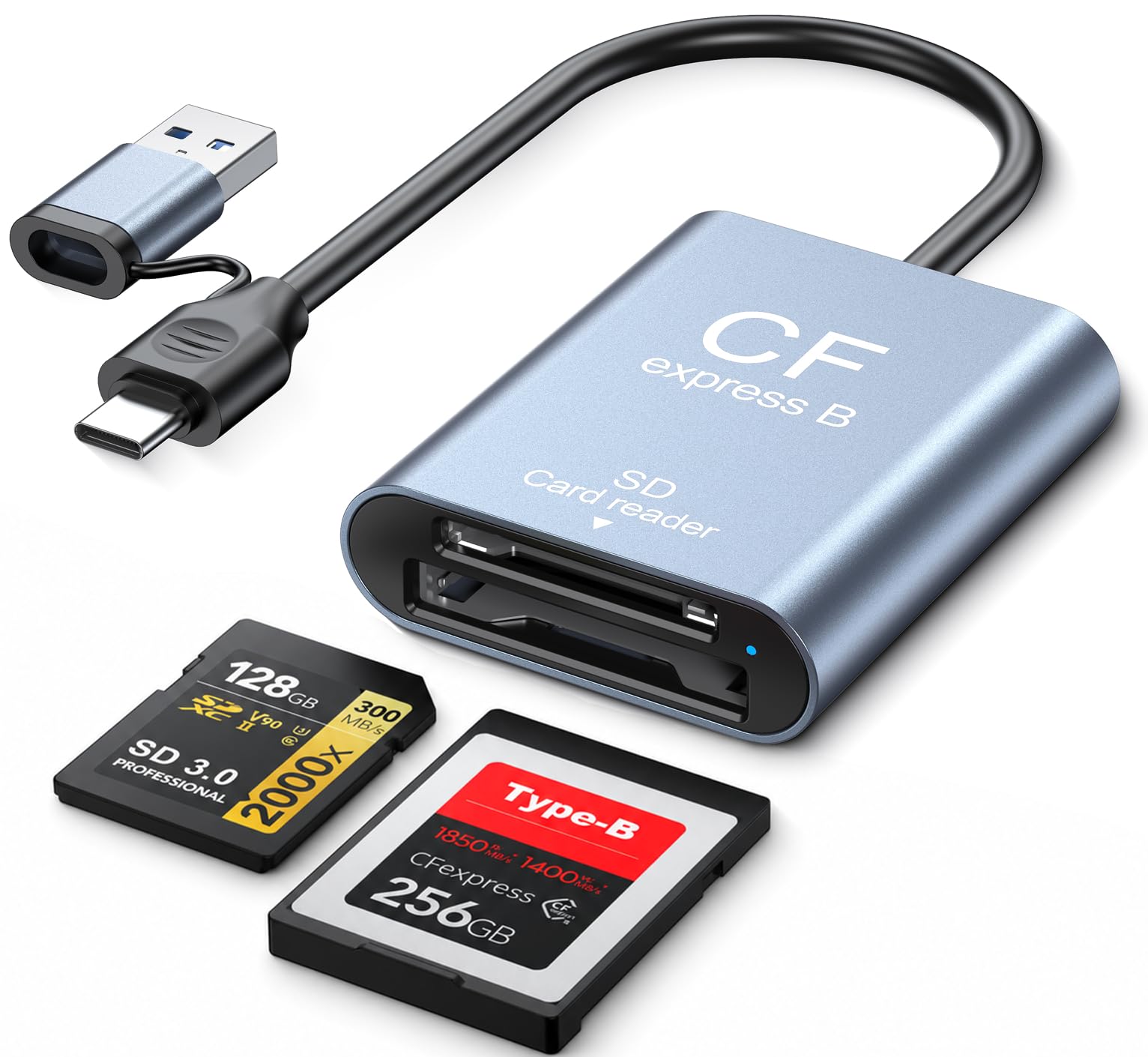
Two slots at a budget price is the reason the Rocketek 2-in-1 earns a place here. It handles CFexpress Type B and SD UHS-II/I cards through USB 3.2 Gen 2 at up to 10Gbps, and the aluminum housing gives it a more substantial feel than the price suggests. The USB-C cable comes with a USB-A adapter, so it works with newer laptops and older desktops without a separate dongle.

We recommend it when you want the dual-slot convenience of the ProGrade without the premium. The card slots are dedicated, so you can leave a CFexpress B card and an SD card in place and move between them, and the metal body is a sensible choice for heat dissipation. It does not have the magnetic mounting or two-year coverage of the ProGrade, but the basics are right.

The one thing to know is that this is a Type B and SD reader, not a universal one. For everyone else, it is the value pick that covers the two cards most cameras actually use, and it does not make you feel like you are carrying a plastic toy.

Pros

  • Dual CFexpress Type B and SD slots
  • Aluminum housing feels substantial
  • USB-C cable with USB-A adapter
  • 10Gbps USB 3.2 Gen 2 transfers

Cons

  • No CFexpress Type A slot
Our verdict

We like the Rocketek 2-in-1 for Type B and SD shooters who want dual slots and USB-A flexibility without premium-reader money.

Check Latest Price
5

Best Budget Type B

BENFEI Type B

88 /100
Keeper Score Excellent

Key details

Slots
1
Warranty
18 months
Interface
USB 3.2 Gen 2 (10Gbps)
Card Types
CFexpress Type B
Check Price on Amazon

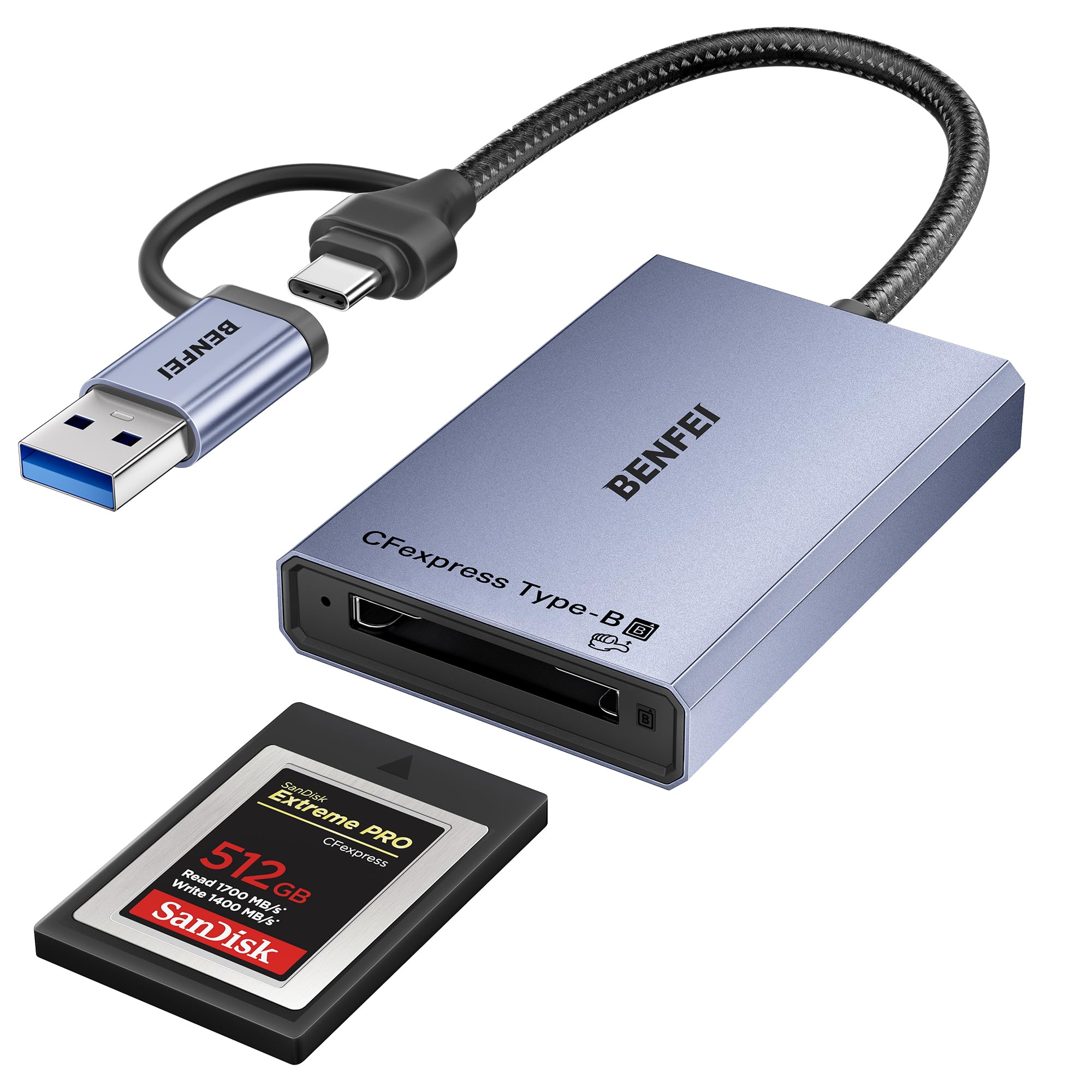
The BENFEI Type B is the reader we point to when someone needs the Type B slot and nothing else. It is a single-slot reader with USB 3.2 Gen 2 at up to 10Gbps, a built-in USB-C/USB-A cable, and an aluminum housing that feels more expensive than the budget price. The 18-month warranty is also longer than the one-year coverage on some readers here.

We like it as a travel or backup reader because there is no adapter to lose and no second slot to explain. The push-in ejection is a nice touch: the card clicks into place and releases with a press, which is reassuring when you are swapping cards in a hurry. For occasional offloads, it does the job without making you think about it.

Long-term durability is the real caveat. This reader can fail after a few months of use, so we treat it as a spare or a budget first reader rather than the only reader in a working pro bag. If you offload every day, step up to the ProGrade; if you need a cheap Type B reader for a second bag or a desktop, the BENFEI is the value call.

Pros

  • Budget-friendly Type B reader
  • Built-in USB-C and USB-A cable
  • Aluminum alloy housing adds durability
  • 18-month warranty adds cover

Cons

  • Long-term durability is the weak spot
Our verdict

The BENFEI Type B is the one we keep as a low-cost second reader for a single CFexpress Type B card, as long as you accept the durability risk.

Check Latest Price
6

Best for Mixed-Card Travel

llano 4-in-1

88 /100
Keeper Score Excellent

Key details

Slots
4
Warranty
2-year
Interface
USB 3.2 Gen 2 (10Gbps)
Card Types
CFexpress Type A/B, SD, microSD
Check Price on Amazon

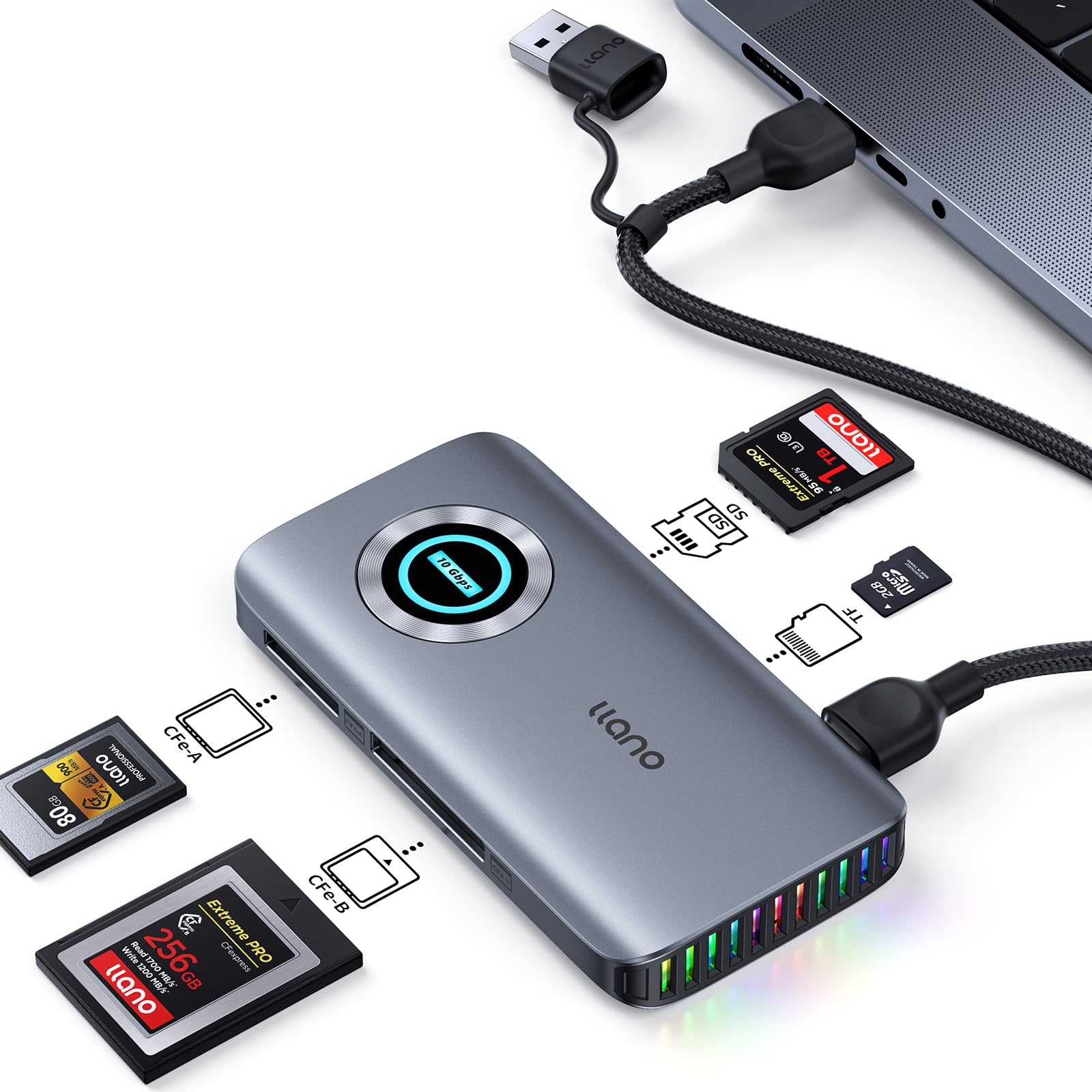
A bag with a Sony body and a Nikon body is where the llano 4-in-1 makes sense. It has slots for CFexpress Type A, CFexpress Type B, SD, and microSD, all through USB 3.2 Gen 2 at up to 10Gbps, and it can read three cards at once. The extra USB-C power port is a thoughtful addition for laptops that are stingy with bus power.

One setup note matters: the data cable has to go into the USB-C port next to the microSD slot, not the other port. Get that right and the workflow is simple; get it wrong and the reader will not work. It is the kind of detail worth knowing before you blame a card. The four slots are clearly labeled, and the aluminum body is a sensible choice for bag life.

We like the one-reader idea for travel: it covers a mixed kit without making you carry a pouch of adapters. The 2-year warranty makes it a more confident pick than the price alone suggests, and the RGB lighting is there if you want it, but it is not why we recommend the reader. It is the most flexible travel reader here, and that flexibility is the whole point.

Pros

  • Four card formats in one reader
  • 10Gbps USB 3.2 Gen 2 transfers
  • Extra USB-C power port
  • Two-year warranty adds confidence

Cons

  • Type A and Type B cannot read at once
Our verdict

We choose the llano 4-in-1 for travelers who carry both Type A and Type B cards and want one reader for SD and microSD as well.

Check Latest Price
7

Legacy Card Docks

Rytaki Pro 8-Slot

83 /100
Keeper Score Excellent

Key details

Slots
8
Warranty
1-year
Interface
USB 3.2 Gen 2 (10Gbps)
Card Types
CFexpress A and B, XQD, SD, TF, MS, XD, CF
Check Price on Amazon

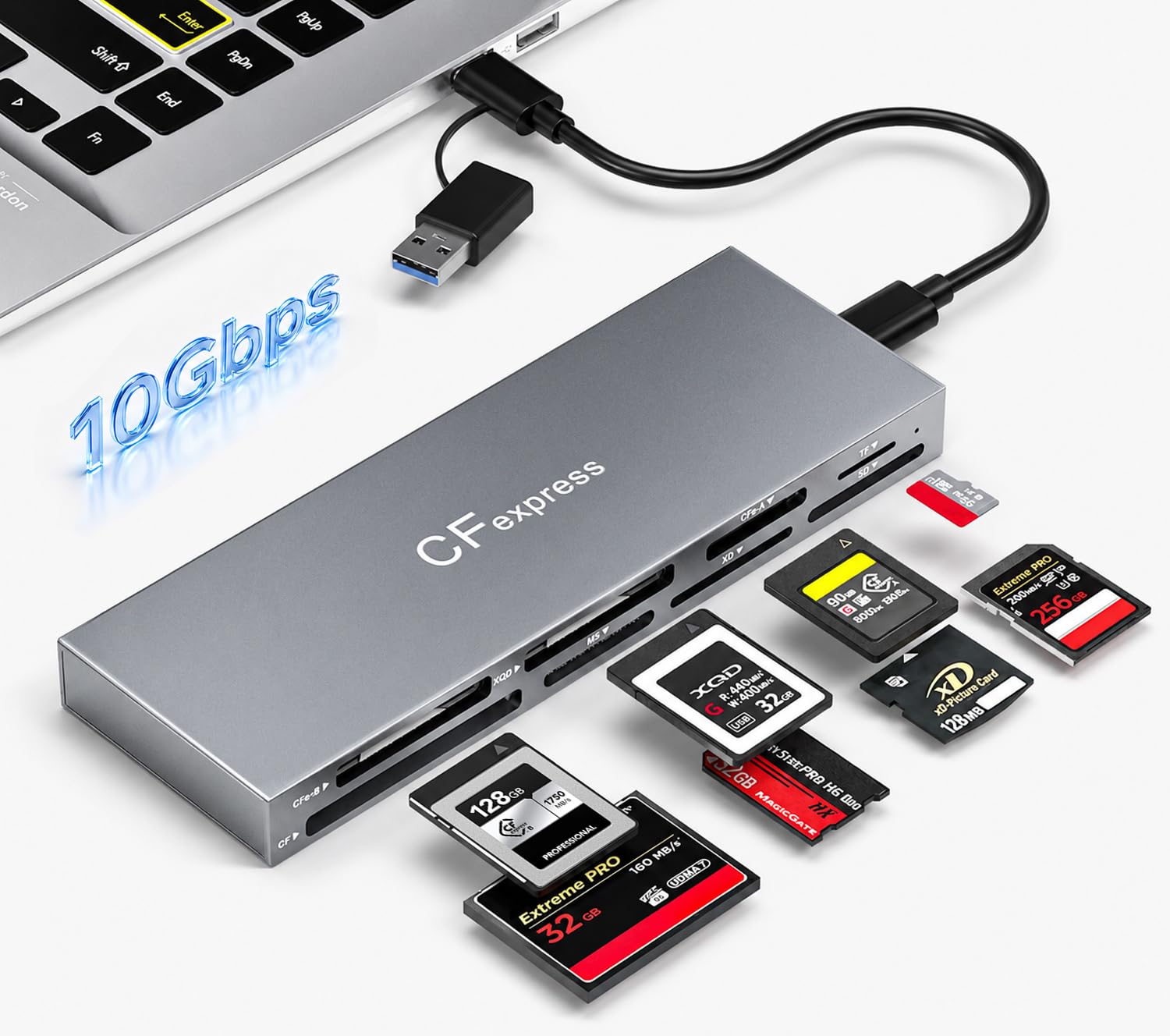
If your drawer still holds XQD, CompactFlash, and Memory Stick cards alongside CFexpress, the Rytaki Pro 8-Slot is the only reader here built for that mess. It has eight slots covering CFexpress Type A and B, XQD, SD, TF, MS, XD, and CF, with USB 3.2 Gen 2 at up to 10Gbps and simultaneous multi-card reading.

The aluminum chassis and 2-in-1 USB-C/USB-A cable make it a desk dock rather than a pocket accessory. That is the right shape for a studio or archive that wants one reader connected to a computer, with every format ready to go. The eight-slot layout is overkill for a modern mirrorless bag, but it is genuinely useful for older media still in circulation.

Simultaneous reading is the part that matters: you can pull an XQD card and an SD card without swapping, which is a real time saver for a mixed archive. The eight slots also mean the reader can stay connected while you move between formats, rather than being unplugged and swapped like a single-slot dongle.

We see the Rytaki as a specialty tool: the reader that ends the search for a forgotten format, not the default for a CFexpress-only kit. If you need one box for a drawer of cards, it earns its place. If you only shoot CFexpress B, a smaller reader is easier to live with.

Pros

  • Eight slots for legacy and modern cards
  • Simultaneous multi-card reading
  • Aluminum chassis for desk use
  • 10Gbps USB 3.2 Gen 2 transfers

Cons

  • No USB4 or 40Gbps option
  • Only a one-year warranty
Our verdict

Our recommendation for studios and archives is the Rytaki Pro 8-Slot, which puts CFexpress, XQD, SD, and older formats in one dock.

Check Latest Price
8

Budget Type A

BENFEI Type A

83 /100
Keeper Score Excellent

Key details

Slots
1
Warranty
18 months
Interface
USB 3.2 Gen 2 (10Gbps)
Card Types
CFexpress Type A
Check Price on Amazon

Type A readers tend to be the expensive end of this category, which is why the BENFEI Type A is worth knowing about. It is a single-slot CFexpress Type A reader with USB 3.2 Gen 2 at up to 10Gbps, a built-in USB-C/USB-A cable, and an aluminum housing.

The 18-month warranty is a useful safety net at the budget end. The braided cable is a sensible touch for bag life, and the push-in ejection makes card changes feel secure. The USB-A option is handy for an older desktop, so you can move between machines without an adapter.

It is not the fastest or most refined reader here, but it covers the Type A slot at a low cost. The compact body is easy to leave in a laptop bag, and the single slot keeps the operation simple. For a second reader or a travel backup, that is often all you need.

We like it as a budget companion for a Sony kit, not as the main reader for a heavy offload day. If you need one reader for a Sony card and an SD backup, the Lexar is the better long-term buy; if you just need to get Type A files onto a laptop, the BENFEI is the entry point. The low cost is the point, and the reader does not pretend to be more than a simple Type A slot.

Pros

  • Budget-friendly Type A reader
  • Built-in USB-C and USB-A cable
  • 18-month warranty adds cover

Cons

  • No CFexpress Type B slot
Our verdict

We see the BENFEI Type A as a budget second reader for Sony cards, not as the main reader for daily high-volume offloads.

Check Latest Price

How We Tested CFexpress Card Readers

We started by sorting every reader we could find by the card format it accepts, the connector generation it claims, and what actually comes in the box — a reader that needs a cable you don't own costs more than its sticker price. From that pool we ordered 13, from single-slot pucks to multi-slot decks, and lived with them for four months the way they'd really be used: at a desk offloading a day of raw frames, on location with a tablet and a phone, and rattling around a camera bag between jobs.

For speed, I filled matched cards with raw files and long video clips, then timed each full offload through the same laptop and the same port so nothing else was in play. Then I ran the same transfer through a hub, and again with the bundled USB-A cable, because a rated 10Gbps rarely survives either one. Results were checked against what the card itself could manage, since a reader can't outrun the card inside it.

Heat showed up quickly. After three back-to-back full-card dumps I felt each reader's shell and noted whether transfers slowed or the drive dropped off the bus entirely. Every unit was plugged and unplugged dozens of times to see whether it mounted first try, and I paid attention to the slot itself: does the card seat with a click, does it wiggle, does it release cleanly or need a fingernail.

Compatibility came last: Mac, Windows, an iPad, an Android phone, and both card types with an adapter wherever the reader claimed to support one. The two magnetic models got stuck to a laptop lid and a rig cage, then had the cable tugged, which is the only magnet test that matters. Build quality was judged in the bag rather than on a bench — after four months, aluminum housings still looked new while a couple of plastic ones had collected scuffs.

How to Choose a Cfexpress Card Reader

Match the slot to the card, not the camera brand

CFexpress Type A and Type B are different physical sizes, so a Type B reader will not take a Sony Type A card. If you shoot one system, a single-format reader is smaller and simpler; if you carry both, a dual-format model such as the llano 4-in-1 or Rytaki Pro saves a second accessory, but check whether the two CFexpress slots can read at the same time. SD slots are the other useful extra: many cameras still write backup JPEGs or video to SD.

Buy for your host port, not the biggest number on the box

10Gbps USB 3.2 Gen 2 is the practical baseline and is plenty for most CFexpress Type B cards. A 20Gbps or USB4 reader only pays off if your computer has that port and your cards can exceed 10Gbps; the OWC Atlas is the obvious USB4 choice here, but on a 10Gbps laptop it will not magically double your speed. Check the port, the cable, and whether the reader bus-powers from your device.

Treat heat as part of the workflow

Fast offloads generate heat, and a metal reader can become uncomfortable during a long card dump. That is not automatically a defect—it is the cost of moving hundreds of gigabytes quickly—but it changes where you put the reader. Give it open air, avoid burying it under a laptop, and unplug it when the card is done. If a reader becomes too hot to touch or starts disconnecting, stop and let it cool before trying another cable or port.

Look at the card seat, cable, and mounting

A reader is handled by the cable and the card slot more than anything else. A magnetic plate, like the ProGrade's, keeps the body still when you push a card in; a short captive cable or a USB-A adapter makes travel easier but can be fussy. Check that the card clicks in squarely and ejects smoothly, and prefer a reader whose cable is included and replaceable if you plan to carry it daily. A two-year warranty is a useful tiebreaker in a small accessory that gets plugged and unplugged constantly.

Decide how many cards you offload at once

Dual-slot readers are not just about format coverage; they let you pull a CFexpress card and an SD card in one pass. If you routinely come home with both, a dual-slot model like the Lexar LRW530U or Rocketek 2-in-1 earns its keep. If you shoot one card type and offload one card at a time, a single-slot reader is smaller, cheaper, and less to break.

Frequently Asked Questions

Final Verdict

For most photographers, the ProGrade PG05.5 is the reader to buy: it covers CFexpress Type B and SD cards, mounts magnetically, and has the strongest reliability case in this group. If your laptop has USB4 and you shoot CFexpress 4.0, the OWC Atlas is the speed specialist worth the premium. Sony Type A shooters should start with the Lexar LRW530U, while the Rocketek 2-in-1 is the value route for Type B and SD kits.