Best Camera Magic Arms of 2026

A magic arm looks like a solved problem — two joints, one knob, a couple of standard threads — until you tighten it and watch your monitor sag two inches. The whole job is holding something expensive exactly where you put it, and the gap between a good one and a cheap one shows up the first time you lock it down with a camera on the end. We spent four months with 14 of them, from 9.8-inch clamp kits to 22-inch overhead booms, and the same two parts decided every winner: the joints and the clamp.

First-time buyers tend to get two things backwards. The 1/4-inch screw does most of the everyday work — monitors, lights, mics, action cams — while the 3/8-inch hole and locating pins are what you want when you're bolting onto a cage. And the weak link is almost always the clamp on the far end, not the arm itself.

Below you'll find short clamp kits for cages and shelf edges alongside longer booms built for over-the-desk work, and each one earned its spot by staying exactly where I left it.

Keeper Score summarizes customer ratings and review volume. Read it alongside the product details and trade-offs. How the score works.

1

Best Overall

SmallRig 9.8" Magic Arm Clamp Kit

92 /100
Keeper Score Outstanding

Key details

Weight
11.7 oz
Arm Length
9.8 in
Maximum Load
1.5 kg (3.3 lb)
Mounting Threads
1/4"-20 and 3/8"-16 in clamp; 1/4" screws both ends
Check Price on Amazon

A 1.5 kg rating on a 9.8-inch arm sounds modest until you look at what the clamp gives you: a 1/4"-20 hole and a 3/8"-16 hole through the body, plus 1/4" screws at both ends of the arm. Between those, it holds a monitor, a microphone, a small LED panel, or a phone without an adapter in sight. That spread of fittings is why it is the one we hand to someone who has not decided what they are mounting yet.

The arm itself is single-knob friction: one turn releases both ball ends and the elbow, so you position everything at once and lock it with a twist. We found that quick with a light or a monitor hanging close to the clamp, and fussy with a camera pushed out to the end, where setting one angle nudges the other two. The Neewer ST16C answers that with a toothed elbow, at the cost of a coarser adjustment.

Payload is where we temper expectations. The jaws open wide enough for most desk edges and for round tube, and the rubber cushions grip a painted surface without marking it, but a heavy offset load can still let the ball heads creep after you have tightened them. Keep the weight close in and the arm angled rather than horizontal and it stays put; hang a rig off the far end and you will be re-tightening it.

Folded, it measures 8.66 inches and weighs 333 g, small enough to live in a bag pocket instead of a case, and the aluminum and stainless hardware has the machined feel SmallRig's cages are known for. If you want one arm to cover the widest range of jobs, this is the one that stays in the bag.

Pros

  • 1/4"-20 and 3/8"-16 without adapters
  • Clamp grips desk edges and round tube
  • Folds to 8.66 in and weighs 333 g

Cons

  • Ball heads can creep under a heavy offset load
Our verdict

Our default pick: a 9.8-inch arm and clamp that hold a monitor, mic, or small light at almost any angle, and fit nearly every thread you already own.

Check Latest Price
2

Best for Locking Down a Camera

Neewer 11" ST16C Magic Arm

90 /100
Keeper Score Outstanding

Key details

Joint
360° gear joint with dual ball heads
Weight
6.7 oz
Arm Length
11 in (28 cm)
Maximum Load
4.4 lb
Check Price on Amazon

If the rig you are mounting has a cage on it, the ST16C is the arm we reach for. The difference sits at the elbow: instead of a plain friction ball, Neewer puts a toothed gear joint between the two arms, so the angle is held by teeth rather than by how hard you can twist a knob.

Both ends carry 1/4" screws with spring-loaded ARRI locating pins, and those pins press flush when the socket you are threading into has no matching hole. On a cage they stop the whole assembly rotating around a single screw, which is the small failure that ruins a take. Each joint adds a ball head with a U-notch for 360° swing and 90° tilt, and the locking collar runs on thrust bearings, so it turns smoothly instead of grinding halfway through an adjustment.

Rated at 4.4 lb across an 11-inch reach, it is comfortable with a monitor, a small LED panel, or a compact mirrorless body, and the 0.19 kg arm folds to under 9 inches. Push heavier gear out to full extension and the joints loosen over time — that is the point where we move to the SmallRig 4862 rather than keep chasing the knob. The machined finish and the way the pins retract are the details that make it feel like a piece of rigging rather than an accessory.

Pros

  • Toothed elbow holds an angle under load
  • ARRI locating pins stop cage rotation
  • 4.4 lb rating with 11 in reach

Cons

  • No carry case included
Our verdict

The one to buy when a camera with a cage has to hold exactly where you put it — the toothed elbow and locating pins do work a friction knob cannot.

Check Latest Price
3

Best Overhead Desk Arm

Neewer 22" UA057 Magic Arm

89 /100
Keeper Score Excellent

Key details

Weight
14.1 oz
Arm Length
22 in (55 cm)
Clamp Range
Flat to 2 in; round to 1.6 in
Maximum Load
500 g (17.6 oz)
Check Price on Amazon

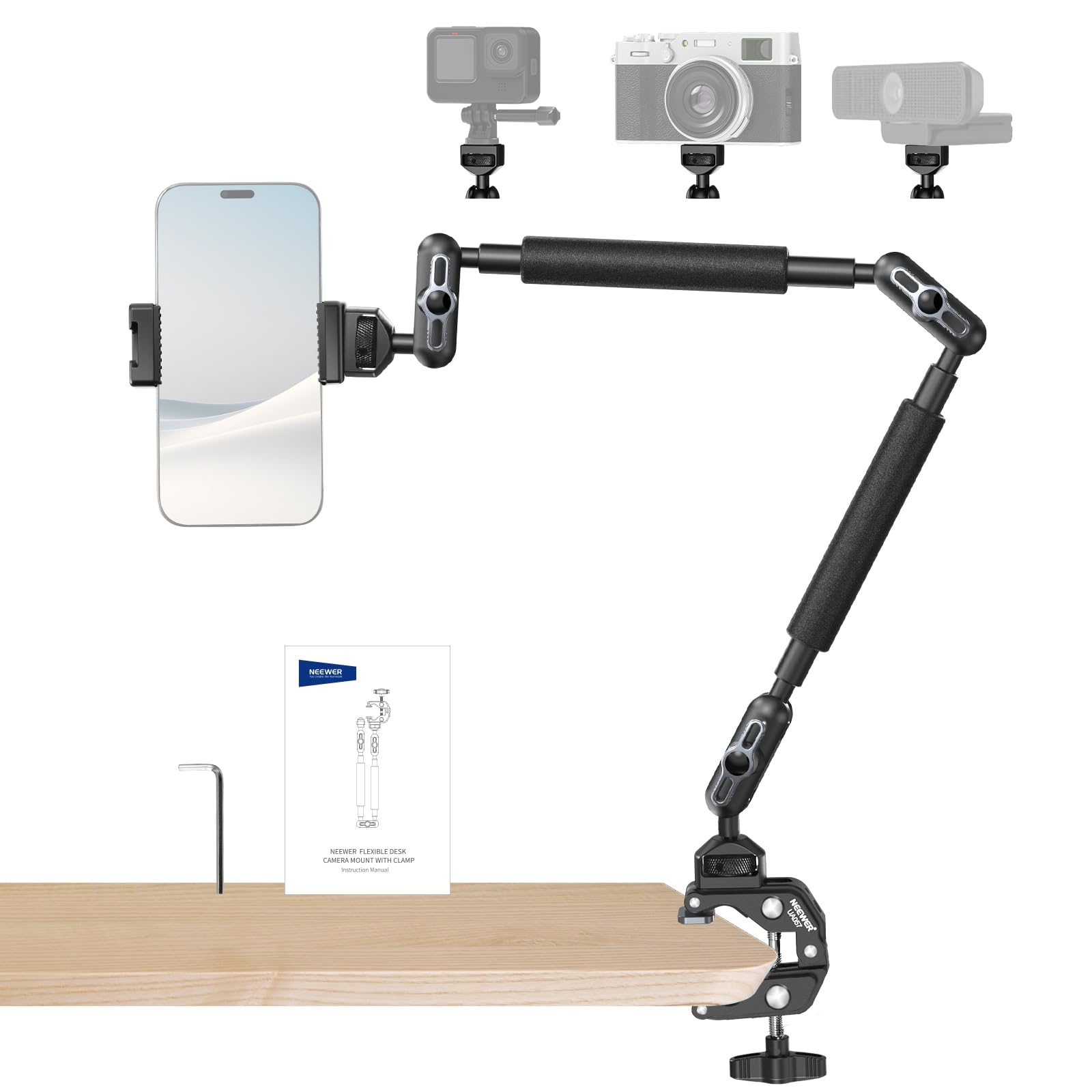
Five hundred grams is the ceiling here, and it is the first thing to check before ordering: a mirrorless body with a lens will blow straight past it. What that ceiling buys is 22 inches of reach from a clamp that grips a desk edge up to 2 inches thick or a tube up to 1.6 inches across — the difference between a webcam at eye level and a webcam balanced on a stack of books.

Three sets of dual ball heads run along the arm, so you can put a bend near the clamp and another near the device instead of forcing one joint to do all the work. There is an anti-twist pin at the mounting interface, silicone pads under the jaws, and the box includes a phone holder and an L-shaped hex key.

We treat it as a desk arm rather than a camera support, and that is where it earns its place: a phone or a webcam hanging over a keyboard, tilted down, with the joints carrying the weight close to the clamp. Sag tends to show up with heavier gear pushed to full extension, and a clamped desk sends every knock straight up the arm, so a light hand on the keyboard does more for steadiness than another quarter-turn of the knob.

Pros

  • 22 in of reach from one clamp
  • Three dual ball heads spread the bend
  • Clamp grips flat edges and 1.6 in tubes
  • Phone holder and hex key in the box

Cons

  • 500 g ceiling rules out most cameras
  • Phone holder pads can peel over time
Our verdict

A long, solid desk arm for a phone, webcam, or small light — stay under its 500 g ceiling and it will not let you down.

Check Latest Price
4

Best for Heavy Rigs

SmallRig 4862 Super Clamp Arm

86 /100
Keeper Score Excellent

Key details

Weight
1,830 g
Arm Length
20.6 in (524 mm)
Clamp Range
10-60 mm tubes; flat to 30 mm
Maximum Load
33.1 lb
Check Price on Amazon

At 1,830 g with a 15 kg rating, this is the only arm here built like studio hardware rather than a bag accessory. The arm runs 20.6 inches, joins the clamp through a 5/8-inch stud, and finishes in a 1/4"-20 and 3/8"-16 top screw, so it takes a camera, a light, or a monitor with nothing else in between.

What we noticed first is how little it moves. The clamp closes on tubes from 10 to 60 mm or on flat stock up to 30 mm, the stud connection has no play, and once everything is nipped up the arm stays where you left it — the quality that matters when it is holding a camera behind a monitor for an entire shoot.

The one thing to learn is the centre bolt. It tensions the joints and the head together, so a hard tighten can leave the ball joints too stiff to reposition, and backing it off to move them can leave the assembly loose. Work it in small increments until the arm moves under hand pressure and holds when you let go. That is a two-minute adjustment rather than a fault, but it is why this arm suits a set-and-leave position more than constant reframing.

If your setup is a fixed desk or a studio corner, the extra heft buys an arm you adjust once and forget. If you are carrying gear to a location, the 9.8-inch SmallRig does the same job at a fraction of the weight.

Pros

  • 15 kg rating for lights and big bodies
  • 5/8 in stud connection with no play
  • Grips tubes from 10 to 60 mm

Cons

  • Flat-surface grip tops out at 30 mm
  • 1,830 g keeps it on the bench
Our verdict

Buy this when the arm has to disappear into the rig: a 15 kg rating and a 5/8-inch stud for studio lights and cameras that stay where you clamp them.

Check Latest Price
5

Budget Clamp Kit

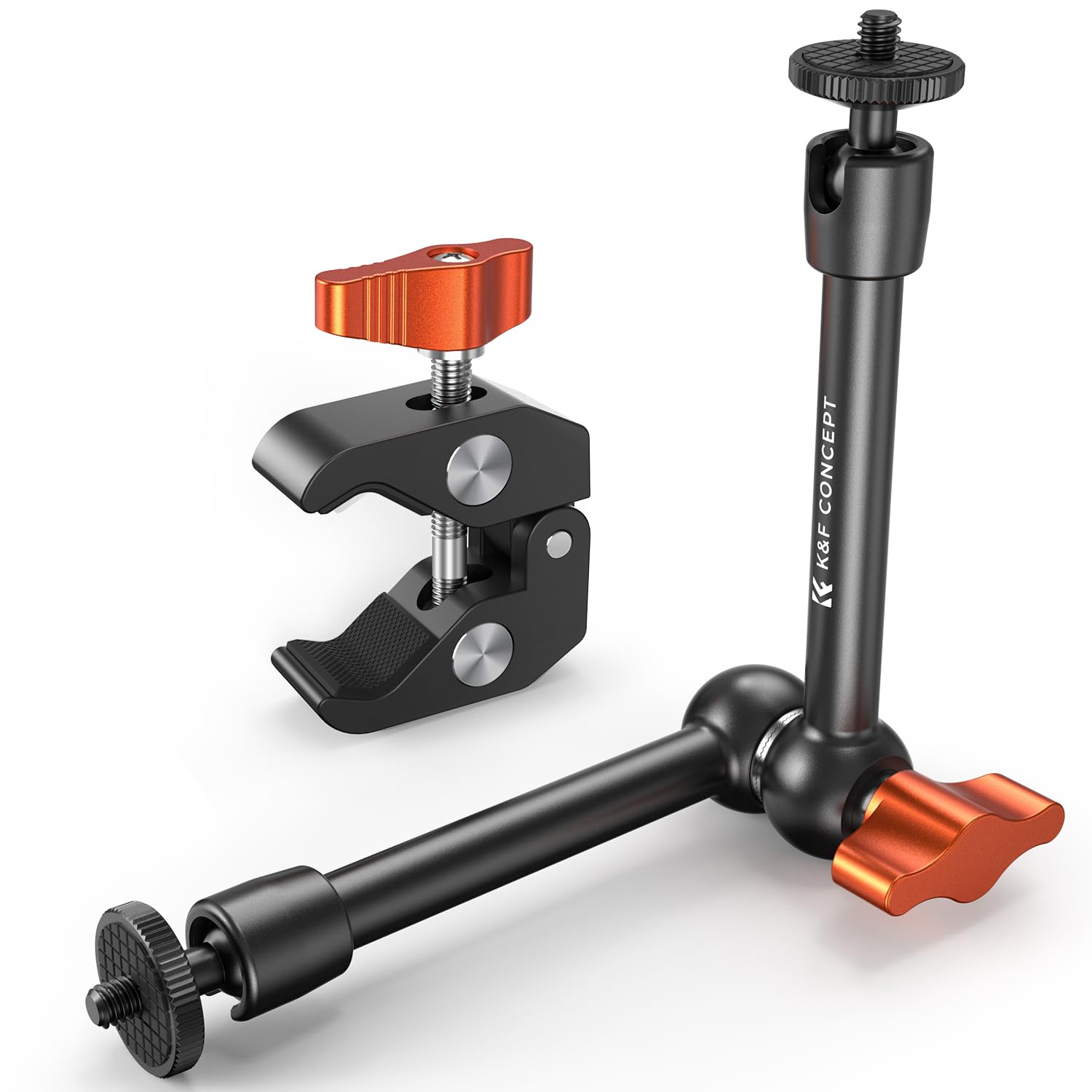
K&F Concept 9.8" Magic Arm Kit

84 /100
Keeper Score Excellent

Key details

Weight
10.9 oz
Threads
1/4" and 3/8" screws
Arm Length
9.8 in
Maximum Load
4.4 lb
Check Price on Amazon

This is the least expensive clamp kit in the group, and the parts do not advertise it: two 360° ball heads, an all-metal clamp, and rubber cushioning on the jaws and at the arm end. The clamp carries both 1/4" and 3/8" screws, so it matches the fittings on the SmallRig above rather than forcing you into an adapter.

In the hand, the 10.88 oz arm feels denser than its size suggests, and the single knob has a chunky, positive action. The 4.4 lb rating is roughly three times what the SmallRig claims on a shorter arm, which makes it look like the better buy on paper.

Where the savings surface is at the ball joints. Under a light or a small monitor they lock and stay locked; load the far end of the arm and the head can rotate a few degrees after you have tightened it, which reads as the arm settling mid-shot. Kept to a phone, a mic, an LED panel, or a 5-inch monitor, it behaves exactly as advertised — it is a lightweight arm, and treating it as one is the whole trick.

Pros

  • All-metal kit at the lowest price here
  • 4.4 lb rating on a 9.8 in arm
  • Rubber pads on jaws and arm end

Cons

  • Ball heads rotate under load at full extension
  • Clamp knob can strip under hard tightening
Our verdict

A well-machined 9.8-inch kit for a light or small monitor, and the value pick here as long as you keep heavy cameras off the end of it.

Check Latest Price
6

Light Overhead Work

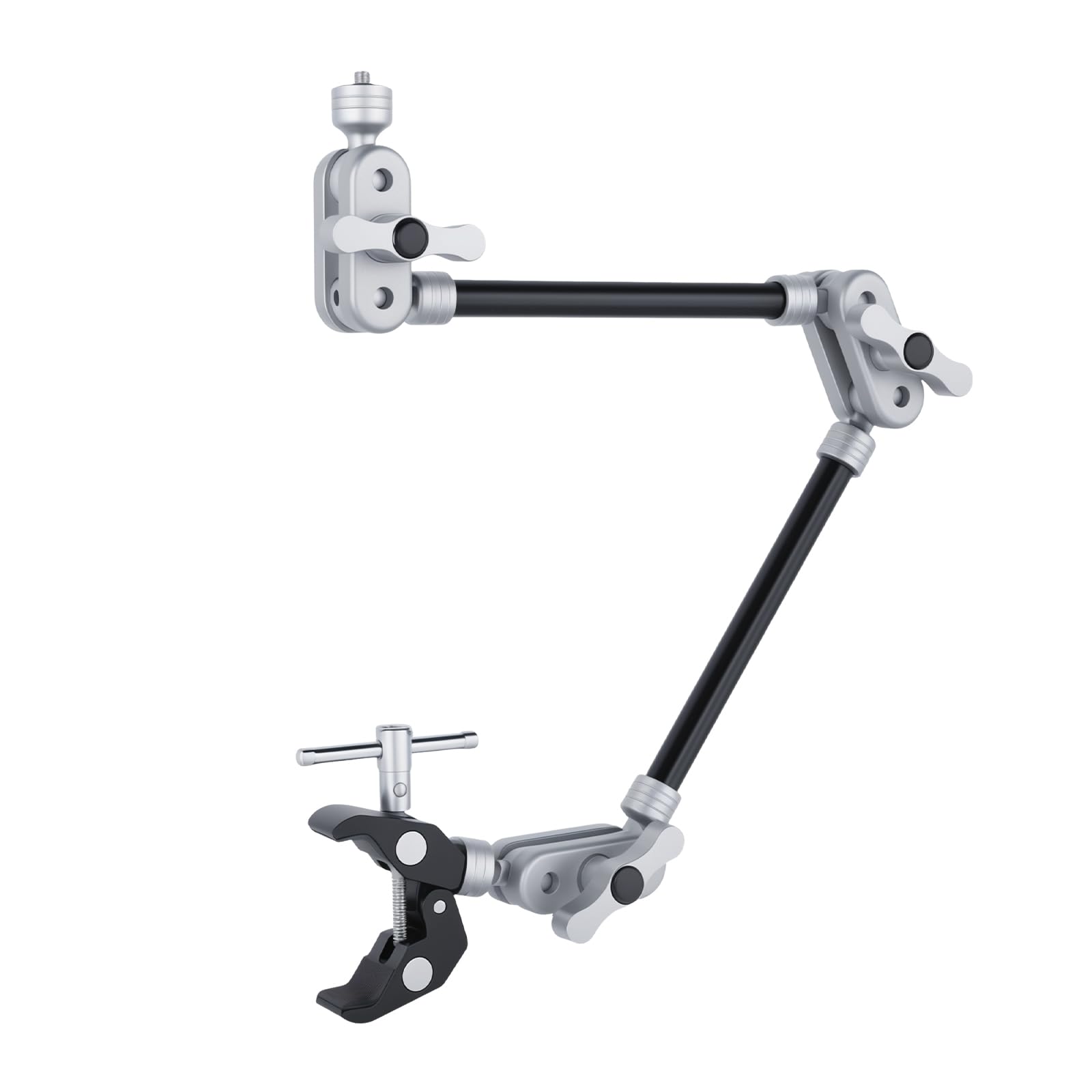
UTEBIT 22" Magic Arm

89 /100
Keeper Score Excellent

Key details

Weight
7.05 oz
Mounting
1/4" screws both ends
Arm Length
22 in (56 cm)
Maximum Load
4.4 lb
Check Price on Amazon

A 22-inch arm that weighs 200 g and claims a 4.4 lb capacity is the kind of combination that makes you look for the catch. We mounted a light at the end of it and found the arm itself does not flex: the load is carried by the clamp and the joints, both of which are metal rather than plastic.

The adjustment hardware is the pleasant surprise. There is a ratcheting knob and a spring-loaded locking lever, so the knob re-seats instead of jamming when it runs out of travel — a small thing you notice every time you move the arm. The crab-claw clamp takes a desk edge or a tube, and the 1/4" screws at both ends accept a light, a microphone, or a webcam directly.

Two things to know before ordering. There is no phone holder and no thread adapter in the box, just the arm and the clamp, so a 3/8"-16 light needs its own reducer and a phone needs a holder you already own. And reach is the whole point of this one: at full stretch it puts a webcam or a mic well above a monitor, which is worth more than the extra metal you get elsewhere.

Pros

  • 200 g arm rated to 4.4 lb
  • Ratcheting knob and spring-loaded locking lever
  • Clamp grips flat surfaces and tubes

Cons

  • No phone holder or thread adapters included
Our verdict

A light, stiff 22-inch arm for overhead desk work — bring your own phone holder and adapters, and keep the load sensible.

Check Latest Price
7

Phones Above a Desk

JEBUTU 22" Magic Arm Kit

89 /100
Keeper Score Excellent

Key details

Weight
15.8 oz
Arm Length
22 in
Maximum Load
8.8 oz (250 g)
Phone Holder
2.3-3.5 in wide
Check Price on Amazon

The box is the reason to look at this one: a 22-inch arm, a super clamp with two rotatable pads, a phone holder that takes handsets from 2.3 to 3.5 inches wide, and both a 1/4"-to-3/8" and a 1/4"-to-5/8" adapter. That is a working overhead phone rig without a second order.

Each joint adjusts on its own, so you can lock the elbow and still swing the ball at the end, and the clamp's rotatable pads let it sit flat on a desk edge or wrap a round tube. The aluminum arm reaches far enough to get a phone over a keyboard or a sketchbook, and the red pads make it easy to see where the clamp is biting when you are working under a desk.

The 8.8 oz capacity decides most of it. A phone in a case is fine, a webcam is fine, almost any camera is not, and the jaws are on the small side for a thick desk edge. At full extension the end of the arm wobbles when the desk is knocked, which is what a long, light arm does rather than something specific to this one.

For a phone or a webcam above a desk, it does the job the expensive arms do, and the two thread adapters mean you are not hunting for a reducer the day a light arrives. The moment you want to hang a camera, the Neewer UA057's 500 g ceiling is the step up to take.

Pros

  • Phone holder and two thread adapters included
  • Joints adjust independently
  • Rotatable clamp pads suit edges and tubes

Cons

  • 250 g capacity rules out most cameras
  • Clamp jaws are small for thick desks
Our verdict

A complete, inexpensive overhead kit for a phone or a webcam, with the adapters most rivals leave out — just not the arm to hang a camera from.

Check Latest Price

How We Tested Camera Magic Arms

We started by pulling every magic arm we could find with a real clamp, standard 1/4-inch and 3/8-inch hardware, and a stated reach, then filtered out anything with plastic knuckles or a clamp that looked thinner than the arm it was holding. That left 14 arms, which we used for four months rather than handling once on a bench.

Most of them lived where these actually live: clamped to the back of a home office desk holding a webcam or a small LED panel overhead, on a shelf edge pushing a monitor out over a keyboard, and bolted to a cage that got carried between rooms and set down harder than it should have been. We mounted each clamp on both a square desk top and a round tripod leg to see whether the pads scuffed furniture or the jaw spun under torque.

Then we loaded them. Every arm got weight hung at its rated capacity and a little past it, a piece of tape across the joint, and 24 hours to prove itself; we measured how far the tape mark moved and how much force the knob took before the joint stopped creeping. Each one also ran 50 tighten-and-loosen cycles before we re-hung the same load, watching for knobs that started slipping, threads that went gritty, or ball heads that developed play.

Value came last, and it was the easiest call: whether the extra money bought a sturdier clamp and a smoother knob, or just a nicer box.

How to Choose a Camera Magic Arm

Match the Arm's Reach to the Job

This category splits cleanly by length: 9.8 to 11 inches for anything that mounts on or near the camera — a monitor, a mic, a small LED panel, a phone on a cage — and 22 inches for overhead work above a desk. We look at length first because it drives everything else: every extra inch adds leverage on the same ball joints, so a long arm and a heavy camera are working against each other.

Measure from the clamp point to where the lens or screen needs to sit, add a couple of inches of slack, and buy for that number rather than for the longest arm you can afford. If the answer runs past a foot, plan on hanging something light at the end.

Read the Payload Rating as a Best Case

Ratings in this set run from 250 g to 15 kg, and they describe the arm rather than your particular angle. A ball-joint arm holding a light straight down carries far more than the same arm stretched horizontally with the weight at the far end. Our rule of thumb is to buy at least twice the weight you plan to hang, and to keep heavier gear closer to the clamp.

A camera body with a lens on a 500 g arm is asking for a slow droop; the same arm with a webcam is comfortable. The figure matters most when you are near it.

Friction Knobs vs Toothed Joints

A single-knob friction arm releases every joint at once, which is fast for a light you reposition often and awkward for a camera you need to hold exactly, because setting one angle nudges the other two. Toothed or rosette joints lock into increments and hold under load — the Neewer ST16C is the clearest example here — while a plain ball head relies on the friction your fingers can generate.

We prefer a toothed joint whenever the load is a camera. If you are mounting to a cage, also look for anti-twist pins: a single 1/4"-20 screw lets a caged camera rotate no matter how hard you tighten the arm.

Check the Clamp Against Your Desk

Clamps differ in two ways that decide whether they work: how thick a surface they open to, and how far the jaw reaches in under the edge. The long arms here take desk edges up to about 2 inches; the heavy SmallRig 4862 stops at 30 mm of flat stock, fine for a bench and not for a thick countertop.

Rotatable pads let a clamp sit flat on a desk or wrap a round tube. Avoid tapered legs and thin hollow-core desk edges — the clamp will hold and the desk will flex, which shows up as a wobbling camera at the far end of a 22-inch arm.

Frequently Asked Questions

Final Verdict

Start with the SmallRig 2732. At 9.8 inches it covers a monitor, a mic, a phone, or a small LED panel, and between the clamp's 1/4"-20 and 3/8"-16 holes and the screws at both ends it will take whatever thread your gear already has. It is the arm we keep in the bag.

If what you are mounting has a cage and a lens on it, the Neewer ST16C's toothed elbow holds an angle that a friction knob cannot. And if the job is a webcam or a phone above a desk, 22 inches of reach changes more than any other feature on this page.