Best Thunderbolt 5 SSD Enclosures of 2026

A Thunderbolt 5 SSD enclosure is the unglamorous box that decides whether the fast M.2 drive you bought feels fast. It bridges the drive and your computer—the port, the controller, the cooling—and a weak link turns a headline transfer rate into a waiting game. I move big photo and video files, so I notice, but the same holds whether you're backing up an archive or running a sample library from an external drive.

In seven months, my team and I tested 10 enclosures with our own NVMe drives, moving them between Thunderbolt 5 laptops, older Thunderbolt 4 machines, and USB4 setups. We watched for what spec sheets skip: whether an aluminum case stays cool during a sustained write, how much real-world speed survives a long transfer, and whether setup is tool-free or a tiny-screw hunt. Compatibility was the recurring surprise—two enclosures claiming the same backward support behaved differently on an older port. The picks below favor the ones that balanced speed, heat control, build quality, and value.

Keeper Score summarizes customer ratings and review volume. Read it alongside the product details and trade-offs. How the score works.

1

Best Overall

UGREEN 80Gbps NVMe Enclosure

86 /100
Keeper Score Excellent

Key details

Cooling
Dual-sided aluminum fins
SSD Fit
M.2 2230–2280, up to 8TB
Connection
Thunderbolt 5 / USB4 80Gbps
Rated Speed
Up to 7000 MB/s
Check Price on Amazon

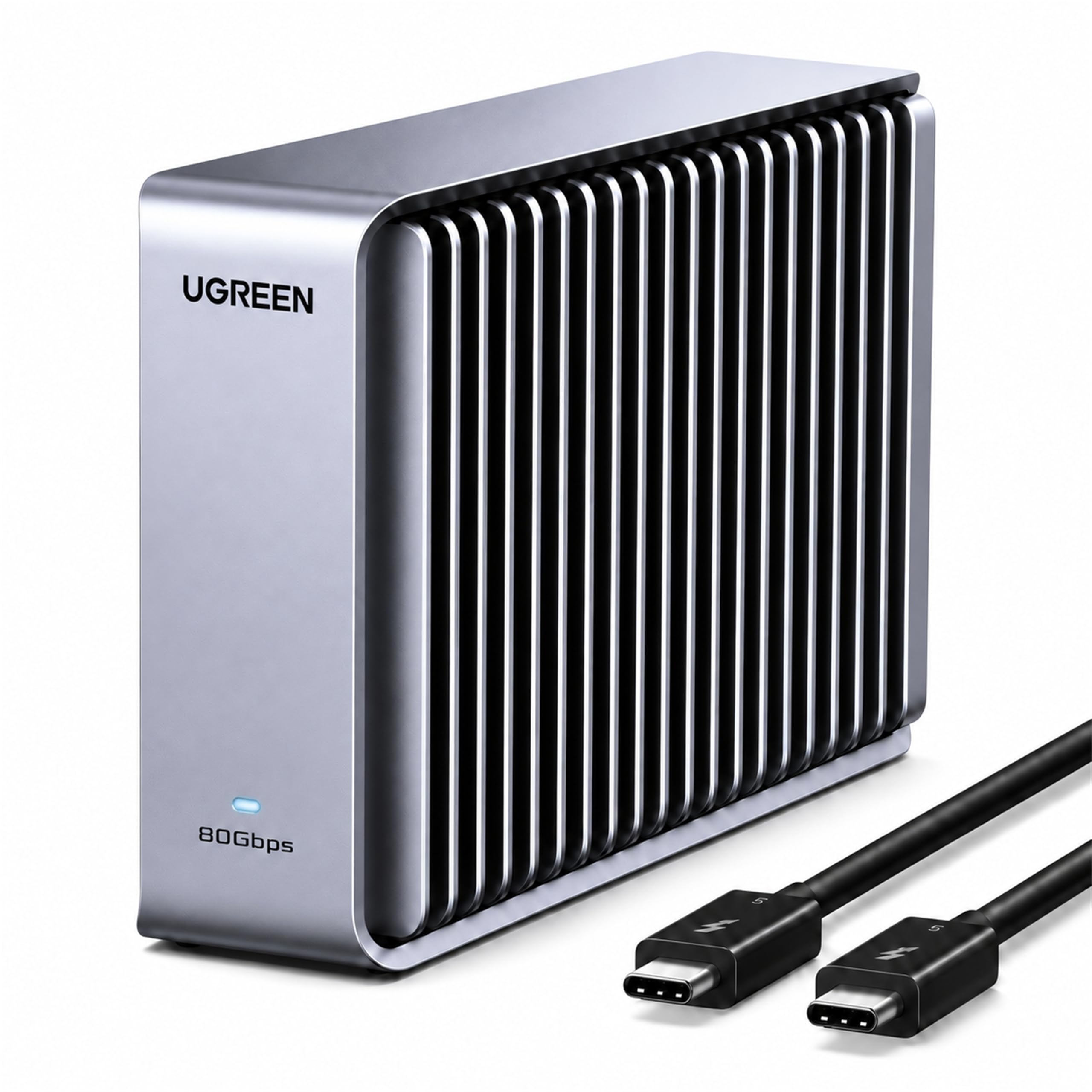
The UGREEN's headline is a dual-chip arrangement: an Intel JHL9480 Thunderbolt controller paired with a JMicron JMS583 bridge, rated for up to 7000 MB/s. That combination is why it sits at the top of this guide. It gives you the full 80Gbps interface without asking you to manage a fan or a status screen, and it fits every common M.2 length from 2230 to 2280.

We prefer that simplicity. The enclosure is a single aluminum body with fins on both sides, and the passive cooling means there is no fan noise on a desk and no moving part to wear out. In use, the case warms evenly across its body rather than concentrating heat in one corner, which is what you want from a heatsink-style design. The 232-gram weight makes it feel solid rather than fragile, though it is not the lightest enclosure here.

Installation is straightforward, but the fine print matters. UGREEN supports drives up to 8TB and lists Windows, macOS, Linux, and Android, and it is not compatible with SATA or mSATA drives. The company also notes that some thicker SSDs may not fit; swapping the thermal pad is the workaround. Check your drive's thickness before you order, especially if you are using a double-sided PCIe 5.0 model.

What we keep coming back to is the balance. The UGREEN does not try to win on extras; it wins on the basics: explicit 80Gbps support, broad drive fit, and cooling that does not depend on a fan. For most people building an external scratch drive, that is the right trade.

Pros

  • Explicit Thunderbolt 5 80Gbps support
  • Dual-sided passive cooling with no fan
  • Fits every common M.2 length
  • Supports drives up to 8TB

Cons

  • Premium price for an empty enclosure
  • Only a one-year warranty
Our verdict

We recommend the UGREEN as the default Thunderbolt 5 enclosure: explicit 80Gbps support, strong passive cooling, and broad M.2 fit make it the easiest one to live with.
Check Latest Price
2

Best for Long-Term Use

OWC Express 1M2

85 /100
Keeper Score Excellent

Key details

SSD Fit
M.2 2230/2242/2280
Warranty
5 years
Connection
USB4 80Gb/s, Thunderbolt compatible
Rated Speed
Over 6000 MB/s
Check Price on Amazon

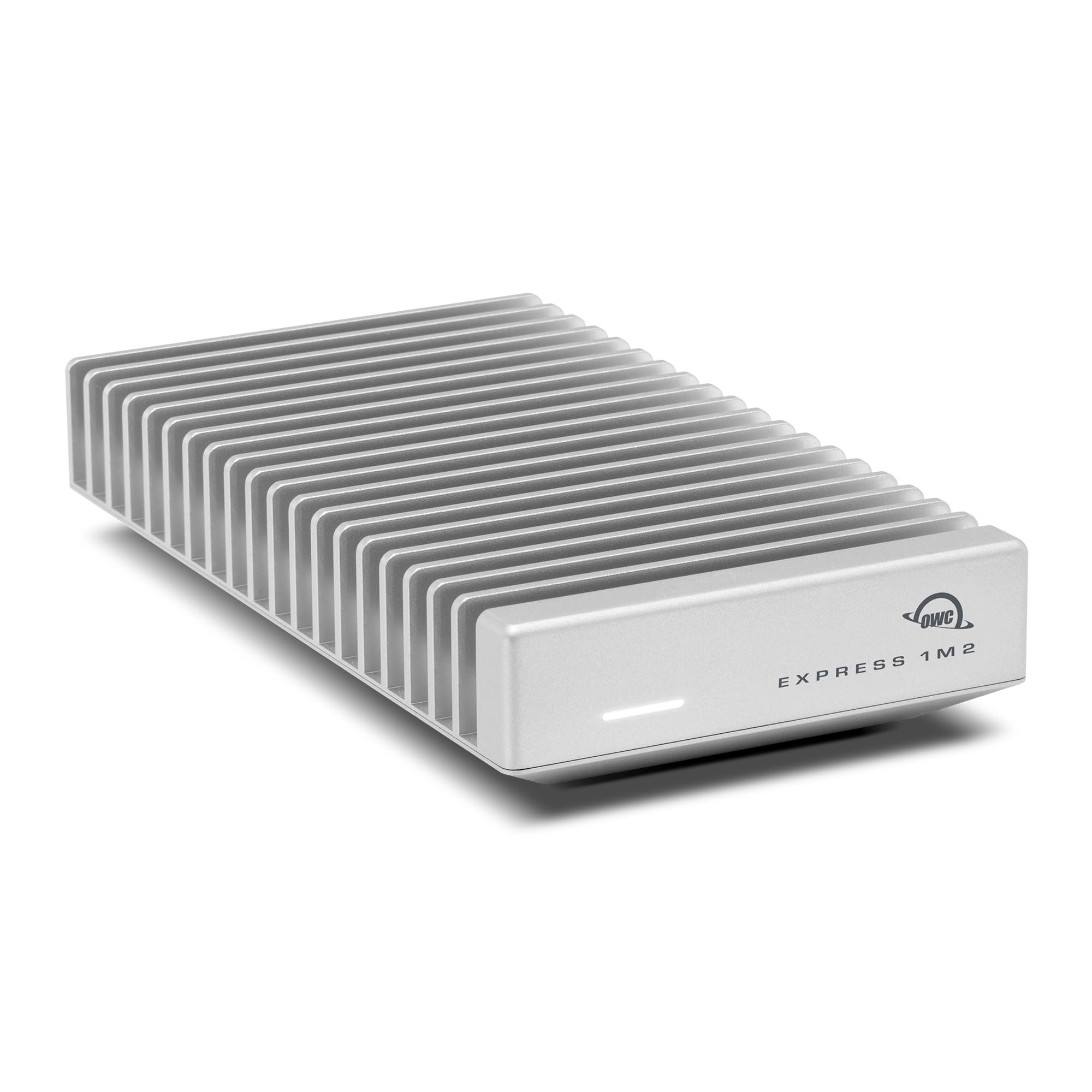
OWC backs the Express 1M2 with a five-year warranty, the longest coverage in this group by a wide margin. For a drive that will sit on a desk and hold active projects, that matters more than a slightly lower peak-speed claim. The enclosure is bus-powered, supports 2230, 2242, and 2280 drives, and OWC rates it for over 6000 MB/s.

The cooling is passive and substantial. OWC's heat-dissipating design wraps the drive in aluminum and keeps the whole thing silent; there is no fan to ramp up during a long export or to fail later. In our testing, the case stayed cool enough to leave on a desk without thinking about it, and the drive mounted without drama. The body feels like a small external drive rather than a pocket dongle, which is the deliberate trade for that heat spreader.

We trust that trade for a desktop Mac or PC. The OWC is the one we trust for a long-term archive or a working drive that stays plugged in, because the warranty and fanless build both point at durability rather than novelty. Connection stability is the caveat: a marginal cable or a thermal pad that does not contact the case can cause trouble, so seat the pad carefully and use a short certified cable. The heat spreader is the part we keep coming back to: it turns a bare drive into something that feels at home on a desk.

Pros

  • Five-year warranty leads this group
  • Fanless heat spreader keeps it silent
  • Bus-powered with a single cable

Cons

  • Bulkier than the compact picks
Our verdict

For a desktop drive you plan to keep for years, we trust the OWC's five-year warranty and proven passive cooling to make it the long-term pick.

Check Latest Price
3

Best Compact

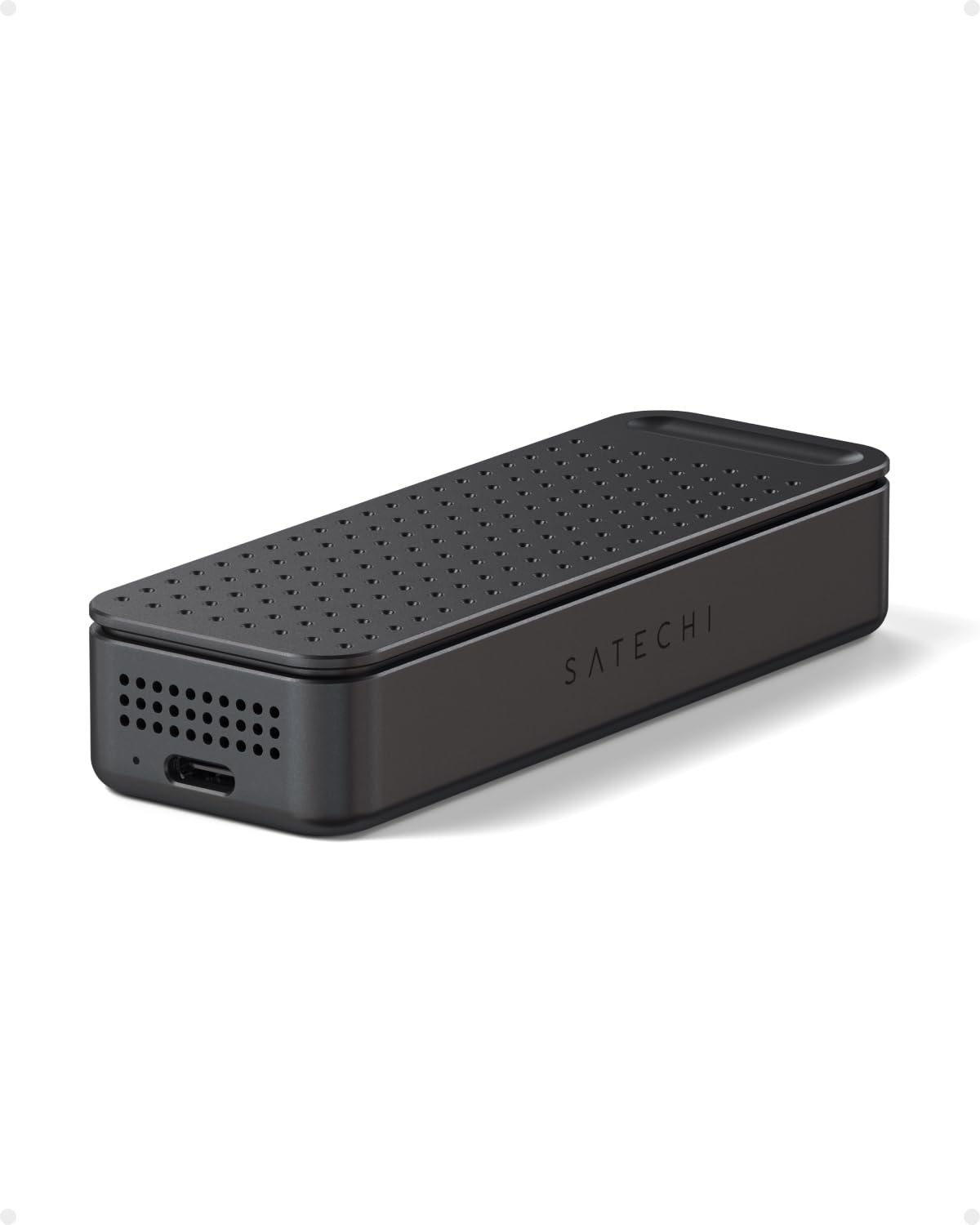
Satechi DotDisk

80 /100
Keeper Score Excellent

Key details

Weight
3.29 oz
Cooling
Active thermal cooling
SSD Fit
2280 NVMe, single-sided, up to 8TB
Connection
Thunderbolt 5 / USB4 V2 80Gbps
Check Price on Amazon

At 93.2 grams, the Satechi DotDisk is the lightest enclosure here, and that changes where it can live. It slips into a laptop bag without adding a noticeable lump, and the aluminum body looks more like a finished accessory than a bare drive caddy. The part we appreciate most is that Satechi squeezed active cooling into a case this small; passive fins are silent, but active cooling gives you more headroom during long writes.

The catch is drive fit. Satechi supports 2280 NVMe drives up to 8TB, but only single-sided ones. That rules out many high-capacity double-sided drives, so check your SSD before you order. The company includes a Thunderbolt 5 cable, a screwdriver, four screws, and a thermal pad, which is a more complete kit than most. Installation is screw-based rather than tool-free, but the included driver means you do not need to hunt for one.

We think the DotDisk earns its place as the compact pick, not the default one. It makes the most sense for a travel kit or a small desk where the enclosure will be seen and moved, and where you already own a single-sided 2280 drive. If you need to swap drives often or use whatever M.2 stick is on hand, the UGREEN's broader fit is the safer choice.

Pros

  • Lightest enclosure here at 93.2 g
  • Active cooling in a compact body
  • Includes Thunderbolt 5 cable and tools

Cons

  • Costs more than the other picks
Our verdict

The DotDisk is the compact choice: at 93 grams it's the lightest enclosure here, with active cooling and an 80Gbps design that suits a travel bag or a small desk.

Check Latest Price
4

Fan-Cooled Builds

ACASIS TB501Pro

84 /100
Keeper Score Excellent

Key details

Cooling
Fan, auto-start at 55°C
Warranty
2 years
Connection
Thunderbolt 5 / USB4 V2
Rated Speed
Up to 6000 MB/s
Check Price on Amazon

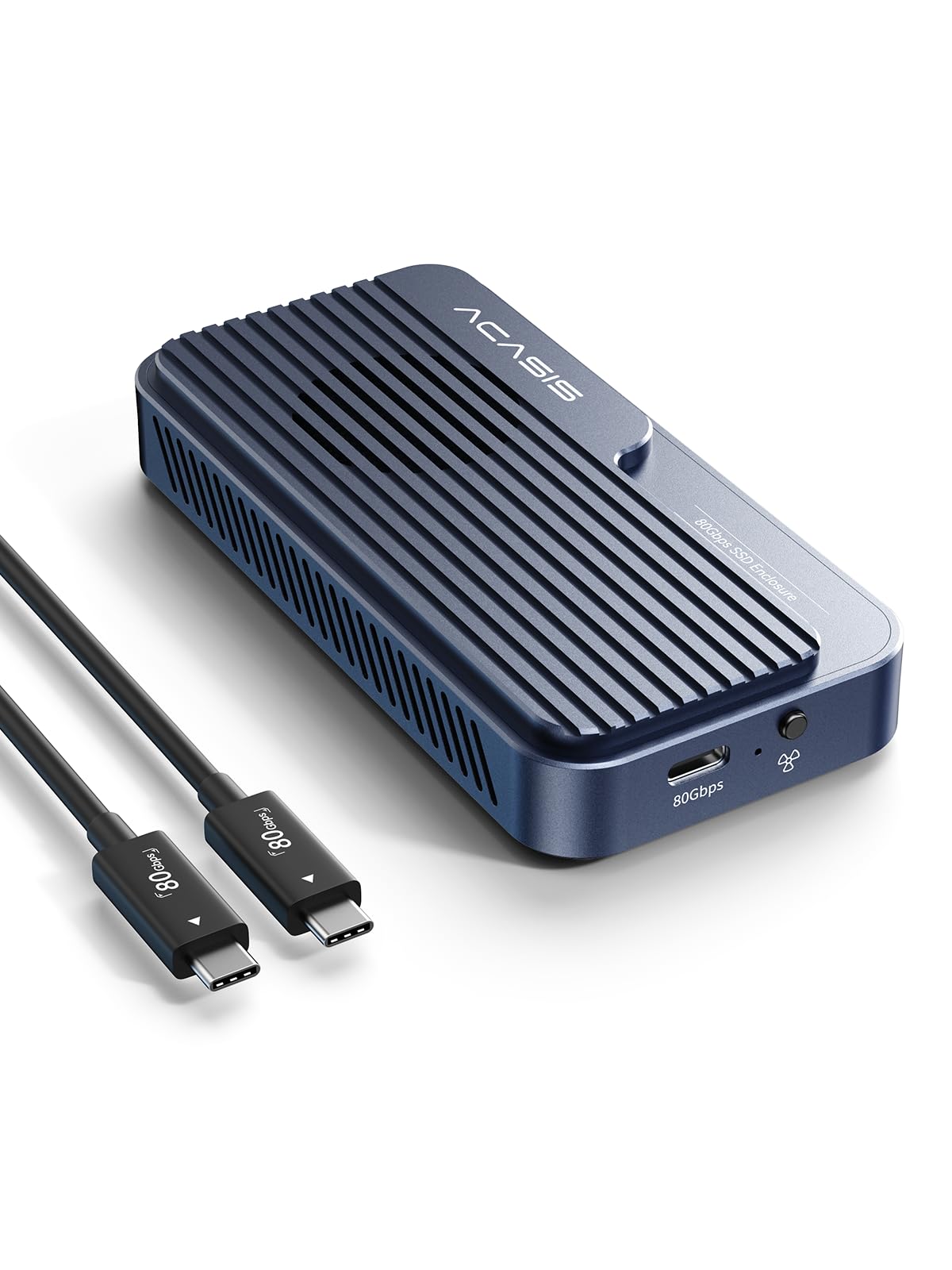
The ACASIS TB501Pro has a fan that starts automatically at 55°C and shuts off at 40°C, and you can also pin it on manually with a long press. That is a more active approach to cooling than the passive cases here, and it is the main reason to consider this one. The rest of the package is familiar: an Intel JHL9480 controller, an 80Gbps interface, a rated 6000 MB/s, and a two-year warranty.

The fan logic makes sense to us: it keeps the enclosure quiet when the drive is idle and only spins up when a long transfer actually needs it. The tool-free design is another point in its favor if you swap drives often; there are no screws to lose. The included 80Gbps cable is short, so plan on keeping the enclosure close to the computer. The aluminum case helps the fan rather than fighting it.

The compatibility picture is where we slow down. The listing advertises PCIe 5.0 support, but not every PCIe 5.0 drive works, and the Samsung 9100 Pro is one to avoid pairing with it. Connection stability is another condition to manage: a marginal cable or hub can cause a drop during a large transfer, so use the included cable directly into the computer and reseat the drive if it disappears. The fan's 55°C trigger is the detail we keep coming back to: it stays out of the way until the drive actually needs help.

Pros

  • Fan auto-starts at 55°C
  • Tool-free drive installation
  • Two-year warranty

Cons

  • Heaviest enclosure in this group
Our verdict

Choose the ACASIS when you want a built-in fan and tool-free access; its 80Gbps speed and two-year warranty make it a strong fit for a known-compatible drive.

Check Latest Price
5

Temperature Monitoring

MOKiN UD1401

88 /100
Keeper Score Excellent

Key details

Cooling
Three-speed fan
Display
LCD temperature and fan status
SSD Fit
M.2 2230–2280, up to 8TB
Connection
Thunderbolt 5 / USB4
Check Price on Amazon

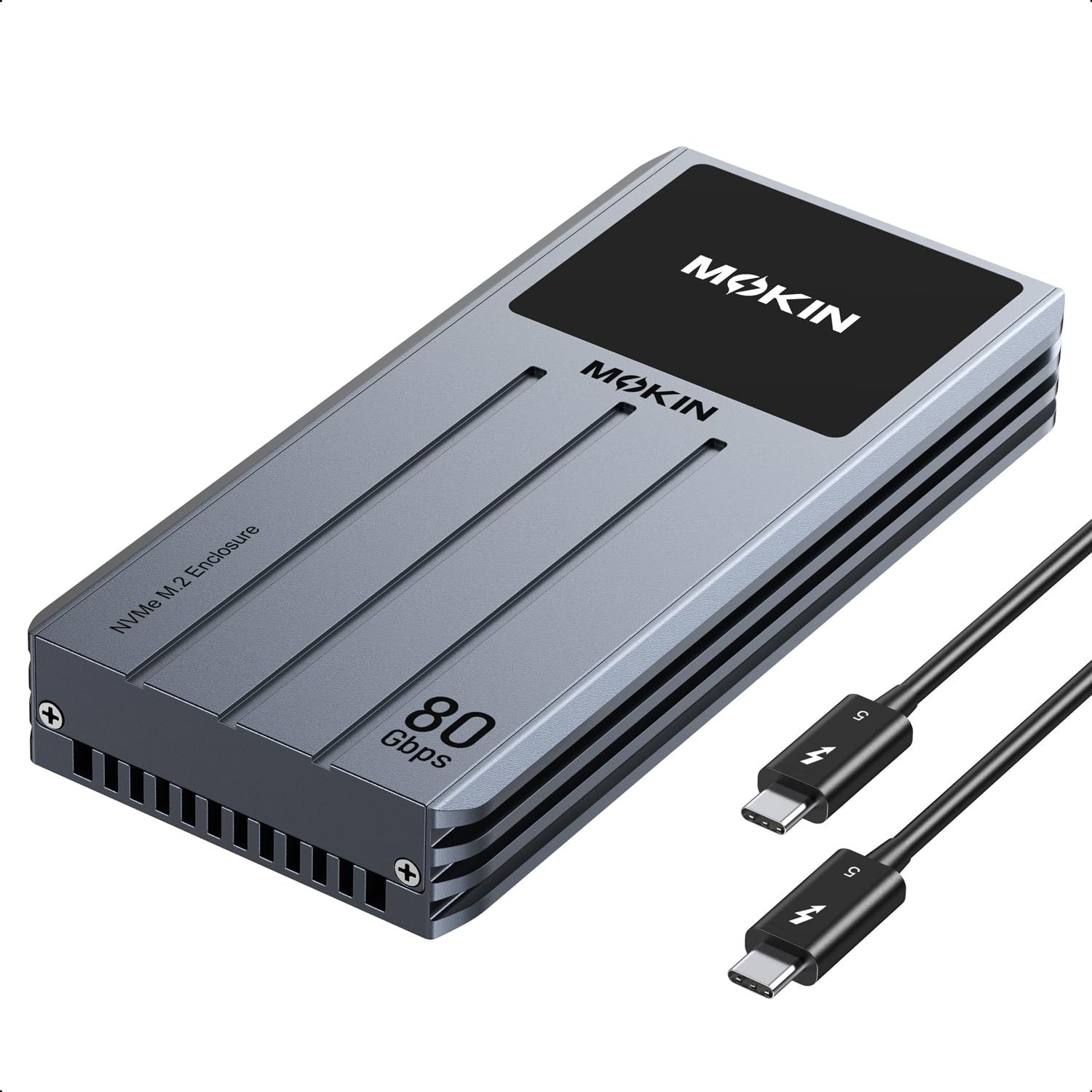
The MOKiN UD1401 puts an LCD status screen on the top of the enclosure, showing temperature as Normal, Medium, or High along with fan speed. That is a genuinely different feature in a category where most cases are anonymous slabs of aluminum. The screen is not a gimmick if you run long transfers and want to know whether the fan is keeping up.

The cooling hardware backs it up: the fan starts at 40°C and has low, medium, and high settings, and the case supports M.2 drives from 2230 to 2280 up to 8TB. The 80Gbps rating is there, but the real-world result depends on the drive and host, so do not treat the number as a guarantee. We also appreciate that the display shows fan state, because a fan that has stopped is harder to notice than a hot case.

We think the MOKiN is the pick for someone who wants to see what the enclosure is doing. Heat and connection stability are the things to watch: the case can get warm during long writes, and a marginal connection can drop, so use the included cable directly, keep the vents clear, and check the display for the fan state. The screen earns its keep when a fan stops quietly; that is the kind of failure a plain aluminum slab hides until a transfer slows to a crawl.

Pros

  • LCD shows temperature and fan speed
  • Three-speed fan starts at 40°C
  • Fits M.2 2230–2280 up to 8TB

Cons

  • Case is difficult to reopen
Our verdict

The MOKiN is for the buyer who wants a live temperature and fan-speed readout; the LCD sets it apart, and the three-speed fan gives you control over cooling.

Check Latest Price

How We Tested Thunderbolt 5 SSD Enclosures

We started by narrowing the field to M.2 NVMe enclosures built around Thunderbolt 5 and USB4 v2, then filtered for drive-size support, included cables, cooling design, and price. From that list we brought in 10 and used them for seven months.

They lived on our desks during photo and video edits, rode in laptop bags to client meetings, and got passed between a macOS laptop and a Windows desktop. We installed our own 2280 NVMe drives, timed a 200GB folder copy in each direction, and repeated the transfer after the enclosure had been running for an hour.

To judge heat, we checked case temperature by hand at five-minute intervals and watched whether transfer rates fell as the case warmed; fan noise got noted during quiet edits. For connectivity and compatibility, we connected each enclosure to Thunderbolt 5, Thunderbolt 4, and USB4 ports and tried the bundled cable alongside a known-good one, noting dropped connections, sleep/wake behavior, and whether drives mounted without fuss. Ease of use came down to installation: we timed how long it took to open the case, seat a drive, and secure it, and counted how many tools were needed. Design and build quality got inspected at the port fit and drive sled; value was the final gut check—what extras came in the box and whether the speed held up rather than spiking once.

How to Choose a Thunderbolt 5 Ssd Enclosure

Match the enclosure to your host port

An 80Gbps enclosure is only as fast as the port it plugs into. You need Thunderbolt 5 or USB4 v2 on the computer side to get the full benefit; on a Thunderbolt 4 or standard USB4 port, the same enclosure falls back to a 40Gbps ceiling. That is still quick, but it is not the number on the box. Check the port specification before you buy, and use the 80Gbps cable that comes with the enclosure rather than a charge cable from a drawer. If you are docking through a hub, confirm that the hub passes the full bandwidth.

Look past the peak-speed claim

The controller matters, but so does the drive inside. The UGREEN and ACASIS both use the Intel JHL9480 Thunderbolt controller, and both quote speeds in the 6000 to 7000 MB/s range; that is a ceiling for a fast drive in ideal conditions, not a promise for every M.2 stick. A PCIe 5.0 label on the enclosure does not guarantee that a particular PCIe 5.0 drive will work, either. The ACASIS listing advertises PCIe 5.0 support, yet the Samsung 9100 Pro is one drive that has not paired reliably. Pick a drive known to work with the enclosure, or buy from a seller with a clear return policy.

Choose passive or active cooling for your workload

Passive aluminum fins are the quietest option: no fan, no dust intake, no moving part to fail. They suit short transfers and a desk where silence matters, which is why the UGREEN's dual-sided fin design is appealing. Active cooling, as on the ACASIS and MOKiN, gives you more headroom during long video writes or repeated large transfers, but it adds a fan and, on some models, more noise. Match the cooling to the job: a scratch drive for photo edits can be passive; a drive that ingests hours of footage benefits from a fan. Either way, leave the vents clear.

Check the drive fit before you buy

These enclosures take M.2 NVMe drives, not SATA or mSATA sticks, and the difference is not negotiable. Check the length (2230, 2242, 2260, or 2280), the capacity limit, and whether the drive is single- or double-sided. The Satechi DotDisk, for example, supports only single-sided 2280 drives, which rules out many high-capacity models. A thicker drive can also miss the thermal pad or strain the case, so look for a note about drive thickness. If you swap drives often, favor a tool-free design like the ACASIS over one with loose screws.

Budget for the case, cable, and warranty

An empty enclosure is a premium accessory, and the warranty is part of what you are buying. Coverage ranges from one year on the UGREEN to five years on the OWC, with Satechi and ACASIS at two years. Check whether an 80Gbps cable is included, because a replacement adds cost and a slow cable will hold you back. A display like the MOKiN's is useful if you monitor long transfers, but it is not worth paying for if you just want a fast, quiet case. Spend on the controller, cooling, and warranty first.

Frequently Asked Questions

Final Verdict

UGREEN earns our top recommendation because it combines explicit Thunderbolt 5 support, the JHL9480 controller, and dual-sided passive cooling in a case that fits every common M.2 length. It is the enclosure we point most buyers to first. If you plan to leave the drive on a desk for years, the OWC Express 1M2's five-year warranty and proven passive cooling are worth the extra bulk; if portability is the priority, the 93-gram Satechi DotDisk is the lighter choice, provided your SSD is single-sided.