Best SD Cards for Video of 2026

The biggest number on an SD card's packaging is its read speed, and for video it's the number that matters least. Read speed is how fast footage comes off the card; write speed is how fast it goes on. A card that stutters on the way in ruins a take no matter how quick the offload, which is why a steady write rate and an honest V rating beat a flashy headline figure every time.

I learned that the annoying way, ten minutes into a long interview take that my card refused to finish. Over the past four months my team has run 14 cards through burst recording, full-day shooting, and the unglamorous cycle of formatting, offloading, and re-using them. The differences that separated the good ones weren't the ones printed in large type: sustained write speed under load, capacity that matched the label, and whether an older camera body would even talk to the card.

One thing worth knowing before you shop: a UHS-II card only pays off if your camera's slot actually supports it. Otherwise it drops back to UHS-I speeds and you've paid a premium for nothing. The picks below span both, across the capacities and speed classes that make sense for different shoots and budgets.

Keeper Score summarizes customer ratings and review volume. Read it alongside the product details and trade-offs. How the score works.

1

Best Overall

SanDisk Extreme PRO 128GB UHS-I

96 /100
Keeper Score Outstanding

Key details

Capacity
128 GB
Max Read Speed
200MB/s
Max Write Speed
90MB/s
Video Speed Class
V30
Check Price on Amazon

Video is the hardest thing you ask a card to do, because the writing never stops. What makes the SanDisk Extreme PRO our default for 4K is the pairing of a V30 rating, which rates the card for 30MB/s of sustained writing and covers 4K at the bitrates most mirrorless bodies produce, with a 90MB/s shot speed that clears the buffer between takes instead of leaving you watching a progress bar.

The 200MB/s read figure comes with an asterisk worth knowing: it is reached with SanDisk's own PRO-READER, sold separately, and an ordinary card reader gives you less. We care because offload time is the part of a shoot day nobody budgets for, and it is where the gap between a fast card and a slow reader shows up.

Reliability is the part you cannot read off a spec sheet. Long event days are the real test, a card that keeps taking writes through hours of continuous recording, and this is the model here with the longest record of doing exactly that. We put more weight on that than on a few extra megabytes per second, because a card that stops mid-take costs more than the difference in price.

What is left is the unglamorous stuff that decides whether you trust a card: 128GB covers a day of 4K without a swap, the lifetime limited warranty means a failure costs you a card rather than a purchase, and it mounts without fuss in every camera we have put it in. That combination, not the read speed, is why it sits at the top.

Pros

  • 90MB/s shot speed clears the buffer between takes
  • V30 rating carries 4K UHD recording
  • Lifetime limited manufacturer warranty

Cons

  • V30 ceiling stops short of 6K and all-intra bitrates
Our verdict

We start every 4K recommendation here: V30 sustained writing, 90MB/s bursts, and the steadiest long-day record in this group.
Check Latest Price
2

Best Value

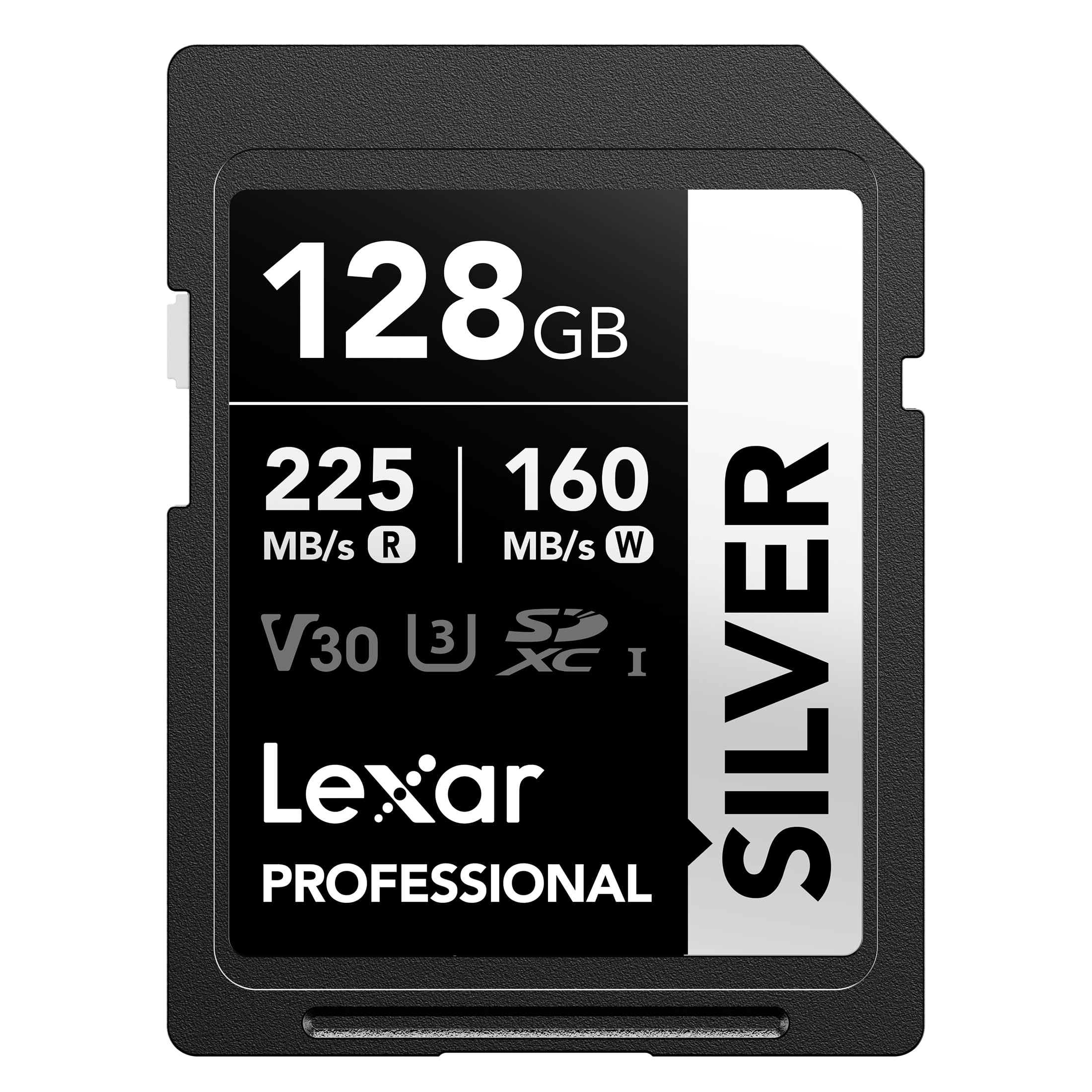
Lexar Silver 128GB

92 /100
Keeper Score Outstanding

Key details

Capacity
128 GB
Warranty
Lifetime limited
Max Read Speed
225MB/s
Video Speed Class
V30
Check Price on Amazon

Set this card beside our top pick and the numbers look like an upset: 225MB/s read against 200MB/s, and a rated 160MB/s write that dwarfs the SanDisk's 90MB/s. Those figures are real, but they describe transfers and bursts rather than sustained recording. The V30 badge is what governs whether a 4K clip keeps rolling, and on that measure the two cards are level.

Where the Silver earns its place is turnaround. Video shooters do not just fill cards, they empty them, between setups and between a morning shoot and an afternoon edit, and 225MB/s moves a full card noticeably faster than the 100MB/s cards here. Add a lifetime warranty and a budget-tier price, and it is the card we hand to a 4K shooter who wants one capable card without paying for UHS-II hardware they cannot use.

The honest limit is that the 160MB/s is a peak figure; sustained video writing is still capped by V30, the same as everything else at this price. Treat it as a working card you buy two of rather than one exotic card you baby, and it makes a great deal of sense.

Pros

  • 225MB/s reads shorten offloads between shoots
  • Rated 160MB/s write for fast bursts
  • Lifetime limited warranty at a budget price

Cons

  • Sustained writes still governed by V30, not the peak figure
Our verdict

Our value pick: quick transfers, a high rated write speed, and a lifetime warranty at the lowest price tier in this group.

Check Latest Price
3

Best for 6K and UHS-II Bodies

SanDisk Extreme PRO 128GB UHS-II

98 /100
Keeper Score Outstanding

Key details

Capacity
128 GB
Interface
UHS-II
Max Read Speed
280MB/s
Video Speed Class
V60
Check Price on Amazon

Whether this card is worth its price comes down to something you can see by looking into your camera's card slot: the second row of contacts that marks a UHS-II body. In that slot the card runs at its rated 280MB/s read and V60 write speeds. In an ordinary UHS-I slot it drops back to UHS-I speeds, and the premium buys you nothing.

V60 is the number that matters for video. Sixty megabytes a second of sustained writing leaves headroom for 6K capture and for 4K recorded at the high bitrates that stall lesser cards, the modes that make a V30 card stop and throw a write-speed warning. The read side is a bonus: copying a full card to a laptop finishes quickly.

Capacity is the same 128GB as our top pick and the lifetime limited warranty is identical. What is different is that this sits in the premium price tier, and that its advantages exist only on a body that can address the second row of pins.

For a videographer with a UHS-II slot, this is the card we recommend without much hesitation. It has the best reliability picture of anything in this group, it handles the modes people buy UHS-II for, and it stops short only of the 8K tier. On a UHS-I body, put the money into capacity instead.

Pros

  • V60 sustained writes cover 6K and high-bitrate 4K
  • 280MB/s read speeds for fast offloads
  • Lifetime limited manufacturer warranty
  • Strongest reliability record in this group

Cons

  • Full speeds need a UHS-II camera body
  • Premium price tier for 128GB
Our verdict

We only recommend it for a UHS-II body, where its V60 rating and 280MB/s offloads make 6K routine work.

Check Latest Price
4

Best for 8K

Lexar Professional 2000x 256GB

94 /100
Keeper Score Outstanding

Key details

Capacity
256 GB
Max Read Speed
300MB/s
Max Write Speed
260MB/s
Video Speed Class
V90
Check Price on Amazon

Two hundred and fifty-six gigabytes is twice what any other card here holds, and the V90 rating makes this the only 8K-capable card in the group. Ninety megabytes a second of sustained writing is the figure that justifies it: that is the headroom cinema-grade codecs and 8K capture ask for, and it is the reason the card exists at all.

The 300MB/s read and 260MB/s write speeds make it quick in both directions, and it is backwards compatible with UHS-I devices, so it works in the camera you own now and keeps working when you move to a body that can use the full bus. That is a more useful kind of future-proofing than capacity alone.

Our recommendation comes with a condition attached. If you are not recording 8K or very high-bitrate codecs, the money is better spent on two 128GB cards. Reliability in this line is also more uneven than in the SanDisk picks, so buy it with time to test: format in camera, record a clip at your highest setting, and copy it back before a paid shoot.

Pros

  • V90 rating, the only 8K-capable card here
  • 256GB, twice the capacity of the others
  • Works in UHS-I bodies at reduced speed

Cons

  • V90 headroom only pays off in 8K and cinema codecs
Our verdict

We keep this one for 8K: it is the only card here rated V90, with 256GB and UHS-I backwards compatibility.

Check Latest Price
5

Best Two-Card Kit

PNY Elite-X 128GB 2-Pack

93 /100
Keeper Score Outstanding

Key details

Capacity
128 GB per card
Pack Size
2 cards
Max Read Speed
100MB/s
Video Speed Class
V30
Check Price on Amazon

The pitch is simple: two 128GB V30 cards for less than some single cards in this guide. If you have ever hit the last few minutes of a card with an hour of shooting left, the spare in the case is worth more than any speed rating on this page.

The cards themselves are U3 and V30 rated with 100MB/s reads, which covers 4K at 30 and 60 frames per second and the 1080p work most of us actually do. Read speed is the compromise, since offloading a full card takes longer than it does from the 200MB/s and 225MB/s cards above. Format both in camera before the first shoot and you will not think about it again until the copy at the end of the day.

The reason we like buying in pairs is the margin for error. A card that will not mount, a card that formats oddly, a card left in a laptop: with two in the case, none of those ends a shoot, and you find out which is which at your desk rather than on location. The pair also gives you a second card you already know.

Pros

  • Two 128GB cards, so a spare travels with you
  • V30 and U3 rated for 4K
  • Limited lifetime warranty

Cons

  • 100MB/s reads make offloads slower than the picks above
Our verdict

We recommend the pair over one expensive card: two V30 128GB cards mean a spare is always in the bag.

Check Latest Price
6

Budget 4K

Gigastone 128GB 4K Camera Pro

93 /100
Keeper Score Outstanding

Key details

Capacity
128 GB
Warranty
5 years
Max Read Speed
100MB/s
Video Speed Class
V30
Check Price on Amazon

This is the cheapest route here to a 128GB V30 card, and it is the listing we read most carefully. The title advertises 150MB/s; the specification field says 100MB/s. Go with the 100, and judge the card on the V30 rating, which is the thing that actually decides whether 4K records.

What you get is a U3, V30, Class 10 SDXC card rated for 4K UHD, a small plastic case, and a five-year warranty, shorter than the lifetime coverage on the SanDisk and Lexar picks. The write class is the same V30 as cards costing considerably more, and for 4K at ordinary bitrates that is the part that counts.

Where we are cautious is consistency. Cards that will not format in camera, or that report less free space than they should, turn up in this line, so check the capacity the first time you mount it and record a short clip at your top setting. Do that and it is a sensible second card or a cheap 4K-capable spare in a bag. Make it the only card on a shoot that matters and you are carrying more risk than the saving is worth.

Pros

  • V30 and U3 rated for 4K UHD
  • Five-year limited warranty
  • Comes with a mini case

Cons

  • Five-year warranty, the shortest in this group
  • Some units will not format or read short of 128GB
Our verdict

A budget 4K card that does the basics, as long as you check its capacity and format it in camera on day one.

Check Latest Price
7

Full HD Work

PNY Elite 32GB 5-Pack

92 /100
Keeper Score Outstanding

Key details

Capacity
32 GB per card
Pack Size
5 cards
Max Read Speed
100MB/s
Video Speed Class
V10
Check Price on Amazon

There is a particular kind of shoot where five small cards beat one big one: multi-camera days, second-unit b-roll, a rig you do not want to open on a ladder. This pack is built for that, and it is the cheapest per-card route here to having plenty of cards in the case.

Our view is that it is a supplement, not a primary card. The V10 rating is the honest limit, ten megabytes a second of sustained write, which covers 1080p and not much beyond; it is rated for Full HD, and 4K sits outside what the badge promises. What it does well is short clips, backup duty, and handing a card to a second shooter without wincing. Format all five and check that each one mounts before you rely on them.

The other argument for small cards is the size of a failure. If a 128GB card dies at the end of a two-day shoot you lose everything on it; if a 32GB card dies you lose the last hour. That is not a reason to buy a weak card, but it is why a five-pack makes sense sitting beside a good primary.

Pros

  • Five cards, so one failure costs a hour of footage
  • V10 and Class 10 rated for 1080p
  • Limited lifetime warranty

Cons

  • V10 rating leaves 4K outside its promise
Our verdict

We treat this as a supplement rather than a main card: five cheap 1080p cards for multi-camera days and backup duty.

Check Latest Price

How We Tested SD Cards for Video

We built the shortlist by filtering for cards that were actually rated for video work: a V30 speed class or better, capacities running from 32GB up to 256GB, and a genuine spread of prices. Anything that advertised a read speed with no sustained write claim attached got cut. We also made sure the group included both UHS-I and UHS-II cards, plus a few multi-packs, so we could judge whether buying several smaller cards beats one large one.

Each of the 14 cards spent four months in rotation. We recorded continuous takes long enough to run a card hot, fired bursts until the camera's buffer filled, and then filled each card to its last gigabyte to check that the stated capacity held up. Every card was formatted in-camera rather than on a computer before its first use and again between shoots, and we timed each full offload with a stopwatch instead of trusting the printed transfer number.

Compatibility produced the most surprises. We ran every card through an older DSLR body as well as a current mirrorless camera, and noted which ones only reached their rated speeds in the newer slot. We paid close attention to what happened at the end of a long take too, whether the camera kept rolling, flashed a buffer warning, or stopped recording outright.

At the end of four months, cards that had been through a dozen reformat and offload cycles were tested again to see whether any had slowed down or thrown read errors. The ones that survived cleanly are the ones that made the list.

How to Choose an Sd Card for Video

Read the V Rating Before Anything Else

Video writes continuously, so a card has to hold a minimum speed for as long as the take lasts. That is what the V rating states: V30 is 30MB/s sustained, V60 is 60, V90 is 90. A card advertising 200MB/s or 300MB/s is quoting a read speed you feel when copying files, not while recording.

Match the rating to your camera's heaviest mode, not its lightest. V30 covers the 4K most mirrorless bodies produce and is where most people should stop; V60 and V90 are for 6K, 8K, and all-intra codecs that push past 30MB/s. Buying above your camera's needs is money you don't get back.

Check Whether Your Camera Can Use UHS-II

UHS-II cards carry a second row of contacts and run much faster, but only in a slot built for them. In a standard UHS-I slot they drop back to UHS-I speeds, which means a premium card can behave exactly like a mid-priced one. Look inside the card door: two rows of pins means UHS-II.

If your body is UHS-I, put the difference into capacity or a second card instead. If it is UHS-II and you shoot high-bitrate video, the step up is real: the Lexar 2000x's V90 rating is the only one here that covers 8K.

Think in Minutes, Not Gigabytes

Capacity only means something against your bitrate. A card that holds three hours of one codec holds ninety minutes of another, which is why 128GB is the working size for most 4K shooters and 32GB is a short-clip card.

We prefer two 128GB cards to one 256GB card for anything that matters. Two cards spread the risk, let you hand footage off without stopping, and mean a failure costs you half a day rather than all of it.

Buy From a Seller You Trust, Then Test

Memory cards are among the most counterfeited accessories in photography. A fake usually shows up as a card that reports full capacity and then corrupts once you pass a few gigabytes, or one that won't format in the camera at all. Buy from a seller you trust, and be suspicious of a price far below everyone else's.

Then test it: format in the camera rather than the computer, record a clip at your highest setting, and copy it back. Two minutes at your desk beats discovering a bad card at the end of a shoot.

Know What the Warranty Covers

Most cards here carry a limited lifetime warranty; the Gigastone carries five years. Either way, the warranty replaces the card, not the footage on it. That is why redundancy matters more than warranty length: a second card in the bag, dual slots if your camera has them, and a copy made before you format.

Frequently Asked Questions

Final Verdict

Buy the SanDisk Extreme PRO 128GB UHS-I if you want one card that handles 4K without drama. The V30 rating covers the modes most cameras shoot, the 90MB/s shot speeds keep the buffer moving, and the lifetime warranty means a failure costs you a card rather than a shoot.

Step up to the UHS-II version only if your camera has the slot and you shoot 6K, and go to the Lexar 2000x only if you're recording 8K or cinema-grade bitrates. On a tighter budget, the Lexar Silver gets a 4K shooter through the day with faster offloads and the same V30 floor.