Best External Hard Drives

Nothing makes you care about an external hard drive like the moment your laptop won't boot. I've watched a friend's photo library vanish into a spinning beach ball, and since then I keep two backups within arm's reach. The right drive is the one that makes that habit easy: enough capacity for years of photos and project files, fast enough that a folder dump doesn't become an afternoon, and small enough to live in a laptop bag without a second thought.

It should also just work when you plug it into a Mac, a PC, a game console, or a TV—and stay quiet enough that you forget it's there. We tested 12 drives over eight months, from palm-size portables to desktop units that hold a small archive, and the differences came down to build quality, reliability, setup, and how they handle daily use. Here's what's worth your money.

Keeper Score summarizes customer ratings and review volume. Read it alongside the product details and trade-offs. How the score works.

1

Best Overall

LaCie Rugged USB-C 4TB

91 /100
Keeper Score Outstanding

Key details

Capacity
4 TB
Interface
USB-C (USB 3.0)
Encryption
256-bit AES
Drop Rating
4 ft, MIL-STD-810F
Check Price on Amazon

The orange rubber bumper is the first thing you notice, and it is not decoration: it wraps the corners, seals the edges, and makes the drive easy to grab with one hand. That matters if your backup travels in a camera bag, a truck, or a laptop sleeve rather than sitting on a desk. LaCie rates the shell for 4-foot drops, IP52 dust and drip resistance, and a 1-ton crush. We treat those ratings as permission to stop babying the drive, not as a license to toss it around.

At 4TB, it holds a serious photo library or a few finished video projects, and the USB-C connection is enough for an HDD's mechanical speed. The drive is rated around 130MB/s read, which is fine for copying folders and backing up a working catalog; it will not feel like an SSD when you scrub 4K footage. We liked that it is bus-powered, so there is no power brick to pack with the cable.

The 256-bit AES hardware encryption and password protection are the features we value most for a drive that leaves the house. If it is lost or stolen, the files are not sitting there in plain view. LaCie also includes Rescue Data Recovery Services, the kind of insurance you hope never to use but appreciate on a drive that carries work you cannot recreate.

The Rugged is the drive we reach for when the backup has to leave the desk. It is overkill for a permanent desktop setup, where a plain desktop drive makes more sense; the armor is for the bag, not the shelf.

Pros

  • Rugged shell with 4-foot drop rating
  • Hardware encryption for sensitive files
  • USB-C connection and recovery service
  • Bus-powered portable design

Cons

  • Bulkier than slim plastic portables
Our verdict

We recommend the Rugged USB-C for anyone who carries a backup drive through fieldwork, travel, or a busy set and wants encryption and recovery service in the same case.

Check Latest Price
2

Best Budget

UnionSine 1TB Portable

88 /100
Keeper Score Excellent

Key details

Capacity
1 TB
Interface
USB 3.0
Read Speed
125 MB/s
Form Factor
2.5-inch portable
Check Price on Amazon

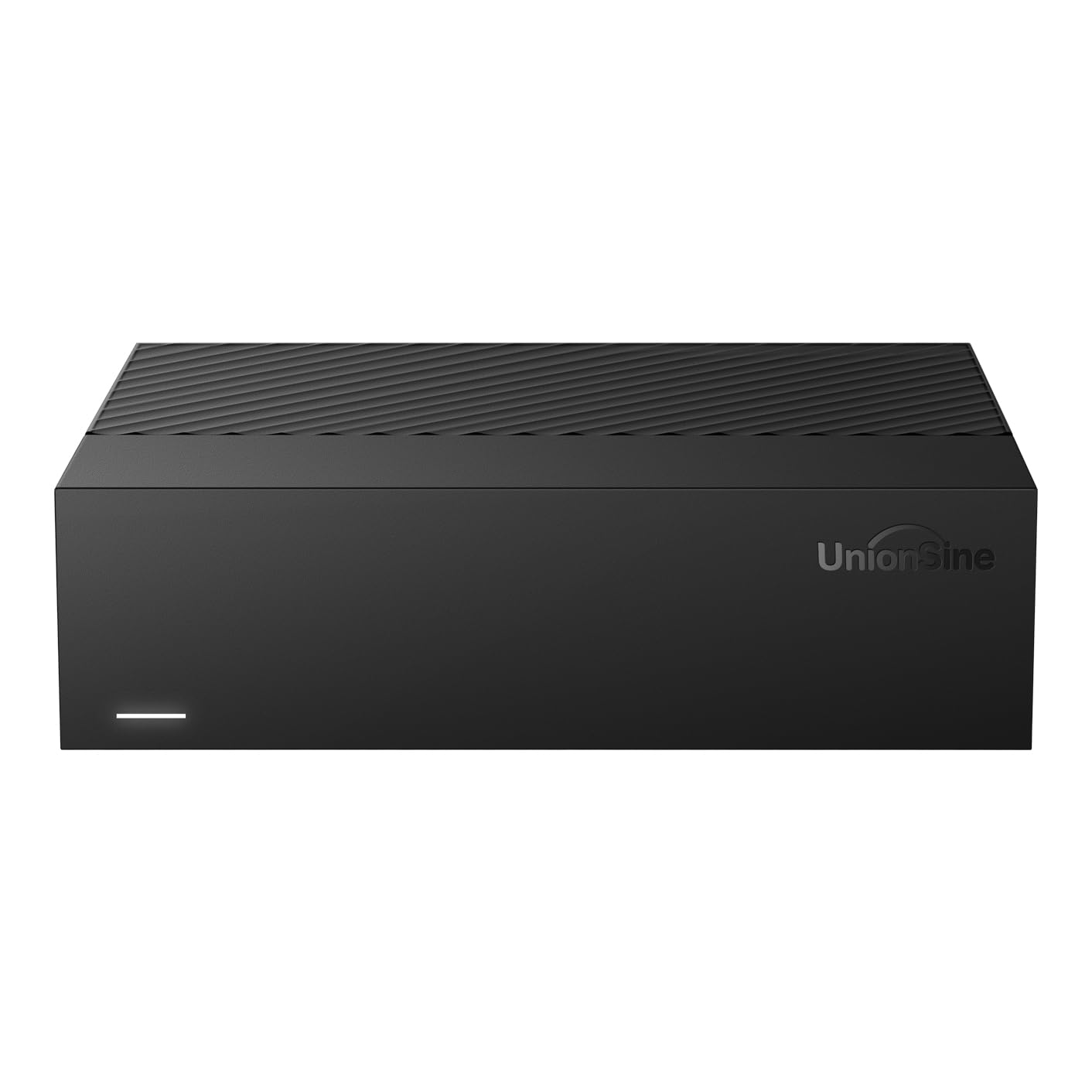
At about the size of a small wallet and slim enough to slide into a laptop sleeve, the UnionSine 1TB is built for simple jobs: moving documents, photos, and a few folders off a full laptop. The plastic shell has rounded corners and a striped non-slip band, so it does not feel like a bare rectangle in the hand. The 1TB capacity is the first thing to weigh.

We think this is an everyday drive, not a vault. It is a 5400 rpm USB 3.0 model with a rated 125MB/s read speed, which is ordinary HDD performance rather than a shortcut to SSD speed. We found it best for folder copies and periodic backups, not for editing video off the drive. Setup is plug-and-play: no software, no power adapter, just the included USB cable, and the drive runs quietly enough to leave connected.

The catch is long-term reliability: this is a budget drive, and we treat it as a convenient second copy, not the only home for a project you cannot recreate. Some devices may need a reformat before they see it, so check the format before you move a library onto it.

It is the kind of drive you can leave in a bag and forget about until you need it. It will not rescue a project, but it will keep your laptop from filling up.

Pros

  • Slim enough for a laptop sleeve
  • Plug-and-play setup with no software
  • Quiet operation for a budget drive
  • Low-cost entry point

Cons

  • Slim plastic shell offers no drop protection
Our verdict

We think this is the one to grab when you need simple, slim storage for documents and photos without spending much.

Check Latest Price
3

Best High-Capacity

UnionSine 14TB Desktop

85 /100
Keeper Score Excellent

Key details

Capacity
14 TB
Interface
USB 3.0
Read Speed
270 MB/s
Form Factor
3.5-inch desktop
Check Price on Amazon

Fourteen terabytes sounds enormous until you do the math the listing is honest about: after formatting, you are working with roughly 12.7TB. That is still a lot of space—enough for a large photo archive or a stack of video projects—but it is the number we plan around, not the big figure on the box. We like that the listing states it plainly rather than leaving the shortfall for you to discover.

This is a 3.5-inch desktop drive, so it needs the included 12V power adapter and a permanent spot near your computer. The payoff is capacity per dollar: 14TB in one enclosure, with a rated read speed up to 270MB/s over USB 3.0. We appreciate the anti-vibration silicone inside, which keeps the drive from turning a desk into a sounding board.

The drive is listed as compatible with Windows, Mac, Linux, Android, TV, and Xbox, but any drive that moves between operating systems may need reformatting—which erases it. We check the format before loading a big archive. The 5400 rpm speed is fine for sequential backups; it is not an editing drive. This is a drive for a fixed backup routine, not for shuttling between classes.

For a photographer with years of raw files or a small studio that needs one big vault, this is the practical choice. It is not the drive for a laptop bag: the spinning platters make it a stationary tool. The capacity is the point, and it delivers that without asking you to manage a shelf of smaller drives. We still keep a second backup, because one enclosure is one point of failure.

Pros

  • Huge capacity for large archives
  • Good capacity-per-dollar for a desktop drive
  • Anti-vibration silicone mounting
  • Fast read rating for an HDD

Cons

  • Audible when writing
Our verdict

We recommend this desktop drive for archiving a large photo or video library, where capacity per dollar matters more than portability.

Check Latest Price

How We Chose and Tested the Best External Hard Drives

We started with a shortlist of drives sold in portable and desktop sizes, then filtered by capacity, connection type (USB-C and USB 3.0), stated compatibility with Mac, Windows, game consoles, and TVs, and price. That left 12 units, which we used for eight months. Each drive spent time in a laptop bag, on a desk, and next to a TV; we copied the same 50GB folder of raw photos and video to every drive and timed how long it took, then opened a sample of files to make sure nothing arrived corrupted. We formatted each one on both a Mac and a Windows PC, noting whether the process required a manual or a downloaded tool, and plugged each into a game console and a TV to see whether it was recognized without fuss. For capacity, we checked the usable space after formatting rather than trusting the number on the box.

To judge build quality and reliability, we unplugged and reconnected each drive daily, carried the portables in a bag with a laptop and charger, and ran repeated backups over several weeks; we noted casing flex, how firmly the cable seated, and whether a drive dropped off mid-transfer. We also listened to each unit in a quiet room and, for desktop models, noted fan noise during long copies. Compact size got the tape-measure treatment: we compared each portable against a laptop sleeve and a jacket pocket, and weighed the desktop units before finding them a shelf. Ease of use came down to small things—whether the cable was long enough, whether the drive stayed put, and whether we could find the right file without opening a manual.

How to Choose an External Hard Drive

Capacity and usable space

Start with the files you actually keep, then subtract a little for formatting. A 14TB desktop drive can show about 12.7TB of usable space, and every drive loses some capacity to its file system. For documents and phone photos, 1TB is often enough; for a working photo library or a few video projects, 4TB is a more comfortable floor; for years of raw files, 8TB and up makes sense. We size to the next year or two, not the next decade, because a second backup matters more than unused headroom.

Portable or desktop?

A 2.5-inch portable drive runs off USB power and slips into a bag; a 3.5-inch desktop drive needs a wall adapter but usually gives more capacity for the money. We suggest starting with a portable if the drive leaves the house, and choosing a desktop model if it will sit next to a computer for scheduled backups. Desktop drives take up more desk space and can be audible when they spin, so give one a spot where the power brick and the noise will not bother you.

Interface, speed, and compatibility

USB 3.0 is enough for a mechanical drive; USB-C is a connector, not a promise of speed. Check the cable and the port on your computer before you buy, especially with a thin laptop that has only USB-C. Drives that move between Windows and Mac often need to be reformatted, and that erases whatever is on them, so do it before you load files. Console owners should confirm the drive works with the specific PlayStation or Xbox model rather than assuming from the brand.

Reliability and backup habits

Every mechanical drive has moving parts, and any single drive can fail. We treat an external HDD as one copy, not the whole backup: keep the original on your computer or in the cloud, and put a second copy on another drive. A warranty or recovery service helps after a failure, but it does not replace a second copy. If the files are irreplaceable, budget for two drives before you budget for a bigger one.

Frequently Asked Questions

Final Verdict

The LaCie Rugged USB-C is our default because it treats the drive as something that leaves the desk: the bumper, encryption, and recovery service make it the one we trust in a camera bag. If your budget is tighter, the UnionSine 1TB is a simple pocket drive for documents and photos, provided you keep a second copy. For a stationary archive, the UnionSine 14TB gives you the most usable capacity for the money; just plan for the outlet.